
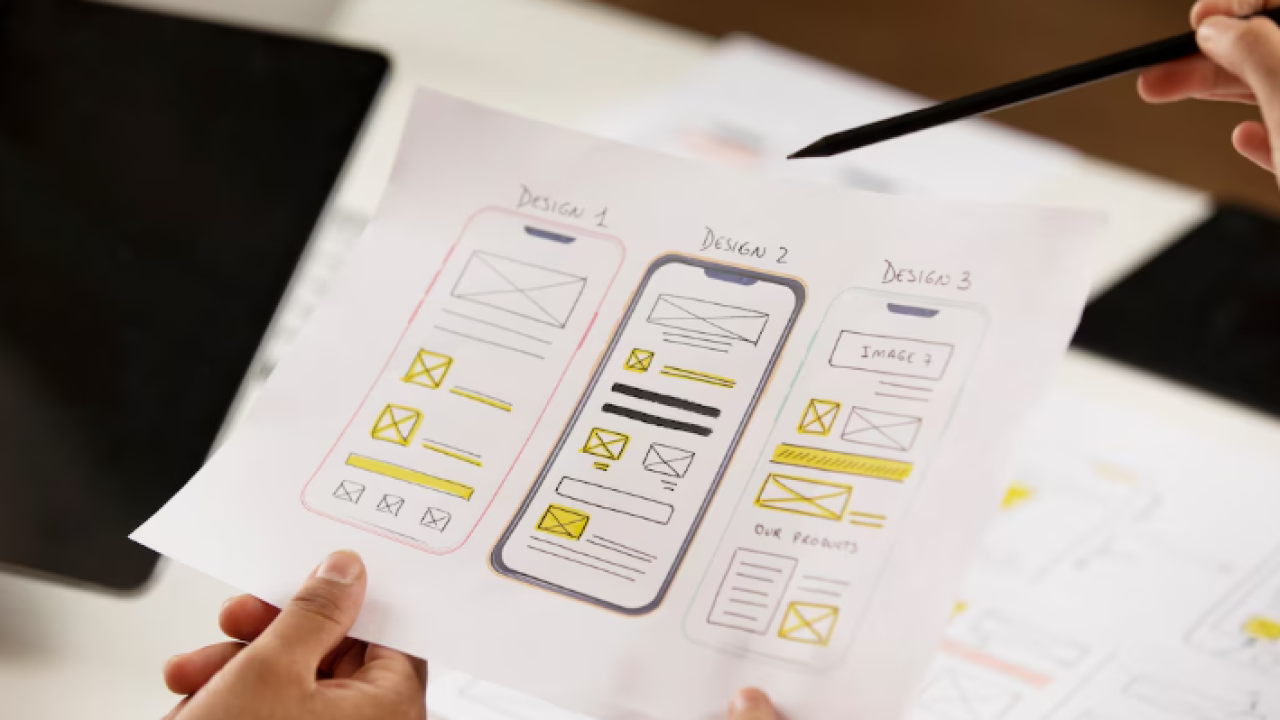
You have an idea. You have a rough sketch on a napkin, a Figma doodle, or even just a clear picture in your head. What you do not have is a $40,000 budget for a design agency or six months to wait for a dev team. According to Forrester Research, every dollar invested in UX design returns approximately $100 in business value, yet most non-technical founders never get past the idea stage because the path from sketch to shipped product feels impossibly technical (Forrester, 2023). It doesn’t have to.
This guide walks you through the exact process of turning a rough UI concept into a fully deployed, production-ready web application using AI, without writing a single line of code. If you want context on how non-technical founders are building real products today, that is a solid place to start before you dive in here.
Launch Your App Today
Ready to launch? Skip the tech stress. Describe, Build, Launch in three simple steps.
BuildTL;DR: You can go from a rough sketch to a live, deployable web app in hours, not months. According to Gartner, 70% of new enterprise applications built in 2025 will use low-code or no-code technologies. The fastest path uses AI to convert plain English descriptions directly into UI, skipping wireframing tools, design software, and front-end developers entirely. imagine.bo’s Describe-to-Build feature handles the full stack from a single prompt.
Why Does Traditional UI Design Fail Non-Technical Founders?
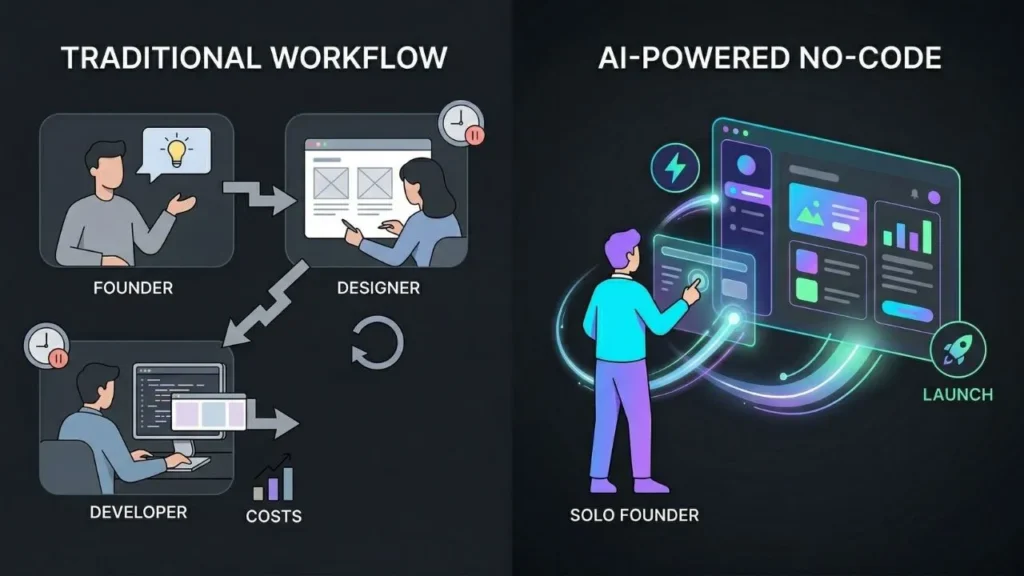
Traditional UI design processes were built for teams, not solo operators. A standard agency workflow involves discovery, wireframes, high-fidelity mockups, developer handoff, and at least two rounds of revision, each billed separately. According to Nielsen Norman Group, most usability issues become exponentially more expensive to fix the later they are discovered in a project, with production-stage fixes costing up to 100 times more than design-stage corrections (NNG, 2024). That math destroys early-stage startups before they can find paying customers.
The deeper problem is the translation gap. You know what your app should do. A designer interprets that into visual components. A developer interprets the designer’s files into code. Every handoff introduces distortion. By the time your idea reaches the browser, it has passed through three sets of assumptions that were never yours. AI-powered no-code tools cut out those handoffs entirely. You describe what you want, and the system generates both the UI and the underlying logic at once.
The traditional design process is not just slow because of the number of steps. It is slow because each step is owned by a different specialist who cannot move without the previous one finishing. AI collapses this sequential dependency into a single loop. That is not an incremental improvement. It is a structural change in how products get built.
Step 1: How Do You Turn a Rough Sketch Into a Prompt That Actually Works?
Your sketch is not the enemy of the AI. It is your briefing document. The goal of Step 1 is to translate what you see in your sketch into words specific enough for an AI to build from. According to a 2024 analysis by the Stanford Human-Centered AI Institute, prompt specificity is the single strongest predictor of output quality in generative UI tools, with detailed prompts producing 3x more accurate initial results than vague ones (Stanford HAI, 2024).
Start by describing your app in three layers: what it does, who it is for, and what the primary screen looks like. A weak prompt sounds like “build me a booking app.” A strong prompt sounds like “build a client-facing booking app for a solo physiotherapist. The main screen shows a weekly calendar view, a sidebar with available time slots, and a simple form that captures name, email, contact number, and appointment type. Use clean white backgrounds with a teal primary color.” That second version gives the AI enough to generate something usable on the first pass.
You do not need Figma or Sketch software to do this. A photo of a hand-drawn layout works. A rough description of boxes and buttons works. What matters is specificity about layout, user flow, and the core action you want a visitor to take. The AI prompts guide for turning ideas into apps covers prompt structure in detail if you want a reference before you write your first one.
What Should a First Prompt Include?
Think of your first prompt as answering four questions: What is the app’s primary purpose? Who is the user and what do they arrive wanting to do? What does the main screen contain? What happens after the user completes the primary action? If your prompt answers all four, you will get a first-pass output that is at least 70 percent of the way to what you need.
Step 2: How Does AI Generate a Full UI From Your Description?
Once your prompt is ready, the AI does not just draw a screen. It generates a complete application structure: frontend components, navigation logic, database schema, and backend endpoints. imagine.bo’s Describe-to-Build feature reads your prompt and produces an AI-Generated Blueprint that maps every UI element to its underlying data and logic. According to McKinsey Digital, companies that use AI in product design reduce their prototyping cycle time by 20 to 30 percent compared to traditional design-and-code workflows (McKinsey, 2024).
What comes out the other side is not a mockup. It is working code: real React components, real API routes, real database tables. You can click buttons. You can fill in forms. You can see how the app actually behaves, not how a designer imagined it would. That distinction matters enormously. Seeing a live, interactive prototype in the first session eliminates weeks of back-and-forth with static design files.
When a founder describes a client portal to imagine.bo and sees a functional login screen, a dashboard with real data tables, and a sidebar navigation appear within the same session, the reaction is almost always the same: “I expected a sketch. This looks like a real product.” That gap between expectation and output is where the real time savings live.
For a deeper look at how generative AI handles UI and UX design decisions without a human designer, that resource walks through the specific component logic AI applies automatically.
Citation capsule: According to McKinsey Digital’s 2024 product development research, organizations integrating AI into their design-to-build pipeline report 20 to 30 percent faster time to market on new digital products compared to traditional development cycles. Faster iteration at the prototype stage compounds over time, reducing total project cost by eliminating revision loops between design and engineering teams.
Step 3: How Do You Refine Your UI Through Conversation Instead of Code?
Iteration in traditional development means opening a ticket, waiting for a sprint cycle, and reviewing changes two weeks later. With AI, iteration means typing a follow-up message. According to a 2024 report by Forrester Research, conversational UI refinement reduces design revision cycles from an average of 14 days to under 2 hours in AI-native build environments (Forrester, 2024). That is not a productivity tweak. That is a fundamentally different way of building products.
Here is how this step works in practice. You review what the AI built. You write a follow-up prompt that describes what needs to change. “Move the form to the right side. Make the calendar take up the full left column. Change the button color to match the primary teal. Add a dropdown for appointment duration with 30, 45, and 60 minute options.” The AI applies every change in one pass. You review again and repeat.
This conversation-based refinement is what makes the journey from sketch to app feel natural rather than technical. You’re not editing CSS. You’re not adjusting flexbox settings. You’re describing what you want as if talking to a designer sitting next to you, except this designer never misses context, never has a competing priority, and delivers instantly.
The prompt engineering tips for no-code AI developers resource is worth reading before your first refinement session. Knowing how to phrase change requests saves significant back-and-forth.
Step 4: Which Design Principles Should You Apply Without a Designer?
You do not need a design degree to make your app look credible and professional. You need to understand three principles: visual hierarchy, color contrast, and spacing consistency. According to a study by Adobe, 38 percent of people will stop engaging with a website if its layout or content is unattractive, and 66 percent prefer beautifully designed content over something plain (Adobe, 2024). These numbers hold for web apps too.
Visual hierarchy means your most important element on screen should be the most visually prominent. If the primary action is “Book an Appointment,” that button should be larger, bolder, and more contrasting than everything else on the page. The AI will handle this automatically if you describe the hierarchy in your prompt. Say “the Book Now button should be the most prominent element on screen” and the system will style it accordingly.
Color contrast is the difference between readable and inaccessible. A pale gray text on a white background fails accessibility standards and loses users with impaired vision. The Web Content Accessibility Guidelines (WCAG) require a minimum contrast ratio of 4.5:1 for normal text. imagine.bo applies these standards automatically in its generated components, but knowing them helps you give better refinement prompts. The color theory guide for enhancing app aesthetics explains how to use color psychology to communicate your brand without a professional designer.
Spacing consistency is the simplest principle to apply. Consistent padding, consistent gap sizes between elements, and consistent font size scaling make an app feel polished. When refining in Step 3, instruct the AI to “use 16px base spacing and keep all section gaps consistent.” That single instruction prevents most of the visual disorder that makes amateur-built apps feel amateur.
Based on observed patterns across imagine.bo builds, the three most common refinement requests that improve perceived design quality are: (1) increasing the whitespace around primary action buttons, (2) replacing custom hex colors with a defined 3-color palette, and (3) standardizing font sizes to a 3-tier hierarchy of heading, subheading, and body. Founders who make these three changes in their first refinement session consistently ship apps that pass first impressions with test users.
You should also think about mobile from the first prompt, not as an afterthought. The design for mobile and desktop users guide shows how responsive design decisions made at the prompt stage save painful corrections later.
Step 5: How Do You Deploy a Finished App Without a DevOps Team?
Deployment is where most no-code journeys stall. You built something. It works on your screen. Getting it live for real users used to mean configuring servers, setting up domains, managing SSL certificates, and connecting a database. According to a 2025 survey by Stack Overflow, 41 percent of non-technical founders who abandoned a no-code project cited deployment complexity as the primary reason (Stack Overflow Developer Survey, 2025).
imagine.bo’s One-Click Deployment removes every one of those steps. The frontend deploys to Vercel, the backend and database deploy to Railway, SSL is provisioned automatically, and your app receives a public URL within minutes of clicking deploy. You do not configure anything. You connect your custom domain through the dashboard, and it works.
This matters beyond convenience. Production-ready deployment means your app includes RBAC (role-based access control), GDPR compliance foundations, and SOC2-ready security infrastructure by default. You are not building a demo. You are shipping a real product from day one. That is the difference between imagine.bo’s approach and simpler website builders that produce static pages with no backend logic.
For a detailed walkthrough of what One-Click Deployment actually sets up under the hood, from idea to live apps in seconds covers the technical stack in plain language.
Citation capsule: According to the Stack Overflow Developer Survey 2025, deployment complexity is the leading cause of abandoned no-code projects among non-technical founders, cited by 41 percent of respondents who failed to launch. Platforms that handle environment configuration, SSL provisioning, and hosting infrastructure automatically remove the most common failure point in the sketch-to-app journey.
What Makes AI-Powered UI Design Different From Traditional No-Code Builders?
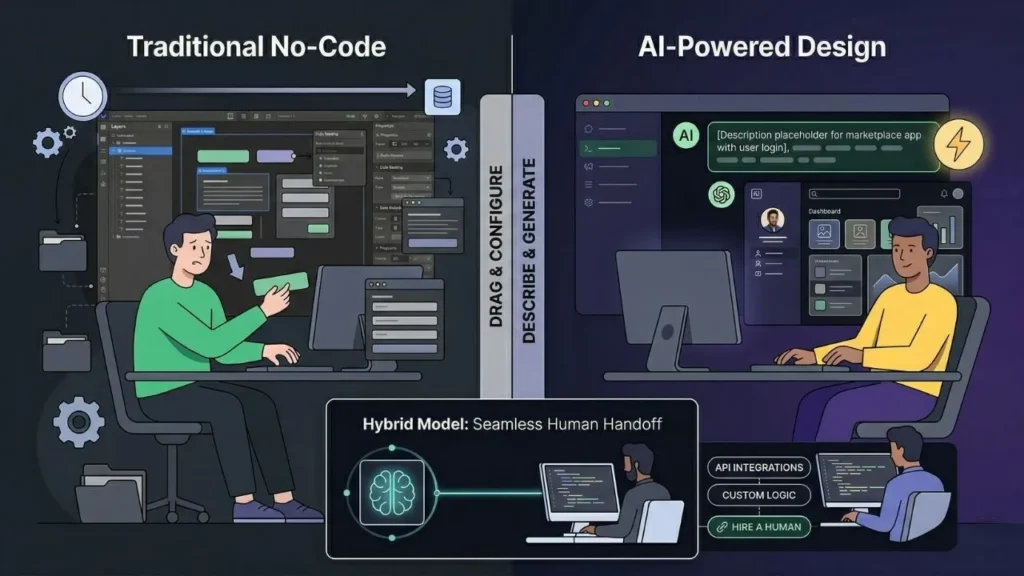
Traditional no-code builders like Bubble, Webflow, and Adalo give you a visual editor. You drag components onto a canvas and configure them one by one. That is still design work. It still requires understanding component logic, data bindings, and state management. According to G2’s 2025 No-Code Platform Report, the average onboarding time to build a first functional app on a traditional visual no-code platform is 18 to 22 hours for a non-technical user (G2, 2025).
AI-powered platforms like imagine.bo eliminate the visual editor entirely. You describe the app. The AI makes component decisions. You review and refine. The result is that a non-technical founder can go from blank page to functional prototype in a single session. The distinction is not just speed. It is the nature of the skill required. Visual editors require you to learn the tool. Prompt-driven development requires you to get better at describing what you already know.
The comparison of sketches into AI-powered apps and the no-code UI design process explores this distinction with specific platform comparisons if you want to see how different tools handle the same starting point.
What happens when AI hits its limits? imagine.bo includes the Hire a Human feature, which lets you assign specific tasks to vetted engineers directly from the dashboard. Custom payment logic, complex third-party API integrations, or edge-case backend behavior that requires manual code: those tasks can be handed off without leaving the platform. This is the hybrid model that distinguishes imagine.bo from purely AI-generated tools. You get AI speed for 90 percent of the build and human precision for the 10 percent that genuinely needs it.
For another perspective on the full no-code spectrum, the breakdown of no-code versus low-code for startups gives useful framing if you’re still deciding which approach fits your product.
Frequently Asked Questions
Can I use an actual image of my sketch as input for AI app builders?
Yes, some AI-powered platforms accept image uploads of hand-drawn wireframes or sketches as part of the initial prompt. In practice, pairing an image with a written description produces the best first-pass output. According to Stanford HAI (2024), multimodal prompts combining visual and text inputs improve generation accuracy by up to 40 percent compared to text-only inputs in UI generation tasks.
How long does it actually take to go from sketch to deployed app with an AI tool?
For a straightforward app with 4 to 8 screens and standard features like authentication, a dashboard, and a form-based workflow, most non-technical founders reach a deployable version within 4 to 8 hours of their first session. The build an app by describing it walkthrough shows a realistic session timeline for a first-time builder.
Do I need to know any design terminology to work with AI UI generators?
No formal design knowledge is required. That said, understanding basic terms like “above the fold,” “primary CTA,” and “navigation hierarchy” will help you write more precise prompts. According to Forrester, 2024 AI tool usability studies show that non-technical users who learn 10 to 15 domain-specific terms produce output 55 percent closer to their intent than those who rely on purely conversational language.
What happens to the code after the AI generates my app?
With imagine.bo, you own the code entirely. It’s clean, exportable, and not locked into a proprietary platform format. This matters for long-term flexibility: you can hire a developer to extend the codebase later, migrate hosting, or integrate with tools that require direct code access. Platforms that lock you into their runtime are a long-term liability.
Is AI-generated UI actually good enough for real users, not just demos?
Yes, when refined through iterative prompts. Initial output is rarely production-ready without refinement. But 3 to 5 focused refinement sessions addressing layout, color, spacing, and copy typically produce interfaces that clear usability benchmarks. Nielsen Norman Group (2024) notes that 5 usability tests identify 85 percent of core UX problems, and iterative AI prompting can simulate a meaningful share of those corrections before user testing begins.
Conclusion

The path from sketch to deployed app has never been shorter, but it does require the right mindset shift. Stop thinking about it as a linear pipeline: sketch, then wireframe, then design, then code, then deploy. Start thinking of it as a convergent loop where you describe, review, refine, and deploy in rapid cycles. That structural change is what AI makes possible, and it’s what separates founders who ship from those who stay in planning mode indefinitely.
Three things to take away from this guide. First, specificity in your initial prompt determines 70 percent of your first-pass output quality. Second, conversational refinement replaces the revision cycle that traditional design agencies bill by the hour. Third, deployment is no longer a technical barrier with the right platform.
If you’re ready to go from your first sketch to a live product, start with imagine.bo’s free plan: 10 credits, no credit card required, and a working app URL within your first session. And if you want to see what the AI-assisted design process looks like in practice before you commit, the AI co-pilot guide for no-code web design gives you a real behind-the-scenes look at how AI makes design decisions automatically.
Related Articles
- No-Code vs Low-Code in 2025: Key Differences and Choosing the Right Platform
- No-Code, Low-Code, or Full-Code: Which Path Will Build Your Project’s Success?
- Unlock AI App Development: Your Guide to Free No-Code/Low-Code Platforms
- Revolutionizing App Development: Your Expert Guide to AI-Assisted No-Code Builders (2026)
- Revolutionize Web Design with Your AI Co-Pilot for No-Code Website
Launch Your App Today
Ready to launch? Skip the tech stress. Describe, Build, Launch in three simple steps.
Build




