Quick answer: A no-code website builder for news is a platform that lets publishers, journalists, and independent creators design, manage, and scale a news website without touching code. The best 2026 options pair an AI-generated frontend, a structured CMS, fast hosting, and human engineering support so a one-person newsroom can publish at the speed of a 50-person team. The strongest hybrid platforms, including imagine.bo, Webflow, Framer, and Quintype, now ship newsrooms in days rather than months.
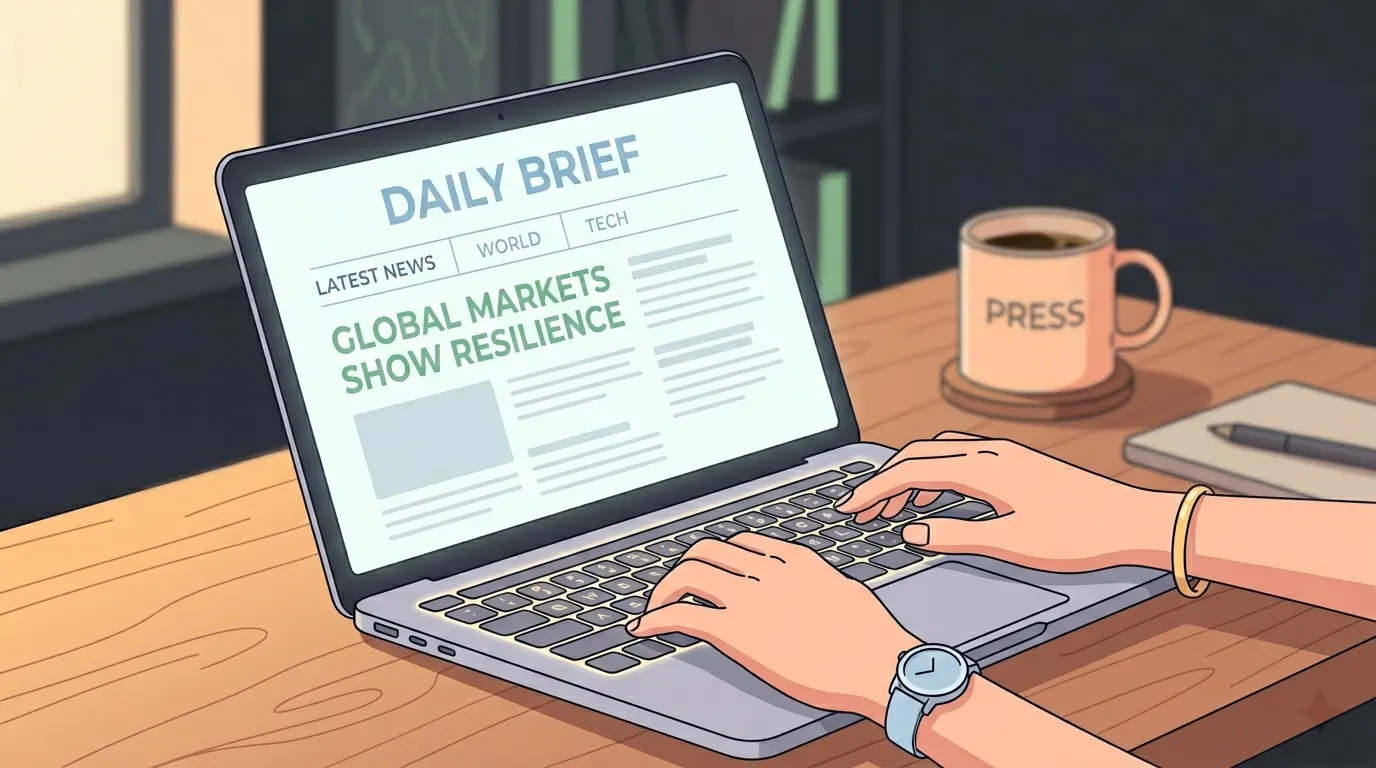
If you have ever tried to start a news site, you already know the painful part. The writing is the easy bit. The hard part is everything around it: the article CMS, the homepage logic, the breaking-news ticker, the author pages, the category archives, the AMP fallbacks, the newsletter signup, the comment moderation, the live ticker, the paywall, the SEO schema, the Core Web Vitals score that decides whether Google ever sends you a reader.
Launch Your App Today
Ready to launch? Skip the tech stress. Describe, Build, Launch in three simple steps.
BuildIn 2026, none of that has to slow you down. The no-code website builder space has matured into something that can genuinely run a newsroom, and the recent wave of AI-native platforms has changed what a single founder can ship in an afternoon. This guide walks through the news, the architecture, the platforms, and the publishing playbook, so you can launch a real, fast, search-friendly news website without hiring an engineering team.
Why this is the year independent publishers should pay attention
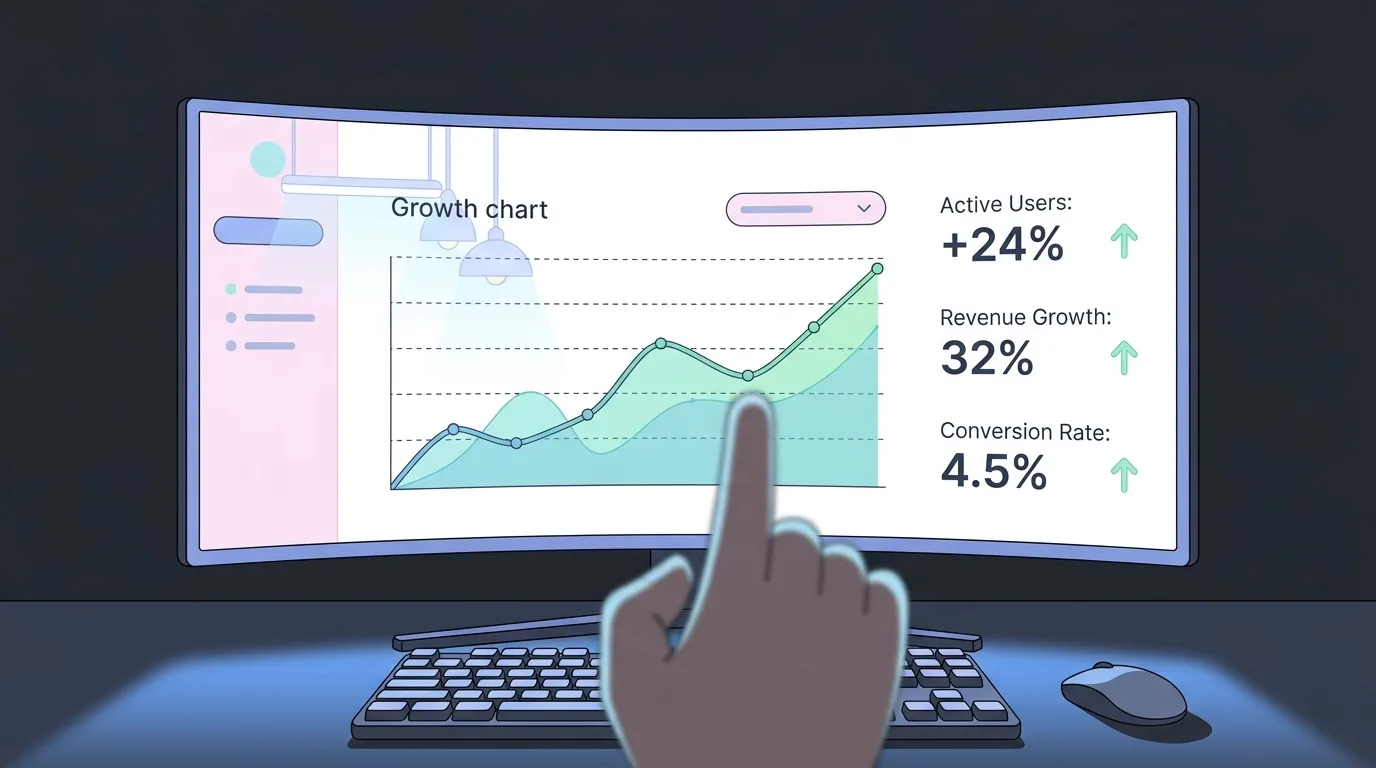
The numbers tell the story. The global low-code and no-code development platform market was projected to grow from $28.11 billion in 2024 to $35.86 billion in 2025, and analyst forecasts now point to roughly $187 billion by 2030 at a 31.1% annual growth rate. AI integration has stopped being a marketing checkbox and become the default interface, with around 73% of web designers reporting they use AI for layout generation as of early 2026.
For news publishers, three shifts matter most:
AI is now the editor, not just the assistant. Modern builders take a one-paragraph description of your publication and produce a full structural blueprint, including article models, category routing, author profiles, and a homepage that updates automatically as new stories publish. The era of dragging blocks onto an empty canvas is ending.
Hybrid AI plus human engineering has gone mainstream. Platforms now offer on-demand human engineers for the parts AI cannot finish, like custom paywall logic, syndication feeds, advertising integrations, or compliance work for regulated coverage. This is the model that imagine.bo pioneered with its “Hire a Human” feature and that the rest of the market is catching up to.
Page speed is no longer optional. A 100-millisecond delay in load time drops conversion rates by roughly 7%, and for news sites it can be the difference between a story going viral and the reader closing the tab. Builders that deploy to global edge networks (Vercel, Cloudflare, similar) are the only ones serious news teams should consider.
These shifts make the no-code path realistic for serious publishers, not just hobby bloggers.
If you want a wider view of the AI-builder landscape before zeroing in on news, the best free AI app builders guide is a good companion read.
What is a no-code website builder for news, exactly
A no-code news website builder is a platform that handles three jobs at once.
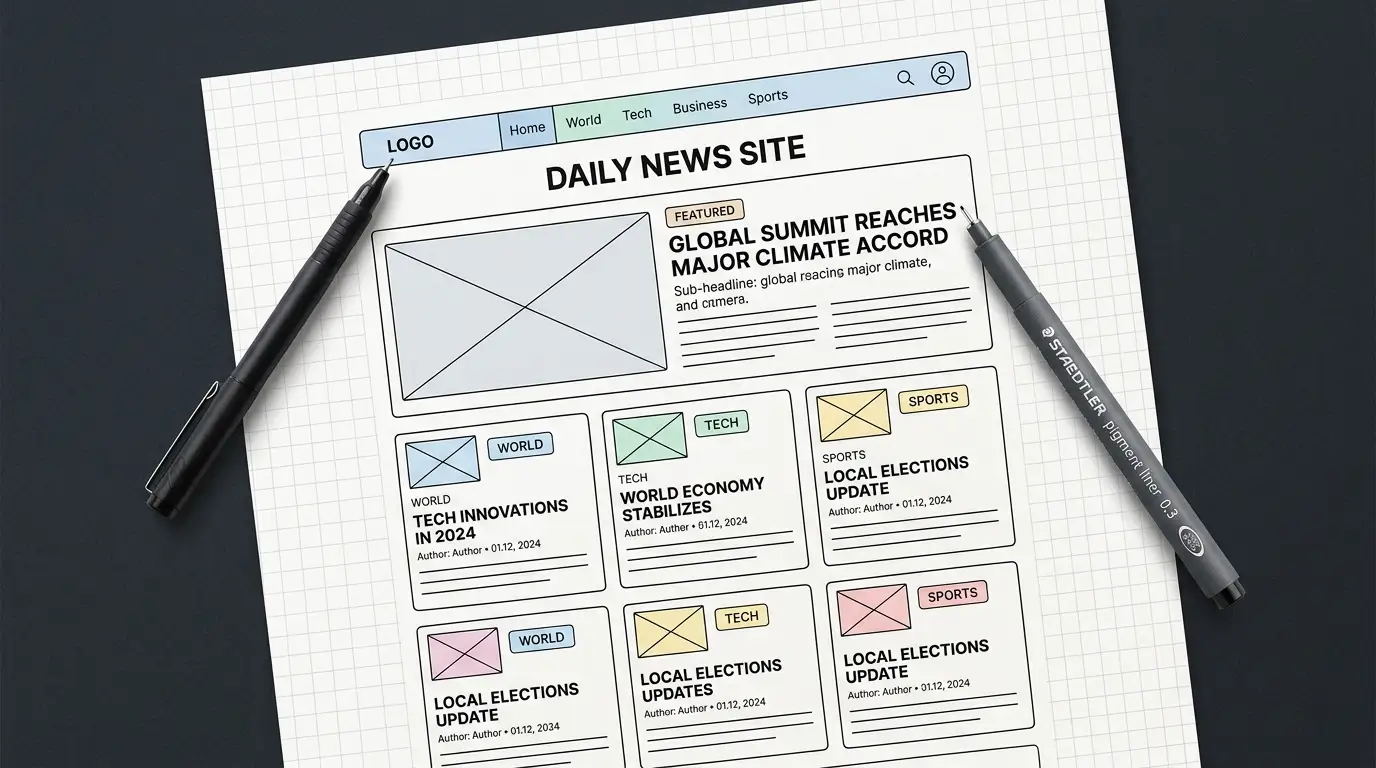
The first job is the frontend, the visual layer your readers see. That includes the homepage, article pages, category pages, search, navigation, and mobile responsiveness. The second job is the content management system, the backend interface where your team writes, edits, schedules, and publishes stories. The third job is the infrastructure, including hosting, CDN, security, SEO architecture, and the scaling logic that keeps your site online when a story breaks.
Older no-code tools handled one or two of these. Modern platforms handle all three. The 2026 generation, led by AI-native builders, also handles the architecture decisions automatically. You describe the publication, and the platform generates the schema, the routes, the user roles, the workflows, and the deployment.
For news specifically, you also need a few things general builders rarely include out of the box:
- A breaking-news mechanism (sticky banner, ticker, or push channel)
- Author profiles and bylines as first-class entities
- Category and tag taxonomies that scale to hundreds of stories
- Schema markup for
NewsArticleandArticletypes so Google News and AI search engines can ingest your content cleanly - A newsletter or subscription mechanism, often the most important channel for a small newsroom
The good builders give you all of this in the default blueprint. The great builders let you describe these in plain English and adjust through conversation.
The current no-code news builder landscape
There is no single right tool. The right pick depends on whether you are launching a niche newsletter, a regional newsroom, a vertical publication, or an enterprise media brand. Here is how the credible options compare in 2026.

imagine.bo, the AI plus human engineering hybrid
imagine.bo is built around a thesis that matters more than ever for publishers: AI gets you 80% of the way to a real news site in minutes, but the last 20% (custom paywall logic, ad-server integrations, content syndication, complex editorial workflows) needs a real engineer. The platform produces a full blueprint, including database schema, API endpoints, and UI components, from a single plain-English prompt, then lets you assign any specific page or feature to a vetted engineer for $25 per page when the AI hits its limits.
For news publishers, the standout features are:
- A clean, exportable codebase, so your archive is never trapped inside a proprietary platform
- Frontend deployment to Vercel for global edge caching, which matters when a regional story unexpectedly goes national
- Backend on Railway with autoscaling, so your servers do not crash when traffic spikes
- Built-in role-based access control out of the box (writer, editor, admin)
- The “Hire a Human” feature for the engineering work that newsroom-grade software always eventually needs
It also includes outcome-based pricing rather than credits, so you pay for the deliverable rather than for failed AI attempts. The Lite plan ($5/month) covers a 3-page launch site, the Pro plan ($25/month) handles a full 10-page web app with backend, and the Done For You plan ($499 one-time) puts engineers on the build end-to-end. For a deeper feel of how this maps to real builds, the no-code MVPs guide and the SaaS MVP with AI no-code case study walk through the workflow in detail.
The honest weakness: imagine.bo is best for publishers who want a production-grade custom site, not for someone who just wants to drag pre-made magazine templates around. If your goal is “fork a generic news theme and start writing,” a WordPress-based tool is faster.
Webflow, the design-first option
Webflow remains the strongest pick for design-led publications, agencies, and brands where visual polish is a core part of the editorial identity. The CMS is mature, the SEO controls are deep, and the hosting is fast. Webflow gives serious designers full control over layout, animations, and component reuse without writing code, though some advanced interactions still benefit from custom JavaScript.
Best for: design-forward magazines, lifestyle publications, agency-built newsroom microsites.
Limits: backend logic is shallow, so anything that requires custom membership tiers, complex paywalls, or non-trivial editorial workflows will need a developer or a third-party integration. Pricing scales aggressively as traffic and CMS items grow.
Framer, the AI-assisted designer favourite
Framer has invested heavily in AI-generated layouts and now publishes thousands of new sites a month. It is fast to launch, looks polished by default, and has a built-in CMS that works well for content-heavy sites with simple relationships. For news, it is strongest as a homepage and article-page builder rather than as a full editorial system.
Best for: small editorial teams, single-author publications, and design-conscious newsletters with an article archive.
Limits: the CMS struggles with deep content relationships (author plus story plus topic plus event plus location), which is exactly the shape of newsroom data. Reviewers also note that animation-heavy pages can slow the editor.
WordPress with Elementor, the legacy workhorse
If you are willing to manage hosting, plugins, and updates yourself, WordPress still powers a huge share of the world’s news websites, and Elementor remains the dominant page builder, powering around 9.5% of all global websites in 2026. The plugin ecosystem is unmatched, particularly for SEO (Yoast, RankMath), schema markup, and ad management.
Best for: publishers who want full ownership of the stack, deep SEO plugin coverage, or a team that already knows WordPress.
Limits: it is technically no-code only on the surface. Real performance tuning, security, plugin conflict resolution, and migration between hosts all require either technical skill or a budget for help. The “no-code” experience often degrades into “low-code with stress.”
Quintype and other publisher-specific platforms
Specialist platforms like Quintype are built specifically for newsrooms. They include breaking-news modules, author pages, story tagging, AMP support, push notifications, and editorial workflows out of the box. Larger outlets like Deccan Herald migrated millions of stories onto these systems.
Best for: medium-to-large newsrooms with editorial teams, regional publications, and publishers who need built-in monetisation tooling.
Limits: pricing is enterprise-tier, and the design flexibility is more limited than Webflow or imagine.bo. You inherit a strong publishing system but a more constrained look.
Wix, Squarespace, and the all-in-one builders
These remain the easiest tools to start with if your needs are modest, but they were not designed for newsroom-scale content modelling. They work well for a single-person publication that publishes a few articles a week. They do not work well for teams, complex categories, or any custom workflow.
Best for: solo creators, niche newsletters, weekend launches.
Limits: vendor lock-in, limited content modelling, and weaker performance than edge-deployed alternatives.
A wider comparison covering tools beyond just news use-cases is in the best no-code website builder US 2026 reviewed breakdown.
What every news website actually needs (the architecture nobody tells you about)
Picking a builder is the first decision. The bigger decision is what you ask the builder to make. A news website has a specific shape, and if you skip the structural thinking, you end up rebuilding the site six months in. Here is the blueprint that every serious newsroom needs.
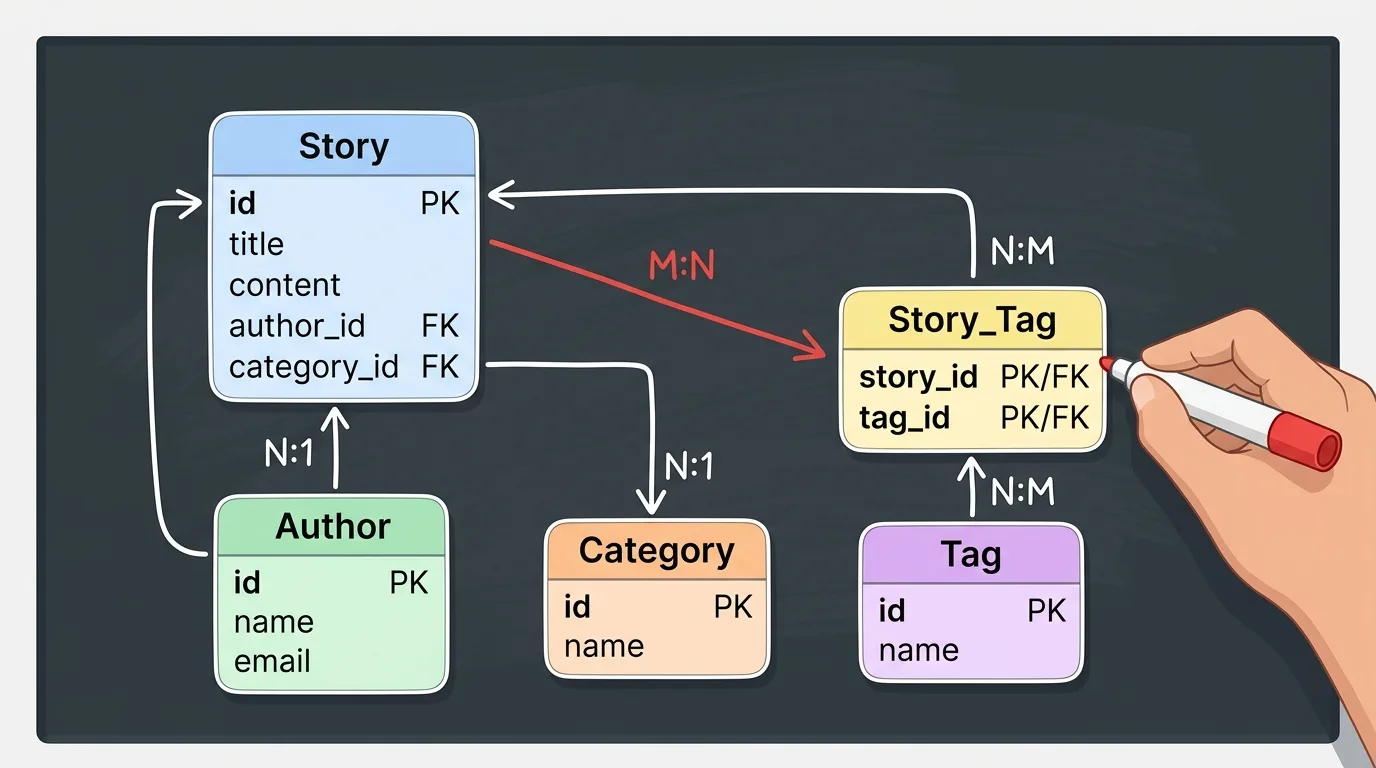
The content model
At minimum, you need these data entities:
- Story with title, slug, body, summary, hero image, publish date, updated date, status (draft, scheduled, published, archived), category, tags, primary author, contributing authors, and SEO metadata.
- Author with name, bio, photo, social links, expertise areas, and a public profile page.
- Category with name, slug, description, and a custom hero or layout.
- Tag for cross-cutting topics that span categories.
- Issue or edition if you publish in dated batches (newsletters, weekly digests, daily briefs).
If you describe these clearly to an AI builder like imagine.bo, the platform will generate the schema, the API endpoints, and the editorial UI automatically. If you skip this step, you end up with a generic blog and have to graft proper editorial structure onto it later.
The page types
A real newsroom needs these page types from day one:
- Homepage (lead story, secondary stories, category strips)
- Article page (with related stories, author byline, share controls, comments or reactions)
- Category page (paginated, with subcategory filters)
- Tag page (cross-cutting topic feeds)
- Author page (bio plus that writer’s archive)
- Search results page
- Archive (date-based browsing)
- About, contact, masthead, ethics, and corrections pages (essential for credibility)
- Newsletter signup landing page
Skipping the corrections, ethics, and masthead pages is the single most common mistake new publishers make. Google News explicitly looks at these signals when deciding whether to surface your site.
The editorial workflow
You need a defined path from idea to publication:
- Draft creation (any author)
- Editor review (assigned editor)
- Scheduled publication (with timezone awareness)
- Updates with revision history
- Corrections with public visibility (a separate workflow)
- Archival or unpublishing
A good no-code platform supports this through role-based access control. imagine.bo, for example, ships RBAC by default, with explicit roles you can define at prompt time: “There are three roles: Writer (can create and edit own drafts), Editor (can edit any draft and publish), Admin (can manage users and categories).”
The performance budget
For news, performance is editorial. Slow pages lose readers and drop in Google News rankings. Set these targets at launch:
- Largest Contentful Paint under 2.5 seconds
- First Input Delay under 100 milliseconds
- Cumulative Layout Shift under 0.1
- Total page weight under 1MB on article pages
- Hero images compressed to under 300KB, served as WebP
Your builder’s hosting choice does most of this work. Edge-deployed builders (imagine.bo on Vercel, Webflow on AWS, Framer on Cloudflare) start with a strong baseline. WordPress without serious caching and image optimisation typically does not.
A step-by-step playbook to launch your news site in a weekend
This is the workflow that gets a real, polished, search-friendly news site live in two days using a modern AI builder. The example uses imagine.bo because the prompt-to-blueprint workflow is the fastest path, but the same logic applies to any AI-native platform.
Day 1, Morning: define the publication before you prompt
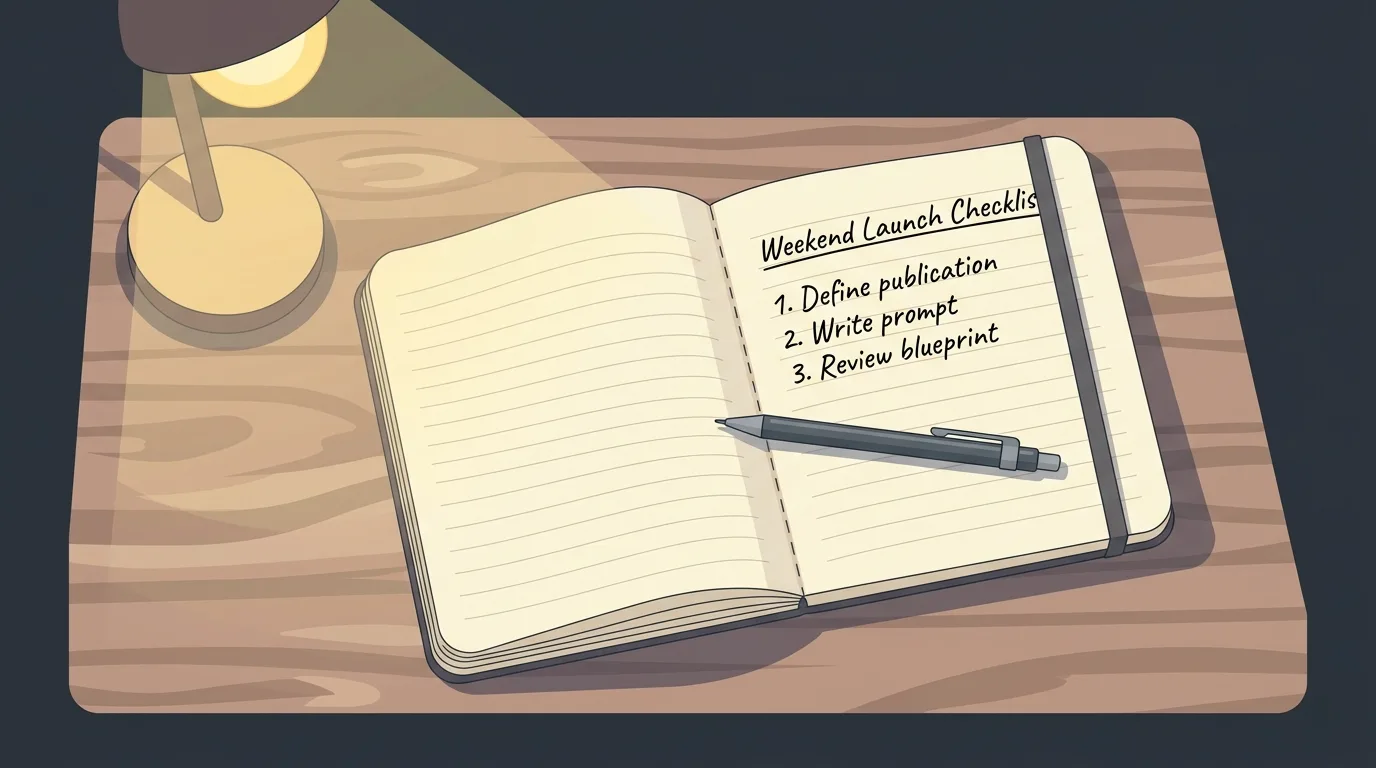
Spend 30 minutes answering five questions:
- What is your publication called and what is the one-line description?
- Who is your reader (geography, profession, age, the topic they care about)?
- What three to five categories will you cover?
- Who are your authors, and what roles do they need?
- What is your monetisation model (free, newsletter, paywall, ads, sponsorship)?
Write it down. The clarity of this document directly determines the quality of the AI-generated blueprint.
Day 1, Afternoon: write your prompt and generate the blueprint

Use a structured prompt. Here is a template that works:
Build a news website for [audience] covering [topic areas]. Categories: [list]. Authors have three roles: Writer (creates and edits own drafts), Editor (edits and publishes anything), Admin (manages users and categories). Each story has title, slug, body, summary, hero image, primary author, category, tags, publish date, updated date, and SEO metadata. The homepage shows one lead story, three secondary stories, and a strip per category. Article pages include byline, publish date, related stories, and a newsletter signup. Include author profile pages with their photo, bio, and archive. Add an About, Masthead, Ethics, Corrections, and Contact page. Include a global breaking-news banner that admins can toggle. Mobile-first design, dark mode toggle, fast load times.
Paste it into the platform. In a few minutes, you have a complete structural blueprint, including the database schema, the page templates, the role definitions, and the deployment configuration.
Day 1, Evening: review the blueprint and refine through conversation
Walk through the generated structure with one question in mind: did the AI understand the publication correctly? If something is missing, refine through conversation rather than restarting:
The article page is missing related stories. Add a related-stories section at the bottom that shows three other stories in the same category, ordered by recency.
Add a corrections module so admins can publish formal corrections that link to the original story.
This iterative approach is faster than rewriting the prompt from scratch.
Day 2, Morning: customise the design and load real content
Use the visual editor to apply your brand colours, fonts, logo, and any design adjustments. Replace placeholder copy with your actual launch articles (you should have at least five ready before you go live, plus author profiles for everyone on the masthead). For practical guidance on writing strong launch articles and prompts that produce them, the imagine.bo prompting best practices walks through the structure in detail.
Day 2, Afternoon: SEO, schema, and the technical pre-launch checklist
Before you publish:
- Set page titles and meta descriptions for every page (50 to 60 characters for titles, 120 to 155 for descriptions)
- Add
NewsArticleschema to article pages (most modern builders do this automatically) - Configure your sitemap and robots.txt
- Submit the sitemap to Google Search Console and Bing Webmaster Tools
- Apply for Google News inclusion (this requires the masthead, ethics, and corrections pages mentioned earlier)
- Set up Google Analytics or your preferred analytics tool
- Test the site on mobile at slow 3G speed
- Run a Lighthouse audit and fix anything below 90
The SEO friendly website design guide covers this checklist in more depth, and the best free AI website builders with SEO breakdown compares how the major platforms handle these signals.
Day 2, Evening: deploy and announce
Click deploy. On a platform like imagine.bo, the frontend goes live on Vercel with global edge caching, the backend deploys to Railway with autoscaling, and SSL is provisioned automatically. Share the link. Send your launch newsletter. Post on the channels where your audience already gathers.
That is a real news site, in two days, with no code.
Modern SEO and GEO for news websites in 2026
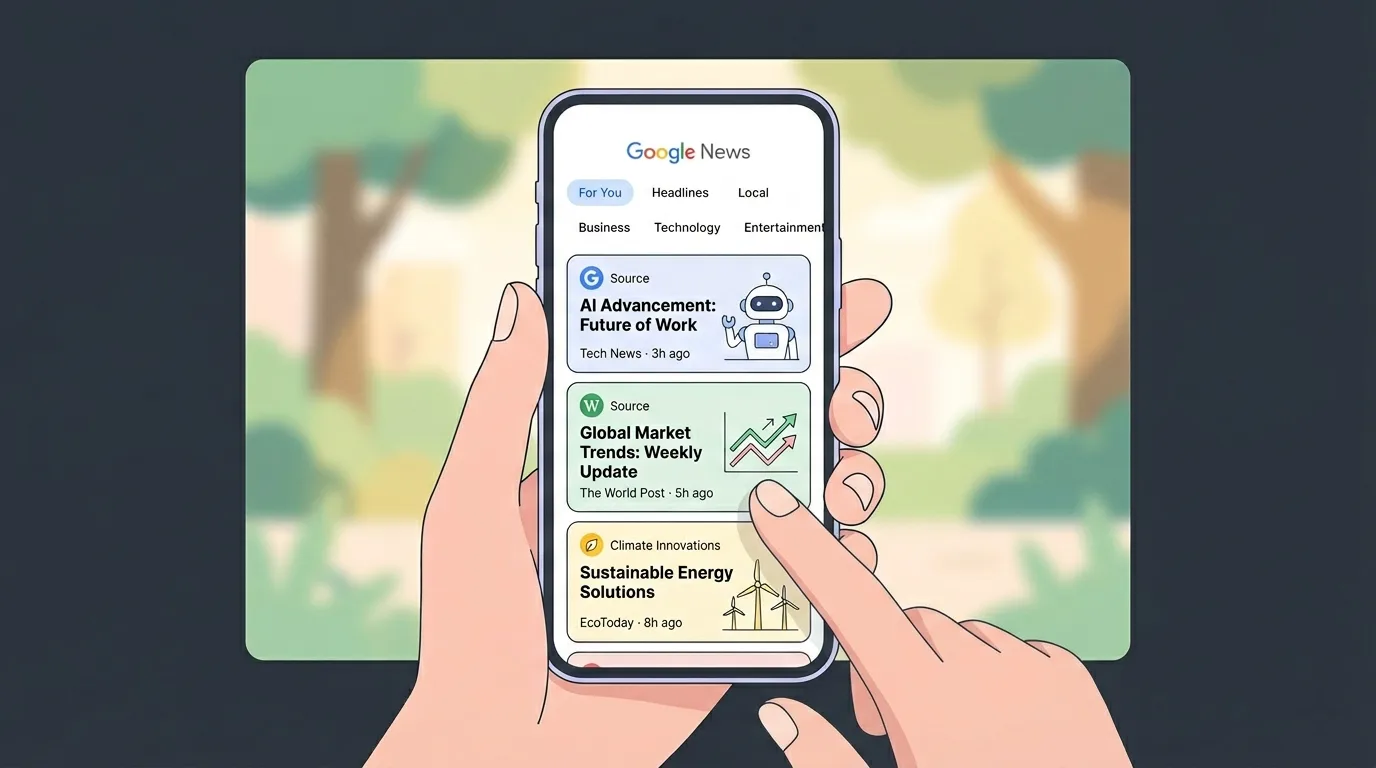
Search has split into two channels, and a smart 2026 launch optimises for both.
Traditional SEO for Google News and Discover
Google News has specific signals it looks for, and a no-code builder helps you tick them only if you ask it to:
- A clear masthead, ethics policy, and corrections page (these are explicit Google News inclusion requirements per their publisher guidelines)
NewsArticleschema on every story- A clean, persistent URL structure (
/category/article-slug, never/post?id=482) - Author bylines that link to author pages with verifiable bios
- Fast page load and strong Core Web Vitals (Google’s Core Web Vitals documentation is the canonical reference)
- A current, valid sitemap submitted to Google Search Console
- Consistent publication of original content (Google News favours sites with a steady cadence)
When you prompt an AI builder, ask explicitly for NewsArticle schema, structured author profiles, and clean URLs. The default output usually does not include them.
GEO (Generative Engine Optimisation) for AI-powered search
By 2026, a meaningful share of news traffic now comes from AI answer engines like ChatGPT, Perplexity, Claude, and Google’s AI Overviews. These engines do not just rank pages, they extract and cite specific facts. To appear in their answers:
- Be authoritative and direct. State who you are, what you cover, and why your reporting is credible in the first paragraph of your About page and your homepage.
- Use clearly structured content. Numbered lists, bullet points, FAQ sections, and section headers are easier for AI engines to extract and cite.
- Include citable facts. Original reporting, original data, named sources, and direct quotes are the units AI engines pull from. A page that says “the housing market shifted in Q1 2026” is invisible. A page that says “according to data from the regional housing authority, transactions fell 12.3% in Q1 2026” is citable.
- Build credibility signals. Awards, masthead transparency, named editors with public profiles, and citations of your reporting in other publications all increase the chance an AI engine treats you as a trustworthy source.
- Add comprehensive FAQ sections to evergreen articles. AI engines pull aggressively from formatted Q&A content.
A good no-code builder lets you build all of this in. The platforms that produce semantic HTML and clean structure (imagine.bo, Webflow, modern WordPress setups) outperform the ones that produce div-heavy markup with every refresh. For more on building a site that wins both channels, the SEO and GEO best practices guide goes deeper.
Performance, the silent ranking factor
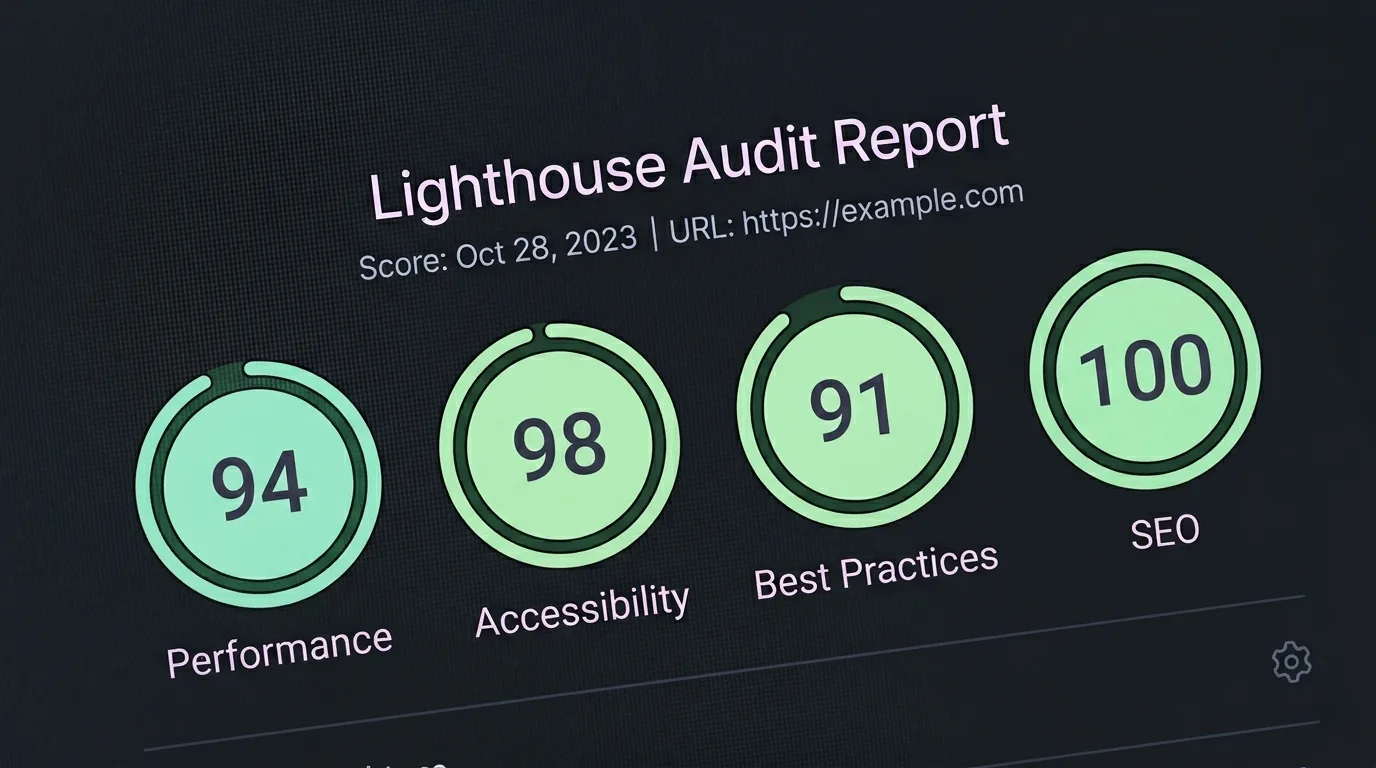
For news specifically, performance is a direct competitive advantage. A 100-millisecond delay drops conversions by around 7%, and Google’s Core Web Vitals are now a confirmed ranking factor. The fastest path to good performance:
- Pick an edge-deployed platform (Vercel, Cloudflare, or equivalent)
- Compress and convert all images to WebP
- Avoid heavy third-party scripts on article pages
- Lazy-load images below the fold
- Use system fonts or one carefully chosen web font with display: swap
If you find your site performing poorly after launch and your no-code platform cannot fix it, this is exactly the kind of task imagine.bo’s “Hire a Human” feature is built for. You ship the build, an engineer audits and optimises the bottlenecks, and you go back to writing.
Common mistakes that kill new news sites (and how no-code makes them avoidable)
Every newsroom that fails in its first year tends to fail in one of the same ways. Here is the short list, with the no-code prevention for each.
Mistake 1: launching with no editorial workflow. Solo founders write everything, no editor reviews, errors compound, credibility drops. Prevention: define editor and writer roles in your initial prompt so the platform builds review steps into the workflow from day one.
Mistake 2: treating the homepage as static. A news homepage that does not refresh signals a dead site to readers and search engines. Prevention: make sure your platform supports dynamic homepage modules tied to publish date and category.
Mistake 3: ignoring the corrections workflow. Every newsroom makes mistakes. The credible ones publish formal corrections. Prevention: include a corrections content type and a corrections page from the launch prompt.
Mistake 4: skipping author pages. Bylined journalism without verifiable author profiles loses Google News eligibility and AI-engine citation rates. Prevention: model authors as a first-class entity with public profile pages.
Mistake 5: getting locked into a platform. Vendor lock-in is the single biggest long-term risk. Prevention: pick a builder that supports clean code export. imagine.bo, modern Webflow, and self-hosted WordPress all let you take the code with you. Hosted-only builders generally do not. The 10 best Replit alternatives for non-technical founders breakdown covers portability across the broader builder market.
Mistake 6: assuming AI handles everything. AI builds the base. It does not handle complex paywall integrations, content syndication agreements, or compliance work for sensitive coverage. Prevention: pick a platform with on-demand engineering support so you have a route forward when you hit the limits.
When to hire a human (and when AI is enough)
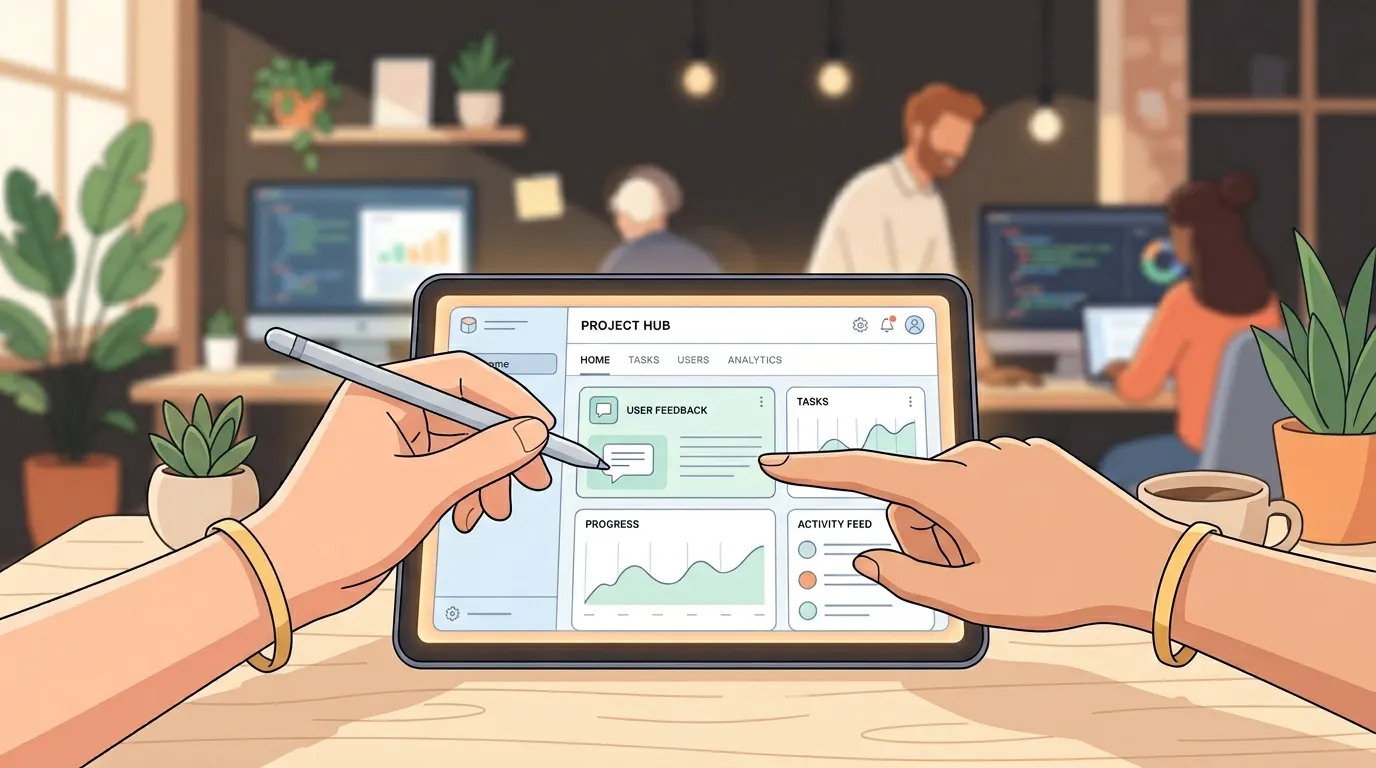
This is the question that defines the 2026 builder choice. AI is plenty for these jobs:
- Initial site structure and design
- Content modelling and basic CMS workflow
- Standard SEO setup
- Most homepage and article-page customisations
- Iterative copy, layout, and styling changes
- Newsletter signup forms and basic forms
- Dark mode, responsive design, and accessibility basics
AI struggles with these jobs, and a human engineer is faster:
- Custom paywall logic with multiple subscription tiers and metered access
- Integration with specific ad servers (Google Ad Manager, Kevel, Broadstreet)
- Content syndication APIs and feed-out partnerships
- Custom recommendation algorithms based on reader history
- Compliance work for regulated coverage (health, finance, legal)
- Performance optimisation beyond what the platform default delivers
- Migration of existing archives from another CMS
- Custom newsletter automation tied to article tags
This is exactly why platforms like imagine.bo built the “Hire a Human” feature into the dashboard. You assign a specific page or feature to a vetted engineer, the engineer delivers the code, and the rest of your site keeps running on AI-generated foundations. The model is the same idea as having a fractional CTO, except scoped to specific tickets and priced per task. The add Stripe to a vibe-coded app without a developer walkthrough shows what this looks like in practice for the most common monetisation use case.
Pricing reality check for 2026
Here is what serious news publishers should expect to pay across the no-code spectrum.
Solo creator, single-author publication, modest traffic: $5 to $30 per month. Wix, Squarespace, Carrd, or imagine.bo Lite cover this comfortably. If you want a real custom build with backend, imagine.bo Pro at $25 per month is the most capable option in this band.
Small editorial team, three to ten authors, growing traffic: $30 to $200 per month. Webflow CMS, Framer, or imagine.bo Pro plus occasional engineering work fall into this range. WordPress with managed hosting can sit here too if you have someone willing to manage the stack.
Established newsroom, professional team, monetisation: $200 to $2,000 per month. This is where Quintype, Webflow Enterprise, or imagine.bo Enterprise become the realistic options. Custom integrations, SLAs, and dedicated engineering support all live here.
Large media brand: $2,000 plus per month. Custom enterprise pricing, dedicated engineering pods, and full-stack ownership.
The trap to avoid: paying for a credit-based AI builder that runs out mid-build. Outcome-based pricing, like imagine.bo’s, eliminates the failed-attempt cost. You pay for the deliverable, not for the AI’s mistakes. For more on how outcome-based pricing changes the maths, why choose imagine.bo walks through the comparison.
Frequently asked questions
Can a no-code website builder really handle a serious news website?
Yes, if you pick the right one. The tools that struggle are the older drag-and-drop builders that were designed for portfolios and small business sites. Modern AI-native platforms generate full custom code, deploy to edge networks, and support proper editorial workflows. imagine.bo, Webflow, Quintype, and modern WordPress setups all run real news sites at scale.
Will Google News accept a site built on a no-code platform?
Yes. Google News evaluates the content, the editorial signals (masthead, ethics, corrections, author bios), the schema markup, and the technical performance. It does not care which builder produced the HTML. The key is making sure your platform outputs clean, semantic markup with the required schema and pages.
How long does it take to launch a news site with no-code in 2026?
A focused founder using a modern AI builder can launch a polished, search-friendly news site in one to three days, including SEO setup and a handful of launch articles. Older drag-and-drop tools take a week or two. Custom code without help takes three to six months.
Can I move my site to another platform later?
Only if you pick a builder with code export. Most hosted-only builders (Wix, Squarespace, Framer in some cases) lock you in. imagine.bo, self-hosted WordPress, and Webflow with code export let you take your archive and codebase with you. This is a critical question to ask before you commit.
What happens when my site outgrows the no-code platform?
This is where hybrid platforms shine. With imagine.bo, you can keep the AI-generated foundation and assign specific complex tasks to engineers. With Webflow, you can export the code and bring it in-house. With WordPress, you can hire any WordPress developer. The platforms that fail you are the ones with no exit path.
Do I need to know HTML or CSS?
No. The platforms covered here are genuinely no-code for the work most publishers need to do. You will benefit from understanding basic concepts (slugs, metadata, schema, image optimisation), but you do not need to write code. If you want a primer, the imagine.bo glossary in the platform documentation covers the terms you will run into most often.
What about AMP, push notifications, and live blogging?
AMP is largely deprecated as of 2026, so do not waste time on it. Push notifications are best handled by a third-party service like OneSignal that integrates with any modern builder. Live blogging requires either a dedicated module (Quintype has one) or a custom build, which is a good “Hire a Human” task on imagine.bo.
How much editorial control do I have over the AI-generated design?
Total control. AI builders generate a starting point. You can change the layout, typography, colours, component placement, and every interaction through conversational prompts or visual editing. The AI does not lock you into its choices.
What if I want to add a paywall later?
Paywalls are one of the most common “Hire a Human” requests on imagine.bo and similar platforms. The basic tier of a paywall (newsletter gate, single subscription level) can usually be built through prompts. Sophisticated tiers with metered access, regional pricing, and cancellation flows are best handled by an engineer. Plan for both. For the broader monetisation context, turn your freelance services into a scalable SaaS product covers the same monetisation logic applied to a different business model.
Can I build a multilingual news site?
Yes, but check the platform first. Localisation is one of the areas where no-code platforms differ dramatically. Builders that export full code (imagine.bo) let you add proper i18n libraries. Builders that keep you on their hosted runtime have whatever localisation features they happen to ship. If you need real multilingual support, ask about it before you commit.
The bottom line: 2026 is the year to launch
The infrastructure is ready. AI generates real, custom-coded news sites in minutes. Edge deployment makes the result faster than 95% of what custom dev teams ship. Hybrid platforms put real engineers a click away when AI hits its limit. SEO and GEO best practices are well understood and easy to apply. Google News accepts sites built on modern no-code platforms.
The question stopped being “is no-code good enough for a real news site.” It became “which no-code platform should you use, and how fast can you ship.”
For most publishers, the answer is the platform that gives you the AI speed, the human safety net, and the code ownership. That is why imagine.bo has become a credible default for serious newsroom builds in 2026, alongside Webflow for design-led publications and Quintype for established editorial teams. Whichever you choose, the deeper truth is this: the publishing world no longer rewards the team that took six months to build the perfect CMS. It rewards the team that shipped the news today.
Pick a tool. Write the prompt. Launch the newsroom. The reader is waiting.
If you are ready to start, the fastest path is to open imagine.bo and describe the publication you want to build. The blueprint comes in minutes. The first article can go up the same day.
Launch Your App Today
Ready to launch? Skip the tech stress. Describe, Build, Launch in three simple steps.
Build