
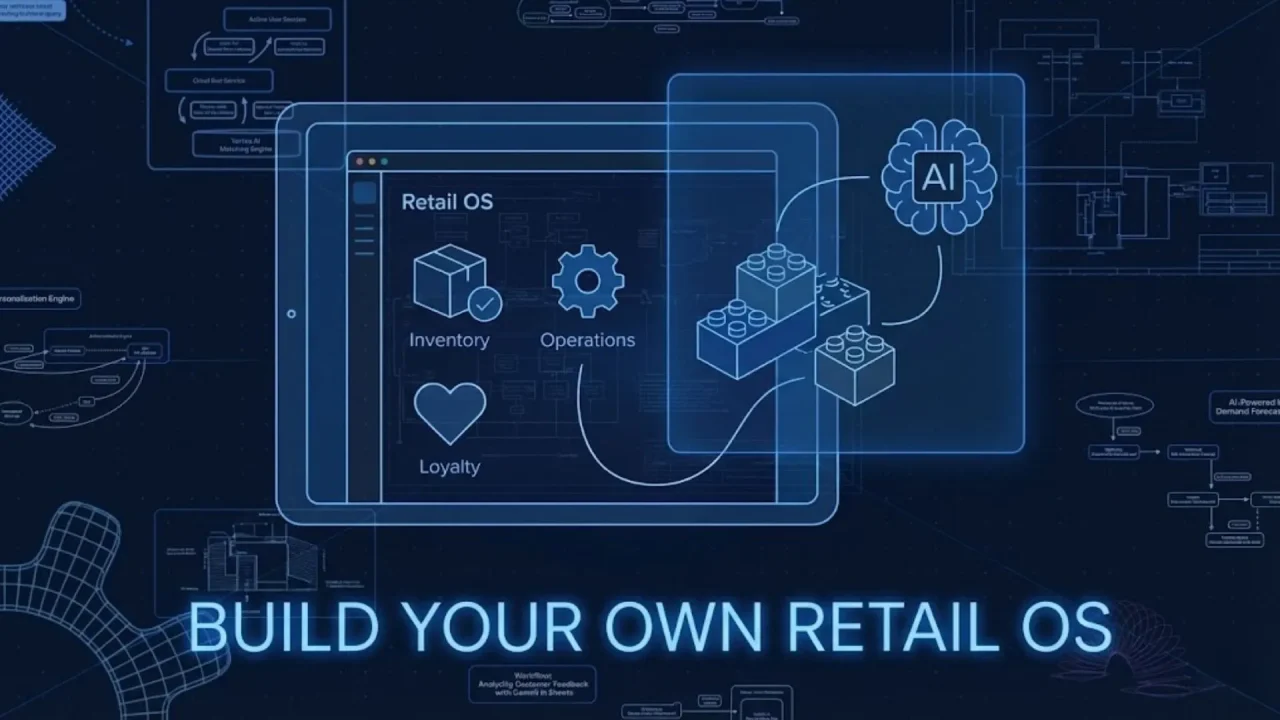
For decades, the retail industry has been told a convenient lie: “If you want good software, you have to buy it from a giant vendor. If you want custom software, you have to be Amazon, Walmart, or have a spare $2 million in the bank.”
The result? The average modern retailer – whether a boutique chain, a growing D2C brand opening a flagship, or a regional franchise – is drowning in a “Franken-stack” of disconnected tools. You have one SaaS (Software as a Service) platform for your Point of Sale (POS), another for inventory management, a third for staff scheduling, and a fourth for customer loyalty.
Launch Your App Today
Ready to launch? Skip the tech stress. Describe, Build, Launch in three simple steps.
BuildNone of them talk to each other naturally. Your data is trapped in silos. Your Store Manager spends their Monday mornings exporting CSVs from Shopify to upload them into an ERP, only to realize the data format doesn’t match. Your sales associates are flying blind, unable to see if the customer standing in front of them is a first-time browser or a VIP who spent $10,000 online last year.
It’s expensive. It’s rigid. And it’s killing your agility.
But a tectonic shift is happening. The era of “buying off the shelf” and forcing your unique business processes into generic software boxes is ending. The era of Vibe Coding – building exactly what you need, simply by describing how you want your business to feel and function – is here.
With platforms like Imagine.bo, an AI-powered no-code app builder, store owners, operations managers, and founders are no longer just consumers of technology. They are becoming creators. This guide will show you how to stop renting generic software and start building a custom “Retail Operating System” (OS) that fits your brand like a tailored suit – without writing a single line of code.
The “Omnichannel” Trap: Why You’re Drowning in Complexity
“Omnichannel” is the retail buzzword of the century. It promises a seamless nirvana where your online store, physical locations, pop-ups, and social commerce channels act as one living organism.
But for most businesses, the reality is a logistical nightmare. The promise of “seamless” usually results in a patchwork of expensive middleware and “connector” apps that break whenever a vendor updates their API.
The Anatomy of the Disconnect
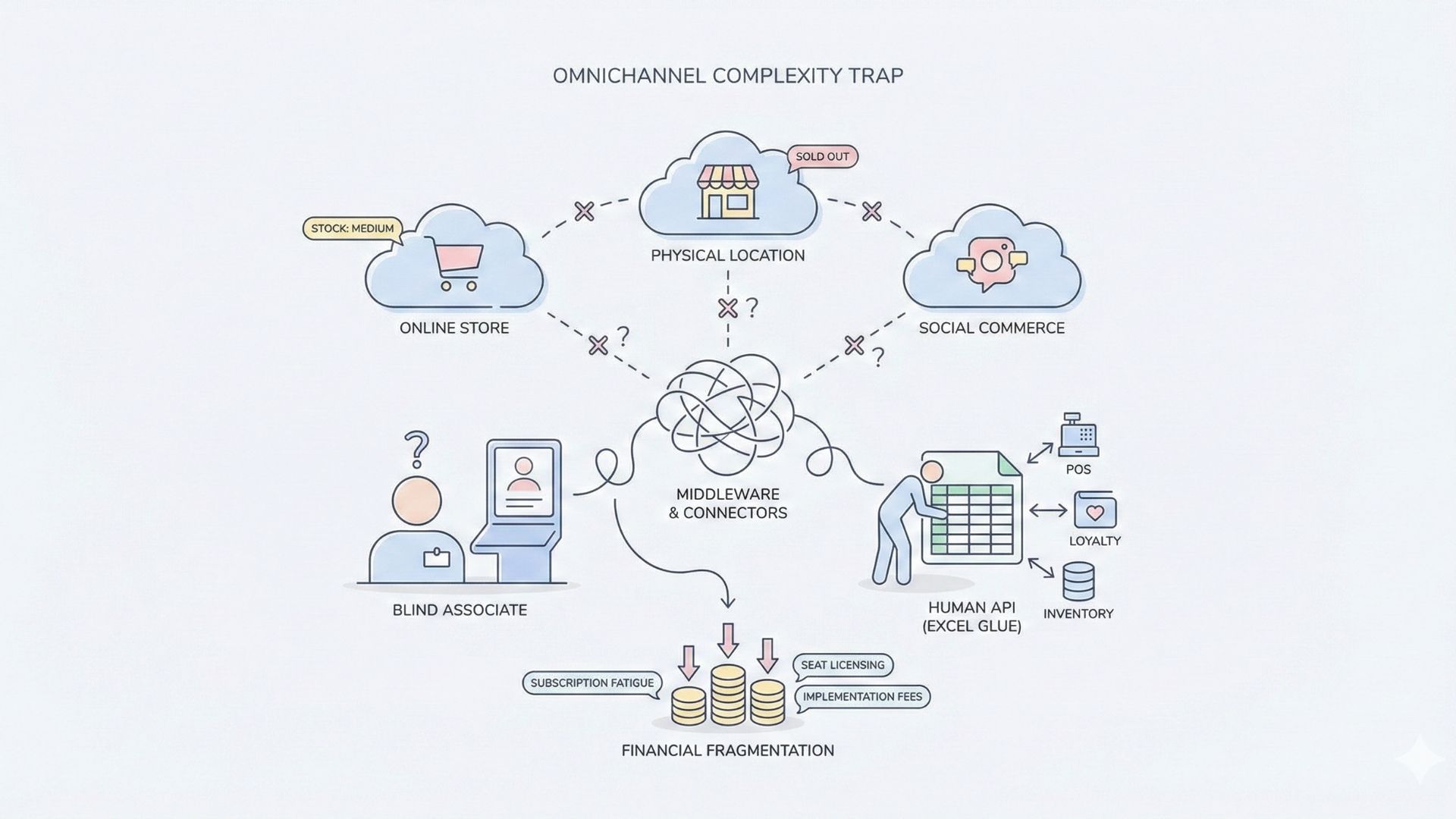
Why does this happen? Because SaaS vendors build software for the average retailer. They build for the lowest common denominator.
- The “Ghost” Inventory: Your website says a dress is in stock in Medium. A customer drives 30 minutes to pick it up. But the physical store sold it 10 minutes ago, and the POS system only syncs with the e-commerce platform once every hour. Result: A lost sale and a furious customer.
- The Blind Associate: A VIP customer walks into your store. On your website, they are logged in and you know their size, color preferences, and purchase history. In-store, they are anonymous. Your sales associate treats them like a stranger, missing the chance to say, “We just got that matching scarf for the coat you bought last week.”
- The Excel Glue: This is the dirty secret of retail operations. To bridge the gaps between systems, your Operations Manager spends 10 to 15 hours a week manually merging spreadsheets. They are the “human API,” glued to Excel, fixing data errors instead of training staff or strategizing growth.
The Financial Cost of Fragmentation
Beyond the operational headaches, the costs are staggering.
- Subscription Fatigue: You pay $300/month for the POS, $200 for loyalty, $150 for scheduling, $500 for inventory. That’s $1,150/month before you’ve sold a single item.
- Seat Licensing: Most enterprise tools charge “per user.” As you hire seasonal staff for the holidays, your software bill explodes.
- Implementation Fees: Want to customize a report? That will be $5,000 for a “consultant” to configure the dashboard for you.
The Solution? Stop patching holes. Stop renting software that owns you. Start building a system that wraps around your specific workflow, rather than forcing your team to adapt to rigid software logic.
The No-Code Solution: From Store Manager to Product Manager
In the past, building a custom app to manage your specific retail needs was a massive capital expenditure. It would cost $50,000 to $150,000 and take six to nine months. You’d need to hire a dev agency, manage a roadmap, pay for AWS servers, and worry about security patches.
Imagine.bo changes the equation entirely.

Imagine.bo is designed to democratize software engineering. It allows you to use natural language (plain English) to build an app by describing it.
- You don’t worry about Python, SQL, or React.
- You don’t worry about provisioning AWS servers or scaling databases.
- You focus on the “Vibe” and the Logic.
We call this Vibe Coding. If you know how your store should run – if you can describe the flow of a product from the loading dock to the stockroom to the customer’s hands – you can build the app. The AI handles the heavy lifting, generating the backend architecture, the database schema, and the frontend user interface instantly.
Why This Matters for Retailers
This technology empowers the people who actually know the business – the Store Managers, the Buyers, the Founders – to build the tools they need. You no longer have to wait for the IT department (which you might not even have) to approve a request. If you need a digital checklist for opening procedures, you can build it on your lunch break.
Top 5 Apps You Can Build Today (Instead of Buying SaaS)
You don’t have to rebuild your entire business overnight. The “Big Bang” approach to technology often fails. The best approach is the “Strangler Fig” method: identify your biggest, most painful problem, and build a “Micro-App” to solve it. Once that works, build the next one. Eventually, you have a custom OS.
Here are the top five custom apps retailers are building on Imagine.bo right now to replace expensive SaaS contracts.
A. The Real-Time Inventory Tracker
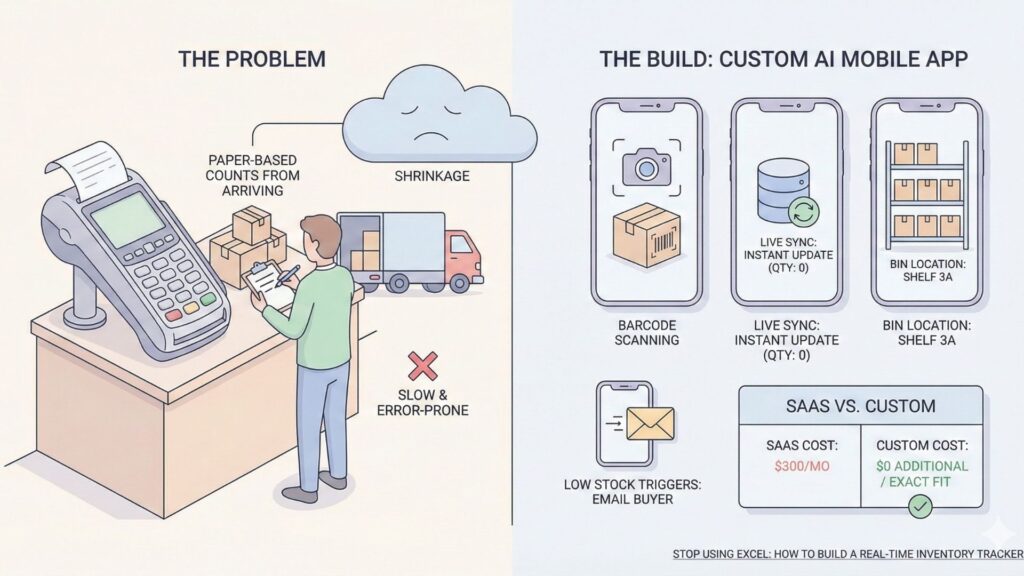
The Problem: Most POS systems are anchored to the front counter. When a truck arrives, staff have to write down counts on paper and run to the register to type them in. It’s slow, error-prone, and leads to shrinkage.
The Build: A custom AI mobile app that lives on every employee’s smartphone.
Core Features to Build:
- Barcode Scanning: Utilize the phone’s camera to scan incoming SKUs.
- Live Sync: Updates the central database instantly. If someone buys the last item at the register, the stockroom app shows “0” immediately.
- Bin Location: A custom field telling staff exactly which shelf or bin the item is located in (something generic POS systems rarely handle well).
- Low Stock Triggers: Automated logic that sends an email to the Buyer when stock dips below a defined threshold.
SaaS vs. Custom:
- SaaS Cost: $300/month for “Advanced Inventory” modules.
- Custom Cost: $0 additional monthly fees (included in your platform subscription). Exact fit for your warehouse layout. Learn More.
B. The Digital Store Operations Manager
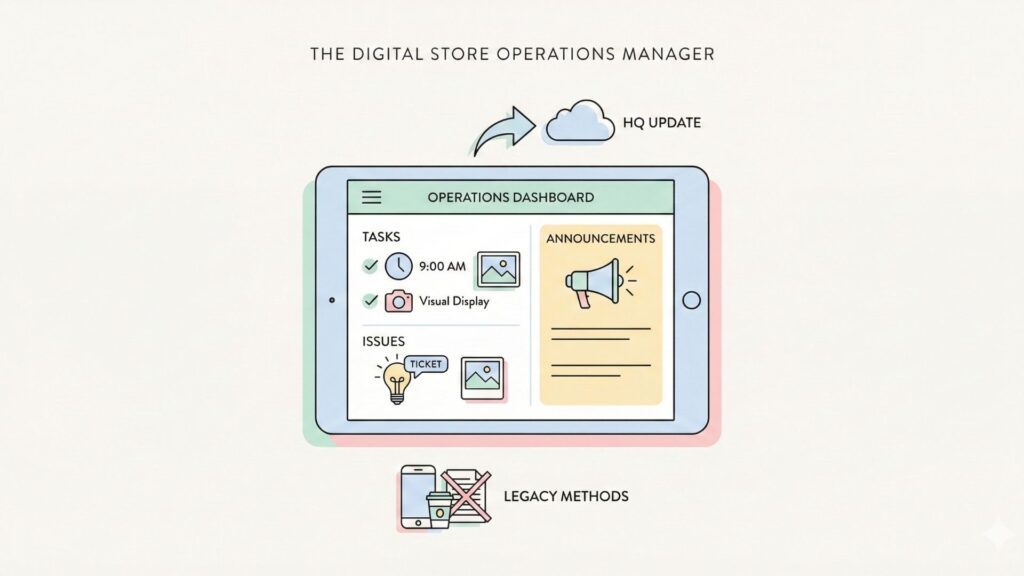
The Problem: How do you ensure brand consistency across 5, 10, or 50 locations? Opening and closing checklists are usually printed on paper. They get lost, coffee gets spilled on them, and headquarters has no idea if the visual merchandising display was set up correctly until a regional manager visits two weeks later.
The Build: An operations dashboard where accountability meets gamification. Retailers can use this to automate business tasks that were previously manual.
In practice, this replaces static documents with a living retail operations and store management checklist that headquarters can monitor in real time across every location.
Core Features to Build:
- Photo Verification: The “Opening Checklist” requires a photo upload of the front window display before the task can be marked “Complete.”
- Timestamping: Managers can see exactly when the store was opened, not just when the checklist was filled out.
- Issue Reporting: If a lightbulb is out, staff can snap a photo and ticket it to maintenance directly from the app.
- Announcement Feed: A replacement for WhatsApp groups – a dedicated feed for HQ to post updates about promotions or visual changes.
C. The VIP Clienteling App
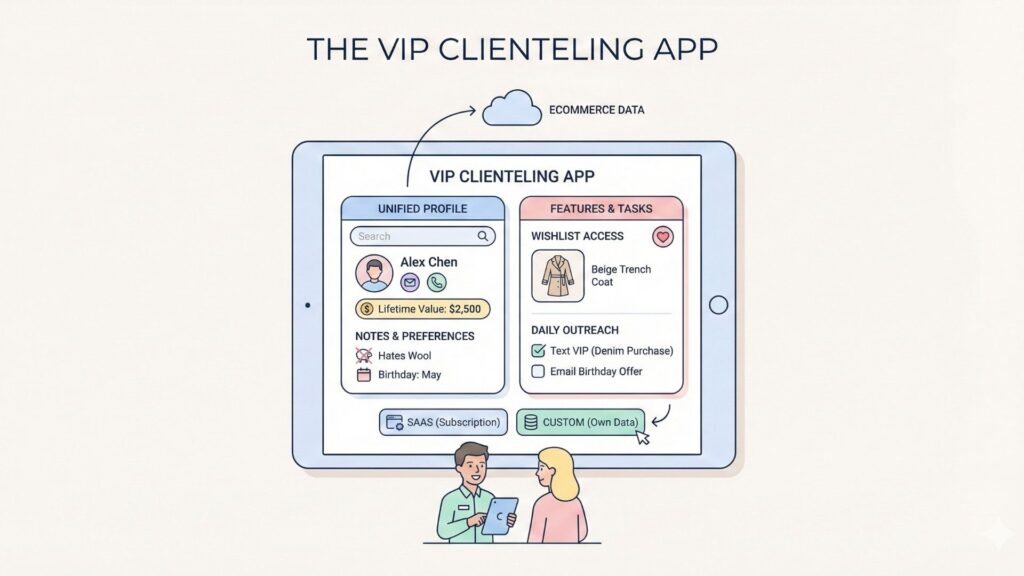
The Problem: Your e-commerce data is rich, but your in-store experience is generic. Sales associates are your biggest asset, but they are working with one hand tied behind their backs.
The Build: A tablet app that turns every associate into a personal stylist. You can even connect your app to CRM systems to pull in legacy data.
Many brands extend this even further by building a no-code CRM for retail associates, giving staff real-time access to customer history, preferences, and VIP insights directly on the sales floor.
Core Features to Build:
- Unified Profile: Search a customer by name, email, or phone number to see their total lifetime value (online + offline).
- Wishlist Access: See what the customer has “favorited” online but hasn’t bought yet. “I saw you were looking at the beige trench coat online—we actually have it here in Medium if you want to try it on.”
- Notes & Preferences: Custom fields for “Hates Wool,” “Buying for husband,” or “Birthday in May.”
- Outreach Tasks: A daily list of 5 VIPs to text or email based on triggers (e.g., “It’s been 90 days since their last denim purchase”).
SaaS vs. Custom:
- SaaS Cost: Clienteling apps like Tulip or Hero can cost thousands per month.
- Custom Cost: Build it yourself. Own the data. Customize the “triggers” to match your specific sales cycle. Learn more.
D. The Bespoke Loyalty Program
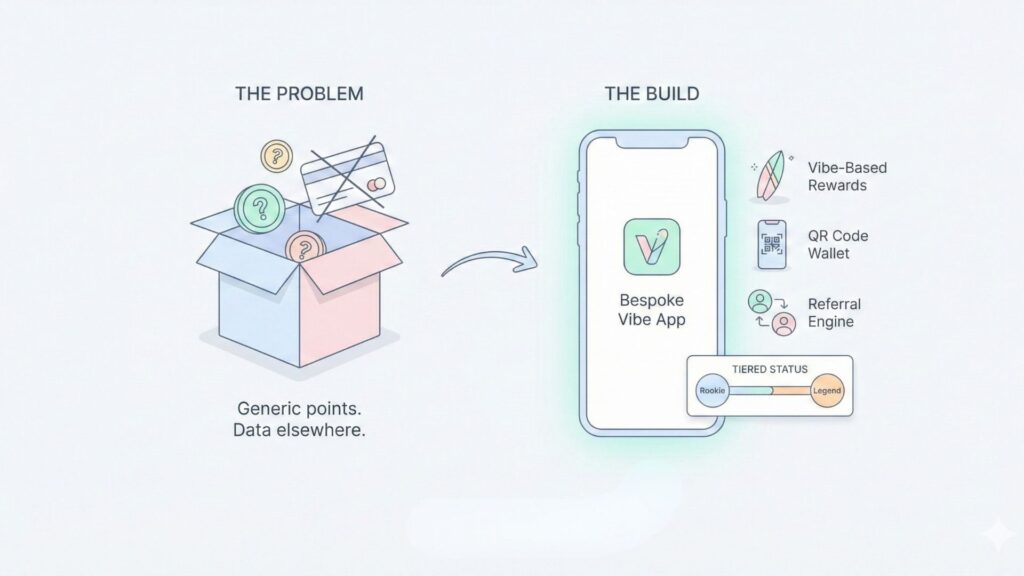
The Problem: Generic “points for dollars” programs are boring. They don’t drive true brand affinity. Plus, the data usually lives on the loyalty vendor’s server, not yours.
The Build: A gamified customer-facing app that fits your specific “vibe.”
This approach lets retailers build a loyalty app without SaaS fees, fully own their customer data, and design rewards that actually reflect their brand — not a generic points system.
Core Features to Build:
- Vibe-Based Rewards: Instead of “$5 off,” offer “Free Surf Wax” or “Secret Menu Access.”
- QR Code Wallet: A simple scan at the POS to redeem rewards.
- Tiered Status: Logic that automatically upgrades a customer from “Rookie” to “Legend” status after X visits, changing their app interface color.
- Referral Engine: Built-in logic to drive growth through referral programs by rewarding users for sharing the app with friends.
E. The Pop-Up POS (MVP)
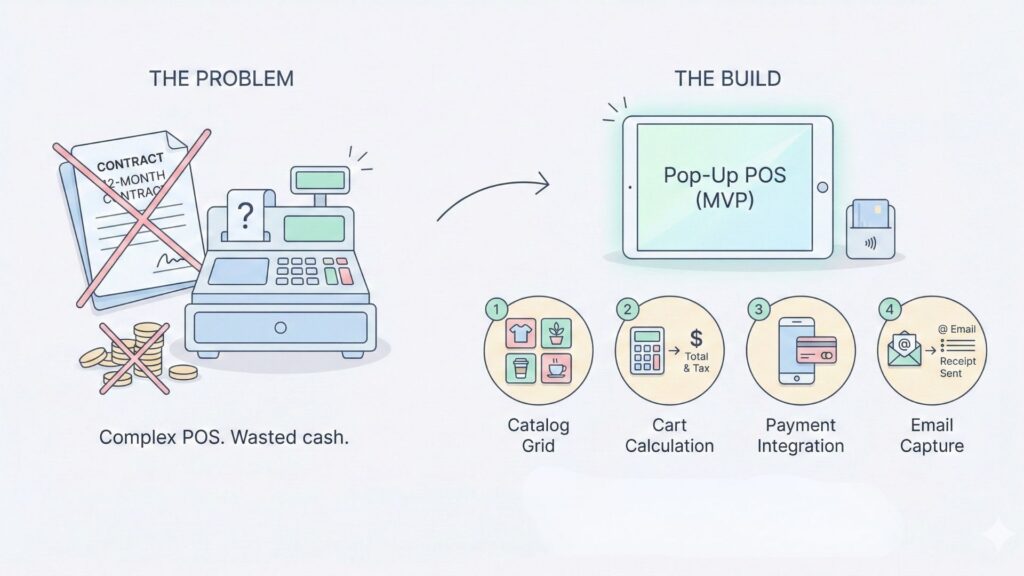
The Problem: You want to test a new retail concept, a market stall, or a holiday pop-up. Signing a 12-month contract for a robust POS system is overkill and a waste of cash.
The Build: A lightweight, disposable Point of Sale system built in 24 hours. This is the perfect example of launching a no-code MVP to validate a market idea.
Core Features to Build:
- Catalog Grid: Visual grid of products for quick tapping.
- Cart Calculation: Simple math logic for totals and taxes.
- Payment Integration: Stripe or Square integration (handled via Imagine.bo’s developer assistance if needed, or simple external link).
- Email Capture: A mandatory field to send the receipt, building your CRM list from day one.
Imagine.bo in Action: From Prompt to Product
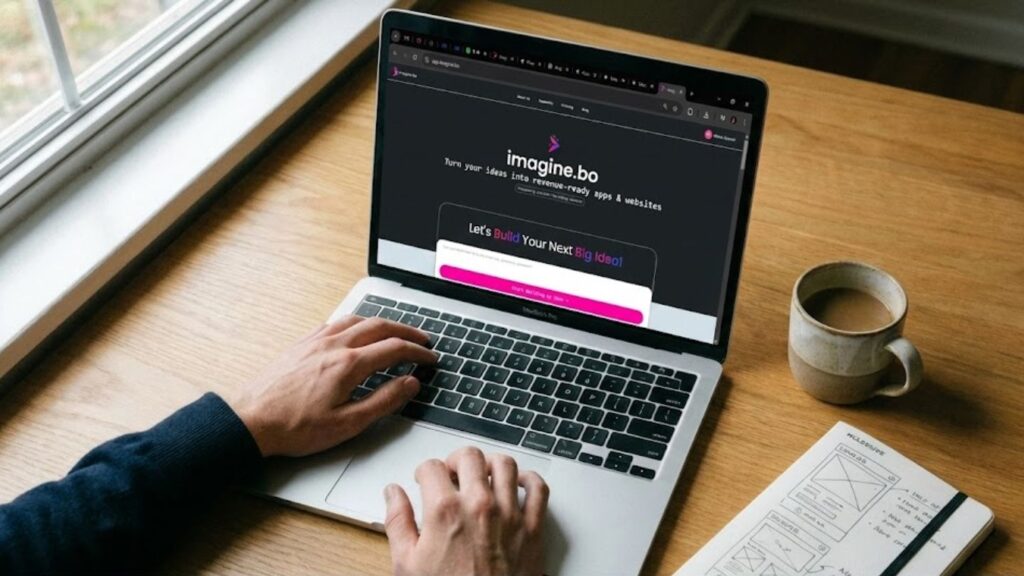
How does this actually work? Is it really as simple as typing? Let’s walk through a comprehensive scenario. You are a sneaker store owner tired of inventory discrepancies.
Step 1: Ideation (The Vibe)
You know what you want: “I want my staff to stop running to the back. I want the phone in their pocket to be the inventory master.”
Step 2: The Prompt (The Logic)
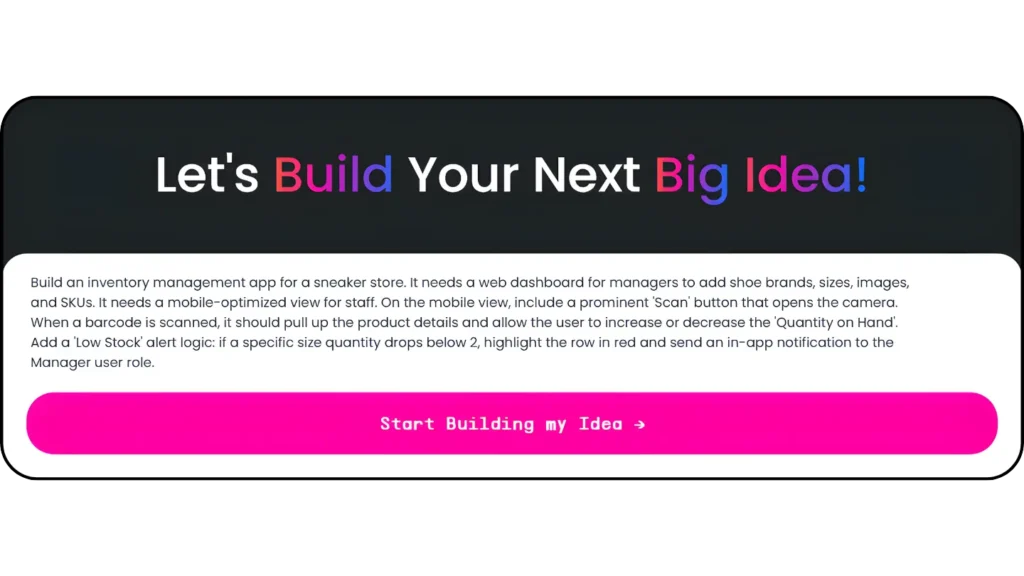
You log into Imagine.bo and type the following prompt. Notice how we describe features, not code:
“Build an inventory management app for a sneaker store. It needs a web dashboard for managers to add shoe brands, sizes, images, and SKUs. It needs a mobile-optimized view for staff. On the mobile view, include a prominent ‘Scan’ button that opens the camera. When a barcode is scanned, it should pull up the product details and allow the user to increase or decrease the ‘Quantity on Hand’. Add a ‘Low Stock’ alert logic: if a specific size quantity drops below 2, highlight the row in red and send an in-app notification to the Manager user role.”
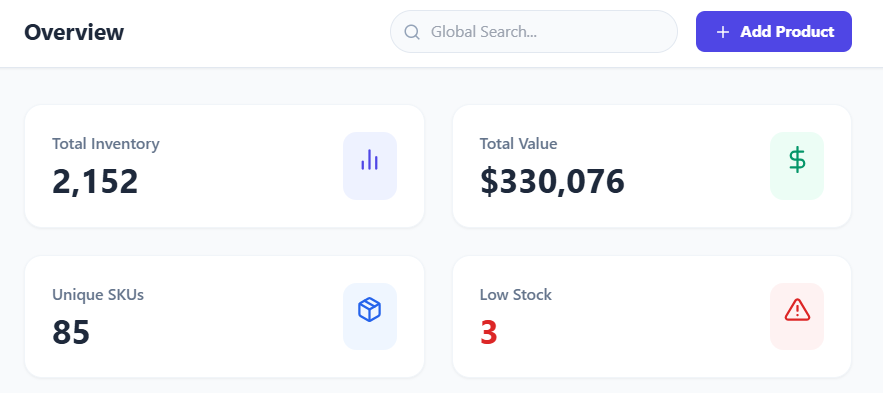
Step 3: Build (The AI Automation)
In seconds, Imagine.bo’s AI interprets this request and constructs the application:
- Database Construction: It automatically creates tables for
Inventory_Items,Brands,Transactions, andUsers. - UX/UI Generation: It builds a desktop admin panel with data grids for the manager. It builds a simplified, large-button interface for the mobile view.
- Logic Implementation: It writes the
IF/THENlogic for the low-stock alert.
Step 4: Refinement (The Human Touch)
You preview the app. The “Scan” button works, but you want it to be green instead of blue. You click it and change the color. You decide you want to add a field for “Bin Number.” You drag a text field onto the form and label it “Bin Location.” The database updates automatically.
Step 5: Launch
You hit “Deploy.” Imagine.bo hosts the application on secure cloud infrastructure (AWS/GCP). You get a URL. You send it to your staff. They save it to their home screens. You are live.
The Hybrid Advantage: Where AI Meets Human Expertise
This is usually where the “No-Code” dream hits a wall. You build the app, it works great, but then you say: “Okay, now I need this app to talk to my old SAP ERP system,” or “I need a complex API integration with a third-party logistics provider.”
On other platforms, you would be stuck. This is a common point of friction when comparing No-Code vs. Low-Code development. You’d often have to scrap the project and hire a dev agency.
Imagine.bo removes the ceiling.
We understand that AI can get you 90% of the way there – the UI, the database, the standard logic. But the last 10% – the complex enterprise integrations – might require a human engineer.
The “Assign to Developer” Feature
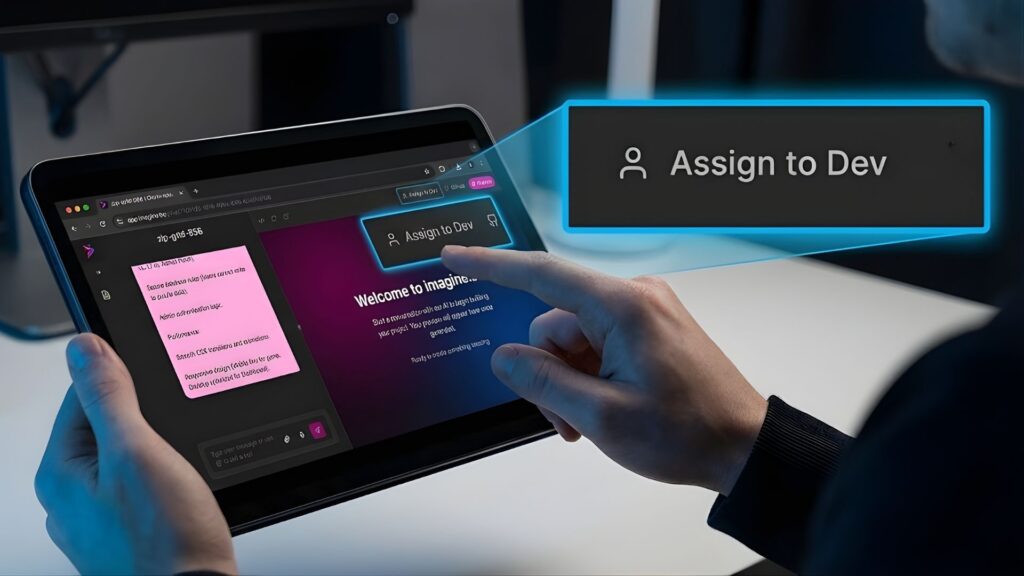
Imagine.bo includes a unique service layer. If you reach a point where your logic is too complex for the AI or the visual builder, you can click “Assign to Developer.”
- How it works: This routes your specific task to a real, vetted software engineer provided by Imagine.bo.
- What they do: They write the custom code snippet, the specific API hook, or the complex algorithm you need.
- The Result: They plug that code back into your No-Code app. You continue managing the app visually, but now it has “superpowers.”
Real-World Retail Examples of the Hybrid Model:
- Legacy ERP Connection: The AI builds the inventory app. The Human Developer writes the secure API script to push that data into your 20-year-old Oracle system every night.
- Complex Shipping Rules: The AI builds the checkout flow. The Human Developer writes a script to calculate shipping based on complex dimensional weight rules and carrier zones.
This is the Hybrid Advantage. You get the speed and cost-savings of AI, with the safety net of professional engineering support. Your retail OS is scalable, GDPR and SOC2 ready, and capable of handling enterprise-level transaction volume (1,000+ transactions per second).
The Economics of Building vs. Buying
Let’s break down the ROI. Why should a retailer care about this beyond the “cool factor”? It comes down to margin protection.
Scenario: A 10-Store Retail Chain
Option A: The SaaS Route
- POS/Inventory SaaS: $250/store/month = $2,500/mo.
- Clienteling App: $150/user/month (5 users per store) = $7,500/mo.
- Operations/Checklist App: $50/store/month = $500/mo.
- Total Monthly Cost: $10,500
- Annual Cost: $126,000
- Result: You have software that works “okay” but doesn’t share data well. You own nothing.
Option B: The Imagine.bo Route
- Platform Subscription: Fixed monthly fee (starting at just $9 per month). Check pricing here.
- Development Cost: Time invested by your Operations Manager (approx. 20 hours initially).
- Maintenance: Minimal.
- Total Annual Cost: A fraction of the SaaS bill.
- Result: You save $80k-$100k per year. You have software that fits your exact workflow. You own the data.
The Value of Agility
The biggest ROI isn’t just saving money; it’s making money. When a new trend hits (e.g., “Curbside Pickup” during the pandemic), traditional retailers waited 6 months for their POS vendor to update the software. Custom builders built a “Curbside Check-in” form in 2 hours and captured the market immediately.
Agility is the new currency in retail.
Security and Scalability: Busting the Myths
A common hesitation for retailers is: “Is a no-code app secure? Can it handle Black Friday traffic?”
With Imagine.bo, the answer is yes.
- Enterprise Infrastructure: Your apps are not hosted on a cheap shared server. They are deployed on world-class cloud infrastructure (AWS/GCP), the same backbone used by Netflix and Uber.
- Scalability Guarantee: Imagine.bo apps are architected to handle 1,000+ transactions per second. Whether you have 100 SKUs or 100,000, the database scales elastically.
- Data Sovereignty: Unlike SaaS, where your customer data is commingled with thousands of other companies, your data in Imagine.bo is isolated. You own it. You can export it to SQL, Sheets, or BigQuery whenever you want.
- Compliance: The platform is GDPR and SOC2 ready, ensuring that you can maintain data privacy and compliance with confidence.
Conclusion: The Retailer of the Future is a Builder
The retail winners of the next decade won’t necessarily be the ones with the biggest marketing budget or the best location. They will be the ones who can move the fastest.
They will be the ones who say, “We have a problem with returns processing,” and instead of shopping for software, they build a custom “Returns Authorization” app that fixes the bottleneck that same afternoon.
You don’t need a CTO. You don’t need a million dollars. You don’t need to learn C++. You just need to know your business, understand your “vibe,” and have the courage to describe what you want.
Your retail empire deserves better than a spreadsheet. It deserves a custom Operating System that grows as fast as you do.
Ready to build?
Describe your dream store app in plain English right now, and watch Imagine.bo build it for free.
Launch Your App Today
Ready to launch? Skip the tech stress. Describe, Build, Launch in three simple steps.
Build




