Getting a website live used to require a domain purchase, a hosting plan, a theme license, and at least a weekend of configuration. None of that is true anymore. According to W3Techs, over 1.1 billion websites exist on the internet today, and the vast majority of new ones are built on platforms that handle hosting, deployment, and design without any technical setup from the creator (W3Techs, 2025). If you need a website for a personal project, a small business, a portfolio, or a product idea you want to test, you can be live today at zero cost. This guide covers the complete step-by-step process for creating a free website in 2025, which tool to use for which purpose, and how to avoid the mistakes that leave most free websites looking unprofessional. For a broader overview of what building websites without coding looks like across different use cases, this guide to building a website without coding in 2025 covers the full landscape.
TL;DR Creating a free website in 2025 takes under an hour using AI-generation tools or no-code builders. imagine.bo’s free plan generates a complete multi-page website from a plain English description with 10 free credits per month. For simple landing pages, Carrd is free. For content-driven sites, WordPress.com has a free tier. The right tool depends on what your website needs to do. According to Stanford, 75% of people judge a business’s credibility by its website design (Stanford, 2023). Free does not have to mean unprofessional.
Step 1: Be Clear on What Your Free Website Needs to Do
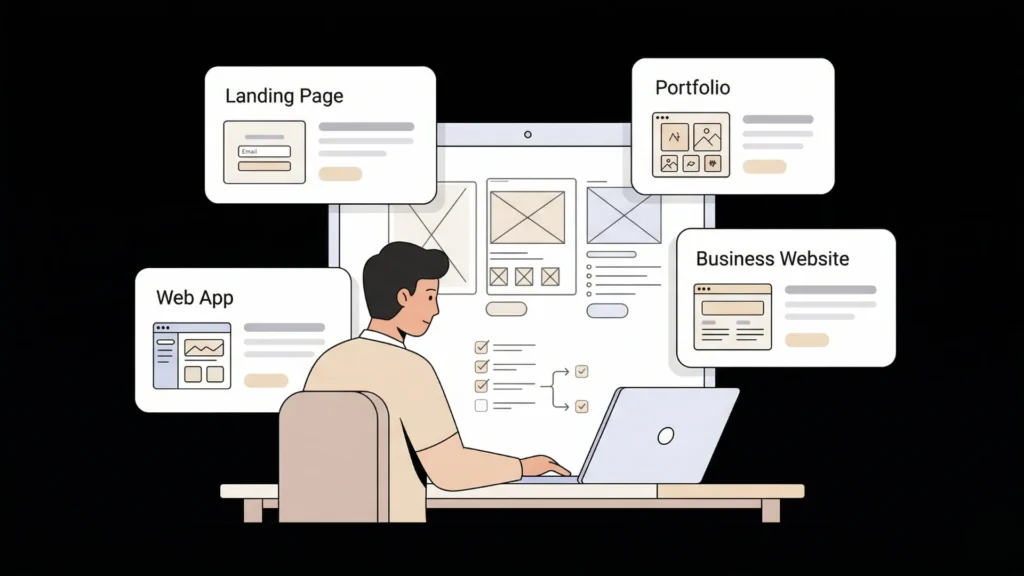
Before you open any tool, spend five minutes answering one question: what does someone need to be able to do when they land on your website? The answer determines which free tool is actually right for you.
Launch Your App Today
Ready to launch? Skip the tech stress. Describe, Build, Launch in three simple steps.
BuildMost people creating a free website fall into one of four categories. A landing page validates an idea, collects emails, or explains a product before it exists. A portfolio showcases work to potential clients or employers. A business website explains services, builds credibility, and captures contact enquiries. A web application does something functional: booking appointments, managing a client list, running a subscription, or collecting structured data.
The mistake most people make is choosing the most familiar tool rather than the one that fits the job. A landing page built on WordPress is overbuilt. A web application built on Carrd is impossibly underbuilt. Match the tool to the task before you invest time in any platform.
The single most common reason free websites fail to generate any business result is that they are built for the wrong category. A founder who builds a beautiful five-page website when what they need is a single-page email capture is delaying validation by weeks. A service business that builds a landing page when what they need is a booking system and a contact management portal is creating the appearance of progress while the actual operational problem remains unsolved. Clarity about category before choosing a tool is the decision that determines whether the website helps your goals or merely satisfies the urge to have a website.
Step 2: Choose the Right Free Website Tool for Your Goal
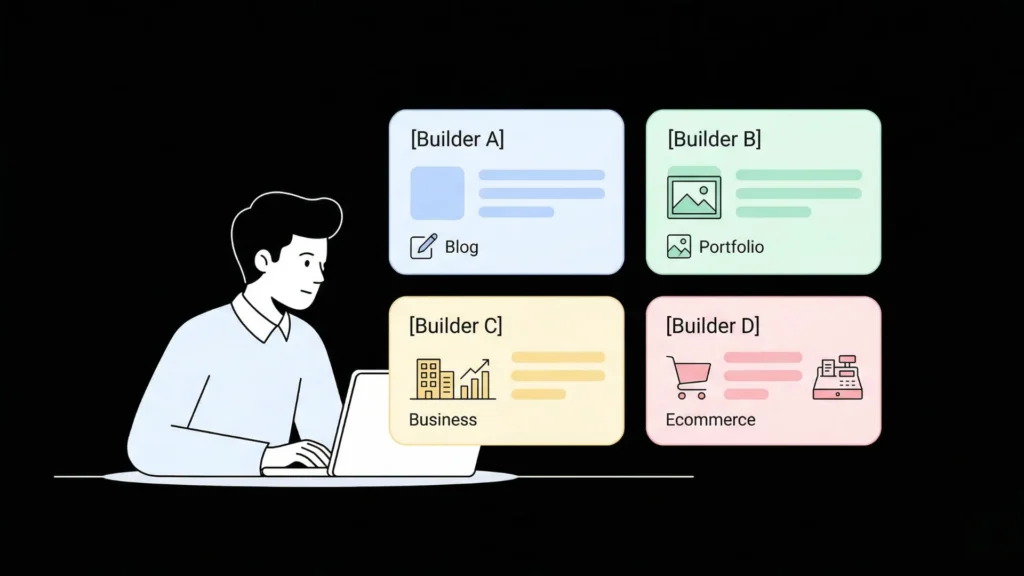
There are four genuinely free options worth using in 2025. Each serves a specific use case.
imagine.bo (free plan): 10 credits per month, public projects, generates a complete full-stack website or web application from a plain English description. The right choice when your website needs to do something: booking, user accounts, a contact management system, a product catalog with an enquiry flow, or any website that requires backend logic. The free plan produces professional results that look custom rather than template-based. This post on creating a free website in minutes with no-code tools covers what the imagine.bo free plan produces in practice.
Carrd: Free for one-page sites on a Carrd subdomain. The right choice for a personal landing page, a simple portfolio, or an idea validation page that needs to go live today. Carrd Pro at $19 per year adds custom domains and forms. For purely informational single-page purposes, the free tier is sufficient.
WordPress.com (free tier): Free on a WordPress subdomain with basic customisation. The right choice for a blog or content-driven website where you plan to publish regularly and want a familiar CMS structure. The free tier includes limited storage and WordPress.com branding.
Google Sites: Completely free, Google account required. The right choice for internal team pages, simple event pages, and educational use. Not appropriate for business websites where credibility and visual quality matter.
| Your goal | Best free tool |
|---|---|
| Web app with user accounts and logic | imagine.bo free plan |
| Landing page or personal site | Carrd |
| Blog or content-heavy site | WordPress.com |
| Internal team or school page | Google Sites |
For a comprehensive review of the best no-code website builders including their free tiers and what each one actually delivers, this post on the best no-code website builders in the US for 2026 covers the full comparison.
Step 3: Set Up Your Account and Configure the Basics
For imagine.bo, go to imagine.bo and create a free account with your email address. No credit card is required for the free plan. Once inside, you have access to the Describe-to-Build interface where you describe your website in plain English and the platform generates it.
For Carrd, go to carrd.co and click “Build your own.” No account is required to start building. You create an account only when you want to save and publish.
For WordPress.com, go to wordpress.com and click “Start your website.” Choose the free plan when prompted. WordPress.com guides you through naming your site and selecting a theme.
The setup step on any of these platforms takes under five minutes. The meaningful time investment is in the next step: describing or designing what you actually want.
Step 4: Describe or Design Your Website
On imagine.bo: The description is your product. The more specific you are, the better the generated output. A website description that includes who the website is for, what it should help them do, what pages it needs, and what the overall tone should be produces a professional result on the first generation.
A strong imagine.bo prompt for a small business website: “Build a professional website for a home cleaning service in Manchester. The website has four pages: Home with a hero section and a brief explanation of services, Services with a list of cleaning packages and pricing, About with a short company story and a team photo section, and Contact with a form collecting name, phone, preferred date, and home size. The design should be clean and trustworthy with a light blue and white colour palette. Include a call-to-action button on the homepage that links to the Contact page.”
That description generates a complete four-page website with the correct page structure, the form logic, the navigation, and the visual direction. Review the AI-Generated Blueprint before confirming to check that all four pages are present and the contact form fields match what you specified. For a practical walkthrough of generating a complete website from a single prompt, this post on making a website with one prompt shows the full process.
On Carrd: Use the template gallery to select a starting layout, then click each element to edit the text, images, and colours. The editor is visual and straightforward. A Carrd page is typically complete within 30 to 60 minutes.
On WordPress.com: Choose a theme from the library, then use the block editor to add content to each page. WordPress themes determine the layout structure. You fill in content and adjust colours and fonts within the theme’s options.
The most common error at the design step is trying to make the website perfect before publishing it. A website that is 80% right and live is infinitely more useful than a website that is 100% right and still in drafts. Real visitors tell you more about what needs changing than any amount of personal deliberation. Build to the point where you are not embarrassed by it, then publish, then improve based on what real visitors do.
Step 5: Add Your Core Content
Every website, regardless of tool, needs the same five pieces of content to be useful.
A clear headline on the homepage that tells a visitor within three seconds what the website is for and who it is for. Not “Welcome to my website.” Something like “Professional cleaning services for busy Manchester homeowners.”
A specific explanation of what you do that answers the visitor’s immediate question: is this relevant to me? Three to five sentences is enough on most homepages.
A way to contact or take action that is visible without scrolling. A contact form, a booking button, an email address, or an email capture form depending on your goal.
An About or credibility section that briefly establishes who is behind the website. Visitors who cannot quickly understand who they are dealing with leave.
A mobile-responsive layout that reads correctly on a phone screen. According to StatCounter, 60.67% of global web traffic comes from mobile devices (StatCounter, 2025). A website that breaks on mobile loses more than half its potential visitors immediately.
For a complete guide to designing each of these elements in a way that works for both visitors and search engines, this post on SEO-friendly website design covers the content structure and technical design decisions that matter most.
Step 6: Handle the Domain Question
Every free tier on every platform creates your website on that platform’s subdomain: yourname.carrd.co, yoursite.wordpress.com, or a generated imagine.bo URL. For personal projects, idea validation, and testing, that is fine. For any business use where you want people to find and remember your website, a custom domain is the right next step.
Custom domains cost $10 to $15 per year from registrars like Namecheap or Google Domains. That is the one investment worth making even for a website that is otherwise entirely free to build. A website on your own domain communicates a level of seriousness that a subdomain does not.
On imagine.bo’s Pro plan at $25 per month, you get private projects and full custom domain support. On Carrd Pro Lite at $19 per year, you connect a custom domain. On WordPress.com, custom domains require the Personal plan at $4 per month minimum.
The domain decision does not need to be made before building. Start building on the free tier, validate that the website serves its purpose, then add a custom domain once you are confident it is worth maintaining.
Step 7: Publish and Check These Five Things Before Sharing
Before you send your website URL to anyone, run through this five-point check.
Open it on your phone. Does it read correctly? Are buttons tappable without zooming? Does the text overflow any containers? Mobile layout issues are the most common problem on first-published websites.
Submit the contact form or click the primary call to action. Does it work? Does the confirmation appear? If there is a form, does the submission reach you? A broken contact form on a live website is the most common missed conversion on small business sites.
Check every page exists and loads. Click every navigation link. Confirm there are no broken links or pages that return an error.
Read the homepage headline out loud. Does it clearly state what the website is for in one sentence? If you have to read three sentences before understanding what the site does, the headline needs work.
Search for your business or project name on Google. Your new website will not rank immediately, but confirming that Google can index it by checking for it in Search Console or simply waiting a few days and searching is part of the launch confirmation process.
For a guide to deploying your website for free on production infrastructure once you are ready to go beyond a free platform’s subdomain, this post on deploying a website for free covers the options in detail.
FAQ
Can I create a truly free website without a credit card?
Yes. imagine.bo’s free plan, Carrd’s free tier, WordPress.com’s free tier, and Google Sites all require no credit card to create and publish a website. The free plans on each platform have specific limitations: imagine.bo’s free plan provides 10 credits per month with public projects only, Carrd’s free tier requires a Carrd subdomain, and WordPress.com’s free tier includes WordPress branding. None require payment to get started. According to W3Techs, over 43% of all websites on the internet run on WordPress, which has a free tier available at wordpress.com (W3Techs, 2025). This post on creating free apps with AI app builders in 2026 covers the full list of genuinely free options with honest capability comparisons.
How long does it take to create a free website in 2025?
A landing page on Carrd takes 30 to 60 minutes from account creation to published URL. A multi-page business website generated on imagine.bo takes two to four hours including description writing, blueprint review, refinement, and the mobile check before publishing. A WordPress.com blog site takes two to three hours for initial setup and first content. The bottleneck in 2025 is not the tool. It is knowing what you want the website to say and do. Spending 20 minutes answering the five questions in Step 1 before opening any tool consistently reduces total build time. This post on AI website design for beginners covers the full workflow for first-time website creators.
Is a free website good enough for a real business?
Yes, for most early-stage business purposes. A free website that is well-structured, clearly written, and mobile-responsive serves its purpose as effectively as one that costs money to build. The limitation of free tiers is typically the subdomain rather than the website quality. A cleaning service on yourname.carrd.co or yoursite.wordpress.com looks noticeably less established than one on cleaningservice.com. For any business website where you are asking visitors to spend money with you, a custom domain at $10 to $15 per year is the one investment worth making. Everything else about the website can be free.
What is the best free website builder for SEO?
Imagine.bo generates SEO-ready architecture by default. All public-facing pages deploy to Vercel’s global edge network with fast load times, HTTPS applied automatically, and structured HTML that search engines can crawl and index. For a detailed comparison of how free AI website builders handle SEO specifically, this post on the best free AI website builders for SEO covers which platforms produce search-engine-friendly output and which ones create technical SEO problems you have to fix manually.
Conclusion

Creating a free website in 2025 is a same-day task for anyone who knows what they want the website to do. The seven steps in this guide, clarifying your goal, choosing the right tool, setting up the account, describing or designing your content, adding the core content elements, making the domain decision, and running the five-point pre-publish check, cover everything required to go from idea to live website without spending anything.
The one investment worth making even on a free website is in the clarity of the description. A specific, well-structured prompt on imagine.bo produces a professional website that looks custom-built. A vague one produces something generic that you will spend hours trying to refine into something usable.
Start with imagine.bo’s free plan today. Describe your website in one focused paragraph using the template from Step 4, review the blueprint, and publish your first version before the end of the day. For the complete guide to building any type of website with a no-code approach, this post on building a no-code web app with imagine.bo covers everything from the first prompt to post-launch iteration.
Launch Your App Today
Ready to launch? Skip the tech stress. Describe, Build, Launch in three simple steps.
Build