The global website builders market is projected to grow from $3.06 billion in 2025 to $7.67 billion by 2031 (Mordor Intelligence, 2026), driven almost entirely by one trend: non-technical users getting online without developers. AI has made that faster than ever. Platforms that once required hours of template editing now generate complete, content-populated websites in minutes from a few sentences about your business. But not all AI website builders are equal for beginners. Some generate beautiful first drafts that are nearly ready to publish. Others generate something that requires design skills to refine which is not what a beginner has. This guide covers the seven best AI website builders specifically for beginners in 2025 and 2026, ranked by how close they get to a finished, professional result without requiring editing expertise. Before diving in, the AI website design guide for beginners is worth reading for a broader understanding of how AI generation works across the category.
TL;DR: The best AI website builders for beginners in 2025 are Wix (most AI features, best all-around), Squarespace (easiest guided design process), Hostinger (cheapest fast option at under $3/month), imagine.bo (best for anything beyond a static site), and Durable (fastest to live). According to AllAboutAI (2026), Wix powers over 200 million users globally. 98% of small businesses plan to use AI tools for website development by 2026 (F22 Labs, 2025). The key is matching the tool to your primary need, not chasing the most features.
What Makes an AI Website Builder Good for Beginners?
The biggest differentiator for a beginner is not features. It is the gap between what the AI generates and what the finished site needs to look like. Some platforms generate near-complete first drafts that require minimal editing. Others produce a starting structure that demands significant design work to look professional. Beginners do not have the design skills to close a wide gap, so the right platform is the one where the AI does the most work upfront.
Launch Your App Today
Ready to launch? Skip the tech stress. Describe, Build, Launch in three simple steps.
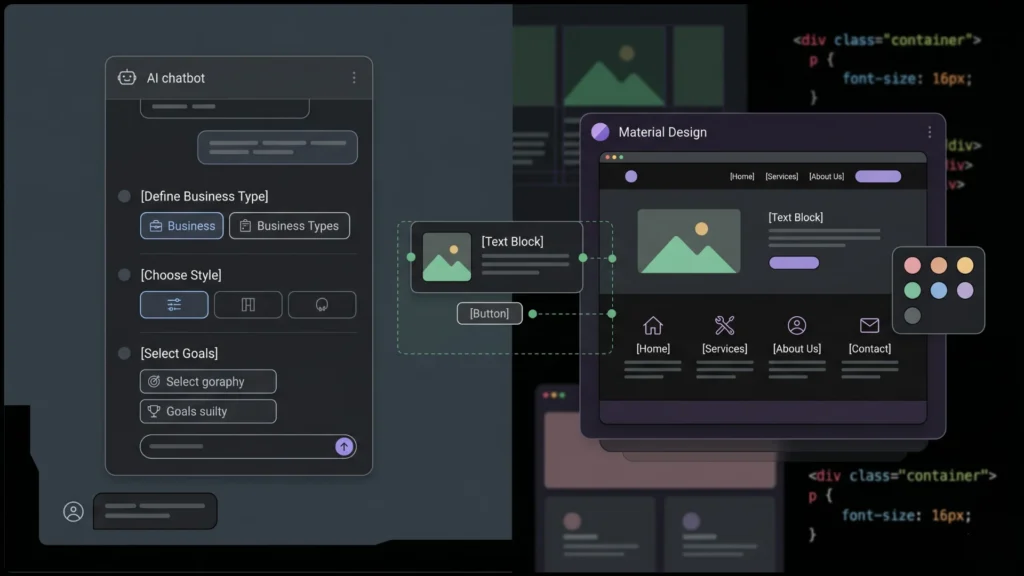
BuildThree specific qualities define a good AI website builder for a beginner. First, the generation process should be guided. A chatbot or structured questionnaire that asks about your business type, style preferences, and goals produces more accurate output than a blank prompt box. Beginners often do not know how to write a prompt that produces what they want. Second, the editor after generation should be simple. Drag-and-drop that puts guardrails on layout decisions not complete freedom to place anything anywhere produces cleaner, more consistent results for non-designers. Third, the generated content should be close to usable. If the AI writes copy that sounds generic, the site still needs a rewrite. If it writes reasonable descriptions specific to your business category, you can launch with minor edits.
What beginners should avoid: platforms that generate impressive-looking output but require understanding of CSS, grid systems, or responsive breakpoints to adjust. Webflow is the most powerful no-code website builder available, but it is not a beginner tool. The Reddit consensus on this is consistent: “In 2026, Wix is perfect for beginners, Webflow for pros” (AllAboutAI, 2026). The comprehensive guide to building a website without coding covers the full decision process for beginners who want to understand their options before committing.
The reason most beginners struggle with AI website builders is not the generation step. The generation is usually impressive. The struggle is the editing step after generation adjusting copy, swapping images, changing colors, adding pages when the interface suddenly requires micro-decisions about design that the beginner has no training to make. The best AI builders for beginners minimize post-generation editing by either generating output that is close to ready, or providing a highly constrained editor where every option available produces a reasonable result.
Citation capsule: According to Website Builder Expert’s 2026 testing of 12 top website builders over 300+ hours, the factors most important for beginner AI builders are design features (30%), website functionality (30%), user experience (15%), help and support (10%), pricing (10%), and reputation (5%). Platforms that score well on user experience and design features together consistently deliver the best beginner outcomes regardless of feature count (Website Builder Expert, 2026).
1. Wix — Best Overall AI Website Builder for Beginners
Best for: Small businesses, freelancers, bloggers, and beginners who want the most AI tools in one place and need room to grow.
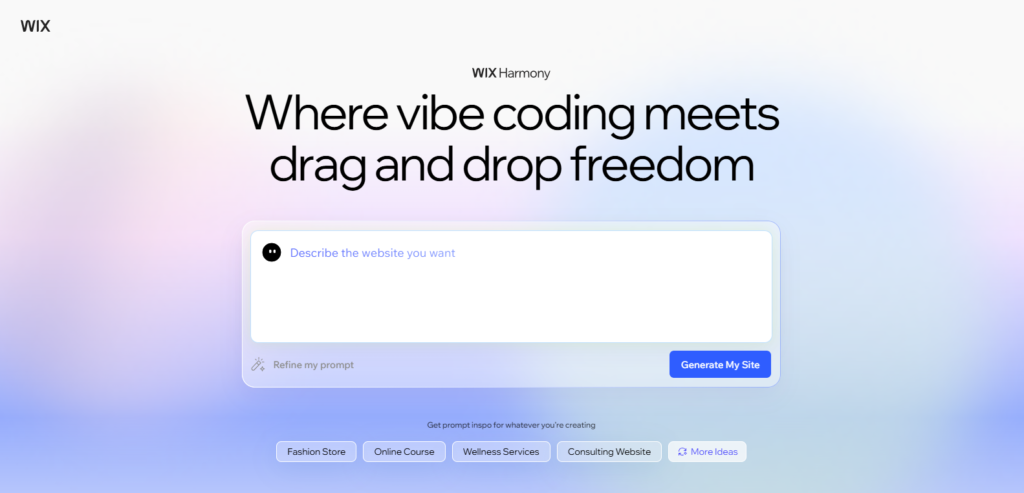
Wix has the most comprehensive AI feature set in the beginner-friendly category. Its Astro AI assistant guides you through setup via conversational questions about your business, style preferences, and goals, then generates a multi-page website with custom layouts, AI-written copy, and stock imagery. The platform offers over 20 AI tools including content generation, image creation, SEO setup, and an in-editor AI assistant. According to Website Builder Expert’s hands-on testing, the generation process takes approximately five minutes slower than Squarespace or Hostinger but the depth of customization available afterward is the widest in the category.
Where Wix pulls ahead of other beginner-friendly platforms is scalability. The platform covers booking systems, e-commerce, email marketing, memberships, and hundreds of app integrations. A beginner who builds a simple five-page business site on Wix can add booking capability, a newsletter, and online sales without switching platforms. That growth path is absent from cheaper, simpler alternatives. Wix powers over 200 million users globally and holds roughly 13% of US website market share (AllAboutAI, 2026).
The honest trade-off: Wix’s breadth of features can overwhelm absolute beginners. The editor’s complete drag-and-drop freedom means you can accidentally create inconsistent layouts. And the free plan includes Wix branding on your domain acceptable for testing but not for a professional presence. Paid plans start at $17/month.
For anyone who wants to understand what AI generation actually produces on the fastest AI builders before committing, the quick guide to AI website builder speed walks through what to expect from the major platforms in the first 10 minutes.
2. Squarespace — Best for Design-Conscious Beginners
Best for: Photographers, consultants, creatives, and anyone for whom the site’s visual quality directly affects how they are perceived.
Squarespace’s Blueprint AI Builder takes a different approach from most AI generators. Rather than asking you a few questions and producing a complete site automatically, it walks you through a structured five-step design process where you make choices about layout, content sections, and visual style. You are involved in the generation. The result is a site that consistently looks more intentional than pure one-click generators, because some of that intention actually came from you.
The platform’s templates have the highest aesthetic quality in the beginner category. Every Squarespace site, whether AI-generated or template-based, starts from a design foundation that looks professional without customization. Its grid-based editor prevents beginners from accidentally creating broken layouts by keeping elements aligned to a consistent structure. According to Website Builder Expert’s 2026 testing, Squarespace is described as the easiest builder tested among the leading three platforms Hostinger, Wix, and Squarespace specifically because of how well the guided setup process and constrained editor work together for non-designers.
The trade-off is that Squarespace is less flexible than Wix for businesses with complex needs. No free plan. Pricing starts at $16/month with a 14-day free trial. E-commerce is available from the Core plan at roughly $27/month. Migration away from Squarespace later requires a full rebuild since code export is not available.
3. Hostinger — Best Budget AI Website Builder for Beginners
Best for: Beginners and bootstrapped small businesses who need something professional online for the lowest possible monthly cost.
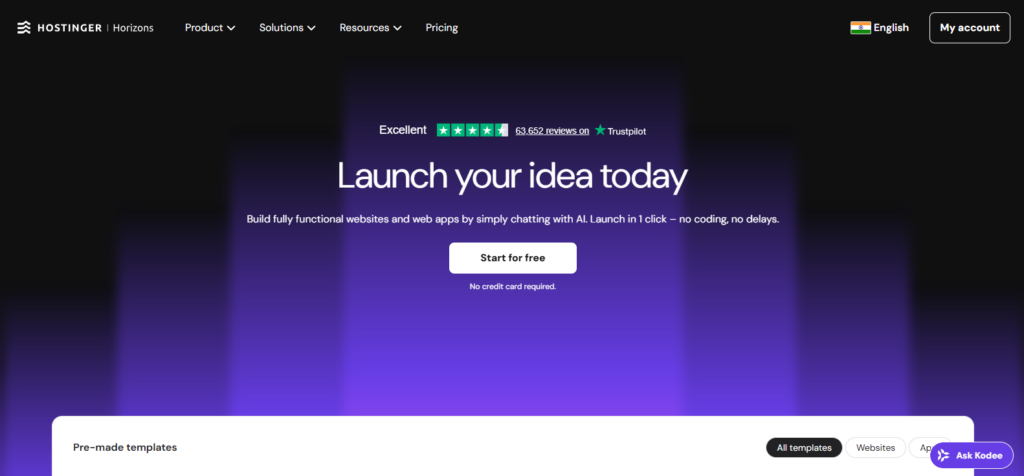
Hostinger’s AI builder generates a complete website in approximately 45 seconds from a short business description the fastest in the category by a meaningful margin according to NxCode’s 2026 testing. The output includes SEO-friendly copy, a contact form, and a gallery already in place. What it lacks in design sophistication it makes up for in speed and price. At approximately $1.79 to $2.99 per month depending on promotional pricing, it is the most affordable paid option with AI generation among the major platforms.
The AI feature set covers the basics well: AI content generation for pages and blog posts, an AI logo maker, image generation, and SEO setup tools. Hosting is bundled into the plan price, which removes a common hidden cost that catches beginners off guard on other platforms. The platform absorbed Zyro in 2023 and has since improved its design quality significantly.
The honest limitation: Hostinger’s generated output tends toward functional rather than beautiful. For businesses where visual impact directly affects conversions portfolios, creative agencies, high-end service providers the design ceiling is lower than Squarespace or Framer. For a local business that needs contact information, a services list, and a booking form online quickly, Hostinger delivers that reliably and cheaply. No free plan, but a trial is available.
4. Imagine.bo — Best for Beginners Who Need More Than a Static Site

Best for: Beginners who need not just a website but a functional product user logins, booking systems, customer portals, subscription features, or any application logic beyond static pages.
Imagine.bo’s Describe-to-Build feature accepts a plain-English description and generates a complete full-stack application: frontend, backend, database schema, authentication, and One-Click Deployment to production infrastructure. For the specific type of beginner who wants to build something that does things not just displays information this is a different category of tool from the others on this list.
The beginner experience on imagine.bo is prompt-driven. You write what you want, review the AI-Generated Blueprint before deployment, refine through conversation, and deploy with a single click. SSL, HTTPS, mobile responsiveness, and security are handled automatically. There is no visual drag-and-drop editor to learn, which makes the platform more accessible for non-designers than Webflow or even Wix. The learning curve is in writing a clear, specific prompt rather than in navigating an editor interface.
Pricing is accessible: the free plan provides 10 credits per month with public projects at no cost genuinely enough to test a real build. The Lite plan at $6/month handles up to 8 pages of a business site. The Pro plan at $25/month covers full multi-page applications with private deployment and rollover credits. The step-by-step guide to making a website with one prompt on imagine.bo shows exactly how the generation workflow works for first-time users.
When the AI generation reaches a complexity limit a custom payment integration, a specific third-party connection, a compliance requirement the Hire a Human feature assigns that specific task to a vetted engineer from the same dashboard. Beginners never have to leave the workflow to find external technical help.
The beginner who gets the most value from imagine.bo is the one who is starting a business that needs software to run it, not just a marketing site. A therapist building a client booking portal, a trainer launching a subscription workout app, a small business replacing four different SaaS tools with one custom application these users hit the ceiling of Wix or Squarespace within weeks of launch. Starting on imagine.bo means building the right foundation from the beginning.
Citation capsule: According to Mordor Intelligence (2026), business accounts produced 57.35% of 2025 website builder revenue, anchored by SMBs adding online storefronts and booking engines. Integrated payments, inventory sync, and CRM connections are now baseline expectations, pushing the category toward platforms that handle full-stack functionality rather than static marketing pages (Mordor Intelligence, 2026).
5. Durable — Best for Getting Live in Seconds
Best for: Beginners who need a professional presence online as fast as possible launching a business, setting up an event page, or getting a temporary campaign live.
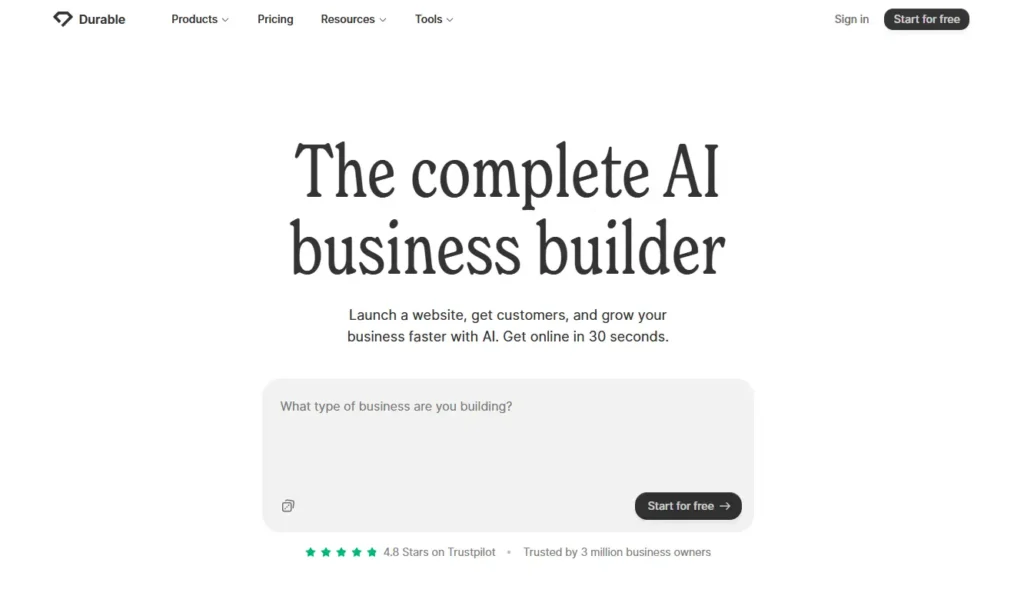
Durable generates a complete, publishable business website in approximately 30 seconds from your business category and name. NxCode’s 2026 testing clocked the actual generation at 47 seconds from start to a functioning site close enough to the claim. The AI makes assumptions based on your business type. The output is consistently professional enough to publish with minor text edits.
What Durable is not is a feature-rich platform. It covers the essentials business description, services, contact form, AI-written copy without the depth of Wix’s marketing tools or Squarespace’s design quality. The platform is optimized for speed over customization. If your primary need is being findable by local customers, having a credible link to send to prospects, or testing whether a business concept gets any traction, Durable delivers that faster than any other platform on this list.
Pricing: Free to generate and view. $12/month to publish with a custom domain and access to AI editing tools.
6. GoDaddy — Best for Complete Beginners Who Want One Platform for Everything
Best for: Small business owners who want domain, hosting, email, and website managed under one account without switching between providers.
GoDaddy’s AI site builder (Airo) creates a ready-to-launch website almost instantly by asking a few questions about your business and generating a relevant, pre-populated site. For users who already use GoDaddy for their domain which a significant share of beginners do, since GoDaddy is one of the most recognized domain registrar brands the ability to manage everything in one account removes meaningful friction. Setup stays in one interface. Support contacts are consolidated.
The design ceiling is lower than Wix or Squarespace. GoDaddy’s strength is ecosystem integration and speed, not design sophistication. According to AllAboutAI (2026), GoDaddy’s ADI builder creates a ready-to-launch website almost instantly, making it the fastest setup process among the major established brands. Pricing starts at approximately $9.99 to $12.99/month depending on plan and promotional pricing.
7. Jimdo — Best for Beginners Who Let the AI Do Almost Everything
Best for: Absolute beginners who want minimal decision-making and are willing to accept a less customized result in exchange for the easiest possible setup process.
Jimdo’s Dolphin AI builder is designed for users who do not want to make many choices. It can pull information from your social media profiles to auto-populate a website, reducing the amount of manual content entry required. The platform’s AI handles layout selection, color choice, and content placement with minimal input from the user.
The trade-off is limited customization after generation. Jimdo sites have less design flexibility than Wix or Squarespace. They are appropriate for a freelancer who needs basic contact information, a service description, and a booking link online quickly not for a business that will want to add complex features later.
According to TechRadar’s 2026 testing across nine AI website builders, Jimdo offers a free plan. Paid plans start at approximately $9 to $15/month depending on the tier.
AI Website Builder Comparison Table for Beginners
| Platform | Starting price | Free plan | Generation speed | Best for | Design quality |
|---|---|---|---|---|---|
| Wix | $17/month | Yes | ~5 minutes | All-around beginners | Very good |
| Squarespace | $16/month | No (14-day trial) | ~1 minute | Design-conscious | Excellent |
| Hostinger | ~$2.99/month | No | ~45 seconds | Budget beginners | Good |
| Imagine.bo | $0 (10 credits) | Yes | Minutes | Functional apps + sites | Good |
| Durable | $12/month | Yes (preview only) | ~30 seconds | Speed above all | Good |
| GoDaddy | ~$9.99/month | No | Instant | One-platform convenience | Adequate |
| Jimdo | ~$9/month | Yes | Fast | Minimal-effort beginners | Adequate |
FAQ
What is the easiest AI website builder for a complete beginner with no design skills?
Squarespace’s Blueprint AI Builder is consistently rated the most beginner-friendly for users without design backgrounds, because its guided five-step process helps you make decisions rather than facing a blank prompt. Wix comes second for all-around ease. For the absolute simplest experience where the AI makes most decisions, Durable generates a publishable site in under a minute with minimal input from the user. The dedicated guide to AI website builders for newbies covers what the generation experience actually looks and feels like on each major platform.
Which AI website builder is free for beginners?
Wix offers a genuinely functional free plan that includes AI features, though with Wix branding on your domain. Imagine.bo’s free plan gives you 10 credits per month to build and deploy real applications at no cost. Jimdo has a free plan for basic sites. Durable lets you generate and preview for free but requires $12/month to publish with a custom domain. The guide to the best free AI website builders with SEO built in compares what you actually get on each free tier before upgrading.
Can I build an e-commerce website with an AI builder as a beginner?
Yes. Wix handles e-commerce from approximately $29/month (Core plan), Squarespace from $27/month, Shopify from $29/month specifically for stores. Imagine.bo generates e-commerce applications with product listings, cart functionality, and payment integration as part of its full-stack generation. For anyone focused primarily on selling products, Shopify remains the industry standard for e-commerce, even though it is not primarily marketed as an AI website builder. The AI website builder for e-commerce guide covers the specific differences for product-selling use cases.
How long does it actually take to build a website with AI?
Generation takes between 30 seconds (Durable) and five minutes (Wix) across the platforms on this list. The time to a published, finished site is longer and depends on how much editing the generated output requires. Hostinger’s output is typically close to publishable with minimal editing. Wix’s output is more complete but sometimes requires more content adjustments. Most beginners report spending one to three hours from sign-up to a site they are comfortable showing to customers. The step-by-step guide to creating a free website in minutes walks through the entire process from first login to published.
What should I look for in an AI website builder if SEO matters to me?
Look for platforms that give you control over page titles, meta descriptions, and image alt text these are the three most important on-page SEO elements. All the major platforms cover these basics. Wix’s SEO Learning Hub and built-in SEO setup guide are the most beginner-friendly SEO resources in the category. For deeper technical SEO control canonical URLs, structured data, redirect rules Webflow leads the category but has a steeper learning curve. The SEO-friendly website design guide explains what to configure regardless of which platform you choose.
Conclusion
Three things define the right AI website builder choice for a beginner. First, match the tool to your output type. If you need a marketing site pages, copy, contact forms Wix, Squarespace, or Hostinger handle this well. If you need a functional product with user logins, data, or custom workflows, imagine.bo is the right tool. Second, test the generation experience before committing to a paid plan. Every platform on this list has a free plan or trial. The 30 minutes you spend testing a real generation is worth more than any comparison table, including this one. Third, think about where you will be in a year. Platforms that do not export code require a full rebuild if you outgrow them. Imagine.bo exports clean, fully owned code at every tier. Wix and Squarespace do not.
For most absolute beginners building a first business site, Wix is the most complete starting point. For beginners building anything with functional application logic, imagine.bo’s free plan is the place to start. The full review of the best no-code website builders for US founders in 2026 gives a more detailed breakdown for anyone who wants to go deeper before deciding. Whatever platform you choose, the most important thing is shipping. A site that is live and imperfect beats a site that is still being planned six months from now.
Related Articles
- AI Website Builder for Dropshipping Business
- Effortlessly Design Stunning Websites with AI: Your No-Code Web Design Guide
- The Rise of AI-Powered Website Builders for Creators Revolutionizing Online Presence and Design Efficiency
- AI Website Builder for Affiliate Marketing
- AI Website Builder Bootstrap
Launch Your App Today
Ready to launch? Skip the tech stress. Describe, Build, Launch in three simple steps.
Build