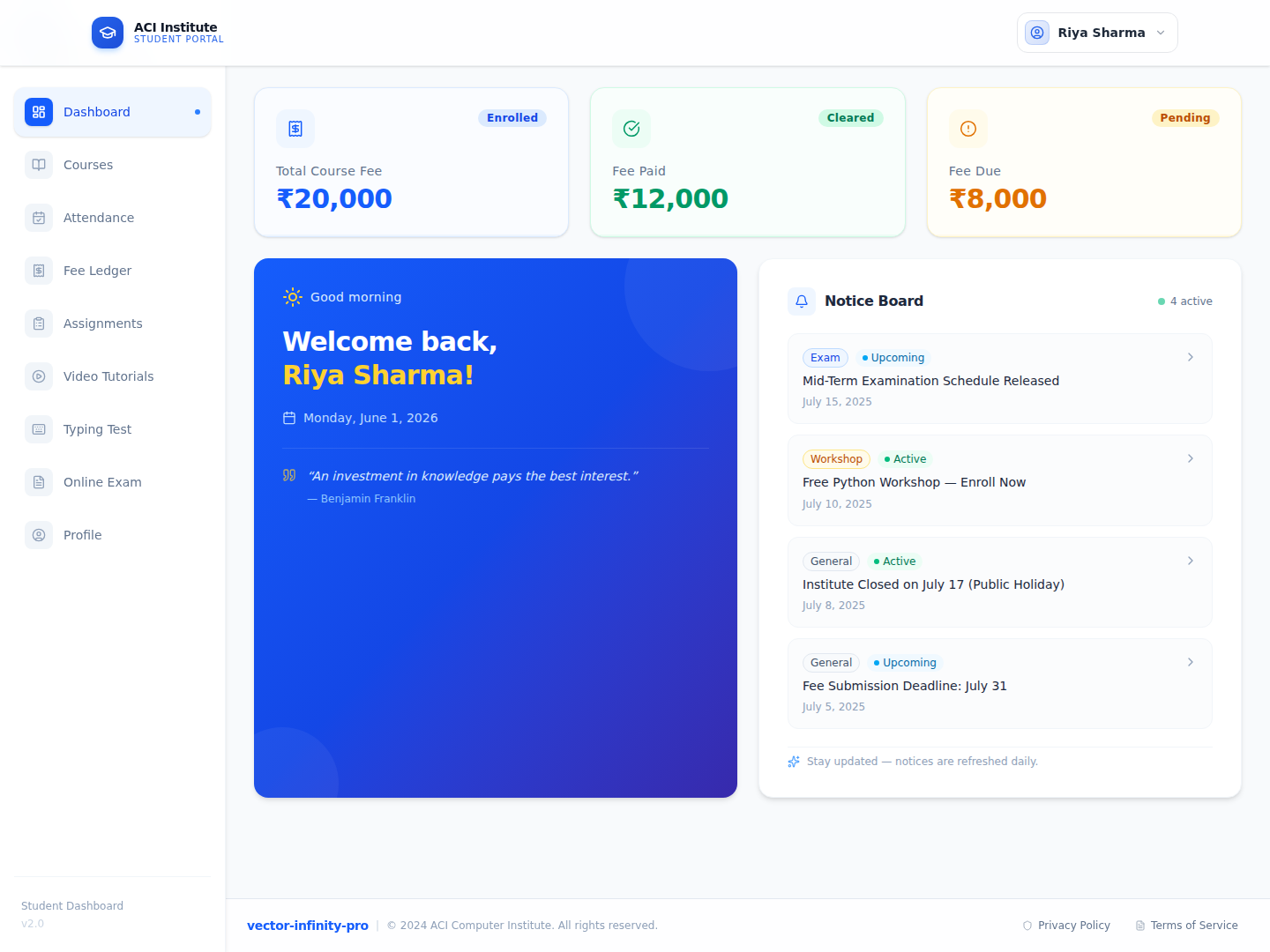
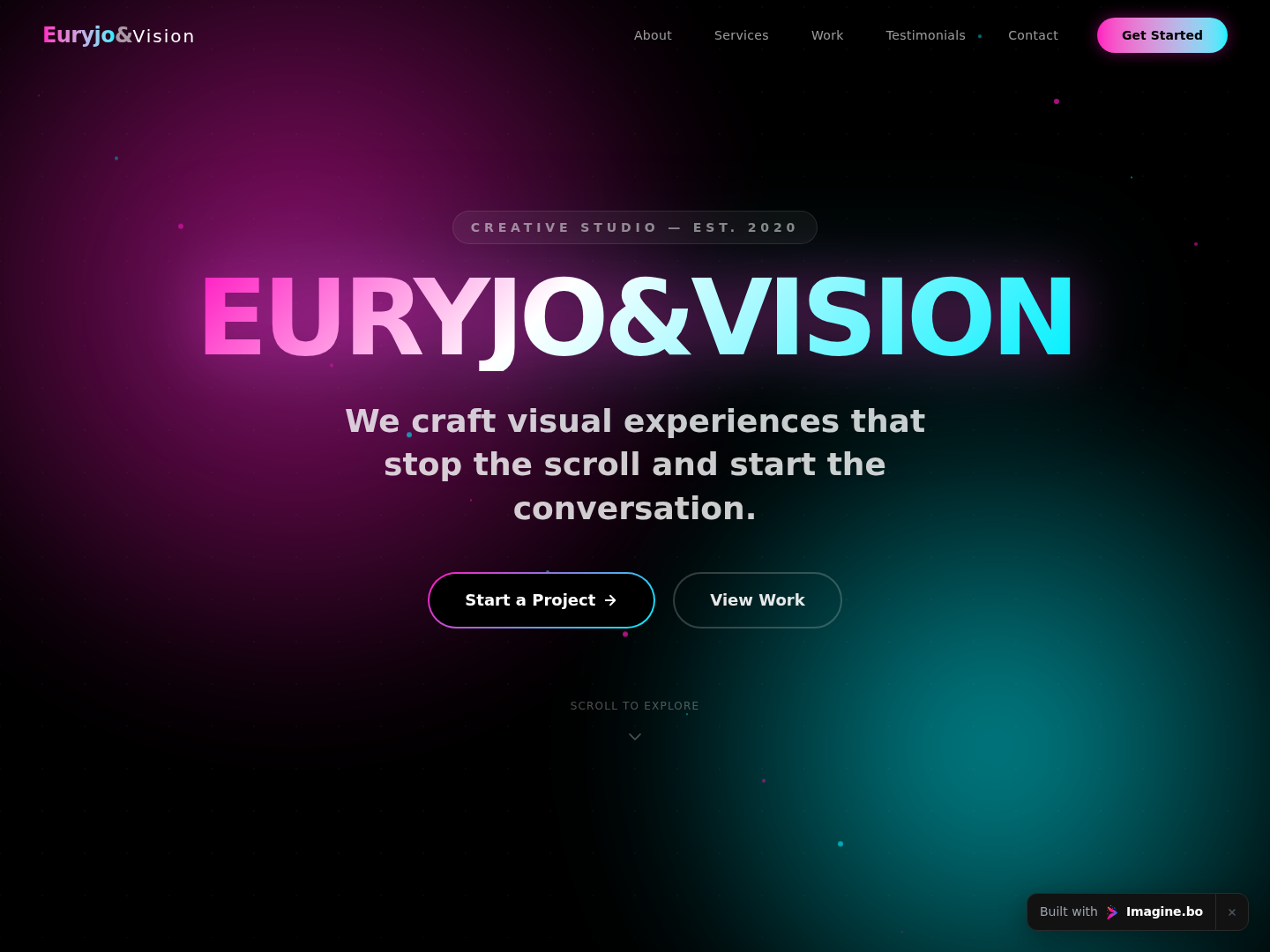
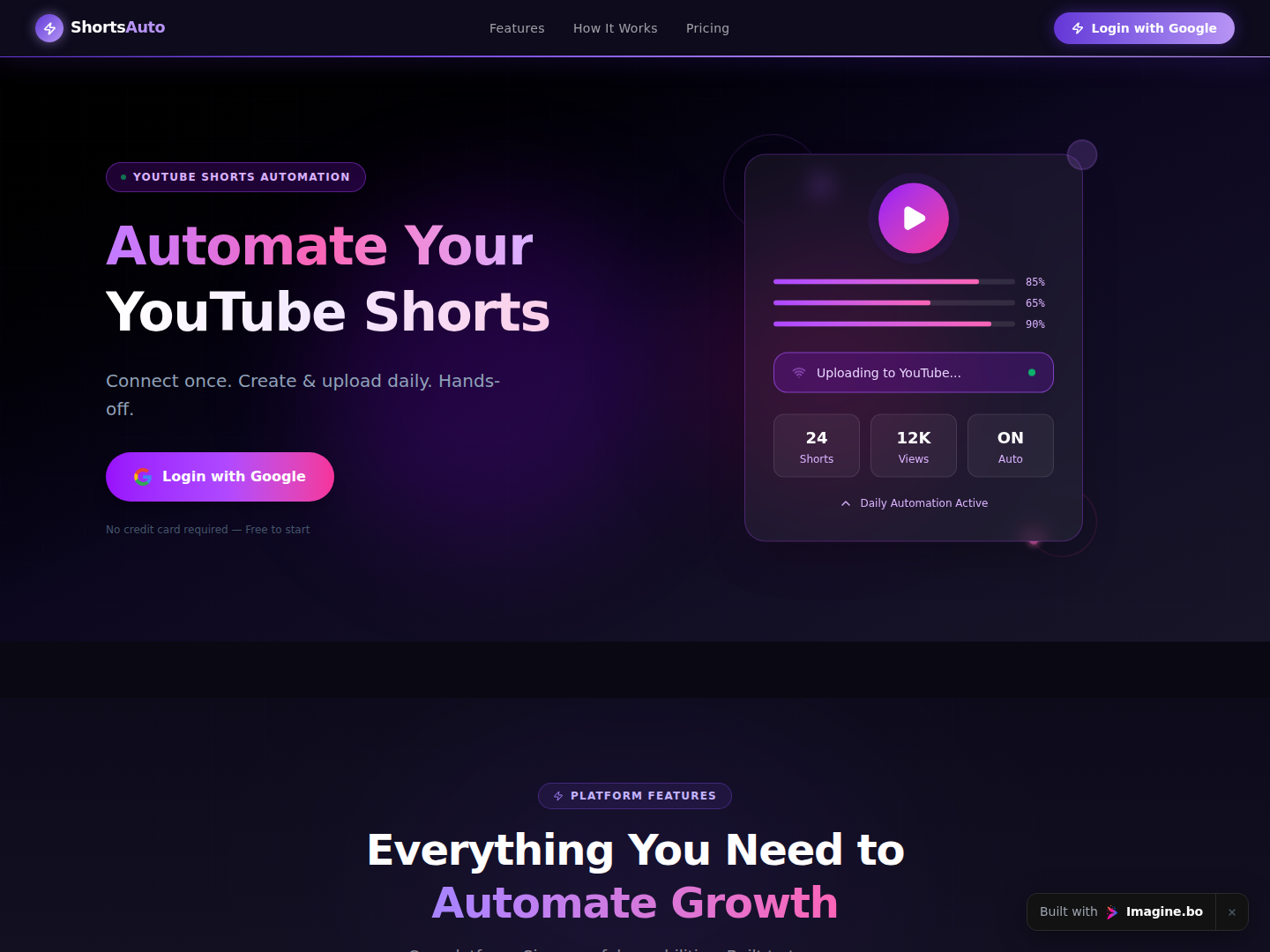
Your website. It might have been your pride and joy when it launched, a digital beacon for your brand. But now, when you look at it, you feel a sense of… embarrassment. It feels slow. It looks dated on a smartphone. Your bounce rate is high, your conversions are low, and it no-longer reflects the quality of the business you’ve worked so hard to build.
If this sounds familiar, you’re in the right place. You’re ready for a website redesign.
Launch Your App Today
Ready to launch? Skip the tech stress. Describe, Build, Launch in three simple steps.
BuildBut that phrase opens a Pandora’s box of questions. A website redesign is a significant undertaking, far more complex than just a digital “paint job.” It’s a strategic business initiative that involves marketing, design, development, and sales. Get it right, and you can unlock a new level of growth, lead generation, and brand authority. Get it wrong, and you could waste tens of thousands of dollars and, even worse, destroy your hard-earned search engine rankings.
The stakes are high, which is why we’re going to walk through this process together, using our first-hand experience from hundreds of web projects. This comprehensive guide will serve as your strategic blueprint. We’ll cover the big, intimidating questions head-on:
- What is a website redesign, really (and how is it different from a “refresh”)?
- How much does a website redesign cost? (We’ll provide real-world price ranges).
- How often should you actually do this?
- How do you create a step-by-step web redesign project plan that doesn’t fail?
- And the most critical question of all: How do you redesign a website without losing your SEO?
From strategy and costs to project management and protecting your traffic, consider this your definitive guide to a successful website redesign.
What Is a Website Redesign?
At its most basic, a website redesign is the process of overhauling your website’s code, content, structure, and visuals to better serve your business goals.
The key word here is goals. A common mistake is to think of a redesign as a purely aesthetic exercise. This is what we call a “website refresh” or “revamp,” and it’s a critical distinction to make.
Website Redesign vs. Website Refresh (or Revamp)

Understanding this difference is the most important first step, as it will define your budget, your timeline, and your project’s entire scope.
The Website Refresh: A New Coat of Paint
A website refresh (or “revamp”) is primarily a visual update. You’re not tearing down the house; you’re just repainting the walls, updating the furniture, and maybe replacing the light fixtures. The underlying “bones” of the house the foundation, the floor plan, the plumbing—all remain the same.
A refresh is right for you if you’re thinking:
- “Our site works fine, but it just looks dated.”
- “Our branding changed (new logo, new colors) and the site needs to match.”
- “We just want to swap out our homepage images and update our fonts to something more modern.”
In a refresh, you typically keep:
- Your Content Management System (CMS) (e.g., you’re staying on WordPress).
- Your site’s core structure (Information Architecture) and navigation.
- Your page URLs.
- Your site’s core functionality.
A refresh is faster, cheaper, and less risky. It solves an aesthetic problem.
The Website Redesign: A “Down to the Studs” Renovation
A website redesign is a fundamental re-evaluation of your entire digital presence. You’re starting with a strategic question: “Is our website working to achieve our business objectives?” The answer is usually “no,” which is why you’re redesigning.
Here, you are tearing down walls, rerouting the plumbing, and possibly adding a new wing to the house. The project is driven by function and strategy first, with the visual design following that new strategy.
A redesign is right for you if you’re thinking:
- “Our conversion rates are terrible. People visit, but no one signs up.”
- “Our site is impossible to navigate. Customers are constantly complaining they can’t find things.”
- “Our whole business model has changed, and our site now advertises services we don’t even offer.”
- “We’re migrating from an old, custom CMS to something new like Webflow or Shopify.”
- “Our site isn’t just a brochure; we need it to be an application.”
In a redesign, you are often changing:
- Strategy: Re-defining the user journey and conversion funnels.
- Structure: Creating a new sitemap and information architecture.
- Content: Auditing, deleting, rewriting, and restructuring all of your content.
- Technology: Often involves moving to a new CMS.
- Design: A completely new visual language (UI) and user experience (UX).
A redesign solves a business problem.
A Real-World Redesign Example
We recently worked with a mid-sized B2B SaaS company that was suffering from a “digital brochure” problem. Their old site was a 50-page explanation of what their software did, full of technical jargon.
- The Problem: Their analytics were clear. They had a 75% bounce rate, and mobile visitors (40% of their traffic) converted at almost zero. They were getting traffic but no demo signups.
- The Solution: We initiated a full redesign, not a refresh.
- Strategy: We shifted the focus from “what it is” to “what it solves.”
- Structure: We consolidated 50 jargon-filled pages into 10 problem-focused “Solution” pages.
- Content: We rewrote everything to speak directly to the user’s pain points.
- Design: We built a new, mobile-first design with a clear call-to-action (CTA) for “Book a Demo” visible at all times.
- The Result: Six weeks after launching the new site, their overall conversion rate on demo signups had increased by 42%, and their mobile conversion rate was up by over 300%. That’s the power of a strategic redesign.
How Much Does a Website Redesign Cost?
This is the most common and most difficult question to answer. The price of a website redesign can range from $2,000 to over $200,000. Asking “how much does a website redesign cost” is like asking “how much does a house cost?” It depends on the city, the size, and whether you want a pre-fab home or a custom-architected mansion.
Let’s move past “it depends” and break down the exact factors that determine your final price tag.
The 6 Key Cost Factors for a Website Redesign

- Provider Type (Who is building it?):
- Offshore Freelancer: The cheapest option, but often comes with communication challenges, time-zone hurdles, and potential quality-control issues.
- Local Freelancer: A great value option for smaller projects. You get one-on-one attention, but you’re limited by one person’s skills (e.g., they might be a great designer but a weak developer).
- Small Agency (2-10 people): The sweet spot for most small to medium businesses. You get a dedicated team (a project manager, a designer, a developer), which means more expertise and a more strategic approach.
- Large Agency (50-200+ people): For enterprise-level projects. They have deep departments for strategy, UX research, copywriting, development, and SEO. They are the most strategic, and the most expensive.
- Scope & Size (How big is the site?):
- A simple 5-page “brochure” site with a homepage, about, services, blog, and contact page is the baseline.
- A 50-page corporate site with multiple service lines, team pages, and a resource library is significantly more complex.
- A 1,000-page e-commerce site with thousands of products, user accounts, and a complex checkout is in another league entirely. More templates and more pages always equal more cost.
- Design Complexity (Custom vs. Template):
- Template-Based Design : Using a pre-built (e.g., WordPress or Shopify) theme and customizing it with your colors and logo. This is fast and cheap, but you’re limited by the theme’s layout.
- Custom UI/UX Design : This is what most agencies do. It involves a multi-week process of user research, wireframing, and creating high-fidelity, pixel-perfect mockups in a tool like Figma. You’re building a design from scratch that is 100% tailored to your users and your goals. This is the most expensive and most valuable part of the design process.
- Functionality & Features (What does it do?):
- Simple: Blog, contact forms, image galleries.
- Medium: Basic e-commerce (e.g., selling 10 products), event calendars, booking systems, integration with a 3rd-party CRM.
- Complex: Multi-language support, advanced e-commerce (subscriptions, complex shipping), user dashboards, custom calculators, API integrations, forums, or social networking features.
- Content (Creation & Migration):
- This is the “hidden” cost that gets most projects.
- You Provide All Content: The cheapest option, but you’re now responsible for writing every single word.
- Copywriting Services: Hiring a professional copywriter to create compelling, SEO-focused content. This adds significant cost but also significant value.
- Content Migration: Do you have 1,500 old blog posts that need to be manually moved to the new site, reformatted, and have their images re-uploaded? This is a time-consuming (and thus costly) task.
- The Rise of No-Code & AI (A New Cost-Saver):
- Traditionally, “complex functionality” (Factor #4) meant “expensive custom development.” This is no longer always the case.
- What if you need a custom user dashboard, an internal tool, or a unique customer-facing calculator? In the past, this was a $50,000+ development project.
- Today, AI-powered no-code platforms are changing the financial equation. For example, a tool like Imagine.bo allows you to describe your application idea in plain English, and its AI generates the foundational architecture and workflows. This dramatically cuts development time and cost, turning a six-month-blocker into a one-week build. This is a massive new lever you can pull to get custom functionality without the enterprise-level price tag.
Cost Estimation Table: Website Redesign Price Ranges
Here are some typical, all-in price ranges based on who you hire.
| Site Type | Price Range (Freelancer) | Price Range (Small Agency) | Timeline | Best For… |
|---|---|---|---|---|
| Small Business Site (5-10 pages) | $2,000 – $8,000 | $7,000 – $15,000 | 4-8 weeks | Local businesses, portfolios, startups |
| Corporate/B2B Site (15-30 pages) | $8,000 – $20,000 | $15,000 – $45,000 | 8-16 weeks | SaaS, service businesses, B2B |
| E-commerce Store (Basic) | $5,000 – $15,000 | $10,000 – $30,000 | 10-16 weeks | Small shops (Shopify/Woo) |
| E-commerce Store (Custom/Large) | $20,000 – $50,000+ | $40,000 – $150,000+ | 4-9 months | Large retailers, custom logic |
| Enterprise Site (Complex) | N/A | $100,000 – $500,000+ | 6-12+ months | Multi-national, complex integrations |
Expert Tip on Cost: Price vs. Value
As our lead strategist often tells clients: “Don’t budget for a website. Budget for a business asset. A $5,000 site that doesn’t convert anyone is infinitely more expensive than a $50,000 site that doubles your qualified leads and pays for itself in six months.”
Don’t forget to ask about hidden and ongoing costs:
- Website Hosting ($20 – $300/month)
- Plugin/Theme Licenses ($100 – $500/year)
- Website Maintenance Retainer ($150 – $1,000+/month)
- Ongoing SEO & Content Marketing ($2,000+/month)
How Often Should You Redesign Your Website?
The common, lazy advice you’ll hear is “every 2-3 years.” This is a relic of an old digital marketing era. While a design from 3 years ago will certainly look dated, a calendar date is the worst reason to spend $30,000 on a redesign.
A much better, data-driven approach is to redesign your website when the data tells you it’s broken, or when your business strategy fundamentally changes.
Don’t watch the calendar; watch your analytics. Your site will tell you when it’s time for a change.
The 5 Data-Driven Triggers for a Redesign

It’s time for a redesign when you see one or more of these red flags:
- Your Conversion Rates Are Terrible. This is the #1 reason. Your website exists to do something: generate leads, make sales, get signups. If you have 10,000 visitors a month but only 10 conversions, your site is failing at its primary job. A redesign, in this case, would focus on user experience (UX), value propositions, and call-to-action (CTA) optimization to fix the broken funnel.
- Your Analytics Are Screaming for Help. Log into your Google Analytics. Look for these warning signs:
- High Bounce Rate (e.g., >80%): Visitors land on your site, find it confusing or unhelpful, and leave immediately without clicking anything.
- Low Time on Page: People aren’t reading your content.
- Poor Mobile vs. Desktop Performance: If your mobile bounce rate is 20% higher than your desktop, your mobile experience is broken. Since Google is a mobile-first index, this is a critical, urgent problem.
- Your Brand or Business Has Fundamentally Changed. Your company has evolved, but your website hasn’t. This is the second most common reason. It’s time to redesign if:
- You’ve pivoted your services or products.
- You’re targeting a completely new customer demographic.
- Your brand identity (mission, vision, values) has been redefined, and your site’s tone and message feel alien.
- Your Technology is Obsolete or Insecure. Your site might look fine on the front end, but the back end is a house of cards.
- It’s built on an old, insecure, or unsupported platform (e.g., an ancient version of PHP, Drupal 7, or shudder Flash).
- It’s painfully slow, and your PageSpeed Insights scores are in the red.
- It’s not secure (i.e., not running on HTTPS).
- Your team finds it impossible to update content, so your blog hasn’t been touched in a year.
- Your Competitors Are Lapping You. Do a simple test. Open your website in one tab and your top 3 competitors’ sites in other tabs. Be honest. Does your site look and feel like a dinosaur by comparison? If their sites are fast, clean, and answer user questions better than yours, you are losing business to them every single day.
The Modern Alternative: Iterative Design vs. Full Redesign
The disruptive, “burn it all down” redesign every 3 years is falling out of favor. A more modern and effective approach is Growth-Driven or Iterative Design.
- Traditional Redesign: You spend 6 months and $50,000 building a “perfect” new site. You launch it… and then you don’t touch it for 3 years. You’re just guessing that your new design is better.
- Iterative Design: You launch a new, streamlined version of your site. Then, every month, you use data (analytics, heatmaps, A/B tests) to find one small thing to improve. This month, you test a new headline. Next month, you change the CTA button color. The month after, you redesign the contact form.
This approach extends your website’s life indefinitely, as it’s always evolving based on real user data, not just a designer’s hunch. You may find this approach allows you to push a “full” redesign to the 4-5 year mark, saving you a lot of money.
How to Redesign a Website (A Step-by-Step Web Redesign Project Plan)
You’ve analyzed the data, you’ve got the budget, and you’re ready to go. Now what? A successful redesign is 80% planning and 20% execution. Skipping the planning phase is the #1 cause of project failure.
We run every single project from a simple build to an enterprise-level migration using this 6-Phase Web Redesign Project Plan.
Phase 1: Discovery & Strategy (The “Why & Who”)

This is the most important phase. Do not skip it. This is where you build the blueprint for the entire project. Rushing this is like starting construction on a house without an architect’s plans.
- Stakeholder Interviews: Get everyone in a room (virtual or physical). Talk to the CEO (What’s the #1 business goal?), the Head of Sales (What’s the #1 question leads always ask?), and the Head of Customer Support (What’s the #1 complaint from current customers?).
- Define SMART Goals: Get specific.
- Bad Goal: “I want a new website to get more leads.”
- SMART Goal: “We will redesign the website to Specific-ly increase demo signups Measurable-ly by 30% by Achievable-ly improving the mobile UX, Relevant-ly to our new enterprise audience, within a Time-bound-frame of 6 months post-launch.”
- Define Audience Personas: Who are you really talking to?
- Example: “Marketing Mary,” a 35-year-old marketing manager at a 100-person company. Her pain point is “I don’t have time to manage 10 different tools.” Your new site’s headline should speak directly to her.
- Competitive Analysis: Look at your top 5 competitors. What do they do well? What do they do poorly? Where is the gap in the market your new site can fill?
- Deliverable: A Project Brief or Scope of Work document that details the project goals, audience, scope, timeline, and budget. This document is your “constitution” for the project.
Phase 2: Audit & Content (The “What”)
You can’t design a house until you know what’s going inside it. Content is the #1 bottleneck for 99% of web projects. Start this phase immediately.
- Full Content Audit: Create a spreadsheet of every single URL on your current site. A tool like Screaming Frog can do this.
- Make a Decision: For every page, mark its fate:
- KEEP: The content is good, ranks well, and is relevant.
- IMPROVE: The content is relevant but weak, outdated, or doesn’t rank. It needs to be rewritten.
- DELETE: The content is irrelevant, outdated, and gets no traffic (e.g., an announcement for a 2017 event).
- SEO & UX Audit:
- SEO: Which pages get the most organic traffic? Which keywords do you rank for? This data is critical for your SEO plan (see Section 6).
- UX: Use a heatmap tool (like Hotjar) on your old site for 2 weeks. See where people are actually clicking, where they get stuck, and how far they scroll. This data is gold.
- Content Creation: Start writing the new content (for the “Improve” and new pages) right now. Do not wait. The design will be built around this content.
Phase 3: Structure & Design (The “How It Looks & Works”)
Now that you know your goals (Phase 1) and your content (Phase 2), you can finally start designing.
- Information Architecture (IA) & Sitemap: Create a visual flowchart of the new site’s structure. This is your new sitemap. It shows the hierarchy and how pages link to each other.
- User Flows: Map out the ideal path for your key personas. Example: “Homepage -> Clicks ‘View Solutions’ -> Reads ‘Solution for Marketers’ page -> Clicks ‘Book a Demo’ CTA -> Fills out demo form -> Lands on ‘Thank You’ page.”
- Wireframes (Low-Fidelity): These are simple, black-and-white blueprint drawings of each key page. They have no color or design. They focus 100% on layout, structure, and function. It’s much easier to move a grey box in a wireframe than to change a finished design.
- Moodboarding & Style Tiles: This is where you explore the visual direction. You’ll create a “moodboard” of colors, fonts, photography styles, and competitor designs you like.
- Mockups (High-Fidelity): This is what most people think of as “the design.” Using the approved wireframes as a guide, the designer will create a pixel-perfect, full-color mockup of the website (usually in Figma or Sketch).
- Prototype: The designer will link these static mockups together to create a clickable prototype. You can “use” the site before a single line of code is written.
Phase 4: Development & Build (The “Making It Real”)
The approved mockups go to the development team to be turned into a real, functional website.
- Tech Stack Selection: This was likely decided in Phase 1. Will it be built on WordPress, Webflow, Shopify, or a “headless” custom build?
- Staging Environment: The new site is built on a private, password-protected server (e.g.,
staging.yourdomain.com). Your live site remains untouched. - Frontend Development: The developer takes the Figma mockups and builds them with HTML, CSS, and JavaScript. This is the part of the site you “see.”
- Backend & CMS Development: This is the “engine.” The developer connects the frontend to the CMS, sets up the database, and builds out any custom functionality (like that booking system or e-commerce logic).
- Natural CTA Insertion: This backend phase is often the most expensive and time-consuming. For projects with complex logic like building a custom user dashboard, a pricing calculator, or an internal portal—this is where traditional development can bog down for months. This is precisely why many modern businesses are now using a hybrid approach. They use a standard CMS for their marketing pages but build the complex application part of their site with an AI-powered, no-code platform like Imagine.bo. They can build and launch the functional app in days, not months, and drastically reduce the development cost and timeline.
Phase 5: Testing & QA (The “Does It Actually Work?”)
You’ve built the site on the staging server. Do not launch it. This is the phase everyone wants to rush, and it’s a catastrophic mistake.
- Cross-Browser & Device Testing: Open the staging site on everything.
- Browsers: Chrome, Firefox, Safari, Edge.
- Devices: iPhone, Android (small and large), tablets (landscape and portrait).
- Functional Testing: Click every single link. Fill out every single form. Test the checkout process. Does it all work as expected?
- Performance Testing: Run the staging site through Google’s PageSpeed Insights. Is it fast?
- SEO Testing: This is where you implement and test your 301 redirect plan (see Section 6).
- Content Testing: Read every page. Is there placeholder “Lorem Ipsum” text anywhere? Are there typos?
Phase 6: Launch & Monitor (The “Go Live”)
The big day. This should not be a “click a button and pray” moment. It should be a calm, methodical checklist, preferably done on a low-traffic day (like a Tuesday morning).
- The Go-Live Checklist:
- Perform a final backup of the old site (just in case).
- Implement the 301 redirects on the server.
- Push the new site from the staging environment to the live domain.
- Install your Google Analytics and Google Tag Manager scripts.
- Perform a quick 10-minute check of the live site’s key pages and forms.
- Go to Google Search Console and submit your new
sitemap.xml. - Use Google Search Console’s “URL Inspection” tool to request re-indexing of your homepage.
- Run a new crawl (with Screaming Frog) on the live site to hunt for any new 404s or broken links.
- Monitor: For the first two weeks, watch your Google Analytics and Search Console like a hawk. Look for any sudden traffic drops or spikes in “404 – Page Not Found” errors. This tells you if you missed a redirect.
Expert Tip: The Downloadable Project Plan
This 6-phase plan is your lifeline. We’ve built an internal 100-Point Web Redesign Project Plan checklist based on this framework that we use for every client launch. A good agency or PM will have a similar document. Ask to see it. If they don’t have one, it’s a major red flag.
How to Redesign a Website Without Losing SEO
This is the section you’ve been waiting for. It’s the #1 fear of every marketer and business owner, and for good reason. A botched redesign can permanently destroy years of SEO work, wiping out your organic traffic and leads.
But it doesn’t have to. If you follow this checklist, you can protect your traffic and, in many cases, improve your SEO.
First, let’s be honest: a small, temporary dip in traffic (10-15%) for 2-4 weeks after a major launch is normal. Google’s algorithm is re-crawling and re-evaluating your entire site. Your goal is to make this dip small and temporary, not a catastrophic, permanent cliff.
The SEO-Safe Redesign Checklist
Pre-Launch (Phase 1-2)
- Benchmark Everything (Your “Before” Photo): You can’t know if you’ve succeeded if you don’t know where you started.
- Keyword Rankings: Export your top 100 ranking keywords and their corresponding URLs from a tool like Ahrefs or Semrush.
- Top Pages: Go to Google Analytics and export your top 50 pages by organic traffic.
- Full Site Crawl: Use Screaming Frog to crawl your old site. Save this crawl. This file is your bible. It contains every URL, meta title, meta description, and H1 heading.
- Backlinks: Export your backlink profile. Which of your pages have the most inbound links? These are your most valuable pages and must be protected.
- Create Your 301 Redirect Map (This is THE #1 Rule): This is the most critical, non-negotiable step. A 301 redirect is a permanent instruction that tells search engines (and users), “The page that used to be here has permanently moved here.” It passes ~90-99% of the “link juice” (ranking power) from the old page to the new one.
- Create a simple 2-column spreadsheet:
Column A: Old URL|Column B: New URL. - Go through your Content Audit spreadsheet (from Phase 2).
- Rule 1: If a page’s URL is not changing (e.g.,
domain.com/contactis stayingdomain.com/contact), you don’t need to do anything. - Rule 2: If a page’s URL is changing (e.g.,
domain.com/our-services.phpis becomingdomain.com/services), you add it to the map. - Rule 3: If a page is being deleted (your “DELETE” list), you must 301 redirect that old URL to the most relevant new page. DO NOT just redirect all deleted pages to your homepage. This is a “soft 404” and tells Google the content is gone, and you will lose all the ranking power from that old page.
- Create a simple 2-column spreadsheet:
During Development (Phase 4-5)
- Preserve Your On-Page SEO Content:
- Migrate Metatags: Ensure your new page templates pull in the
meta titlesandmeta descriptionsfrom your old site (you have them in your crawl file!). You can improve them, but don’t launch without them. - Preserve Ranking Content: Look at your list of top 50 traffic-driving pages. If your #1 blog post, “A Guide to Widget-Fixing,” gets 5,000 visits a month, the new version of that page had better be at least as good and as comprehensive. If you replace that 2,000-word guide with a 200-word summary, Google will see that, and your rankings will vanish.
- Headings: Ensure your H1s and H2s are still structured correctly and contain your target keywords.
- Migrate Metatags: Ensure your new page templates pull in the
- Implement & Test Redirects on the Staging Site: Before you go live, you must test your redirect map. Upload the map to your staging server and test a random sample of 20-30 old URLs. Do they correctly redirect you to the new staging-site pages?
Post-Launch (Phase 6)
- Tell Google You’ve Moved (and Watch for Errors):
- Submit Sitemap: The moment you go live, go to Google Search Console (GSC) and submit your new
sitemap.xml. - Monitor Coverage Report: In GSC, watch the “Coverage” report. This is where Google will tell you if it’s finding 404s or other errors.
- Monitor
robots.txt: Double-check that your liverobots.txtfile isn’t accidentally blocking Google from crawling your site (a common “oops” from development).
- Submit Sitemap: The moment you go live, go to Google Search Console (GSC) and submit your new
The Traffic Recovery Timeline
We had a client who botched their launch before coming to us. They were an e-commerce store that lost 65% of their organic traffic overnight. They had implemented zero 301 redirects.
We were hired to do the cleanup. It took our SEO team a full month to:
- Crawl the old, cached version of their site.
- Crawl the broken new site.
- Manually build a 301 redirect map for their 2,000+ products and blog posts.
- Implement the redirects.
Here’s the traffic recovery graph:
- Month 1 (The Drop): 65% traffic loss.
- Month 2 (We implement fixes): Traffic recovered to 50% of its original level.
- Month 3 (Google re-crawls): Traffic recovered to 85% of its original level.
- Month 4: Traffic was back to 95%.
It took four months to undo a mistake that would have taken one day of pre-launch planning to prevent.
Website Redesign vs. Website Revamp: Which One Do You Need?
We touched on this in Section 2, but it’s worth its own section as it’s a critical strategic decision. A website revamp is just another term for a “refresh.” It’s a facelift. A redesign is a new foundation.
How do you decide which one is right for you?
Choose a Website Revamp (or “Refresh”) if:
- Your Primary Complaint: “Our site just looks dated.”
- Your Goal: To modernize your visual brand, update your color palette, and improve the “feel” of the site.
- Your Site’s Functionality: It works fine. Forms work, funnels convert (decently), and the technology is stable.
- Your Site’s Structure: The navigation makes sense and you don’t need to change the sitemap.
- Your Budget & Timeline: You have a smaller budget ($2k – $10k) and a short timeline (2-6 weeks).
Choose a Website Redesign if:
- Your Primary Complaint: “Our site doesn’t work. It doesn’t get leads, it’s confusing, and it doesn’t reflect our business.”
- Your Goal: To fundamentally improve a core business metric (Conversions, Leads, Sales) or to realign your digital presence with a new business strategy.
- Your Site’s Functionality: It’s broken, slow, insecure, or lacks critical features your users need.
- Your Site’s Structure: The navigation is a mess, and you need to completely rethink the user’s journey from the ground up.
- Your Budget & Timeline: You have a larger budget ($15k+) and a longer timeline (3-6+ months) for a strategic project.
The Final Analogy: A revamp is buying a new suit to look sharp for a meeting. A redesign is starting a new diet, fitness plan, and education, and then buying a new suit. One is an aesthetic change; the other is a foundational transformation.
Common Mistakes to Avoid (That Can Kill Your Redesign)
We’ve seen hundreds of projects. The ones that fail almost always make one of these five common, avoidable mistakes.
- Mistake: Designing for the CEO (The “HiPPO” Problem)
- What it is: The “Highest Paid Person’s Opinion.” The project gets derailed because the CEO’s spouse hates the color green, or the VP of Sales thinks the “Book a Demo” button should be in the footer.
- How to Avoid: Use data, not opinions. Your response should be: “That’s an interesting idea. Let’s A/B test it. We can test your green button against our blue one and let the user data tell us which one drives more conversions.”
- Mistake: Skipping the SEO Strategy (The “Traffic Nuke”)
- What it is: Treating SEO as an “afterthought.” The design and development teams build the new site, and then in the last week, someone says, “Oh, should we tell the SEO guy?”
- How to Avoid: SEO is not a “step.” It’s a layer that is part of every single phase of the project, from the Phase 2 content audit to the Phase 6 launch. Your 301 redirect map is your #1 priority.
- Mistake: Launching Without QA (The “Cowboy Launch”)
- What it is: The team is tired, the project is over budget, and everyone just wants to get it live. You push the site on a Friday afternoon and leave for the weekend… only to come back Monday to find the contact form has been broken for 3 days.
- How to Avoid: Have a rigorous, multi-device, multi-browser testing phase (Phase 5). Have a launch-day checklist. Never launch on a Friday.
- Mistake: Not Setting Goals or Tracking Metrics
- What it is: Six months after launch, the CEO asks, “Was the $40,000 redesign worth it?” And you have no answer.
- How to Avoid: Use the SMART goals from Phase 1 as your benchmark. Set up conversion tracking in Google Analytics. You should be able to definitively say, “Yes, it was. We aimed for a 30% increase in demo signups, and our post-launch data shows a 42% increase.”
- Mistake: Letting Content Become an Afterthought
- What it is: The classic “We’ll just use ‘Lorem Ipsum’ placeholder text and write the content later.”
- How to Avoid: This never works. The design will break when you try to fit a 300-word paragraph into a space designed for 30 words. You must design with real content. Content creation (Phase 2) should run parallel to, or even before, the design phase (Phase 3).
Website Redesign FAQs
Let’s end by answering the most common questions we hear, in a quick, scannable format.
How much does a website redesign cost?
It varies wildly, but here are the most common all-in price ranges:
Small Business Site (5-10 pages): $5,000 – $15,000
Corporate/B2B Site (15-30 pages): $15,000 – $45,000
E-commerce Site (Custom): $30,000 – $150,000+ The final cost depends on the size of the site, the complexity of the design (template vs. custom), the number of special features, and who you hire (freelancer vs. agency).
How often should you redesign your website?
Ignore the old “every 2-3 years” rule. The real answer is: redesign your site when your data or your business strategy demands it. The key triggers are:
Low conversion rates.
High bounce rates or poor mobile analytics.
Your brand, products, or services have changed.
Your technology is old, slow, or insecure.
What are the main steps to redesign a website?
Follow a 6-phase project plan:
Strategy & Discovery: Define goals, audience, and scope.
Audit & Content: Audit all old content (Keep, Improve, Delete) and start writing new content.
Design & Prototyping: Create wireframes, mockups, and a clickable prototype.
Development: Build the site on a private staging server.
Testing & QA: Test all links, forms, and devices.
Launch & Monitor: Go live using a checklist and watch your analytics.
How do you redesign a website without losing SEO?
You must have an SEO-first plan. The single most important rule is to create a 301 redirect map. This map tells Google where every old page has moved, passing the ranking power to the new pages. You must also:
Benchmark your old site’s traffic and rankings.
Migrate your meta titles, meta descriptions, and H1s.
Ensure your top-ranking content is just as good (or better) on the new site.
Submit your new sitemap to Google Search Console on launch day.
When is it time to redesign your website?
It’s time when your site is no longer achieving its primary business goal. If it’s not generating leads, if it’s not making sales, if it’s confusing users, or if it no longer reflects your professional brand, it’s time to start planning.
Why redesign a website?
The “why” should never be “just to look better.” The “why” must be a business goal.
To increase qualified leads.
To generate more sales.
To improve user engagement and time on site.
To strengthen your brand’s authority and credibility.
To improve site speed and mobile experience to rank higher on Google.
Does website redesign affect SEO?
Yes, 100%. It can affect it negatively if you’re careless (e.g., you don’t use 301 redirects), as Google will see all your old pages as “404 – Not Found” and de-index them. It can affect it positively if you do it right. A redesign that improves site speed, mobile-friendliness, user experience, and content quality will almost always lead to better rankings and more traffic in the long run.
How long does a website redesign take?
Be realistic. This is not a 2-week project.
Small Business Site: 6 – 12 weeks
Corporate/B2B Site: 12 – 20 weeks
Large E-commerce or Custom Site: 5 – 9+ months The biggest bottlenecks are almost always client feedback and content creation.
Your Next Step: Beyond the Redesign
A website redesign is a massive, complex, and high-stakes project. It requires a delicate balance of business strategy, user-centric design, deep technical knowledge, and meticulous SEO planning.
This is where the game is changing.
What if you could build that “impossible” feature yourself, in a fraction of the time, and for a fraction of the cost?
AI-powered, no-code platforms like Imagine.bo are built to solve this exact problem. You can describe your complex application idea in plain English, and the AI will generate the database, workflows, and functional app for you. You can go from idea to launch on a scalable, secure, professional-grade application without writing a single line of code.
As you plan your redesign, don’t just think about what you want to say. Think about what you want your site to do.
Ready to build the functional, application-driven part of your new website? Stop letting technical barriers and developer costs kill your best ideas.
Learn more about Imagine.bo and start building your app today.
Related Articles
- AI Website Builder Quick
- AI Website Builder Bootstrap
- Revolutionize Your Website: A How-To Guide to AI Website Builder Platforms
- How Do I Create a Free Website
- AI Website Builder for Contractors: Build a Professional Site Without Code
Launch Your App Today
Ready to launch? Skip the tech stress. Describe, Build, Launch in three simple steps.
Build