

The website builder market reached $3.57 billion in 2026, growing from $3.06 billion the year before, and is projected to nearly double to $7.67 billion by 2031 (Mordor Intelligence, 2026). That growth is not coming from developers. It is coming from small business owners, founders, designers, and operators who need professional websites without the six-to-twelve week timeline and $5,000-plus cost of custom development. The problem is that not all no-code platforms are the same, and choosing the wrong one for your situation costs you either time or capability you cannot get back. This guide cuts through the noise. It maps seven leading no-code platforms to the specific use cases and user types they actually serve best, with pricing, honest trade-offs, and a clear decision framework so you can pick the right tool in minutes rather than spending days reading reviews. For a broader view of how AI is reshaping no-code design specifically, the AI website design guide for beginners covers the shift happening across the category.
TL;DR: The best no-code platform for website design depends on your primary constraint. For design control and SEO, Webflow leads. For speed and beginners, Wix. For visual aesthetics, Squarespace. For interactive design, Framer. For full-stack apps and websites together, imagine.bo. According to Gartner, by 2025, 70% of new applications will use no-code or low-code tools, up from under 25% in 2020 (Gartner / CodeConductor, 2025). 84% of businesses are now adopting these platforms to reduce IT strain and accelerate delivery (Forrester, 2025).
How to Choose the Right No-Code Platform
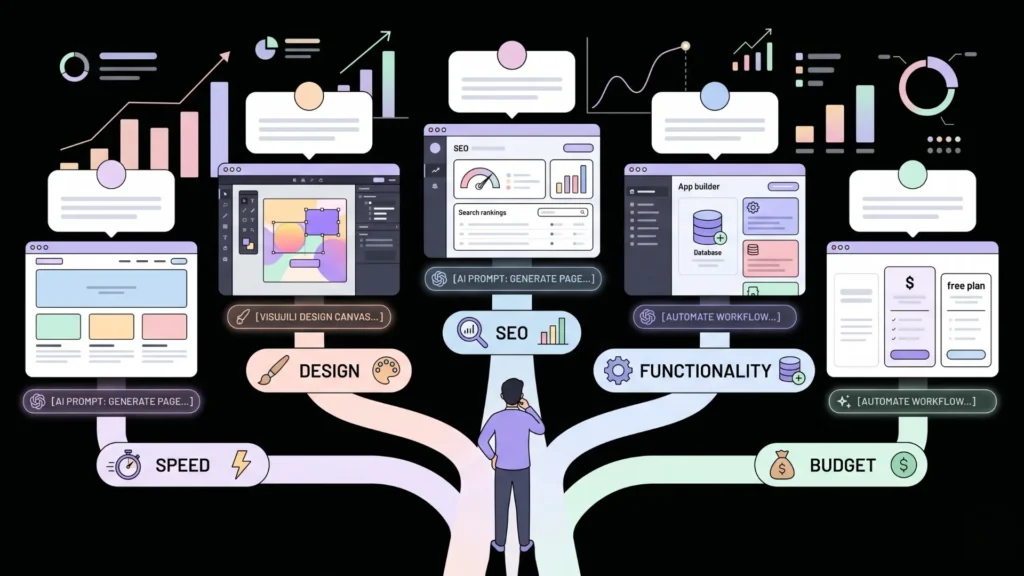
The right no-code platform is determined by one question before all others: what is your primary constraint? Choosing the wrong platform is rarely about features. It is about optimizing for the wrong constraint. Pick a platform based on your most important requirement, not the longest feature list.
Launch Your App Today
Ready to launch? Skip the tech stress. Describe, Build, Launch in three simple steps.
BuildYour primary constraint is launch speed. You need to be online this week. Pick a template-based builder that gets you live in hours: Wix, Squarespace, or Hostinger. Design control comes later. Functionality comes later. Shipping comes first.
Your primary constraint is design quality. Your brand depends on visual precision. Pick Webflow or Framer. Both produce design-forward output that matches or exceeds custom-coded sites in visual quality. Both have steeper learning curves than beginner builders. That trade-off is the price of design control.
Your primary constraint is SEO performance. You need to rank on Google. Pick Webflow. It generates clean semantic HTML, gives you full control over metadata, canonical tags, and structured data, and deploys on CDN infrastructure. Its technical SEO capabilities are the strongest in the no-code category.
Your primary constraint is full-stack functionality. Your website needs user logins, a database, custom business logic, and dynamic data. You are not building a marketing site; you are building a product. Pick imagine.bo. It generates the full application stack from a plain-English prompt, not just the frontend.
Your primary constraint is budget. You need something professional for close to zero. Wix, Squarespace, and Framer all offer free tiers or very low-cost entry plans. The comparison of the best free AI website builders with SEO built in maps the specific free-tier capabilities across the major platforms.
The hidden constraint that most guides miss is migration cost. Building a Wix site is fast. But if your business grows and you need Webflow’s SEO control or imagine.bo’s full-stack capability, rebuilding from scratch is expensive. The platforms that offer clean code export Webflow partially, imagine.bo fully give you an exit path. Platforms that lock your content inside their proprietary system Wix, Squarespace require a full rebuild if you ever outgrow them. Build for where you are going, not just where you are today.
Citation capsule: According to Mordor Intelligence (2026), the website builders market is estimated at $3.57 billion in 2026 and projected to reach $7.67 billion by 2031 at a 16.58% CAGR. The sharper rise reflects faster digital transformation among small and medium businesses, growing low-code adoption, and the steady rollout of AI design assistants. Plans priced under $15/month secured 38.10% of demand in 2025, reflecting strong price sensitivity among small business builders (Mordor Intelligence, 2026).
1. Webflow — Best for Design Control and SEO
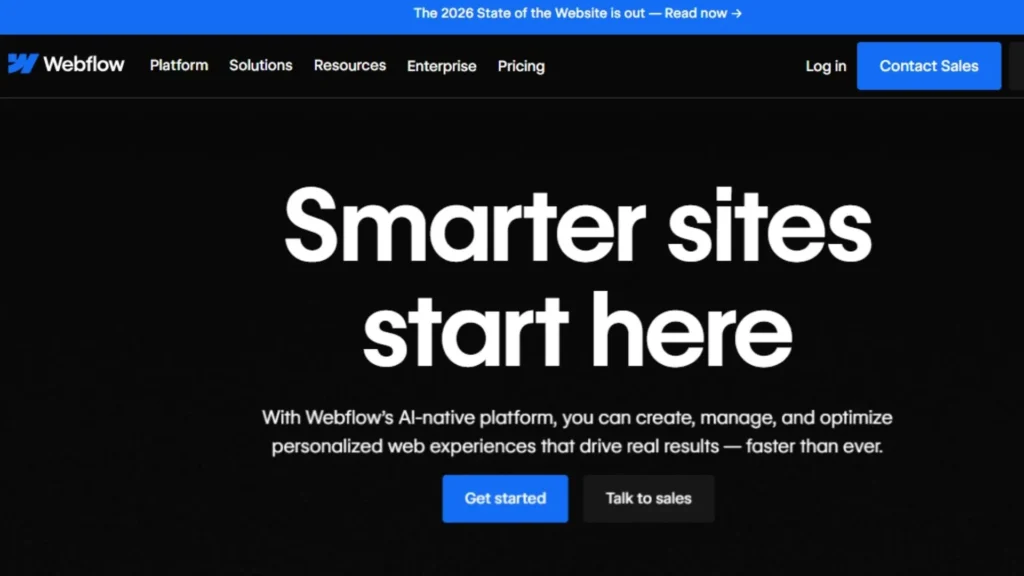
Best for: Designers, marketing teams, agencies, and businesses where SEO and visual precision are non-negotiable.
Webflow is the platform that bridges the gap between a no-code tool and a custom-coded website. Its visual editor exposes CSS and layout properties at a level that other builders abstract away. When you set padding, margins, and grid structures in Webflow, you are making the same decisions a front-end developer makes you are just doing it visually rather than in code. The result is clean, semantic HTML and CSS that search engines can crawl efficiently.
The SEO case for Webflow is strong. You control meta titles, descriptions, canonical URLs, structured data (JSON-LD), and redirect rules directly. Every page loads from a global CDN. Google’s Core Web Vitals scores for well-built Webflow sites are consistently competitive with custom-coded alternatives. For businesses where organic search is a primary acquisition channel, Webflow’s technical SEO foundations are a meaningful advantage over template-based builders where these controls are buried or unavailable. The SEO-friendly website design guide explains what to configure on any platform to maximize search visibility.
The learning curve is real. Webflow’s editor exposes enough complexity that beginners frequently spend hours trying to achieve layouts that would take minutes in Wix. The target user is someone comfortable with CSS concepts even if they do not write code. Designers who use Figma regularly adapt quickly. Small business owners with no design background often find it overwhelming.
Pricing starts at $14/month (billed annually) for the Basic plan. The CMS plan at $23/month adds content management. Business at $39/month adds a global CDN and higher bandwidth. E-commerce plans start at $29/month but scale to $79/month for the no-transaction-fee tier expensive compared to Shopify at $29/month for equivalent e-commerce capability.
Honest trade-off: Webflow is the best no-code platform for design control and SEO. It is not the right platform for beginners or for anyone who needs to get a functional app with user authentication, databases, or custom backend logic. For a direct comparison of how Webflow-style platforms compare to full-stack alternatives, the comparison of hybrid AI no-code development platforms maps those differences.
2. Wix — Best for Beginners and Speed to Launch
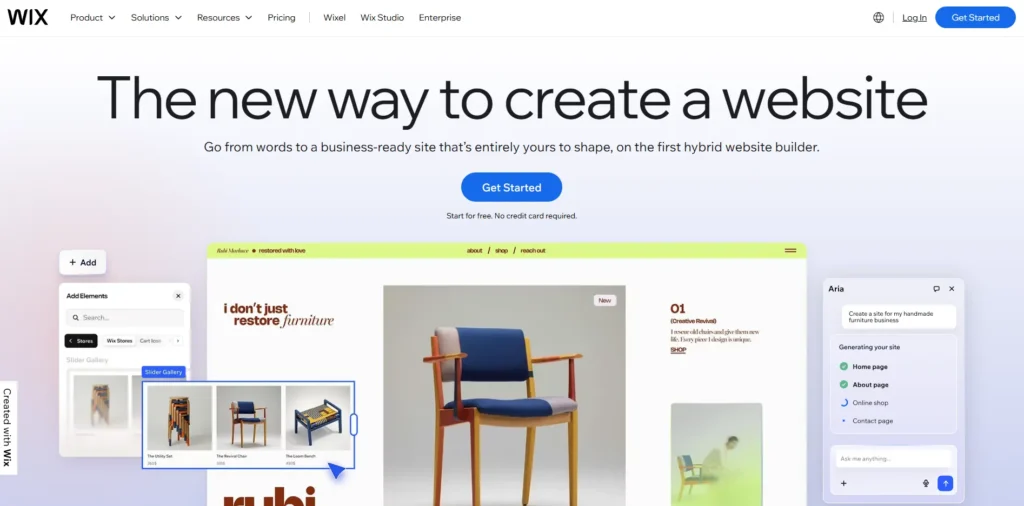
Best for: Small business owners, local service businesses, freelancers, and anyone who needs to be live this week without a learning curve.
Wix is the most accessible website builder in the category. Its drag-and-drop editor lets absolute beginners build a professional-looking site without encountering any concept that requires design training or technical knowledge. In 2026, Wix powers over 13% of US-based websites (YAAM, 2026) and has backed its interface with Astro an AI assistant that generates a personalized site structure, design suggestions, and initial content from a conversation about your business.
The platform covers the full stack of marketing-site needs: booking systems, email marketing, memberships, payments, analytics, and SEO settings are all available without leaving the platform. The App Market extends functionality with hundreds of integrations. For a local business, a freelancer, or a personal brand, Wix provides everything needed to build, launch, and operate a website without ever needing another tool.
The trade-off is design flexibility. The freedom to place any element anywhere on the page creates designs that are harder to keep consistent and responsive. Wix’s editor is pixel-placement based rather than grid-based, which means responsive behavior sometimes requires separate configuration for mobile and desktop views. For builders who care deeply about pixel-perfect design consistency, Webflow or Framer will feel more precise.
SEO is functional but not excellent. Wix has improved its technical SEO significantly over recent years, but it still generates more JavaScript-rendered content than Webflow and gives users less granular control over structured data and canonical tags. For businesses where SEO is the primary acquisition channel, Webflow is the stronger choice.
Paid plans range from approximately $17/month to $159/month. The free plan exists but includes Wix branding on your domain and limited storage.
3. Imagine.bo — Best for Full-Stack Websites and Web Applications

Best for: Non-technical founders, product teams, and small businesses that need more than a marketing site user logins, databases, booking systems, CRMs, custom workflows, and real product functionality.
Imagine.bo operates in a different category than the platforms above. While Webflow, Wix, Squarespace, and Framer generate marketing sites and content pages, imagine.bo generates full-stack web applications from plain-English descriptions: frontend, backend, database schema, authentication, and deployment all in one generation pass.
The Describe-to-Build feature accepts a natural language prompt and produces an AI-Generated Blueprint showing the complete application structure before any code is deployed. You review it, refine through conversation, and deploy with one click to Vercel (frontend) and Railway (backend). Security defaults are built in: SSL/HTTPS, data encryption at rest and in transit, role-based access control enforced at the database layer, and GDPR readiness foundations ship automatically with every deployment.
Where imagine.bo surpasses template-based builders is functionality depth. A small business that needs not just a website but a booking portal, a client-facing dashboard, a staff scheduling system, or a subscription product cannot achieve that on Wix or Squarespace without stitching together multiple third-party integrations at increasing monthly cost. Imagine.bo generates all of it as a single, coherent application.
The Hire a Human feature addresses the limit every AI generator hits: complex integrations, custom payment flows, or compliance-sensitive modules that require engineering expertise. Engineers work directly in your project’s codebase from the same dashboard, removing the need to leave the workflow or find external help.
Pricing: Free plan ($0, 10 credits/month, public projects). Lite plan ($6/month, 30 credits, up to 8 pages). Pro plan ($25/month, 150 credits, private projects, rollover credits, 1-hour expert session before launch). Done For You ($499 one-time, fully managed build by the imagine.bo engineering team). Code is fully owned and exportable at any tier.
Honest trade-off: Imagine.bo is not the right tool for a business that only needs a five-page brochure site and wants to drag and drop photos into a template. Squarespace or Wix handles that faster. Imagine.bo is the right tool when the website needs to do something collect user data, manage bookings, power a logged-in product experience, or serve as the operational backbone of a business rather than just a marketing presence.
For more on how imagine.bo stacks up against other full-stack alternatives, the detailed look at the best no-code website builders reviewed for US founders covers the comparison in depth.
The use case that consistently surprises new imagine.bo users is internal tools. A small business already using Squarespace for their public website often discovers that imagine.bo can replace the four separate SaaS subscriptions they use for operations booking, client management, staff scheduling, and reporting with a single custom application built to their exact workflow. The marketing site stays on Squarespace. The operational layer moves to imagine.bo. Both remain professional and fully functional.
Citation capsule: According to Kissflow’s 2026 no-code statistics analysis, the global no-code and low-code market is projected to reach $52 billion in 2026, growing nearly four times its 2020 size. 80% of technology products will be built by non-developers by 2026, according to Gartner’s citizen development forecast, and the global software developer shortfall is expected to reach 4 million unfilled roles by 2025 making no-code tools structurally necessary rather than optional (Gartner / Kissflow, 2026).
4. Squarespace — Best for Visual Aesthetics and Content Sites
Best for: Photographers, creative agencies, consultants, bloggers, and businesses where visual storytelling drives conversions.
Squarespace has maintained the best-looking default templates in the no-code category for over a decade. The platform’s opinionated design system means that even a first-time builder who touches almost nothing produces a site that looks polished. The 2025 Refresh update added 60+ new tools including Blueprint AI for guided site creation, AI text and image generation, enhanced e-commerce, and improved email marketing (YAAM, 2026).
The appeal of Squarespace is consistency. Because the platform constrains design choices within structured templates, the output is always reasonably good. You cannot accidentally create a bad-looking site because the system does not let you break the grid. For photographers, consultants, and agencies who need a beautiful online presence but do not want to think about spacing and typography, Squarespace removes those decisions without removing the quality.
The constraint is flexibility. You cannot place elements freely outside the template structure. You cannot access backend files or export clean code. If your business grows and you need more capability a complex e-commerce setup, custom integrations, dynamic content at scale Squarespace will limit you before Webflow will. Migrating away requires rebuilding from scratch.
Pricing starts at roughly $23/month for personal sites and scales to $27/month for commerce functionality. The 14-day free trial lets you build without committing.
5. Framer — Best for Interactive Design and Product Sites
Best for: SaaS landing pages, portfolio sites, product-focused startups, and designers who want professional motion and interaction without custom code.
Framer saw a 400% surge in published sites in 2025, driven largely by designers transitioning from Figma who want to publish directly from a design environment (YAAM, 2026). The platform combines the layout precision of a UI design tool with instant publishing, powerful animation capabilities, and AI features that generate entire site layouts from plain text.
What distinguishes Framer is its handling of interactions and animation. Motion effects, scroll-triggered transitions, and interactive components that would require custom JavaScript elsewhere are achievable in Framer’s visual interface. For SaaS companies, product startups, and agencies building client marketing sites where modern web animation is a differentiator, Framer produces output that genuinely rivals custom-coded sites in visual sophistication.
The Framer AI tools generate initial site layouts from natural language prompts, then let designers refine every element with precision controls. Real-time team collaboration is available, which makes it a strong choice for design teams working on client sites together.
The constraints: Framer’s native e-commerce capabilities are limited compared to Shopify or Webflow. The pay-per-site pricing model can become expensive for agencies managing many client projects. The learning curve is steeper than Wix or Squarespace for users without design tool experience. Backend capabilities user authentication, databases, complex business logic are not in Framer’s scope.
Pricing starts at $5/month (billed annually) for single landing pages, $15/month for basic sites, and $30/month for growing sites with more CMS items.
6. Bubble — Best for Complex Web App Logic
Best for: Founders building SaaS products, marketplaces, or data-heavy web applications who want maximum workflow control and are willing to invest significant learning time.
Bubble is the most technically capable visual no-code builder available, with over 2 million users worldwide. Its visual programming environment lets you build multi-step conditional logic, complex API connections, custom database structures, and multi-user workflows without writing code. For applications with genuinely complex business logic a marketplace with custom matching algorithms, a platform with sophisticated permission hierarchies, a tool with elaborate automation sequences Bubble can handle what simpler builders cannot.
The trade-off is a steep learning curve that is unmatched among no-code tools. Most Bubble users spend weeks before feeling confident with the platform, and many eventually hire Bubble-specialist developers, which reintroduces the cost and time overhead the platform was supposed to eliminate. The breakdown of impressive real Bubble apps shows what is achievable after that investment.
Pricing starts at $32/month for basic apps and scales up, with usage-based “Workload Unit” charges that can add $1,000+ per month for moderately active apps. Code cannot be exported on standard plans.
7. Shopify — Best for E-Commerce
Best for: Any business whose primary website purpose is selling products online.
If your website is primarily an online store, Shopify is the clearest recommendation in the no-code category. It powers over 4 million businesses worldwide and handles product catalogs, payment processing, inventory management, shipping calculations, and abandoned cart recovery better than any other platform in its class. Its app ecosystem extends functionality in virtually any direction. Its checkout experience is the industry standard for conversion.
The caveat: Shopify is optimized for e-commerce and less suited for the marketing and content dimensions of website design. Companies that need both a strong marketing site and a strong store often run Webflow or Squarespace for their marketing pages and Shopify for their store, though this creates complexity in management.
Shopify pricing starts at $29/month for the Basic plan. The Shopify plan at $79/month adds more staff accounts and lower transaction fees. Advanced at $299/month is for high-volume stores with advanced reporting needs.
Platform Comparison Table
| Platform | Best for | Starting price | SEO control | Code export | Full-stack capability |
|---|---|---|---|---|---|
| Webflow | Design + SEO | $14/month | Excellent | Partial | No |
| Wix | Beginners + speed | $17/month | Good | No | No |
| Imagine.bo | Full-stack web apps | $0/month | Built-in | Full | Yes |
| Squarespace | Visual aesthetics | $23/month | Good | No | No |
| Framer | Interactive design | $5/month | Good | No | No |
| Bubble | Complex app logic | $32/month | Limited | No | Yes |
| Shopify | E-commerce | $29/month | Good | No | Partial |
FAQ
Which no-code platform has the best SEO?
Webflow generates the cleanest semantic HTML in the no-code category and gives designers full control over meta tags, canonical URLs, structured data, and redirects. For businesses where organic search is a primary acquisition channel, Webflow’s technical SEO advantage over Wix or Squarespace is meaningful. The SEO-friendly website design guide maps the specific settings to configure on any platform. According to CSS Agency (2026), 87% of companies will use or plan to adopt no-code solutions by 2025, with 3x faster time-to-market as a primary driver.
Can I build a website that also has user logins and a database?
Yes, but you need the right tool. Wix, Squarespace, and Framer do not support custom backend logic or relational databases for user-specific data. Bubble handles this with its visual logic editor. Imagine.bo handles this with its Describe-to-Build AI generation, which includes authentication, database schema, and backend API logic in the initial generation pass. The no-code vs low-code guide for startups explains when you need each capability and what tool fits each scenario.
What is the cheapest no-code platform to build a website?
Framer offers a free plan for single landing pages. Wix and Squarespace offer free tiers with platform branding. Imagine.bo’s free plan includes 10 credits per month with public projects at no cost. For businesses needing more, Framer’s $5/month plan is the lowest paid tier in the design-focused category. Most credible no-code platforms require $10 to $25 per month for a professional result without platform branding.
Is Webflow better than Wix?
It depends on the constraint. Webflow is better for SEO control, design precision, and agency or professional design use cases. Wix is better for absolute beginners, speed to launch, and businesses that need marketing-site features like bookings and e-commerce without a steep learning curve. Both are covered in the detailed look at the top no-code vibe code website builders.
What is the best no-code platform for UK businesses?
The platforms in this guide are all globally available. UK-specific considerations include VAT handling in e-commerce (Shopify and Wix handle this well), GDPR compliance features (imagine.bo includes GDPR readiness foundations by default; others require configuration), and pricing in GBP. The guide to the best no-code website builders specifically for UK users covers regional considerations in depth.
Conclusion
Three takeaways define the decision most builders need to make. First, no single platform is best across all use cases. The ranking depends on your primary constraint: design control, launch speed, SEO performance, full-stack functionality, or budget. Matching the platform to your constraint is the single most important factor in getting a result you can live with long-term. Second, migration cost is real and frequently underestimated. Platforms that do not export code Wix, Squarespace, Framer require a full rebuild if you outgrow them. Platforms that export clean code imagine.bo fully, Webflow partially give you an exit path. Build with that in mind from the start. Third, the category is evolving fast. Every major platform has added or is adding AI generation features. By 2026, 68% of website builder providers had launched AI text-to-site generators (Business Research Insights, 2026). The gap between “template builder” and “AI generation platform” is narrowing, but the underlying architecture differences remain.
For businesses that need more than a marketing site logins, data, workflows, and real product functionality built into the same platform imagine.bo’s Pro plan at $25/month is the most cost-effective starting point in this list. For pure design and SEO work, Webflow earns its position. For speed above all else, Wix gets you live today. The comparison of the best no-code website builders reviewed for the US market in 2026 provides additional detail for buyers who want a deeper comparison before deciding.
Launch Your App Today
Ready to launch? Skip the tech stress. Describe, Build, Launch in three simple steps.
Build




