
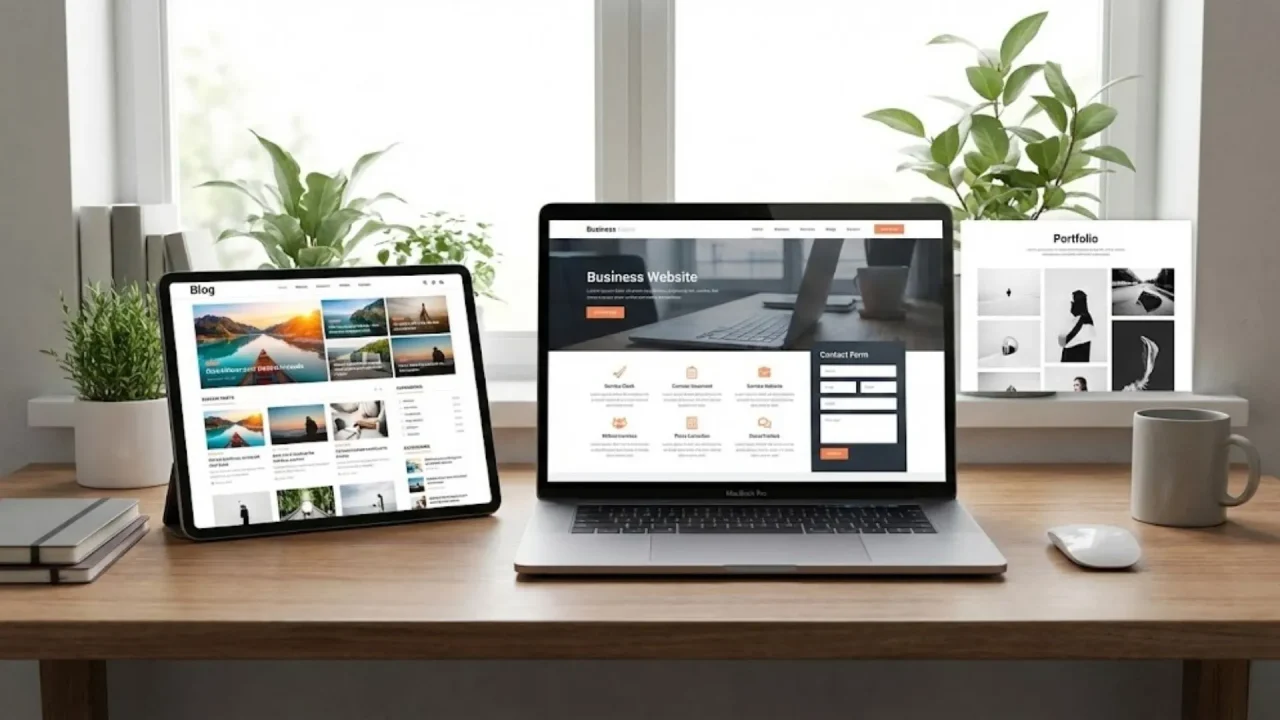
Right now, 27% of small businesses in the United States have no website at all (Smart Soft Solutions, 2025). That is roughly one in four businesses handing potential customers directly to competitors who bothered to show up online. Building a website used to require either coding skills or a budget starting at $500 just to get something basic live. That is no longer true. In 2026, AI-powered tools let beginners go from zero to a live, professional website in an afternoon, often for free or under $25 per month. This guide walks you through every step, in plain language, with no technical background assumed. By the end, you will have a clear process, a working mental model of what you are building, and the confidence to press publish. If you want to see the fastest possible path first, the guide on making a website with one prompt shows exactly how AI generation works before you commit to a full plan.
TL;DR: Making a website in 2026 does not require coding. AI-powered builders like imagine.bo generate production-ready websites from plain-English descriptions in minutes. According to the global website builder market analysis, the market is projected to reach $2.3 billion in 2025, growing 10% year-on-year, driven by beginners using no-code tools to get online fast (Business Research Insights, 2025). The key steps: decide your purpose, choose your platform, write your content first, build with AI, optimize for search, then launch.
Step 1: Decide What Your Website Needs to Do
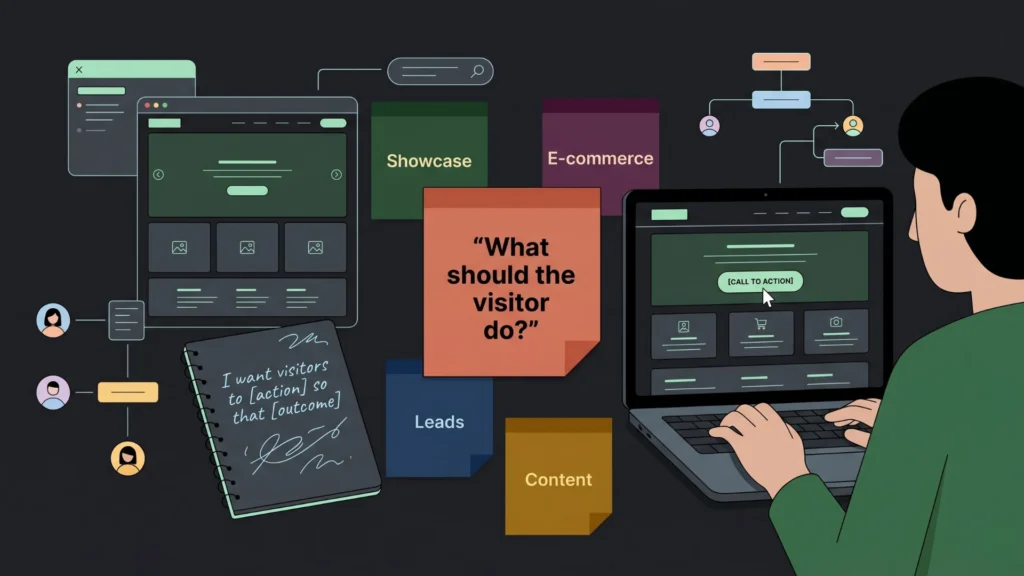
Every good website starts with a single clear answer to one question: what do you want a visitor to do after they land on it? This sounds obvious, but most beginners skip it and end up with a site that looks fine and does nothing. According to Marketing LTB’s 2025 analysis, around 70% of small business websites lack a clear call-to-action on their homepage. That is not a design problem. It is a clarity problem.
Launch Your App Today
Ready to launch? Skip the tech stress. Describe, Build, Launch in three simple steps.
BuildYour website’s purpose determines everything else: the pages you need, the content you write, the tool you choose, and what success looks like. There are four common purpose types for beginner websites.
Showcase and credibility: You want visitors to understand who you are, what you offer, and how to contact you. This covers most service businesses, freelancers, consultants, and personal brands. The primary action is contact or inquiry.
Sales and e-commerce: You want visitors to buy something. This requires product pages, a cart, and payment processing. The primary action is purchase.
Lead generation: You want visitors to sign up, fill in a form, or book a call. The primary action is conversion from visitor to lead.
Information and community: You want visitors to read, learn, or engage. Blogs, resource hubs, and community sites fit here. The primary action is return visits and sharing.
Write your purpose in one sentence before you touch any tool: “I want someone who visits my website to [specific action] so that [specific outcome for my business].” That sentence is your filter for every decision that follows. The AI website design guide for beginners walks through how to translate that purpose sentence into a concrete site structure, including which pages you actually need and which ones beginners add unnecessarily.
Step 2: Choose the Right Platform for Your Situation
Platform choice is the decision most beginners agonize over too much and most guides overcomplicate. Here is the honest breakdown for a beginner in 2026. The global website builder market is valued at $2.02 billion in 2024, growing to an estimated $3.71 billion by 2033 (Business Research Insights, 2025). That growth reflects a single trend: building a website without coding has become genuinely accessible, and more people are doing it every year.
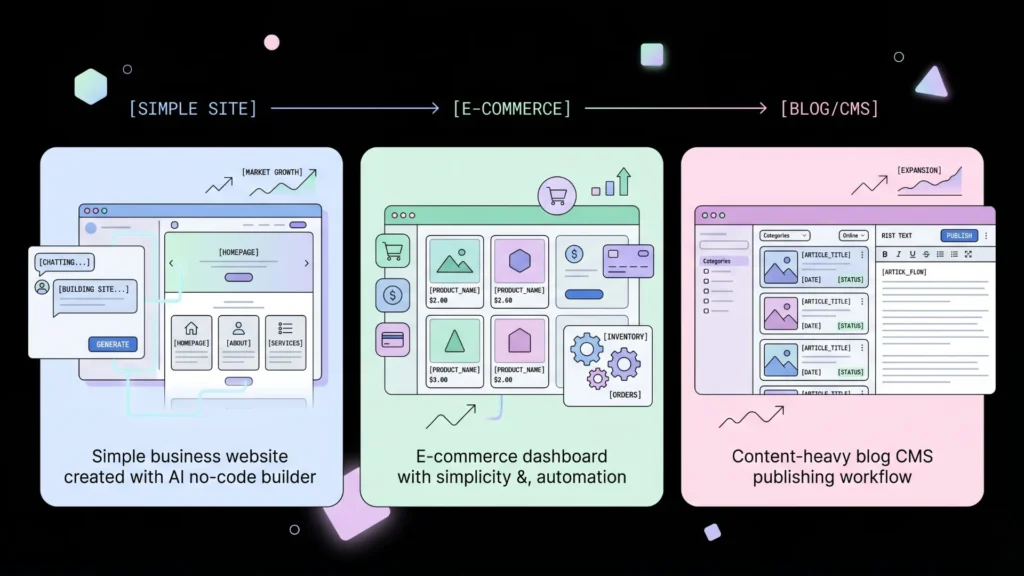
For a simple business or personal site (5 to 10 pages): An AI-powered no-code builder is your best option. You describe what you want, the AI generates the structure, design, and content architecture, and you refine it through conversation. imagine.bo’s Describe-to-Build feature does this from a single plain-English prompt and deploys to production-grade infrastructure on Vercel with one click.
For an e-commerce store: Shopify handles the payment and inventory complexity well. For a simpler product catalog with checkout, imagine.bo can generate the store structure including product listings and payment integration foundations.
For a content-heavy blog or CMS site: WordPress still owns 43% of all websites on the internet (WebFX, 2025) and makes sense if your primary activity is publishing a high volume of articles. The tradeoff is setup complexity and ongoing maintenance.
What beginners should avoid: The temptation to hire a web designer before knowing what you want. It costs between $500 and $10,000 for a basic site (Hostinger, 2025) and the result depends entirely on how clearly you brief them. Build a working version yourself first so you know what to brief, if you ever need to.
The comparison of the best free AI website builders with SEO gives a side-by-side overview of the major options for beginners who want SEO built in from the start, which matters more than most first-time builders realize.
The platform decision is actually a content decision in disguise. The right platform for you is the one where your content type and update frequency match the platform’s strengths. A service business owner who updates their site twice a year and wants a clean portfolio does not need WordPress’s publishing infrastructure. A blogger publishing three times per week does not need imagine.bo’s full-stack app generation. Match the tool to the actual behavior, not the fantasy behavior of what you imagine you will eventually do.
Citation capsule: According to Business Research Insights (2025), the global website builders market was valued at $2.02 billion in 2024 and is projected to grow at a CAGR of 7.0% through 2033, reaching $3.71 billion. This growth is driven by increasing internet adoption and the rise of no-code tools that allow non-technical users to create professional websites without design or programming knowledge (Business Research Insights, 2025).
Step 3: Register a Domain Name
Your domain name is your website’s address. It is the part after “www” that people type to find you. You need one before anything goes live. Domain registration costs between $10 and $20 per year for a standard .com address through registrars like Namecheap, Google Domains, or GoDaddy. Many website builder platforms include a free domain for the first year on paid plans.
Here is how to choose a domain name that will not cause problems later. Keep it short, ideally under 15 characters. Use your business or brand name if it is available. Avoid hyphens and numbers because people mishear them when told verbally. Stick with .com unless you have a strong reason for another extension, because 81% of consumers conducting online research are accustomed to .com as the default (Invoca, 2024). If your exact name is taken, try adding your city name, your service type, or “HQ” as a suffix rather than using an obscure extension.
Check availability before you get attached to a name. Use a registrar’s search tool, type the name directly into a browser, and search it on social media platforms too. Consistent naming across your website, email, and social handles builds trust and makes you easier to find. Once you have found an available name, register it immediately. Domain names can be taken quickly.
Step 4: Write Your Core Content Before You Build
This is the step most beginners skip entirely, and it is the single biggest reason websites look half-finished at launch. You do not need to be a copywriter. You need to answer five questions in plain language before you open a design tool.
The five questions every website needs answered on its homepage, in plain language a 12-year-old could read: What does your business do? Who is it for? Why should someone choose you over the alternatives? What should a visitor do next? What makes you trustworthy enough to do that thing?
Write those answers as paragraphs, not bullet points, before you touch a builder. That becomes your homepage copy. Write a short paragraph for each service or product. Write one paragraph about you or your team. Write your contact information. That is the content for a complete five-page website.
The reason to write first is practical, not philosophical. AI website builders generate much better results when your prompt includes real details from your business rather than generic placeholders. “Build a website for a family law firm in Austin, Texas, specializing in divorce and custody cases, founded in 2018, with a team of three attorneys” produces a dramatically better first generation than “Build a website for a law firm.” The 40 real app and website prompts copy-paste library shows exactly how to structure prompts for different website types, including the four-element formula that produces the most accurate AI generation.
The fastest beginner websites always come from people who wrote everything down first. When you open imagine.bo with a clear prompt that includes your business name, what you do, who you serve, and what you want visitors to do, the AI-Generated Blueprint produces a complete, accurate structure in minutes. Builders who open the tool with nothing prepared spend ten times longer refining a generic output than builders who arrive with a clear brief.
Citation capsule: According to Hostinger’s 2026 web design statistics, web design influences 94% of potential customers’ first impressions of a page, and poor design drives 38% of web visitors away. A website built around clear, specific content that answers what visitors need to know converts at higher rates than a visually impressive site with vague messaging (Hostinger, 2026).
Step 5: Build Your Website with an AI Platform
With your purpose defined, platform chosen, domain registered, and content written, you are ready to build. On imagine.bo, the process is straightforward. Open the platform, type your website description into the Describe-to-Build prompt box, and let the AI generate the structure. Here is the format that produces the best results for a beginner website.
Start with your business type and location. Add your core service or product. List the main pages you want. Describe who your customer is. State what you want them to do on the site. Add any specific requirements like a contact form, booking system, or portfolio gallery.
A complete example prompt: “Build a professional website for a bookkeeping firm called Clearwater Accounts, based in Manchester, UK. We help small business owners manage their VAT returns, payroll, and year-end accounts. Pages needed: Home, Services, About Us, Pricing, Contact. We want visitors to book a free 30-minute consultation call. The tone should be professional but approachable, not corporate. Include a contact form and our phone number in the header.”
That single prompt generates the full site structure including page layout, navigation, content sections, and a contact form. The AI-Generated Blueprint shows you everything before deployment so you can review and catch anything missing. You then refine through conversation. If the hero section needs different copy, say so. If you want a testimonials section added, ask for it. The iterative conversation model means you never restart from scratch; you just adjust.
The AI website builders guide for newbies covers the refinement stage in more detail, including the most common follow-up prompts beginners use to get from first generation to finished site.
Step 6: Customize Your Design and Branding
Once the structure is right, customize the visual layer to match your brand. This does not require design skills. It requires consistency. Pick two or three colors that represent your brand. Use one primary font. Replace all placeholder images with real ones from your business, or choose high-quality stock images from a free source like Unsplash or Pexels.
The most important visual principles for a beginner website: use white space generously because crowded pages lose visitors, make your contact information or primary call-to-action visible on every page without scrolling, and ensure every image loads quickly by keeping file sizes under 500KB. According to Hostinger (2026), slow image loading causes 39% of users to lose interest and move on. That is nearly four in ten visitors you never get to read your content.
On imagine.bo, you make these changes through conversation or through the drag-and-drop visual editor. “Change the primary color to navy blue and make the hero text white” updates the site in real time. You preview in the builder before anything goes live. What you see is what your visitors see.
Also replace any placeholder copy the AI generated with your actual content. Read every section out loud. If it sounds generic, it probably is. Your real customers should recognize themselves in the language you use to describe their problems and your solutions.
Step 7: Set Up the Pages Every Website Needs
A beginner website does not need 20 pages. It needs five well-written ones. Here is what each page does and what it must contain.
Homepage: Your clearest statement of what you do, who it is for, and what to do next. This is the first and most important page. Most visitors make a decision about your credibility within three seconds of landing here, according to web design research cited by Hostinger (2026).
About page: The human story behind your business. Who you are, why you started, and why you care about your customers’ problems. People buy from people they trust. This page builds that trust.
Services or Products page: What you offer, described clearly enough that a visitor can understand it without asking a follow-up question. Include prices if possible. Hiding prices makes visitors leave to find a competitor who shows them.
Contact page: Your phone number, email address, location (if relevant), and a contact form. Make it easy. One form with three fields: name, email, message. Nothing more.
Privacy Policy page: Required in most jurisdictions if you collect any data through a contact form or analytics tool. Most AI builders generate a basic template you can customize. This is not optional.
If you have an e-commerce function, add a dedicated product or shop page. If you run a service business, consider a case studies or testimonials page once you have real client feedback to share. The complete guide to building a website without coding includes page-by-page templates for each common website type.
Step 8: Optimize Your Site for Search Engines
A beautiful website nobody can find is not worth much. Search engine optimization (SEO) is how you get found on Google without paying for advertising. You do not need to be an SEO expert to get the basics right. Getting the basics right puts you ahead of most small business websites.
Write a unique page title for each page, under 60 characters, that includes the main keyword someone would search to find that page. “Bookkeeping Services in Manchester | Clearwater Accounts” is a good page title. “Home” is not. Write a meta description for each page, under 155 characters, that summarizes what the page offers. This is what appears as the snippet below your link in Google results.
Use your main keyword naturally in your homepage headline, in the first paragraph of your main content, and in the alt text of your primary image. Do not repeat it unnaturally. One well-placed keyword in a genuinely useful sentence ranks better than the same keyword stuffed into every other sentence.
Make your site mobile-friendly. According to Hostinger (2026), 90% of all websites have now implemented responsive design because more than half of all web traffic comes from smartphones. AI builders like imagine.bo generate mobile-responsive sites by default, so this is handled without extra work. Make sure your page loads in under three seconds by keeping images compressed and avoiding unnecessary third-party scripts.
The SEO-friendly website design guide covers the full on-page SEO checklist for beginners, including how to set up Google Search Console to track whether your pages are being indexed.
Based on imagine.bo’s platform deployment model, every website published through the platform goes live on Vercel’s global edge network by default, giving you automatic HTTPS, a content delivery network across multiple regions, and optimized load times without any configuration. This means a beginner deploying their first site through imagine.bo starts with infrastructure advantages that most manually configured WordPress sites take months of plugins and hosting optimization to approximate.
Citation capsule: According to Hostinger’s 2026 web design statistics, 61% of visitors will leave a website and go to a competitor if they do not find what they are looking for within five seconds. A further 57% of internet users say they will not recommend a business with a poorly designed mobile website. Getting SEO and load speed right from the first version is not advanced optimization. It is baseline table stakes (Hostinger, 2026).
Step 9: Connect Your Domain and Go Live
With your site built, customized, and SEO-ready, the final step is publishing it to your domain. On imagine.bo, this is the One-Click Deployment process. Your frontend goes live on Vercel, your domain connects through the platform’s domain management settings, and your SSL certificate (the HTTPS padlock visitors see in their browser) is activated automatically.
To connect a domain you registered separately: go to your domain registrar’s DNS settings and update the nameservers or add a CNAME record pointing to your builder’s infrastructure. imagine.bo provides the exact values to enter. The change typically propagates within a few minutes, though technically it can take up to 48 hours.
Before you tell anyone your site is live, do a final check on four things. Open the site on a phone to confirm it looks right on a small screen. Click every internal link to confirm none are broken. Fill in your contact form to confirm submissions arrive at your email. Read your homepage copy one more time for any placeholder text the AI generated that you forgot to replace.
Then share the link. Post it in your email signature. Add it to your social media profiles. Submit your URL to Google Search Console so Google knows your site exists. These actions start the process of your site getting indexed and showing up in searches.
FAQ
How long does it take to make a website as a beginner?
With an AI-powered builder like imagine.bo, a five-page business website can be built, customized, and live in a single afternoon. The actual generation takes minutes once you have a clear prompt. Most of the time goes into writing your content, choosing images, and reviewing what the AI generated. Traditional web design from scratch takes weeks. According to All About Cookies (2025), 51% of people who started website projects abandoned them before finishing. AI builders cut that risk by removing the technical complexity that causes most early dropouts.
Do I need to know how to code to make a website?
No. AI-powered no-code platforms like imagine.bo generate the full technical structure from a plain-English description. You never see or touch code unless you want to. The 7 coding myths busted for no-code entrepreneurs addresses the most common fears beginners carry into the process, including the belief that a “real” website requires custom code.
What is the difference between a website builder and an AI website builder?
A traditional website builder gives you templates and a drag-and-drop editor. You build page by page. An AI website builder takes a plain-English description and generates the entire site structure, including navigation, page content, and layout, from a single prompt. You then refine rather than build from scratch. AI builders like imagine.bo also generate full-stack architecture, meaning you can add functional features like booking systems, user logins, and data forms to the same platform, not just static pages.
What pages does a beginner website actually need?
Five pages cover most beginner websites completely: Home, About, Services or Products, Contact, and Privacy Policy. You do not need a blog unless you plan to write regularly. You do not need a portfolio until you have real work to show. Start with what you can fill with real content on day one. An incomplete page is worse for your credibility than no page at all.
Conclusion

Three things separate a website that works from one that sits unfinished or unvisited. First, clarity of purpose before you build. If you know exactly what you want a visitor to do on your site, every decision becomes easier and the AI tools you use produce better results. Second, content written before design. The specificity of your prompt determines the quality of your first AI generation. Arriving with real words about your real business is the single highest-leverage action you can take before opening any tool. Third, the basics done consistently. A mobile-responsive site, a clear call-to-action on every page, a contact form that works, and a page title that describes what you do is more effective than a flashy site with none of those things.
If you are starting today, go to imagine.bo’s free plan, write your purpose sentence, draft your five pages of content, and put it all into a Describe-to-Build prompt. You will have a working site to review in minutes. Then refine it through conversation, connect your domain, and go live. For a quick-start reference on prompting, the guide to creating a free website in minutes with no code walks through the entire process start to finish for the beginner use case. Your first visitor is closer than you think.
Launch Your App Today
Ready to launch? Skip the tech stress. Describe, Build, Launch in three simple steps.
Build




