The $200,000 Problem Just Got Solved
Here’s the harsh reality of traditional app development: hiring a development team to build your mobile or web app costs between $50,000 and $200,000, takes 4 to 9 months, and requires ongoing technical maintenance you probably can’t afford. For founders, small businesses, and creators with ideas worth building, this equation has killed countless projects before they ever launched.
Launch Your App Today
Ready to launch? Skip the tech stress. Describe, Build, Launch in three simple steps.
BuildWe’re now four months into 2026, and the gap between “having an idea” and “shipping a product” has never been smaller. AI-powered no-code platforms have matured well past the hype phase. Today, you describe your app in plain English, and AI will architect, design, and deploy a production-ready application, often in under a week, for exactly $0 to start.
I’ve spent the past three months testing 12+ AI app builders, analyzing their real-world capabilities, hidden limitations, and upgrade traps. This guide cuts through the marketing noise to show you which free AI no-code platforms deliver genuine value in April 2026, which ones funnel you into expensive tiers after your first project, and how to match the right tool to your actual use case.
Whether you’re a founder stress-testing an MVP, a business owner replacing a spreadsheet nightmare, or a designer ready to ship without a developer, you’ll find a straight answer here.
Quick Comparison: Top Free AI App Builders at a Glance
| Platform | Free Tier Limits | AI Capabilities | Best For | Mobile/Web | Code Export |
|---|---|---|---|---|---|
| Imagine.bo | 10 credits/month, public projects | ⭐⭐⭐⭐⭐ SDE-level reasoning | Scalable startups and SaaS | Both | Full ownership |
| Replit | 10 public apps, limited Agent trial, 1,200 dev minutes/month | ⭐⭐⭐⭐ Agent 3 autonomous coding | Quick prototypes, open-source projects | Primarily web | Yes |
| Bubble.io | Free plan, public apps only, workload unit caps | ⭐⭐⭐ Template-enhanced AI | Complex web apps | Web (mobile beta, separate editor) | No (proprietary) |
| Glide | Free plan, limited rows and users | ⭐⭐⭐ Data-driven AI | Spreadsheet-to-app internal tools | Web/PWA only | Limited |
| Create.xyz | Basic apps, web only | ⭐⭐⭐⭐ Natural language | Simple web projects | Web | Yes |
| Thunkable | Free (preview only, no app store publishing) | ⭐⭐⭐ Block-based visual builder | Mobile apps, education | Mobile-first | Limited |
| Adalo | Free (build and preview, no store publishing) | ⭐⭐⭐⭐ Magic Start and Magic Add AI | Native iOS and Android apps | Both (true native) | No (roadmap) |
| Figma Make | Free beta with usage limits (bundling with Pro planned) | ⭐⭐⭐⭐ Claude-powered prompt-to-prototype | UI/UX prototyping, design teams | Web | Yes (GitHub export) |
| Firebase Studio | Free Spark plan, 10 workspaces, Gemini 2.5 Pro access | ⭐⭐⭐⭐⭐ Gemini + Antigravity agent, full-stack | Technical users, full-stack web apps | Web (backend focus) | Full control |
| Zapier Interfaces | 100 tasks/month, unlimited Interfaces included | ⭐⭐⭐ Workflow and automation-centric | Automation-powered internal apps | Web | No |
What is an AI No-Code App Builder?
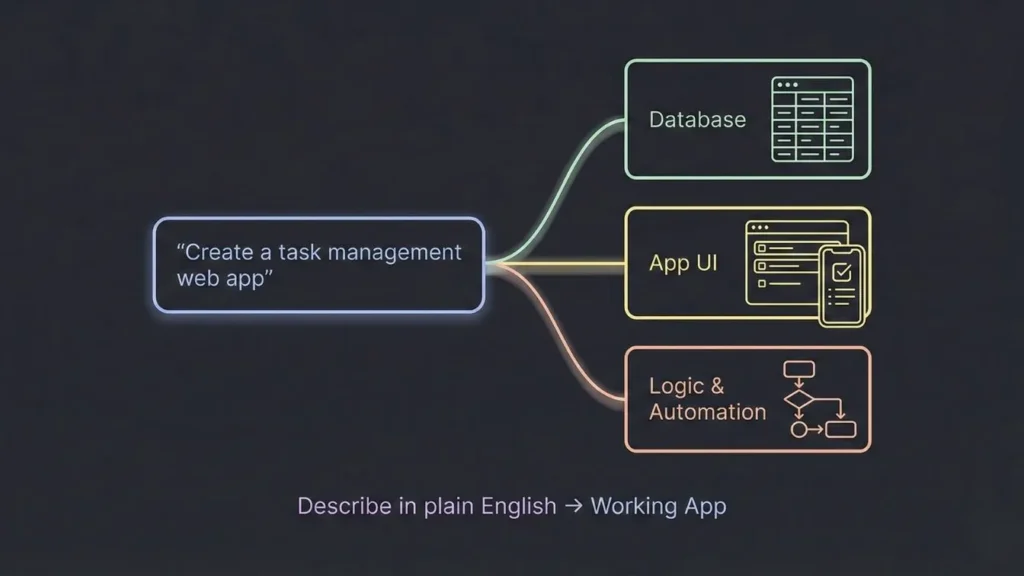
An AI no-code app builder is a development platform that uses artificial intelligence to translate natural language descriptions into functional applications, eliminating the need for traditional programming skills. Instead of writing thousands of lines of code, you describe what you want to build, and the AI handles the technical architecture, database design, user interface creation, and deployment infrastructure.
How AI No-Code Builders Actually Work
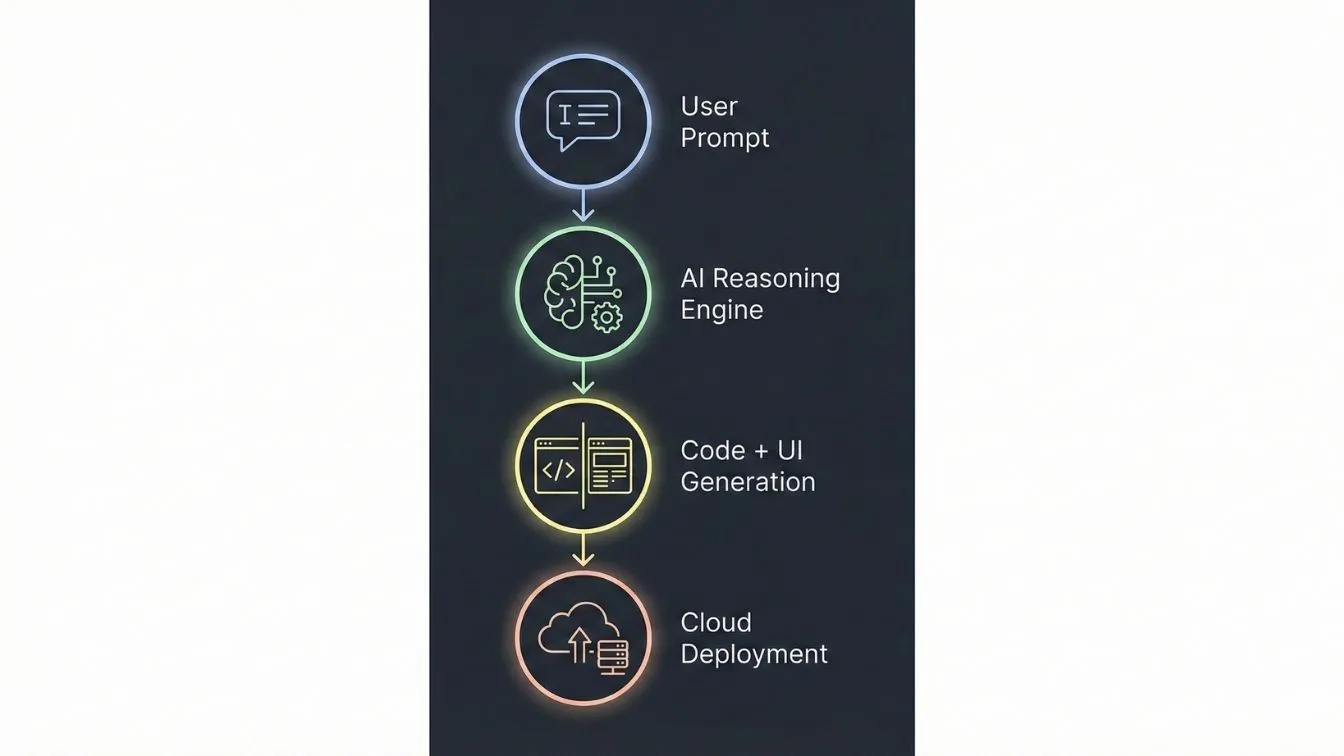
The technology behind these platforms combines several breakthrough capabilities:
- Large Language Models (LLMs) process your requirements and understand context, user intent, and technical constraints, similar to how ChatGPT understands conversation but specialized for software architecture.
- Automated Code Generation translates the AI’s understanding into actual application code, creating databases, APIs, user interfaces, and business logic that would traditionally require experienced developers.
- Cloud Infrastructure Management handles deployment, scaling, security, and maintenance automatically, removing the traditional DevOps burden from your workflow.
- Intelligent Reasoning Systems make architectural decisions about data structures, user flows, and feature implementation based on best practices accumulated from analyzing millions of successful applications.
Traditional Development vs. No-Code vs. AI No-Code
Three paradigms now define how software gets built.
Traditional development means hiring engineers who write code manually. Cost: $50K to $200K. Timeline: 3 to 9 months for an MVP. You get full control, but carry the full burden.
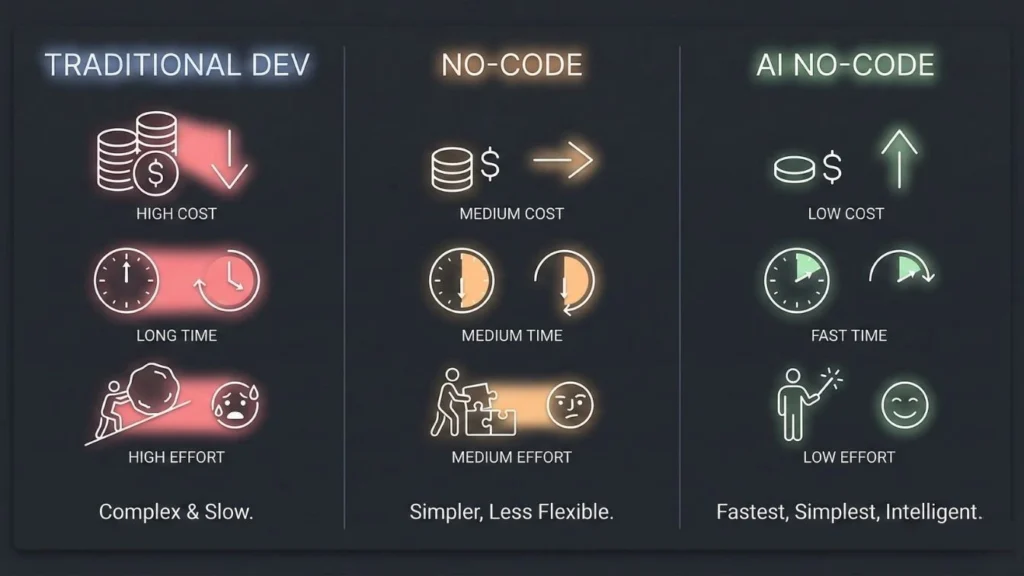
Classic no-code platforms like early Bubble or Adalo gave you drag-and-drop interfaces instead of code. Costs dropped to $5K to $20K with timelines of 1 to 3 months, but steep learning curves and scalability ceilings remained real problems.
AI no-code builders are the 2025 to 2026 shift. You describe what you want, and the platform reasons through architecture, generates the stack, and deploys it. Days instead of months. Often free to start.
The real difference: classic no-code still requires you to think like a developer. AI no-code thinks for you.
Who gets the most from AI no-code builders?
Founders validating MVPs before committing development budgets. Small business owners replacing manual processes without hiring technical staff. Designers and product managers who want their prototypes to ship as real products. Technical founders who want to skip boilerplate and focus on what makes their product different. Internal teams building tools without touching the engineering backlog.
Comprehensive Platform Reviews: The 12 Best Free AI App Builders
1. Imagine.bo – The Software Engineer-Level AI Platform

Rating: ⭐⭐⭐⭐⭐ (5/5)
Quick Overview: Imagine.bo distinguishes itself by using AI that reasons like a senior software engineer rather than simply assembling pre-built templates. The platform understands software architecture principles, makes intelligent technical decisions, and produces clean, scalable code that can handle enterprise-level demands from day one.
Core Strengths:
- SDE-level architectural reasoning that considers performance, security, and scalability from the start
- 1,000 transactions per second capability suitable for viral growth or high-traffic business applications
- Complete code ownership with full export capabilities and no platform lock-in
- Human + AI hybrid model that lets you assign complex features to experienced developers when needed
- Enterprise security compliance including GDPR, SOC2, and industry-standard encryption
- Five-step workflow from vision to deployment that maintains human oversight at critical decision points
Free Tier Details: The free tier provides 10 credits per month with 5 prompts free per month, enabling you to build 2-3 simple pages—perfect for landing pages and portfolios. While the free tier has limitations compared to paid plans, it allows you to test the platform’s capabilities and build basic projects. For serious MVP development, the Lite plan at $9/month (60 credits) or Pro plan at $25/month (150 credits) provide substantially more capacity.
AI Capabilities: Imagine.bo’s AI operates at a fundamentally different level than template-based competitors. When you describe wanting a “social fitness app where users can share workouts and challenge friends,” the AI doesn’t simply pull pre-configured components. Instead, it reasons through the implications: you’ll need user authentication with privacy controls, a feed algorithm that balances engagement with relevance, database structures optimized for social graph queries, real-time notifications for challenges, and content moderation for community safety.
This architectural thinking means your app is built on sound technical foundations rather than hacked together from mismatched templates. The difference becomes critical when you need to scale, add complex features, or maintain code quality as your product evolves.
Best For:
- Founders building investor-ready MVPs that need to demonstrate technical sophistication
- Businesses creating customer-facing products where performance and reliability impact revenue
- Anyone planning to scale beyond small user bases who wants architecture that supports growth
- Projects requiring custom business logic that doesn’t fit standard templates
- Teams that may eventually need to transition to custom development and need exportable, maintainable code
Limitations: The sophisticated approach means slightly longer initial builds compared to ultra-simple template assemblers. If you literally just need a basic landing page or simple form, simpler tools might deploy faster. The platform’s power becomes apparent when building applications with real complexity, multiple user types, intricate workflows, or demanding performance requirements.
Real-World Example: A fitness startup founder used Imagine.bo to build a workout tracking app with social features, trainer marketplace, and payment integration in 12 days. The application launched with 50 beta users, scaled to 5,000 users within three months without performance degradation, and ultimately attracted seed funding partially based on the technical quality demonstrated by clean architecture and smooth user experience under load.
Verdict: Imagine.bo represents the cutting edge of AI no-code development by focusing on architectural quality rather than just speed. If you’re building something that matters—something you plan to scale, monetize, or use as the foundation of a real business—the SDE-level reasoning and enterprise capabilities justify choosing this platform over simpler alternatives. The free tier is genuinely usable for production applications, not just proof-of-concepts.
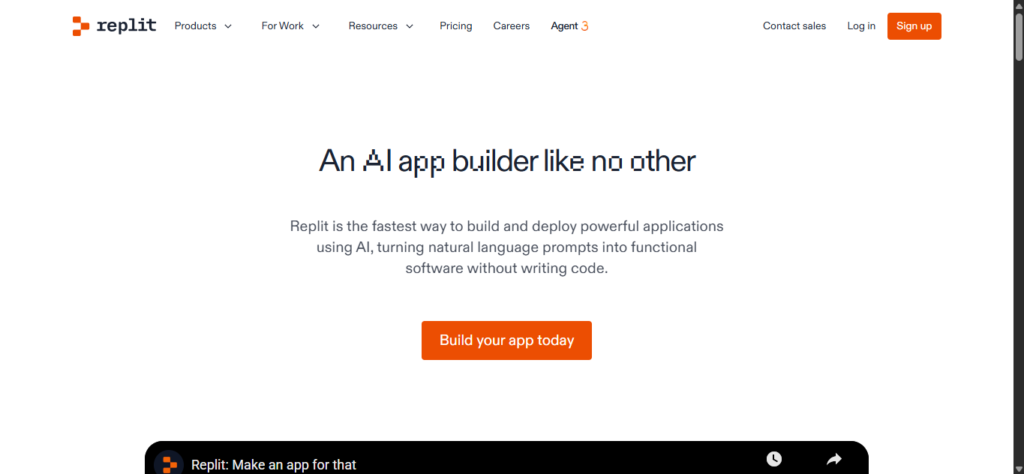
2. Replit AI App Builder – The Developer-Friendly Rapid Builder
Rating: ⭐⭐⭐⭐ (4/5)
Quick Overview: Replit combines a powerful cloud development environment with AI assistance that excels at quickly generating functional web applications. The platform appeals to users with some technical understanding who want AI to accelerate development while retaining the ability to directly edit code when needed.
Core Strengths:
- Extremely fast prototype generation, often creating basic apps in minutes
- Full access to the codebase for customization and learning
- Strong integration with modern development frameworks and libraries
- Active community sharing templates and solutions
Free Tier Details: Three free projects with limited compute resources. Projects go to sleep after inactivity, which works fine for development but can create delays in production use. The free tier genuinely enables building and testing applications, though serious deployment typically requires upgrading to paid plans for persistent uptime and adequate performance.
AI Capabilities: Replit’s AI agent (powered by advanced language models) excels at understanding development intent and generating initial implementations quickly. The AI can scaffold entire applications, write complex functions, and debug errors. However, it operates more as a coding assistant than an architectural reasoner, meaning you’ll need some technical understanding to guide it effectively and make structural decisions.
Best For:
- Developers who want to move faster without abandoning code entirely
- Quick prototypes and proof-of-concepts where perfect architecture matters less
- Learning to code by seeing how AI implements features
- Hackathons and rapid experimentation
Limitations: The free tier’s compute limitations become restrictive for real-world usage with actual users. Apps on free plans can be slow to wake up after inactivity, creating poor user experiences. The platform assumes more technical knowledge than truly no-code alternatives, meaning non-technical founders may struggle with customization and debugging.
Real-World Example: A developer validated a SaaS idea by using Replit to build a functional prototype in a weekend, testing with 20 early users to gather feedback before committing to full-scale development. The speed enabled rapid iteration that would have been impossible with traditional development approaches.
Verdict: Replit shines for technical users who want AI acceleration while maintaining code-level control. It’s less suitable for completely non-technical users or applications requiring immediate production-grade performance on the free tier. Consider it for rapid validation and technical prototyping rather than final production deployment without upgrading.
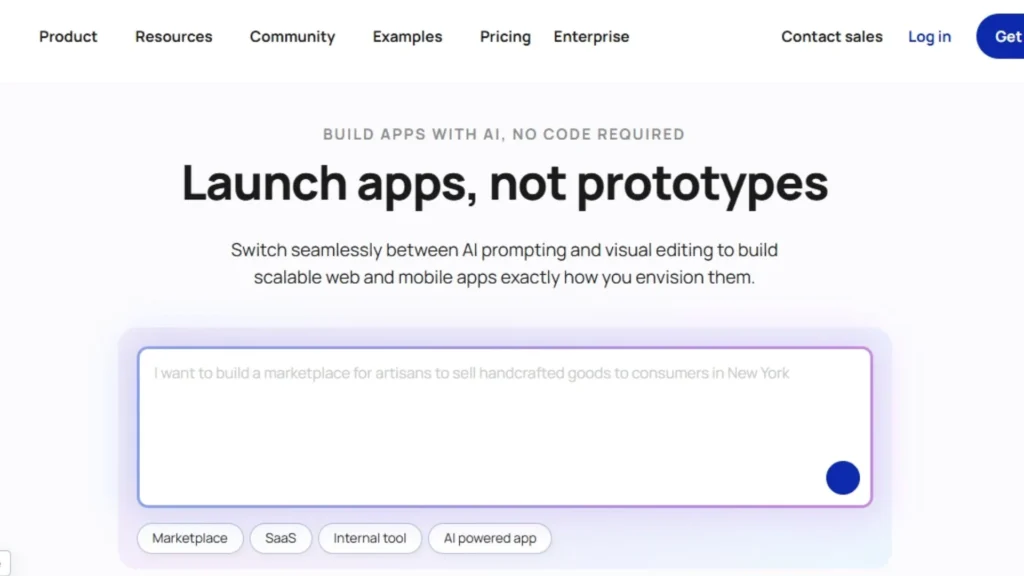
3. Bubble.io AI Generator – The Mature Platform with AI Enhancement
Rating: ⭐⭐⭐⭐ (4/5)
Quick Overview: Bubble pioneered the no-code movement years before AI entered the picture, and recently added AI-powered features to its established platform. You get a mature, battle-tested system with extensive capabilities, plugins, and community resources, now enhanced with AI assistance that speeds up common development tasks.
Core Strengths:
- Extremely comprehensive feature set for complex web applications
- Massive plugin ecosystem extending functionality in countless directions
- Proven scalability with numerous successful startups built on the platform
- AI features that help generate pages, workflows, and database structures
- Strong educational resources and large community
Free Tier Details: The free tier allows unlimited development time but severely limits published application capacity. You’re restricted to Bubble-branded subdomains and minimal server capacity, making it suitable for learning and development but requiring upgrades for serious production use. The platform’s pricing jump can be significant once you need custom domains, more capacity, or additional features.
AI Capabilities: Bubble’s AI features enhance rather than replace the traditional drag-and-drop workflow. The AI can generate UI layouts, suggest workflow logic, and create database schemas based on descriptions. However, it still requires understanding Bubble’s proprietary concepts and visual programming paradigm. The AI accelerates experienced Bubble users more than it helps complete beginners.
Best For:
- Complex web applications requiring extensive custom logic
- Users willing to invest time learning Bubble’s powerful but complex system
- Projects benefiting from the large plugin marketplace
- Applications where the Bubble ecosystem’s maturity provides valuable resources
Limitations: Steep learning curve despite AI assistance, as you still need to master Bubble’s unique approach to application logic. Platform lock-in is significant since applications can’t be exported to standard code, meaning you’re committed to Bubble’s hosting and pricing long-term. The free tier’s limitations force relatively quick upgrades for anything beyond basic testing.
Real-World Example: A fintech startup built a complete lending platform using Bubble, including complex underwriting workflows, payment processing, and document management. The application successfully processed millions in transactions before the company eventually migrated to custom code as they scaled beyond Bubble’s pricing model.
Verdict: Bubble offers unmatched depth for complex web applications and benefits from years of platform maturity. The AI features help but don’t eliminate the learning curve. Choose Bubble when you need its specific strengths and accept the platform lock-in, but consider alternatives if code ownership and architectural reasoning matter more than feature breadth.
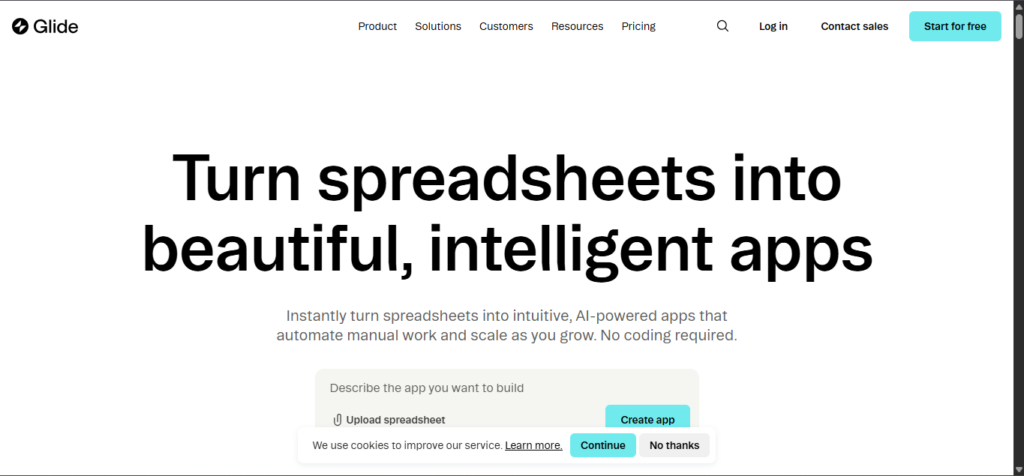
4. Glide Apps – The Spreadsheet-Powered App Creator
Rating: ⭐⭐⭐½ (3.5/5)
Quick Overview: Glide takes a unique approach by transforming Google Sheets or Excel spreadsheets into functional mobile and web applications. The platform excels at data-driven apps where information already exists in spreadsheet format, making it incredibly fast for internal tools and simple databases.
Core Strengths:
- Extremely quick setup using existing spreadsheet data
- Intuitive interface requiring minimal learning curve
- Effective for internal business tools and simple data displays
- AI features that help generate app structures from data schemas
Free Tier Details: 500 app users on the free tier, which sounds generous but can be limiting depending on your use case. The definition of “user” varies by plan type, so understanding exactly what the limits mean for your specific application requires careful reading of current terms.
AI Capabilities: Glide’s AI analyzes your spreadsheet structure and suggests appropriate app layouts, navigation, and data displays. It can understand relationships between data tables and create linked views automatically. The AI is well-suited to the platform’s spreadsheet-centric approach but lacks the broader architectural reasoning of more sophisticated platforms.
Best For:
- Internal business tools leveraging existing spreadsheet data
- Simple content displays like directories, catalogs, or reference materials
- Non-technical users comfortable with spreadsheets but not coding
- Quick solutions where spreadsheet data structures match app needs
Limitations: The spreadsheet foundation becomes a constraint for complex application logic or workflows that don’t naturally fit tabular data structures. Performance and scalability are limited compared to platforms using proper databases. The apps feel somewhat constrained by the underlying spreadsheet paradigm rather than architected specifically as applications.
Real-World Example: A consulting firm transformed their project tracking spreadsheet into a mobile app using Glide, enabling field teams to update status and log hours without returning to the office. The solution took hours to implement and immediately solved a specific business problem without custom development costs.
Verdict: Glide excels in its specific niche of transforming spreadsheet data into simple applications quickly. It’s not suitable for complex apps with intricate business logic or high-performance requirements, but it’s hard to beat for its particular use case. Consider it when your data already lives in spreadsheets and you need a straightforward app interface.
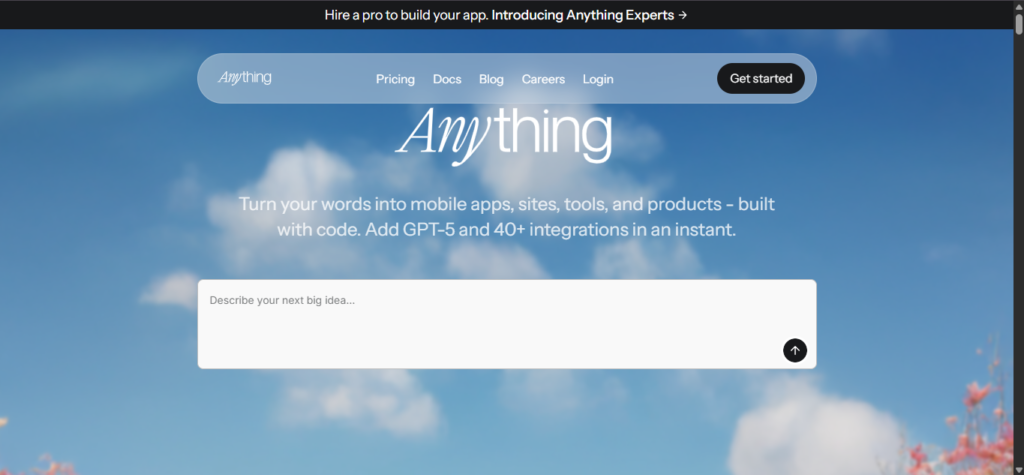
5. Create.xyz – The Natural Language Prototyping Tool
Rating: ⭐⭐⭐⭐ (4/5)
Quick Overview: Create.xyz focuses on the earliest stage of development—turning conversational descriptions into functional prototypes with minimal friction. The platform prioritizes speed and ease of use, enabling truly non-technical users to create working demos that communicate product visions effectively.
Core Strengths:
- Extremely accessible natural language interface requiring zero technical knowledge
- Very fast prototype generation for rapid iteration
- Clean, modern default designs that look professional without customization
- Code export enables transitioning to other platforms or custom development
Free Tier Details: Basic applications can be built and shared on the free tier with reasonable limits. The platform is transparent about capabilities and doesn’t artificially restrict core functionality to force upgrades, making it genuinely useful for proof-of-concept development.
AI Capabilities: The natural language processing is genuinely impressive, understanding vague descriptions and asking clarifying questions when needed. The AI makes reasonable assumptions about common patterns while allowing refinement through continued conversation. However, the AI is optimized for prototyping speed rather than production-level architecture.
Best For:
- Founders at the earliest stages validating ideas quickly
- Communicating product visions to stakeholders, investors, or potential co-founders
- Designers creating functional mockups beyond static screenshots
- Anyone intimidated by traditional development or no-code platforms
Limitations: The focus on accessibility means less depth for complex business logic or advanced features. Applications built on Create.xyz often need transition to more robust platforms before production deployment. The simple approach is perfect for prototypes but constraining for feature-rich products.
Real-World Example: An entrepreneur with zero technical background used Create.xyz to build a functional demo of a marketplace concept in two hours, which she used to validate interest with potential users and ultimately recruit a technical co-founder who saw the vision demonstrated clearly.
Verdict: Create.xyz is excellent for what it is: a rapid prototyping tool that removes all barriers between idea and demo. It’s not meant to be your final production platform for complex applications, but it’s unbeatable for quickly validating concepts and communicating visions. The code export provides a path forward when you outgrow the simplicity.
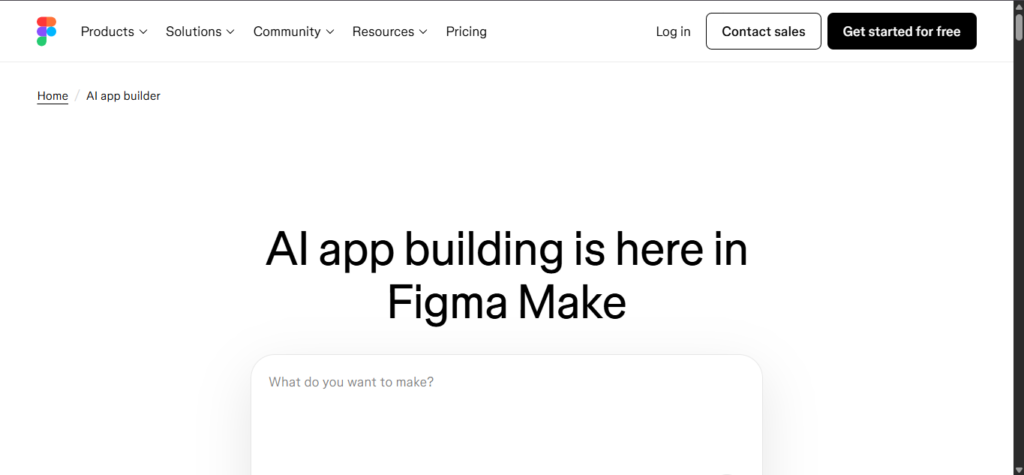
6. Figma AI App Builder – The Designer’s Development Bridge
Rating: ⭐⭐⭐ (3/5)
Quick Overview: Figma’s AI capabilities help designers generate UI components and layouts, functioning more as an advanced design tool than a complete app builder. The platform excels at the design phase but requires additional tools to create fully functional applications with backend logic and data management.
Core Strengths:
- Industry-leading design interface with AI enhancement
- Excellent for creating high-fidelity mockups and prototypes
- Strong collaboration features for design teams
- AI-generated components and layouts based on descriptions
Free Tier Details: Figma’s free tier is generous for design work, allowing multiple projects and collaboration. However, the “app building” is really prototype creation rather than deployable applications with backend functionality.
AI Capabilities: The AI generates UI elements, suggests layouts, and creates design systems based on natural language descriptions. It understands design principles and accessibility guidelines. However, this is design-focused AI, not architectural reasoning for building functioning applications.
Best For:
- Design teams creating comprehensive mockups before development
- Designers who want AI assistance with layout and component creation
- Projects where design handoff quality critically impacts development
- Prototypes demonstrating user flows and interface concepts
Limitations: Not actually a complete app builder—you’ll need additional platforms to create functioning applications with data, logic, and deployment. The AI assists with design, not with database architecture, business logic, or backend development.
Real-World Example: A product designer used Figma’s AI features to rapidly generate multiple layout variations for a mobile app, testing with users before development began. The designs were then handed off to developers or imported into platforms like Imagine.bo to become functional applications.
Verdict: Figma with AI is invaluable for the design phase but shouldn’t be confused with complete app development platforms. Include it in your workflow for high-quality design, but plan for additional tools to build actual functioning applications. The combination of Figma for design plus platforms like Imagine.bo for development can be highly effective.
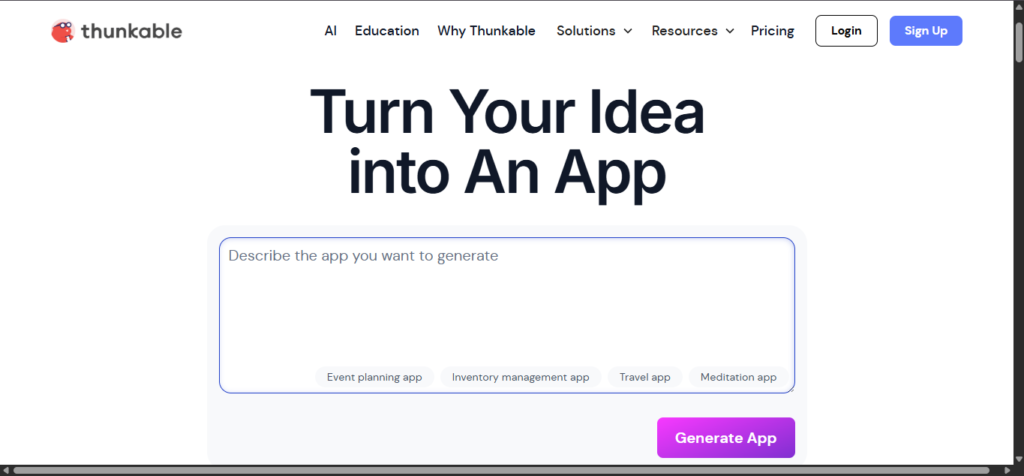
7. Thunkable – The Mobile-First No-Code Platform
Rating: ⭐⭐⭐ (3/5)
Quick Overview: Thunkable specializes in mobile app development with a visual builder interface enhanced by some AI features. The platform focuses specifically on creating native-feeling mobile applications for iOS and Android, making it suitable for mobile-first projects.
Core Strengths:
- Strong mobile app capabilities with native component support
- Visual drag-and-drop interface accessible to beginners
- Direct publishing to app stores
- Growing AI features for component generation
Free Tier Details: One published app on the free tier creates limitations for testing multiple concepts or serving different user bases. Development is unlimited, but actual deployment restrictions can be constraining.
AI Capabilities: The AI features remain relatively basic compared to newer platforms, primarily assisting with layout generation and suggesting component configurations rather than reasoning about overall architecture or complex logic flows.
Best For:
- Mobile-first applications where web versions are secondary
- Users specifically targeting app store distribution
- Projects fitting Thunkable’s pre-built component paradigm
- Teams comfortable with visual development interfaces
Limitations: The one published app limit on the free tier forces upgrade decisions early. The visual builder, while accessible, can become cumbersome for complex logic. The AI capabilities lag behind newer platforms focused specifically on AI-driven development.
Real-World Example: A fitness coach built a simple workout logging app using Thunkable, publishing it to both iOS and Android app stores for his training clients. The straightforward use case fit well within the platform’s capabilities and pricing.
Verdict: Thunkable serves mobile app development adequately but faces strong competition from platforms offering more sophisticated AI capabilities and better free tiers. Consider it when mobile-specific features matter and the project fits within the template-based approach, but explore alternatives for complex applications or tight budgets.
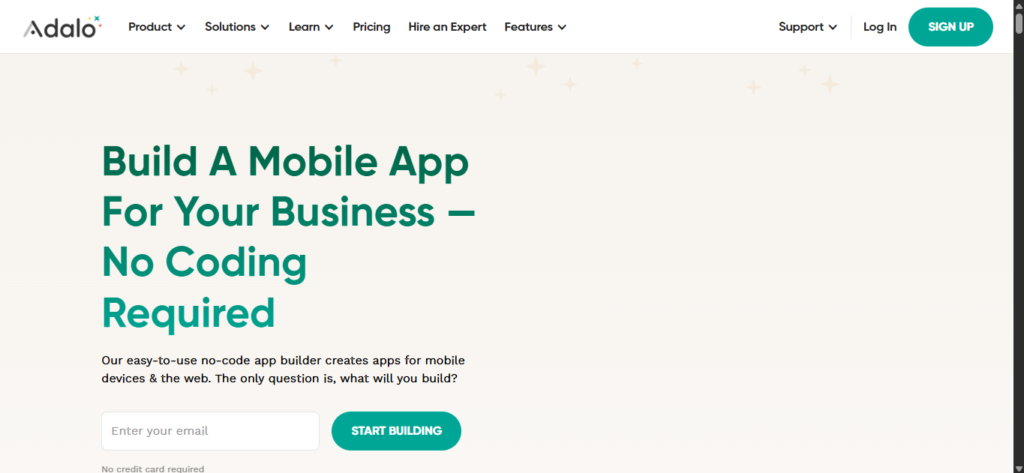
8. Adalo – The Template-Heavy Builder
Rating: ⭐⭐½ (2.5/5)
Quick Overview: Adalo offers pre-built templates and components that can be assembled into mobile and web applications, with limited AI features enhancing the traditional drag-and-drop experience. The platform works well for simple applications matching existing templates but struggles with custom requirements.
Core Strengths:
- Large template library enabling quick starts
- Visual database builder accessible to non-technical users
- Both mobile and web app support
- Active marketplace for third-party components
Free Tier Details: 50 app users maximum on the free tier creates severe limitations for any application intended for public use or business deployment. The restriction essentially limits free usage to small-scale testing and personal projects.
AI Capabilities: Adalo’s AI features remain basic, primarily suggesting templates and components rather than generating custom solutions or reasoning about architecture. The platform still relies heavily on manual configuration and template customization.
Best For:
- Very small-scale applications with minimal user bases
- Projects that closely match available templates
- Users wanting visual database management without SQL knowledge
- Quick mockups demonstrating basic functionality
Limitations: The 50-user limit on free tier severely restricts real-world usage. Template dependence means custom requirements often require significant workarounds or paid upgrades for custom components. Performance and scalability lag behind newer platforms.
Real-World Example: A small business created an internal inventory tracking app using Adalo templates, used by fewer than 20 employees. The simplicity enabled quick deployment but the limitations became apparent when attempting to add custom reporting features.
Verdict: Adalo served an important role in early no-code adoption but has been surpassed by platforms offering more sophisticated AI capabilities and better free tiers. Consider it only when your needs closely match available templates and you’ll stay within the severe user limits, or plan to upgrade quickly to paid plans.
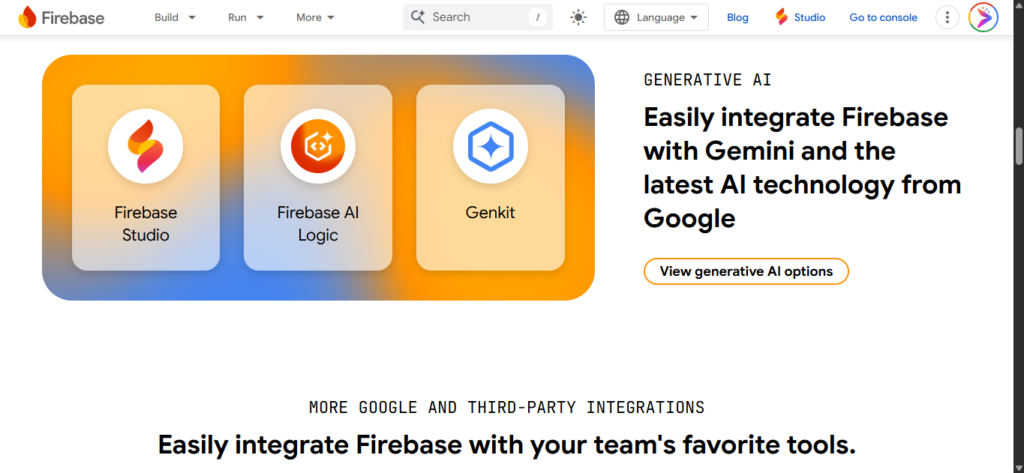
9. Firebase Generative AI – The Developer’s Backend Powerhouse
Rating: ⭐⭐⭐⭐ (4/5)
Quick Overview: Firebase’s Generative AI capabilities focus on backend services and AI integration rather than complete no-code app building. This Google platform excels at providing robust infrastructure, databases, and AI model integration for applications, but requires technical knowledge to implement effectively.
Core Strengths:
- Enterprise-grade backend infrastructure from Google
- Powerful AI integration capabilities with Gemini and other models
- Excellent scalability and performance characteristics
- Comprehensive documentation and resources
- Strong security and compliance features
Free Tier Details: Generous free tier with substantial usage allowances for backend services. The free tier genuinely enables production deployment for applications with modest traffic, with gradual scaling costs as usage grows.
AI Capabilities: Firebase’s AI features enable integration of advanced generative AI models into applications, handling complex tasks like natural language processing, content generation, and intelligent recommendations. However, this requires programming knowledge to implement—it’s not a visual no-code solution.
Best For:
- Technical users building AI-powered applications
- Backend services for mobile or web apps built on other platforms
- Projects requiring enterprise-grade scalability and security
- Applications integrating advanced AI capabilities into core functionality
Limitations: Not actually a no-code platform despite being included in this comparison. Requires programming knowledge and technical implementation. The learning curve is substantial for non-developers, making it unsuitable for truly non-technical users seeking no-code solutions.
Real-World Example: A startup used Firebase as the backend for a mobile app built with React Native, integrating Gemini AI for content recommendations and user support. The robust infrastructure scaled seamlessly from beta to thousands of users without architectural changes.
Verdict: Firebase is excellent for technical users building AI-powered applications and needing robust backend services, but it’s not a no-code solution for non-technical builders. Include Firebase in your consideration when you have development skills and need enterprise-grade infrastructure rather than visual app building tools.
10. DronaHQ – The Enterprise Internal Tool Builder
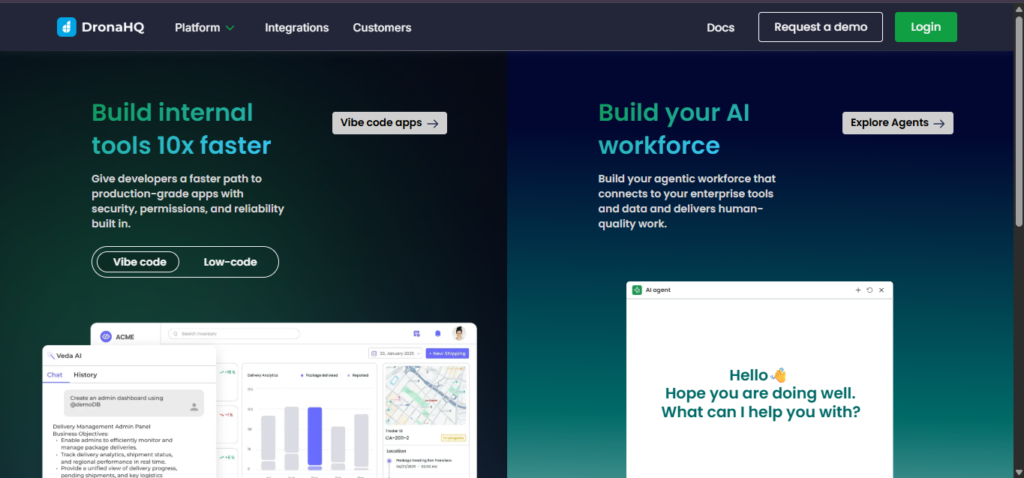
Rating: ⭐⭐⭐ (3/5)
Quick Overview: DronaHQ focuses specifically on internal business tools and admin panels, offering pre-built components optimized for CRUD operations, dashboards, and workflows common in enterprise environments. The platform includes some AI features enhancing the traditional low-code experience.
Core Strengths:
- Strong focus on enterprise use cases and internal tools
- Extensive pre-built components for common business workflows
- Good database integration capabilities
- Security features suitable for corporate environments
Free Tier Details: Limited free tier suitable for evaluation and small-scale internal use. The platform targets enterprise customers, so free offerings are more restricted than consumer-focused platforms.
AI Capabilities: AI features assist with form generation, workflow suggestions, and query building, but remain relatively basic compared to platforms focused specifically on AI-driven development. The AI enhances productivity for developers familiar with the platform more than enabling non-technical users.
Best For:
- Enterprise teams building internal tools and admin panels
- CRUD applications and database management interfaces
- Businesses needing strong security and access control
- Users comfortable with low-code rather than pure no-code approaches
Limitations: Less suitable for customer-facing applications or consumer products. The free tier restrictions mean serious usage requires enterprise pricing. The learning curve and feature set target business users rather than individual founders or creators.
Real-World Example: A manufacturing company built an inventory management system using DronaHQ, integrating with existing databases and providing role-based access for different departments. The internal focus and security features met corporate requirements.
Verdict: DronaHQ serves enterprise internal tool needs adequately but doesn’t compete well with platforms offering more generous free tiers or sophisticated AI capabilities for general app development. Consider it specifically for internal enterprise use cases where its security features and business focus add value.
11. Zapier Interfaces – The Workflow-Centric App Builder
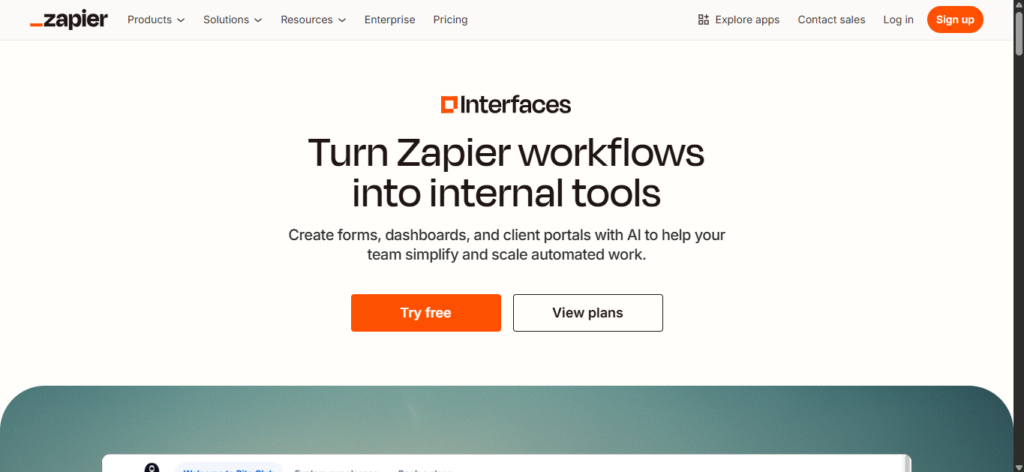
Rating: ⭐⭐⭐ (3/5)
Quick Overview: Zapier extended its automation platform with Interfaces, enabling creation of simple web applications connected to Zapier’s extensive automation ecosystem. The platform excels when your app primarily triggers or displays results from automated workflows.
Core Strengths:
- Seamless integration with Zapier’s thousands of app connections
- Quick creation of forms, pages, and simple interfaces
- Strong for workflow-based use cases triggering automations
- Minimal learning curve for existing Zapier users
Free Tier Details: Limited free actions monthly create constraints for real-world usage. The free tier enables testing concepts but serious deployment typically requires Zapier’s paid plans, which can become expensive as usage scales.
AI Capabilities: AI features help generate interface layouts and suggest automation connections, but the AI capabilities remain basic compared to platforms focused specifically on AI-driven app development. The strength comes from Zapier’s automation ecosystem rather than sophisticated AI reasoning.
Best For:
- Applications that primarily trigger workflows and automations
- Users already invested in Zapier’s ecosystem
- Simple forms and interfaces collecting data for automation
- Connecting existing tools without custom development
Limitations: Limited to relatively simple interfaces and forms—not suitable for complex applications with substantial custom logic. The action limits on free and lower-tier plans can make costs escalate quickly. Applications feel more like automation frontends than standalone products.
Real-World Example: A marketing agency created a client onboarding interface using Zapier Interfaces, which collected information and automatically triggered workflows creating project folders, sending welcome emails, and setting up tracking systems across multiple tools.
Verdict: Zapier Interfaces serves a specific niche of creating simple frontends for automation workflows. It’s not a comprehensive app building platform but can be valuable when your primary need is connecting existing tools rather than building standalone applications. Consider it when Zapier automations are central to your solution.
12. Lindy.ai – The AI Agent Platform
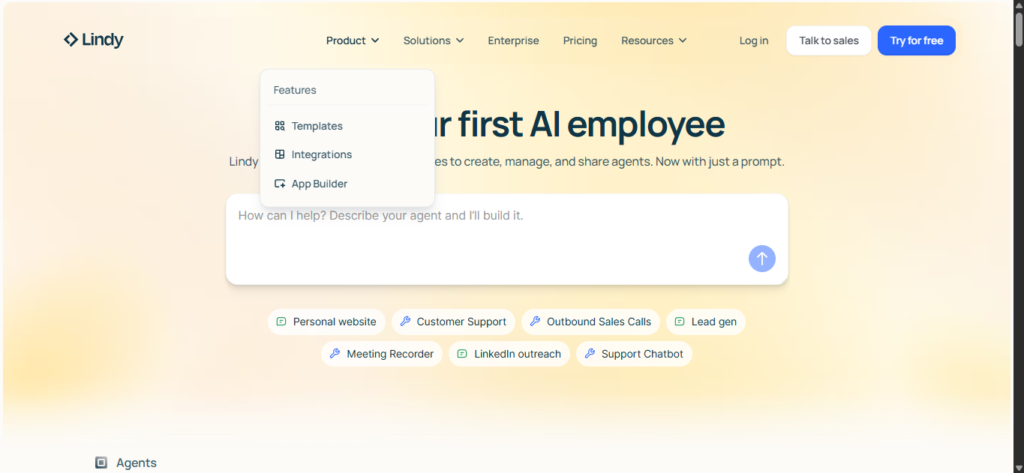
Rating: ⭐⭐⭐ (3/5)
Quick Overview: Lindy.ai focuses on creating AI-powered agents and automations rather than traditional applications, representing a different approach to the “app builder” concept. The platform excels at building intelligent assistants and automated workflows enhanced by AI reasoning.
Core Strengths:
- Strong AI capabilities for building intelligent agents
- Natural language interface for defining agent behaviors
- Good integration with common business tools
- Focus on autonomous task completion rather than manual workflows
Free Tier Details: Limited free tier suitable for testing and small-scale personal use. The platform targets business users with paid plans for serious deployment.
AI Capabilities: The AI capabilities are genuinely sophisticated for agent-based tasks, enabling creation of assistants that can reason about context and make decisions. However, this represents a different paradigm than traditional app building—you’re creating intelligent agents rather than visual interfaces.
Best For:
- Building AI assistants and intelligent automation
- Tasks requiring reasoning and decision-making rather than simple workflows
- Users comfortable with agent-based paradigms
- Business process automation with intelligent handling of edge cases
Limitations: Not suitable for building traditional applications with user interfaces and standard app features. The agent focus means different use cases than platforms building mobile or web apps. The free tier limitations restrict serious usage without upgrading.
Real-World Example: A customer service team deployed Lindy.ai agents to handle routine inquiries, escalating complex issues to humans while automatically resolving common questions using AI reasoning about knowledge base content and customer context.
Verdict: Lindy.ai represents an interesting evolution toward agent-based automation but serves different needs than traditional app builders. Consider it when your solution involves intelligent automation and decision-making rather than user-facing applications with custom interfaces and workflows.
Which AI App Builder Should You Actually Use?
Every platform reviewed here is genuinely good at something. The problem is that most comparison guides try to declare one universal winner, which serves no one. The table below maps specific builder profiles to their strongest tool match, based on real capability differences, not marketing claims.
Imagine.bo wins the broadest set of use cases for non-technical founders because it is the only platform that combines full-stack generation, production-grade deployment, and on-demand human engineering in a single workflow. Where it does not win outright, the table says so plainly.
| Who You Are | Best Tool | Why It Wins Here | Honest Runner-Up | When to Choose the Runner-Up |
|---|---|---|---|---|
| Non-technical founder building a SaaS MVP | Imagine.bo | Generates full frontend, backend, database, and deploys to Vercel and Railway from one prompt. You own the code. No technical knowledge required. | Replit | If you have basic coding comfort and want IDE-level control over every file |
| Solo operator building an internal tool | Imagine.bo | Describe-to-Build gets you 80% there in hours. Hire a Human covers the rest without leaving the dashboard. | Glide | If your data already lives in Google Sheets and you only need a read/write interface over it |
| Startup needing an investor-ready demo | Imagine.bo | Production deployment on a real domain with real backend logic. Investors see a working product, not a prototype. Credit rollover on Pro means you can iterate without restarting your budget. | Replit | If your demo is code-heavy and you want to show technical architecture during due diligence |
| Designer or product manager who wants to ship, not just mock up | Figma Make | Native design-to-prototype pipeline. If your workflow starts in Figma, nothing gets you to a shareable interactive build faster. | Imagine.bo | When the prototype needs a real backend, user authentication, or database before it can function as a product |
| Technical founder who codes but wants to move faster | Replit | Agent 3 writes, tests, and deploys code autonomously. Full IDE access means you can intervene at any line. Best-in-class for developers who want AI as a pairing partner, not a replacement. | Firebase Studio | If you are building in Google’s ecosystem and want Gemini 2.5 Pro plus free full-stack hosting at zero cost |
| Small business digitizing a manual process | Imagine.bo | Building client portals, booking systems, and internal tools is exactly what the Describe-to-Build workflow is optimized for. Lite plan at $6/month is genuinely affordable. | Glide | If the process is data-simple and runs entirely from a spreadsheet your team already maintains |
| Mobile-first app headed to the App Store or Play Store | Adalo | True native iOS and Android compilation from a single codebase. Following the 3.0 overhaul in late 2025, it scales to over 1 million monthly active users with no record caps. Paid plans start at $36/month. | Thunkable | If your audience is primarily students or your app has strong educational use cases |
| Spreadsheet-to-app / internal dashboard | Glide | Turns Google Sheets, Airtable, or SQL databases into polished apps in under an hour. No other platform on this list matches Glide’s speed for data that already exists in rows and columns. | Imagine.bo | When the dashboard needs to grow into a full product with its own database, user roles, or external integrations |
| Developer who wants full code control with AI assistance | Firebase Studio | Free Spark plan plus Gemini 2.5 Pro plus the Antigravity agent equals the most powerful free full-stack AI development environment available in April 2026. You own every line of output. | Replit | If you prefer an all-in-one browser IDE with a large community and do not want to configure Firebase services |
| Enterprise team building internal tools without touching the dev backlog | Imagine.bo | RBAC, SSL, GDPR foundations, and SOC2 readiness are built in by default. The Done For You plan at $499 hands the entire build to the imagine.bo team. | Bubble | If the internal tool requires extremely complex relational logic and your team has budget for Bubble consultants at $40 to $125 per hour |
| Automation-first app connecting multiple external services | Zapier Interfaces | 8,500+ native integrations. If your app’s core value is moving data between tools that already exist, nothing else comes close for speed of setup. | Imagine.bo | When the automation needs a real frontend, database, or user-facing product layer that Zapier Interfaces cannot provide |
| Student or hobbyist experimenting at zero cost | Firebase Studio | The most capable genuinely free full-stack AI builder in April 2026. Gemini 2.5 Pro access, 10 workspaces, Firebase Spark hosting, no credit card required. | Replit | For a community-first experience with Agent 3 trial access and a huge library of public project templates to learn from |
The honest verdict: Imagine.bo wins the widest range of use cases for non-technical founders, solo operators, and small business owners who need a production-ready product rather than a prototype. If your definition of “done” is a real app that real users can access on a real domain, with code you own and can hand to a developer later, imagine.bo is the most direct path there for most people on this list.
The two categories where other tools genuinely beat it are native mobile publishing (Adalo wins that outright) and spreadsheet-native internal tools (Glide is faster for data that already exists). Be honest with yourself about which category you actually fall into before choosing.
For a deeper side-by-side breakdown, the imagine.bo vs Bubble comparison and the imagine.bo vs Adalo comparison cover specific feature differences with real use case examples.
Real Use Case Scenarios
Founder Scenario: Building a SaaS MVP for Fundraising
Sarah has worked in HR technology for 15 years and identified a gap in the market: small companies need better onboarding software but can’t afford enterprise solutions. She wants to build an MVP to validate the concept with early customers and raise seed funding.
Using Imagine.bo, Sarah describes her vision: “An onboarding platform where HR teams can create customized workflows for different roles, assign tasks to new hires and managers, track completion, integrate with Slack and email for notifications, and generate analytics showing onboarding effectiveness.”
The AI reasons through the requirements, determining she needs multi-tenant architecture (each company is isolated), role-based permissions (HR admins, managers, new hires), workflow builder functionality, task management, integration framework, and analytics engine.
Within two weeks, Sarah has a functional MVP that she tests with three pilot companies. The professional quality impresses pilot users, providing testimonials she includes in her pitch deck. The clean architecture allows her technical advisor to validate the approach during due diligence. She raises a pre-seed round partially based on already having a functional product demonstrating technical feasibility and early traction.
Total cost: $0 for MVP development. Compare to $75K-$150K for traditional development or 3-6 months building it herself if she learned to code.
Small Business Scenario: Digitizing Manual Operations
Mike owns a plumbing business with 25 technicians. Currently, job scheduling happens via phone calls and text messages, invoicing is manual in QuickBooks, and customer communication is chaotic. He wants a system where customers can request service online, technicians receive jobs on their phones, and billing happens automatically.
He uses Imagine.bo to build: “A service management app where customers can submit service requests with photos, I can assign jobs to available technicians based on location and skills, technicians can update job status and capture customer signatures on mobile, and the system automatically generates invoices sent to customers with payment links.”
The AI creates a multi-platform solution: a customer-facing web app for requests, a mobile app for technicians, and an admin dashboard for Mike. The system integrates with Stripe for payments and includes mapping functionality for efficient routing.
Mike launches the system with his existing customers over a month, gradually training technicians. The business benefits are immediate: scheduling efficiency improves, invoice payment time decreases, and customer satisfaction increases. The professional system positions his business as more legitimate when competing for commercial contracts.
Total cost: $0 for development, small monthly hosting costs, payment processing fees. Compare to $30K-$60K for custom development or $500-$1,000 monthly for commercial service management software.
Designer Scenario: From Mockup to Functional Product
Jessica is a product designer who created beautiful mockups for a recipe sharing app in Figma. She’s shown the designs to friends and potential users who love the concept, but she lacks the technical skills to build a functional version and can’t afford to hire developers.
She exports her Figma designs and describes her vision to Imagine.bo: “A recipe sharing app where users can post recipes with photos and ingredient lists, other users can save favorites and create meal plans, the app generates shopping lists from meal plans, and users can follow their favorite recipe creators.”
The AI implements the design using her Figma exports as reference, creating a functional application that matches her visual design. The backend includes user authentication, image storage, recipe database, favoriting system, meal planning logic, and shopping list generation with ingredient consolidation.
Jessica launches the app with her initial group of interested users, gathering feedback and iterating on features. The functional product enables her to validate whether people actually use the app, not just whether they like the designs. She discovers unexpected usage patterns that inform her roadmap.
Total cost: $0 for development. The functional product enables her to seek a technical co-founder from a position of strength (demonstrating traction) or continue developing features using the platform.
Pricing Transparency and Value
Imagine.bo offers transparent pricing with four tiers designed to match different user needs:
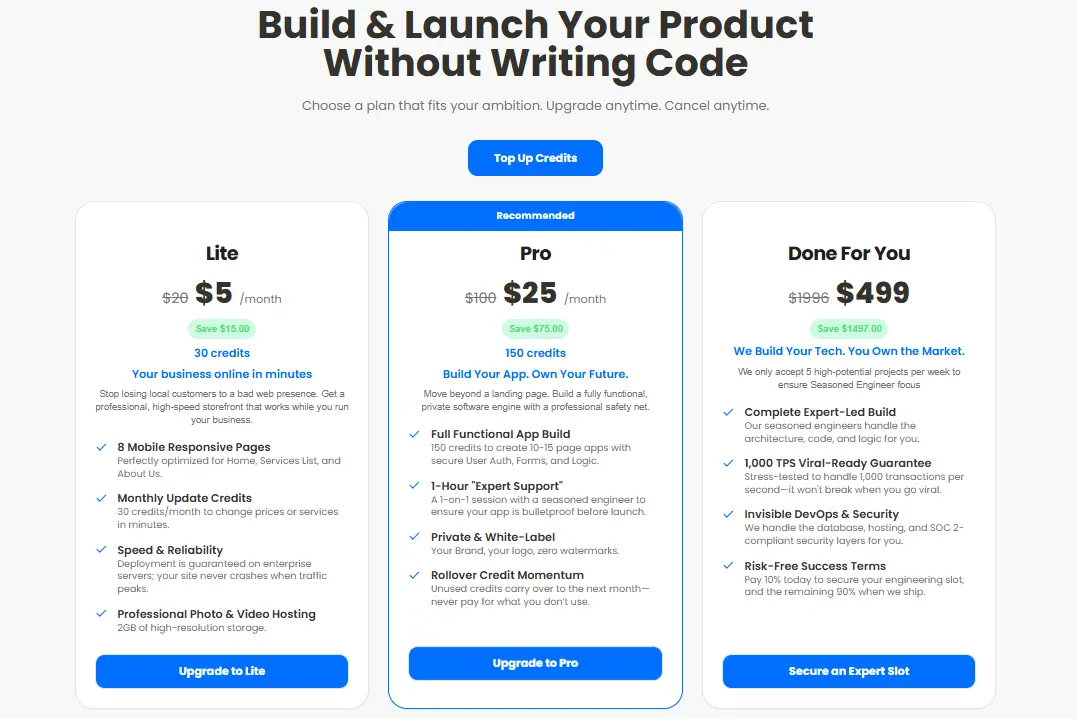
Imagine.bo Pricing: What You Actually Get at Each Tier
Imagine.bo uses a credit-based system where credits are consumed each time the AI generates or modifies part of your application. Larger changes cost more credits than small edits. Unused credits roll over on Lite and Pro plans, so you never lose accumulated value as long as your subscription stays active.
Free Plan ($0/month)
10 credits per month, 5 prompts free, basic prompt-to-build flow. Public projects only with community support and limited AI generations. Credit capacity covers 2 to 3 simple pages. Best for testing the platform and understanding how the Describe-to-Build workflow operates before committing to a paid plan.
Lite Plan ($6/month)
30 credits per month, enough to build and deploy up to 8 high-speed mobile-optimized pages. Covers typical business pages like Home, Services, About, and Contact. Includes enterprise-grade hosting with reliable uptime, professional photo and video hosting, 2GB high-resolution storage, monthly update credits for editing content or services, and a 20% discount on Hire a Human engineering tasks. Credit rollover is active on this plan. Best for small businesses that need a fast, professional web presence such as landing pages or service sites.
Pro Plan ($25/month) — Recommended
150 credits per month, enough to build 40 to 60 simple pages or one complete multi-page application of 10 to 15 pages with authentication, forms, and workflows. Includes no Imagine.bo watermark, private projects, guaranteed deployment, 5GB high-resolution storage, rollover credits, SDE support with a 24-hour response guarantee, and a 1-hour expert session with a seasoned engineer before your launch. Best for founders and builders creating real SaaS products or advanced web applications.
Done-For-You ($499 one-time)
A fully managed engineering service where the imagine.bo team builds your product for you from start to finish. Includes complete expert-led architecture, development, and deployment by experienced engineers. Infrastructure is optimized for high traffic and capable of supporting up to 1,000 transactions per second. Managed DevOps, hosting, security, and risk-free delivery terms are included. No credits required. Best for startups and founders who want a production-ready product without managing any part of the development process themselves.
| Plan | Price | Monthly Credits | Storage | Projects | Support |
|---|---|---|---|---|---|
| Free | $0 | 10 | Limited | Public only | Community |
| Lite | $6/month | 30 | 2GB | Public | Standard + 20% off Hire a Human |
| Pro | $25/month | 150 | 5GB | Private | Expert session + Priority (24hr) |
| Done-For-You | $499 one-time | Unlimited | Managed | Fully built | Dedicated engineers |
The real value comparison:
Traditional development runs $50K to $200K upfront plus $5K to $15K monthly for developers and maintenance, with a 3 to 9 month timeline before your first user sees the product.
Template-based no-code tools start free but force platform upgrades quickly to $50 to $300 per month, cap your scalability, and lock your data into a proprietary system you do not own.
With imagine.bo, you start free to test the workflow, move to Lite at $6/month for a professional web presence, or step up to Pro at $25/month for a full SaaS-grade application with private projects, deployment guarantees, rollover credits, and a pre-launch engineering session. The Pro plan delivers production-ready code you own outright, with a direct path to human engineering support through Hire a Human when AI reaches its limits. When you need the entire build handled for you, the Done-For-You plan is a one-time $499 engagement with no monthly commitment.
Pro Tips for Building with AI No-Code Tools

Success with AI app builders requires more than just choosing the right platform. These advanced tactics help you maximize results and avoid common pitfalls.
1. Prompt Engineering for Better Applications
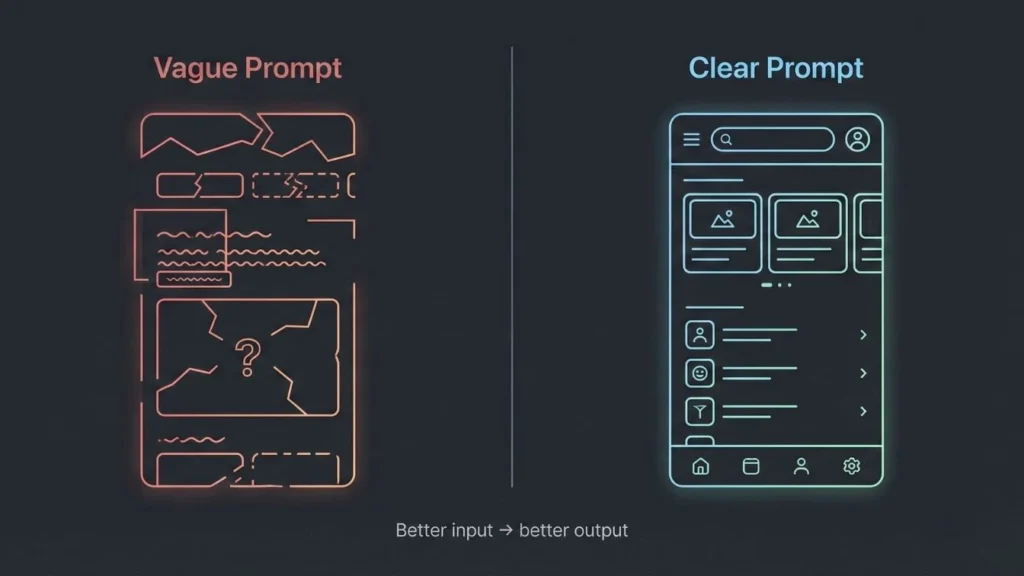
The quality of AI-generated applications directly correlates with how clearly you communicate requirements. Effective prompting makes the difference between mediocre results and excellent applications.
Bad Prompt Example: “Build me a social media app”
This provides almost no useful information. The AI must guess about features, user types, business logic, and technical requirements. The result will likely miss your actual needs.
Better Prompt Example: “Build a social networking app for book lovers where users can: create profiles listing their favorite genres and recent reads, post book reviews with star ratings and written opinions, follow other users to see their reviews in a personalized feed, search for books and see aggregated ratings from the community, create and join book clubs for group discussions, and receive recommendations based on their reading history and preferences.”
This clearly defines user types, core features, data structures, and workflows. The AI can reason about required database tables, relationships, permissions, and logic flows.
Excellent Prompt with Context: “Build a social networking app for book lovers targeted at readers aged 25-45 who want deeper engagement than typical social media provides.
Core user journey: New users sign up, complete a profile quiz about reading preferences, immediately see personalized book recommendations. They can search the database of books, read reviews from other users, write their own reviews, and follow users whose taste aligns with theirs. The feed should prioritize quality reviews from followed users rather than algorithmic engagement manipulation.
Key features: Profile creation with genre preferences, book search with filters, review posting with 1-5 star ratings and written content, user following system, personalized feed showing recent reviews from followed users, book recommendations based on user preferences and community ratings, book club creation for group discussions.
Technical requirements: Must handle 10,000+ users smoothly, include moderation tools for review content, implement privacy controls allowing users to make profiles public or private, integrate with a books database API for comprehensive book information.
Business model: Free for basic usage, premium tier (future) adds features like advanced recommendations and ad-free experience.”
This comprehensive prompt provides business context, user personas, detailed feature descriptions, technical requirements, and future direction. The AI can make informed architectural decisions aligned with actual needs.
Iterative Refinement Strategy:
Start with comprehensive initial prompts, then refine based on AI output:
- Review the Blueprint: Examine the AI’s understanding of your requirements carefully. Correct misunderstandings before development begins.
- Add Missing Context: If the AI missed important requirements, add them explicitly. AI can’t read your mind—unstated requirements won’t appear in output.
- Clarify Ambiguities: When the AI asks questions, answer thoroughly rather than dismissing concerns. Questions indicate decision points where clarity improves results.
- Provide Examples: Show examples of similar applications you admire, explaining what you want to emulate and what you want to do differently.
- Iterate on Features: Start with core features, validate they work correctly, then add complexity. Building incrementally prevents overwhelming the AI with excessive simultaneous requirements.
2. Combining Multiple Platforms Strategically
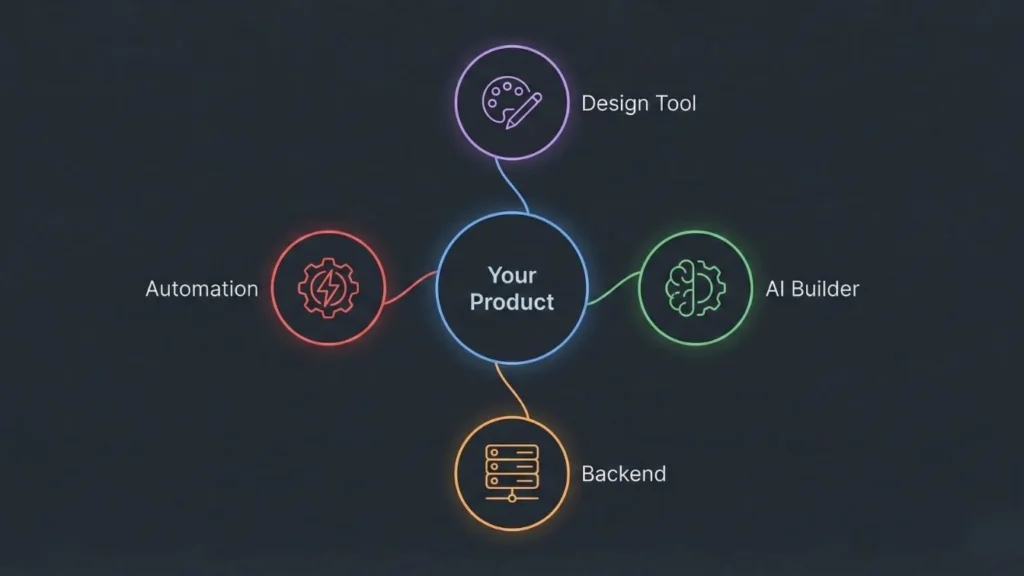
The most effective development approaches often combine multiple tools, leveraging each platform’s specific strengths rather than forcing one tool to do everything.
When to Use Hybrid Approaches:
Design + Development Split: Use Figma for high-fidelity UI/UX design and user testing, then implement in Imagine.bo with designs as reference. This combines best-in-class design tools with production-ready development.
Frontend + Backend Split: Build custom React or Vue frontends while using Firebase for backend infrastructure, authentication, and database management. This works well for technical teams wanting frontend control while benefiting from robust backend services.
Core App + Automation Split: Build your primary application in Imagine.bo or similar, then use Zapier for connecting to external tools and automation workflows. This avoids building custom integrations for every third-party service.
Example Workflow: Figma → Imagine.bo → Firebase:
- Design Phase (Figma): Create comprehensive mockups, test with users, iterate on UI/UX until satisfaction. Export design specifications.
- Development Phase (Imagine.bo): Use designs as reference while AI builds functional application. The SDE-level architecture handles business logic, database design, and performance optimization.
- Enhancement Phase (Firebase): If you need specific Firebase features like Cloud Functions for backend processing, real-time database for live updates, or Firebase Auth for social login integrations, implement these enhancements connecting to your Imagine.bo application.
This workflow provides design quality, development speed, and technical capabilities exceeding what any single platform offers alone.
Integration Best Practices:
- Plan Integration Points Early: Decide which platforms handle which responsibilities before building. Retrofitting integrations is more difficult than architecting them initially.
- Use Standard APIs: Platforms offering standard REST APIs or GraphQL endpoints enable clean integrations. Proprietary formats create integration challenges.
- Test Integrations Thoroughly: Integration points often introduce bugs. Test data flow between platforms comprehensively.
- Document Integration Logic: Future maintenance requires understanding how platforms connect. Document authentication flows, data synchronization, and error handling.
3. Avoiding Common Pitfalls

Learning from others’ mistakes saves time and frustration. These common pitfalls catch many first-time AI no-code builders:
Pitfall #1: Over-Scoping Your MVP
The Mistake: Attempting to build comprehensive applications with dozens of features before launching, believing users need everything to find value.
The Reality: Most successful products launched with minimal feature sets, then expanded based on actual user feedback rather than founder assumptions.
The Solution: Define your absolute core value proposition—the one thing your application must do well. Build only that feature plus essential supporting functionality. Launch quickly, learn from real usage, iterate based on data.
Example: Instead of building a complete project management suite with tasks, subtasks, time tracking, resource allocation, team chat, file sharing, reporting, and integrations in your first version, build just task creation and basic assignment. Validate that people actually use task management before adding complexity.
Pitfall #2: Ignoring User Feedback Loops
The Mistake: Building in isolation based on personal assumptions, launching a “finished” product, then being surprised when users don’t engage as expected.
The Reality: Your assumptions about user needs are probably wrong in important ways. Real user behavior reveals insights impossible to predict from planning alone.
The Solution: Build feedback collection into your application from day one. Include simple survey tools, usage analytics, and direct communication channels. Launch to small user groups quickly rather than waiting for perfection. Iterate based on what you learn.
Example: When Imagine.bo users build applications, the most successful ones launch alpha versions to 10-20 users within two weeks, gather intensive feedback, make rapid adjustments, then gradually expand access. This approach catches problems early when they’re easy to fix rather than after thousands of users encounter issues.
Pitfall #3: Platform Lock-In Without Exit Strategy
The Mistake: Building on platforms with proprietary formats and no code export, assuming you’ll never need to migrate, then discovering limitations forcing expensive rewrites.
The Reality: Many applications outgrow their initial platforms. Businesses get acquired requiring migration to acquirer’s infrastructure. Pricing changes make platforms economically unviable. Features you need later aren’t available on your chosen platform.
The Solution: Prioritize platforms offering code ownership and export capabilities. Imagine.bo’s complete code export means you’re never trapped—if future needs require different infrastructure, you own the code and can migrate. Even if you never migrate, knowing you could provides negotiating leverage and peace of mind.
Example: A successful startup built on a popular no-code platform, grew to 50,000 users, then faced a choice: pay increasingly expensive platform fees or rebuild from scratch. The rebuild cost six months and $200K because the proprietary format meant starting over completely. Starting with exportable code would have saved enormous pain.
Pitfall #4: Neglecting Performance from the Start
The Mistake: Assuming performance doesn’t matter for MVPs, building inefficient applications, then discovering poor performance drives user abandonment or prevents scaling.
The Reality: Users expect smooth, responsive applications regardless of whether you’re a startup or established company. Slow applications lose users immediately, and fixing performance problems after launch is significantly more difficult than building efficiently initially.
The Solution: Choose platforms architecting for performance from the start. Imagine.bo’s SDE-level reasoning implements proper database indexing, query optimization, and efficient algorithms automatically. Test performance under realistic usage scenarios before launching.
Example: An e-commerce application built on a template-based platform worked fine with 10 test products but became unusably slow when loaded with 1,000 real products because the architecture didn’t include proper indexing. Fixing this required complete database redesign. Starting with proper architecture would have avoided the problem entirely.
Pitfall #5: Underestimating Security Requirements
The Mistake: Treating security as an advanced feature to add later rather than a fundamental requirement, launching with vulnerabilities, then facing data breaches or compliance failures.
The Reality: Security problems destroy trust permanently. Data breaches trigger legal liability, regulatory fines, and brand damage far exceeding the cost of proper security from the start. Many businesses can’t legally operate without proper security compliance.
The Solution: Choose platforms implementing enterprise security automatically. Imagine.bo includes GDPR compliance, SOC2 standards, and industry-standard security practices by default. Don’t treat security as optional even for MVPs—build it in from day one.
Example: A healthcare startup built an MVP without proper security compliance, acquired early customers, then discovered they couldn’t legally operate without HIPAA compliance. Retrofitting security took months and cost more than rebuilding from scratch on a compliant platform would have initially.
4. Scaling from Free to Paid Strategically
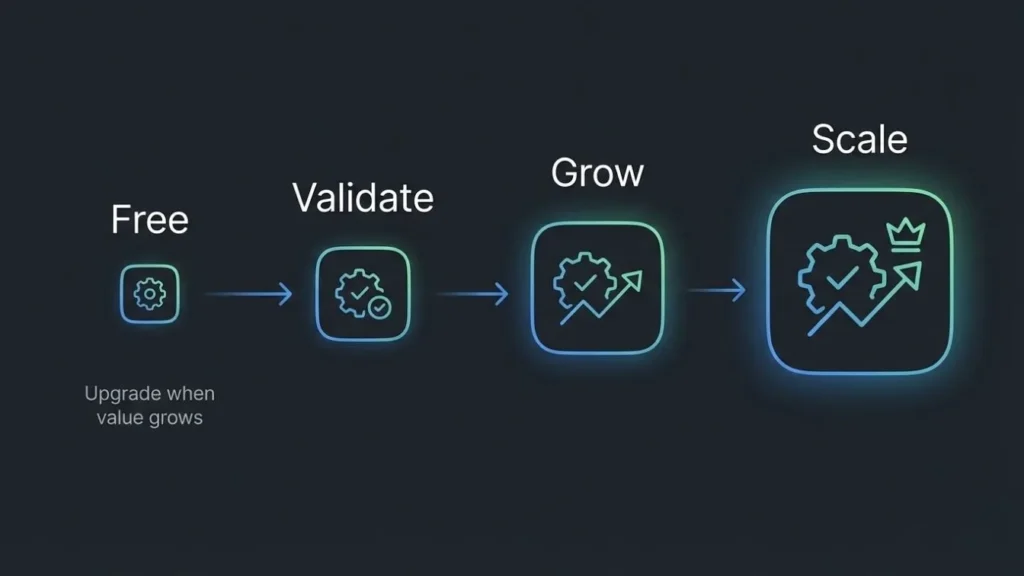
Understanding when and how to upgrade from free tiers maximizes value while controlling costs.
When to Upgrade:
Trigger #1: Usage Hitting Free Tier Limits – When you exhaust the 10 monthly credits on the free plan and need to build more than basic landing pages, upgrade to Lite ($9/month for 60 credits) or Pro ($25/month for 150 credits). Monitor your credit usage to upgrade proactively rather than hitting limits mid-project.
Trigger #2: Need for Private Projects – The free tier restricts you to public projects only. When building proprietary business applications or client work requiring privacy, upgrade to Pro ($25/month) which includes private projects and removes the Imagine.bo watermark.
Trigger #3: Requiring Priority Support – Free tier includes community support only. When you need faster problem resolution, upgrade to Pro for 24-hour SDE support or Enterprise for 12-hour support with dedicated CSM.
Trigger #4: Professional Presentation Required – When pursuing enterprise customers, investors, or partnerships where the Imagine.bo watermark (present on Lite tier) hurts credibility, upgrade to Pro ($25/month) which removes branding entirely.
When NOT to Upgrade:
Don’t upgrade prematurely before actually needing paid features. If the free tier’s 10 credits suffice for your current needs (simple landing pages or portfolio sites), continue using it. Many founders waste resources upgrading unnecessarily. However, for serious MVP development, the Pro plan at $25/month is a minimal investment compared to traditional development costs and provides the capacity needed for real applications.
Migration Strategy for Changing Platforms:
If you outgrow your initial platform choice:
- Export All Data: Download user data, content, and any other information in portable formats before beginning migration.
- Parallel Development: Build the new version while keeping the old version operational. Test thoroughly before switching users.
- Gradual Migration: If possible, migrate users in phases rather than all at once. This contains problems to small user groups rather than impacting everyone simultaneously.
- Communication: Inform users about upcoming changes, explain benefits, address concerns. Surprise migrations destroy trust.
Imagine.bo’s Code Export Advantage: Complete code ownership means migrations are significantly easier because you’re moving your code to different infrastructure rather than rebuilding from scratch. This flexibility provides insurance against future needs changing.
5. Quality Assurance Without a QA Team
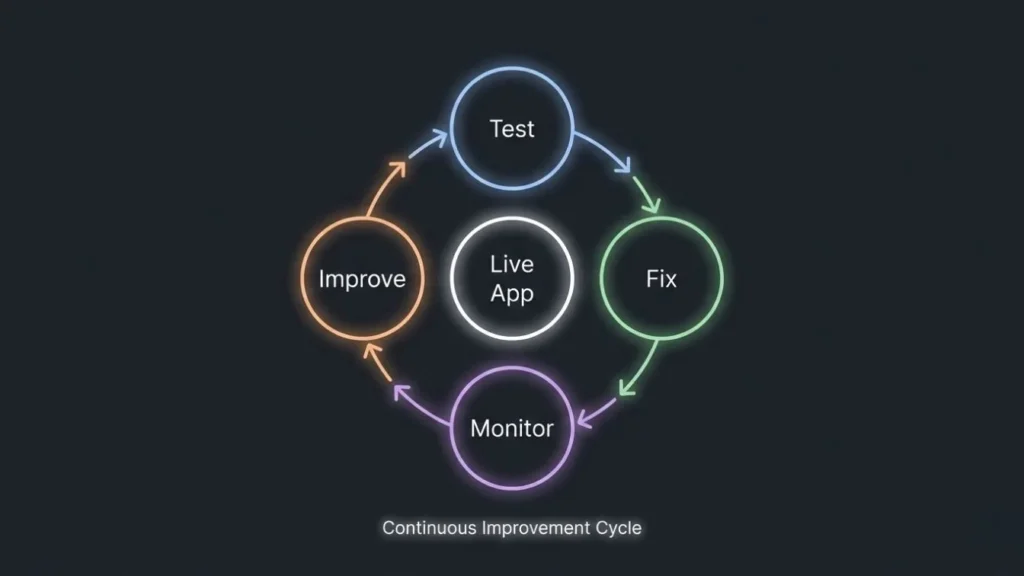
Solo founders and small teams can implement effective testing without dedicated quality assurance personnel.
Built-In Testing Features:
Platforms like Imagine.bo generate automated test cases based on requirements, covering basic functionality and edge cases. Enable these tests to catch obvious bugs before human testing begins.
Structured User Testing Approach:
Phase 1: Founder Testing – You personally test every feature thoroughly, attempting to break functionality intentionally. If you wouldn’t use it happily, users won’t either.
Phase 2: Friendly User Testing – Give access to 5-10 friends, family, or colleagues who’ll provide honest feedback. Observe them using the application without guidance—watching where they struggle reveals usability problems.
Phase 3: Real User Beta – Launch to 20-50 actual target users who’ll use the application for real purposes. These users discover problems friendly testers miss because they’re using features more extensively and for genuine needs.
Phase 4: Broader Launch – Expand gradually while monitoring error rates and user feedback. Fix problems quickly, deploy updates regularly.
Performance Monitoring:
Implement analytics tracking key metrics from day one:
- Load Times: How quickly do pages and features load? Users abandon slow applications.
- Error Rates: What percentage of actions result in errors? High error rates indicate problems.
- User Flows: Where do users drop off? Identifying friction points guides improvements.
- Feature Usage: Which features do users actually use? Confirms assumptions or reveals surprises.
Imagine.bo’s Analytics: Built-in monitoring provides performance insights without configuring separate analytics platforms. Track key metrics immediately rather than waiting to implement analytics later.
Bug Reporting System:
Make reporting problems easy for users:
- Include prominent “Report Problem” buttons throughout your application
- Capture automatic technical information (browser, device, error messages) when problems occur
- Respond to reports quickly, even if just acknowledging receipt
- Thank users who report problems—they’re helping improve the product
Quality Mindset:
Treat every bug as a learning opportunity. Why did this problem occur? How can you prevent similar problems? Did your testing process miss something that should be caught systematically in the future?
Quality compounds over time. Applications that fix problems quickly and continuously improve develop reputations for reliability, while applications that ignore quality deteriorate as problems accumulate.
Future-Proofing Your Platform Choice
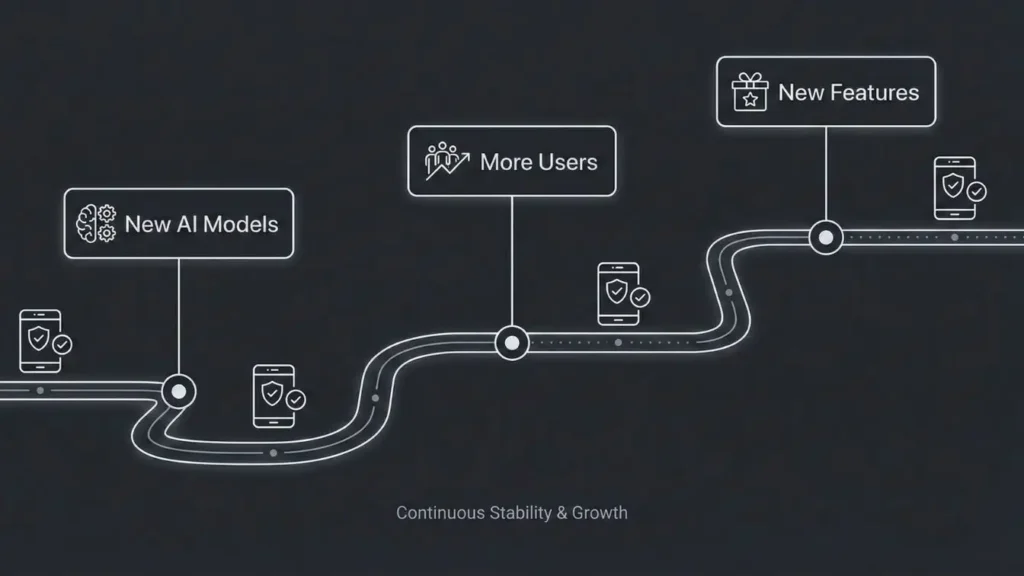
Technology evolves rapidly. Making platform choices that age well requires considering not just current capabilities but future directions and long-term implications.
Trends to Watch (2025-2026)
Multimodal AI Integration
Future AI app builders will integrate multiple AI modalities—text, images, voice, video—enabling applications with richer interaction models. Imagine apps where users can upload photos of products to search for similar items, describe features verbally instead of typing, or receive video responses to questions.
Implication: Platforms with flexible AI architectures will adapt to new capabilities more easily than those built around specific AI model generations. Choose platforms committed to integrating cutting-edge AI rather than relying on static approaches.
Voice-to-App Capabilities
Natural language interaction will extend beyond text to voice, enabling developers to describe applications verbally and refine them through conversational interaction rather than written prompts or visual building.
Implication: Accessibility will improve dramatically, expanding who can build applications. The competitive advantage of technical knowledge decreases as AI handles more complexity through natural interaction.
Autonomous Debugging and Maintenance
AI will increasingly handle bug fixing, performance optimization, and code maintenance automatically, learning from production usage patterns to improve applications continuously without human intervention.
Implication: Applications will improve themselves over time rather than requiring constant developer attention. Choose platforms positioned to implement autonomous capabilities rather than requiring manual maintenance.
AI-to-AI Platform Collaboration
Different AI systems will collaborate automatically—one AI handling backend architecture, another optimizing database queries, a third focusing on UI/UX, all coordinating to produce superior results than any single AI could achieve.
Implication: Platform ecosystems and interoperability matter more than any single platform’s capabilities. Choose platforms with open architectures enabling future integration rather than closed proprietary systems.
Why Platform Architecture Matters Long-Term
The Template Degradation Problem:
Template-based platforms age poorly because templates become outdated as design trends, technologies, and user expectations evolve. Applications built on 2026 templates look dated in 2026, requiring redesigns to remain contemporary.
Imagine.bo’s Architectural Advantage: SDE-level code generated based on current best practices can be updated with new approaches, frameworks, and technologies because you own the code. The architecture doesn’t lock you into specific implementation details—it provides sound structural foundations that accommodate evolution.
Technical Debt Accumulation:
Platforms encouraging quick-and-dirty implementations create technical debt—shortcuts and workarounds accumulating over time until applications become unmaintainable. Initial development speed comes at the cost of long-term sustainability.
Sound architectural foundations prevent technical debt by implementing proper patterns from the start. Applications built on clean architecture remain maintainable as requirements evolve, while hack-together solutions require eventual expensive rewrites.
Scalability Trajectories:
Applications built without scalability considerations face expensive re-architecture when usage grows, often during critical growth periods when engineering resources should focus on new features rather than fixing foundations.
Applications architected for scalability from the beginning handle growth gracefully, with performance remaining stable as user counts increase by orders of magnitude.
Example: An application built on Imagine.bo might serve 100 users at launch, 10,000 users after six months, and 100,000 users after two years, with no architectural changes required—just infrastructure scaling. The same trajectory on a non-scalable platform would require multiple rewrites, migrations, and re-launches disrupting business momentum.
Ownership and Portability Considerations
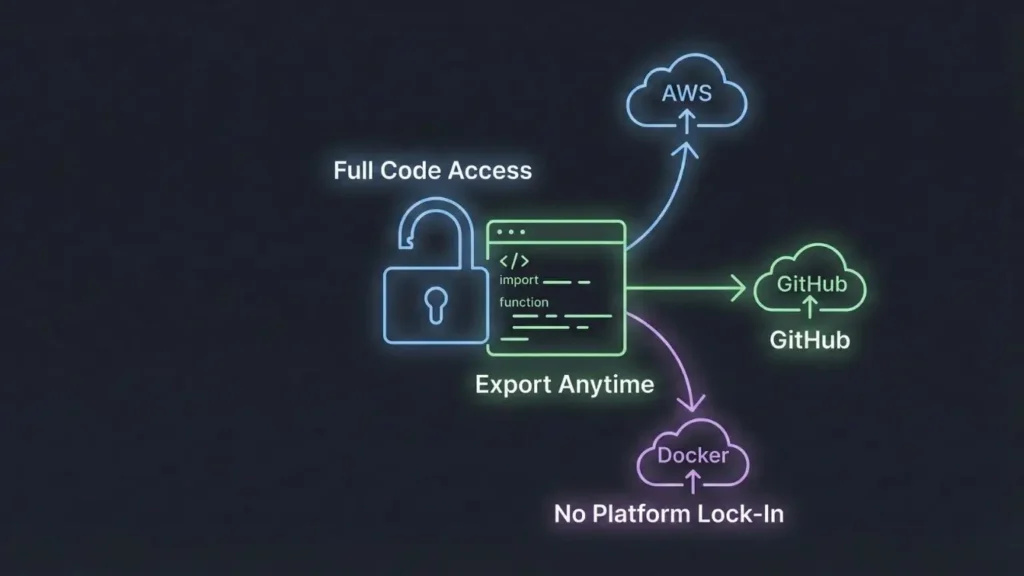
Platform Lock-In Risks:
Proprietary formats and platforms without export capabilities create vendor lock-in where leaving becomes prohibitively expensive regardless of how dissatisfied you become with pricing, features, or service.
Lock-in risks include:
- Pricing Changes: Platforms can increase prices dramatically knowing customers can’t easily leave
- Feature Stagnation: Without competitive pressure, platforms may stop innovating
- Acquisition Risk: Platform acquisitions can lead to service degradation or shutdown
- Strategic Misalignment: Your needs may evolve in directions the platform doesn’t support
Code Export Importance:
Platforms offering complete code export provide insurance against all lock-in risks. If you need to leave, you own the code and can migrate to different infrastructure, hire developers to maintain it, or hand it off to a technical co-founder or acquirer.
Imagine.bo’s Complete Ownership Model: Full code export with no proprietary formats means you’re a customer, not a hostage. This creates healthy vendor-customer relationships where platforms must continuously earn your business rather than relying on lock-in.
Data Sovereignty:
Where does your data live? Who controls it? Can you extract it? These questions matter for legal compliance, business continuity, and exit strategies.
Best practices:
- Direct Database Access: Can you query your database directly if needed?
- Standard Formats: Is data stored in standard formats (PostgreSQL, MongoDB, etc.) rather than proprietary structures?
- Backup Capabilities: Can you automatically backup all data on your own schedule?
- GDPR Compliance: Can you fulfill data deletion requests completely?
Community and Ecosystem Health
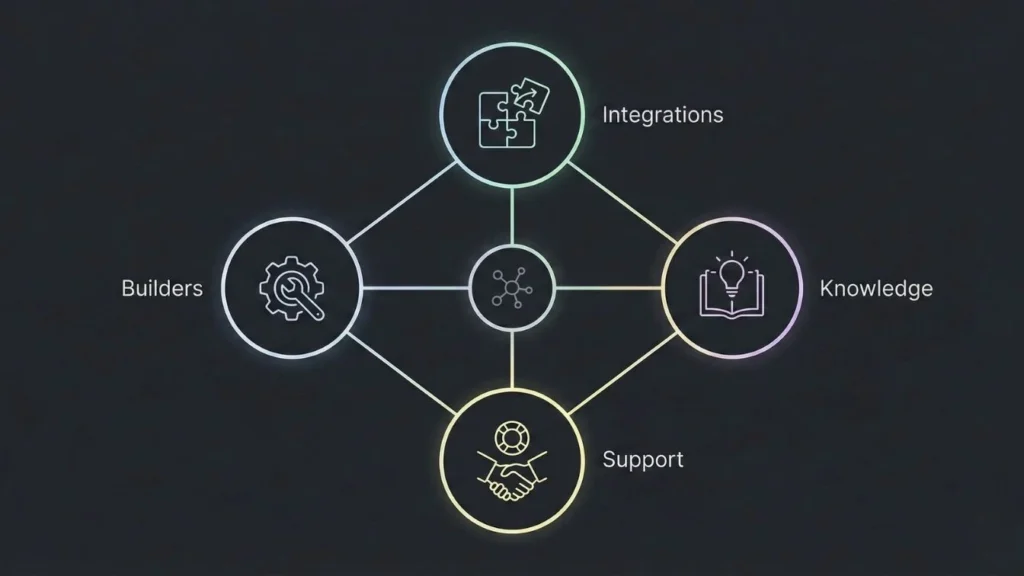
Why Community Matters:
Active communities provide:
- Problem Solving: Others have solved problems you’ll encounter
- Best Practices: Learn from successful implementations rather than rediscovering techniques
- Integrations: Community-built integrations extend platform capabilities
- Longevity Signals: Healthy communities indicate platform sustainability
Red Flags in Communities:
- Complaints about unresponsive support or unfixed bugs
- Discussions of platform abandonment or migration
- Lack of recent activity or new members
- Dominance of beginner questions without advanced usage
Ecosystem Evaluation:
Look for:
- Integration Marketplaces: Pre-built connections to services you need
- Educational Resources: Comprehensive documentation, tutorials, courses
- Professional Services: Consultants and agencies with platform expertise
- Case Studies: Real applications demonstrating capabilities at scale
Imagine.bo’s Growing Ecosystem: While newer than some platforms, Imagine.bo’s focus on quality over quantity attracts serious builders creating substantial applications rather than hobbyists experimenting. The community skews toward founders and businesses building real products, providing valuable peer learning opportunities.
Your Next Steps: From Idea to Launch
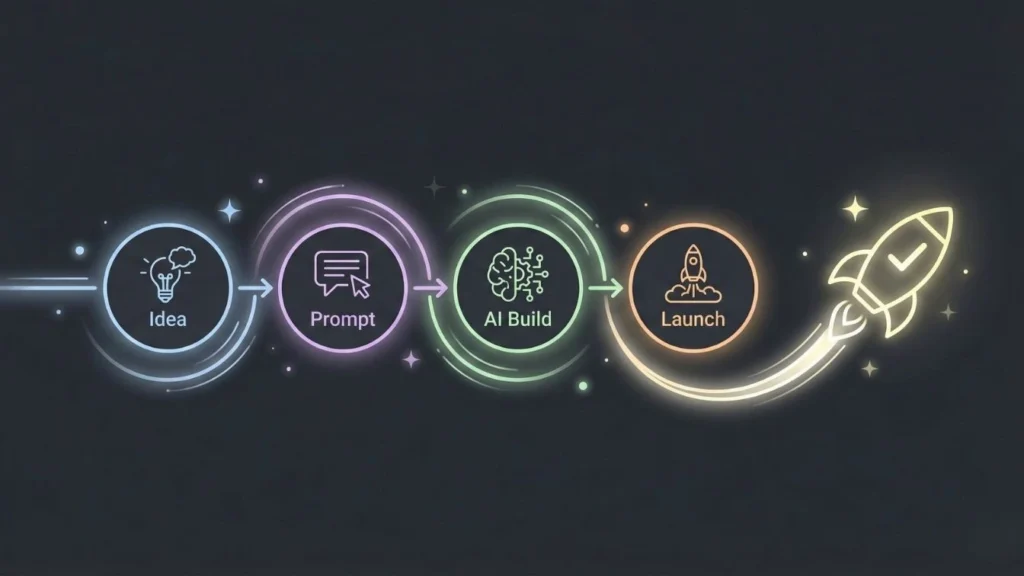
You’ve absorbed comprehensive information about AI no-code platforms, comparison frameworks, and strategic considerations. Now it’s time to act.
Quick Recommendation Summary
Best Overall Free Platform for Serious Projects: Imagine.bo
The combination of SDE-level architectural reasoning, production-ready scalability, enterprise security, complete code ownership, and genuinely usable free tier makes Imagine.bo the strongest choice for founders, businesses, and creators building applications that matter. Whether you’re validating an MVP, digitizing business operations, or building the foundation of a scalable startup, the platform provides capabilities previously requiring expensive development teams.
Best for Ultra-Quick Prototypes: Create.xyz
When you need to demonstrate a concept in hours rather than days, Create.xyz’s natural language interface and rapid generation create functional prototypes faster than any alternative. Perfect for validating ideas with stakeholders before committing to full development.
Best for Design-First Approach: Figma + Imagine.bo
Combine Figma’s industry-leading design capabilities with Imagine.bo’s implementation quality. Design comprehensively, test with users, then implement with the confidence that the final product will match your vision while providing production-ready functionality.
Best for Developer Acceleration: Imagine.bo with Human Developer Hybrid
Technical teams can maximize productivity by letting AI handle standard implementations while developers focus on genuinely complex business logic and competitive differentiation. This hybrid approach often delivers 50-70% cost savings versus pure custom development while maintaining professional quality.
The Imagine.bo Advantage: Final Summary
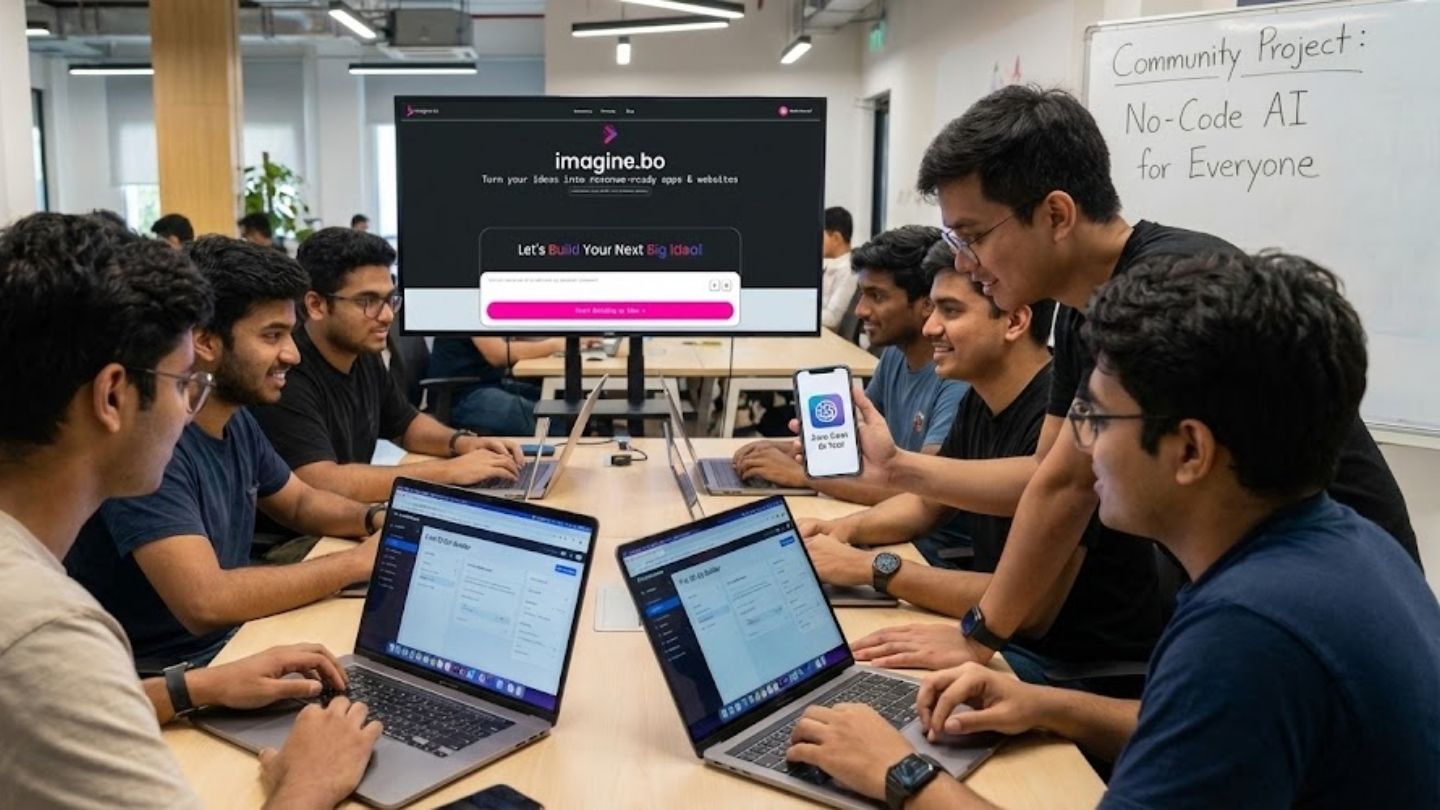
Three factors set Imagine.bo apart from every alternative:
Architectural Intelligence: The AI reasons like a senior software engineer rather than assembling templates, producing applications with sound technical foundations capable of scaling from MVP to millions of users without re-architecture.
Complete Ownership: Full code export with no proprietary formats means you’re never trapped. Export your code, hire developers to maintain it, or migrate to different infrastructure if future needs change. You’re a customer with options, not a hostage to platform lock-in.
Production-Ready From Day One: Enterprise security compliance, 1,000 TPS performance capability, and scalable infrastructure mean applications built on Imagine.bo can immediately serve real users in production environments, not just function as prototypes requiring rebuilding for serious deployment.
Take Action Today
Step 1: Define Your Core Vision
Write a clear description of what you want to build, focusing on:
- Who are your users?
- What core problem does your application solve?
- What are the 3-5 essential features for minimum viable functionality?
- What does success look like in 3 months?
Download our free Vision Canvas Template to structure your thinking: [Link]
Step 2: Start Building with Imagine.bo
Visit Imagine.bo and begin transforming your vision into reality:
- Free tier for testing and simple projects (10 credits/month)
- Upgrade to Pro ($25/month) for serious MVP development with 150 credits
- Production-ready deployment with rollover credits
- Complete code ownership and export capabilities
Get started now: [Primary CTA Link – Start Building Free]
Step 3: Launch Your MVP in Days, Not Months
Follow the five-step workflow:
- Describe your vision in natural language
- Review and refine the architectural blueprint
- Let AI generate production-quality code
- Test with real users and iterate
- Deploy to production infrastructure
The timeline from idea to launched application can be as short as 1-2 weeks for focused MVPs or 1-2 months for more complex applications—orders of magnitude faster than traditional development.
Step 4: Join Our Founder Community
Connect with other builders using Imagine.bo:
- Share experiences and learn from peers
- Get feedback on your applications
- Discover integration strategies and best practices
- Find potential co-founders, early users, or partners
Join the community: [Community Link]
Additional Resources for Success
Free Templates and Guides:
- MVP Planning Template: Structured framework for defining minimum viable features
- AI Prompt Guide for App Builders: Techniques for communicating effectively with AI
- Platform Comparison Spreadsheet: Downloadable comparison of all platforms (sortable, filterable)
- Architecture Decision Guide: Framework for evaluating technical choices
Case Studies:
- How a non-technical founder built a SaaS company reaching $50K MRR using Imagine.bo
- Small business that digitized operations and increased efficiency 40% in three months
- Designer who launched a successful consumer app with zero coding knowledge
Video Tutorials:
- Building Your First App with Imagine.bo (15-minute quickstart)
- Advanced Features: Integrations, Custom Logic, and Scaling (30-minute deep dive)
- From Figma to Production: Complete Design-to-Deployment Workflow (45-minute masterclass)
The Bottom Line
The question isn’t whether AI will democratize app development—that transformation is already happening. The question is whether you’ll take advantage of this moment when the barriers to building digital products have fallen dramatically.
Traditional development costing $50,000-$200,000 and taking months is no longer the only path. AI-powered no-code platforms like Imagine.bo enable anyone with a valuable idea to build production-ready applications for $0, deploying them in days or weeks rather than months or years.
The competitive advantage increasingly belongs not to those who can afford expensive development teams, but to those who can validate ideas quickly, iterate based on real user feedback, and scale efficiently when they find product-market fit.
Your idea deserves to exist in the world. The tools are finally available to make it happen without requiring technical expertise you don’t have or capital you haven’t raised.
Stop planning. Stop waiting. Start building.
Launch Your MVP with Imagine.bo
Frequently Asked Questions
-
How long does it actually take to build an app?
The free tier enables building simple landing pages and portfolios (2-3 simple pages with 10 credits per month). For complete MVP development with multi-page applications, auth systems, and forms, you’ll want to upgrade to the Pro plan at $25/month (150 credits). This is still dramatically more affordable than traditional development or most competing platforms, and provides the capacity needed for serious applications.
-
Do I need coding skills to use AI app builders?
No. Platforms like Imagine.bo and Create.xyz work entirely through natural language descriptions. You describe what you want to build in plain English, and the AI handles all technical implementation. Some platforms (Replit, Firebase) benefit from technical knowledge but aren’t required for most builders.
Simple prototypes: 1-3 days. Functional MVPs: 1-2 weeks. More complex applications: 1-2 months. Compare to traditional development taking 3-12 months for similar functionality. The timeline depends on scope, complexity, and how clearly you define requirements. -
What happens if I outgrow the platform?
With Imagine.bo, you own the complete code and can export it at any time. Hire developers to maintain it, migrate to different infrastructure, or hand it off to technical co-founders or acquirers. Code ownership provides flexibility unavailable with proprietary platforms.
-
Can these apps handle real business usage?
Yes. Imagine.bo applications include enterprise security (GDPR, SOC2), handle 1,000+ transactions per second, and deploy to production cloud infrastructure. Many successful businesses operate on AI no-code platforms. The quality difference from traditional development is now minimal for most use cases.
-
What if I need custom features the AI can’t build?
Imagine.bo’s hybrid model lets you assign specific features to human developers when AI capabilities aren’t sufficient. You get AI speed for standard features while maintaining access to human expertise for genuinely complex requirements.
-
Are AI-built apps secure?
Platform-dependent. Imagine.bo implements enterprise security automatically, including encryption, GDPR compliance, proper authentication, and industry-standard security practices. Some platforms require manual security implementation. Always verify security capabilities before deploying applications handling sensitive data.
-
Can I sell apps built on these platforms?
Yes, though ownership terms vary by platform. Imagine.bo provides complete code ownership—you can sell the application, sell access to the application, or sell the entire business including the codebase. Verify specific platform terms for commercial usage rights.
Related Articles
- The Ultimate Guide to No-Code AI App Development in 2025
- The Future of App Development: How AI App Builders Are Revolutionizing the Industry
- AI App Builder App Builder No Code: Build World-Class Apps Without Writing a Single Line of Code
- Unlock Android AI Power: Your Guide to the Best AI App Builders
- Unlock AI Power: Your Guide to Free No-Code AI App Builders
Launch Your App Today
Ready to launch? Skip the tech stress. Describe, Build, Launch in three simple steps.
Build