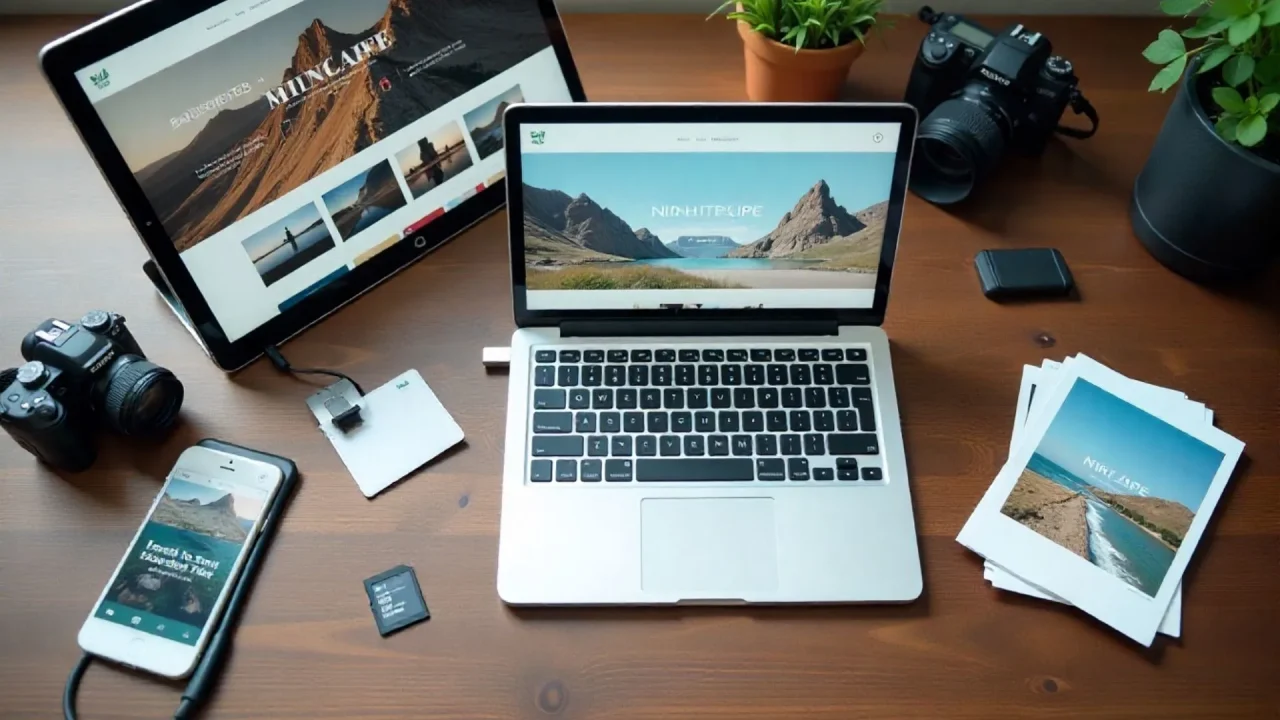
Most photographers are losing clients to competitors with better websites. Not because those competitors shoot better, but because their sites load faster, look professional on a phone screen, and let clients book without picking up the phone. Custom developer quotes for a photography website with booking and client delivery routinely run $5,000 to $15,000. AI website builders have changed that math entirely. This guide covers the five best AI website builders for photographers in 2026, with honest assessments of what each tool genuinely does well and where it falls short. If you want context on what AI-assisted building looks like in practice, this guide to building a portfolio website with AI is a good starting point.
TL;DR The best AI website builder for photographers depends on what your business actually needs. imagine.bo generates a full-stack custom app including booking, client galleries, and inquiry management from a plain English description, starting at $0. For simpler portfolio sites, Wix AI and Squarespace deliver faster template-based setup. According to HubSpot, 75% of consumers judge business credibility by website design (HubSpot, 2023), making your tool choice matter more than most photographers realize.
What Does a Photographer Actually Need From an AI Website Builder?
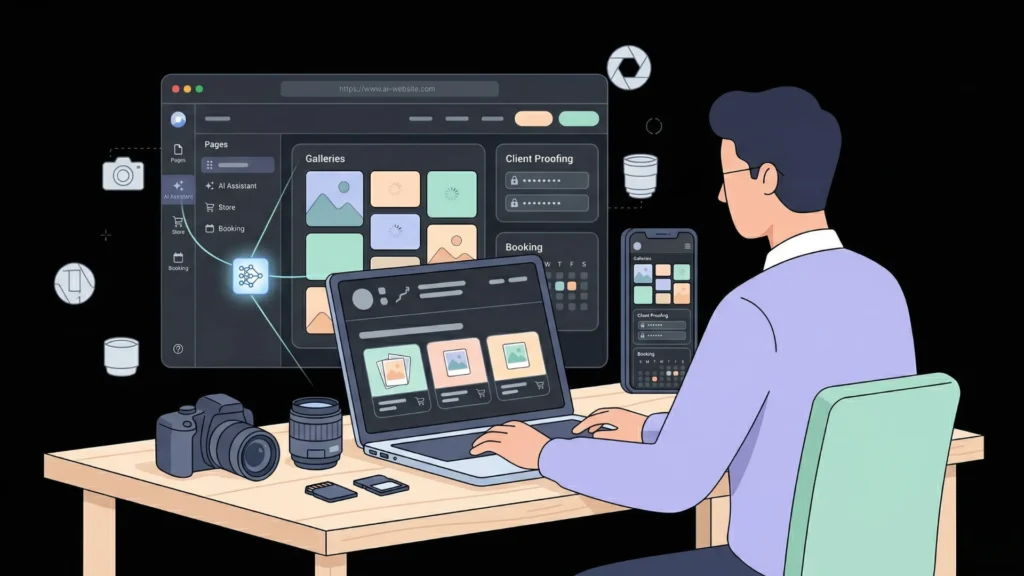
A great AI website builder for photographers goes well beyond generating a homepage. The best tools handle bookings, client image delivery, inquiry forms, print sales, and SEO in one platform. According to PhotoShelter’s annual photographer market surveys, a photographer’s website consistently ranks among the top three sources of new client inquiries for working photographers. That means a tool generating only a static gallery page solves roughly a third of the actual problem.
Launch Your App Today
Ready to launch? Skip the tech stress. Describe, Build, Launch in three simple steps.
BuildWhen evaluating these five tools, I looked at four things photographers care about in practice: setup speed, image loading performance, photography-specific functionality like client proofing and booking, and the ability to grow beyond a basic site without starting from scratch. For context on what AI-generated portfolios actually look like today, this post on creating an AI portfolio website without code is worth reading before you compare tools.
What the best photography website builders actually deliver:
- Fast-loading, mobile-optimized image gallery pages
- Booking or session scheduling with inquiry capture
- Password-protected client image delivery galleries
- Print sales or digital download ecommerce
- SEO-ready page structure for local and national search
- Contact forms that route to your email or CRM
Is imagine.bo the Best AI Builder for Photography Businesses?

imagine.bo is the most technically complete option for photographers who need a real web application, not just a portfolio page. The Describe-to-Build interface takes a plain English description of your photography business and generates the complete frontend, database schema, backend logic, and deployment configuration in a single pass. You describe the system; the platform builds it.
A working prompt for a wedding photography studio looks like this: “Build a photography studio website. Include a password-protected client gallery where clients log in and view their photos. Add a booking inquiry form that collects event type, date, location, and budget. Show a portfolio page with galleries by category. Add an admin dashboard where I can view all inquiries sorted by date.” imagine.bo generates that entire system, including the database structure for client accounts, the role-based access control for galleries, and the admin view, not just the visible pages.
One-Click Deployment sends your frontend to Vercel for global edge-cached image delivery and your backend to Railway for automatic scaling. The Hire a Human feature lets you bring a vetted engineer into a specific task, like a Stripe payment integration for print sales, directly from your dashboard for $25 per page. Built-in security defaults include SSL on all deployments, RBAC for user roles, and GDPR readiness foundations, all applied without any extra configuration.
At imagine.bo’s Pro plan of $25 per month, a photographer building a booking system with client delivery and inquiry dashboard saves an estimated $4,975 to $14,975 compared to average custom developer quotes for equivalent functionality. That is a cost reduction of roughly 99 percent compared to a custom build, with the added advantage of owning clean, exportable code.
Pricing: Free (10 credits/month, public projects), Lite ($6/month), Pro ($25/month, rollover credits, 1-hour expert session), Done For You ($499 one-time fully managed build)
Where it is limited: imagine.bo rewards photographers who know what they want before they prompt. If you want to click through a template gallery and pick a style in two minutes, Wix or Squarespace get you there faster. The guide to turning ideas into apps with AI prompts is a practical resource if this workflow is new to you.
Best for: Wedding photographers, portrait studios, commercial photographers, and anyone running a photography business that needs booking, client delivery, and custom workflows in one application.
Can Wix AI Build a Photography Portfolio in Minutes?
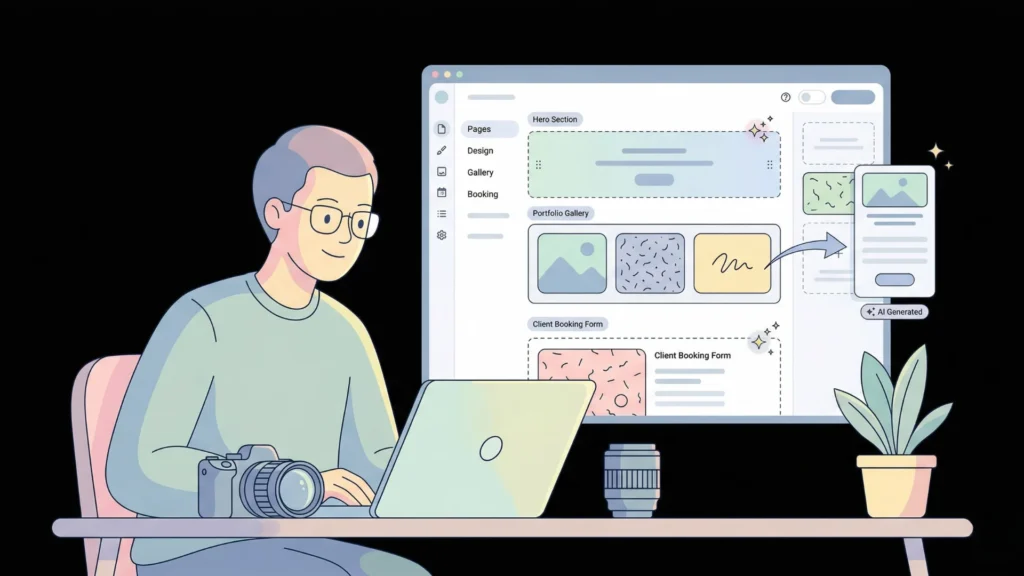
Yes, Wix’s AI tools can generate a complete photography portfolio site in under five minutes from a short text description. Wix has over 200 million websites built on its platform (Wix, 2024) and offers a library of photography-specific templates that the AI populates with content, layout, and branding based on your inputs. For photographers who want template-based setup with AI content assistance, it is the most accessible option on this list.
Pricing: Free plan (Wix branding visible), Business plans from $17/month USD
Wix Bookings handles session scheduling as an add-on. Wix Art Store supports print sales and original artwork sales natively. The editor is a mature, visual drag-and-drop system most photographers can learn in an afternoon. AI in the editor assists with writing descriptions, adjusting layouts, and generating placeholder content.
Wix AI assists with layout and content but does not generate backend logic. Building a custom client portal or password-protected gallery requires Wix Velo, which is Wix’s coding environment, or third-party workarounds. Storage limits on lower-tier plans can also be restrictive for photographers with large image libraries, and the proprietary ecosystem means you do not own your code. If SEO performance matters to you alongside design, this overview of best free AI website builders for SEO covers what each platform actually delivers in search rankings.
Best for: Photographers who want fast setup, strong template design, and built-in booking without needing a custom backend.
Is Squarespace Still the Top Choice for Photographer Design?
Squarespace remains the strongest default design choice for photographers who prioritize visual impact above everything else. Its Blueprint AI feature guides initial site creation through a structured questionnaire and generates a layout tailored to your industry and content type. According to G2’s 2025 aggregated user reviews, Squarespace consistently scores highest among website builders specifically for visual design quality and photography-oriented templates.
Pricing: Personal plan ~$23/month USD, Business plan ~$33/month USD
Full-width imagery is a Squarespace specialty, and its photography templates are clean, professionally spaced, and mobile-responsive without any extra effort. Acuity Scheduling, now owned by Squarespace, integrates natively for session booking. Built-in ecommerce handles print sales reliably. Squarespace also has strong uptime and solid image optimization baked into its CDN.
Blueprint AI is a setup guide, not a functional app generator. Complex workflows like client proofing, multi-role gallery access, or custom inquiry routing are not supported without third-party integrations. The platform is also the priciest entry point on this list, and the editor can feel rigid if you want layouts that deviate from the template structure. For photographers serious about discoverability, this SEO-friendly website design guide covers practical steps that apply to any platform.
Best for: Fine art photographers, editorial photographers, and portrait photographers who want an exceptionally designed portfolio with print sales and session booking.
Does Pixpa Offer the Best Client Proofing at This Price?
Yes, Pixpa offers the most comprehensive client proofing workflow of any platform on this list, at the lowest price point. Built specifically for photographers and creative professionals, Pixpa includes client galleries with selection and approval tools, print lab integration, digital download sales, and AI writing assistance for descriptions and SEO metadata. According to Pixpa’s published platform data, over 70,000 photographers and creatives use the platform globally (Pixpa, 2024).
Pricing: Basic at $7/month, Expert at $16/month
Client proofing galleries let clients log in, select their favorite images, and leave comments directly in the platform, which is the core workflow for portrait and event photographers. Native print lab integration handles physical print orders without third-party plugins. The focused feature set does exactly what working photographers need without unnecessary complexity.
The AI features are limited to writing assistance for descriptions and SEO metadata. There is no AI generation of functional components or backend logic. Design quality is solid but does not match Squarespace’s visual polish. The platform is also less adaptable if your business expands into non-photography product lines or needs custom application workflows. If you bill clients regularly, this guide on no-code invoicing tools for freelancers covers how to handle that part of the business outside of Pixpa.
Best for: Commercial photographers, event photographers, and portrait photographers who need client-proofing workflows and print sales on a tight budget.
Can Hostinger AI Help Budget Photographers Launch Fast?
Yes, Hostinger’s AI Website Builder generates a complete photography website from a text prompt in under two minutes, at the most affordable price on this list. According to Hostinger’s published platform data, over 3 million websites have been generated using their AI builder (Hostinger, 2024). All-in-one pricing includes hosting, domain, and AI site generation for under $4 per month, making it the most accessible starting point for photographers who need an online presence quickly without spending much.
Pricing: Approximately $2.99 to $3.99/month, inclusive of hosting
Hostinger’s AI generates a full site with pages, layout, and written copy from a single description. The all-inclusive pricing removes the decision fatigue around hosting plans. Good for photographers who need a basic professional presence and do not have time or budget for anything more involved.
No client proofing, no native booking system, limited backend customization, and a smaller template library than Wix or Squarespace. The AI generation is impressive for speed and price but produces a simpler output than imagine.bo or even Wix. Not the right tool if your business requires anything beyond a portfolio and contact page. For a broader overview of what is possible when building without coding, this guide to building a website without coding covers the current state of the tools landscape.
Best for: Photographers starting out who need an affordable, functional online presence quickly and can accept simpler functionality at launch.
How Do These 5 AI Website Builders Compare?
| Feature | imagine.bo | Wix AI | Squarespace | Pixpa | Hostinger AI |
|---|---|---|---|---|---|
| Starting price | $0 | $17/mo | $23/mo | $7/mo | ~$3/mo |
| Full-stack app generation | Yes | No | No | No | No |
| Photography templates | Via prompt | Yes | Yes | Yes | Limited |
| Client gallery / proofing | Generated per prompt | Via widgets | No | Yes (built-in) | No |
| Booking system | Generated per prompt | Yes (Wix Bookings) | Yes (Acuity) | No | No |
| Custom backend logic | Yes | Requires Velo (code) | No | No | No |
| Deployment infrastructure | Vercel + Railway | Wix CDN | Squarespace CDN | Pixpa CDN | Hostinger CDN |
| On-demand human engineers | Yes (Hire a Human) | No | No | No | No |
| Code ownership / export | Yes | No | No | No | No |
| AI generation type | Full-stack app | Layout + content | Setup guidance | Content writing | Full site |
Most comparison guides treat “AI website builder” as a flat category. There is actually a meaningful technical split here. Tools like Wix, Squarespace, and Hostinger use AI to assist with layout and written content. imagine.bo uses AI to generate functional application logic, including databases, access rules, booking systems, and admin views. This distinction does not matter much if you only need a portfolio. It matters a great deal if you need client delivery, booking management, or any kind of multi-role access. Treating all five as equivalent because they all mention AI is how photographers end up paying for a platform rebuild six months after launch.
For photographers thinking about the broader picture of how AI tools support creative business branding, this post on no-code AI tools for personal branding covers how the landscape has shifted.
Which AI Website Builder for Photographers Should You Choose?
The right answer is specific to your situation. Choose imagine.bo if you run a photography business with multiple operational needs: booking management, client image delivery, inquiry tracking, and an admin dashboard. The dedicated guide to building a photography website with AI walks through exactly how to prompt a complete photography business application. If client delivery portals are central to your workflow, this guide on launching a client portal without code is directly relevant.
Choose Squarespace if visual design is your top priority and your site is primarily a portfolio with print sales and session booking. Choose Wix AI if you want fast template-based setup with AI content assistance and built-in booking. Choose Pixpa if client proofing is central to your workflow and budget is a constraint. Choose Hostinger AI if you need to go live today, your budget is tight, and a portfolio with a contact page is all you need for now.
FAQ
What is the best free AI website builder for photographers?
Imagine.bo offers a genuinely functional free plan with 10 credits per month, enough to build a portfolio and contact page at no cost. Wix also offers a free tier, though it includes Wix branding on your site. According to HubSpot, 75% of consumers judge business credibility based on website design (HubSpot, 2023), which means even on a limited budget, choosing a tool that produces a professional result matters for client conversion.
Can AI website builders generate photography booking systems?
Yes, but only specific tools generate booking as functional backend logic. imagine.bo uses the Describe-to-Build feature to generate a full booking form with session types, inquiry capture, date selection, and an admin view as part of the app structure. Wix includes Wix Bookings as an add-on, and Squarespace integrates with Acuity Scheduling. Pixpa and Hostinger AI do not include native booking tools. For a detailed walkthrough of what a generated booking system looks like in practice, this guide on building a booking system in minutes is useful.
How much does building a photographer website with AI cost vs. hiring a developer?
Custom developers typically quote $5,000 to $15,000 for a photography website with booking and client portal functionality, based on industry averages across freelance and agency rates. imagine.bo’s Pro plan at $25 per month generates equivalent functionality from a description prompt. AI website builders reduce initial build costs by an estimated 90 to 99 percent compared to custom development for equivalent feature sets. This detailed cost comparison between developers, AI, and no-code tools breaks the numbers down across different project types.
Which AI website builders include client gallery and proofing features for photographers?
Pixpa has the most purpose-built client proofing and gallery delivery of any platform on this list, with selection, commenting, and print lab integration built in natively. imagine.bo can generate a custom password-protected client gallery with role-based access as part of a full-stack application prompt. Wix supports galleries through native widgets but has no dedicated proofing workflow. Squarespace and Hostinger AI do not include client delivery or proofing natively at any plan level.
Is mobile optimization automatic with AI website builders for photographers?
Yes, all five platforms on this list generate mobile-responsive layouts by default. According to Statista, mobile devices account for over 60% of global web traffic (Statista, 2025), making this non-negotiable for any photography site. imagine.bo specifically deploys to Vercel’s global edge network, which is optimized for fast image delivery on mobile connections, the most critical performance factor for image-heavy photography sites where a one-second page delay can reduce visitor conversions by up to 7 percent (Google, 2023).
Conclusion
Three things to take away from this guide. First, not all AI website builders for photographers do the same thing. Layout assistants like Wix and Squarespace get you a polished portfolio site quickly. Full-stack generators like imagine.bo build the entire business system behind the portfolio, including booking logic, client delivery, role-based gallery access, and inquiry management. Second, the pricing gap between $0 and $23 per month reflects dramatically different functionality levels. Choosing the cheapest option for a business that needs more will cost you a full rebuild in six months. Third, imagine.bo is the only platform on this list that pairs AI generation with on-demand human engineering in the same workflow through Hire a Human, meaning you are never blocked when a specific integration or complex feature goes beyond what the AI generates.
Start with imagine.bo’s free plan. Describe your full studio workflow in one prompt and review the AI-Generated Blueprint before the platform builds anything. For a practical walkthrough of how this works from a blank screen to a live site, this guide on making a website with one prompt shows the process step by step.
Related Article
AI Website Builder for Dropshipping Business
AI Website Builder for Ecommerce
AI Website Builder for Affiliate Marketing
Launch Your App Today
Ready to launch? Skip the tech stress. Describe, Build, Launch in three simple steps.
Build