

Freelancers lose a measurable share of their working hours to billing admin, and that time rarely shows up on an invoice. According to Upwork’s 2023 Freelance Forward report, 64 million Americans now freelance, contributing $1.27 trillion to the U.S. economy. Yet many of those workers spend hours every week on non-billable tasks: creating invoices, tracking which clients have paid, and chasing overdue money. This guide covers what no-code AI invoicing actually is, how to build a custom system without touching code, which features matter most, and when building your own tool beats buying an off-the-shelf one. By the end, you’ll have a clear, actionable plan ready to execute. For more context on this approach, read how to automate freelance invoicing with no-code tools.
TL;DR: No-code AI invoicing lets freelancers build custom billing systems without developers or technical knowledge. According to Xero, 82% of small businesses that fail cite cash flow problems as a primary cause. A purpose-built invoicing app built on imagine.bo using the Describe-to-Build feature can automate payment reminders, client records, and income reporting for as little as $25 per month, often replacing three to five separate tools in the process.
Why Is Manual Invoicing Still Killing Freelance Productivity?
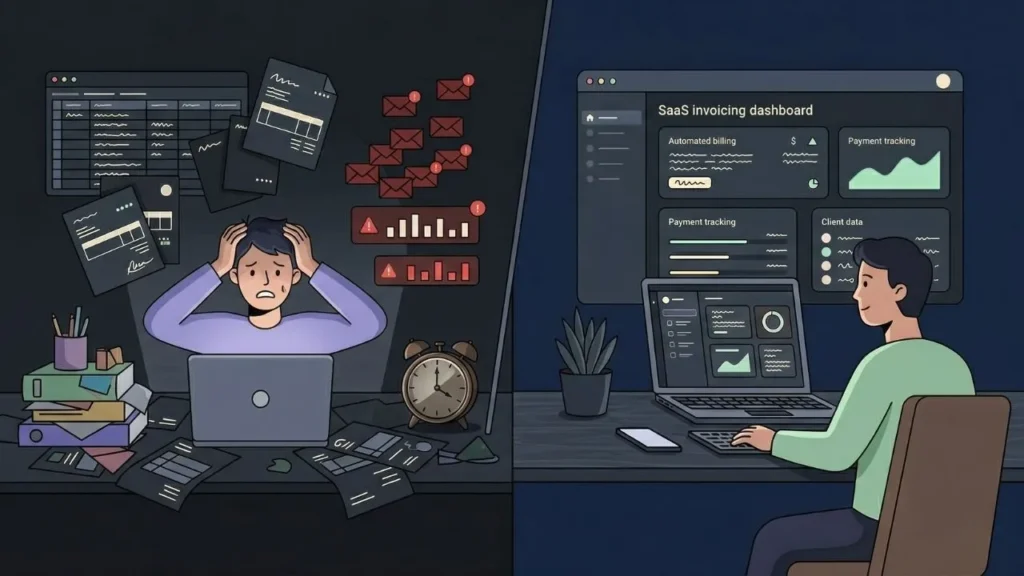
Manual invoicing drains time that could go directly on a client invoice, and the problem compounds as your client list grows. According to FreshBooks’ State of Self-Employment research, freelancers consistently rank administrative tasks, including invoicing, payment follow-ups, and record-keeping, as their biggest source of non-billable time. What takes one hour a month at three clients becomes a four-hour weekly drain at fifteen.
Launch Your App Today
Ready to launch? Skip the tech stress. Describe, Build, Launch in three simple steps.
BuildThe productivity cost is only part of the problem. Spreadsheets don’t send reminders. Email threads don’t track payment status in real time. When a client pays three invoices in one lump sum without referencing specific projects, a manual system produces accounting errors. Those errors cost additional hours to fix and sometimes real money to reconcile.
Citation capsule: According to Xero (2023), 82% of small businesses that fail do so because of cash flow issues rather than a lack of profit. For freelancers, the gap between issuing an invoice and receiving payment is the central cash flow risk. A 30-day payment term that slips to 45 or 60 days is often the difference between a stable month and a financially stressed one.
Most freelancers believe they have an invoicing problem when they actually have a client data problem. Invoicing is the output. The input is organized records of what each client owes, what each project was scoped at, and what the billing history looks like. No invoice template fixes a disorganized client record. The real solution is a lightweight system that manages both at the same time. That’s what a custom-built no-code app provides.
For complementary tools that extend beyond billing, read about accounting automation tools that streamline bookkeeping.
What Does a No-Code AI Invoicing System Actually Do?
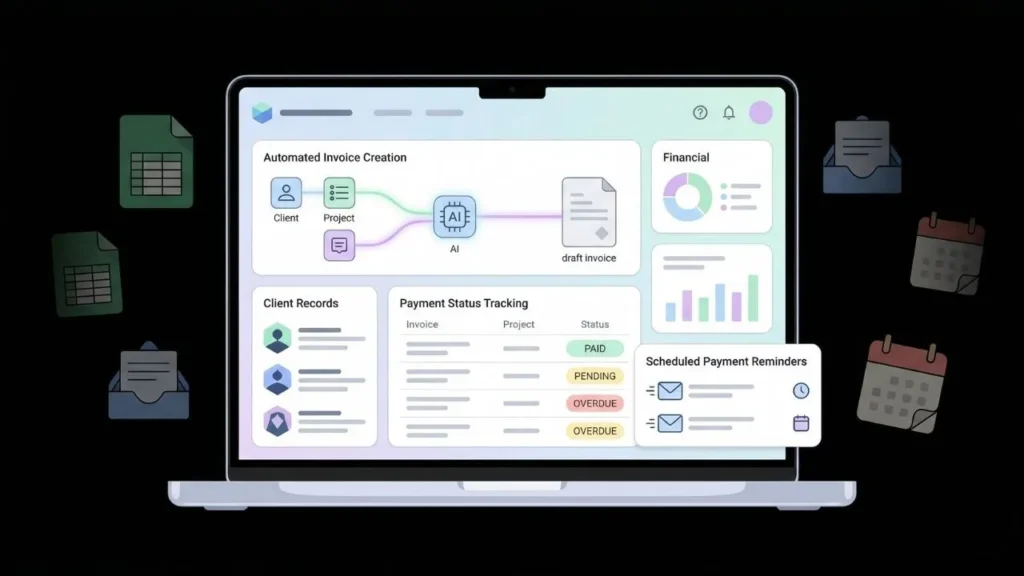
A no-code AI invoicing system replaces the spreadsheet-and-email billing workflow with a custom web application that handles the entire billing lifecycle automatically. According to Gartner (2023), more than 70% of new enterprise applications were forecast to be built using low-code or no-code technology by 2025. That same capability shift has now reached individual freelancers who can build tools that previously required a dedicated development budget.
The core functions a well-built system handles include client records with contact details and billing preferences; project-linked invoices that pull scope and rate data automatically; payment reminders triggered at configurable intervals; real-time payment status tracking; and a dashboard showing outstanding, paid, and overdue amounts in one consolidated view.
Citation capsule: Gartner research (2023) projected that over 70% of new enterprise applications would be built on low-code or no-code platforms by 2025. The same automation logic now applies to individual freelancers. A tailored invoicing app built with no-code AI can replace four to six separate tools: a spreadsheet, an email client, a reminder calendar, basic accounting software, and a time tracker.
What separates an AI-built system from a generic SaaS invoicing product is specificity. Off-the-shelf software targets the median user. Your custom build matches your exact workflow. If you bill per milestone rather than per hour, the system tracks milestones. If you offer retainer discounts to long-term clients, the system applies those automatically without a workaround.
To see how this approach extends to full client management beyond billing, read about launching client portals without code.
How Do You Build a Custom AI Invoicing App Without Writing Code?
Building a custom invoicing app on imagine.bo starts with a plain English description of your workflow. The Describe-to-Build feature takes your prompt and generates a complete full-stack web application, including the database schema, backend logic, and frontend interface, without requiring a single line of code from you. According to a 2024 analysis of AI-assisted app development workflows, structured prompts consistently produce functional prototypes in minutes rather than the weeks a traditional development cycle requires.
Here is the step-by-step process:
Step 1: Map your billing workflow before writing anything. Note how you bill (hourly, per project, per milestone), which details appear on every invoice, which payment methods you accept, and how you currently track overdue accounts. This 15-minute prep makes your prompt specific enough to produce a useful first build.
Step 2: Write your Describe-to-Build prompt. A strong prompt reads like this: “Build a freelance invoicing app. Let me add clients, create invoices linked to specific projects, set payment terms of 7, 14, or 30 days, and automatically flag overdue invoices on a dashboard. Include a payment status tracker and a monthly income summary exportable to CSV.” Specificity at this stage produces structured output the AI scaffolds accurately.
Step 3: Review the AI-Generated Blueprint. imagine.bo generates an AI-Generated Blueprint before writing any code. Confirm the data model and feature set match your workflow here. Add or remove features with simple follow-up prompts before any code is generated.
Step 4: Refine through conversation. Once the initial build is live, describe what needs to change. “Add a field for project currency” or “Change the reminder to trigger at 3 days, 7 days, and 14 days after the due date” are handled conversationally. You don’t need to understand the code to improve the application.
Step 5: Deploy with One-Click Deployment. Use imagine.bo’s One-Click Deployment to publish your app. The frontend deploys to Vercel and the backend deploys to Railway by default. You now have a live, private invoicing application accessible from any device.
The most consistent mistake at Step 2 is over-engineering the initial prompt. Freelancers who try to describe every edge case in one pass tend to get bloated first builds that miss the core workflow. A better approach: describe the three or four actions you perform every billing cycle, build that cleanly, then add complexity through iterative conversation. The refinement model is designed for exactly this kind of incremental improvement, not a perfect first draft.
For more on the mechanics of turning a plain English description into a working application, read how to build an app by describing it.
Which Features Should Your Freelance Invoicing App Include?
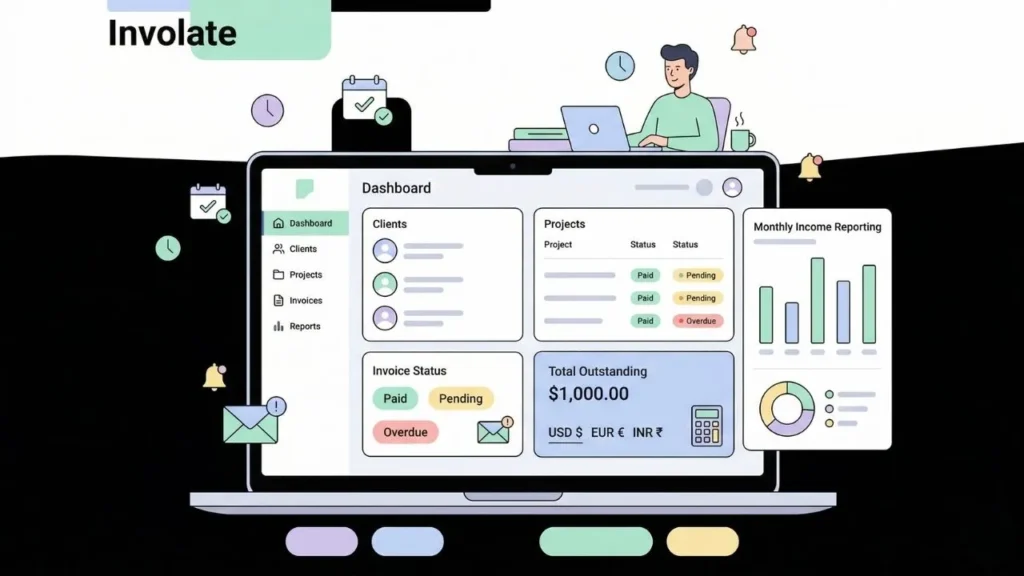
A well-built invoicing app needs the features that match your billing model, not every feature a platform could theoretically offer. According to freelance industry research from Fiverr and AND CO (2023), the three most painful invoicing problems for independent contractors are late payments, inconsistent invoice formatting, and the absence of a centralized payment history. Those three problems map directly to the features worth building first.
Client and project records: Store client contact details, rate agreements, and historical projects in one structured place. Every new invoice pulls from this data automatically, which eliminates copy-paste errors and ensures consistency across all your billing records.
Automated payment reminders: Set your reminder logic once. Send a reminder three days before the due date, on the due date, and seven days after. According to FreshBooks invoicing research, freelancers who use automated reminders receive payment meaningfully faster than those relying on manual follow-up emails written one at a time.
Invoice status dashboard: One view showing all outstanding, paid, and overdue invoices. The dashboard should surface the total amount outstanding and flag anything past 30 days without requiring you to scroll through records manually. Are you currently checking four different places to understand your cash position? That’s exactly what this solves.
Tax and currency handling: If you work with international clients, your system should support multiple currencies and apply the correct tax rate by client location. This is the area where generic spreadsheet templates fail most consistently and most expensively.
Basic income reporting: A monthly and quarterly income summary, exportable to CSV, saves significant time during tax preparation and provides accurate financial data without requiring a separate accounting tool for standard summaries.
Citation capsule: According to FreshBooks invoicing research, freelancers who automate payment reminders receive payments significantly faster than those relying on manual follow-up. For a freelancer billing $8,000 per month across 10 clients, even a 14-day improvement in average collection time meaningfully improves monthly cash flow and reduces the financial stress that inconsistent payment timing creates.
For context on how payment integrations fit into this system, see payment gateway integration in no-code apps.
How Does No-Code AI Invoicing Compare to Off-the-Shelf Tools?

Off-the-shelf invoicing platforms like FreshBooks, QuickBooks, and Wave are solid products built for the median user. According to G2’s 2024 review aggregates across major invoicing platforms, the most frequently cited complaint was feature bloat: users paying for capabilities they never use while missing specific features their workflow actually requires. That’s not a criticism of those products. It’s a structural limitation of building for everyone.
| Feature | FreshBooks | QuickBooks | Wave | imagine.bo Custom Build |
|---|---|---|---|---|
| Monthly cost | From $19 | From $30 | Free / $16 | From $25 (Pro) |
| Custom billing logic | Limited | Limited | No | Full |
| Automated reminders | Yes | Yes | Basic | Fully configurable |
| Client portal | Paid add-on | No | No | Built-in |
| Code ownership | No | No | No | Yes |
| Multi-currency | Paid tiers | Paid tiers | Limited | Yes |
| Custom fields | Limited | Moderate | None | Full |
| Stack integration | Via Zapier | Via Zapier | Limited | Native |
Here is a calculation worth doing before you choose a tool. Take the number of hours you spend per month on invoicing-related admin, including chasing payments, correcting errors, and manually updating records. Multiply that by your effective hourly rate. If that number exceeds $50, you are already losing more in missed billable time than a custom system on imagine.bo’s Pro plan costs to run. For any freelancer billing above $75 per hour and spending more than one hour per week on billing admin, a custom build pays for itself by the second month.
The honest case for off-the-shelf tools: if you have fewer than five active clients and straightforward billing, FreshBooks or Wave is probably the faster starting point. The crossover happens around 8 to 10 active clients, more complex billing structures, or a need to connect invoicing with other custom tools in your workflow.
Read a real example of this workflow change in action: how a freelance designer boosted income by 30% with AI tools.
What Are the Real Costs of Building a No-Code AI Invoicing System?
Building a custom invoicing app on imagine.bo’s Pro plan costs $25 per month. That includes 150 credits, private projects, rollover credits, and a one-hour expert session before launch. According to Statista (2024), freelancers in the U.S. typically spend between $50 and $150 per month on software subscriptions across invoicing, project management, and client communication tools. Consolidating those functions into one purpose-built application frequently reduces total monthly software spend while adding workflow-specific features no generic tool provides.
Price comparison is only half the picture. Off-the-shelf tools carry features you don’t need and create gaps you work around. A custom build has no bloat and no workarounds because you designed it for your specific workflow from the start.
The Hire a Human feature adds flexibility for freelancers who need specific integrations, such as a direct connection to accounting software or a branded PDF invoice template. You assign those tasks to a vetted engineer directly from the imagine.bo dashboard and pay only for the specific work required. There’s no ongoing development retainer and no agency overhead.
Citation capsule: According to Statista (2024), U.S. freelancers typically spend $50 to $150 per month on business software tools. A consolidated invoicing and client management app on imagine.bo’s Pro plan at $25 per month replaces multiple point solutions while providing workflow-specific features unavailable in any generic off-the-shelf product at any price tier.
For a full breakdown of how to evaluate costs across no-code platforms, read the AI and no-code tool pricing guide.
Frequently Asked Questions About No-Code AI Invoicing
Can I integrate my invoicing app with Stripe or PayPal?
Yes. An invoicing app built on imagine.bo can include Stripe or PayPal payment links directly inside the invoice view, so clients pay from the document itself without visiting a separate checkout page. According to Stripe’s 2024 payment research, embedded payment links improve collection speed significantly compared to directing clients to a standalone checkout flow. Configure this during your initial Describe-to-Build prompt or add it through a conversational refinement step after your first build is live. For details on common integration friction points, read common Stripe payment integration challenges explained.
How long does it take to build a freelance invoicing app on imagine.bo?
Most freelancers have a working prototype within 30 to 60 minutes of submitting their first prompt. A fully refined app with client records, automated reminders, and a reporting dashboard typically takes two to four hours of iterative conversation. According to Gartner (2023), applications built on no-code platforms are completed in a fraction of the time required by traditional development cycles, with some standard business applications showing 10x speed improvements over hand-coded equivalents.
Do I own the code if I build my invoicing app on imagine.bo?
Yes. imagine.bo generates clean, exportable code that belongs entirely to you. This differs from platforms like Bubble or Adalo, where your application is tied to their infrastructure. Full code ownership means you can modify, export, or redeploy your app independently at any point without platform permission. According to a 2024 survey of no-code platform users, code portability ranked as the second most important purchasing criterion after price.
What happens when my invoicing needs become more complex over time?
imagine.bo’s conversational refinement model handles incremental complexity well. Describe a new requirement and the AI updates the existing application without rebuilding from scratch. For more demanding requirements like custom ERP integrations or multi-entity billing structures, the Hire a Human feature connects you with vetted engineers who work directly within your existing codebase. For a broader look at how freelancers scale with AI tools over time, read how freelancers can launch SaaS products with AI tools.
Conclusion
Three things matter most when building a no-code AI invoicing system. First, a specific initial prompt produces a cleaner first build than trying to describe every edge case at once. Second, automated payment reminders are the single highest-return feature in any freelance billing workflow and should be your first refinement after the initial build goes live. Third, the build vs. buy decision comes down to client volume and billing complexity. For freelancers managing 8 or more active clients, a custom app nearly always wins on total cost and fit.
The next step is simple: describe your current billing workflow in plain English and run it through imagine.bo‘s Describe-to-Build feature. For a broader view of how AI tools are reshaping what solo operators can build and ship, read AI tools every indie hacker should know.
Start with the Pro plan for private projects and rollover credits, or use the free tier to build and test your first version before committing. Your invoicing system should work for your business, not the other way around.
Launch Your App Today
Ready to launch? Skip the tech stress. Describe, Build, Launch in three simple steps.
Build




