The digital landscape is currently witnessing its most significant shift since the invention of the internet. In 2026, the gatekeepers of technology have finally stepped aside. We are no longer in an era where you need a six-figure budget, a team of specialized engineers, or a computer science degree to launch a professional software business. Thanks to the evolution of AI vs. traditional no-code development, the “Citizen Developer” has transformed from a hobbyist into a powerhouse capable of building enterprise-grade applications. Now, anyone can learn how to Create Free Apps With AI App Builder.
Whether you are a solo founder looking to disrupt an industry, a small business owner aiming to digitize operations, or a student trying to win a hackathon, this guide is your roadmap. We will explore the tools, the technical standards, and the strategies required to build sophisticated, AI-powered applications for free.
Launch Your App Today
Ready to launch? Skip the tech stress. Describe, Build, Launch in three simple steps.
BuildWith the rise of AI, creating applications has never been easier. This guide will help you navigate the process to Create Free Apps With AI App Builder.
The AI No-Code Revolution: Why 2026 is Different
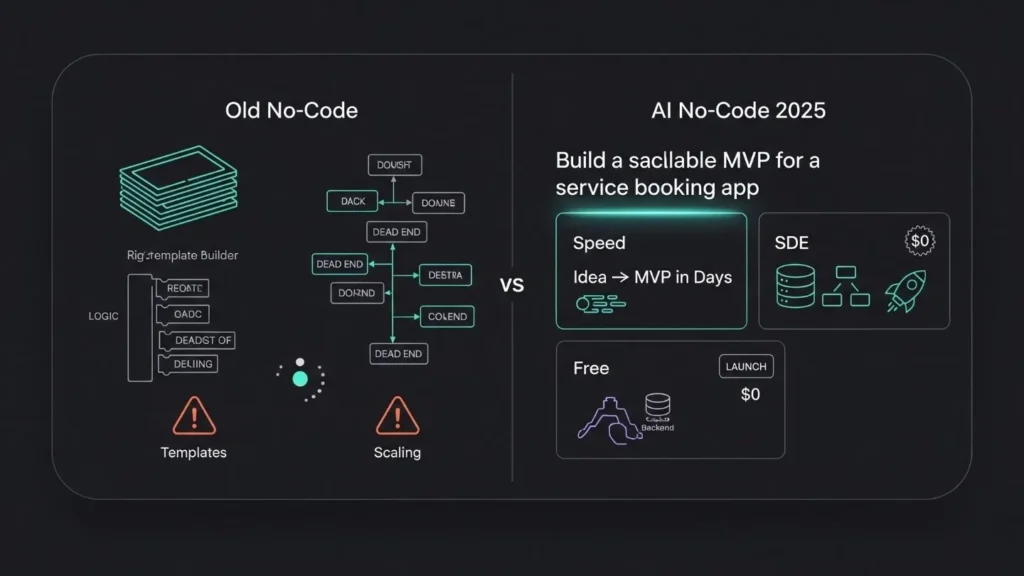
For years, “no-code” meant compromise. You could build quickly, but you were often stuck with rigid templates, slow performance, and “messy” underlying code that made scaling impossible. In 2026, that has changed. We have entered the age of Vibe Coding and AI Reasoning Engines.
Modern AI app builders have integrated Large Language Models (LLMs) directly into the development environment. These platforms don’t just “drag and drop” buttons; they understand business logic, user intent, and engineering standards. For you, this translates into three revolutionary advantages:
- Hyper-Speed to Market: Move from a late-night idea to a functional MVP (Minimum Viable Product) in a single weekend.
- SDE-Level Engineering: The best builders now write scalable, secure logic that mimics professional Software Development Engineers (SDEs), ensuring your app doesn’t break when you reach your first thousand users.
- The Zero-Dollar Barrier: With robust free tiers, you can validate your startup ideas and even gain early traction before spending a single dollar on traditional engineering teams.
Top Free AI App Builders to Watch in 2026
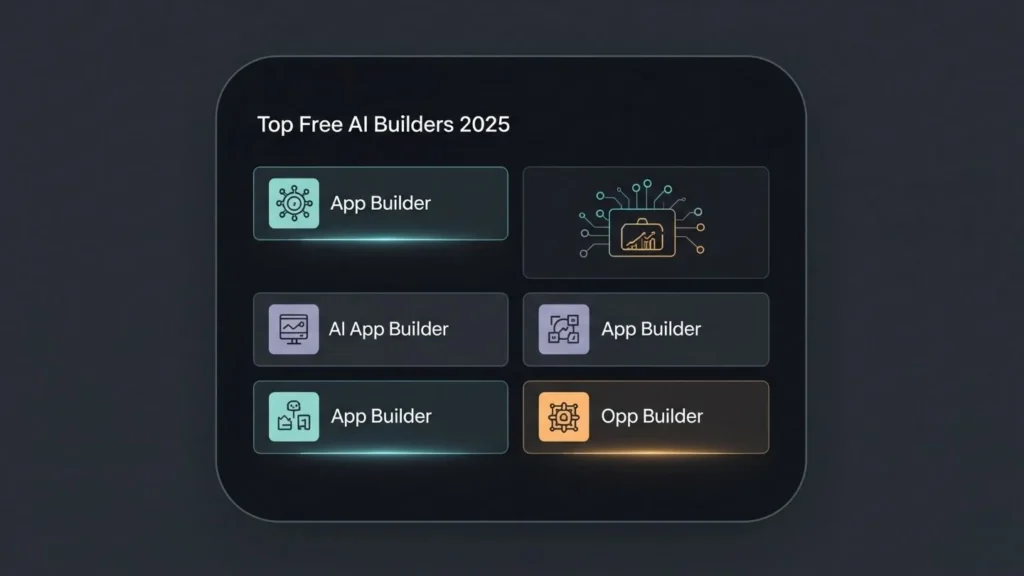
Not all no-code tools are created equal. Some are designed for simple data entry, while others are built to handle complex, revenue-generating ecosystems. To help you choose, we’ve highlighted the top contenders in our detailed comparison of 2025’s top builders.
1. Imagine.bo: The Leader in Production-Ready Quality
Imagine.bo is redefining the category by moving beyond the “visual editor” model. It is an AI-driven platform designed specifically for founders who want to move from vision to a revenue-ready product without technical friction.
- The Reasoning Engine: Unlike standard builders that follow rigid rules, Imagine.bo uses AI reasoning to think through your business logic. It understands that a “Restaurant App” needs more than just a menu—it needs secure payment handling, real-time inventory updates, and scalable backend logic.
- SDE-Level Architecture: Every app is built with clean, secure, and scalable architecture. This ensures that the product isn’t just a mockup but a production-grade tool. You can learn exactly how Imagine.bo transforms ideas into products here.
- Enterprise Performance: Built to support up to 1,000 transactions per second, it is one of the few free-to-start builders that doesn’t need to be replaced as soon as your business gains traction.
2. Glide: The Fast Track for Internal Tools
If your data already lives in a spreadsheet (Google Sheets, Excel, or Airtable), Glide is arguably the fastest way to turn that data into a functional interface. It excels at simplicity but is less suited for complex, custom-coded logic compared to more robust AI-native platforms.
3. Softr: Portals and Marketplaces
Softr specializes in turning Airtable data into web applications, client portals, and internal dashboards. It uses “blocks” that allow you to build functional web apps quickly, though it is primarily focused on web-based experiences rather than native mobile performance.
4. Adalo: For Native Mobile Experiences
If your primary goal is to be on the Apple App Store or Google Play Store, Adalo offers a visual canvas specifically designed for mobile interactions. It is excellent for consumer-facing apps where UI/UX “feel” is the top priority.
Technical Deep Dive: From “Prompt” to “Production”
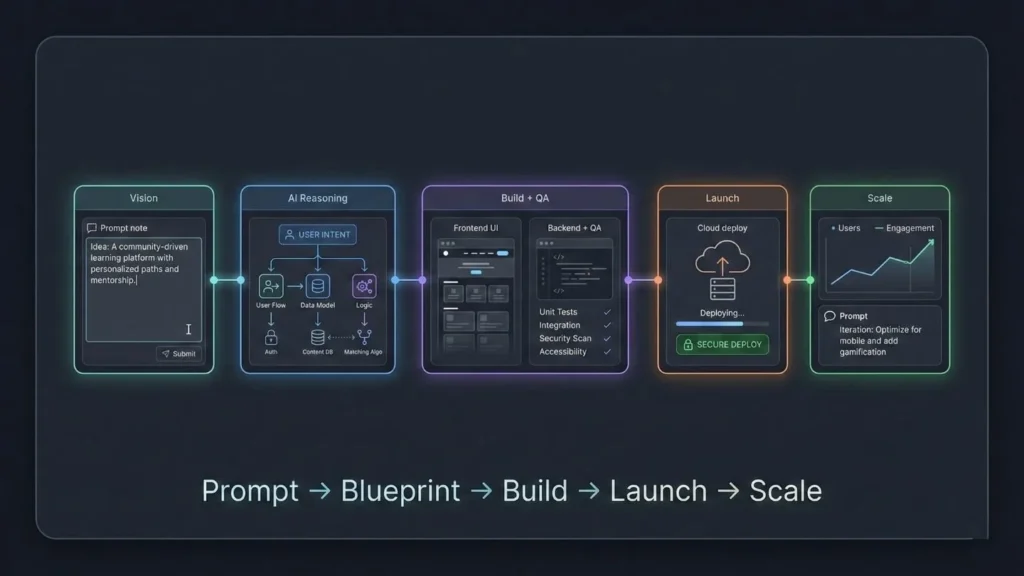
The most common question beginners ask is: “How does the AI actually build the app?” Understanding the 5-step workflow used by industry leaders like Imagine.bo is crucial for AI product managers and no-code developers today.
Step 1: Vision Definition (The Input)
The journey starts with your vision. You describe your product idea in plain English. However, in 2025, the AI does more than just listen. It analyzes your target audience, business goals, and competitive landscape to suggest features you might have missed.
Step 2: AI Reasoning and Blueprinting
Once the idea is defined, the AI applies deep reasoning to define the foundational architecture. It recommends the best tech stack, maps out user flows, and generates a blueprint of the system logic. This ensures your app isn’t just a collection of pages, but a cohesive system.
Step 3: Seamless Development and QA
This is where the “No-Code” magic happens. The platform generates the frontend, backend, and databases. Crucially, it includes automated QA (Quality Assurance) checks. The AI tests the code as it writes it, ensuring that features like user authentication and data handling are secure from day one.
Step 4: The One-Click Launch
Infrastructure management is a thing of the past. Modern builders allow you to launch without hiring a development team by handling hosting, performance tuning, and SSL setup automatically. Whether it’s AWS, GCP, or Vercel, the AI places your app in a secure, high-performance environment.
Step 5: Continuous Support and Scaling
Software is never “finished.” As you grow, you will need to iterate. The best platforms offer a “Human + AI” collaboration model. If you need a hyper-specific feature that the AI can’t generate on its own, professional developers can step in to provide custom logic, ensuring you never hit a “no-code wall.”
Critical Factors: Security, Scalability, and Performance
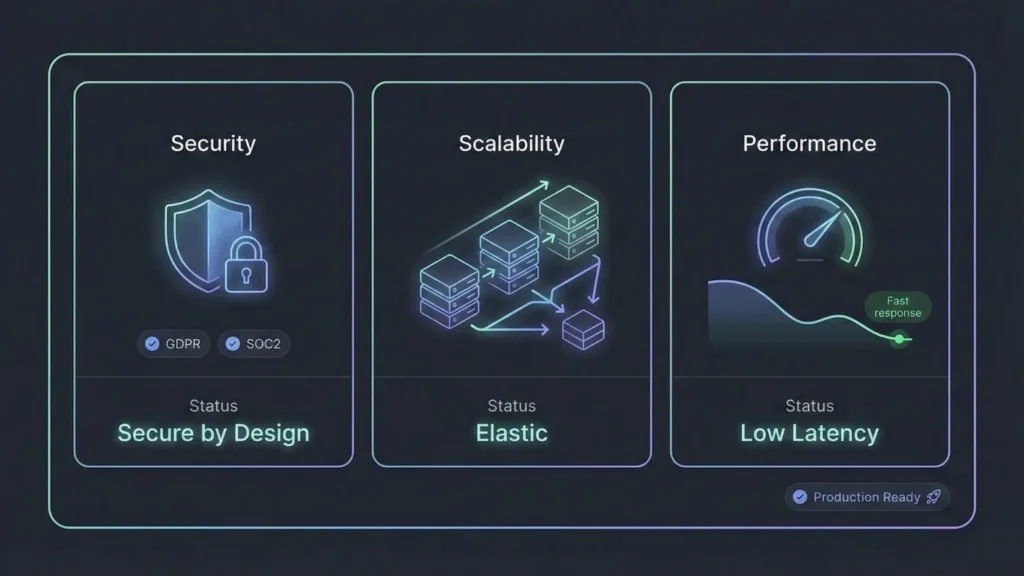
When you are building an app with AI for free, it is tempting to ignore the technical details. However, if you want your app to be a real business, you must prioritize the following:
1. Enterprise-Grade Security
Your app will handle user emails, passwords, and potentially payment information. Your builder must follow advanced security best practices. Look for platforms that are GDPR and SOC2-ready by default. Security shouldn’t be a “plugin”; it should be baked into the architecture.
2. High-Transaction Performance
A slow app will drive users away. If your app involves real-time interaction (like a chat app or an e-commerce store), verify that the platform can handle peak loads. Platforms like Imagine.bo are cloud-native, meaning they use the same infrastructure as major tech companies to ensure zero downtime.
3. Clean Code and Data Export
One of the biggest risks in no-code is “Vendor Lock-in.” Ensure your platform allows you to export your data and insights easily. In 2026, the best tools prioritize transparency, allowing you to move your insights to Google Sheets or other analytics platforms seamlessly.
Real-World Use Cases: What Can You Build for Free?
The possibilities are limited only by your imagination. Here are a few successful categories being built by founders right now:
- Retail and E-commerce: Custom ordering systems for cafes or loyalty apps for local retailers that bypass high SaaS fees.
- SaaS Micro-Tools: AI-powered content summarizers, lead generation tools, or personalized marketing engines.
- Internal Operations: Fleet maintenance trackers, custom CRM systems for remote teams, and automated customer onboarding flows.
- Educational Tools: Gamified learning platforms and AI-powered study assistants for students.
By mastering prompt engineering, you can instruct these builders to create highly specialized tools that would have previously cost $50,000+ to develop.
Scaling Your Free App into a Revenue-Ready Business
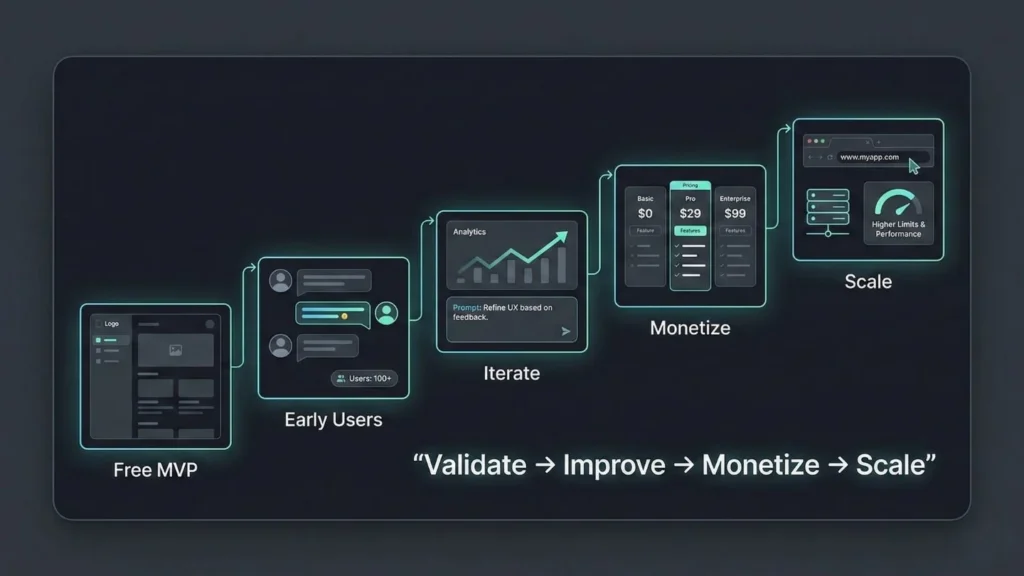
A “free” app is a great starting point, but the goal for most founders is growth. The transition from a free prototype to a profitable startup requires a clear strategy.
- Validate Fast: Use the free tier to get your first 10-50 users. Collect feedback aggressively.
- Iterate Based on Data: Use built-in analytics to see which features users actually use. Don’t build what you want; build what the market demands.
- Monetize Early: Don’t wait for perfection. Whether it’s a subscription model or a one-time fee, monetizing your prompt-built apps early provides the capital needed to upgrade to professional tiers.
- Professional Transition: Once you have revenue, upgrade your plan to access dedicated support, custom domains, and higher API limits. This is how you scale your no-code app to production successfully.
Conclusion: The Future belongs to the Creators
The era of waiting for developers, budgets, or “the right time” is officially over. The tools available in 2026 have leveled the playing field, making it possible for anyone with a vision to build, launch, and scale a world-class application.
Whether you choose Imagine.bo for its SDE-level engineering and production-ready quality, or a simpler tool like Glide for a quick internal spreadsheet app, the most important step is the first one. Don’t let your idea sit in a notebook. Pick a builder, describe your vision, and start your journey today. The digital future is being built by people just like you—one prompt at a time.
Frequently Asked Questions
Is it really possible to build an app for free?
Yes. Platforms like Imagine.bo offer free access that allows you to build, test, and launch your vision. While high-traffic production apps eventually require paid infrastructure, the “idea-to-launch” phase is now accessible to everyone.
Do I need to know how to code?
No. The entire point of the 2026 AI revolution is to replace syntax (code) with intent (language). If you can describe what you want clearly, the AI can build it.
How do I protect my app idea?
Focus on execution rather than secrecy. Use platforms with enterprise-grade security to ensure your logic and data are protected.
What happens if I outgrow my no-code platform?
Choose a platform that generates clean, standard-compliant architecture. This allows you to either scale within the platform (like Imagine.bo’s 1,000 tx/s capacity) or transition to custom environments if necessary.
Related Articles
- Unlock Android AI Power: Your Guide to the Best AI App Builders
- Unlock AI Power: Your Guide to Free No-Code AI App Builders
- Unlock AI App Building Power: Your Guide to Free No-Code Platforms
- The Future of App Development: How AI App Builders Are Revolutionizing the Industry
- The Ultimate Guide to No-Code AI App Development in 2025
Launch Your App Today
Ready to launch? Skip the tech stress. Describe, Build, Launch in three simple steps.
Build