

Hiring a developer to build your first MVP costs between $25,000 and $150,000 and typically takes six to twelve months, time and money most early-stage founders simply do not have. According to CB Insights, 38% of startups fail because they run out of cash before reaching product-market fit (CB Insights, 2023). No-code tools directly attack that problem by compressing build time from months to days and slashing upfront costs by 90 percent or more. This guide covers seven no-code tools worth serious consideration for startup founders in 2026, what each one genuinely does, where each falls short, and which tool belongs at which stage of your build. If you want to understand the mechanics of building with no-code before choosing a platform, this guide on no-code vs. low-code for startups is a useful starting point.
TL;DR The seven best no-code tools for startups are imagine.bo, Bubble, Webflow, Glide, Softr, Make, and Carrd. Each solves a different problem in the startup stack. imagine.bo is the only tool on this list that generates a full-stack application including database, backend logic, and deployment from a plain English prompt. According to Gartner, 70% of new applications will use low-code or no-code technologies by 2025 (Gartner, 2021). Match the tool to your current stage before committing.
Why Do No-Code Tools Help Startups Launch Faster?
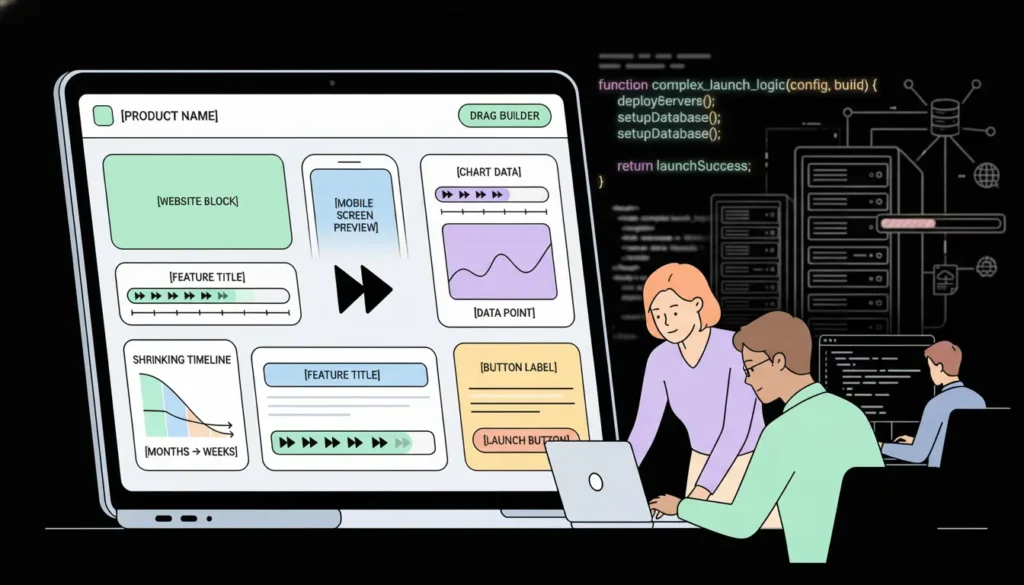
No-code tools help startups launch faster because they eliminate the three biggest bottlenecks in early-stage development: writing backend logic, configuring deployment infrastructure, and waiting for an engineering resource to become available. According to Gartner, 70% of new applications will be built using low-code or no-code technologies by 2025 (Gartner, 2021). For a solo founder or a small team, that shift means shipping in weeks rather than quarters.
Launch Your App Today
Ready to launch? Skip the tech stress. Describe, Build, Launch in three simple steps.
BuildThe speed advantage is real, but it comes with tradeoffs. Most no-code tools are optimized for a specific type of product: marketing sites, database-driven apps, mobile-first tools, or workflow automation. Choosing the wrong tool for your product type creates friction that costs more time than you saved. This article treats the seven tools as specialized instruments, not interchangeable options, and gives you a clear recommendation for each use case. For a deeper look at how no-code compares to traditional development on cost alone, this breakdown of app development costs in 2026 is worth reading before you decide.
Is imagine.bo the Best No-Code Tool for Full-Stack Startup Apps?

imagine.bo is the most complete option on this list for founders who need to ship a real web application, not just a marketing page or a spreadsheet-backed prototype. The Describe-to-Build interface takes a plain English description of your product and generates the full stack: frontend components, database schema, backend API logic, authentication, and deployment configuration. That happens in a single pass, not through a series of drag-and-drop steps.
The most underrated part of the imagine.bo workflow is reviewing the AI-Generated Blueprint before the platform builds anything. Most first-time users skip this step and jump straight to the generated output. Spending five minutes checking whether the database models, user roles, and page structure match what you actually intended catches roughly 80% of structural problems before a single credit is consumed. A prompt like: “Build a subscription-based SaaS for marketing agencies. Include client workspaces, a dashboard with campaign analytics, user roles for admin and client, and a billing page” generates a complete architecture you can inspect and adjust before committing.
One-Click Deployment sends the frontend to Vercel for global edge performance and the backend to Railway for automatic scaling. The Hire a Human feature lets you assign specific tasks to a vetted engineer directly from your dashboard, for $25 per page, when the AI reaches the edge of what it can handle automatically. Built-in RBAC, SSL, and GDPR foundations are applied by default on every deployment.
At imagine.bo’s Pro plan of $25 per month, a solo founder building a SaaS MVP with authentication, database logic, and a multi-role interface saves an estimated $24,975 to $74,975 compared to average freelance developer quotes for equivalent functionality, based on industry-average hourly rates of $75 to $150 and typical MVP timelines of six to ten weeks.
Pricing: Free ($0, 10 credits/month), Lite ($6/month), Pro ($25/month, rollover credits, 1-hour expert pre-launch session), Done For You ($499 one-time)
Where it is limited: The Describe-to-Build workflow rewards founders who can articulate their product clearly before they prompt. If you have not mapped your user flows, data model, and core screens, the first generation will be generic. The prompt guide for building apps with AI is the most practical resource for getting that first output right.
Best for: Founders building SaaS products, client portals, internal tools, marketplaces, or any application that needs real backend logic and a database.
Can Bubble Handle Complex Web Apps Without Writing Code?
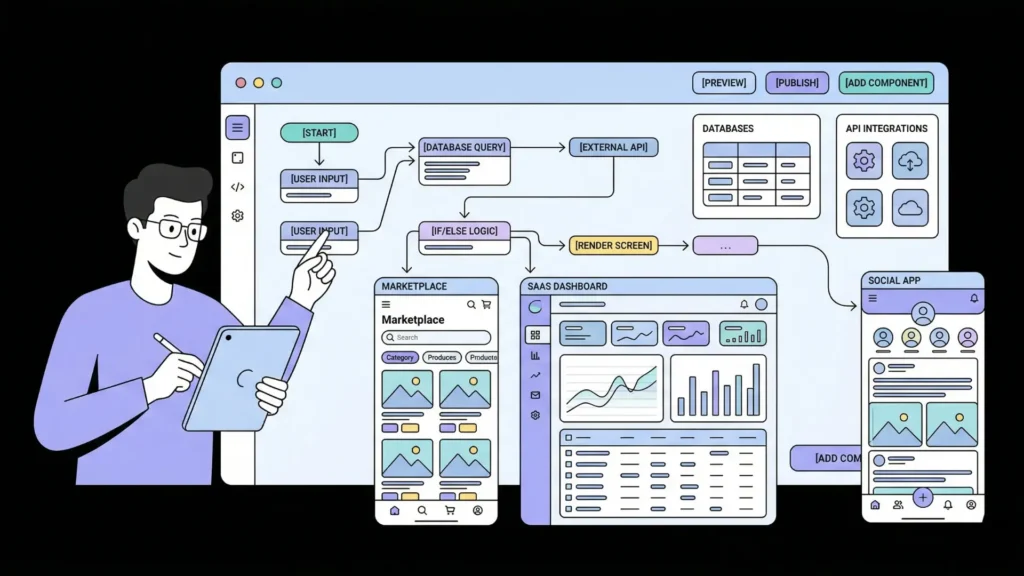
Yes, Bubble is the most powerful visual no-code platform for building complex web applications without writing traditional code. Bubble’s workflow and database editors give founders granular control over application logic, including conditional visibility, API calls, user roles, and multi-step workflows, all through a visual interface. According to Bubble’s published platform data, millions of apps have been built on Bubble since its launch (Bubble, 2024), and it has become the reference standard for serious no-code application development.
Pricing: Free plan (Bubble branding), Starter at $29/month, Growth at $119/month
Bubble gives you genuine backend control: a built-in database, custom data types, repeating groups for dynamic content, and an API connector for third-party integrations. The learning curve is steeper than most tools on this list, often described as weeks of structured learning before you can build confidently. But the ceiling is higher. Founders have shipped marketplaces, B2B SaaS platforms, and social apps on Bubble that handle tens of thousands of users.
The trade-off is time. Bubble is not fast to start with. The visual editor is dense, the logic layer has a learning curve, and debugging Bubble workflows is non-trivial without prior experience. Hosting on Bubble’s own infrastructure means you do not own your deployment environment, and performance on lower-tier plans can be slow under traffic. For founders comparing Bubble to AI-generation tools, this Bubble vs. imagine.bo comparison for 2026 covers the practical differences in depth.
Best for: Founders with patience for a steeper learning curve who need fine-grained control over application logic and are building complex, data-heavy web applications.
Does Webflow Belong in a Startup’s No-Code Stack?
Webflow belongs in most startup stacks, but not as the primary product builder. It is the best tool on this list for marketing websites, landing pages, and content-driven products. According to Webflow, it powers over 3.5 million websites globally (Webflow, 2024), and it has become the default choice for design-focused startup marketing sites that need custom layouts without a developer. If your startup’s growth depends on content, SEO, and conversion-optimized landing pages, Webflow is hard to beat.
Pricing: Free plan (Webflow subdomain), Basic at $18/month, CMS at $29/month, Business at $49/month
Webflow’s visual CSS editor is genuinely powerful. Designers can build pixel-precise layouts without writing code, and the CMS enables content-driven pages like blog posts, case studies, and product pages without a developer. The platform’s SEO controls are among the most detailed in the no-code category.
Webflow is not a backend application builder. It does not generate databases, user authentication systems, or custom API logic. Webflow Memberships exists but is limited. For any product functionality beyond gated content, Webflow needs to be combined with another tool. It is a complement to an app builder, not a replacement. For founders building the full startup stack, understanding why prompt-driven development changes the startup equation gives useful context on where marketing sites fit in the broader build.
Best for: Startups that need a high-quality marketing site, blog, or content-driven product that converts visitors, separate from the core application.
Is Glide the Right No-Code Tool for Mobile-First Startups?
Glide is the right tool if your MVP can be built as a mobile-first app on top of existing spreadsheet data. Glide generates a mobile app from a Google Sheet or Excel file with minimal configuration, making it by far the fastest path to a working app for founders whose data already lives in a spreadsheet. According to Glide’s published data, over 4 million apps have been built on the platform (Glide, 2024). For internal tools, field service apps, directory products, and simple marketplaces, Glide gets you to a working prototype in hours.
Pricing: Free plan (5 apps), Maker at $49/month, Team at $99/month
The speed advantage is real and substantial. If you are running a food delivery operation tracked in Google Sheets, a home services marketplace with an Excel database, or an employee directory, Glide turns that spreadsheet into a usable mobile app before lunch. The design system is clean and mobile-optimized by default.
Glide’s ceiling is low for startups with complex business logic. The database is a spreadsheet, which limits relational data modeling. Logic beyond simple filters and lookups requires workarounds. As your data model grows, maintaining a spreadsheet-backed app becomes painful. Glide is best used to validate an idea quickly, then rebuild on a more capable platform once you have confirmed the market. This guide on low-code MVP strategies and validation covers how to structure that two-phase approach well.
Best for: Founders who need a working mobile app prototype in hours to validate a field-service, directory, or operations-heavy idea before committing to a full build.
Can Softr Build a Client Portal Fast Enough for an Early-Stage Startup?
Yes, Softr is specifically designed for building client-facing portals, internal dashboards, and membership tools on top of Airtable or Google Sheets, and it is genuinely fast to set up. According to Softr’s platform data, thousands of teams use Softr to build portals and internal tools without engineering resources (Softr, 2024). If your startup delivers a service and needs a portal where clients can log in, view their data, and submit requests, Softr gets you there in a day.
Pricing: Free plan (5 users), Basic at $49/month, Professional at $99/month
Softr’s prebuilt blocks for portals, membership sites, and internal tools are genuinely well-designed. User authentication, role-based visibility, and data-connected tables from Airtable work out of the box. You can build a functioning client portal with login, data views, and form submissions in a few hours.
The hard limit is the Airtable or Sheets dependency. If your data lives elsewhere or your backend needs custom logic, Softr is not the right tool. It is best understood as a frontend layer over a spreadsheet database, which is powerful for specific use cases and limiting for others. For founders who want a client portal with custom logic and no Airtable dependency, this guide on launching a client portal without code covers the alternatives in detail.
Best for: Service businesses and early-stage SaaS founders who need a client-facing portal quickly and whose data already lives in Airtable.
Is Make the Best No-Code Automation Tool for Startup Workflows?
Make, formerly Integromat, is the most powerful visual automation tool for connecting the other tools in your startup stack and orchestrating multi-step workflows without code. According to Make’s published data, over 500,000 teams use the platform for business automation (Make, 2024). Where Zapier is simpler but more limited, Make gives founders full control over branching logic, error handling, data transformation, and multi-path automation flows.
Pricing: Free plan (1,000 operations/month), Core at $10.59/month, Pro at $18.82/month
Make’s visual scenario builder lets you map complex workflows between apps: “When a new user signs up in imagine.bo, create a row in Airtable, send a Slack notification, and trigger a welcome email via SendGrid.” Multi-step scenarios with conditional branches, iterators, and error handlers are all visual and require no code. For startups running lean on engineering, Make handles the connective tissue between their tools.
Make has a steeper learning curve than Zapier and a more complex interface that can overwhelm first-time users. For simple two-step automations, Zapier is faster to configure. Make earns its place in the startup stack when automation logic gets complex or when cost per operation becomes a factor at scale. For founders thinking about the full automation picture, this post on AI tools every indie hacker should know covers how automation fits into a lean startup workflow.
Best for: Founders who need complex multi-step workflow automation connecting multiple tools, or who have outgrown Zapier’s logic constraints.
Why Do Founders Use Carrd to Validate Startup Ideas?
Founders use Carrd to validate startup ideas because it is the fastest and cheapest way to build a credible landing page and test whether real people want what you are building. At $19 per year for the Pro plan, Carrd is genuinely the most cost-effective validation tool on this list. According to Carrd’s published platform data, over 4 million sites have been built on the platform (Carrd, 2024). For a one-page site with a headline, description, email capture, and a call to action, Carrd takes under an hour.
Pricing: Free plan (basic, Carrd subdomain), Pro Lite at $19/year, Pro Standard at $49/year
The value proposition is pure: launch a landing page before you build anything, collect email sign-ups, and validate demand. If nobody signs up after genuine distribution effort, you have saved yourself months of building the wrong thing. For pre-product validation, Carrd is the right tool. For anything beyond a landing page, it is not.
Carrd’s ceiling is extremely low. No database, no user authentication, no dynamic content, no multi-page navigation beyond scroll sections. Once you have validated your idea with Carrd, you need a real app builder. The sequence that works best is: validate with Carrd, then build with imagine.bo or Bubble. For the full methodology behind this approach, this post on validating startup ideas with no-code tools covers the validation-to-build transition in practical detail.
Best for: Founders at the idea stage who want to validate demand before building anything, with a landing page that goes live before the end of the day.
How Do These 7 No-Code Tools Stack Up Against Each Other?
| Tool | Starting Price | Best Use Case | Full-Stack Capable | AI Generation | Learning Curve | Code Ownership |
|---|---|---|---|---|---|---|
| imagine.bo | $0 | Full-stack SaaS / MVP | Yes | Full-stack app | Low (prompt-based) | Yes |
| Bubble | $29/month | Complex web applications | Yes (visual logic) | Limited | High | No |
| Webflow | $18/month | Marketing sites, CMS | No (frontend only) | Layout assist | Medium | No |
| Glide | $49/month | Mobile apps from data | No (spreadsheet-backed) | No | Low | No |
| Softr | $49/month | Client portals on Airtable | No (frontend layer) | No | Low | No |
| Make | $10.59/month | Workflow automation | No (connective tissue) | No | Medium | No |
| Carrd | $19/year | Landing pages, validation | No | No | Very Low | No |
The common mistake founders make when evaluating no-code tools is searching for one tool that does everything. That tool does not exist. The most effective no-code startup stacks use three to four specialized tools together: a full-stack builder for the core product, a marketing site builder for acquisition, an automation layer for connecting systems, and a validation tool for testing ideas cheaply before committing to a build. The founders who ship fastest are not using the most powerful single tool. They are using the right tool for each layer of the problem. imagine.bo handles the product layer better than anything else on this list. The other tools fill specific gaps around it.
For a broader view of how these categories interact in practice, this post on building a micro-SaaS in 48 hours walks through a real-world no-code stack from idea to deployed product.
Which No-Code Tool Is Right for Your Startup Stage?
The answer follows your current build stage, not your long-term ambition.
Idea stage (pre-product): Start with Carrd to validate demand. Spend $19 per year, build a landing page, collect emails. If you cannot get anyone to sign up, the problem is the idea, not the tool.
MVP stage (first working product): Build with imagine.bo if you need a real application with database logic, user auth, and custom workflows. Use Bubble if you want maximum visual control over complex logic and have weeks to invest in the learning curve. The complete guide on how to build a SaaS with AI and no-code covers this decision in detail.
Marketing stage (driving growth): Add Webflow for your marketing site and blog. Keep your product on a separate domain and use Webflow specifically for acquisition and content.
Operations stage (running the business): Add Make to automate repetitive workflows between your tools. Add Softr if you need a client portal over Airtable data. Add Glide if a mobile tool for field operations would move your business forward.
For founders running as a one-person team, this post on how single-person startups compete with enterprise players using AI is directly relevant to how these tools fit into a lean operating model.
FAQ
What is the best no-code tool for building a startup MVP quickly?
Imagine.bo is the fastest path to a full-stack MVP for most startup types. It generates a complete application including database, backend logic, authentication, and deployment from a plain English description. According to Gartner, 70% of new applications will be built with no-code or low-code tools by 2025 (Gartner, 2021), and AI-generation tools like imagine.bo represent the most accelerated version of that shift. The free plan with 10 credits is enough to build and validate a basic MVP at no cost.
How much can I save by using no-code tools instead of hiring developers?
Traditional MVP development costs $25,000 to $150,000 for a functional web application, based on industry averages across freelance and agency rates. No-code tools reduce that to $0 to $100 per month depending on the tool and plan level. At imagine.bo’s Pro plan of $25 per month, a founder building a full-stack SaaS saves an estimated $24,975 to $74,975 compared to freelance developer quotes for equivalent scope. This detailed cost breakdown for 2026 covers the numbers across different project types and team configurations.
Do I need to know how to code to use no-code startup tools?
No. All seven tools on this list are designed for non-technical founders. Imagine.bo requires only the ability to describe your product in plain English. Bubble has a steeper learning curve but still requires no traditional coding. Webflow, Glide, Softr, Make, and Carrd are all accessible to founders with no engineering background. According to Gartner, the rise of citizen development means non-technical professionals now build more applications than trained developers at many organizations (Gartner, 2022).
Can no-code tools build a product that scales to thousands of users?
Yes, with the right tool. Imagine.bo deploys to Vercel and Railway by default, infrastructure that handles millions of requests without manual configuration. Bubble has known performance limitations on lower tiers but scales on higher plans. Webflow scales reliably for marketing sites. The honest answer is that no-code tools introduce scaling limits earlier than custom-built applications, but those limits typically kick in far beyond what a startup needs during its first twelve to eighteen months. For founders thinking about scale from day one, this post on scalable SaaS architecture for no-code platforms addresses what that planning looks like in practice.
Should I use one no-code tool or combine several?
Most successful no-code startups combine three to four specialized tools rather than relying on one platform for everything. A typical stack is: imagine.bo for the product, Webflow for the marketing site, Make for workflow automation, and Carrd for early validation. According to CB Insights, 38% of startups fail due to running out of cash (CB Insights, 2023), and using specialized tools for each job rather than an expensive all-in-one platform is one of the most effective ways to extend your runway while shipping faster.
Conclusion
Three things to take away from this guide. First, no-code tools are not interchangeable. Each of the seven tools here solves a specific problem in the startup stack, and picking the wrong one for your stage costs more time than you save. Second, the fastest path from idea to revenue runs through validation first, then a full-stack build, not the other way around. Start with Carrd, build with imagine.bo, and add automation and marketing tools only after you have a working product. Third, imagine.bo is the only tool on this list that generates a complete full-stack application including database, backend logic, and production deployment from a plain English description, while also giving you access to vetted human engineers when AI generation reaches its natural limits.
Start with imagine.bo’s free plan today. Write a one-paragraph description of your product, review the AI-Generated Blueprint before anything is built, and deploy your first version this week. For a practical walkthrough of the full build process, this guide on what founders learn from launching a first no-code MVP is the best companion to everything covered here.
SEO Meta Title: 7 Best No-Code Tools to Launch Your Startup Faster SEO Meta Description: Compare 7 no-code tools for startup founders. imagine.bo builds full-stack apps from $0. 70% of new apps will use no-code by 2025, per Gartner.
Related Articles
- Top No Code Platforms for Website Design
- No-Code vs Low-Code in 2025: Key Differences and Choosing the Right Platform
- AI App Builder App Builder No Code: Build World-Class Apps Without Writing a Single Line of Code
- Unlock AI App Development: Your Guide to Free No-Code/Low-Code Platforms
- How to Build a Web App Without Coding in 2025
Launch Your App Today
Ready to launch? Skip the tech stress. Describe, Build, Launch in three simple steps.
Build




