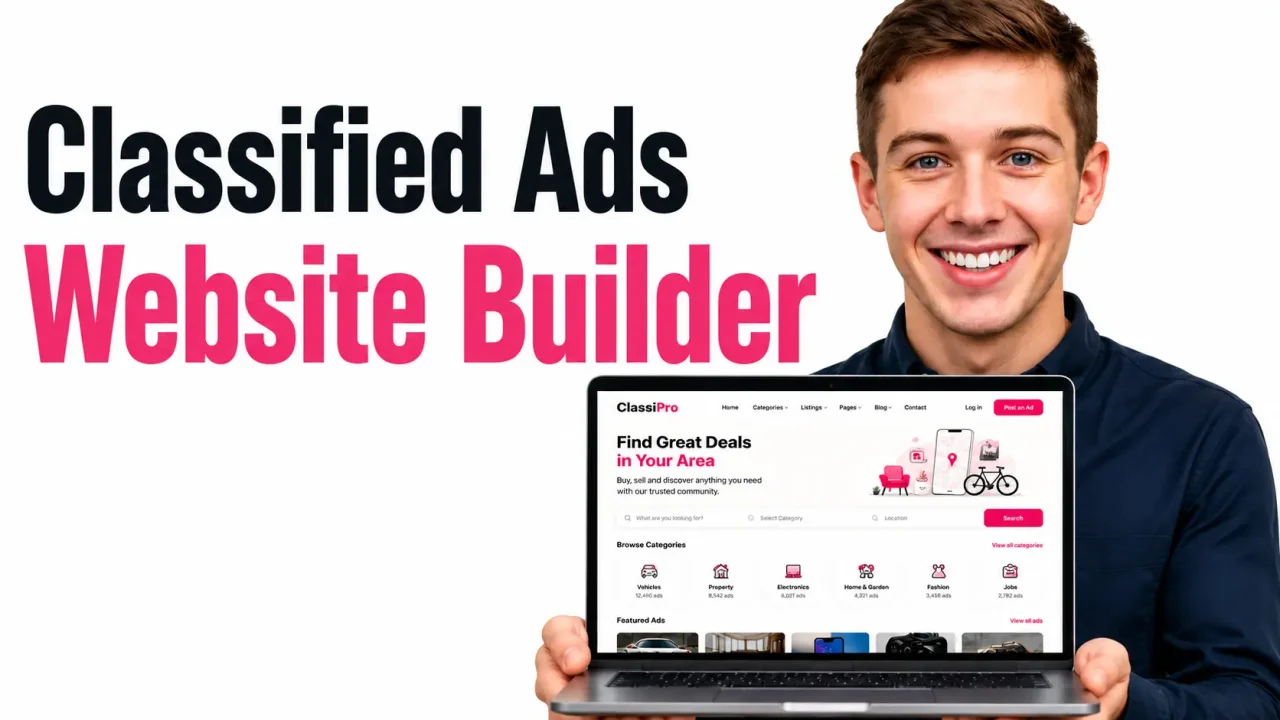
Quick Answer
To create a classified ads website in 2026, pick a profitable niche, choose a build path (custom code, WordPress plugin, no-code, or an AI plus human platform), design a listings database with categories and search, add user accounts and moderation, plug in payments for featured ads, and ship a mobile-first version on a fast cloud host. The fastest route for non-technical founders is an AI app builder that generates the full stack and lets a real engineer finish the edge cases. With this approach, a working MVP is live in under a week instead of the three to six months a traditional dev shop quotes.
Key Takeaways
- A classified ads website connects buyers and sellers around posted listings. Think Craigslist, OLX, Gumtree, or any niche version of those.
- Niche classifieds (cars, jobs, pets, real estate, gigs in one city) beat horizontal “post anything” sites in 2026 because Google rewards topical depth and users trust focused brands.
- The four real build options today are: custom development, WordPress plus a classifieds plugin, no-code template tools, and AI builders with human engineers on standby.
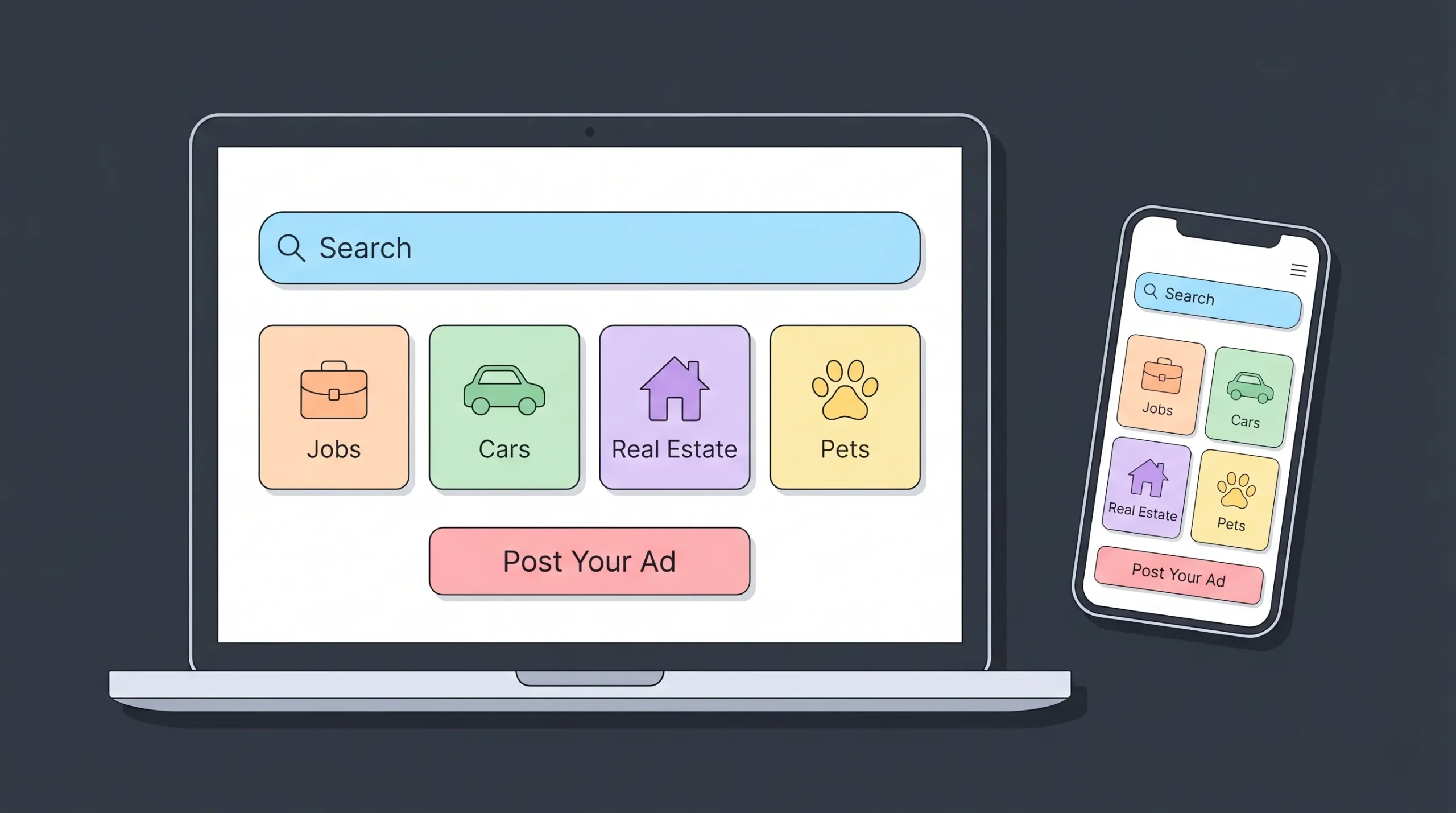
- A profitable classifieds site needs five things on day one: search and filters, a clean listing form, user accounts, basic moderation, and at least one paid feature (boosted listings, premium tiers, or pay-per-post).
- For SEO and GEO in 2026, structured data (Schema.org), fast Core Web Vitals, programmatic location pages, and AI-citable FAQ blocks matter more than backlinks alone.
What Is a Classified Ads Website?
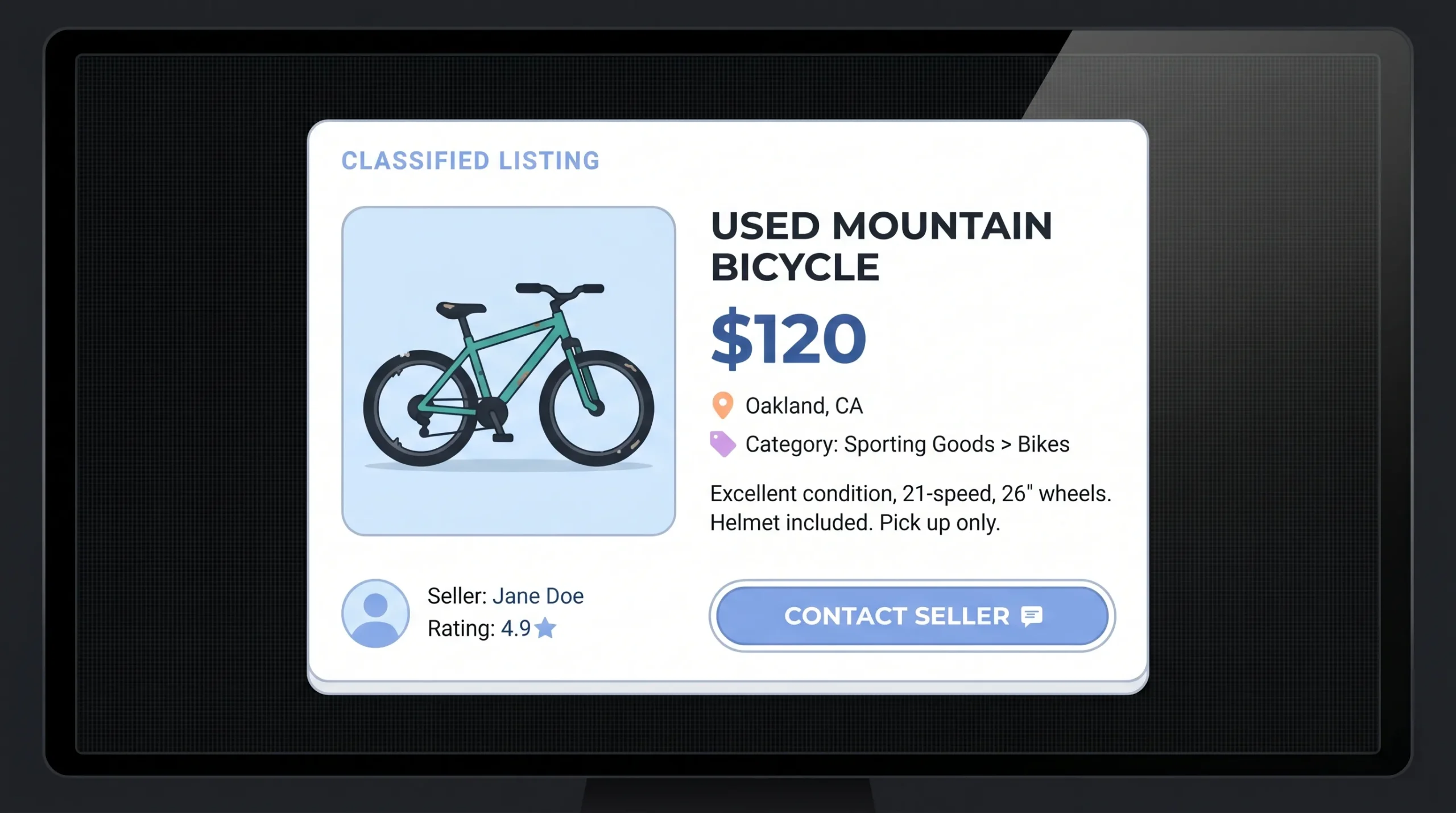
A classified ads website is a directory of small, structured listings posted by users. Each listing has a title, price, photos, location, category, and contact details. Visitors browse, filter, and reach out directly to the seller. The platform itself does not handle inventory or fulfillment.
Launch Your App Today
Ready to launch? Skip the tech stress. Describe, Build, Launch in three simple steps.
BuildThis is different from an ecommerce site (which sells its own products) and different from a full marketplace like Airbnb or Etsy (which usually handles bookings, escrow, or transactions inside the platform). Classifieds sit closer to a digital noticeboard. Craigslist still serves over 250 million monthly visitors with this exact model.
The category covers wide-net sites like Craigslist and OLX, and laser-focused sites like Cars.com (vehicles only), Indeed (jobs only), or Petfinder (pet adoption only). In 2026, vertical classifieds are the smarter play because they rank faster and convert better.
Why Build a Classified Ads Website in 2026?
Three forces make this a strong year to launch:
- Distrust of mega-platforms. Users are tired of Facebook Marketplace scams and Craigslist spam. Niche communities want their own, cleaner space.
- Cheap distribution through AI search. Tools like ChatGPT, Perplexity, and Google’s AI Overviews send qualified traffic to small specialist sites that publish well-structured content. A new classifieds site with strong topical authority can earn AI citations within weeks.
- Build costs collapsed. What used to require a six-figure agency budget now costs a few hundred dollars on a hybrid AI plus human engineering platform. Founders are launching MVPs in days, validating with real users, and only investing more once the demand signal is clear.
The classifieds business model is also simple to understand. You earn money from boosted listings, subscriptions, and ad placements. There is no inventory, no shipping, and no support nightmare from broken orders.
The 4 Ways to Create a Classified Ads Website (Compared)
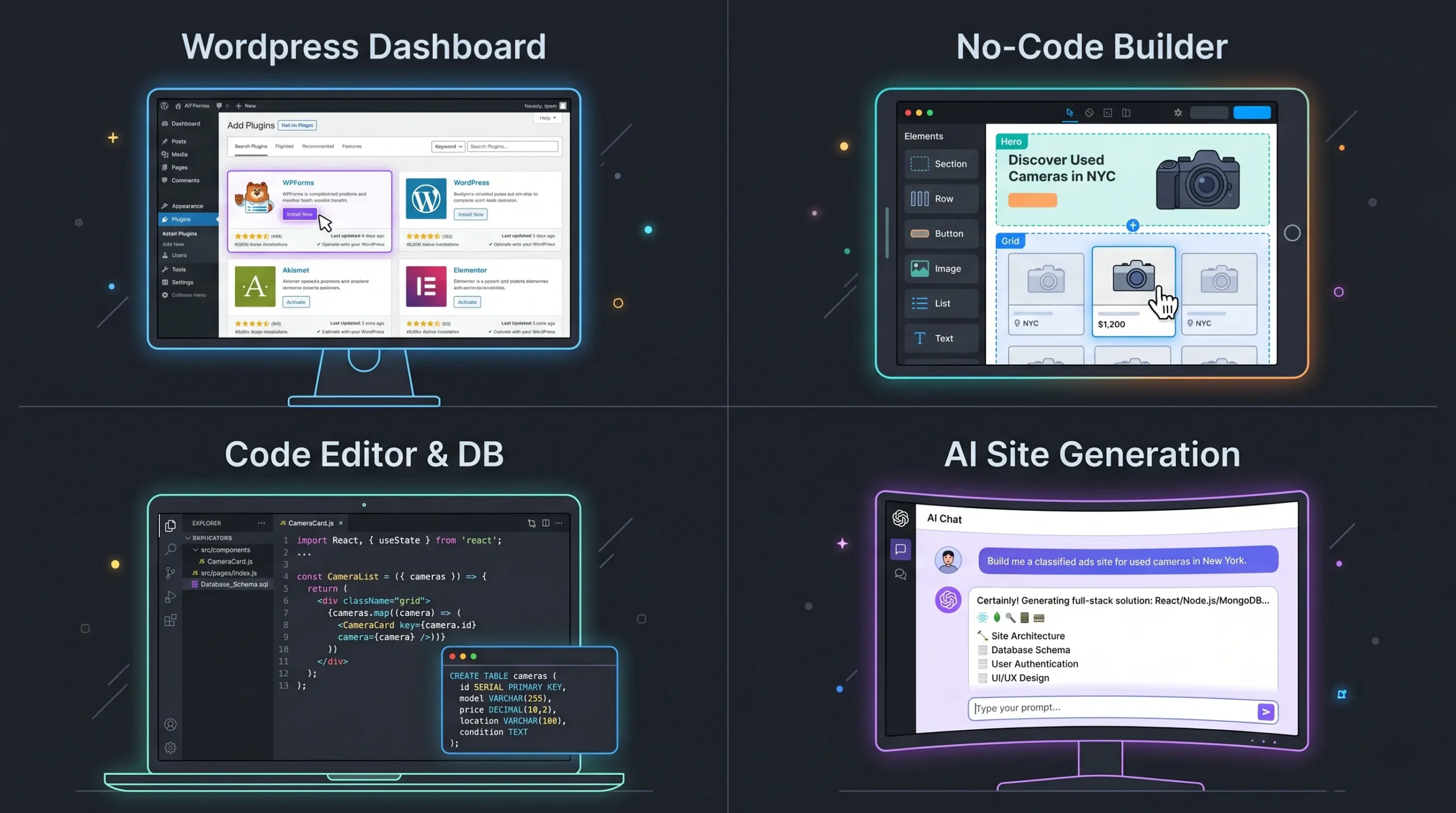
Before any code, decide your build path. Each option has a real trade-off.
1. Custom development (agency or full-time team)
Hire developers to build the site from scratch in React, Node.js, and PostgreSQL or similar.
- Pros: Total control, infinite customization, fully owned codebase.
- Cons: $30,000 to $150,000+ for an MVP. Takes three to nine months. Requires technical management.
- Best for: Funded startups with technical co-founders or enterprise buyers.
2. WordPress plus a classifieds plugin
Install plugins like Classifieds, AWPCP, or AdForest on top of WordPress.
- Pros: Cheap to start ($50 to $300). Familiar admin panel. Many themes available.
- Cons: Performance drops fast as listings grow past 5,000. Plugin conflicts. Limited mobile experience. Hard to add custom logic later.
- Best for: Hobby projects or local community boards under 1,000 listings.
3. No-code template builders (Bubble, Softr, Sharetribe)
Drag and drop pre-built templates and connect them to a database.
- Pros: No coding. Faster than custom dev. Visual editor.
- Cons: Locked into the platform. Hits a wall on edge cases. Monthly fees grow with usage. Not always SEO friendly out of the box.
- Best for: Internal tools and very simple directories.
4. AI app builders with human engineering on demand (the 2026 approach)
Describe the site in plain English. The AI generates the full stack, including the database, listings page, search, user accounts, and admin dashboard. When something gets stuck (a tricky payment flow, a custom moderation rule), a real engineer takes that ticket and ships the fix.
- Pros: MVP live in days. Production-ready code. Clean exportable codebase you actually own. Real humans for the last 20% of complexity.
- Cons: Newer category, smaller template library than legacy tools.
- Best for: Founders who want speed without losing control or quality.
This last category is where Imagine.bo lives. The “Hire a Human” feature is the difference between an AI prototype that breaks at scale and a real product that handles 10,000 listings without a hiccup. You can compare plans on the pricing page to see which build size fits your launch.
How to Create a Classified Ads Website: 9 Steps
Here is the full path, from idea to live site.
Step 1. Pick a niche and a region
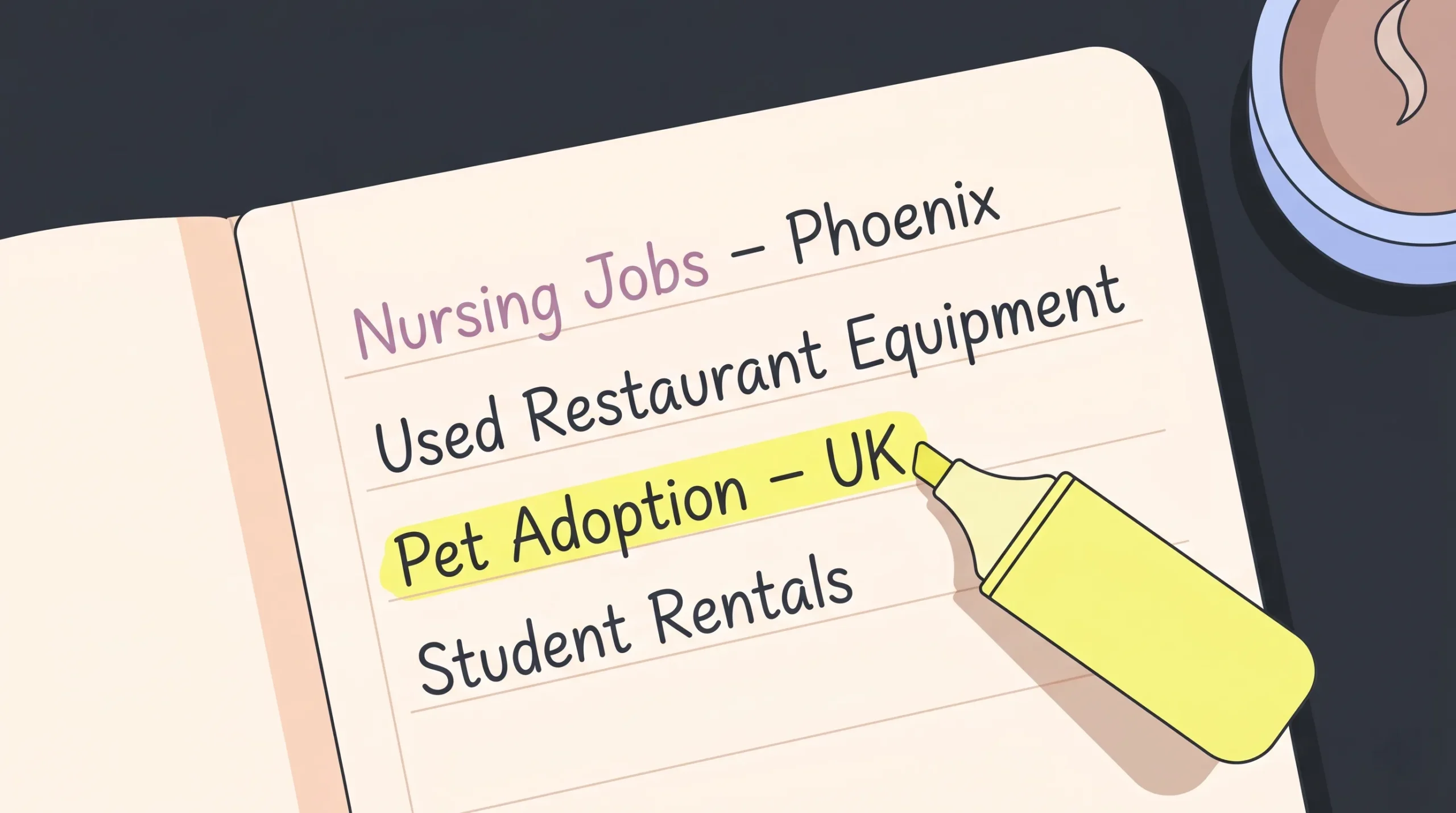
The biggest mistake first-time builders make is going horizontal. Do not try to compete with Craigslist on day one. Pick a slice you can dominate.
Strong niches in 2026 include:
- Local job boards for one industry in one city (example: nursing jobs in Phoenix)
- Used equipment for a specific trade (restaurant kitchens, photography gear, gym equipment)
- Pet adoption for one species in one country
- Short-term rentals for one type of traveler (digital nomads, students, medical professionals)
- Local services in regulated industries (tutors, electricians, mobile mechanics)
Validate the niche before you build. Use the no-code idea validation playbook to test demand with a landing page first. If you cannot get 100 email signups in 30 days, rethink the angle.
Step 2. Define your core features (MVP only)
Every founder wants 50 features. Ship 5.
Your MVP needs:
- A listing form with title, description, category, price, photos, and location.
- A search and filter system by keyword, category, price range, and location.
- User accounts with email signup, login, and password reset.
- A “my listings” dashboard so users can edit or delete their posts.
- Basic admin moderation so you can remove spam or violations.
Cut everything else for v1. Messaging, ratings, advanced filters, mobile apps, and saved searches all belong in v2.
Step 3. Choose your build path
Re-read the four options above and pick honestly based on your time, budget, and technical comfort. For most non-technical founders launching this year, the AI plus human path is the right answer. It is the only one that gives you production-grade code, real engineering support, and a one-week launch window at the same time.
Step 4. Design the database schema
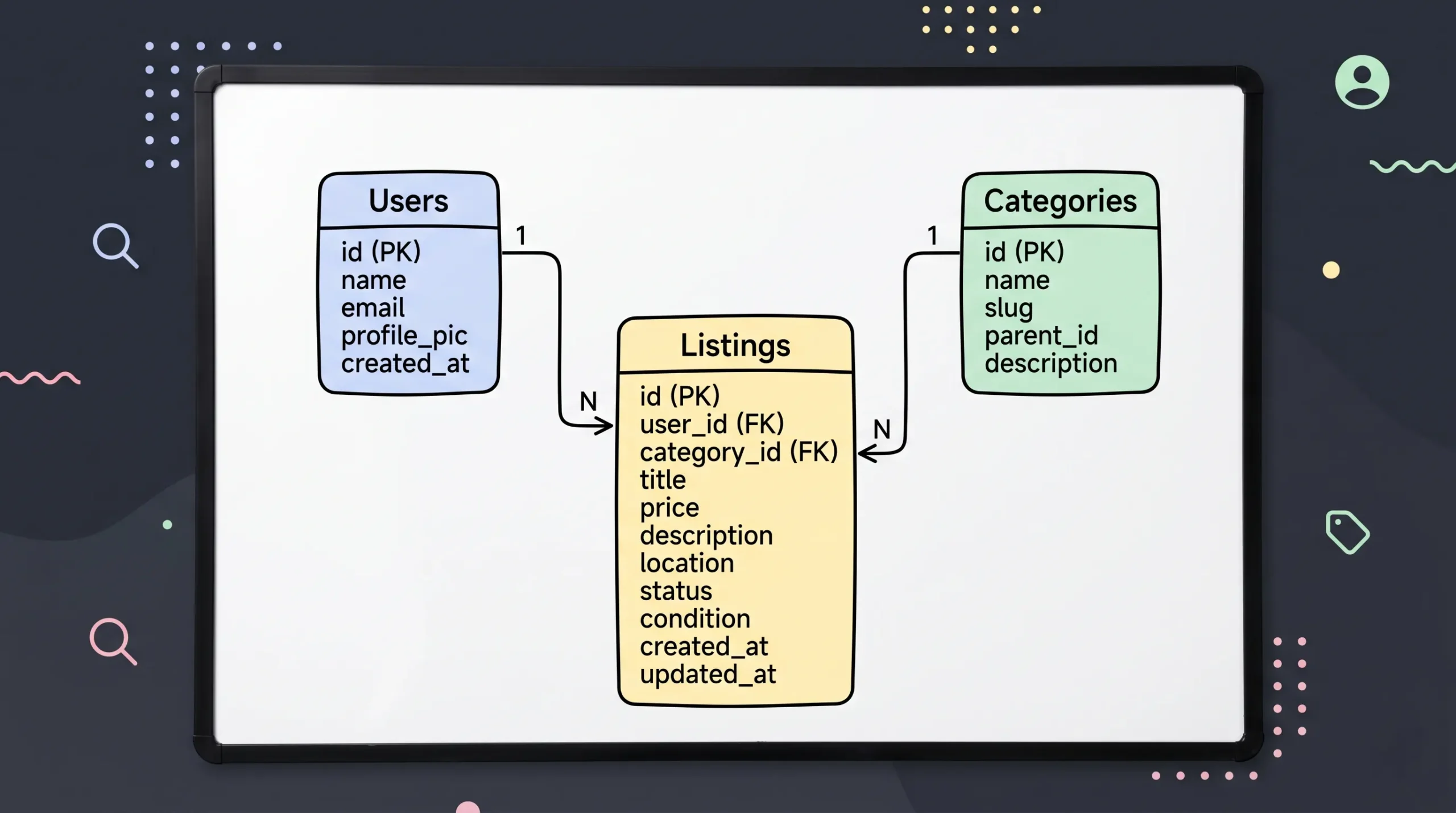
Every classifieds site is built around three core data tables:
- Users: id, email, password hash, role (member, admin), created_at
- Listings: id, user_id, title, description, category_id, price, currency, location, photos, status (active, expired, removed), created_at, expires_at
- Categories: id, name, slug, parent_id (for sub-categories)
Add tables for messages, payments, and reports as you grow. If you build with Imagine.bo, the AI generates this schema for you from your prompt. You just need to describe the data, not draw it.
Step 5. Build listings, search, and filters
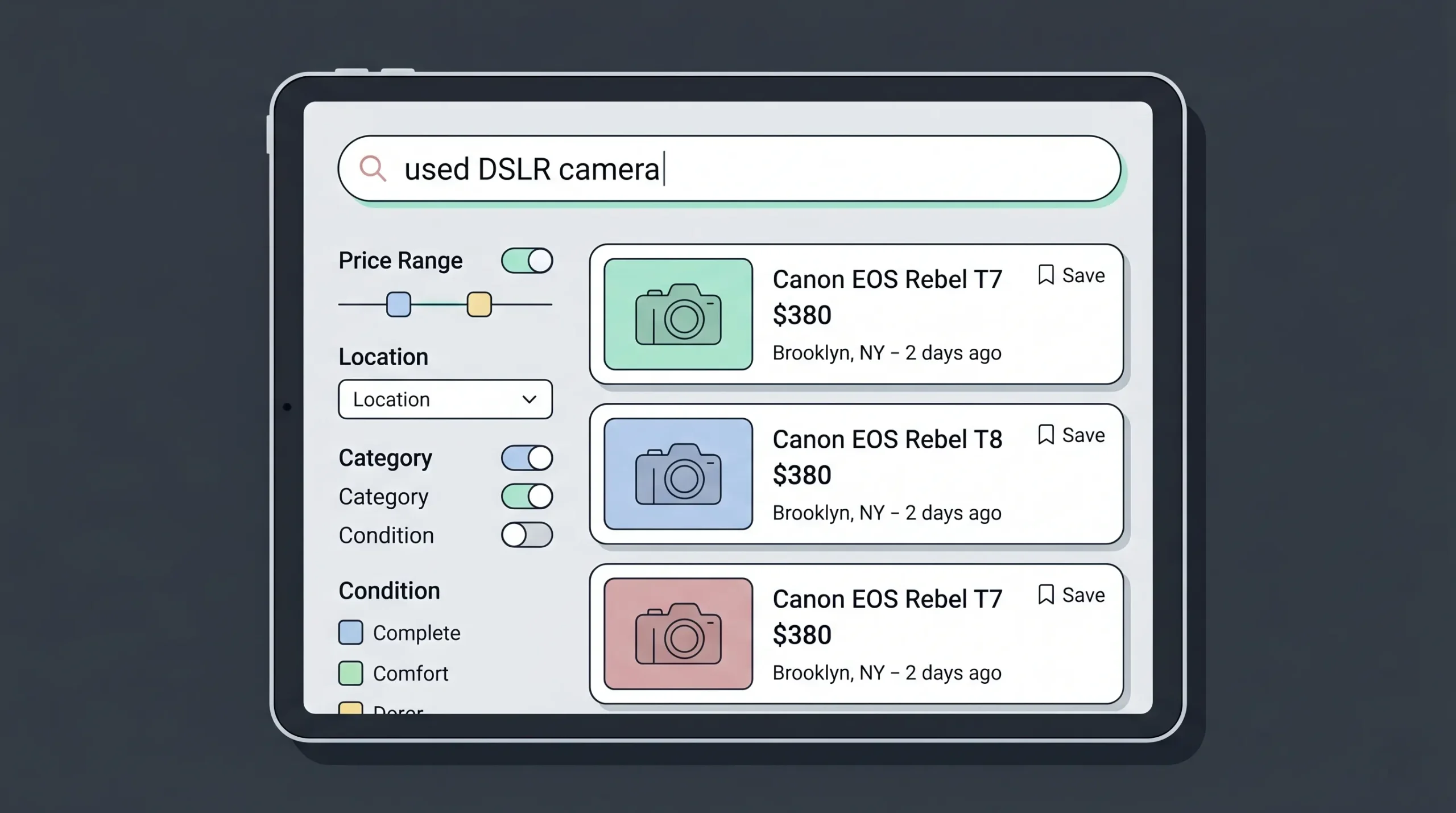
This is the heart of the product. Three rules:
- Search must be fast. Anything over 500ms on a results page kills conversion.
- Filters must be visible above the fold on desktop and tucked into a clear filter button on mobile.
- Listing pages must include a clear price, large photos, location with a map, and a single primary contact button.
Add a “save listing” feature only after you have at least 1,000 listings. Below that count, it is not useful.
Step 6. Add user accounts, posting, and moderation
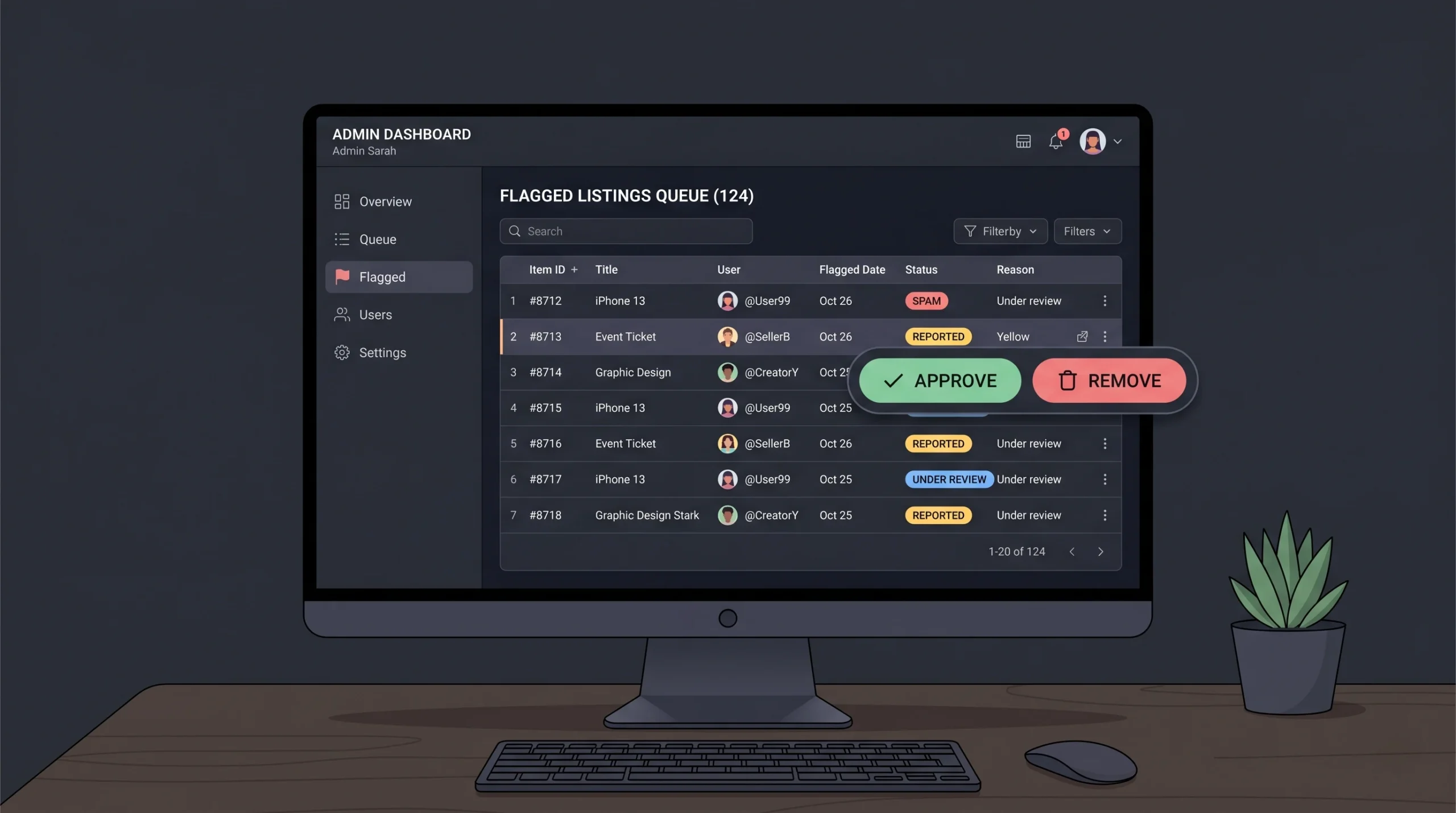
Users need to register, post, edit, renew, and delete their own ads. Admins need to flag, hide, or remove anything that breaks rules.
Three moderation tools you cannot ship without:
- An automated spam filter (block listings with too many links, all-caps titles, or banned keywords)
- A “report this listing” button on every post
- An admin queue where flagged content sits until you review it
Skipping moderation is the single fastest way to kill a classifieds site. Within 90 days of launch, scammers will find you. Have the safety net ready.
Step 7. Add monetization
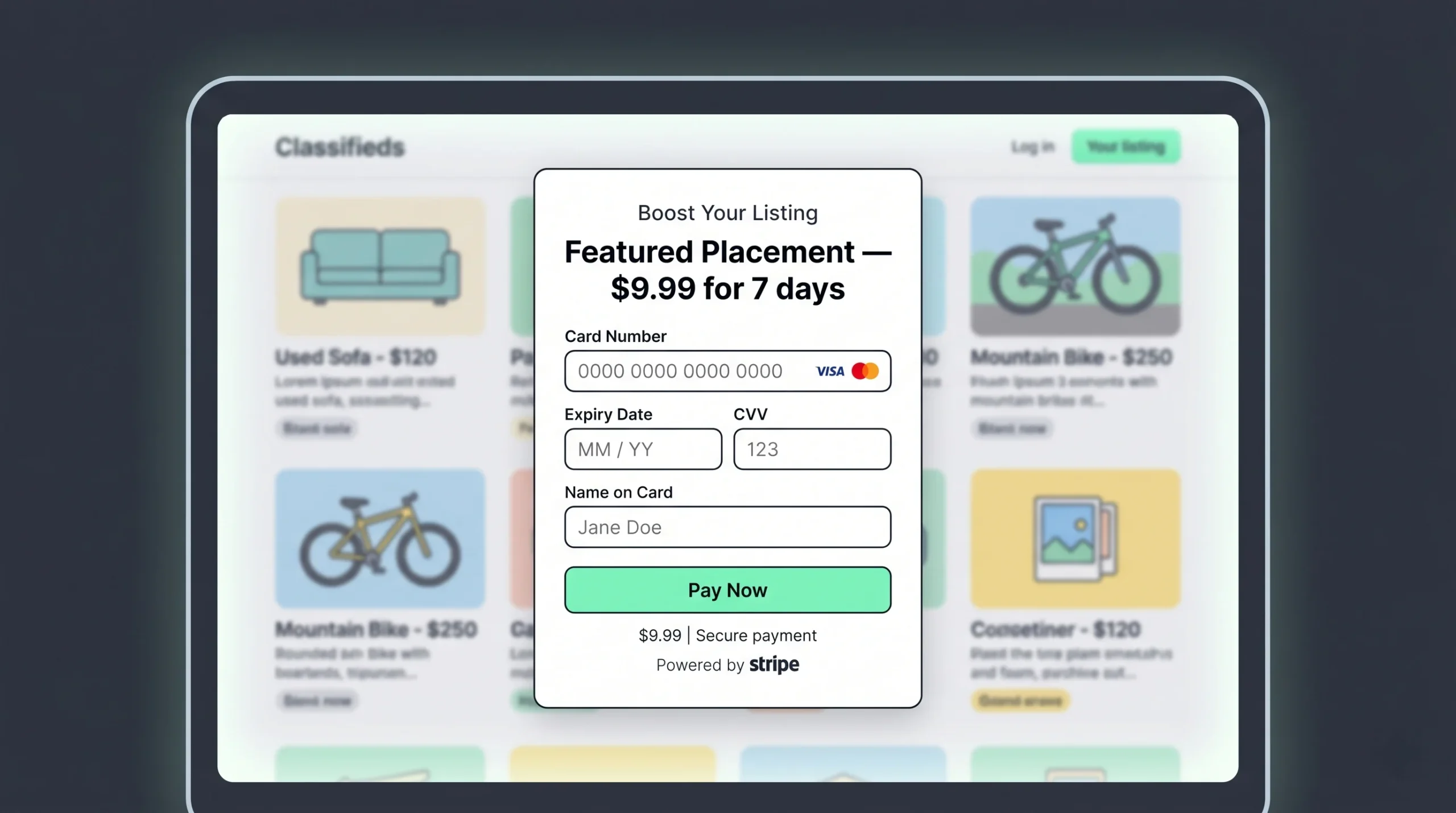
This is where most founders give up too early. You do not need 100,000 visitors before you charge. You need one feature people are willing to pay $5 for.
Proven classifieds revenue models:
- Featured listings. Charge $5 to $50 to pin a listing at the top of its category for 7 days.
- Boosted visibility. Charge per refresh to bump a listing back to the top of the feed.
- Subscription tiers for power posters. Charge $20 per month for unlimited listings, analytics, and priority support.
- Pay-per-post above a free quota. First 3 listings free, $2 per additional listing.
- Display ads through Google AdSense or direct sponsorship. Only worth it past 50,000 monthly visitors.
- Lead fees. Charge service providers per qualified inquiry (works well in jobs, services, and rentals).
For payments, adding Stripe to your site without a developer is straightforward on a modern AI builder. You can have a paid feature live in an afternoon.
Step 8. Make sure the site is mobile, SEO, and GEO ready
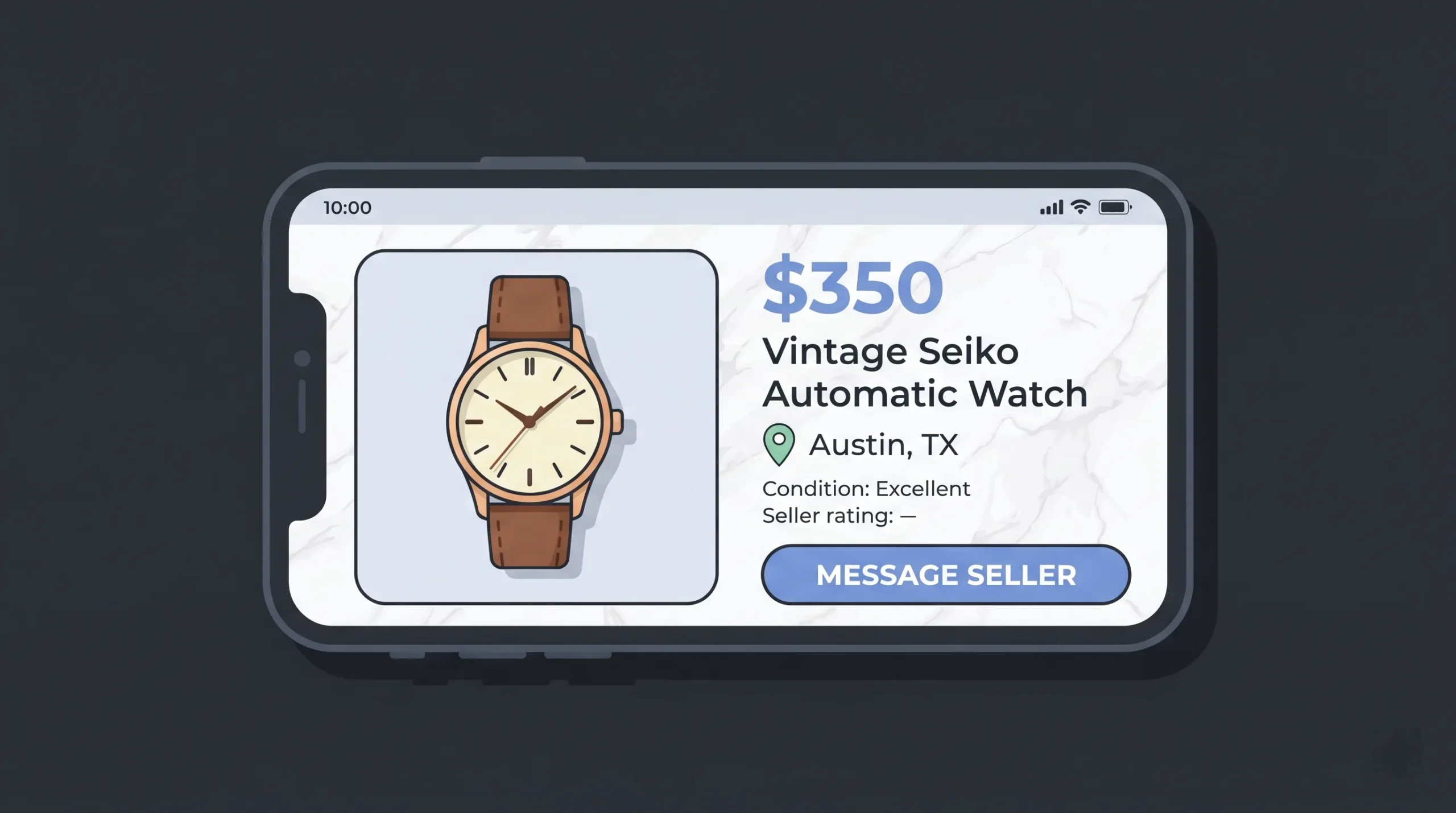
In 2026, three quarters of classifieds traffic is mobile. Test every page on a real phone before you launch.
For SEO, the non-negotiables are:
- Clean URL structure (
/category/sub-category/listing-title-id) - Unique titles and meta descriptions on every listing page
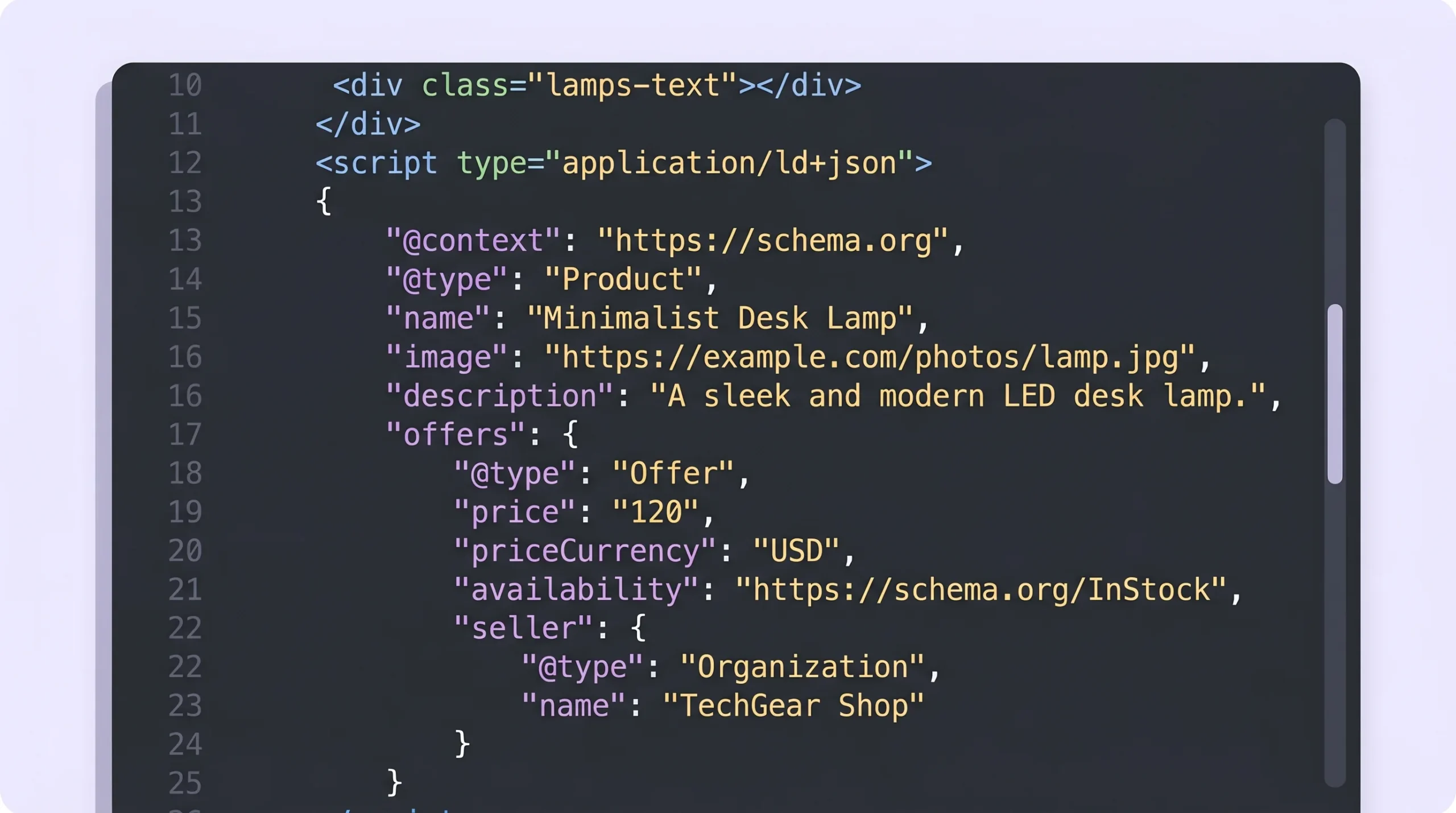
- Schema.org structured data for each listing (Product schema with Offer)
- Fast Core Web Vitals (LCP under 2.5s, INP under 200ms, CLS under 0.1)
- An XML sitemap that auto-updates as listings are added
- Internal linking from category pages to top listings and back
- Programmatic location pages (
/jobs/los-angeles,/jobs/san-francisco, etc.)
For GEO (Generative Engine Optimization, which targets AI search engines like ChatGPT, Perplexity, and Google AI Overviews), the rules are different:
- Add a clear FAQ section on every category page. AI engines lift answers directly from FAQ blocks.
- Use bold facts and short, citable sentences. AI tools quote what is easy to extract.
- Name your features distinctly. Generic phrases (“post a listing”) get ignored. Specific names (“60-Second Lister”) become memorable.
- Publish a few authority pieces (a guide, a market report, a tool comparison) so AI tools see you as a topical expert.
Read Google’s official guide to structured data for the technical setup.
Step 9. Deploy, launch, and iterate
Push to a fast cloud host. Vercel for the frontend gives you global edge caching and sub-second load times. Railway or a similar service handles the backend and database with autoscaling baked in.
After launch:
- Watch your top three search queries in Google Search Console weekly
- Track listing-to-contact conversion rate (target above 4%)
- Talk to ten real users in week one. Ask what almost stopped them from posting.
- Ship one improvement per week for the first 90 days
The launch is not the finish line. It is week one of a 12-week sprint to product market fit.
Must-Have Features for a Classified Ads Website
The complete feature list for a serious 2026 classifieds product:
For visitors:
- Category and sub-category browsing
- Keyword search with autocomplete
- Filters: price, location, condition, date posted
- Map view for location-based listings
- Listing detail page with photo gallery and contact button
- Sort options (newest, price low to high, distance)
For posters:
- Quick post form (under 60 seconds to fill)
- Photo upload with compression and reordering
- Edit, renew, and delete buttons on each listing
- Auto-expiry after 30, 60, or 90 days
- Email or in-platform messages from interested buyers
For admins:
- Flagged content queue
- User ban tools
- Bulk listing removal
- Revenue dashboard (featured listings, subscriptions, ads)
- Basic analytics (signups, posts, traffic sources)
For monetization:
- Featured and boosted listing checkout
- Subscription billing
- Promo codes and discounts
A platform like Imagine.bo can generate every one of these as part of the initial AI build. You then assign the trickier pieces (advanced moderation logic, custom payment flows) to a real engineer through the Hire a Human feature.
How to Monetize Your Classified Ads Website
Most founders treat monetization as a “later” problem. That is wrong. Charge from day one, even if the price is small.
The 2026 monetization stack that works:
- Free posting for the first 3 ads per user. Frictionless growth.
- $5 to $20 featured upgrade at the moment of posting. Conversion rate is highest right when the user is committed.
- $15 to $40 monthly subscription for power posters. Real estate agents, recruiters, and service providers will pay this happily if it includes analytics and priority placement.
- Display ads once you cross 50,000 monthly users. Direct sponsorships pay 3 to 5 times more than AdSense in niche verticals.
- Lead fees for high-value categories (legal, finance, home services). Charge $5 to $50 per qualified lead delivered.
For a deeper dive on monetizing a marketplace-style product, this marketplace app guide walks through how to size each revenue stream realistically. The same framework applies to classifieds.
SEO and GEO Best Practices for Classified Ads Websites
Classifieds sites have a structural SEO advantage and a structural SEO problem.
The advantage: every listing creates a new indexable page, and every category creates a new topic cluster. A site with 5,000 active listings can have 5,000 ranking pages.
The problem: most listings are thin, near-duplicate, or expire fast. Google does not love that pattern.
The fix is a 2026-specific playbook:
- Programmatic SEO. Generate one page per location, per category combination. “Used cars in Austin,” “Used cars in Houston,” and so on. Each page should have a unique intro paragraph, the live listings, and a custom FAQ.
- Auto-generated descriptions to make sure no two listing pages are exact duplicates. A short AI-written summary at the top of each listing fixes this.
- Listing schema markup. Use Schema.org Product with Offer, plus LocalBusiness for service classifieds. This is what gets you into Google’s enriched results.
- Internal linking. Every category page should link to its top 10 listings, and every listing should link back to its category and to two related listings.
- Content hub. Publish 20 to 50 evergreen guides answering the questions your users ask before they post or buy. These are the pages that earn AI citations and feed traffic to your category pages.
- Page speed. Compress images, lazy-load below-the-fold content, and serve from a CDN. Run WCAG accessibility checks at the same time. Fast and accessible sites win on both Google and AI search.
For GEO specifically, the format that gets cited by AI tools is: a clear question as a heading, followed by a 2 to 4 sentence direct answer, followed by a bullet list with three to seven items. Every category page on your site should have at least one section in this format.
If you want a deeper look at the patterns that work for listing-heavy sites, this real estate listings builder guide covers the same SEO principles applied to a vertical that lives or dies on listing-page rankings.
Common Mistakes to Avoid
After watching hundreds of classifieds projects launch, these mistakes show up over and over:
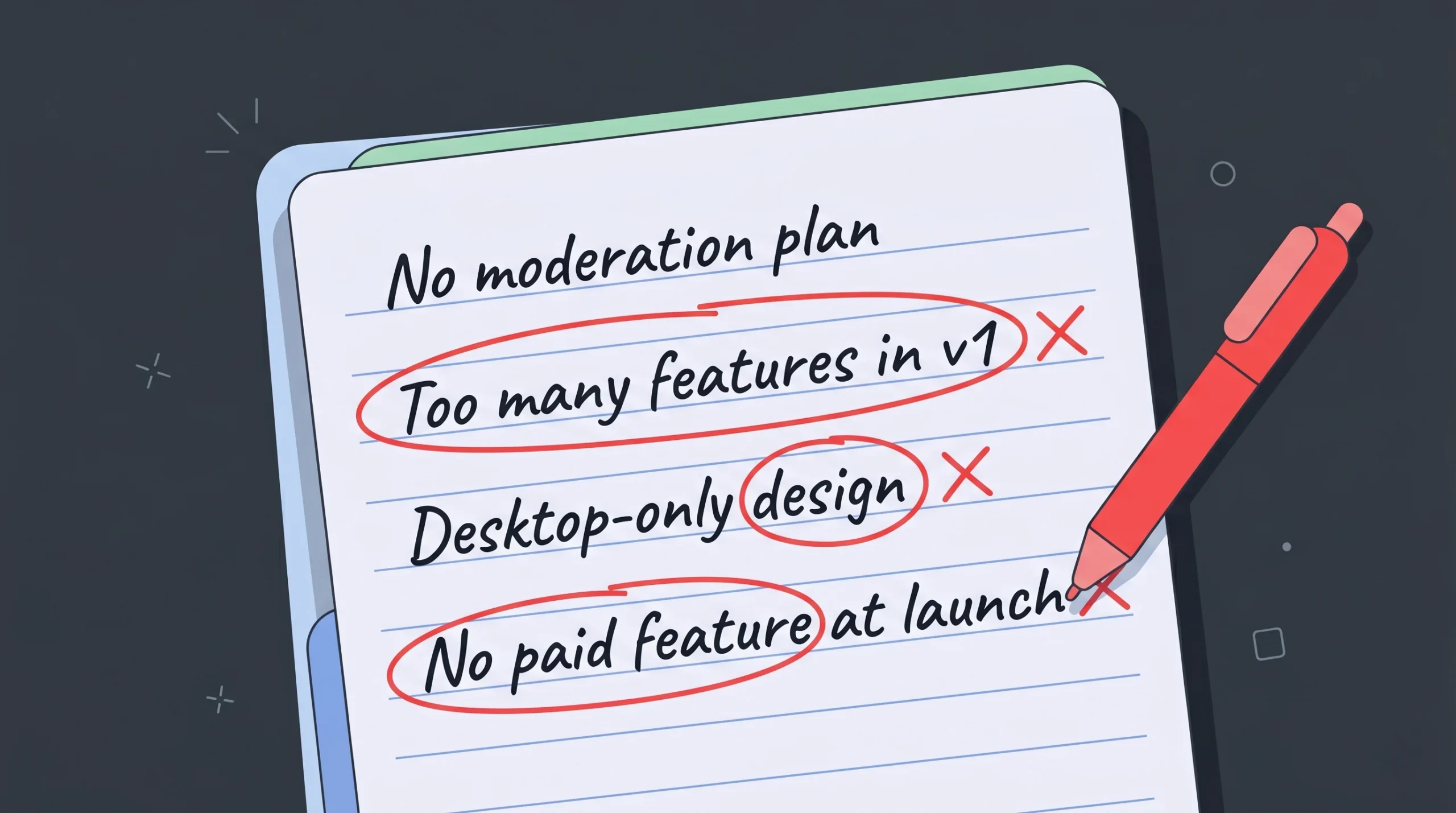
- Going horizontal too early. Trying to be “Craigslist for everything” with no traffic is a dead start. Pick one niche, win it, then expand.
- Skipping moderation. Spam, scams, and adult content destroy trust within weeks if you have no admin tools.
- No mobile-first design. Three quarters of users post and browse from phones. A clunky mobile experience kills the funnel.
- Ignoring email. Email confirmations, listing renewals, and inactive-user re-engagement are the cheapest growth channel. Set them up before launch.
- Building too many features in v1. Messaging, ratings, escrow, and apps can all wait. Listings, search, and posting cannot.
- Free forever pricing. Charging from day one validates demand. Free-only models almost always struggle to convert later.
- Treating AI builds as final. AI gets you 80 percent. Real engineers handle the 20 percent that scales: payment edge cases, moderation logic, performance tuning. Plan for both.
- No analytics. If you do not know which categories convert, you cannot grow. Install tracking on day one.
How Much Does It Cost? How Long Does It Take?
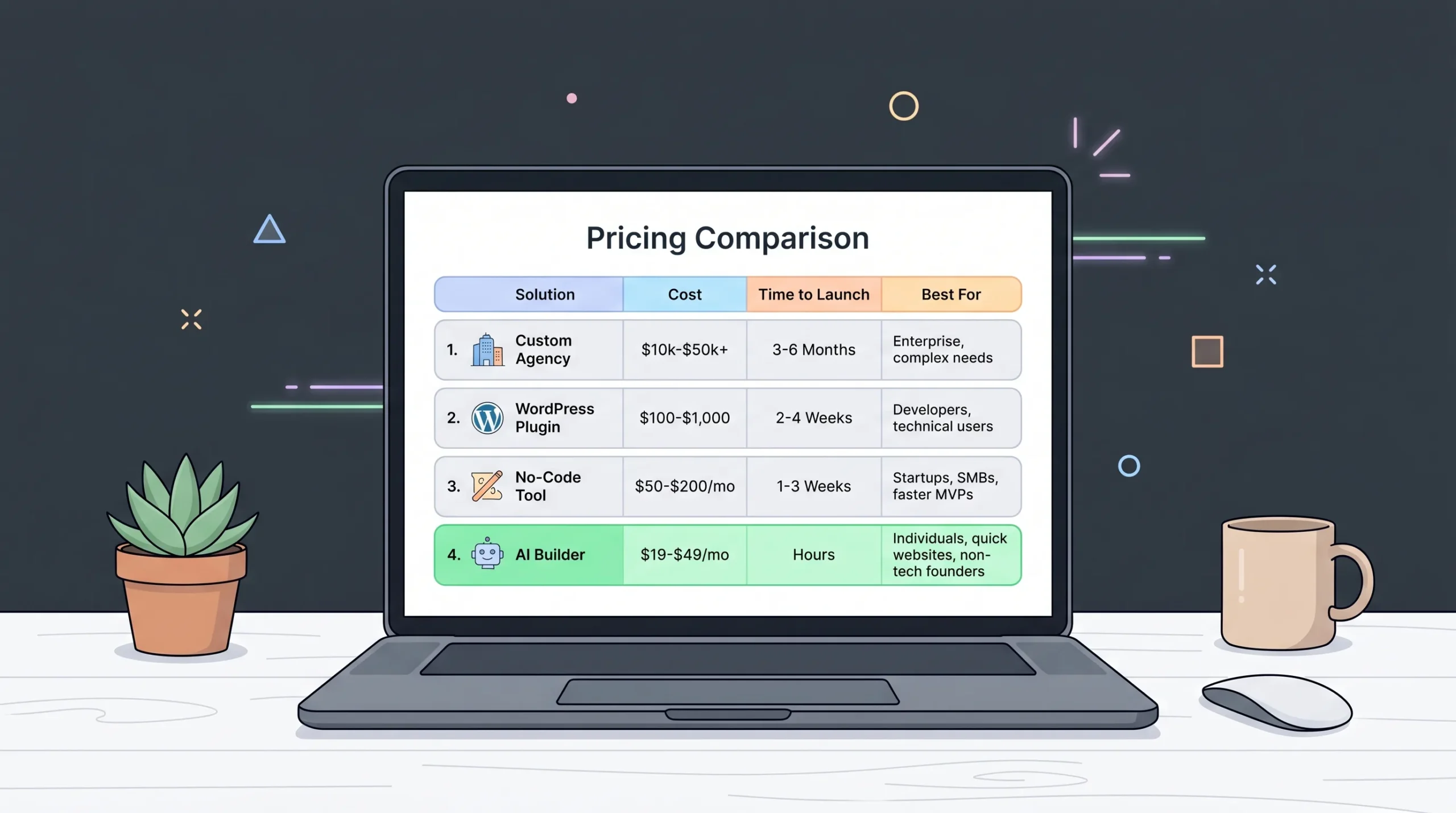
Honest 2026 numbers across the four build paths:
| Build path | Cost (MVP) | Time to launch | Best for |
|---|---|---|---|
| Custom agency development | $30,000 to $150,000 | 3 to 9 months | Funded startups |
| WordPress plus plugin | $50 to $300 | 1 to 2 weeks | Hobby projects |
| No-code template tools | $50 to $300 per month | 2 to 6 weeks | Internal tools |
| AI builder plus human engineers | $25 to $499 one-time or monthly | 2 to 10 days | Most founders |
The AI plus human route is the most cost-efficient option for a serious launch. A Pro plan covers the full build, deployment, and engineer support for a fraction of agency rates.
Frequently Asked Questions
How much does it cost to create a classified ads website?
A classified ads website costs anywhere from $50 (WordPress plugin) to $150,000 (full custom build). The most realistic range for a working MVP in 2026 is $25 to $499 using an AI app builder with human engineering support. This includes hosting, database, authentication, and deployment.
How long does it take to build a classified ads website?
A traditional agency build takes three to nine months. WordPress takes one to two weeks but caps out fast. AI builders with human engineers ship a production-ready MVP in two to ten days, including custom branding and a payment flow.
Do I need to know how to code to build a classifieds site?
No. With AI app builders like Imagine.bo, you describe the site in plain English and the platform generates the full stack: frontend, backend, database, and deployment. When something gets stuck, a real engineer takes the ticket and ships the fix. Zero coding is required from you.
What is the best platform to create a classified ads website in 2026?
For non-technical founders, AI builders with human engineering on demand are the best choice. They ship faster than custom dev, scale better than WordPress, and avoid the lock-in of pure no-code tools. Imagine.bo, reviewed in this 2026 marketplace guide, is built specifically for this hybrid model.
How do classified ads websites make money?
The five proven revenue streams are featured listings (charge to pin a post at the top), boosted visibility (charge to refresh a listing’s position), monthly subscriptions for power posters, pay-per-post fees above a free quota, and display ads or direct sponsorships once traffic crosses 50,000 monthly visits. Most successful sites combine three of these.
Is the classified ads business profitable in 2026?
Yes, in niche verticals. Horizontal classifieds (general “post anything” sites) struggle against Craigslist, Facebook Marketplace, and Nextdoor. Vertical classifieds (jobs in one city, equipment for one trade, rentals for one audience) are highly profitable because users will pay for focused, scam-free listings.
What features must a classified ads website have on launch day?
Five non-negotiables: a listing form, a search and filter system, user accounts with a “my listings” dashboard, basic admin moderation, and at least one paid feature like a featured-listing upgrade. Everything else can wait for v2.
Can I create a classified ads website like Craigslist or OLX?
Yes. The technology to clone the listing structure, search, and posting flow of Craigslist or OLX is available on multiple AI builders today. The hard part is not the build, it is winning a niche where you can become the trusted brand. Pick a vertical, win there first, then expand.
How do I prevent spam and scams on my classifieds site?
Combine four tools: an automated keyword and link filter on listings, a “report” button on every post, an admin review queue for flagged content, and email or phone verification for users posting more than three listings. Most spam dies if you require any one of these, and almost all of it dies if you stack the four.
Final Word and Next Steps
Creating a classified ads website in 2026 is no longer a six-month engineering project. It is a one-week build for a focused founder who picks a niche, ships an MVP, charges from day one, and iterates based on real users.
The winning formula:
- Pick a vertical you understand or care about
- Define the smallest possible v1 (five core features)
- Use an AI plus human engineering platform to build it in days, not months
- Charge for one paid feature on launch day
- Win on speed, trust, and niche focus
The biggest mistake left to make is over-thinking. Most successful classifieds founders launched something simple, charged a few dollars, and iterated their way to profitability inside 12 months.
If you want to ship a classified ads website this week, start with a clear prompt describing your niche, your target users, and your top five features. The AI handles the build. A real engineer handles the edge cases. You handle growth.
Pick a niche. Write the prompt. Launch by Friday.
This guide is part of the Imagine.bo build playbook. For more on shipping niche apps fast, see the marketplace app guide for 2026 and the hyper-speed prompt-to-marketplace breakdown.
Launch Your App Today
Ready to launch? Skip the tech stress. Describe, Build, Launch in three simple steps.
Build