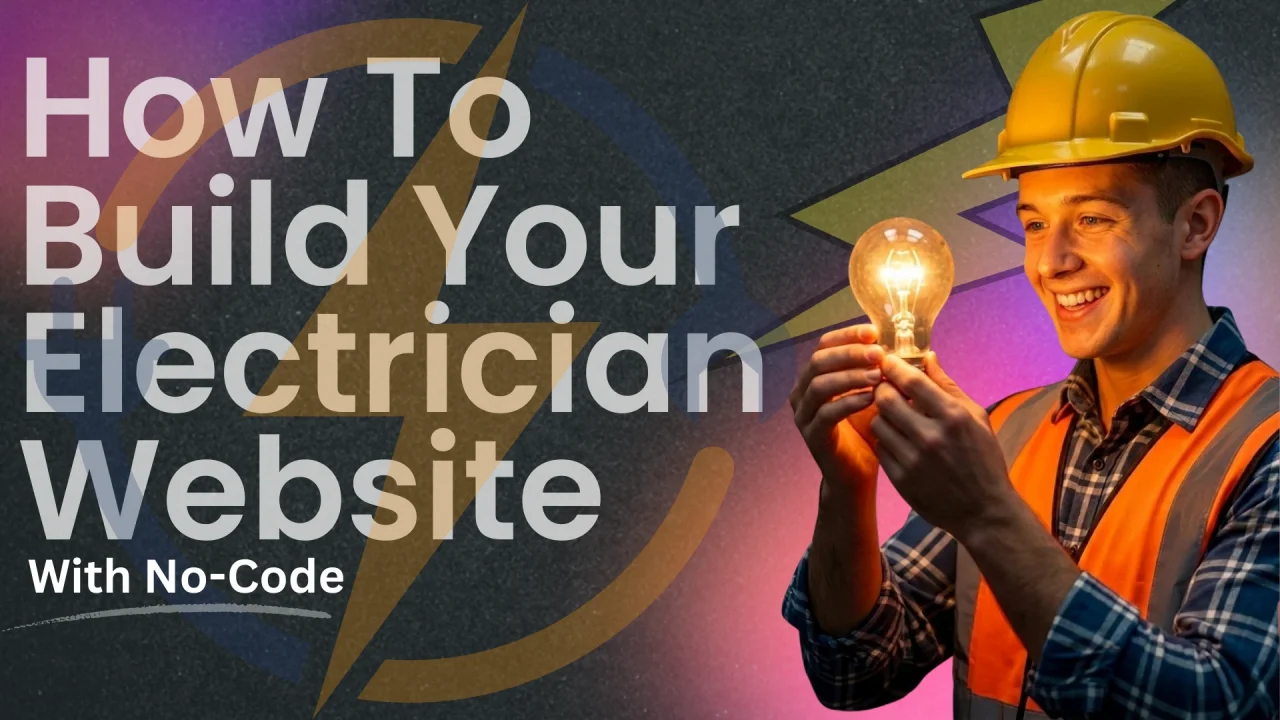
You’re a licensed electrician. You wire panels, fix breakers at 10 PM, and build the infrastructure that keeps families safe. You’re not a web designer. And honestly, you shouldn’t have to be.
But here’s the uncomfortable truth that’s costing American electricians thousands of dollars every single month: 97% of people search online before hiring a local service provider. Moreover, 88% of those who search “electrician near me” call within 24 hours. Each new customer represents anywhere from $500 to $2,000 in immediate revenue, with a lifetime value of $5,000 to $10,000.
Launch Your App Today
Ready to launch? Skip the tech stress. Describe, Build, Launch in three simple steps.
BuildIf you don’t have a website, or if you have one that looks like it was built in 2011, you’re handing those high-paying jobs to your competitor down the street. Not because they are better at electrical work, but simply because they showed up on Google and you didn’t.
This is the complete, no-fluff, to building an electrician website that ranks locally, looks professional, and turns visitors into booked jobs. Whether you’re a solo contractor in Houston or a growing crew in Phoenix, we’ll show you exactly how to do this.
The Real Problems Electricians Face Online (And Why They Stay Invisible)
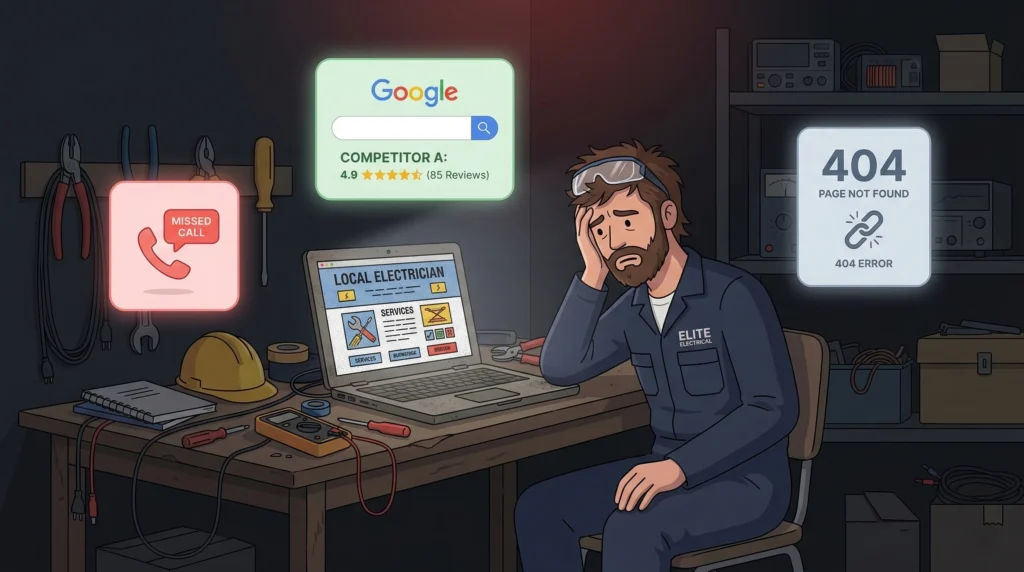
Before we build anything, let’s look at what’s actually holding most electrical contractors back. These aren’t hypothetical problems; they come straight from real electricians.
Problem 1: “I rely on word-of-mouth. I don’t need a website.”
Word-of-mouth is gold, but in 2026, word-of-mouth and digital presence are multipliers, not competitors. When a neighbor recommends you, the very first thing that homeowner does is Google your name. If they find nothing, that warm referral instantly goes cold.
Problem 2: “I built a site on Wix, but I get zero calls.”
This is incredibly common. You spend a weekend building a generic site, and then… silence. Why? Because the site doesn’t rank. It lacks local SEO structure, specific service pages, and conversion architecture. A website that can’t be found is just a business card hidden in a drawer. If you feel stuck, it might be time to explore how a website redesign can actually drive traffic and leads back to your business.
Problem 3: “I don’t know what to put on my website.”
Most electricians undersell themselves. A site that just says “Residential and Commercial Services” with a phone number isn’t enough. Customers want to see license numbers, service area specifics, real photos of your work, and Google reviews before they trust you with their home.
Problem 4: “I don’t have time to build a website. I’m on job sites all day.”
This is the most valid objection. Generic builders promise “easy” but deliver a frustrating maze of templates and plugins. You’re a practical problem-solver; you shouldn’t need a second career in coding to get online.
Problem 5: “I can’t add the custom features I actually need.”
Off-the-shelf builders hit a ceiling fast. Want an online booking system that texts you job details? A dynamic service area map? Generic builders nickel-and-dime you for these plugins, and half the time, they break.
What an Electrician Website Actually Needs to Book Jobs
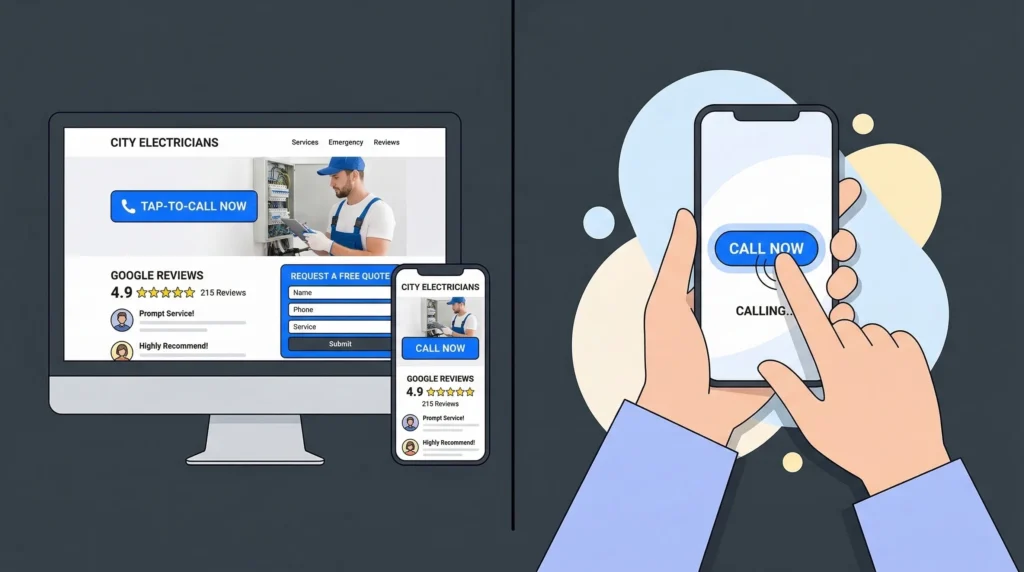
The best electrician websites in America share the same DNA. Here is your non-negotiable checklist:
- A Can’t-Miss Phone Number: Top-right corner, large font, tap-to-call on mobile. Don’t make someone with a tripped breaker hunt for your contact info at 9 PM.
- Clear “What & Where” Above the Fold: Within 3 seconds, visitors must know what you do and where you do it. Example: “Licensed Electrical Contractor Serving Austin, TX and Surrounding Areas.”
- Dedicated Service Pages: Do not lump everything into one “Services” page. Create separate pages for Panel Upgrades, EV Charger Installation, Smart Home Wiring, etc. Google ranks specific pages for specific searches.
- Targeted Service Area Pages: If you serve five different towns, you need five different pages (e.g., “Electrician in Cedar Park, TX”). This is a local SEO goldmine. To ensure these pages perform well, following a SEO friendly website design guide is essential for ranking in local searches.
- Prominent License Number: In trades, legitimacy is everything. Display your state license prominently to prove you aren’t an unverified handyperson from Craigslist.
- Real Photos: Websites with real photos (your truck, your team, before-and-after panel upgrades) get 41% more clicks. Ditch the stock photos.
- Visible Google Reviews: 57% of consumers won’t call a business with no visible reviews. Embed them directly on your site.
- Frictionless Quote Form: Name, Phone, Service Needed, Zip Code. Keep it simple.
- Emergency Services Callout: A 24/7 emergency banner captures high-urgency, high-converting traffic.
Step 1: Define Your Strategy
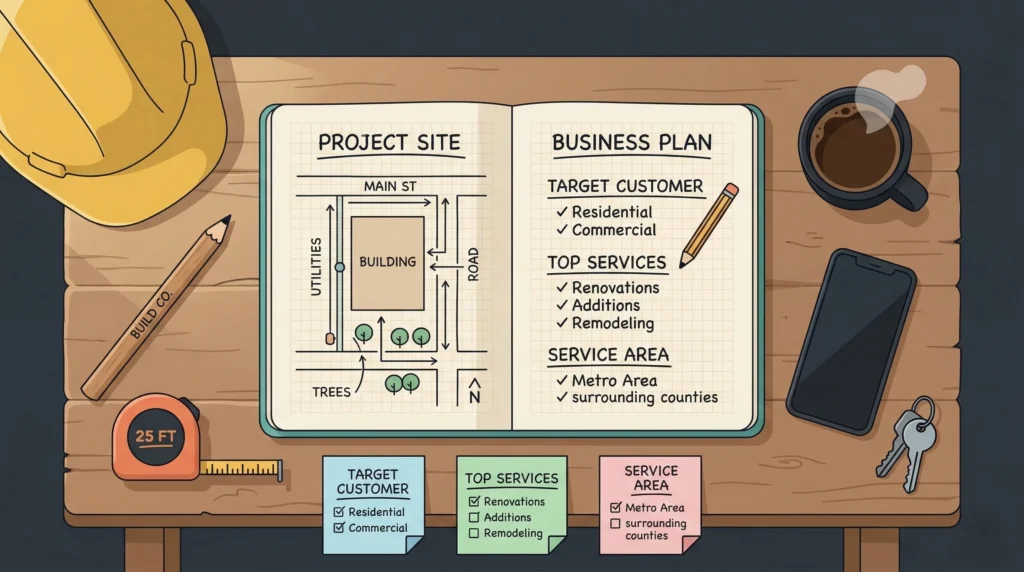
This is the foundational step most contractors skip, but it defines your entire site structure. Spend 30 minutes offline answering these critical questions:
- Who is your ideal customer? Determine if you are targeting homeowners, commercial property managers, or builders, as this shapes your site’s tone.
- What are your top 5 most profitable services? These specific services will each require their own dedicated page for SEO.
- Exactly which cities and zip codes do you serve? List every one to create high-ranking service area pages.
- What is your primary Call-to-Action (CTA)? Decide if you want visitors to call directly, submit a quote form, or book an appointment.
- What separates you from the competition? Identify your “above the fold” highlights, such as master electrician status, 24/7 availability, or being veteran-owned.
Step 2: Gather Your Assets
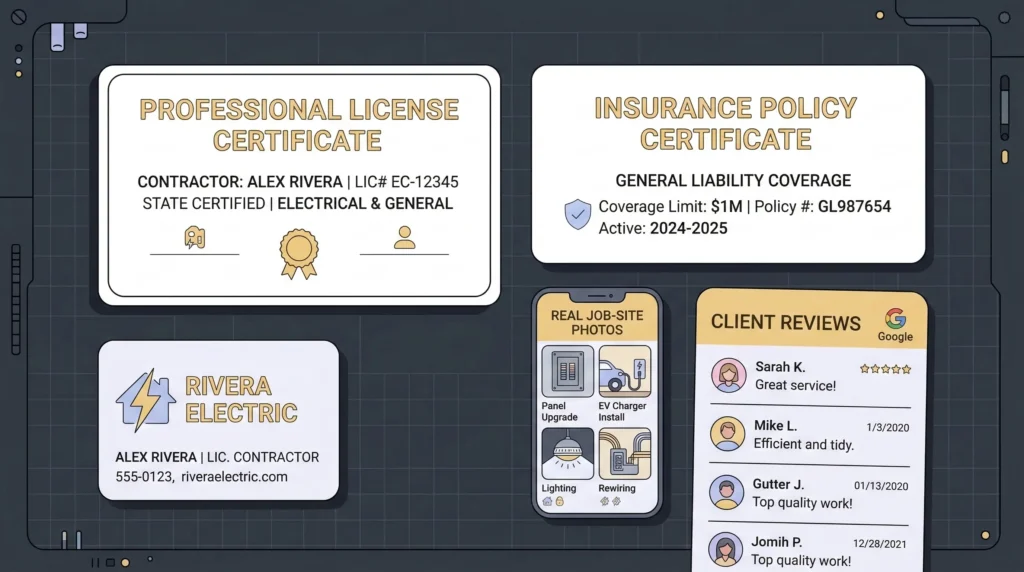
Stop and hunt for information now so you don’t slow down the build later. Save these in a dedicated folder:
- Business Info: Your name, address, and phone number (NAP) must be identical to your Google Business Profile for local SEO consistency.
- Credentials: Have your state contractor license number and insurance details ready.
- Visuals: Collect your logo and 10–15 real photos of your work, such as panel upgrades and EV installs. Avoid stock photos, as they signal “fake” to customers.
- Social Proof: Gather 3–5 written Google reviews and a list of any certifications or affiliations like NECA or IBEW.
Step 3: Choose Your Website Builder (The 2026 Way)
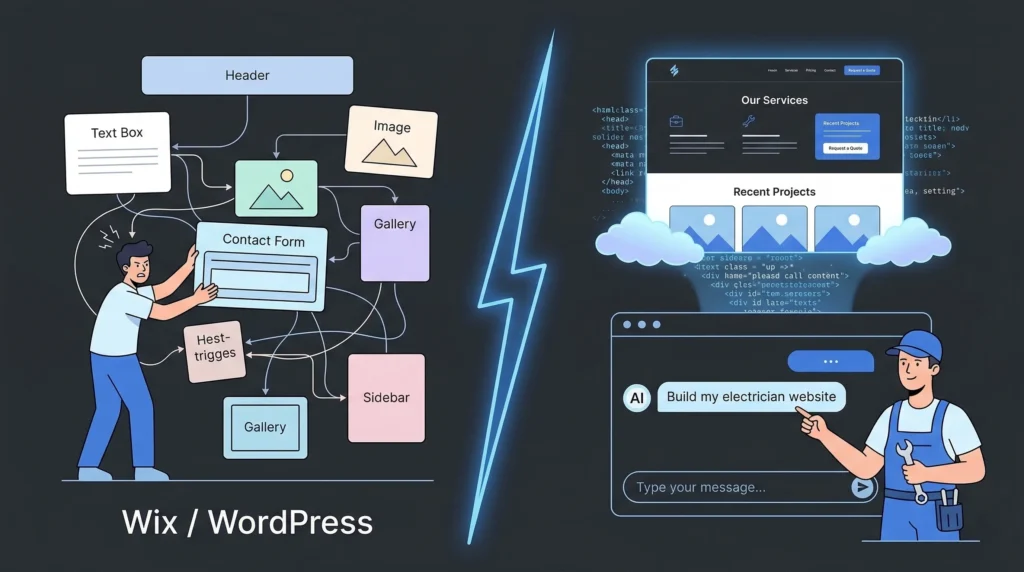
Choosing the wrong platform can leave you invisible or locked into a site you don’t own.
- Wix/Squarespace: Fast to start, but SEO tools are often basic, and you are essentially “renting” your site.
- WordPress: Extremely powerful but complex; you’ll likely spend more time managing plugins and security than running your business.
- The Modern Solution (Imagine.bo): This AI-powered no-code app builder allows you to describe your business in plain English, and the AI builds the code for you. Unlike other builders, you own your website outright with exportable code.
Step 4: Build a Conversion-Optimized Homepage
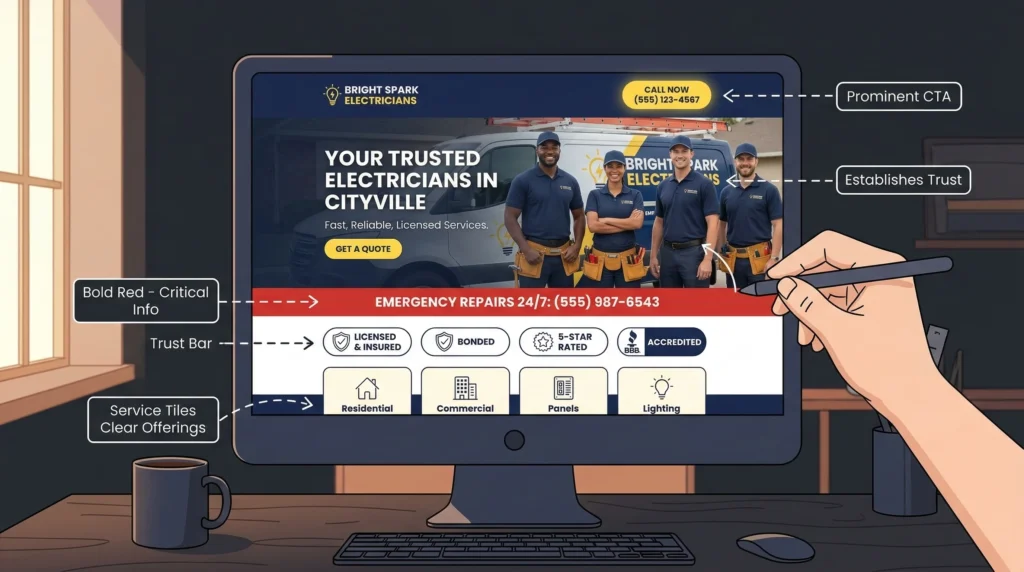
Your homepage has roughly 60 seconds to earn trust. It must include:
- Visible Contact Info: A large, clickable phone number in the top-right corner of every page.
- The Hero Section: A real photo of your crew with a headline stating exactly what you do and where you do it (e.g., “Licensed Electrician Serving Houston”).
- The Trust Bar: Positioned right below the hero, display your years in business, license number, and review count.
- Scannable Services: Use service tiles with icons and “Learn More” links so visitors can self-select their needs quickly.
- Emergency Callout: A visually distinct banner for 24/7 emergency services that is impossible to miss.
Step 5: Build Out Your SEO Pages (Services & Areas)
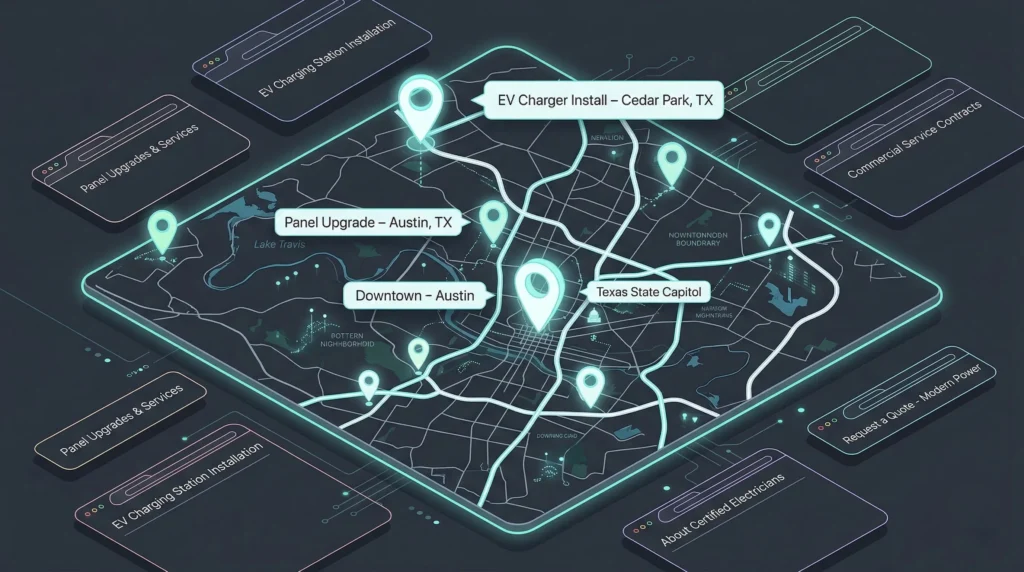
Google rewards specificity; a single “Services” list will not rank well.
- Dedicated Service Pages: Create individual pages for “Panel Upgrades,” “EV Charger Installation,” etc. Each page should include price ranges, signs the homeowner needs the service, and an FAQ section to capture voice search traffic.
- Service Area Pages: This is your local SEO secret weapon. Create pages for every city or significant zip code you serve to rank for searches like “Electrician in [City]”.
Step 6: Connect Your Google Business Profile
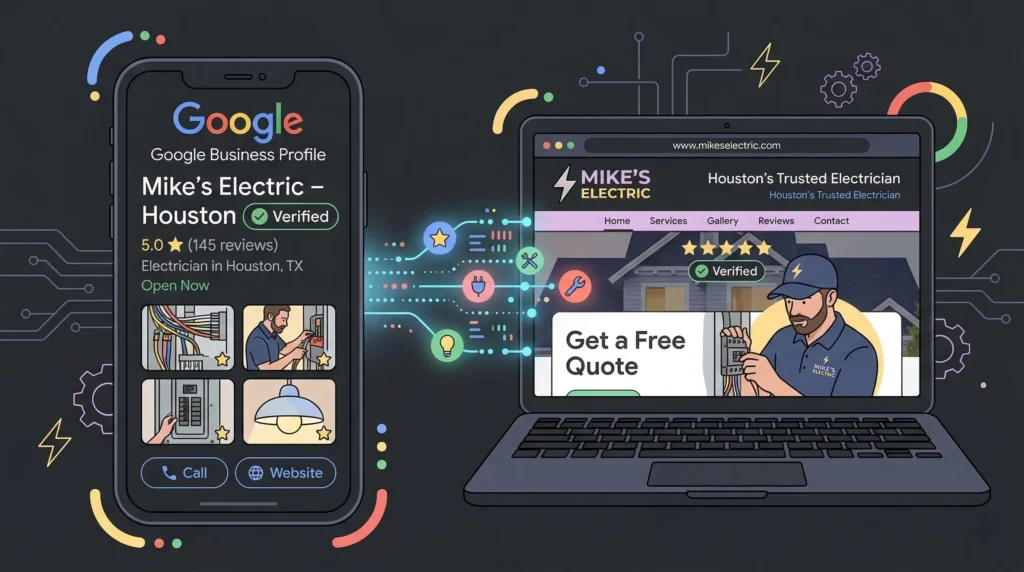
Your website and your Google Business Profile (GBP) work as a team; neither is enough alone.
- Claim & Verify: Ensure your profile is verified at business.google.com.
- NAP Consistency: Your name, address, and phone number must be identical on both your site and GBP to avoid confusing Google.
- Active Engagement: Upload 10+ photos immediately and ask every satisfied customer for a review by texting them a direct link.
Step 7: Set Up Your Lead Workflows
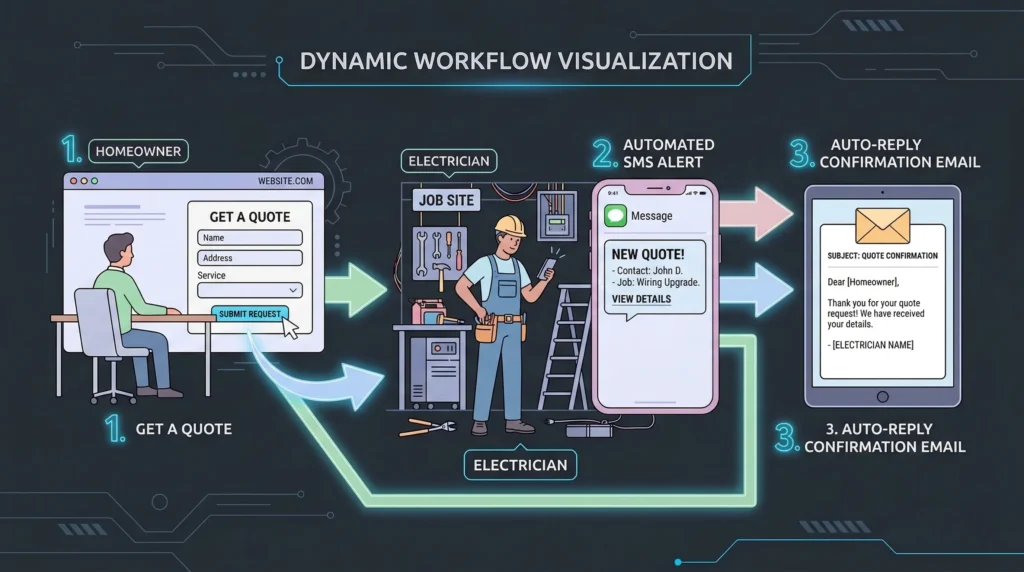
A static contact form is not enough; you need a system that captures leads and alerts you instantly.
- Smart Forms: Use forms that capture the service needed, property address, and urgency level.
- Instant Notifications: Set up SMS and email alerts so you can respond while the lead is still fresh.
- Automation: Use auto-replies to confirm receipt and provide an estimated callback time.
Step 8: Optimize for Mobile & Speed
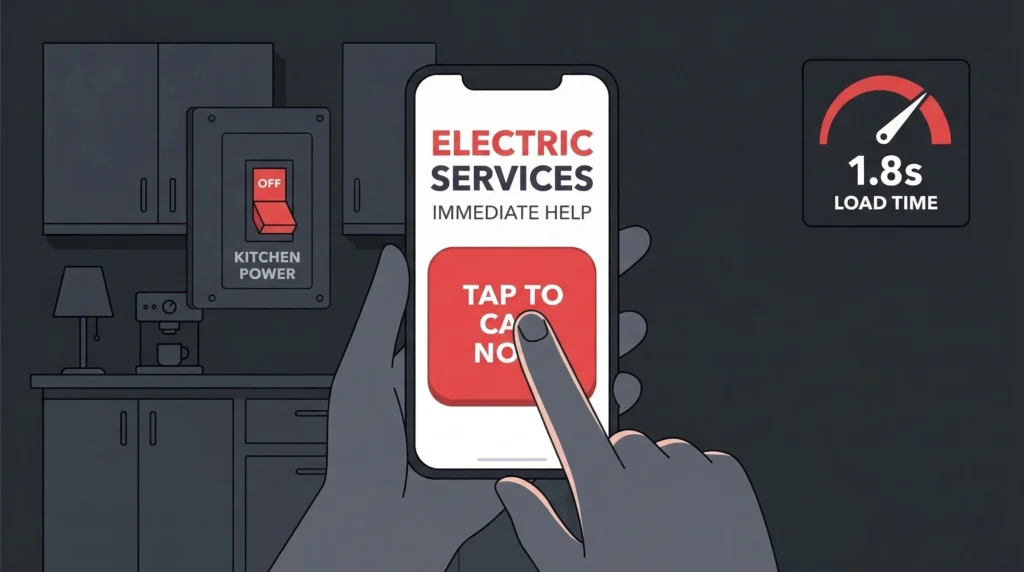
Over 60% of local trade searches happen on mobile, often during high-stress emergencies.
- Speed: Your site must load in under 3 seconds on a mobile connection to prevent visitors from calling the next result.
- Mobile UX: Ensure text is readable without zooming and the phone number is a tap-to-call link.
Step 9: Add Your Trust Signals
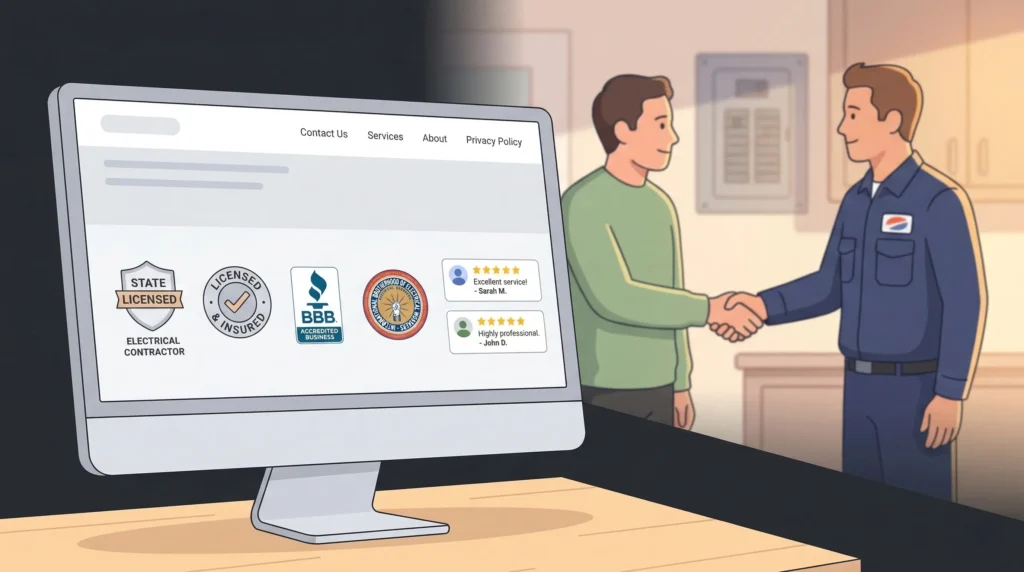
Homeowners are making a significant trust decision when inviting you into their home.
- Credentials: Display your state license number, “Licensed & Insured” badges, and any memberships (NECA, BBB) in every footer.
- Safety Signals: Mention that you pull permits for every job and use background-checked technicians.
- Professionalism: Include an “upfront pricing guarantee” and a note that you clean up after every job.
Step 10: Write Your About Page
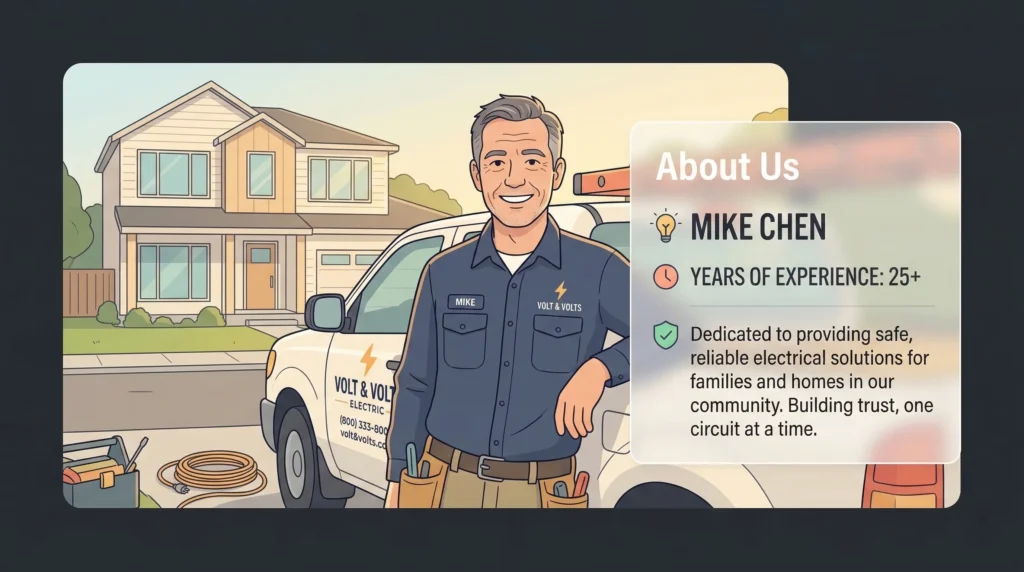
This is one of the most-visited pages because people hire people, not websites.
- Tell a Story: Share why you started your business and your commitment to quality (e.g., “treat every house like my mother’s home”).
- Show Your Face: Include a genuine photo of you or your crew on a job site to turn a skeptical visitor into a caller.
Step 11: Launch, Connect, and Get Found
Once the site is built, perform these final technical steps to ensure Google can find you:
Directories: Submit your business to Yelp, Angi, and the Better Business Bureau with identical NAP information.Your site must load in under 3 seconds and have massive, thumb-friendly tap-to-call buttons.
Search Console: Submit your sitemap so Google indexes all your pages quickly.
Why Imagine.bo is the Ultimate Web Solution for Electricians
If you want a website that performs like you hired a top-tier engineering firm, but you want to build it yourself without writing a single line of code, Imagine.bo is the answer. It is an end-to-end development platform that manages the entire product journey. Here is why it perfectly solves the exact problems electricians face:
1. You Build with Plain English, Not Code
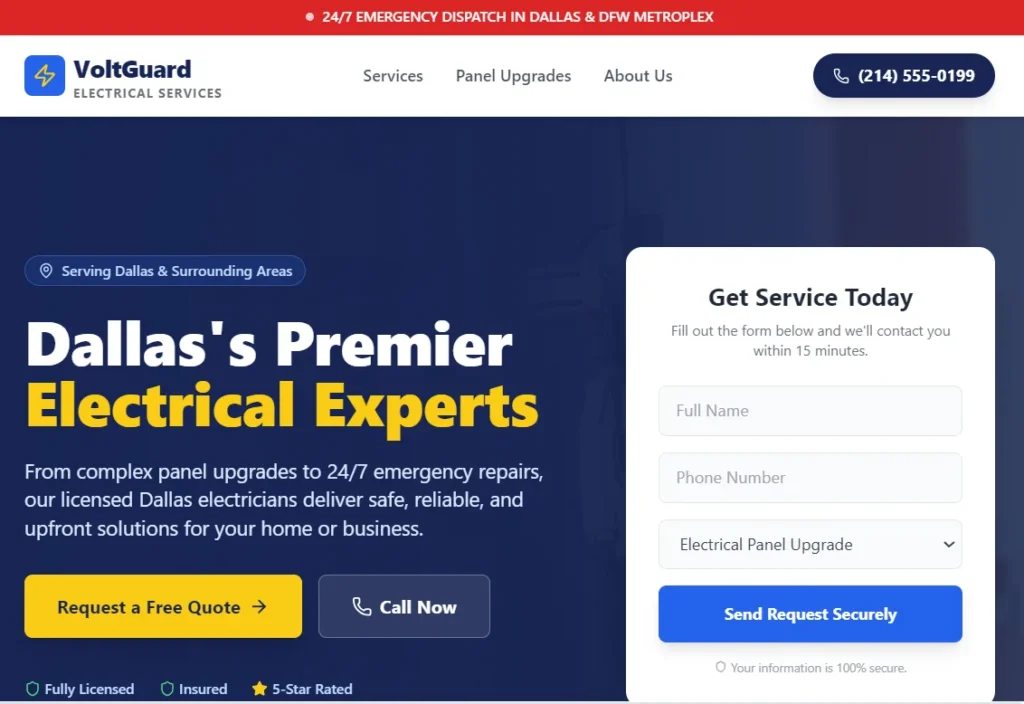
With Imagine.bo’s AI-First Experience, you don’t drag-and-drop templates. You simply type: “I am an electrician in Dallas. I need a website that highlights my panel upgrade services, has a 24/7 emergency call button, and includes a secure lead capture form.” The AI’s Reasoning Engine understands the business logic and builds it. For busy contractors, this is the most efficient ai website builder for small business available today.
2. SDE-Level Engineering & Speed
Generic builders bloat your site with slow code. Imagine.bo generates clean, scalable, and secure architecture with real engineering standards. Your site is cloud-native (deployable on AWS, GCP, or Vercel), ensuring lightning-fast mobile load times—which Google absolutely requires for local SEO ranking. If you’ve ever wondered how to build a web app without coding in 2025, this platform provides the professional infrastructure you need.
3. Human + AI Collaboration
What if you want something highly specific, like a custom calculator for EV charger install costs? Imagine.bo offers a feature to Assign a Developer. When advanced custom logic is required, a real, professional human developer steps in to assist the AI. You get the speed of AI with the quality assurance of a real engineer.
4. Enterprise-Grade Security & Ownership
Homeowners are submitting their addresses and phone numbers on your site. Imagine.bo builds with GDPR and SOC2-ready secure backend logic. Best of all? You own the final product. Imagine.bo generates actual exportable code. You aren’t just renting a template; you own your digital asset. Understanding the no-code app security best practices used by the platform can give you and your customers total peace of mind.
5. Built-in Growth Tools
Imagine.bo comes natively equipped with SEO optimization, mobile responsiveness, and built-in analytics so you can actually see how many people are visiting and where they are clicking, easily exporting data to Google Sheets. This allows you to build ai apps without code that function as full-scale marketing engines for your electrical business.
Your Launch Checklist
Ready to stop leaving money on the table? Check these off:
- Core Pages: Homepage, Service Pages, Service Area Pages, About, Contact.
- Trust Signals: License number, insurance mention, real photos, Google reviews.
- Conversion: Sticky tap-to-call button, frictionless quote forms.
- Technical: Loads in under 3 seconds, connected to Google Search Console/Analytics.
- Tech Stack: Powered by a scalable, SDE-level platform like Imagine.bo.
Every day you rely on an outdated website—or no website at all—your competitors are answering the calls that should have been yours. For those who want to see the broader landscape, you can compare the 8 best no-code website builders to see how modern AI tools are leaving traditional builders behind.
Related Articles
- AI Website Builder for Electricians
- AI Website Builder for Contractors: Build a Professional Site Without Code
- AI Website Builder for Roofers: Launch Your Roofing Business Online Without Code
- AI Website Builder for Landscapers: Cultivate Your Online Presence in 2025
- AI Website Builder for Schools
Launch Your App Today
Ready to launch? Skip the tech stress. Describe, Build, Launch in three simple steps.
Build