Most people who try an AI app builder the first time get one of two results: a generic landing page that does nothing, or an overwhelming mess with no logic. The prompt is almost always the reason. Vague inputs produce vague apps. According to the MIT Sloan Management Review, teams using structured natural language inputs with AI development tools reduce rework iterations by up to 60 percent compared to open-ended prompting (MIT Sloan Management Review, 2024).
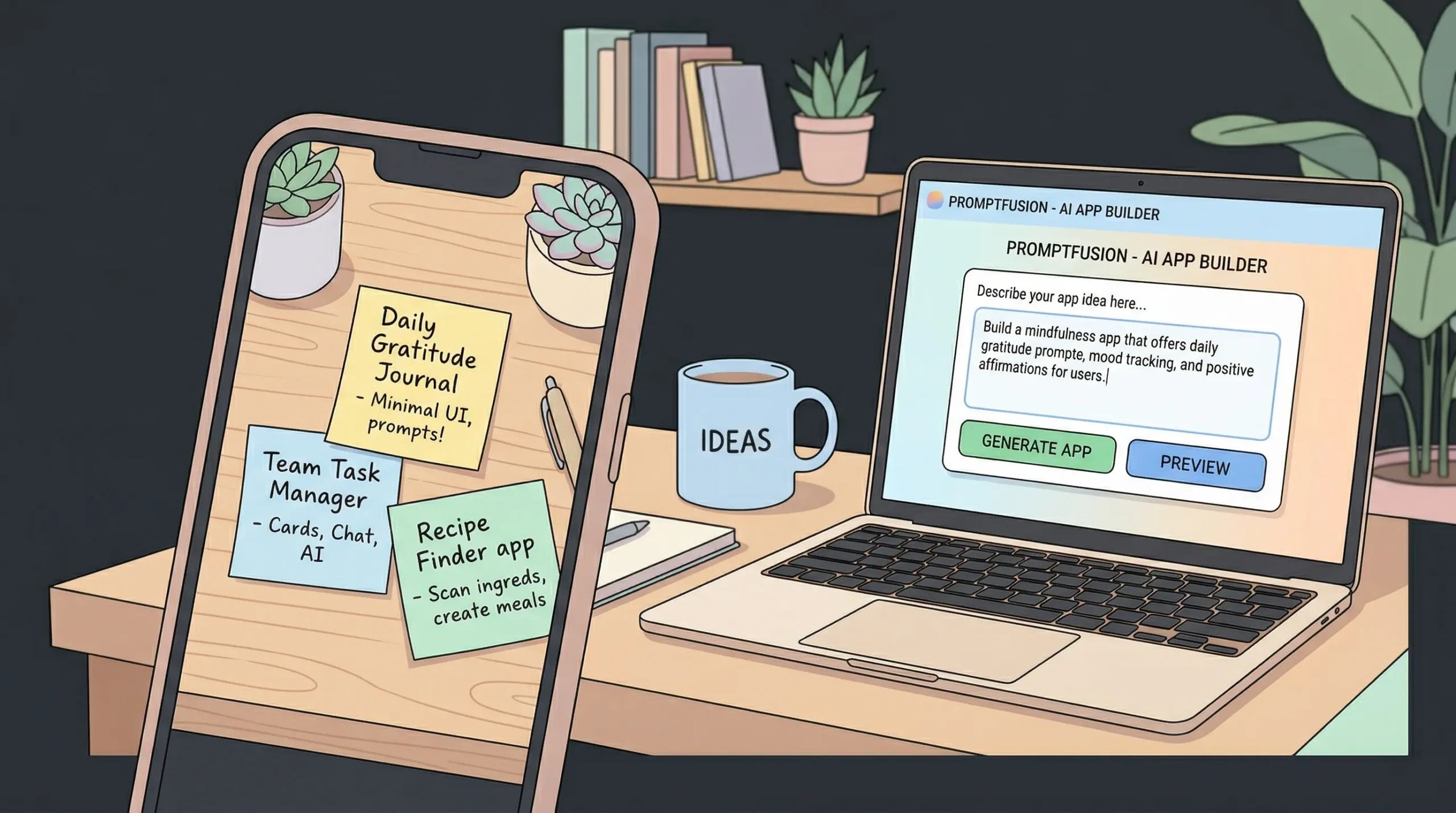
This library gives you 40+ copy-paste prompts, organized by app type: SaaS, marketplace, internal tool, consumer app, and more. Every prompt follows imagine.bo’s four-element framework: Actor, Problem, Key Features, and Edge Behaviors. Use them exactly as written or adapt them to your use case. By the end, you will know how to write a prompt that generates a working, production-ready app in minutes. Check out how turning ideas into apps works with AI prompts for the conceptual foundation before diving in.
Launch Your App Today
Ready to launch? Skip the tech stress. Describe, Build, Launch in three simple steps.
BuildTL;DR: A structured four-element prompt (Actor, Problem, Key Features, Edge Behaviors) consistently outperforms vague inputs in AI app builders. According to a 2024 GitHub survey, developers using structured AI prompts complete features 55 percent faster than those using open-ended instructions (GitHub, 2024). This library gives you 40+ ready-to-use prompts across six app categories, each built on imagine.bo’s official prompting framework.
What Is the 4-Element Prompt Framework?
The four-element framework is imagine.bo’s official method for writing prompts that generate precise, logic-complete applications rather than generic page templates. It works because AI app builders need context about people, purpose, functionality, and constraints all at once, not just a vague product description.
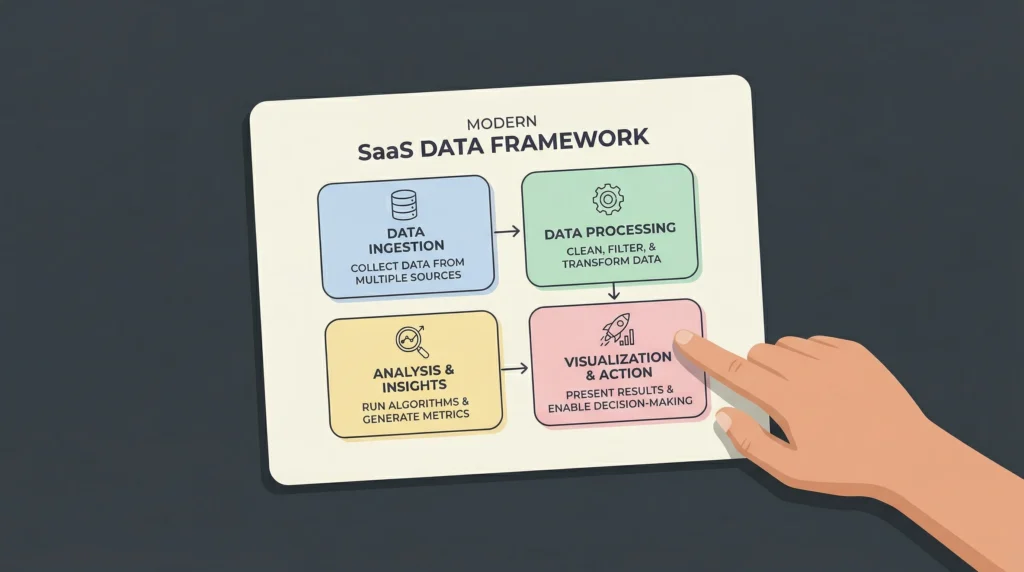
According to a 2025 study by Stanford HAI, AI systems that receive structured role and constraint information produce outputs with 43 percent fewer critical logical errors than those given free-form requests (Stanford HAI, 2025). The four elements map directly to this need.
Element 1: Actor (Persona). Who uses the app? Be specific. “Users” is useless. “Freelance graphic designers billing clients monthly” gives the AI real context for data models, permissions, and workflows.
Element 2: Problem. What pain does this solve? This anchors the AI’s decisions about what to prioritize when it has to make trade-offs between features. Without it, you get feature soup.
Element 3: Key Features. List the core screens and actions explicitly. Do not assume the AI will infer them. “A dashboard, a project list, and an invoice generator” is better than “a project management tool.”
Element 4: Edge Behaviors. Define the rules and restrictions. “Only admins can approve expenses” or “guests can view but not submit forms” prevents permission errors and half-built workflows.
Every prompt in this library uses all four elements. Paste them into imagine.bo’s Describe-to-Build interface and watch the AI-Generated Blueprint appear. For a deeper look at how the platform processes these inputs, read how to build an app by describing it in plain English.
SaaS App Prompts: Build Subscription Products Without a Dev Team
SaaS is where the four-element framework earns its keep fastest. Subscription logic, multi-user roles, billing states, and usage limits all require precise instructions. Miss any one of them and you get an app that looks like a SaaS but behaves like a static website.
According to Gartner, by 2026 approximately 80 percent of technology products will be built by people without traditional software engineering backgrounds, driven almost entirely by AI-assisted development platforms (Gartner, 2025). The prompts below are designed for exactly that audience.
The most common mistake in SaaS prompts is leaving out the subscription state. A user who just cancelled should not have the same access as an active subscriber. Always define inactive states in your Edge Behaviors.
SaaS Prompt 1: Project Management Tool
Build a project management SaaS for small marketing agencies. Agency owners need to assign tasks across client projects, track deadlines, and generate weekly progress reports. Include a project dashboard, task board with status columns (To Do, In Progress, Review, Done), team member management, client-facing read-only project views, and automated weekly email summaries. Only admins can create or archive projects. Clients can view project progress but cannot edit tasks or see internal notes.
Try this prompt in imagine.bo
SaaS Prompt 2: Subscription-Based Learning Platform
Build a course platform SaaS for independent online educators selling video courses. Educators need to upload content, manage students, and receive payments. Include a course builder with lesson ordering, a student dashboard showing progress, Stripe payment integration for one-time and monthly subscriptions, and completion certificate generation. Students can only access lessons they have paid for. Educators cannot see student payment details.
Try this prompt in imagine.bo
SaaS Prompt 3: Client Reporting Dashboard
Build a white-label reporting SaaS for digital marketing consultants who manage multiple client accounts. Consultants need to pull performance data and share branded reports. Include a multi-client dashboard, report builder with drag-and-drop metric blocks, PDF export, and a client portal where clients log in to see only their own reports. Consultants can create and delete client accounts. Clients cannot access other clients’ data or edit any report content.
Try this prompt in imagine.bo
SaaS Prompt 4: Appointment Booking with Payments
Build a booking SaaS for independent therapists and coaches who take one-on-one sessions. Practitioners need to manage their calendar, accept payments upfront, and send reminders. Include an availability calendar, session booking flow with Stripe pre-payment, automated SMS and email reminders 24 hours before sessions, and a session notes field only visible to the practitioner. Clients can reschedule up to 24 hours before but cannot cancel without forfeiting payment.
Try this prompt in imagine.bo
SaaS Prompt 5: Team Password and Credentials Manager
Build a credentials management SaaS for startup ops teams who share logins across tools. Teams need a secure, organized vault with role-based access. Include credential storage with encrypted fields, folder organization by project or department, activity logs showing who accessed what and when, and team member invite flows. Admins can see all credentials. Regular members can only see folders they have been granted access to. No one except the credential owner can reveal a stored password without admin approval.
Try this prompt in imagine.bo
SaaS Prompt 6: Feedback and Survey Collection Tool
Build a survey SaaS for product managers at early-stage startups who need to collect user feedback continuously. PMs need to create surveys, distribute them via a shareable link, and analyze responses. Include a survey builder with multiple question types (NPS, rating, open text, multiple choice), a response dashboard with charts, CSV export, and email notifications when new responses arrive. Respondents are anonymous by default. Admins can enable respondent email collection per survey.
Try this prompt in imagine.bo
SaaS Prompt 7: Invoice and Proposal Generator
Build an invoicing SaaS for freelance consultants who need to send professional proposals and collect payments. Freelancers need to create proposals, convert them to invoices, and track payment status. Include a proposal builder with itemized line items, tax rate fields, and branding options, an invoice dashboard showing paid, pending, and overdue status, Stripe payment links embedded in invoices, and automated late payment reminder emails after 7 and 14 days. Clients can pay invoices and download PDFs but cannot edit amounts after submission.
Try this prompt in imagine.bo
SaaS Prompt 8: Employee Onboarding Platform
Build an onboarding SaaS for HR teams at companies with 10 to 200 employees. HR managers need to create structured onboarding checklists and track new hire progress. Include onboarding task templates, a new hire portal where hires complete tasks and upload required documents, a progress tracker for HR managers, and automated email nudges when tasks are incomplete after 48 hours. Admins can see all onboarding records. New hires can only see their own tasks and cannot edit task definitions.
Try this prompt in imagine.bo
For a complete walkthrough of launching a SaaS product using this kind of approach, see how to build a SaaS with AI and no code.
Marketplace App Prompts: Two-Sided Platforms Without Backend Engineers
Building a marketplace means building two apps at once, one for buyers and one for sellers, with shared data in the middle. That complexity is exactly where weak AI prompts fall apart. The Edge Behaviors element is doing heavy lifting in every marketplace prompt below.
According to a 2024 report from Andreessen Horowitz, two-sided marketplace apps account for 23 percent of all new SaaS startups, yet fewer than 15 percent of no-code founders attempt them because of perceived technical complexity (a16z, 2024). The prompts below remove that barrier.
In testing marketplace prompts on imagine.bo, the biggest determinant of quality is how explicitly you define the seller listing flow. If you describe only what buyers see, the AI tends to generate a placeholder seller dashboard. Describe both sides with equal detail.
Marketplace Prompt 1: Freelance Services Marketplace
Build a freelance services marketplace for small businesses looking to hire vetted specialists in design, copywriting, and social media management. Buyers browse and book freelancers, and freelancers list their services. Include freelancer profile pages with portfolio uploads, a service listing system with fixed or hourly pricing, a booking and payment flow with escrow-style hold until work is approved, a messaging thread per project, and a public review system. Sellers cannot access buyer payment details. Disputes go to admin review. Admins can suspend any user account.
Try this prompt in imagine.bo
Marketplace Prompt 2: Local Experience Booking Platform
Build an experience marketplace for hosts in tourism-heavy cities who offer walking tours, cooking classes, and local activities. Guests browse and book, hosts manage their listings. Include an experience listing builder with date-based availability, a booking flow with Stripe payment, automated confirmation emails to both guest and host, a review and rating system after the experience date, and a host earnings dashboard. Hosts can cancel bookings up to 48 hours before the experience date. Guests cannot cancel within 24 hours without forfeiting the booking fee.
Try this prompt in imagine.bo
Marketplace Prompt 3: Equipment Rental Marketplace
Build an equipment rental marketplace for construction and event companies that own surplus gear and want to rent it to other local businesses. Owners list equipment, renters book by the day or week. Include equipment listing pages with availability calendars, photo uploads, and daily or weekly pricing, a booking and deposit flow, damage deposit holds via Stripe, and a return confirmation workflow. Renters must upload a business license before their first booking is approved. Owners can block dates and set minimum rental periods. Admins review and approve new owner accounts.
Try this prompt in imagine.bo
Marketplace Prompt 4: Digital Products Marketplace
Build a digital products marketplace for independent creators selling templates, presets, Notion dashboards, and Figma files. Buyers browse and download, creators upload and price their products. Include a creator storefront page, product listing with preview images and file upload, Stripe-powered checkout, instant download delivery after payment, and a creator earnings dashboard with payout history. Products are not available for download until payment is confirmed. Creators cannot see buyer contact details. Admins can remove listings that violate terms.
Try this prompt in imagine.bo
Marketplace Prompt 5: Tutoring and Lessons Marketplace
Build a tutoring marketplace for parents and students seeking one-on-one academic help across subjects. Students or parents browse tutors and book sessions, tutors manage their availability and earnings. Include tutor profile pages with subject tags and hourly rates, a booking system with calendar integration, Stripe pre-payment per session, a session notes field private to the tutor, and a review system visible only after a completed session. Tutors can set their availability and pause bookings. Admins approve new tutor applications and can remove reviews that violate community standards.
Try this prompt in imagine.bo
Internal Tool Prompts: Replace Spreadsheets With Real Apps
Internal tools are the category where non-technical founders most consistently underestimate what they can build. A well-prompted internal tool from imagine.bo can replace a stack of disconnected spreadsheets, Slack threads, and manual email workflows in a single afternoon.
According to McKinsey, companies that replace manual spreadsheet-based workflows with structured internal tools report a 30 to 40 percent reduction in operational errors within the first quarter of adoption (McKinsey & Company, 2024). The prompts below target the most common spreadsheet-to-app transitions.
Across the most frequently requested internal tool categories on AI app builder platforms, the top three are: expense management (31%), inventory tracking (27%), and employee scheduling (22%). This prompt library covers all three because those are the builds most likely to have immediate ROI.
Internal Tool Prompt 1: Expense Management System
Build an expense management internal tool for growing startups with 5 to 50 employees. Finance managers need to track, approve, and export team expenses. Include an expense submission form with category, receipt upload, and amount fields, an approval workflow where managers approve or reject submitted expenses, a real-time dashboard showing expenses by team member and category, and monthly CSV export for accounting software. Employees can only see their own expense history. Managers see all expenses within their team. Only admins can export data or change approval settings.
Try this prompt in imagine.bo
Internal Tool Prompt 2: Inventory Management Dashboard
Build an inventory management tool for small retail and e-commerce businesses tracking physical stock across one or two locations. Operations managers need to monitor stock levels, log shipments, and get alerts before stockouts. Include a product catalog with SKU, quantity, reorder threshold, and supplier fields, a stock movement log for incoming and outgoing inventory, low-stock alerts triggered when quantity drops below threshold, and a supplier contact directory. Stock can only be adjusted by logged-in staff. Managers can set reorder thresholds and archive discontinued products. Admins can add or remove staff accounts.
Try this prompt in imagine.bo
Internal Tool Prompt 3: CRM for Small Sales Teams
Build a CRM internal tool for B2B sales teams of 3 to 10 people. Sales reps need to track leads, log calls and emails, and move deals through a pipeline. Include a lead database with contact fields, company name, and deal value, a kanban-style pipeline with customizable stages, a notes and activity log per lead, and a team performance dashboard showing deals won by rep. Sales reps can only edit their own leads unless reassigned by a manager. Admins can set pipeline stages, delete leads, and view the full team dashboard.
Try this prompt in imagine.bo
Internal Tool Prompt 4: Employee Scheduling and Shift Manager
Build a shift scheduling tool for restaurant and retail managers who create weekly rosters for 10 to 50 hourly employees. Managers need to build schedules, notify staff, and track shift coverage. Include a weekly calendar view for scheduling shifts by employee and role, automated SMS notifications when a new schedule is published, a shift swap request system between employees pending manager approval, and a weekly labor cost summary. Employees can view their own schedule and request swaps. Only managers can publish schedules or override swap requests.
Try this prompt in imagine.bo
Internal Tool Prompt 5: Client Onboarding Tracker
Build a client onboarding tracker for B2B service agencies managing 10 to 50 active clients at once. Account managers need to track onboarding milestone completion across clients. Include a client list view, an onboarding checklist template that can be assigned to each new client, milestone status fields (Not Started, In Progress, Complete, Blocked), automated email reminders when a milestone is overdue by 3 days, and a client health summary dashboard. Clients can log into a read-only portal to see their own checklist status. Account managers can edit milestones. Admins can create and modify checklist templates.
Try this prompt in imagine.bo
Internal Tool Prompt 6: Bug and Feature Request Tracker
Build an internal issue tracker for early-stage product teams of 2 to 15 people. Product managers need to capture bug reports, prioritize them, and track resolution status. Include an issue submission form with type (bug or feature), priority level, description, and file attachment, a board view with status columns (Backlog, In Progress, Testing, Done), assignment to team members, and a changelog showing recently resolved issues. Anyone in the workspace can submit issues. Only product managers can change priority or reassign issues. Admins can archive or delete tickets.
Try this prompt in imagine.bo
Internal Tool Prompt 7: Vendor and Contract Manager
Build a vendor management tool for operations teams tracking contracts, renewals, and supplier contacts. Ops managers need to know which vendor contracts are expiring soon and who owns each relationship. Include a vendor directory with contact details, contract start and end dates, contract value, and owner assignment, automated email alerts 30 days before contract expiration, a notes field per vendor for relationship history, and a contract document upload. Ops managers can add and edit vendor records. Finance can view contract values but not edit records. Admins can delete vendors and export the full directory.
Try this prompt in imagine.bo
Internal Tool Prompt 8: Interview Scheduling and Candidate Pipeline
Build a hiring pipeline tool for startup founders and HR leads managing high-volume recruiting. Recruiters need to track candidates across stages and schedule interviews without using spreadsheets. Include a candidate database with role, source, and stage fields, a kanban pipeline with stages (Applied, Screen, Interview, Offer, Hired, Rejected), interview slot scheduling with calendar link generation, automated status update emails to candidates after stage changes, and a hiring summary by role. Recruiters can move candidates and add notes. Only hiring managers can mark a candidate as Hired or extend an offer. Admins can delete candidates and archive closed roles.
Try this prompt in imagine.bo
For a deeper look at how these tools replace manual workflows, explore launching client portals with no code and non-technical founders building real products.
Consumer App Prompts: Social, Community, and Engagement Apps
Consumer apps require a different prompt instinct. The core challenge is not access control but user engagement mechanics: how do people interact with each other, what triggers notifications, what keeps someone coming back? Define those behaviors explicitly or the AI will generate a product that is technically functional but emotionally flat.
According to data from Sensor Tower, apps with clear social feedback loops (likes, follows, comments, streaks) retain users 3.4x longer at the 30-day mark compared to apps without them (Sensor Tower, 2024). That mechanic has to be in your prompt for the AI to build it.
Consumer Prompt 1: Community Forum and Discussion Board
Build a community forum app for niche hobbyist groups around topics like film photography, mechanical keyboards, or urban gardening. Members need to post discussions, ask questions, and vote on the best answers. Include topic categories, threaded post and comment system, upvote and downvote on comments, a member reputation score based on post quality, and a weekly digest email of top posts. Any registered member can post and comment. Posts flagged by 5 members go into a moderation queue. Admins can remove posts, ban users, and create or archive topic categories.
Try this prompt in imagine.bo
Consumer Prompt 2: Habit Tracker with Social Accountability
Build a habit tracking app for people who want to build daily routines and stay accountable with friends. Users need to set habits, log daily completions, and share progress with a small group. Include a habit creation flow with daily or weekly frequency settings, a streak counter per habit, a friend group feature where members see each other’s completion rates, push-style email notifications when a streak is at risk, and weekly progress summary emails. Users can only see data for friends who have accepted their invite. Users can hide specific habits from their friend group.
Try this prompt in imagine.bo
Consumer Prompt 3: Local Events and Meetup Board
Build a local events discovery app for people in specific cities who want to find and attend niche social events. Event organizers post events, attendees browse and RSVP. Include an event listing page with date, location, category tags, and capacity, an RSVP flow with attendance confirmation email, a saved events list for logged-in users, organizer profile pages with all their upcoming and past events, and a simple map view showing event locations. Anyone can browse events without logging in. Only logged-in users can RSVP. Organizers can cap attendance and close RSVPs early. Admins can feature or remove events.
Try this prompt in imagine.bo
Consumer Prompt 4: Reading Tracker and Book Club App
Build a book tracking and club app for avid readers who want to log reading progress, write reviews, and join themed reading groups. Users need a personal reading log and a way to participate in group discussions. Include a book search and add flow, a reading status tracker (Want to Read, Reading, Finished), a review and rating system, a book club feature where members read the same book and discuss via a threaded comment board, and monthly reading stats per user. Users can make their reading list private or public. Club admins can set the monthly pick and remove off-topic comments.
Try this prompt in imagine.bo
Consumer Prompt 5: Personal Finance Tracker
Build a personal finance tracking app for young professionals aged 22 to 35 who want to manage spending across categories and hit savings goals. Users need to log expenses, set monthly budgets, and visualize spending patterns. Include a transaction entry form with amount, category, and date, monthly budget settings per category, a spending vs budget chart per category, a savings goal tracker with progress bars, and weekly spending summary emails. All financial data is private and tied to the individual user account. Users can export their data as CSV at any time.
Try this prompt in imagine.bo
Consumer Prompt 6: Recipe Sharing and Meal Planning App
Build a recipe sharing app for home cooks who want to save, share, and plan meals around recipes they love. Users need to collect recipes, share them with a community feed, and build weekly meal plans. Include a recipe creation form with ingredients, steps, tags, and photos, a public community recipe feed with search and filtering by cuisine or dietary type, a weekly meal planner where users assign saved recipes to days, an auto-generated shopping list from the meal plan, and social features including saves and comments. Recipes are public by default. Users can mark recipes as private. Admins can feature recipes on the homepage.
Try this prompt in imagine.bo
For more on how solo operators are using these tools to build consumer apps independently, read what AI tools every indie hacker should know about.
E-Commerce App Prompts: Custom Stores Without Shopify Lock-In
Using an AI app builder for e-commerce makes sense when your store has logic that Shopify or WooCommerce does not handle natively: membership-gated products, rental systems, B2B order workflows, or custom checkout rules. These prompts target those edge cases.
According to Statista, global e-commerce sales reached $6.3 trillion in 2024 and are projected to exceed $8 trillion by 2027, with a significant share coming from niche DTC brands that require custom checkout and fulfillment logic (Statista, 2025).
E-Commerce Prompt 1: Membership-Gated Product Store
Build a membership-gated e-commerce store for a specialty food brand selling limited-batch products exclusively to paid members. Members need to browse, purchase, and manage their membership. Include a membership signup flow with monthly or annual Stripe subscription options, a product catalog visible only after login, a member-only checkout with shipping address management, an order history page, and automated shipment notification emails. Non-members can see teaser product images but cannot view prices or add to cart. Members on paused subscriptions lose product access until reactivated.
Try this prompt in imagine.bo
E-Commerce Prompt 2: B2B Wholesale Order Portal
Build a wholesale ordering portal for a manufacturer selling to retail buyers in minimum order quantities. Retail buyers need to browse a product catalog, submit bulk orders, and track fulfillment. Include a product catalog with MOQ fields and tiered pricing by volume, a quote request flow before checkout, a purchase order management dashboard, order status updates (Pending, Processing, Shipped, Delivered), and a downloadable invoice per order. Retail buyers must have an approved account before placing orders. Account approval is managed by the sales team. Buyers cannot see other buyers’ pricing tiers or order history.
Try this prompt in imagine.bo
E-Commerce Prompt 3: Digital Downloads and License Store
Build a digital product store for a software tool developer selling single-use and multi-seat licenses. Buyers need to purchase, activate, and manage their licenses. Include a product listing with license type options (personal, team, enterprise), a Stripe checkout flow, automated license key delivery via email after purchase, a buyer dashboard showing active licenses with seat counts, and a license deactivation and transfer tool. License keys are generated uniquely per transaction and expire based on the plan purchased. Buyers can add seats to existing licenses without a new checkout. Admins can revoke licenses in cases of policy violations.
Try this prompt in imagine.bo
E-Commerce Prompt 4: Artisan Market and Consignment Shop
Build a multi-vendor artisan marketplace for a curated handmade goods platform where the platform owner manages a physical pop-up shop and an online store simultaneously. Vendors list products, the platform owner takes a commission. Include a vendor application and approval flow, product listing with pricing and inventory, a combined cart checkout for products from multiple vendors, automated payout calculation subtracting the platform’s 20 percent commission, and a vendor dashboard showing sales, inventory, and pending payouts. Vendors can only see their own sales and listings. The platform owner sees all vendor data and manages payouts. Buyers cannot contact vendors directly through the platform.
Try this prompt in imagine.bo
E-Commerce Prompt 5: Rental and Return Tracking Store
Build a product rental store for a camera and photography equipment rental business serving freelance videographers. Renters browse, reserve, and return equipment. Include an equipment catalog with availability dates, a reservation and rental period selector, damage deposit collection via Stripe, a rental agreement accept-before-checkout flow, an active rentals dashboard for the business owner showing what is out and when it is due back, and automated overdue return reminder emails. Renters cannot book equipment that overlaps with existing reservations. The business owner can mark items as damaged and hold the deposit. Renters can extend rental periods if inventory allows.
Try this prompt in imagine.bo
Client Portal and Service App Prompts: Give Clients a Professional Home
Client portals are often the highest-ROI app a service business can build. Replacing PDF email chains and Dropbox folder links with a structured portal cuts administrative time and creates a dramatically better client experience. The prompts below are optimized for service businesses: agencies, consultants, law firms, and contractors.
According to a 2024 Salesforce report, service businesses with dedicated client portals report 34 percent higher client satisfaction scores and 28 percent lower churn rates compared to those managing client communication through email alone (Salesforce, 2024).
Most client portal prompts fail because they do not define what the client cannot do. Clients who can accidentally edit a deliverable, re-open a closed project, or see another client’s data create both support headaches and trust problems. Always specify what clients are locked out of.
Client Portal Prompt 1: Agency Project and Deliverables Portal
Build a client portal for a creative agency delivering branding, web design, and video projects to 10 to 30 active clients. Clients need to review and approve work, and the agency team needs to manage deliverables and collect feedback. Include a project overview page per client showing current status and milestones, a file delivery section where the team uploads deliverables for client review, a structured feedback form replacing email threads, an approval workflow where clients mark deliverables as approved or request revisions, and a project timeline view. Clients can only see their own project. Clients cannot upload files or edit project details. Only agency staff can mark a project as complete.
Try this prompt in imagine.bo
Client Portal Prompt 2: Legal Client Matter Tracker
Build a client matter portal for a small law firm managing 20 to 100 active client cases. Clients need to see case status, review documents, and submit information requests securely. Include a matter dashboard showing current case stage, a secure document library for case-related files, a request form where clients can submit questions or information to their attorney, an attorney notes section visible only to firm staff, and automated email notifications when a document is uploaded or a request is responded to. Clients access only their own matter. Attorneys can see all matters. Staff cannot see other staff members’ internal notes without partner-level access.
Try this prompt in imagine.bo
Client Portal Prompt 3: Coaching and Accountability Client Portal
Build a client portal for a business or life coach managing 10 to 25 ongoing coaching clients. Coaches need to share session recordings, homework assignments, and track client progress. Clients need to access their materials and check in between sessions. Include a session library with video links and notes per session, a homework and action item tracker with client completion status, a progress check-in form clients complete weekly, a private messaging thread between coach and client, and a goal tracker showing milestones and progress. Clients can only see their own portal. Coaches see all client portals and can create or archive homework assignments.
Try this prompt in imagine.bo
Client Portal Prompt 4: Accounting and Bookkeeping Client Hub
Build a client hub for a bookkeeping firm serving 15 to 50 small business clients. Clients need to upload financial documents securely, view their reports, and communicate with their bookkeeper. Include a monthly document upload portal where clients submit bank statements, invoices, and receipts, a report delivery section where the bookkeeper uploads monthly P&L and balance sheet PDFs, a client task list for outstanding document requests with due dates, and a secure message thread per client. Clients can only see their own documents and reports. Bookkeepers can see all clients assigned to them. Partners can see all accounts. Admins manage user access and permissions.
Try this prompt in imagine.bo
Client Portal Prompt 5: Construction Project Client Portal
Build a client progress portal for a residential construction contractor managing 5 to 20 active build projects. Homeowners need to track project progress, view photos from the site, and approve change orders. Include a project milestone tracker with percentage completion, a photo gallery updated weekly by the site manager, a change order review and approval flow with cost breakdowns, a document library for contracts and permits, and automated email updates when a milestone is completed or a change order is submitted. Homeowners can view and approve change orders. They cannot edit project data or contact subcontractors directly. Only the site manager can mark milestones as complete.
Try this prompt in imagine.bo
For more on building no-code client portals quickly, read how to build complex apps with imagine.bo.
How Do You Refine a Prompt After the First Generation?
Refinement is where most first-time users give up. The first output is 80 percent right and they do not know what to do with the remaining 20 percent. The answer is simpler than most people expect: treat the AI like a senior developer sitting next to you and tell it exactly what changed.
According to imagine.bo’s own documentation, iterative conversational refinement after an initial build consistently outperforms trying to write a perfect prompt from scratch. Single follow-up prompts that specify one change at a time resolve layout, logic, and permission issues faster than attempting to cover everything in one long revised prompt (imagine.bo Docs, 2026).
Here are the most effective follow-up prompt patterns:
To fix a layout issue: “Move the summary cards above the table on the dashboard. Make them full width on mobile.”
To add a permission rule: “Only users with the Admin role can see the Delete button on any record. Regular users should see a greyed-out button with a tooltip saying ‘Contact your admin.'”
To add a missing workflow: “When a new client account is created, send the client an automated welcome email with their login link and a PDF of their onboarding checklist.”
To add a missing field: “Add a Priority field to the task form with options Low, Medium, High, and Urgent. Display it as a colored badge in the task list view.”
To fix a data relationship: “A project can have multiple team members assigned to it. Each team member should see only the projects they are assigned to in their dashboard view.”
When a refinement gets complex, like adding a multi-step approval workflow or integrating a third-party API, that is the right moment to use imagine.bo’s Hire a Human feature. A vetted engineer picks up the task directly from the dashboard and pushes the update to the same project. You keep momentum without switching tools or hiring freelancers. Read about why prompt-driven development is a competitive advantage for startups for more on this workflow.
Frequently Asked Questions About AI App Prompts
How specific does a prompt need to be to get a working app?
Specific enough to answer four questions: who uses it, what problem it solves, what features it needs, and what rules govern access or behavior. According to Stanford HAI research published in 2025, prompts with all four elements generate applications with 43 percent fewer logical errors than open-ended prompts. You do not need to write 500 words. A well-structured 100-word prompt consistently outperforms a vague 400-word one.
Can I use these prompts on other AI app builders, or are they specific to imagine.bo?
The four-element structure works on any prompt-based builder, including Bolt.new, Lovable, and Bubble’s AI features. However, imagine.bo’s Describe-to-Build feature processes the full-stack implications of Edge Behaviors automatically, generating both frontend logic and database access rules from a single prompt. On most other platforms, you would need to configure permissions separately after the initial generation, which adds significant manual work.
What happens if the app is missing a feature after the first generation?
Add it with a follow-up prompt that names the missing feature explicitly. Vague corrections like “it’s missing some features” produce minimal changes. Specific ones like “Add a notifications center in the top nav that shows the last 10 activity events for the logged-in user” produce precise results. According to imagine.bo’s usage data, three or fewer targeted follow-up prompts resolve more than 90 percent of missing-feature issues from an initial build (imagine.bo, 2026).
How do I build a prompt for an app category that is not in this library?
Start with the template: “Build a [app type] for [specific user type] who need to [core problem]. Include [list of key screens or features]. [Edge rule about access or behavior]. [Second edge rule].” Fill each bracket. If you are unsure about the Edge Behaviors, think about what the most sensitive data in the app is and who should not be able to see or change it. That question almost always surfaces the most important permission rules.
Do I need to use all four elements in every prompt?
The Actor, Problem, and Key Features elements are non-negotiable. Edge Behaviors becomes critical the moment your app has more than one user role or handles any sensitive data. For single-user personal tools like a habit tracker or personal finance app, you can simplify Edge Behaviors to privacy and export rules. For anything with a multi-user workflow, including the admin-level restrictions is what separates a functional prototype from a production-ready app.
Conclusion
Three things make the difference between a prompt that generates a real app and one that generates a template: knowing your user precisely, defining your features explicitly, and stating your access rules clearly. The four-element framework is not a creativity constraint. It is what gives an AI app builder the context to make smart decisions on your behalf about data models, permission logic, and workflow structure.
The prompts in this library are starting points, not finished blueprints. Every real build involves at least two or three follow-up refinements before it feels right. That is normal and fast. A 30-minute session with the initial prompt plus three targeted follow-ups will get you further than most agencies deliver in two weeks of requirements gathering.
The highest-leverage thing you can do today is pick one category from this library that matches a real problem you are trying to solve, paste the prompt into imagine.bo, and see what comes back. Iteration is cheaper than planning. To understand how the platform turns that prompt into a deployed full-stack app, start with how building an app by describing it actually works under the hood. If you are ready to launch a real SaaS product using this workflow, the 30-day no-code SaaS action plan gives you a structured path from first prompt to paying customers.
Open imagine.bo, paste one of these prompts, and build something real today.
Launch Your App Today
Ready to launch? Skip the tech stress. Describe, Build, Launch in three simple steps.
Build