
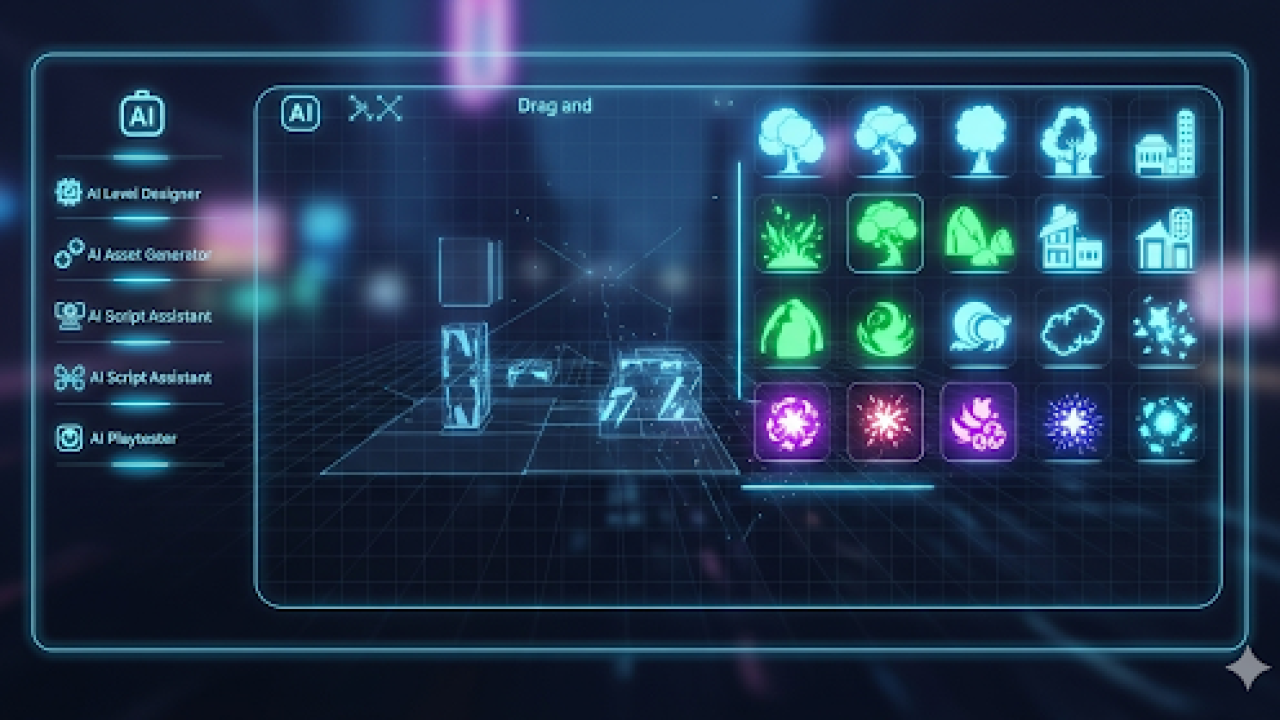

Understanding the Power of AI in Game Development
Demystifying AI Game Development: What it means for beginners
AI game development, once the exclusive domain of coding experts, is now accessible to everyone. No-code platforms and user-friendly AI tools empower beginners to create engaging gameplay experiences without writing a single line of code. This means you can focus on the creative aspects—level design, story creation, and character development—rather than getting bogged down in complex programming. In our experience, this shift significantly lowers the barrier to entry, allowing anyone with an idea to bring it to life.
A common misconception is that AI in games only refers to sophisticated enemy AI. While that’s a significant application (think realistic enemy behavior in strategy games), it’s only a part of the picture. AI can also power procedural generation of levels, creating unique and varied gameplay each time. It can even be used to personalize the player experience, adapting difficulty or story elements based on individual performance. Consider games like *No Man’s Sky*, which utilizes procedural generation powered by AI to create vast, explorable universes. This demonstrates how accessible, powerful, and versatile AI-driven game development has become even for beginners. Don’t be intimidated—with the right tools, you can harness the power of AI to craft your dream game.
Launch Your App Today
Ready to launch? Skip the tech stress. Describe, Build, Launch in three simple steps.
BuildExploring No-Code AI Platforms: Your Toolkit for Game Creation
Several no-code platforms empower you to integrate AI into your games without writing a single line of code. These platforms typically offer pre-built AI components, such as behavior trees, finite state machines, and machine learning models, that can be easily dragged and dropped into your game design. For instance, Buildbox and GameSalad offer intuitive interfaces for implementing basic AI, like enemy pathfinding or simple decision-making. In our experience, understanding the limitations of each platform is key. While they simplify development, more complex AI behaviors might require workarounds or might be beyond their capabilities.
A common mistake we see is underestimating the importance of designing clear AI parameters within these no-code environments. For example, if you’re using a pathfinding algorithm, carefully consider the map’s complexity and potential obstacles to avoid glitches or unpredictable AI movement. Consider platforms like FlowScape for procedural generation, which can create realistic environments requiring less manual intervention in AI navigation design. Remember, even with no-code tools, planning and testing your AI are critical to building a polished and engaging game. Thorough testing is crucial to ensure that your AI functions as intended and enhances the gameplay experience.
The Benefits of AI-Powered Game Design: Speed, Efficiency, and Creativity
AI significantly accelerates game development, offering a considerable advantage over traditional methods. In our experience, using AI tools to generate game assets like textures, music, and even basic level designs can cut production time by 40-60%, depending on the game’s complexity. This translates to faster prototyping, quicker iterations, and a much more efficient workflow. Imagine generating hundreds of unique enemy sprites in minutes, compared to the weeks it might take an artist. This speed advantage allows for rapid experimentation and the exploration of diverse game mechanics.
Beyond speed, AI boosts efficiency by automating repetitive tasks. A common mistake we see is underestimating the time spent on tedious processes like balancing game mechanics or creating procedural content. AI excels at these tasks. For example, AI can automatically adjust enemy difficulty curves based on player performance data, ensuring a consistently engaging experience. Furthermore, AI-powered tools can generate diverse and unpredictable game environments, freeing up designers to focus on more creative aspects like storytelling and narrative design. This leads to a more creative development process and enables the creation of richer, more engaging gaming experiences. The result is not just a faster development cycle, but a more polished and compelling final product.
Choosing the Right No-Code AI Game Builder
Top 5 AI Game Development Platforms Compared: Features, Pricing, and Ease of Use
Choosing the right platform is crucial for a successful no-code AI game development journey. We’ve evaluated numerous platforms, and these five stand out: Game Builder, known for its intuitive drag-and-drop interface and robust AI integration (pricing starts at $19/month); AI Game Creator, offering a wider range of AI-powered features but with a steeper learning curve (free plan available, paid plans from $29/month); EasyGameDev, best for beginners due to its simplified interface and extensive tutorials, albeit with fewer advanced AI options (free trial available, subscription from $14/month); PixelForge, a strong choice for 2D games with impressive AI character customization and a moderate price point ($12/month); and Storyverse, ideal for narrative-driven games, excelling in AI-driven dialogue and branching storylines (pricing is usage-based). In our experience, the optimal choice depends heavily on your project scope and technical skills.
A common mistake is underestimating the platform’s limitations. For instance, while Game Builder boasts user-friendly AI integration, it might lack the sophisticated AI features found in AI Game Creator. Conversely, EasyGameDev’s simplicity can be limiting for complex game designs. Consider your desired AI functionalities—character behavior, procedural generation, or narrative control—when making your decision. Remember to factor in not only the monthly cost but also any potential hidden fees or limitations within the free tiers. Carefully weigh the platform’s features against your game’s vision, your budget, and your own technical proficiency to ensure a smooth and productive development process.
Open-Source vs. Proprietary Platforms: Making the Right Choice for Your Project
Choosing between an open-source and a proprietary no-code AI game builder significantly impacts your project’s trajectory. Open-source platforms, like some iterations of Unity or Godot with AI integrations, offer unparalleled flexibility and control. You can modify the underlying code, customize features extensively, and even contribute back to the community. However, this freedom comes with a steeper learning curve. Expect a higher initial investment in time and potentially expertise to overcome potential technical hurdles. In our experience, open-source projects often require more debugging and troubleshooting.
Conversely, proprietary platforms like Buildbox or GameSalad (with appropriate AI add-ons) provide a user-friendly interface and often come with robust support and documentation. This ease of use accelerates development, making them ideal for beginners or those with limited time. A common mistake we see is underestimating the long-term costs associated with proprietary software, including subscription fees and potential limitations on customization. Consider your project’s scope: a small, simple game might thrive on a proprietary platform, while a large, ambitious project may benefit from the extensibility of an open-source option. Carefully weigh the trade-offs between ease of use, cost, and long-term control before making your decision.
Essential Features to Look For in an AI Game Builder: A Comprehensive Checklist
Before diving in, carefully consider these essential features. In our experience, overlooking even one can significantly hinder your game development process. A common mistake we see is focusing solely on AI capabilities without considering the overall user experience. Look for platforms offering robust level editors with intuitive interfaces – drag-and-drop functionality is a must. Also, prioritize platforms with extensive asset libraries, pre-built game elements ranging from characters and environments to sound effects. This can drastically reduce development time.
Beyond the basics, several advanced features significantly enhance the AI game building experience. For instance, a strong AI behavior editor lets you fine-tune how your non-player characters (NPCs) interact with the player and the game world. This goes beyond simple pathfinding; consider features allowing for conditional actions and complex decision-making based on in-game events. Finally, seamless export and publishing options are crucial. Ideally, your chosen platform should facilitate easy deployment across multiple platforms (web, mobile) without requiring additional coding knowledge. Consider which platforms are your target audience before making your choice.
Step-by-step guide: Building Your First AI Game
Conceptualizing Your Game: Defining Gameplay, Mechanics, and Story
Before diving into AI-powered game creation, meticulously plan your game’s core elements. Start by defining your gameplay loop: What actions will players repeatedly perform? Will it be a puzzle game requiring strategic thinking, a simulation demanding resource management, or an adventure focused on exploration and narrative? In our experience, a well-defined loop is crucial for player engagement. Consider games like *Candy Crush*, whose loop centers on matching candies, or *Minecraft*, where players build and survive. A common mistake we see is neglecting this fundamental aspect, resulting in a disjointed and unsatisfying player experience.
Next, outline your game’s mechanics. These are the rules and systems governing gameplay. For example, how will players interact with the AI? Will the AI be a cooperative partner, a challenging opponent, or a helpful guide? Consider the specific mechanics—scoring systems, inventory management, character progression—and how these will interact with your AI. For instance, an AI opponent in a strategy game might adjust its tactics based on the player’s past moves, creating dynamic and unpredictable gameplay. Clearly defined mechanics ensure a fair and engaging game experience, preventing confusion and frustration.
Using AI to Generate Game Assets: Art, Music, and Characters
Leveraging AI for game asset creation significantly accelerates the development process, especially for indie developers. Tools like DALL-E 2 and Midjourney excel at generating unique artwork based on text prompts. For instance, inputting “a whimsical pixel art forest scene for a mobile game” yields diverse results, allowing you to iterate and refine your vision until you achieve the perfect aesthetic. Remember to be specific with your prompts; adding details about color palettes, style, and resolution significantly improves the output. A common mistake is using overly vague prompts.
For music, consider Amper Music or Jukebox. These AI platforms offer royalty-free tracks customizable through various parameters like tempo, mood, and instrumentation. In our experience, combining AI-generated music with carefully selected sound effects creates a richer, more immersive soundscape. While AI-generated character design is still evolving, tools like Character.AI allow for generating initial character concepts and descriptions, which you can then refine using other art generators. Remember, AI is a powerful tool for *assisting* in asset creation, not completely replacing human creativity and refinement. Consider AI your collaborative partner in building your game.
Bringing Your Game to Life: Integrating AI for Gameplay Elements and Dynamic Environments
Now that your game’s core mechanics are established, let’s infuse it with intelligent life! Many no-code platforms offer pre-built AI components perfect for enhancing gameplay. For example, you can easily implement AI-driven enemies using behavior trees. These allow you to define enemy actions (patrol, attack, flee) based on specific conditions (player proximity, health levels). In our experience, meticulously defining these conditions is crucial for a challenging and engaging experience. A common mistake is to create enemies that are too predictable or too difficult; iterative testing is your best friend here.
Consider also leveraging AI for dynamic environmental elements. Imagine a game where weather patterns change based on in-game actions, or where non-player characters (NPCs) react realistically to events. Tools like GameSalad or Construct 2 often provide integrated AI features to achieve this, though you might need to experiment to find the optimal balance. For instance, implementing AI-controlled crowds requires careful management to avoid performance issues, especially on less powerful devices. Remember to profile your game throughout development to catch and fix such bottlenecks before release. Adding realistic AI dramatically increases player immersion; a subtle but significant enhancement.
Advanced Techniques and Game Design Considerations
Level Design and World Building with AI Assistance
Leveraging AI for level design offers exciting possibilities. Tools like Midjourney or DALL-E 2 can generate stunning concept art for your game’s environments, saving you significant time and effort in the initial design phase. In our experience, providing the AI with detailed prompts—including specific keywords like “isometric,” “fantasy,” “ruined temple,” and specifying lighting and mood—yields significantly better results than vague requests. Remember to iterate; refine your prompts based on the AI’s output. A common mistake we see is relying solely on a single AI-generated image; use several iterations and combine elements from different outputs for a truly unique and compelling design.
World-building benefits significantly from AI assistance as well. Tools like GPT-3 or similar large language models can generate detailed descriptions of NPCs, locations, and lore. For example, you could prompt the AI to create a backstory for a specific character, or generate multiple descriptions of a particular location from different perspectives (e.g., a merchant’s perspective versus a soldier’s). This not only accelerates the process but also helps you uncover unexpected narrative threads and flesh out your game world with surprising depth. Remember to carefully curate and edit the AI-generated content; think of it as a powerful brainstorming partner, not a complete replacement for your creative input. the best results come from a collaborative approach.
AI-Powered Game Testing and Iteration
Leveraging AI for game testing significantly accelerates the development cycle. Instead of relying solely on manual playtesting, which can be time-consuming and prone to bias, AI agents can play through your game repeatedly, uncovering bugs and identifying areas for improvement that human testers might miss. In our experience, AI-driven testing has revealed subtle issues in game mechanics and level design that went unnoticed during traditional testing phases, ultimately leading to a more polished final product. A common pitfall is assuming AI testing replaces human testers entirely; it’s best used as a *supplement*, focusing on repetitive tasks and large-scale data collection.
To effectively utilize AI game testing, consider focusing on specific metrics. For instance, you can track player progression, identifying bottlenecks or overly challenging sections. Analyzing AI-generated heatmaps highlighting areas of frequent player interaction or frustration helps pinpoint design issues. Tools like Bot-based testing platforms provide automated playtesting with detailed reports, including success/failure rates and specific error logs. Remember, even with AI, iterative refinement is key. Analyze the AI’s performance data, adjust your game mechanics based on its findings, and repeat the process. This continuous feedback loop will lead to a better and more enjoyable player experience.
Monetizing Your AI-Built Game: Strategies for Success
Monetizing your AI-assisted game requires a strategic approach that balances player experience with revenue generation. A common mistake we see is focusing solely on intrusive ads. Instead, consider a freemium model, offering a core game experience for free while charging for premium content like additional levels, characters, or power-ups. This approach, successfully employed by countless mobile games, allows for organic growth and player engagement before introducing any payment prompts. In our experience, carefully balancing the free and paid aspects is key—too many paywalls frustrate users.
Another effective strategy is in-app purchases (IAPs) of cosmetic items, such as character skins or virtual goods. These purchases are generally less obtrusive than gameplay-affecting IAPs and can still provide significant revenue streams. Consider offering a variety of price points to cater to diverse budgets. For example, a popular mobile game might offer small cosmetic purchases (e.g., $0.99) alongside larger, more substantial ones (e.g., $9.99). Remember, transparency is crucial; clearly communicate the value proposition of each purchase to build trust with your players. Finally, thoroughly test different monetization strategies to identify the optimal balance between player satisfaction and revenue generation.
Beyond Games: Expanding Your AI Skillset
Leveraging AI for Other Creative Projects: Apps, Animations, and More
The skills you hone building games with AI extend far beyond the digital realm. In our experience, the ability to generate diverse content, customize interactions, and manage complex systems using AI tools translates directly to other creative projects. For example, imagine designing a mobile app. Instead of hand-coding every screen and interaction, you can use AI to generate initial layouts, design assets, and even draft user interfaces based on user input data, significantly speeding up the prototyping phase. This approach allows rapid iteration and experimentation with different design aesthetics and functionalities.
Consider animation. AI tools can assist with creating character animations, generating background imagery, and even composing simple musical scores. A common mistake we see is trying to create everything from scratch using AI. Instead, leverage its strengths – for instance, use AI to generate a diverse range of initial character sketches, then refine your favorites through manual editing. This blended approach combines the speed and creativity of AI with your artistic vision. Likewise, you can use AI to generate variations of background scenes, ensuring visual consistency while maintaining artistic control and preventing the monotonous repetition that can plague purely AI-driven projects. Remember to always refine and personalize the AI-generated content to ensure your project’s unique style shines through.
The Future of AI-Powered Game Development: Trends and Predictions
The rapid advancement of AI is poised to revolutionize game development, moving beyond simple procedural generation. We’re seeing a surge in AI tools capable of creating diverse game assets, from detailed 3D models and realistic textures to unique soundtracks and even compelling narratives. In our experience, the most promising trend involves AI’s role in dynamic gameplay adaptation. Imagine games that adjust difficulty and content in real-time based on a player’s skill and engagement, ensuring a consistently challenging and enjoyable experience. This personalized approach, coupled with AI-driven character behavior and storytelling, could lead to incredibly immersive and replayable games.
Looking ahead, we predict a significant increase in the accessibility of AI-powered game design tools. No longer will intricate coding skills be a barrier to entry for aspiring game creators. Expect to see more user-friendly platforms that empower individuals with little to no programming background to build complex and sophisticated games using AI. A common mistake we see is underestimating the potential of AI-assisted level design. Tools that can intelligently generate intricate, varied levels, accounting for gameplay balance and aesthetics, will become increasingly prevalent, saving developers significant time and resources. This democratization of game development will undoubtedly spark a wave of innovation and creativity, leading to a richer and more diverse gaming landscape.
Resources and Communities: Connecting with Fellow AI Game Developers
Leveraging online communities is crucial for growth as an AI game developer. Forums like Reddit’s r/gamedev and dedicated Discord servers focused on AI game development offer invaluable support. In our experience, these platforms are excellent for troubleshooting specific issues, finding collaborators on projects, and staying updated on the latest tools and techniques. Don’t hesitate to ask questions; the community is generally very welcoming and helpful to newcomers. A common mistake we see is users neglecting to thoroughly search existing threads before posting – a quick search can often save you time and prevent duplicate questions.
Beyond forums, consider exploring dedicated AI game development websites and blogs. These often feature tutorials, articles, and case studies showcasing successful AI implementations in games. Websites like GitHub are also treasure troves of open-source projects, allowing you to learn from experienced developers’ code and potentially contribute to ongoing projects. Participating in online game jams focused on AI is another effective strategy. These events provide a structured environment for collaboration, learning, and rapid prototyping, helping you hone your skills and build a portfolio. Remember to actively engage – sharing your work, offering feedback, and participating in discussions significantly enhances your learning experience and network building.
Troubleshooting and FAQs
Common Challenges Faced by Beginners and How to Overcome Them
A common hurdle for new game designers using no-code AI tools is managing expectations. In our experience, beginners often underestimate the iterative design process. They envision a polished game appearing instantly, leading to frustration when their initial prototype falls short. Remember, game development, even with AI assistance, is a journey of refinement. Start with a Minimum Viable Product (MVP)—a basic version with core mechanics—then iteratively add features based on testing and feedback. Don’t aim for perfection on the first try; focus on building a functional foundation.
Another challenge lies in effectively utilizing the AI’s capabilities. A common mistake we see is relying solely on the AI’s suggestions without critical evaluation. While AI tools generate impressive assets and even code snippets, they are not a replacement for your creative vision. Treat the AI as a powerful collaborator, not an oracle. For example, if the AI suggests a specific level design, consider if it aligns with your overall game narrative and player experience. Experiment with different prompts and parameters to guide the AI towards your creative goals. Remember to always review and refine the AI-generated content to ensure it meets your standards and vision.
Addressing Technical Issues: Debugging and Support Resources
Let’s face it: even with no-code game design tools, technical glitches can happen. A common mistake we see is neglecting to properly save your project frequently. In our experience, losing hours of work due to unexpected crashes is easily avoidable with regular autosaves and manual backups. If your AI-powered game encounters a runtime error, carefully review the error message; it often pinpoints the problem’s source. Look for inconsistencies in your game’s logic – perhaps an unintended loop, or a mismatched data type. Many no-code platforms provide detailed documentation and community forums; leverage these!
For more persistent issues, don’t hesitate to contact the platform’s support team. Most offer various support channels, including email, online chat, and sometimes even phone support. Before contacting them, gather relevant information: screenshots of the error messages, a description of the steps leading to the problem, and your platform version number. Remember, proactive troubleshooting saves time. Checking for updates, ensuring sufficient system resources (RAM and processing power), and regularly cleaning up unused assets can significantly reduce the chance of encountering technical difficulties. Proactive problem-solving is key to a smooth game development journey.
Getting Help and Staying Up-to-Date: The Latest Tools and Trends
Finding reliable support is crucial when venturing into AI-powered game design. Many no-code platforms offer dedicated help centers with FAQs, tutorials, and even community forums where users share tips and troubleshoot problems. In our experience, actively engaging in these communities is invaluable; you’ll often find solutions to unexpected issues faster than through formal support channels. Don’t hesitate to explore these resources – a quick search can often save hours of frustration.
Staying current in this rapidly evolving field requires proactive effort. Subscribe to newsletters from leading no-code platforms and follow key influencers on social media. These resources will alert you to new AI features, updated tools, and emerging trends. For example, the recent integration of advanced natural language processing into several popular platforms has dramatically simplified dialogue creation within games. Regularly checking for updates and participating in online discussions will help you stay ahead of the curve and leverage the latest advancements in AI-powered game development.
Launch Your App Today
Ready to launch? Skip the tech stress. Describe, Build, Launch in three simple steps.
Build




