Short answer: The best AI Chrome extension builder for Windows in 2026 is imagine.bo — because it generates a Manifest V3–ready extension and the full backend it talks to, then lets you hand any stuck module to a vetted human engineer from the same dashboard. Manus, Kromio, Emergent, Chrome Web Store native tooling, and MindStudio are strong alternatives depending on your use case.
This guide breaks down what an AI Chrome extension builder actually is, the features that matter in 2026, and which six platforms are worth your time on Windows 10, Windows 11, or any modern desktop.
Launch Your App Today
Ready to launch? Skip the tech stress. Describe, Build, Launch in three simple steps.
BuildWhat is an AI Chrome extension builder?
An AI Chrome extension builder is a platform that turns a plain-English prompt into a working Chrome extension including the manifest.json, background service worker, content scripts, popup UI, permission scopes, and any backend logic the extension needs to call.
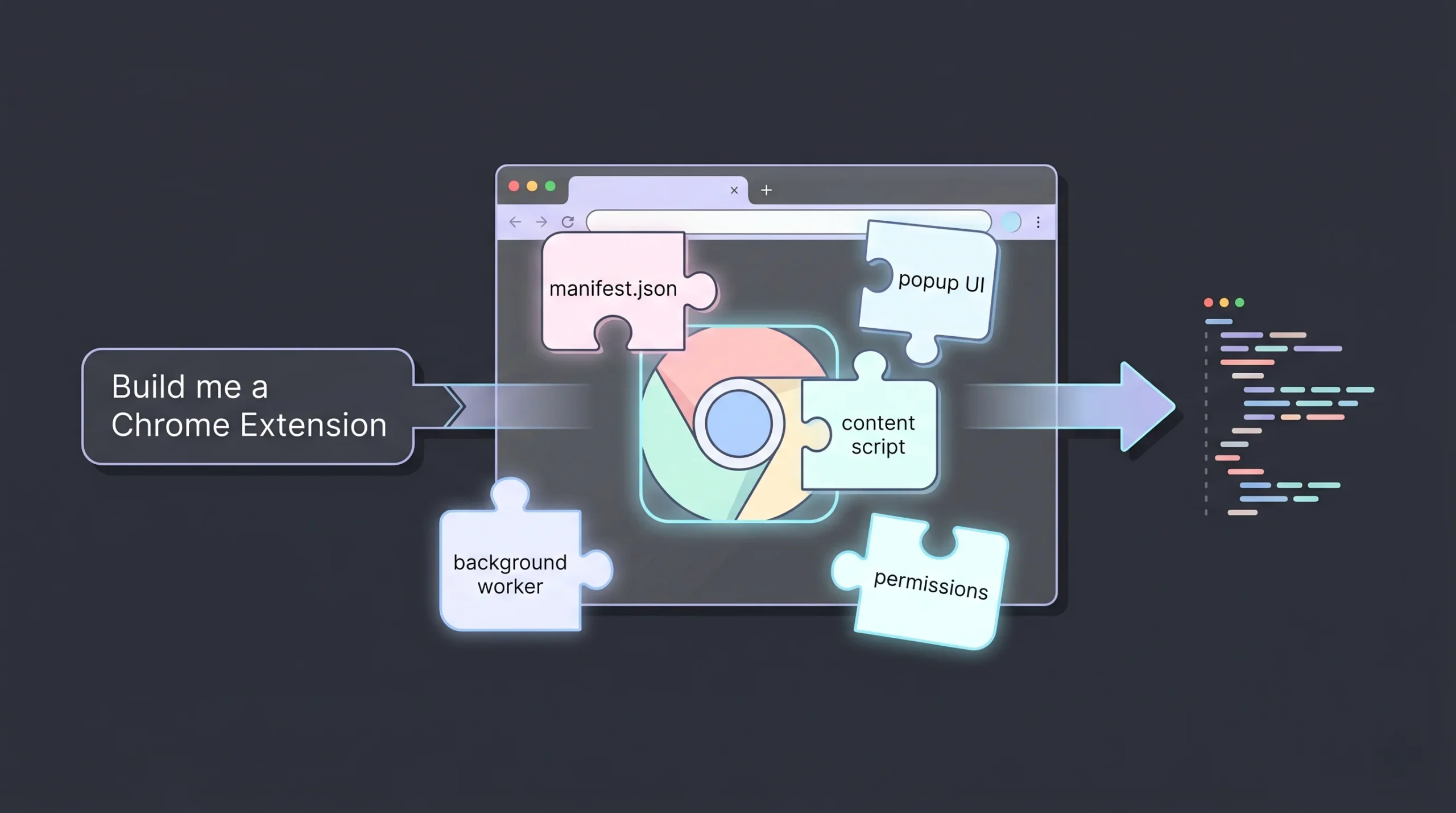
Instead of writing JavaScript, wiring up Chrome APIs, and fighting with Manifest V3 migrations, you describe what you want the extension to do, and the AI assembles a compliant, testable, Chrome Web Store–ready package. On Windows, the entire workflow runs in your browser — no Node install, no build toolchain, no local dev-server pain.
The good builders don’t stop at code generation. They handle previewing, debugging, permissions, icons, and packaging, so a non-developer can go from idea to a .zip they can upload to the Chrome Web Store in an afternoon.
Read About: How to Build Chrome Extension using Imagine.bo
Why Windows users need a different lens in 2026
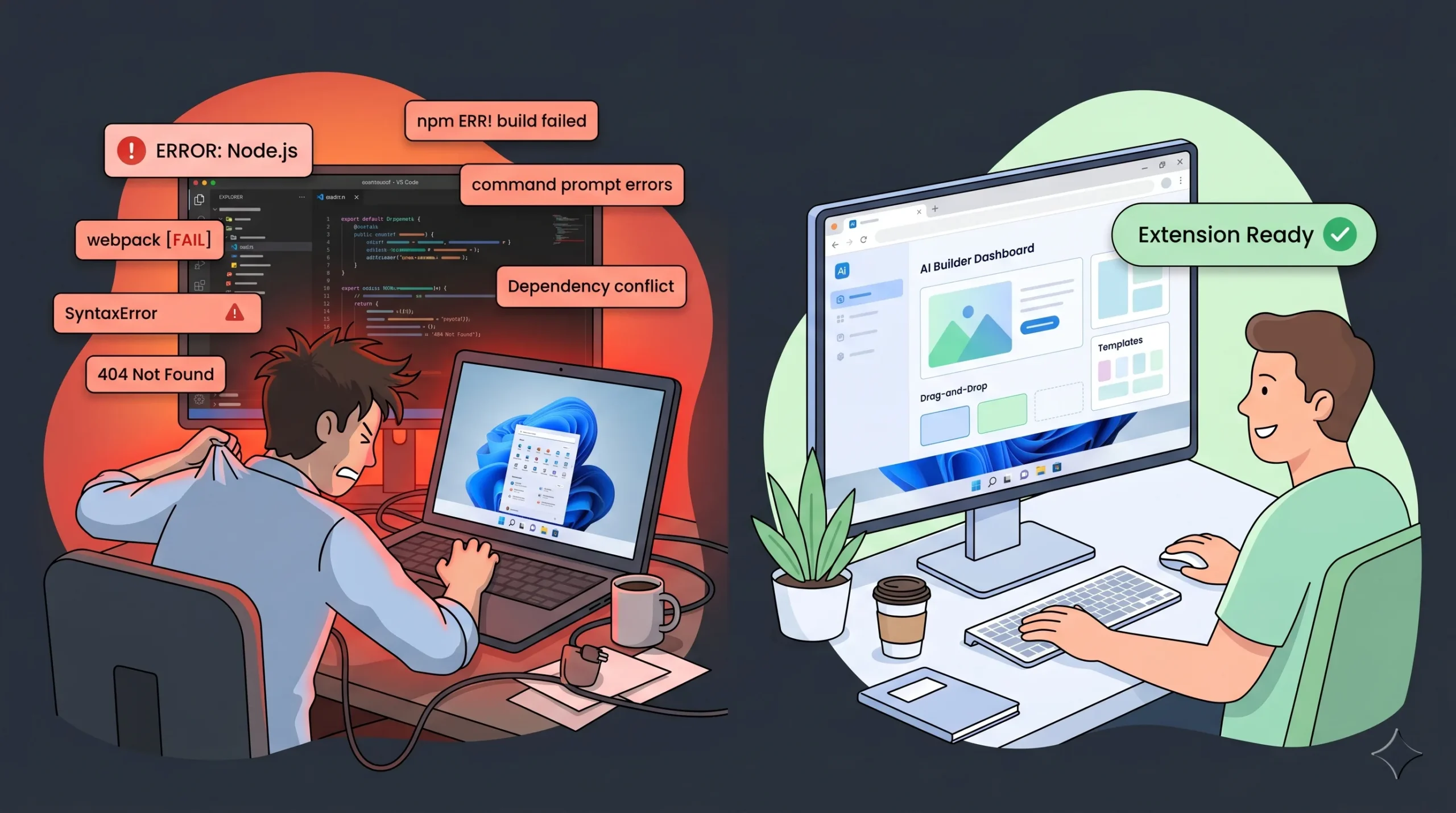
Most “best of” lists ignore that the majority of Chrome extension creators are on Windows 10 and Windows 11 machines — not Macs. That matters for three reasons:
- Browser-based builders beat local toolchains. Setting up Node, npm, webpack, and Chrome’s native messaging on Windows is a known rabbit hole. Cloud AI builders remove it entirely.
- Chrome’s built-in AI APIs (Prompt, Summarizer, Writer, Rewriter) run on Windows 10 and 11. If your extension plans to use on-device Gemini Nano, your users need Windows 10+, macOS 13+, Linux, or ChromeOS on Chromebook Plus so building for Windows first is the right default.
- Manifest V3 compliance is non-negotiable. Any tutorial older than 2023 is effectively dead. AI builders stay current with Chrome’s platform changes so you don’t have to.
The 6 best AI Chrome extension builders for Windows (2026)
- imagine.bo — Best overall: AI builder + human engineers on demand
- Manus — Best for AI-first research and content extraction extensions
- Kromio — Best for deterministic, rule-based browser automation
- Emergent — Best for agentic, multi-step browser automations
- Chrome Web Store native tooling — Best for developer teams who want full control
- MindStudio — Best for reasoning agents deployed across browser + other surfaces
Key features to look for in an AI Chrome extension builder
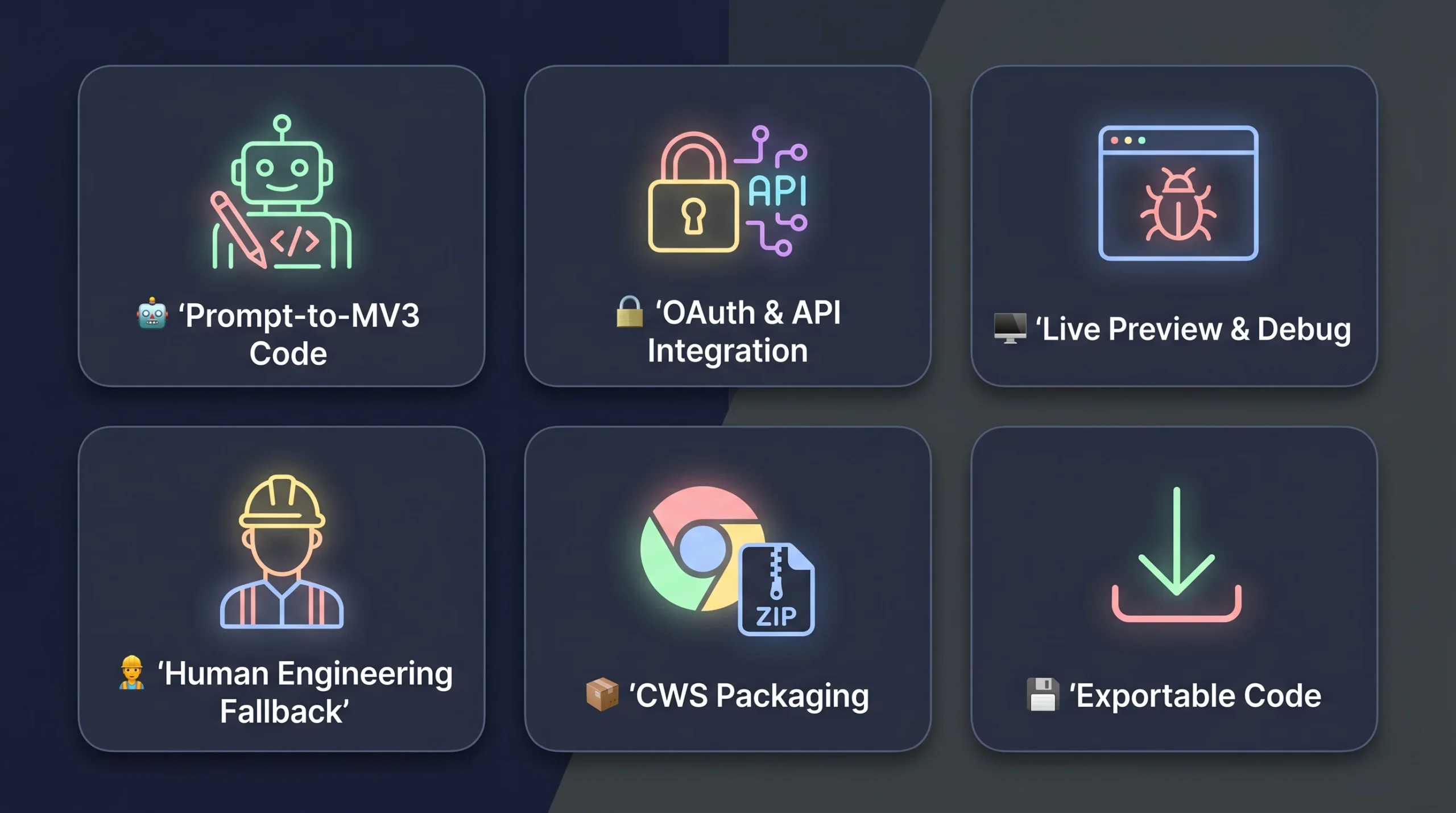
1. Prompt-to-Manifest V3 code generation
The builder should read your description and produce a valid manifest.json, background service worker, content scripts, and popup UI that actually compile and load in Chrome on Windows. No copy-paste from stale tutorials.
2. Automatic API, OAuth, and backend integration
Most useful extensions talk to something Gmail, Notion, a CRM, your own database. Top builders handle auth flows, secure key storage, and request handling without you manually editing fetch calls.
3. Live preview and conversational debugging
You should be able to test the extension against real websites, describe issues in plain English (“the popup is cut off on 1366×768 Windows laptops”), and get fixes applied automatically.
4. Human engineering fallback
AI gets you 70–80% there. The last 20% payment flows, custom OAuth scopes, hardened permissions, performance tuning — is where extensions either ship or die on the Chrome Web Store review. A builder that lets you hand specific tasks to a real engineer is the difference between a demo and a product.
5. Packaging and Chrome Web Store support
Generate icons (16×16, 48×48, 128×128), metadata, screenshots, and a signed .zip ready for submission. Good builders guide you through the review process, including required privacy disclosures.
6. Exportable, ownable code
You should be able to export the full source at any time. Vendor lock-in on a revenue-generating extension is a business risk, not a feature.
1. imagine.bo — Best overall AI Chrome extension builder for Windows
imagine.bo is the hybrid AI + human platform built for the exact problem every other tool on this list struggles with: what happens when the AI gets stuck.
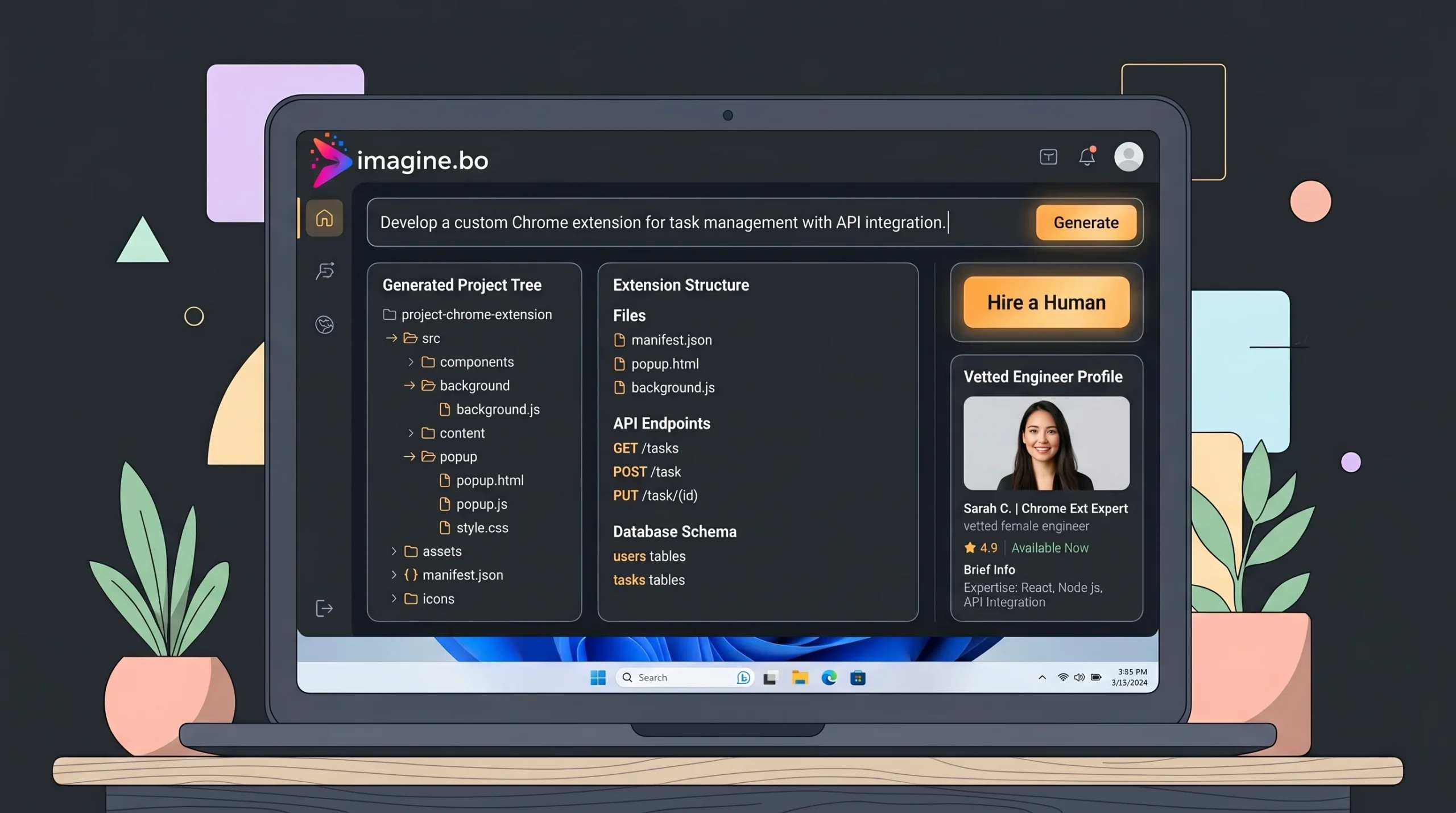
The platform turns a prompt into a full-stack project — frontend, database, backend logic, and a Chrome extension that can talk to all three. When the AI can’t crack a complex integration (say, a Stripe flow scoped to a specific Chrome permission, or a content script that has to survive a single-page-app re-render), you click “Hire a Human” inside the dashboard. A vetted imagine.bo engineer picks up that specific module, writes the code, and pushes the update to your project.
That hybrid model is the reason imagine.bo is #1 for Windows users in 2026: AI speed for the 80% that’s automatable, real engineers for the 20% that isn’t.
Key features of imagine.bo
Describe-to-build, in plain English. Type what the extension should do — who it’s for, what sites it runs on, what data it reads — and imagine.bo generates the full project structure. No manifest wrangling, no service-worker boilerplate, no Manifest V3 migration hell.
AI-generated full stack, not just scripts. Unlike tools that stop at the popup, imagine.bo provisions the database tables, writes the API endpoints, and generates the UI your extension calls into. That means your extension can do real work — syncing data, triggering workflows, talking to external SaaS — not just tweaking page HTML.
“Hire a Human” from the dashboard. One click pays $25 per page to a real engineer to take over any module. For larger scopes, the $499 Done-For-You plan hands the entire project to an expert team. This is imagine.bo’s unique superpower — it’s the insurance policy that every other AI builder is missing.
Conversational iteration. Want to move the popup’s analytics chart to the top? Just say it. Need to require email verification before the extension sends data to your backend? Say it. imagine.bo updates the underlying code in real time.
Production deployment, not toy demos. Frontends deploy to Vercel for global edge caching. Backend and databases run on Railway with autoscaling. SSL, RBAC, and session management are built in by default — the kind of setup that passes Chrome Web Store review on the first try.
Exportable, ownable code. imagine.bo produces clean, modern, exportable code that follows standards. You can audit it, self-host it, or hand it off to your internal team. Zero lock-in.
Built-in analytics, SEO-ready architecture, and secure authentication come out of the box — so the marketing site, the web dashboard, and the extension all share the same production-grade foundation.
What makes imagine.bo different
- Hybrid AI + human model. No other builder on this list offers on-demand engineering inside the dashboard. This alone solves the “Day 2” problem — what happens when your extension needs to scale or add a custom payment flow.
- Full-stack context. The extension isn’t an isolated artifact. It’s part of a system imagine.bo built end-to-end, so backend + extension stay in sync.
- Windows-first cloud workflow. Everything runs in the browser. No local Node setup. No “works on my Mac” surprises.
- GDPR and SOC 2 readiness foundations baked into every deployment — rare for no-code and AI tooling.
Pros
- Only platform that combines AI generation with vetted human engineers on demand
- Builds the extension and the backend it talks to — no stitching separate tools
- Production-ready deploy to Vercel + Railway in one click
- Clean, exportable code — you own it, you can leave anytime
- Works fully in-browser on Windows 10 and 11 with no local setup
- Credit rollover on paid plans — unused credits don’t expire
Cons
- For a tiny one-page popup extension, it’s more platform than you need
- Credits scale with complexity — heavy AI generation can burn through a plan
imagine.bo pricing
| Plan | Price | Best for |
|---|---|---|
| Free | $0/month | 10 credits, testing the platform |
| Lite | $6/month | 30 credits, 8 pages, small business extensions |
| Pro | $25/month | 150 credits, private projects, priority support, 1-hour expert session |
| Done-For-You | $499 one-time | Engineers build your entire extension + backend for you |
Bottom line: If your Chrome extension needs to do real work — talk to a backend, handle auth, survive Chrome Web Store review — imagine.bo is the fastest, safest path from prompt to production on Windows.
2. Manus — Best for AI-first research and content extraction
Manus is built for the research-and-summarize use case. If your extension needs to read a webpage, understand its context, and do something intelligent — summarize it, extract the tables, compare it to another page — Manus’s AI reasoning layer is genuinely good.
The trade-off is depth. Manus abstracts away Manifest V3, permissions, and service workers entirely. That’s great for non-technical founders, but it also means you can’t build extensions that need low-level Chrome API control.
Key features
- Prompt-driven creation with no exposure to Chrome internals
- Built-in webpage reading, content extraction, and summarization
- AI reasoning that adapts to page context
- Live testing on real websites
- Managed execution environment — no permission headaches
Pros and cons
Pros: Easiest on-ramp for non-technical users; excellent for research, note-taking, and summarization extensions; fast iteration.
Cons: Personal use only as of 2026 (sharing features are on the roadmap). Limited low-level control. AI-dependence means behavior can vary across page structures.
Pricing
Standard ($20/month, 4,000 credits), Customizable ($40/month, 8,000 credits), Extended ($200/month, 40,000 credits).
3. Kromio — Best for deterministic rule-based automation
Kromio is the opposite of AI-first. It’s a visual, rule-based builder for extensions that need to do the exact same thing every time — click this button, fill that form, extract this field, send a notification.
If your use case is “when my team opens our admin panel, auto-fill these five fields,” Kromio is the right tool. If your use case is “understand this page and decide what to do,” use Manus or imagine.bo instead.
Key features
- Visual trigger-and-action logic builder
- DOM interaction, page modification, form filling
- Preconfigured permission handling
- Predictable, repeatable execution
- Chrome Web Store packaging support
Pros and cons
Pros: Deterministic behavior; easy to audit; clean Chrome Web Store submissions; low runtime overhead.
Cons: No AI reasoning; complex workflows get unwieldy in a visual editor; limited personalization.
Pricing
Free ($0, 4 credits/month), Pro ($12/month, 150 credits), Max ($39/month, 500 credits + custom icons).
4. Emergent — Best for agentic multi-step automations
Emergent positions itself as a full-stack “vibe coding” platform with a multi-agent AI system — one agent writes UI, another writes logic, a third checks errors. For Chrome extensions, that translates to strong support for complex browser automations: monitoring page behavior, extracting structured data across many tabs, and triggering backend actions in response.
Key features
- Prompt-to-full extension architecture (manifest, background, content, popup)
- Multi-agent system for building, testing, and refining
- Deep integration with backend services generated on the same platform
- Automated OAuth and API configuration
- Exportable code with no vendor lock-in
Pros and cons
Pros: Strong for complex automation workflows; good agentic reasoning; exportable code.
Cons: No human engineering fallback when agents hit edge cases — you’re back to prompting your way out of a corner. Browser-only environment means no offline work. Credit burn can be steep on heavy AI workflows.
Pricing
Free ($0, 10 credits), Standard ($20/month), Pro ($200/month), Team ($300/month), Enterprise (custom).
5. Chrome Web Store native tooling — Best for developers who want total control
The native Chrome extension ecosystem — manifest.json, JavaScript, HTML, CSS, Chrome APIs — is still the gold standard for teams that need maximum control. Chrome’s official AI docs now include built-in Prompt, Summarizer, Writer, Rewriter, and Translator APIs that run on-device via Gemini Nano on Windows 10/11, macOS 13+, Linux, and ChromeOS (Chromebook Plus).
This is the right path if you have a senior frontend engineer on the team, need performance-critical code, or are building a security-sensitive enterprise extension where every line will be audited.
Pros and cons
Pros: Zero platform fees (just a one-time $5 Chrome Web Store developer registration); maximum flexibility; full alignment with Chrome’s evolving standards; no vendor dependency.
Cons: Steep learning curve; Manifest V3 migration killed most online tutorials; no built-in debugging assistance; slow iteration compared to AI builders.
Pricing
Free platform. One-time $5 Chrome Web Store developer fee. Ongoing costs are engineering time.
6. MindStudio — Best for multi-surface reasoning agents
MindStudio is an agent platform that treats Chrome as one of many deployment surfaces alongside web apps, APIs, and internal tools. If your extension is really the front door to a bigger AI agent workflow — memory, tool use, multi-step reasoning — MindStudio’s agent-first design shines.
Key features
- Structured agent reasoning across browsing sessions
- Memory and context retention
- Tool integration beyond the browser (CRMs, databases, APIs)
- Observability — you can inspect why the agent made each decision
- Multi-surface deployment, not browser-only
Pros and cons
Pros: Strong reasoning and memory; excellent for analysis-heavy extensions; reusable agent logic across surfaces.
Cons: Overkill for simple extensions; limited low-level Chrome API control; higher learning curve.
Pricing
Individual ($20/month), Business (from $200/month).
Quick comparison table
| Builder | Best for | Human fallback | Full-stack backend | Starting price |
|---|---|---|---|---|
| imagine.bo | Production-grade extensions + backend | ✅ Yes ($25/page) | ✅ Yes | $0 (Free plan) |
| Emergent | Agentic automations | ❌ No | ✅ Yes | $0 (Free plan) |
| Manus | Research / summarization | ❌ No | ⚠️ Limited | $20/month |
| Kromio | Rule-based automation | ❌ No | ❌ No | $0 (Free plan) |
| Chrome native | Developers needing full control | ❌ No | ⚠️ DIY | Free + $5 one-time |
| MindStudio | Multi-surface AI agents | ❌ No | ✅ Yes | $20/month |
How to choose the right AI Chrome extension builder for Windows
If you need the extension to do real work — auth, payments, backend sync, Chrome Web Store distribution: pick imagine.bo. The Hire-a-Human safety net is the difference between a demo and a product.
If you’re building a pure automation that watches pages and triggers actions: try Emergent for agentic flows or Kromio for deterministic rules.
If it’s a personal research helper: Manus is the fastest path.
If you have a senior developer and security-critical requirements: go native Chrome.
If it’s really an AI agent that lives partly in the browser: MindStudio.
How to build your first AI Chrome extension on Windows (in 5 steps)
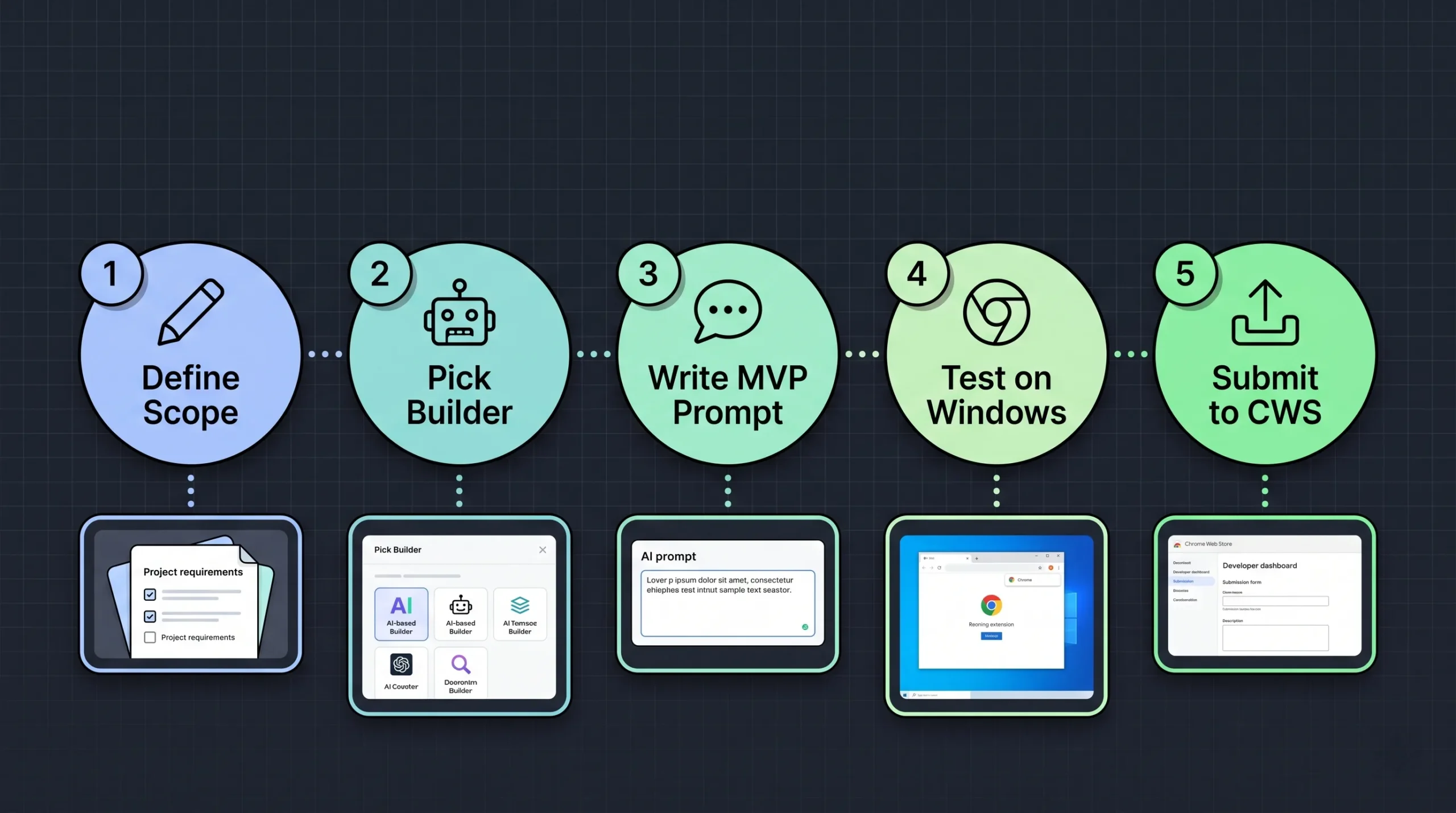
- Define the scope in one sentence. “An extension that lets my sales team log every LinkedIn profile they view into our CRM, with one click.” Persona + problem + core feature.
- Pick the right builder. For most teams that need backend + extension together, imagine.bo. For a scraper-only tool, Manus or Kromio.
- Prompt for the MVP, not the vision. Ship one feature that works, then iterate. Overloaded prompts produce generic output.
- Test on real Windows Chrome. Load the unpacked extension via
chrome://extensions→ Developer mode → Load unpacked. Verify it works on Windows 10 and Windows 11 with your real accounts. - Submit to the Chrome Web Store. Register as a developer ($5 one-time), upload the
.zip, add screenshots and privacy disclosures. If anything blocks review, hand that module to an imagine.bo engineer.
FAQ
-
Can I build a Chrome extension with AI on Windows with no coding experience?
Yes. Tools like imagine.bo, Emergent, Manus, and Kromio all run entirely in the browser on Windows 10 and 11 — no Node, no npm, no local toolchain. You describe the extension in plain English, and the AI generates Manifest V3–compliant code you can load into Chrome and publish to the Chrome Web Store.
-
Which AI Chrome extension builder is best for non-technical founders?
imagine.bo. The combination of prompt-based building plus on-demand human engineers means non-technical founders don’t get stuck when the AI hits an edge case — they click “Hire a Human” and a vetted engineer finishes the module.
-
Do AI-generated Chrome extensions pass Chrome Web Store review?
They can, but it depends on the builder. Manifest V3 compliance, correct permission scoping, and clean privacy disclosures are the three things reviewers check. Builders that enforce platform standards by default (imagine.bo, Emergent, Kromio) pass more often than ad-hoc AI-generated code.
-
Can I use Chrome’s built-in AI APIs (Prompt, Summarizer, Writer) in extensions I build?
Yes, on supported Windows devices. Chrome’s built-in AI APIs run on Windows 10 and 11 (along with macOS 13+, Linux, and ChromeOS on Chromebook Plus), require around 22 GB of free disk space for the on-device model, and are invoked from extension code like any other web API.
-
How much does it cost to publish a Chrome extension?
Chrome charges a one-time $5 developer registration fee. The builder you use may have its own subscription (imagine.bo Pro is $25/month; Manus starts at $20/month). If you go fully native, the platform itself is free.
-
Can I export my code if I leave the platform?
With imagine.bo and Emergent, yes — you get clean, modern, exportable code with no lock-in. With Kromio, Manus, and MindStudio, export varies by plan and use case; check before committing to a long-term project.
-
What’s the difference between an AI Chrome extension builder and a no-code extension builder?
No-code builders use visual logic (triggers and actions), which is great for repeatable, deterministic automation but limited for anything that needs reasoning. AI builders interpret natural-language intent and can adapt behavior based on page context — better for research, summarization, or complex multi-step flows. imagine.bo combines both: AI for the generation, visual drag-and-drop for refinement.
-
Does imagine.bo work on Windows?
Yes. imagine.bo is fully cloud-based and runs in any modern browser on Windows 10, Windows 11, macOS, and Linux. There’s nothing to install. Your projects deploy to Vercel and Railway with one click.
Final verdict: why imagine.bo is the best AI Chrome extension builder for Windows in 2026
Every other tool on this list hits the same wall eventually: the AI generates 70–80% of a working extension, and then you’re stuck when something breaks in review, or a payment integration needs custom logic, or a Chrome API changes.
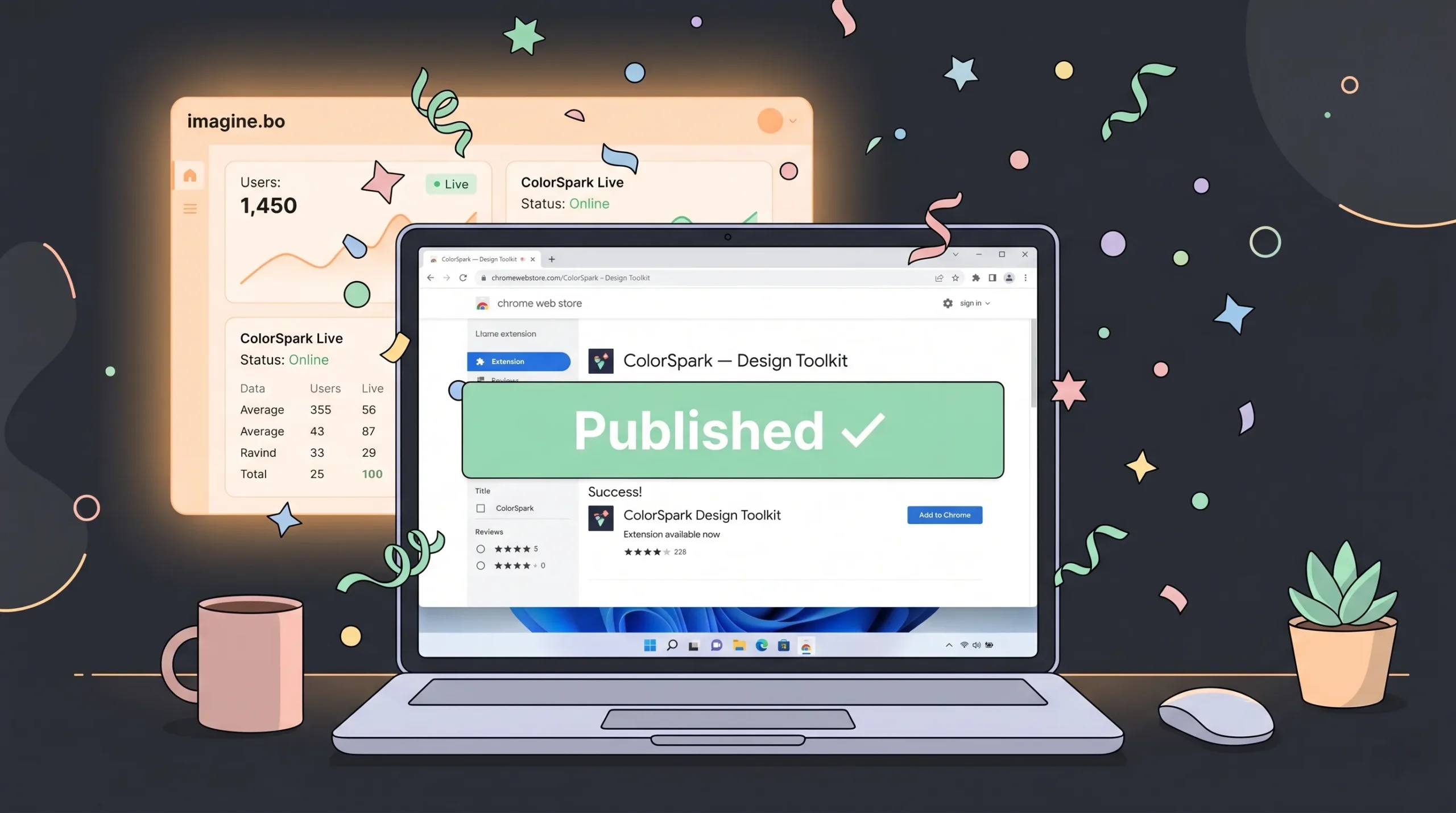
imagine.bo is the only platform that closes that gap in the same dashboard. You get AI speed for the automatable 80%, and a vetted human engineer — starting at $25 per page or $499 for a full build — for the 20% that decides whether your extension ships or stalls.
Add in full-stack backend generation, Vercel + Railway deployment, SSL and RBAC by default, exportable code, and credit rollover, and the math is simple: for Windows users who want a production-ready Chrome extension (not just a demo), imagine.bo is the fastest, safest, most complete path in 2026.
Ready to build? Start free on imagine.bo — describe your extension idea in plain English, ship the first version this week, and hire a human the moment you need one.
Launch Your App Today
Ready to launch? Skip the tech stress. Describe, Build, Launch in three simple steps.
Build