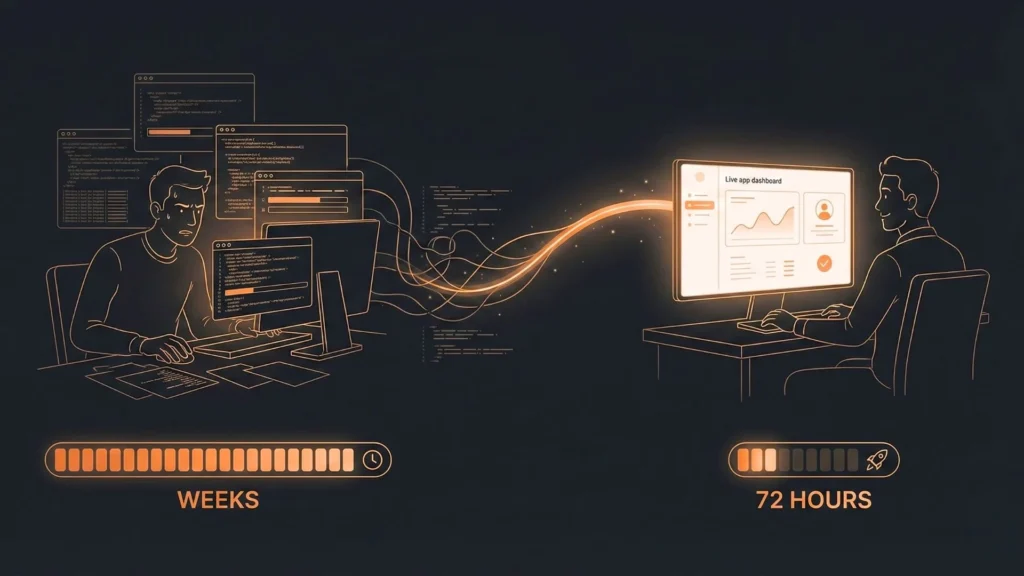
The line between a conceptual idea and a deployed application is blurring at an unprecedented speed. For decades, software development has been a craft of deliberate, manual precision—translating human logic into machine-readable syntax, line by painstaking line. Today, that entire paradigm is being fundamentally rewritten by the advent of generative AI. We have officially entered the new era of AI-powered app development.
This transformation is moving us from a world of manual coding to one of conversational orchestration. The humble text prompt is rapidly becoming one of the most powerful tools in a developer’s arsenal, capable of scaffolding entire applications, writing complex algorithms, and debugging esoteric code. The journey from “prompt to prototype” is no longer a marketing slogan; it’s a practical, daily workflow for millions of engineers.
Launch Your App Today
Ready to launch? Skip the tech stress. Describe, Build, Launch in three simple steps.
BuildFor developers, this isn’t a threat—it’s the ultimate force multiplier. It automates the mundane, accelerates the complex, and frees us to focus on what truly matters: architecture, user experience, and high-level problem-solving. But harnessing this power requires a new set of skills.
In this practical guide, we will dive deep into the world of prompt-based app development from an engineer’s perspective. We’ll explore the tools, the techniques, and the critical strategies you need to build faster, smarter, and more effectively. You’ll learn how to write prompts that deliver production-ready code, how to choose the right AI tools for your stack, and how to avoid the common pitfalls that lead to buggy, unmaintainable software.
What Are AI-Powered Prompts in App Development?
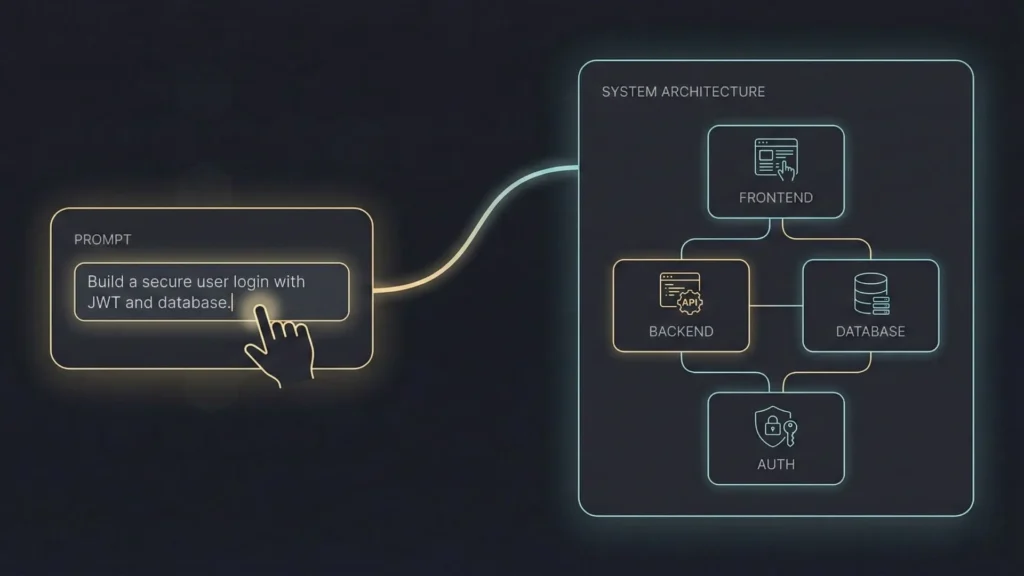
At its core, an AI-powered prompt is a natural language instruction given to a Large Language Model (LLM) to generate a specific, technical output. In the context of software development, this output isn’t just text—it’s functional code, UI/UX markup, database schemas, API integrations, unit tests, and even deployment configurations.
Think of it as the ultimate pair programmer. Instead of just suggesting the next line, this partner has ingested nearly all of GitHub, Stack Overflow, and the internet’s technical documentation. You’re not just asking it for a syntax reminder; you’re collaborating with it.
A simple prompt might be:
“How do I reverse a string in Python?”
A sophisticated AI-powered app development prompt is far more complex:
“Act as a senior backend developer. Generate a secure Node.js and Express endpoint using TypeScript. It needs to accept a JWT bearer token, validate the token, and then fetch user data from a PostgreSQL database based on the
user_idin the token. Include full try-catch blocks for database errors and token validation.”
The tools facilitating this new workflow range in scope and abstraction:
- AI Chatbots & Assistants (e.g., ChatGPT, Gemini): These are your all-purpose problem solvers. Developers use them for brainstorming architectural patterns, debugging complex logic, generating boilerplate, writing documentation, and translating code from one language to another (e.g., “Translate this Python Flask function to Go using Gin”).
- IDE-Integrated Tools (e.g., GitHub Copilot): These tools live inside your code editor (like VS Code) and provide real-time, context-aware suggestions. They are trained on your existing codebase, so their suggestions match your style and variable names, turning comments into entire functions.
- Specialized AI Platforms (e.g., Builder.ai): These platforms take a more managed approach, using AI to streamline the process of building an app, often with a human-in-the-loop, similar to an AI-powered agency.
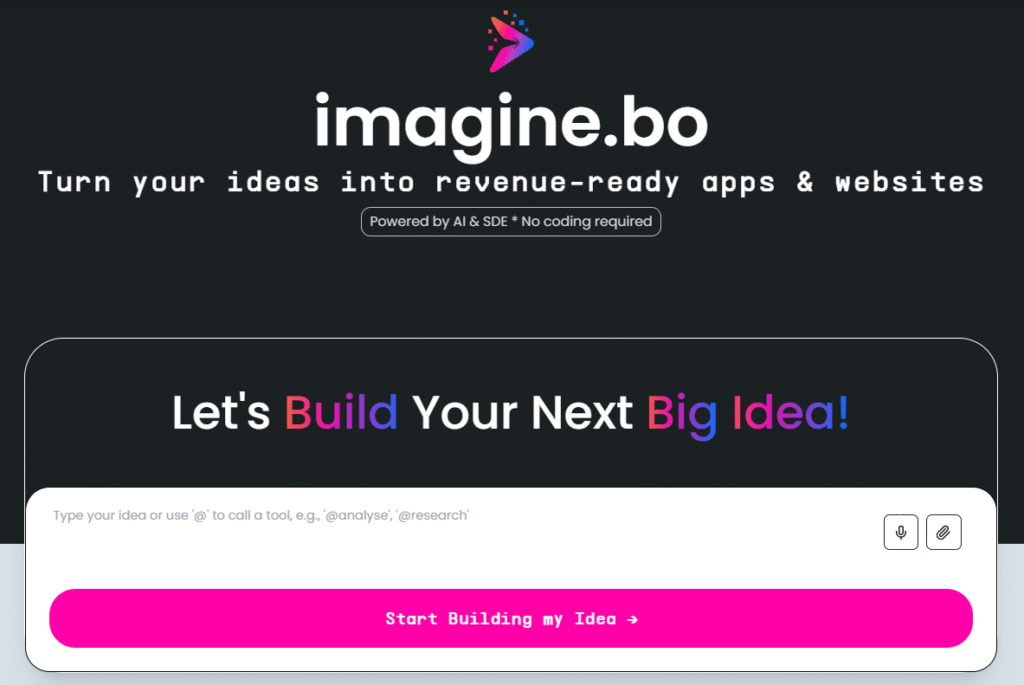
- Holistic AI No-Code Builders (e.g., Imagine.bo): These represent the highest level of abstraction. Instead of prompting for individual code snippets, these platforms are designed to understand a high-level idea. A user can describe their entire app—”I want a marketplace for local artists with user profiles and a Stripe checkout”—and the AI generates the foundational full-stack application, database, and core UI. This shifts the paradigm from “prompt-for-code” to “prompt-for-app.”
The Evolution of App Building Through AI
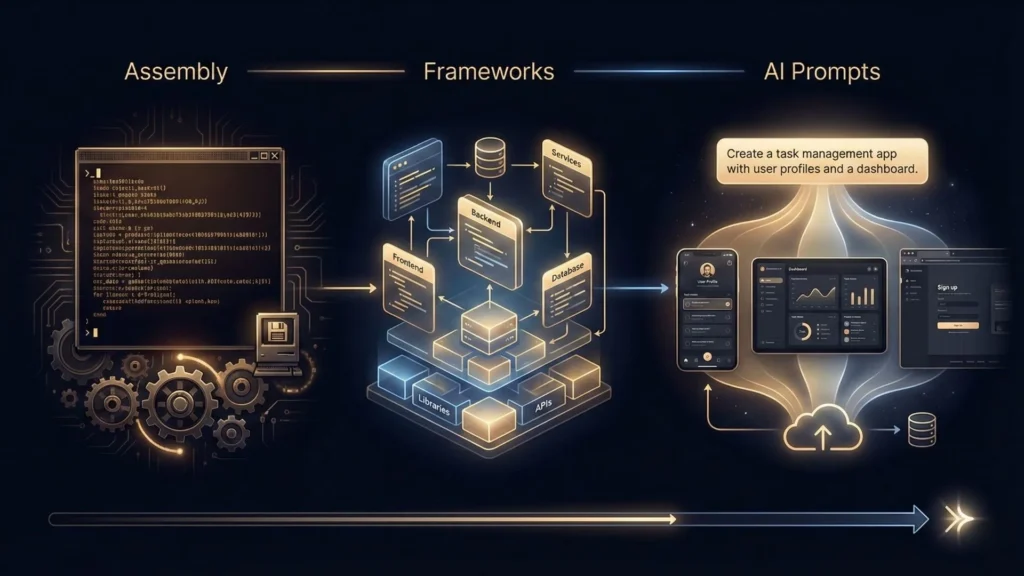
The quest to build applications faster and more efficiently is as old as computing itself. AI-powered app development is not a sudden revolution but the latest, most dramatic step in a long evolutionary process of abstraction.
A Mini-Timeline of Development Abstraction:
- 1950s (Manual & Assembly): Developers directly manipulated machine code or used low-level assembly languages. This was incredibly tedious and error-prone.
- 1960s-1980s (High-Level Languages): Languages like FORTRAN, COBOL, and C abstracted away the machine-specific instructions, allowing developers to write logic in a more human-readable format.
- 1990s-2000s (Frameworks & Libraries): The rise of the web brought frameworks like Ruby on Rails, Django, and .NET. Developers no longer had to write their own web servers or database drivers; they assembled pre-built components.
- 2010s (Low-Code/No-Code): Platforms like OutSystems and Mendix introduced visual, drag-and-drop interfaces, allowing “citizen developers” to build apps by connecting visual blocks of logic. The code was often in a “black box.”
- 2020s (AI-Powered Generation): This is the current wave. We are moving from visual abstraction to conversational abstraction. Instead of dragging a “user login” block, you describe the login flow you want.
This shift is now central to business strategy. The industry’s top analysts are clear: this is not a passing trend. Gartner research, for instance, predicts that by 2028, 90% of enterprise software engineers will use AI code assistants to augment their workflows. This is a staggering jump from less than 14% in early 2024.
The consensus is that the developer’s role is evolving from a “coder” or “implementer” to an “orchestrator” or “agent orchestrator,” as analysts at Forrester have termed it. Our primary job is shifting from writing every line of code to prompting, reviewing, guiding, and integrating AI-generated code. The goal is no longer just to build, but to build with a velocity that was previously unimaginable.
How AI-Powered Prompts Transform Ideas into Functional Apps
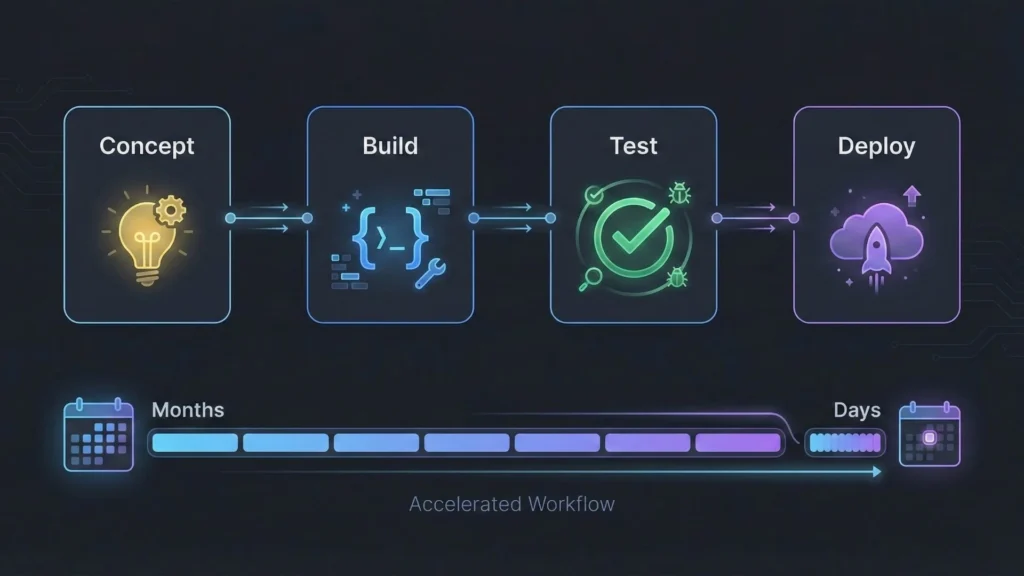
The true power of this new paradigm is its ability to compress the Software Development Lifecycle (SDLC). A process that once took months of planning, scaffolding, and coding can now be prototyped in days or even hours.
Let’s break down the new, AI-accelerated workflow, from a spark of an idea to a deployed application.
Step 1: The Concept & Scaffolding (The “Describe” Phase)
In the traditional model, this phase involves dense specification documents, user flow diagrams, and manual setup of a new repository, framework, and build tools.
In the AI-powered model, your first step is a “macro-prompt.” You describe your application at a high level.
Prompt: “I’m building a personal finance tracker using the MERN stack (MongoDB, Express, React, Node.js). Generate the basic file structure, including a
serverdirectory with a basic Express server setup and aclientdirectory created withcreate-react-app. In the server, create amodelsdirectory for Mongoose schemas and aroutesdirectory.”
An advanced AI assistant can spit out the tree structure and the boilerplate code for server.js, package.json, and models/Transaction.js.
Step 2: Component & Logic Generation (The “Build” Phase – Micro)
Now you zoom in. You work feature by feature, prompt by prompt.
Prompt (Frontend): “Create a new React component
TransactionForm.js. It should be a form with fields for ‘date’ (date-picker), ‘description’ (text input), ‘amount’ (number input), and ‘category’ (dropdown with options: Food, Transport, Utilities). Use Tailwind CSS for styling andreact-hook-formfor state management and validation.”
The AI generates the component, complete with imports, state logic, and styled JSX.
Prompt (Backend): “Write the Express API endpoint
POST /api/transactionsthat receives the data from this form. It should validate the input (description and amount are required), create a newTransactiondocument using the Mongoose model, and return the saved transaction or a 400 error if validation fails.”
Step 3: Integration, Testing, and Refinement (The “Build” Phase – Macro)
This is where human expertise is most critical. The AI’s code is a high-quality draft, not a final product. Your job is to:
- Integrate: Connect the frontend
onSubmitfunction to the backend API usingfetchoraxios. - Debug: The AI might have hallucinated a library or used an outdated method. You correct these issues.
- Refine: You refactor the code to meet your project’s standards.
- Test: You prompt the AI again.Prompt (Testing): “Write a Jest unit test for the
POST /api/transactionsendpoint. Usesupertestto mock the request and assert that a valid request returns a 201 status and an invalid request (missing ‘amount’) returns a 400 status.”
Step 4: Deployment (The “Launch” Phase)
The acceleration doesn’t stop at coding.
Prompt (DevOps): “Write a multi-stage
Dockerfilefor this MERN application. The first stage should build the React client, the second should install the Node.js server dependencies, and the final image should be a lightweight Node image that copies the built client and the server code.”
The “Prompt-for-App” Abstraction
The workflow above is powerful for developers who want granular control. However, a new class of tools is automating this entire multi-step process.
This is the niche where a platform like Imagine.bo excels. Instead of requiring dozens of micro-prompts for each component, API, and test, it’s designed to execute the entire workflow from a single high-level description.
A founder or developer uses an Imagine.bo prompt like:
“Build a mobile-first web app for tracking personal fitness goals. It needs user authentication, a dashboard to log workouts and meals, and a ‘progress’ chart that visualizes weight loss over time.”
The platform’s AI acts as the architect, developer, and DevOps engineer simultaneously. It generates the:
- Database Schema: Creates the
users,workouts, andmealstables with correct relations. - Core App Logic: Generates the backend APIs for authentication and CRUD operations.
- Frontend UI: Creates the login, registration, and dashboard pages.
This “Describe, Build, Launch” model turns weeks of scaffolding and boilerplate into minutes. It’s the ultimate expression of the “prompt-to-prototype” concept, allowing you to go from a big idea to a live, scalable app without the traditional tech stress.
Practical Prompting Techniques for Developers
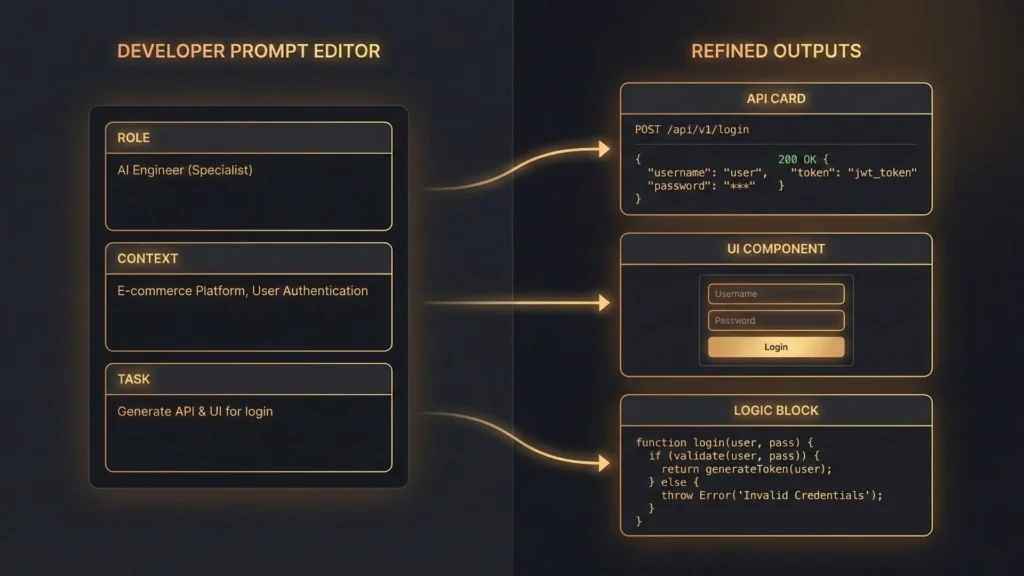
The quality of your AI-generated output is 100% dependent on the quality of your prompt. “Prompt engineering” is a genuine technical skill. Here are the practical techniques developers should master.
1. The “Role-Persona-Task” (RPT) Framework
This is the most effective way to prime the AI for a high-quality response. You give it a role, a persona, and a detailed task.
- Bad Prompt: “Write some React code for a login page.”
- Good Prompt:
- $$Role$$: “You are an expert senior full-stack developer specializing in the MERN stack and cybersecurity.”
- $$Persona$$: “Your code is clean, modular, and follows industry best practices. You always include error handling and clear comments for complex logic.”
- $$Task$$: “Generate a single React component for a complete login form. Use
react-hook-formfor validation (email and password required, password min 8 characters). Useaxiosto send a POST request to/api/auth/login. On success, store the returned JWT inlocalStorageand redirect to ‘/dashboard’. On error, display the error message from the API response in a toast notification. Use Tailwind CSS for a modern, responsive design.”
2. Provide Context and Examples (Few-Shot Prompting)
AI models are brilliant pattern-matchers. Give them a pattern to follow.
- Zero-Shot Prompt (Less Reliable): “Create a button component.”
- Few-Shot Prompt (More Reliable):“I am building a React app with this component structure and style:
// src/components/Button.js const Button = ({ children, onClick, variant = 'primary' }) => { const colors = variant === 'primary' ? 'bg-blue-600 text-white' : 'bg-gray-200 text-gray-800'; return ( <button className={`py-2 px-4 rounded-lg font-semibold ${colors}`} onClick={onClick}> {children} </button> ); }; export default Button;Based on this exact style, create a new ‘Card’ component. It should accept ‘title’ (string) and ‘children’ as props. The card should have a white background, rounded corners, and a subtle box shadow using Tailwind CSS.”
3. The “Chain of Thought” (CoT) Command
For complex algorithms or debugging, don’t ask for the final answer. Ask the AI to show its work. This forces it to follow a logical path and often produces a more accurate result.
- Prompt:“I have a slow-running SQL query. Here is the query:
[...query...]and theEXPLAINplan:[...plan...]. First, explain step-by-step why this query is slow, referencing the EXPLAIN plan. Second, suggest potential optimizations, such as new indexes or query rewrites. Finally, provide the fully optimized query.”
4. The “No-Code” High-Level Prompt
While the techniques above are for hands-on coders, the “no-code” prompt is about abstracting the business logic. This is the domain of platforms like Imagine.bo.
- Developer Prompt (Micro): “Generate a React hook
useAuththat manages user state, handles login/logout API calls, and persists the auth token to local storage.” - Imagine.bo Prompt (Macro): “My app needs user sign-up and login with Google OAuth.”
The platform’s AI is pre-engineered to handle the entire stack required for that feature—the UI, the frontend state, the API endpoints, the database changes, and the security rules—all from one high-level instruction.
Best AI Tools and Platforms for Prompt-Based App Development
The market is now full of tools. The right one depends on your goal: are you trying to write code faster or build an app faster?
| Tool / Platform | Primary Use Case | Key Features | Ideal User |
|---|---|---|---|
| GitHub Copilot | In-IDE code completion & generation | Real-time, context-aware suggestions. Learns from your local codebase. Lives in your editor. | Professional Developers (Code-level) |
| ChatGPT / Gemini | Debugging, brainstorming, learning | Versatile chat interface. Great for algorithms, documentation, and “what if” scenarios. | All Developers, Students (Concept-level) |
| Replit Ghostwriter | In-browser IDE & AI assistant | Full “zero-to-deploy” in a browser. “Complete Code” feature. Good for quick prototypes. | Hobbyists, Students, Quick Prototypes |
| Builder.ai | AI-powered app assembly | More of a managed service. Uses AI to assemble “building blocks” of features, often with human oversight. | Non-technical founders (Project-level) |
| Imagine.bo | End-to-end AI no-code app builder | Translates high-level app ideas into a full-stack, scalable app. Visual builder, one-click deploy, world-class stack (AWS/GCP), and expert engineer support. | Non-Technical Founders, Startups (App-level) |
Tool Analysis for Developers:
- For Daily Coding: GitHub Copilot is non-negotiable. It integrates into your flow state and “pair programs” with you, dramatically reducing boilerplate. You retain 100% control, but your speed is doubled.
- For Complex Problems: ChatGPT (GPT-4) or Gemini are your “brains-for-hire.” When you’re stuck on a complex piece of logic or need to learn a new framework, you turn to them.
- For the “Idea Guy” Developer: This is a hidden use case. As a developer, you have side project ideas all the time. But do you want to spend a weekend setting up user auth and database schemas again? This is where a platform like Imagine.bo becomes a developer’s secret weapon for MVPs. You can describe your full-stack app, have the AI generate the entire foundation, and then jump into the auto-generated code (if needed) or just use the visual builder to get it launched by Monday. It shortcuts the 80% of “boring” work (auth, CRUD, settings pages) and lets you focus on the 20% that makes your idea unique.
Common Mistakes and How to Fix Them
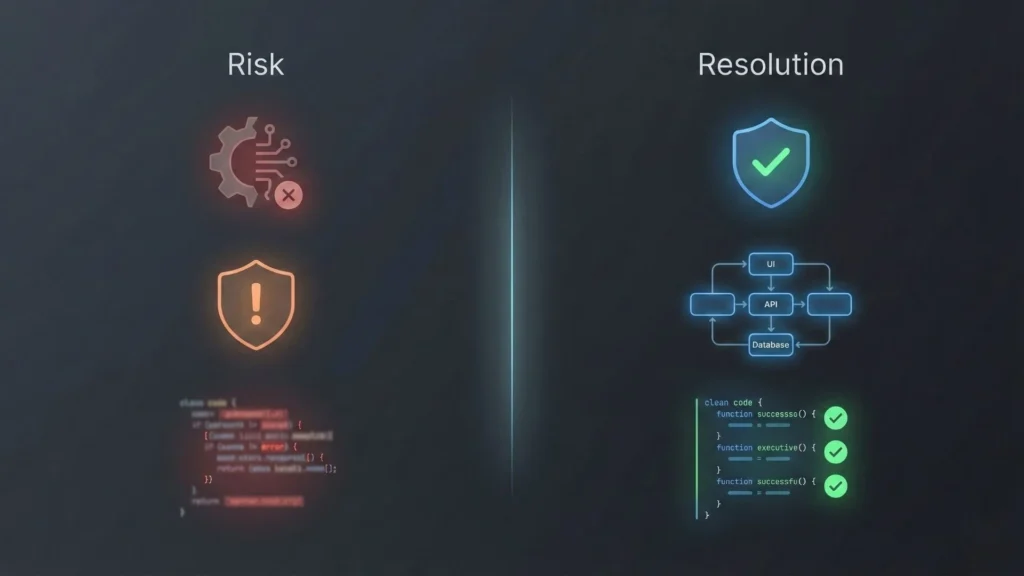
This new power comes with new risks. The “Trough of Disillusionment” for AI is real, and it’s filled with developers who trusted it blindly. Here is how you avoid the common pitfalls.
Mistake 1: Blindly Trusting AI-Generated Code
- The Problem: AI models are trained on all of GitHub, which includes buggy, insecure, and deprecated code. They will confidently generate code with SQL injection vulnerabilities, outdated dependencies, or logical flaws.
- The Fix: Treat AI-generated code as a pull request from a very fast but very naive junior developer. You must review, test, and understand every line before you merge it. Your job is now Senior Developer/Architect, performing a rigorous code review, not just accepting the suggestions.
Mistake 2: Overreliance and Skill Atrophy
- The Problem: If you let the AI solve every problem, your own problem-solving skills will atrophy. You risk becoming a “prompt-courier” who can’t actually build or debug without the AI.
- The Fix: Use AI as a learning tool. When it generates code you don’t understand, prompt it: “Explain this code, line by line.” “Why did you choose a
reducefunction here instead of aforEach?” “What are the security implications of this function?” Use it to get better, not to get lazy.
Mistake 3: Debugging Hallucinations
- The Problem: AI models “hallucinate.” They will confidently invent libraries, functions, and API endpoints that do not exist. This can send you on a multi-hour wild goose chase.
- The Fix: Be skeptical. If an AI suggests a library or function you’ve never heard of, your first step is to Google it. This is also where a platform’s ecosystem matters. A “black box” no-code tool is dangerous, but a platform like Imagine.bo mitigates this risk by providing real-time human support. When the AI gets stuck or produces something nonsensical, you have an escape hatch to a real expert engineer, which is invaluable.
Mistake 4: Vague Prompts = Vague Results
- The Problem: Developers, used to thinking in code, can be surprisingly bad at writing precise natural language. A prompt like “Fix my code” or “Make it better” will yield generic, useless results.
- The Fix: Be hyper-specific. Provide the code. Provide the error message. State your goal. State your constraints (language, framework, style). The more context you provide, the more surgical the AI’s response will be.
Real-World Use Case: The 72-Hour Side Project
Let’s look at a real-world scenario. “Alex,” a frontend developer, has a side-project idea: a “NicheList” app, a simple job board for a specific industry, like “AI Ethicists.”
Traditional Path (6-8 Weeks):
- Weeks 1-2: Procrastinates, knowing how much work the backend and user auth will be.
- Week 3: Finally scaffolds the app. Sets up a Next.js frontend and a separate Express backend.
- Week 4: Wrestles with Passport.js for user authentication (Google and email).
- Week 5: Builds the database schemas for
UsersandJobs. Creates all the CRUD API endpoints. - Week 6: Finally starts building the frontend UI, the part he actually enjoys.
- Weeks 7-8: Deploys to Vercel and Heroku, struggles with CORS and environment variables. The project is 80% “plumbing” and 20% “feature.”
AI-Powered Path (1 Weekend):
- Friday Night: Alex uses GitHub Copilot and ChatGPT.
Copilot:// create a next.js api route for /api/jobs– generates 80% of the file.ChatGPT: “What’s the best way to handle payments for job posts in Next.js?” – gets a full tutorial on Stripe integration.- This is faster, but Alex is still doing all the architectural work and plumbing.
The “Prompt-for-App” Path (1 Evening):
- Friday Night: Alex signs up for Imagine.bo.
- Prompt: “Build a job board app. Users can sign up as ‘Employers’ or ‘Job Seekers.’ Employers can post jobs (which requires a one-time Stripe payment). Job Seekers can browse and filter jobs by location and salary. Include user profiles.”
- 10 Minutes Later: The AI has generated the full-stack application.
- User authentication (Employer/Seeker roles) is done.
- Database schemas are built.
- CRUD APIs for jobs are live.
- Stripe integration is scaffolded.
- Basic UI pages (job list, post-a-job form) are ready.
- Saturday: Alex uses the visual builder to tweak the Tailwind CSS on the job cards. He gets stuck on the payment flow, uses the “Expert Engineer Support” chat, and gets a solution in 15 minutes.
- Sunday Morning: He uses the “One-Click Deployment” feature. His app is live on a real domain with a scalable AWS/GCP backend. He’s now spending his weekend sharing the link, not debugging CORS.
Conclusion: Your Future as a Developer-Orchestrator
AI-powered app development is not a future-tense concept; it’s the new professional standard. The barrier between idea and execution has been effectively demolished. This isn’t about replacing developers; it’s about augmenting them, transforming us from bricklayers into architects.
By automating the repetitive, time-consuming 80% of development, AI tools free us to focus on the 20% that contains all the value: the unique business logic, the delightful user experience, and the robust, scalable architecture. The new core skills are strategic thinking, creative problem-solving, and precise “prompt engineering.”
This transformation empowers both ends of the spectrum. Experienced developers can now build and iterate with 10x the velocity. And for the first time, non-technical founders and entrepreneurs are being handed the keys to creation, turning their big ideas into live, professional-grade apps.
The tech stress of “how will I build this?” is dissolving. The new, exciting question is: “What should I build next?”
Action Step
Don’t just read about this transformation—experience it. If you’re a developer with a dozen side-project ideas, or a founder who has been waiting for a technical co-founder, your moment has arrived.
Stop just dreaming about your app. Start building it.
Explore Imagine.bo to describe your app in plain English. Watch as AI builds its scalable, secure foundation in minutes, and see how you can go from prompt to prototype to production, faster than you ever thought possible.
Launch Your App Today
Ready to launch? Skip the tech stress. Describe, Build, Launch in three simple steps.
Build