
Medical practices have a different problem than most small businesses building a website. You’re not picking between a few templates and hitting publish. You’re choosing infrastructure that will handle protected health information, online appointment booking, insurance details, and intake forms, all under HIPAA scrutiny that can result in fines up to $68,928 per incident according to 2026 OCR enforcement data. The wrong builder makes your site illegal. The right one becomes a patient acquisition engine. This guide compares the best website builder for medical practice options in 2026, covering ease of use, HIPAA support, appointment booking, integrations, and SEO so you can decide with real evidence. For broader context on platforms beyond healthcare, see our review of the best no-code website builders currently on the market.

TL;DR: The best website builder for medical practice depends on whether you handle PHI on the site itself. Wix now offers native HIPAA compliance with a BAA on Business Elite and Enterprise plans (Wix, 2026), while Squarespace does not sign a BAA outside of Squarespace Scheduling (Paubox, 2025). For full-stack patient apps with custom logic, AI builders like imagine.bo close the gap traditional builders leave. With 77% of patients starting their healthcare search on Google (Net One Click, 2026), website choice is now a revenue decision.
What makes a website builder right for a medical practice in 2026?
The right website builder for a medical practice handles four things at once: patient-facing design, online appointment booking, HIPAA-aligned data handling, and local SEO. Skip any one and you lose patients. According to a 2025 PatientPop benchmark cited by EMARKETER, 77% of patients search online for doctors either often or sometimes, and 80% prefer a physician who offers online scheduling (HealthLeaders Media, citing Accenture).
Launch Your App Today
Ready to launch? Skip the tech stress. Describe, Build, Launch in three simple steps.
BuildMost “best of” lists treat medical practice websites like any other small business site with a HIPAA badge bolted on. That framing is wrong. A medical site has two surfaces: a marketing surface (services, bios, hours, blog, FAQs) and a clinical surface (intake forms, scheduling, portal access, billing). The marketing surface mostly needs SEO and speed. The clinical surface needs a Business Associate Agreement, encrypted form handling, audit logs, and access controls. Picking a builder without separating these two surfaces is how solo practices end up with $1.2 million average breach settlements. According to HIPAA Journal data cited in 2025 industry analysis, the average HIPAA settlement involving digital data breaches reached $1.2 million in 2023, a 35% increase from the prior year (Native Gains, 2025).
If you’re trying to figure out what’s actually feasible without a developer, our breakdown of how to build a business website without coding covers the full process end to end.
The five non-negotiables for a medical practice builder in 2026 are:
- A signed Business Associate Agreement (BAA) for any page or form that touches PHI
- Online appointment booking that integrates with your EHR or practice management software
- Mobile-first design and Core Web Vitals performance, since over 60% of healthcare searches happen on mobile (Sagapixel, 2025)
- SEO architecture optimized for local intent (“dentist near me,” “pediatrician [city]”)
- ADA / WCAG 2.1 AA accessibility, mandated by HHS deadlines for federally funded providers
Why does HIPAA compliance change which website builder you should pick?
HIPAA compliance changes everything because most popular builders are not HIPAA-compliant by default. According to HIPAA Vault’s 2026 compliance guide, mainstream builders like Squarespace and the standard versions of WordPress.com do not offer BAAs and cannot legally be used for HIPAA-covered content (HIPAA Vault, 2025). Wix added native HIPAA support in 2025 but only on Business Elite and Enterprise plans (Wix, 2026).

Here’s what that means in practice. If your contact form asks “What symptoms are you experiencing?” or your appointment form collects insurance details, you’ve collected PHI. According to a 2026 healthcare website analysis, HIPAA enforcement around tracking pixel violations alone has resulted in over $100 million in fines since 2023 (Dixie Raiz Pacheco, 2026). Google Analytics is not HIPAA compliant. Google will not sign a BAA. Most healthcare sites running GA4 on appointment pages are technically out of compliance.
Citation capsule: A 2024 American Medical Association survey found that 79% of patients research a healthcare provider’s digital security practices before making appointments (Native Gains, 2025). Combined with 87% of patients saying they would switch providers after a data breach, security is no longer a back-office concern. It is a patient acquisition factor that directly affects revenue. The financial ceiling matters too: the average cost of a healthcare data breach reached $7.42 million in 2024 (Slaterock Automation, 2026).
For a more detailed look at the security gaps that quietly trip up modern AI-generated and no-code sites, our piece on whether your AI-built website can be hacked walks through seven specific failure points worth checking before you go live.
The practical rule: keep PHI off your marketing website entirely. Route patient data through purpose-built HIPAA-compliant platforms (Jane App, SimplePractice, Jotform Health) and embed those forms into your main site. Your “best website builder” is then judged on whether it plays nicely with these compliant tools, not whether it stores PHI itself.
How does the best website builder for medical practice handle appointment booking?
Appointment booking is the single highest-leverage feature on a medical practice website. According to 2025 industry data cited by SimplyBook.me, over 70% of patients now prefer online scheduling for clinics rather than calling by phone (SimplyBook.me, 2025). And nearly 60% of doctor’s appointments are booked outside office hours (HealthLeaders Media, citing Accenture). If your site forces a phone call, you’re losing the majority of new-patient inquiries to competitors who don’t.

Looking at the most common builder + booking combinations used by independent US medical practices in 2026, three patterns emerge. First, Wix Bookings paired with the Wix HIPAA module works for solo and small-group practices that want everything under one vendor. Second, WordPress paired with Jane App or SimplePractice via embedded iframe is the most common stack for therapists, dentists, and specialists. Third, custom-built sites (including AI-generated builds from imagine.bo, Lovable, or Bolt) paired with Cal.com HIPAA, Jotform Health, or NexHealth give the most flexibility at the cost of slightly more setup. The third option is the only one that scales cleanly into a full patient portal without rebuilding.
The booking workflow you actually want includes: patient self-scheduling without account creation, automated reminders by SMS and email, real-time sync with practice management software, and a BAA from the booking vendor. Acuity Scheduling, for example, is not HIPAA-compliant by default. You have to pay for the HIPAA-enabled tier and still bolt on additional safeguards (Cal.com, 2026).
If you want to see what a custom-built booking flow looks like end to end, our walkthrough of how to build a booking or scheduling app in minutes shows the full prompt-to-deploy process.
Best website builder for medical practice: head-to-head comparison
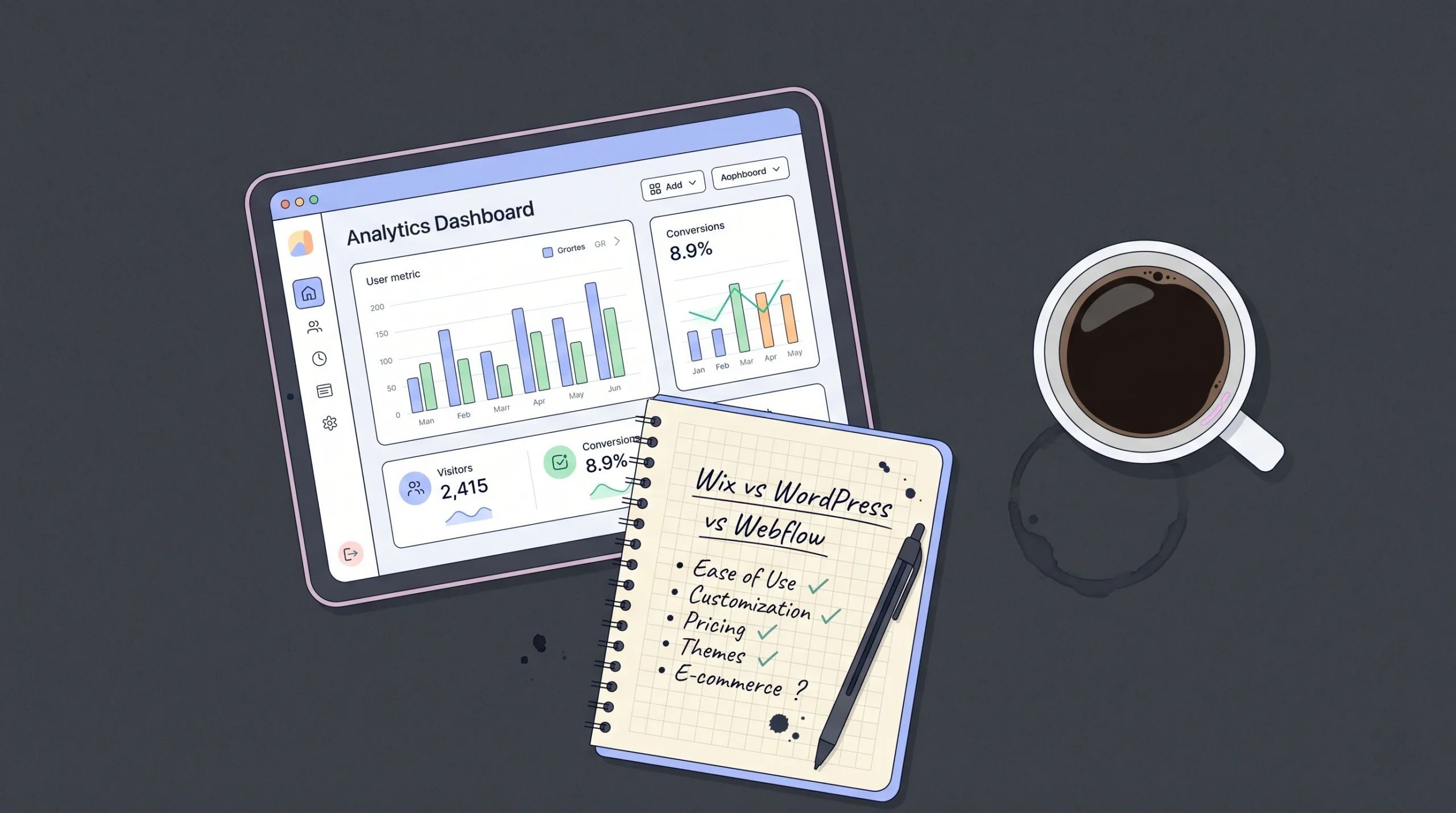
The best website builder for medical practice in 2026 is the one that matches your scope. A solo therapist needs a different stack than a 12-provider orthopedic group. According to a 2026 healthcare website analysis, solo practices can run a fully compliant web stack for $170 to $400 per month, while mid-size clinics typically spend $600 to $2,000 per month (Dixie Raiz Pacheco, 2026). Here’s how the leading options compare across the criteria that actually matter for medical practices.
| Builder | Pricing (entry tier) | No-code friendliness | Full-stack capability | Deployment | Human engineering support | Code export | HIPAA / BAA |
|---|---|---|---|---|---|---|---|
| Wix (Business Elite for HIPAA) | $159/mo (Business Elite for BAA) | Very high | Limited (templates) | Wix-hosted only | Wix Partners marketplace | No | Native BAA on Business Elite+ |
| Squarespace | $16/mo+ | Very high | Limited | Squarespace-hosted only | None native | No | Only via Squarespace Scheduling |
| WordPress + HIPAA Vault | $170 to $400/mo combined | Medium | High via plugins | Self-hosted or managed | Freelance / agency | Yes | Via HIPAA-compliant host with BAA |
| Webflow + Jotform Health | ~$50/mo combined | Medium-high | Medium | Webflow-hosted | Webflow Experts | Limited | Via Jotform Health BAA |
| Bubble | $32/mo+ | Medium | High | Bubble-hosted | Bubble Agencies | Vendor lock-in | No native BAA |
| Lovable / Bolt.new | $20 to $50/mo | High | High | Vercel/Netlify | None native | Yes | No native BAA, depends on integrations |
| imagine.bo | $25/mo (Pro) | Very high | High (full-stack) | Vercel + Railway | Hire a Human built in | Yes (clean code) | Built-in security baseline; integrates with HIPAA tools |
Working with practices on imagine.bo, the most common build pattern looks like this: a public-facing marketing site with bios, services, locations, and a blog generated from a single Describe-to-Build prompt, then a separate authenticated patient portal area for intake forms, document uploads, and messaging. The marketing surface gets indexed by Google. The clinical surface gets locked behind RBAC and routes all PHI through a HIPAA-compliant form vendor. The Hire a Human feature gets used most often for one specific thing: connecting the EHR. EHR APIs are messy, vendor-specific, and rarely work first-shot from any AI builder. A vetted engineer ticketing in to wire up the integration finishes a job that would otherwise stall.
For practices that want a quick frame of reference on how AI builders compare to traditional no-code tools, our Bubble vs imagine.bo comparison breaks down the differences clearly.
Which website builder works best for solo and small medical practices?
For solo practitioners and practices with three or fewer providers, the best website builder is Wix on a Business Elite plan with native HIPAA activation, or a custom AI-built site that integrates with a HIPAA-compliant booking tool. According to Wix’s 2025 launch announcement, the platform now provides one-click PHI Activation, a signed BAA, and native ISO 27799 compliance on supported plans (Wix Press Room, 2025). For solo therapists or single-doctor clinics, this is the lowest-friction option that doesn’t require a developer.

The hidden trap in picking Wix for medical use is that activating PHI Protection disables most analytics and several apps. According to Wix’s own help documentation, when PHI protection is on, visitor data that could identify a patient is hidden, including names and locations, and historical data from the protected period stays unavailable even if you turn the feature off later (Wix Support, 2025). For solo practices this is fine. For practices that depend heavily on conversion analytics or retargeting ads, this is a meaningful limitation that nobody flags during onboarding.
Independent practices increasingly choose AI-builders because they get a custom site, a custom patient portal, and a custom booking flow in one workflow rather than cobbling together five tools. The trade-off is more setup decisions upfront. The benefit is owning clean, exportable code and not being locked into a template. For a closer look at how this fits into a broader business toolchain, our overview of no-code tools for small business is a useful next read.
What about SEO for medical practices in 2026?
Local SEO is the difference between a medical practice that fills its calendar and one that doesn’t. According to research cited by Net One Click in early 2026, 77% of patients begin their healthcare search on Google, 46% use Google to identify a new doctor, and the average medical website converts only 2 to 3% of visitors into inquiries (Net One Click, 2026). Beating that average requires technical SEO foundations plus local visibility work, and both depend on the builder you pick.

According to a June 2025 rater8 survey, 26% of patients are now choosing providers based on AI tools, nearly matching primary care referrals at 28% (rater8, 2025). This is the AI search shift in action. Patients increasingly ask ChatGPT, Gemini, and Perplexity questions like “best pediatric dentist in Austin that takes Aetna” and book based on the answer. Builders that produce clean HTML, structured data, fast Core Web Vitals, and clear FAQ content get cited. Builders that ship bloated JavaScript and slow page loads get skipped.
For a practical playbook on the technical side of search ranking, our SEO-friendly website design guide covers the foundations that apply equally to medical practice sites.
The features that move the SEO needle for medical practices include: Schema.org Physician and MedicalBusiness markup, location-specific landing pages for each clinic address, condition-specific service pages targeting symptom queries, fast load times under 2.5 seconds LCP, and an actively updated blog answering real patient questions. Wix and Squarespace handle baseline SEO well but cap your control over schema markup and dynamic content. Webflow gives you more control. AI builders that output clean code and let you edit anything give you the most control by far.
How do AI website builders like imagine.bo fit into medical practice websites?
AI website builders fit medical practice websites by collapsing the build-test-deploy loop from weeks to hours. According to a 2025 industry survey of healthcare marketers, 73% of patients reported adopting new AI-powered tools to research providers in the past year (rater8, 2025), which means the gap between the practices that ship modern, fast, conversational sites and the ones that don’t is widening every quarter. AI builders close that gap for non-technical operators.

imagine.bo’s approach combines Describe-to-Build prompting with on-demand human engineering through Hire a Human. You describe what you want (“a website for my pediatric clinic with bios for three doctors, a blog, online appointment booking via Jane App, and an HTTPS contact form that does not collect symptoms or insurance details”), and the platform generates a full-stack web app deployed to Vercel for the frontend and Railway for the backend. The AI-Generated Blueprint includes pages, database schema, RBAC, and API endpoints. When something hits AI limits (EHR integration, custom payment logic, a non-trivial accessibility audit), you assign that specific task to a vetted engineer through the dashboard.
This matters for medical practices because the workflow doesn’t dead-end at the boundary of what AI can handle. According to 2026 healthcare web architecture guidance, the safest pattern is to keep PHI off your marketing website entirely and route patient data through HIPAA-compliant platforms (Dixie Raiz Pacheco, 2026). imagine.bo natively supports that split: marketing site on imagine.bo, clinical workflows on a HIPAA partner tool, with a Hire a Human task to wire them together cleanly.
For a deeper dive into platforms specifically built for patient-facing apps, our roundup of no-code tools for healthcare patient apps covers what’s working in 2026.
Frequently asked questions
Is Wix HIPAA compliant for a medical practice website in 2026?
Wix is HIPAA-compliant only on supported Business, Plus, Elite, Business Elite, and Enterprise plans, and only after you activate PHI Protection and sign the BAA from your dashboard (Wix Support, 2025). Standard plans explicitly prohibit storing PHI. According to HIPAA Journal’s 2026 update, Wix is one of the few major CMS platforms now offering native HIPAA features, but configuration matters. Activation also disables some analytics, which catches many practices off guard.
Can I build a HIPAA-compliant medical practice website on Squarespace?
You can build a marketing-only Squarespace site for a medical practice, but Squarespace does not sign a BAA outside of Squarespace Scheduling (Paubox, 2025). According to a 2026 healthcare web compliance guide, this means any contact form, intake form, or page collecting PHI on a Squarespace site is non-compliant. Most healthcare practices on Squarespace embed third-party HIPAA-compliant forms, like Jotform Health, to handle patient data while keeping the marketing site on Squarespace.
How much does a HIPAA-compliant medical practice website cost in 2026?
Solo and small practices can run a fully compliant stack for $170 to $400 per month, while mid-size clinics typically spend $600 to $2,000 per month (Dixie Raiz Pacheco, 2026). That covers HIPAA-compliant hosting or builder, BAA-backed forms, secure scheduling, and a compliant analytics tool like Plausible or Fathom. Wix Business Elite alone runs around $159 per month. AI-built sites on imagine.bo Pro start at $25 per month plus HIPAA partner tool costs.
Do I need a separate patient portal or can my website handle it?
Most small practices do not need a custom patient portal. According to 2025 healthcare website best-practice guidance, the cleanest setup keeps PHI off your marketing site entirely and routes patient interactions through a purpose-built HIPAA platform like Jane App, SimplePractice, or NexHealth (Dixie Raiz Pacheco, 2026). Your website then links out or embeds the secure portal. This pattern is faster, cheaper, and more compliant than building a portal yourself.
What’s the best website builder for a medical practice that wants to grow into a multi-location group?
For practices planning to scale to multi-location, AI builders that produce clean, exportable code (imagine.bo, Lovable, Bolt) or Webflow are the strongest options. According to 2025 patient choice research, half of patients abandon a provider search if they cannot quickly confirm insurance participation or appointment availability online (Net One Click, 2026). Multi-location groups need dynamic location pages, EHR integrations, and custom routing, none of which scale well on template-only builders like Squarespace or basic Wix plans.
Conclusion: picking the best website builder for medical practice in 2026
Three takeaways. First, HIPAA defines the shortlist. If a builder won’t sign a BAA on a plan you can afford, it’s not on the list, full stop. Wix Business Elite, WordPress on a HIPAA-compliant host, and AI builders like imagine.bo paired with HIPAA-compliant form vendors are the realistic shortlist for most US medical practices in 2026. Second, online booking is mandatory, not optional. With 80% of patients preferring physicians who offer online scheduling and 70% preferring it over calling, a site without it is leaking patients to competitors every week. Third, the marketing site and the clinical workflow should live on different surfaces. Keep PHI off your main site. Route it through purpose-built HIPAA tools.

If you want to ship a fast, mobile-friendly, SEO-ready medical practice website in days rather than weeks, and use Hire a Human to handle the EHR integration or anything else AI can’t quite finish, build your medical website with imagine.bo. You describe the practice, the AI generates the full-stack site and patient-facing flows, and a vetted engineer handles the parts that need human judgment. To see how the platform performs for healthcare specifically, our deep dive into the AI website builder for doctors walks through real workflows.
Launch Your App Today
Ready to launch? Skip the tech stress. Describe, Build, Launch in three simple steps.
Build