No-code and low-code for startups are rapid development frameworks that eliminate or minimize manual programming to accelerate the Minimum Viable Product (MVP) lifecycle. While no-code utilizes visual drag-and-drop interfaces for non-technical founders, low-code provides an extensible environment for citizen developers and engineers to inject custom scripts. By 2026, over 70% of new applications will utilize these platforms, yet the “hidden” risk of vendor lock-in can often outweigh the initial speed advantages if your architectural scalability isn’t audited today.
Why Choosing the Right Development Path Matters Now
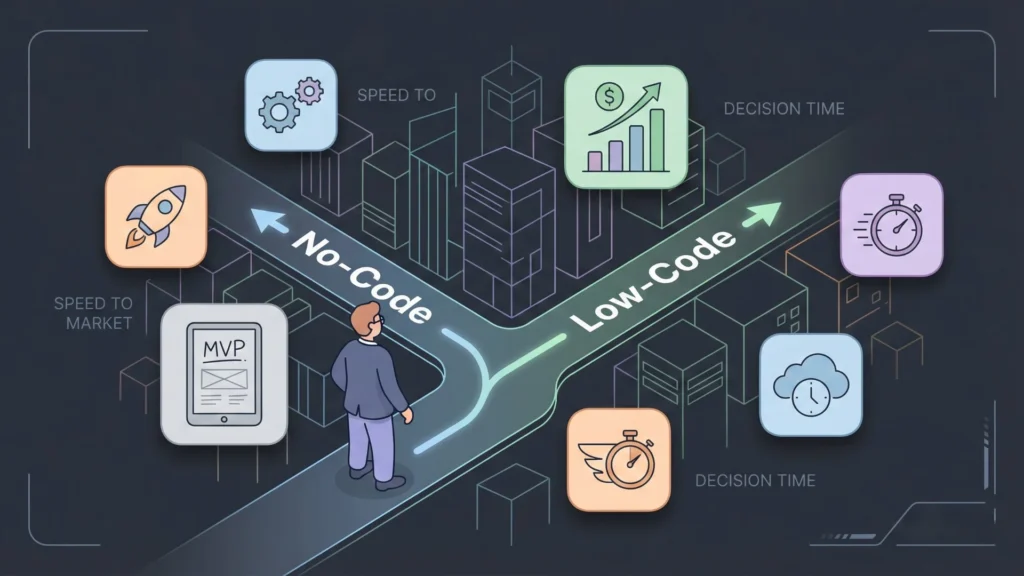
If you are a startup founder in 2026, you are likely facing a familiar dilemma: you have a vision for a product, but you don’t have a six-figure budget to hire a team of senior software engineers. A few years ago, this would have been a roadblock. Today, it is merely a choice between two powerful paths: No-Code vs Low-Code for Startups.
Launch Your App Today
Ready to launch? Skip the tech stress. Describe, Build, Launch in three simple steps.
BuildThe landscape of software development has shifted permanently. According to recent Gartner projections, over 70% of new enterprise applications are now built using low-code or no-code technologies. For startups, this isn’t just a trend; it is a survival mechanism. The ability to launch an MVP (Minimum Viable Product) in weeks rather than months can be the difference between securing funding and fading into obscurity.
However, the terminology can be confusing. Is “no-code” just for simple websites? Is “low-code” only for enterprise IT teams? Making the wrong choice can lead to technical debt, scalability issues, or a product that you can’t customize when your users demand new features.
Defining the Technologies: No-Code vs. Low-Code
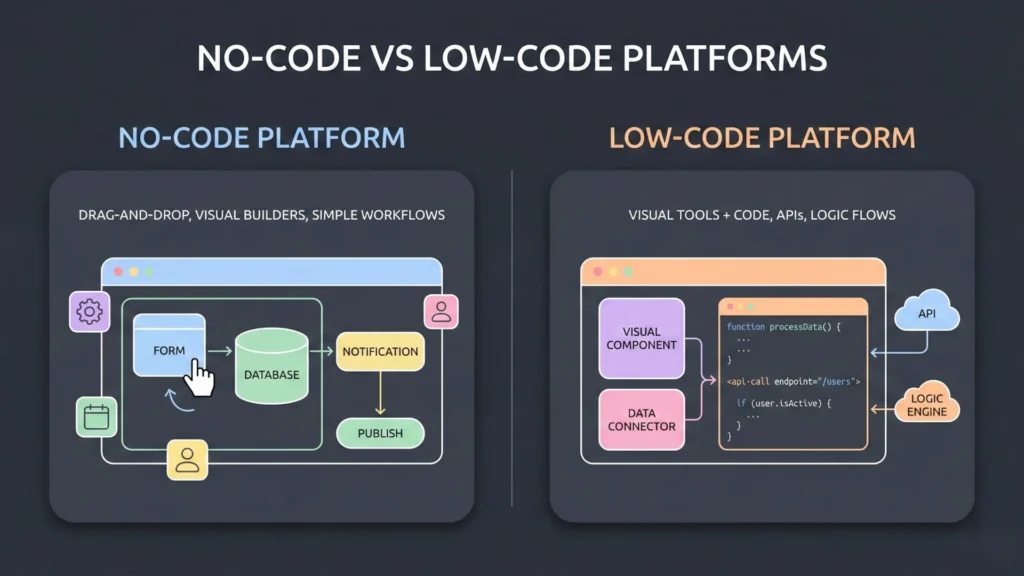
Before we compare them, let’s clearly define what we are talking about. While they are often grouped together (LCNC), they serve different masters and different use cases.
What is No-Code?
No-Code platforms are designed for the “Citizen Developer“—business users, founders, and creatives who may not know a single programming language. These platforms rely 100% on visual interfaces. You drag and drop elements onto a canvas, and the platform writes the code in the background.
- Target Audience: Non-technical founders, marketing teams, product managers.
- The Promise: “If you can click, you can build.”
- Popular Tools: Bubble, Webflow, Airtable, Glide, Softr.
What is Low-Code?
Low-Code platforms are designed to accelerate the work of developers. They provide a visual framework for the majority of the application but allow (and often require) manual coding to handle complex logic, integrations, or unique interface behaviors. They don’t eliminate code; they just reduce the repetitive “boilerplate” work.
- Target Audience: Professional developers, IT departments, technical co-founders.
- The Promise: “Build complex apps 10x faster.”
- Popular Tools: OutSystems, Mendix, Retool, Microsoft Power Apps, Zoho Creator.
Core Technical Differences: Under the Hood
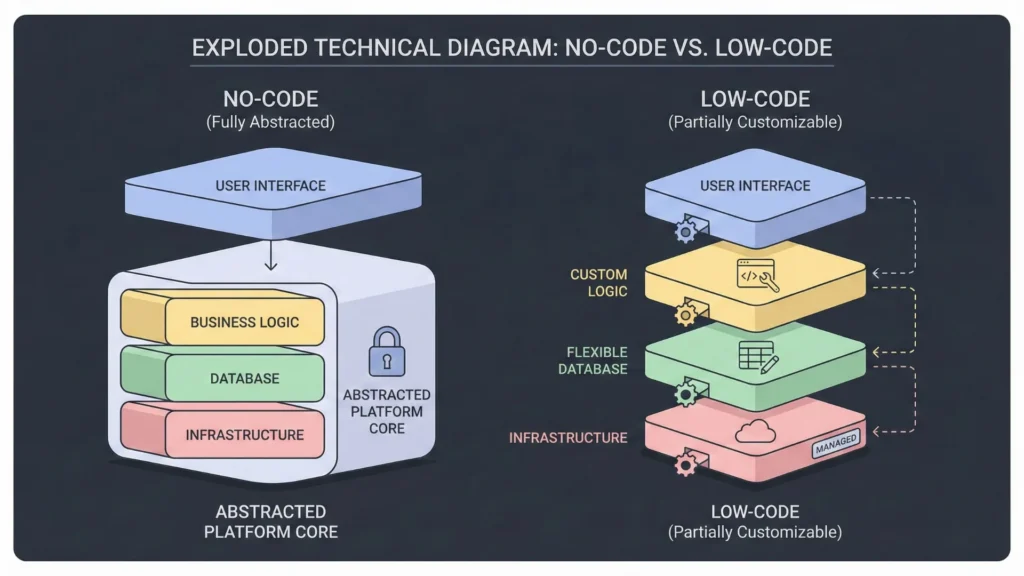
To make the right choice, you need to look under the hood. Here is a detailed comparison of how No-Code vs Low-Code stacks up across critical technical dimensions.
| Feature | No-Code | Low-Code |
|---|---|---|
| Primary User | Business users / Non-tech Founders | Developers / IT Professionals |
| Coding Requirement | Zero (100% Visual) | Minimal (Visual + Scripting) |
| Learning Curve | Low (Days to Weeks) | Moderate (Weeks to Months) |
| Customization | Limited to platform features | High (can inject custom code) |
| Integration | Pre-built plugins/Zapier | APIs + Custom backend logic |
| Maintenance | Platform handles updates | Shared responsibility |
| Vendor Lock-in | High (Hard to export code) | Moderate (Some allow code export) |
| Best For | MVPs, Landing Pages, Simple SaaS | Enterprise Apps, Complex Logic, AI |
Cost and Speed: The Financial Reality
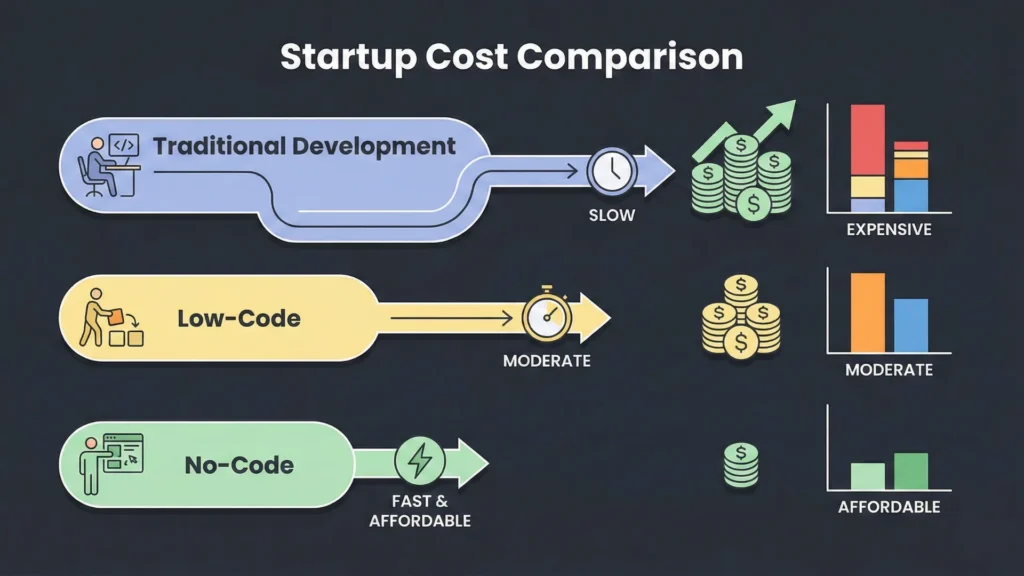
For most early-stage startups, the decision ultimately comes down to burn rate and runway. Let’s break down the financial reality of No-Code vs Low-Code for Startups.
The Cost Factor
- Traditional Development: Building a custom SaaS product from scratch typically requires a budget of $75,000 to $150,000+ for a basic MVP. You are paying for backend engineers, frontend designers, and DevOps.
- No-Code: You can launch a functional MVP for $500 to $5,000. Your costs are primarily the monthly platform subscription (e.g., Bubble at $32/mo) and perhaps a no-code freelancer or agency.
- Low-Code: This sits in the middle. You will likely need a developer, but because they can work faster, your billable hours drop significantly. Expect an MVP cost between $15,000 and $50,000.
The Speed Factor
Time-to-market is where No-Code vs Low-Code for Startups truly shines.
- No-Code: A solo founder can build a working product over a weekend. The average development time for a no-code MVP is 2–4 weeks.
- Low-Code: A small team can deliver a robust application in 1–2 months, compared to the 6–9 months required for traditional development.
Takeaway: If you are bootstrapping and need to validate an idea now, No-Code wins on both speed and cost. If you have some seed funding and need a robust foundation, Low-Code offers a faster path than traditional coding.
Addressing Scalability and Growth Limitations
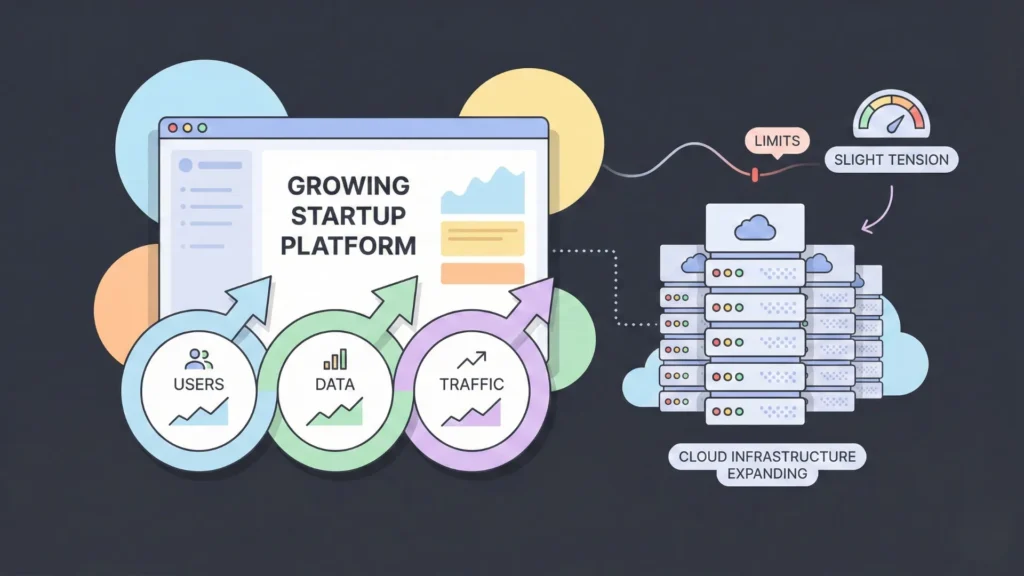
“But will it scale?” This is the most common question investors ask when they hear you are using these platforms. The honest answer regarding scalability in No-Code is nuanced.
No-Code Scalability
- User Load: Modern no-code platforms like Bubble can handle growth and thousands of concurrent users, but they eventually hit a ceiling. You are running on their shared infrastructure.
- Database Limits: Platforms like Airtable have strict row limits (e.g., 50k – 100k rows). If your app relies on millions of data points, you will hit a wall.
- The “Rebuild” Risk: Many successful startups eventually have to “eject” from no-code and rebuild their stack once they reach Series A funding. This is not a failure; it’s a sign of success. You validated the idea cheaply; now you can afford to build it custom.
Low-Code Scalability
- Enterprise Grade: Platforms like OutSystems and Mendix are built for enterprise scale. They are used by Fortune 500 companies to manage complex workflows.
- Cloud Flexibility: Low-code tools often allow you to deploy to your own cloud instances (AWS, Azure), giving you control over server performance and security.
- Long-Term Viability: You are less likely to need a complete rebuild with low-code, as you can optimize specific parts of the code manually as you grow.
Real-World Use Cases and Success Stories
Theory is fine, but let’s look at who is actually winning with these tools. Here are examples of No-Code vs Low-Code for Startups in action.
No-Code Success Stories
- Comet: A freelancing platform for IT talent. The founder, Charles Thomas, built the initial version on Bubble. It scaled to over $800k in monthly revenue before they needed to expand their tech stack.
- Dividend Finance: A solar financing platform that used Bubble to process over $1 billion in loans. This proves that no-code isn’t just for “toy” apps; it can handle serious financial transactions.
- Qoins: A fintech app that helps people pay off debt. They used no-code tools to prototype and launch quickly, eventually helping users pay off over $12 million in debt.
Low-Code Success Stories
- Impossible Foods: The plant-based meat giant used Zendesk (a low-code customer service platform) to scale their internal and external communications rapidly as they expanded globally.
- Volcom: The lifestyle brand used Parabola (a low-code data automation tool) to automate complex e-commerce reporting that used to take hours of manual Excel work.
- Internal Tools: Countless startups use Retool to build Internal Tools and admin panels for their customer support teams. Instead of distracting their engineers to build a dashboard, they drag-and-drop one in an afternoon.
Key Advantages and Disadvantages Compared
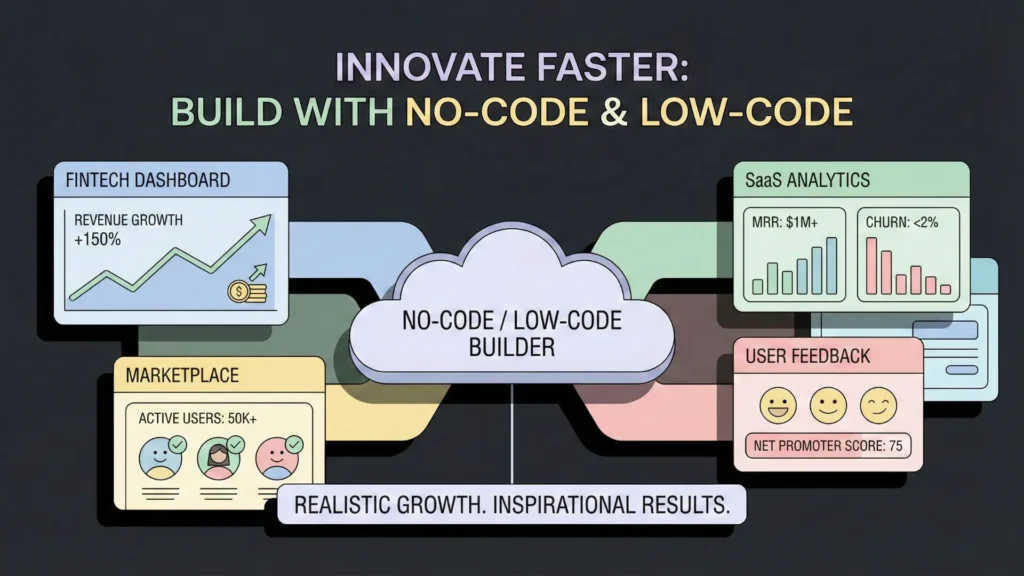
To help you visualize the trade-offs, here is a summary of the advantages and common mistakes when evaluating No-Code vs Low-Code for Startups.
No-Code
Pros:
- Democratization: Anyone can build.
- Cost: Extremely low barrier to entry.
- Agility: Changes can be made instantly without deploying code.
Cons:
- Vendor Lock-in: You don’t own the source code. If the platform shuts down, you could lose your app.
- Shadow IT: Without governance, your team might build messy, insecure tools.
- Design Limits: You are often restricted to the templates and UI elements the platform provides.
Low-Code
Pros:
- Flexibility: You can say “yes” to complex feature requests.
- Integration: Easier to connect with legacy systems or custom APIs.
- Security: Better adherence to enterprise security standards (SOC2, HIPAA).
Cons:
- Cost: Enterprise low-code platforms can get very expensive (licensing fees).
- Skill Gap: You still need someone who understands logic and database architecture.
Decision Framework: Which Approach Fits You?
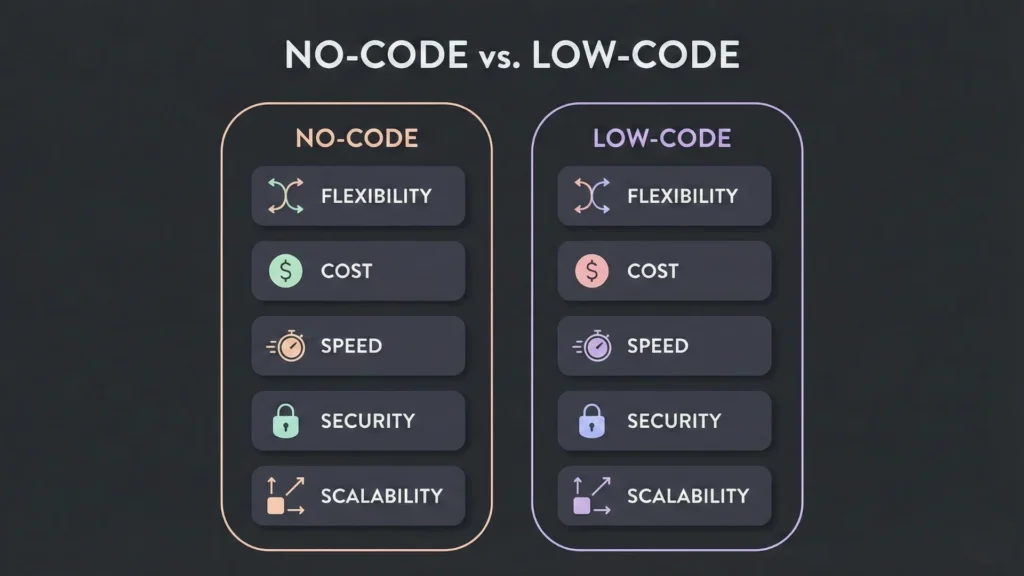
Still on the fence? Use this decision matrix to settle the No-Code vs Low-Code for Startups debate for your specific situation.
Choose No-Code IF:
- You are a non-technical founder with no co-founder.
- Your budget is under $5,000.
- You are building an MVP to validate a concept (e.g., a marketplace, a directory, a simple SaaS).
- Time is your enemy and you need to launch next week.
- The app is internal (e.g., an employee onboarding portal).
Choose Low-Code IF:
- You have a technical lead or a small budget for a developer.
- Your app requires complex logic (e.g., AI processing, heavy data computation, unique algorithms).
- You are in a regulated industry (Healthcare/Fintech) where data sovereignty is critical.
- You need to integrate with existing legacy databases (SQL, Oracle).
- You are building a core product that you expect to scale to millions of users without rebuilding immediately.
Final Verdict: Matching Strategy to Startup Stage
The battle of No-Code vs Low-Code for Startups doesn’t have a single winner—it has a winner for your stage.
For the “Zero to One” phase: No-Code is the champion. It removes the technical gatekeepers and allows visionaries to execute. It is the ultimate tool for validation. Don’t worry about scaling to a million users until you have your first ten.
For the “One to N” phase: Low-Code (or a transition to custom code) takes the lead. Once you have revenue and traction, you need stability, security, and infinite customization.
The Hybrid Approach: The smartest startups today often use both. They might build their marketing site on Webflow (No-Code), their MVP on Bubble (No-Code), and their internal admin tools on Retool (Low-Code).
Don’t let the technology define you. Pick the tool that lets you solve your customer’s problem the fastest.
Frequently Asked Questions
1. Can I switch from No-Code to Low-Code later?
Yes, but it usually involves a migration. You likely won’t be able to “export” your Bubble app and “import” it into a low-code tool. You will use the No-Code app as a perfect visual spec to build the new version faster.
2. Is No-Code bad for SEO?
Historically, yes, but tools like Webflow and Framer now generate clean, semantic code that ranks excellent on Google. However, Single Page Applications (SPAs) built on some no-code platforms can still require extra effort to optimize for SEO.
3. Do investors fund No-Code startups?
Absolutely. We have seen exits and funding rounds for companies like Dividend Finance and Comet. Investors care about traction, revenue, and product-market fit. They rarely care how you built the first version, as long as it works.
4. Which is better for AI startups?
If you are just calling an OpenAI API, No-Code is fine. If you are building your own models or need complex data processing pipelines, Low-Code (or Python) is necessary.
5. What is the biggest risk of No-Code?
Vendor Lock-in. If the platform raises prices or goes out of business, you are vulnerable. Always have a backup plan or “eject strategy” as you scale
Launch Your App Today
Ready to launch? Skip the tech stress. Describe, Build, Launch in three simple steps.
Build