

Tired of generic systems that don’t actually understand how your kitchen runs? Most owners feel stuck with “one-size-fits-all” software that is either too complicated or misses the small details that make your restaurant unique.
With new AI tools like Imagine.bo, you can now build your own custom tools—to track your stock, manage your team, and see your profits—just by describing what you need. No tech background, no expensive agencies, and no coding required.
Launch Your App Today
Ready to launch? Skip the tech stress. Describe, Build, Launch in three simple steps.
BuildWhy Generic Software Often Fails You
Big systems like Toast or Square are great for taking payments, but they don’t know your “tribal knowledge.” They don’t know that your head chef prefers to prep on Tuesday mornings, or that you need a specific alert when your most expensive ingredient is running low.
Building your own tool isn’t about replacing your cash register; it’s about creating a Personal Command Center that fits your specific layout and rules.
Your 5-Step Guide to Building a Custom Restaurant Software

Step 1: The “Clipboard Test”
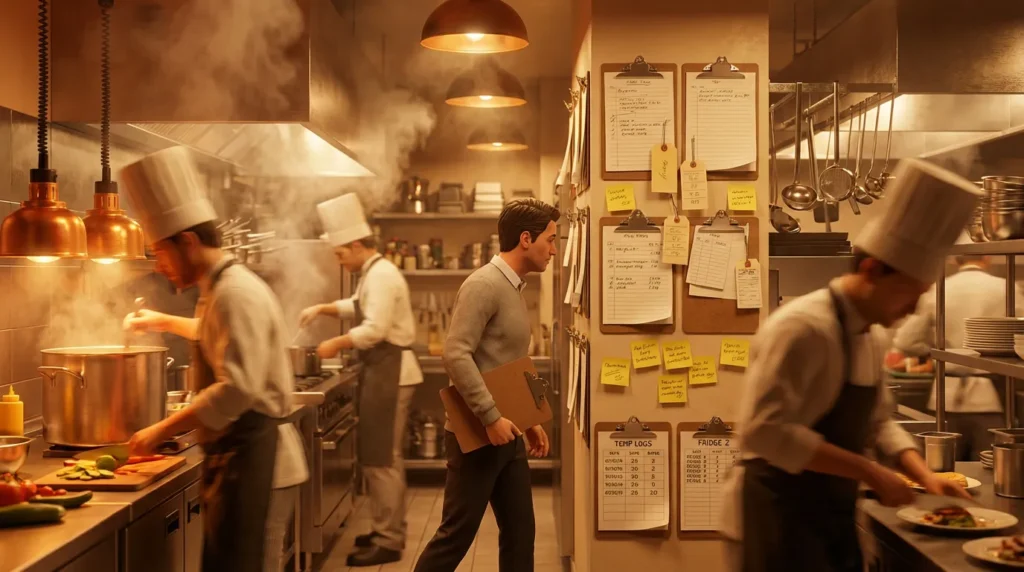
Before you look at any software, walk through your restaurant during a busy shift. Look for the “paper trail.”
Where to look:
- Clipboards & Post-its: Are staff writing down fridge temperatures or “86’d” items on scraps of paper?
- Wasted Time: Is a manager spending two hours a week copying sales numbers into a spreadsheet?
- Confusion: Do staff have to stop and ask, “How much prep do we need for tonight?”
The Goal: Pick the one thing that causes the most stress—like a “Digital Waste Tracker” or an “Automated Prep List”—and make that your first project.
Step 2: Pick Your Tool (Which one fits your style?)
Choose like picking kitchen gear—simple or versatile. Here’s a quick comparison:
| If You Want… | Use This Tool | What It Feels Like | Why for Restaurants |
|---|---|---|---|
| Easiest Build | Imagine.bo | Texting a smart assistant. You describe in English, AI builds with engineer-level quality. | Handles complex logic like real-time alerts. |
| Smart Spreadsheet | Airtable | Like upgraded Excel for lists. | Perfect for inventory/suppliers; low learning curve. |
| Custom Mobile App | Adalo | Building with Lego—drag/drop buttons. | Staff-friendly on phones for shifts/orders. |
Pro Tip: Start with Imagine.bo if you’re non-techy—its AI reasons like a dev, ensuring scalable, secure apps.
Step 3: “Just Tell the Computer” (The Build Phase)
If you use a tool like Imagine.bo, you don’t “program.” You just talk. Think of it as giving instructions to a new manager.
Try saying these exact phrases to the AI:
- For Inventory: “I need a way to track my ingredients. When we sell a burger, automatically take one bun and one patty out of our stock. Send me a text message when we have less than 20 buns left.”
- For Scheduling: “Create a staff schedule. Look at our sales from last month and suggest how many servers we need for Friday night. Make sure nobody works more than 5 days in a row.”
- For Daily Logs: “Build a simple form where my closer can enter the fridge temperatures and any food waste at the end of every night.”
Step 4: Connecting the Dots
Your new tool shouldn’t live on an island. It needs to talk to the tools you already use.
- Link to your Register: Connect your POS (like Square) so every time a customer pays, your inventory updates automatically.
- Alert your Phone: Set it up so that if food waste costs you more than $50 in one night, you get an automatic notification on WhatsApp or Slack.
- Update your Books: Have your inventory costs sent straight to your accounting software so you always know your true profit.
Step 5: The “Kitchen Test”
Once your tool is ready, don’t give it to everyone at once. Give it to your most trusted server or your head chef for one shift.
- Check the Fit: Is the “Add Item” button big enough to tap with a greasy finger? Is the text easy to read in a dark dining room?
- Fix it Fast: If it’s not perfect, tell the AI: “The staff found the menu too long. Change it so they only see the items we are currently out of.”
Keeping Your Data Safe
Even though you built it yourself, these tools are professional and secure.
- Manager Eyes Only: You can set “permissions” so servers only see their own schedules, while only you see the money and profit reports.
- Always On: These tools run on the same powerful servers used by big companies, so your app won’t “crash” when you’re busy.
Success Story: The Smart Pastry Shop

A small cafe owner was throwing away $300 worth of pastries every week because they didn’t know how much to order. They spent one Sunday afternoon building a “Smart Ordering” tool.
- The Result: The tool looks at past sales and tells them exactly what to order from the bakery each morning.
- The Win: They saved $1,200 in the first month—more than enough to pay for the tool for the entire year.
Your 60-Minute Challenge
Don’t wait for “someday.”
- Go to Imagine.bo and start a free trial.
- Type in: “Build me a simple log to track our daily food waste and fridge temps.”
- Open the link on your phone.
Just like that, you’ve stopped being a “software user” and started being a “software creator.” What’s the next headache you’re going to solve?
Launch Your App Today
Ready to launch? Skip the tech stress. Describe, Build, Launch in three simple steps.
Build




