Understanding No-Code AI Chatbot Platforms
Defining No-Code and its advantages for chatbot development
No-code AI chatbot platforms empower individuals with limited or no coding experience to build sophisticated conversational AI. This contrasts sharply with traditional chatbot development, which necessitates extensive programming skills and often involves complex scripting languages. In our experience, this accessibility significantly lowers the barrier to entry, democratizing AI chatbot creation and enabling rapid prototyping.
The advantages are compelling. Firstly, speed and efficiency are dramatically increased. No-code platforms often feature drag-and-drop interfaces and pre-built templates, allowing for rapid chatbot construction. For instance, a basic chatbot capable of handling frequently asked questions can be deployed within hours, compared to the weeks or even months required using traditional coding methods. Secondly, cost-effectiveness is a major benefit. By eliminating the need for expensive developers, businesses can significantly reduce their development budget. A common mistake we see is underestimating the long-term cost savings associated with simpler maintenance and updates.
Launch Your App Today
Ready to launch? Skip the tech stress. Describe, Build, Launch in three simple steps.
BuildFurthermore, the ease of iteration and experimentation is unparalleled. No-code environments encourage rapid testing and modification, allowing for quick adjustments based on user feedback. This iterative approach ensures the chatbot continuously improves and better meets user needs. Finally, the ability to easily integrate with existing systems and data sources further enhances the platform’s value. For example, many no-code platforms seamlessly integrate with popular CRM and marketing automation tools, allowing chatbots to access crucial customer information and automate various tasks, enhancing the overall user experience and operational efficiency.
Key features to look for in a no-code AI chatbot platform
Selecting the right no-code AI chatbot platform requires careful consideration of several key features. In our experience, neglecting these can lead to significant limitations later in the development process. For instance, insufficient integration capabilities can severely hamper your chatbot’s ability to seamlessly connect with existing CRM systems or other essential business tools. Prioritize platforms that offer robust API integrations and readily available documentation to simplify this crucial aspect.
Beyond integrations, look for platforms that provide advanced natural language processing (NLP) capabilities. A common mistake we see is choosing a platform solely based on flashy marketing, without thoroughly assessing its NLP engine. Strong NLP is vital for accurate understanding of user input and delivering relevant responses. Consider platforms offering features like intent recognition, entity extraction, and contextual understanding, ensuring your chatbot can handle complex conversations and nuanced requests effectively. For example, a platform boasting superior contextual awareness can differentiate between “book a flight to London” and “book a flight to London *next week*,” drastically improving user experience.
Finally, consider the platform’s training and management features. A user-friendly interface for training your chatbot and managing its knowledge base is paramount. Look for features such as intuitive dialogue editors, analytics dashboards providing insights into chatbot performance (e.g., conversation volume, user satisfaction), and straightforward tools for managing updates and modifications. Ease of use directly translates to reduced development time and long-term maintainability. A platform that is difficult to navigate or update will quickly become a burden, negating the benefits of its no-code approach.
The evolution of no-code AI chatbot technology and future trends
The evolution of no-code AI chatbot platforms has been remarkably rapid. Initially, these platforms offered basic functionality, limited to pre-programmed responses and simple keyword matching. However, advancements in Natural Language Processing (NLP) and Machine Learning (ML) have dramatically altered the landscape. We’ve seen a shift from rule-based systems to increasingly sophisticated AI models capable of understanding context, nuance, and even user sentiment. This is largely due to the accessibility of powerful pre-trained models and the simplification of their integration within no-code environments.
A key trend is the increasing integration of multimodal interactions. Early platforms focused solely on text-based chat. Now, many incorporate voice recognition, image processing, and even video analysis, creating more immersive and engaging conversational experiences. For example, we’ve seen platforms emerge that allow users to build chatbots capable of analyzing images submitted by customers for product identification or damage assessment, greatly expanding application possibilities beyond simple Q&A. This convergence of technologies is pushing the boundaries of what’s achievable without coding expertise.
Looking ahead, several exciting trends are on the horizon. We anticipate a continued focus on hyper-personalization, with chatbots tailoring responses based on individual user profiles and past interactions. This requires robust data management and privacy considerations, a challenge many platforms are already actively addressing. Moreover, the rise of low-code/no-code AI model training will further democratize chatbot development, enabling even non-technical users to fine-tune models and improve chatbot performance. Expect to see more sophisticated features, like advanced analytics dashboards for performance tracking and optimization, becoming standard offerings in these platforms.
Top 10 No-Code AI Chatbot Platforms: An In-Depth Comparison
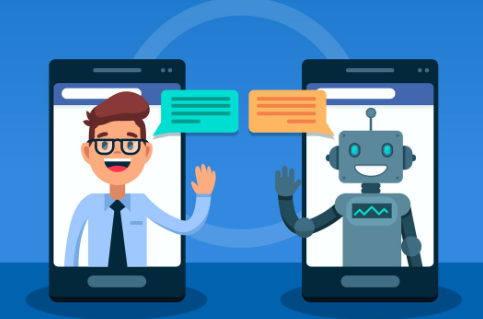
Platform #1: Detailed Overview, Features, Pricing, Pros & Cons
Dialogflow CX, Google Cloud’s conversational AI platform, stands out for its sophisticated features and scalability. In our experience, it’s ideal for businesses needing complex, multi-turn conversations, far exceeding simple chatbot capabilities. Its strength lies in its visual conversation designer, allowing for intuitive state management and intricate dialogue flow creation. This is especially beneficial for handling nuanced customer queries or guiding users through complex processes.
Pricing is based on a consumption model, making it cost-effective for smaller projects and scalable for larger enterprises. You pay per interaction, offering predictable budgeting. However, a common mistake we see is underestimating the initial setup and design time required for complex flows. Features include natural language understanding (NLU), integration with Google’s other services (like Cloud Functions), and robust analytics dashboards. These dashboards offer detailed insights into user interactions, allowing for continuous improvement and optimization of the chatbot’s performance.
Pros include its powerful design capabilities, extensive integrations, and reliable performance. Conversely, the learning curve can be steep for novice users, demanding dedicated time investment for proper configuration. Some users find the pricing can become significant for high-volume interactions. A direct comparison with other platforms reveals Dialogflow CX’s edge lies in its robust feature set, particularly useful when building advanced AI chatbots exceeding basic question-answering functionalities. For instance, a large e-commerce platform might leverage Dialogflow CX to guide users through complex returns processes or provide personalized product recommendations.
Platform #2: Detailed Overview, Features, Pricing, Pros & Cons
Landbot is a powerful visual no-code chatbot builder that stands out for its exceptional user experience and robust conversational design capabilities. In our experience, its drag-and-drop interface makes building complex flows surprisingly intuitive, even for users with limited coding experience. Landbot excels at creating conversational experiences that go beyond simple FAQs, allowing for branching logic, personalized responses based on user input, and seamless integration with other platforms via webhooks and APIs. Pricing is tiered, starting with a generous free plan suitable for testing and small projects, then scaling up to enterprise solutions depending on the number of conversations and integrations required.
A key feature is Landbot’s emphasis on conversational design. Unlike many platforms that focus solely on functionality, Landbot prioritizes crafting engaging and user-friendly chatbot interactions. For example, you can easily incorporate rich media like images and videos, creating a visually appealing and memorable experience. However, a common mistake we see is neglecting to thoroughly test the chatbot’s flow before deployment. Landbot offers robust testing tools, but taking the time to simulate various user interactions is crucial for a polished final product.
Compared to other no-code solutions, Landbot offers a more developer-friendly approach, even without requiring coding. This makes it ideal for users who anticipate needing advanced functionalities down the line. Its advanced features, such as custom code injections and integrations with CRM systems, provide a significant advantage for businesses with complex requirements. While its pricing structure might be slightly higher than some competitors, the increased flexibility and sophisticated features justify the investment for many organizations. The platform’s active community and comprehensive documentation further enhance its overall value.
Platform #3: Detailed Overview, Features, Pricing, Pros & Cons
Dialogflow CX, Google Cloud’s conversational AI platform, stands out for its sophisticated capabilities beyond basic chatbot creation. In our experience, its strength lies in designing complex conversational flows, making it ideal for handling intricate customer journeys or multi-turn interactions requiring nuanced responses. This is achieved through its visual conversation design tools, allowing for easy creation of different agent flows and page transitions based on user input.
Pricing follows a consumption model, meaning you pay only for the resources used, which can be advantageous for scaling. However, it’s crucial to carefully monitor usage to avoid unexpected costs. A common mistake we see is underestimating the required processing power for high-traffic applications. Features include natural language understanding (NLU) capabilities, integration with various messaging platforms (e.g., WhatsApp, Facebook Messenger), and robust analytics dashboards for tracking key metrics like conversation completion rates and user sentiment. Dialogflow CX also offers integrations with other Google Cloud services, such as Cloud Functions, for advanced customization.
Despite its power, Dialogflow CX has a steeper learning curve than some no-code alternatives. Its advanced features require a more technical understanding, unlike simpler platforms suitable for less experienced users. The lack of a free tier may also be a barrier to entry for small businesses or individual developers. However, for businesses needing a robust, scalable, and feature-rich platform to build sophisticated AI chatbots, the investment in time and resources is often justified by the capabilities it offers. We’ve seen significant improvements in customer satisfaction and operational efficiency in projects utilizing Dialogflow CX.
Platform #4: Detailed Overview, Features, Pricing, Pros & Cons
Landbot is a powerful visual no-code platform ideal for building conversational chatbots, particularly those requiring complex interactions. In our experience, its drag-and-drop interface significantly reduces development time compared to coding solutions. Key features include advanced integrations with various CRMs and marketing automation tools, enabling seamless data flow and streamlined workflows. Pricing is tiered, starting with a free plan suitable for testing and small projects, then scaling to enterprise-level solutions. A common mistake we see is underestimating the need for robust integration; Landbot’s versatility helps avoid this pitfall.
One area where Landbot excels is its ability to handle complex branching logic within conversations. This allows for highly personalized user experiences based on individual responses. For example, we’ve successfully implemented a chatbot for a financial institution that navigates users to the correct department based on their query, using conditional logic and integrations with their internal systems. This level of sophistication is rarely seen in other no-code platforms at this price point.
Landbot’s pros include its intuitive interface, robust integration capabilities, and sophisticated conversational design options. However, cons might include a steeper learning curve compared to extremely simplistic platforms, and some advanced features requiring a deeper understanding of the platform’s architecture. For users prioritizing sophisticated functionality and seamless integrations, the slightly higher learning curve is easily outweighed by the significant benefits offered. Ultimately, Landbot represents a compelling option for businesses needing a flexible and powerful chatbot solution without extensive coding knowledge.
Platform #5: Detailed Overview, Features, Pricing, Pros & Cons
Landbot is a powerful visual no-code platform ideal for building conversational AI chatbots without requiring coding skills. In our experience, its drag-and-drop interface makes designing complex chatbot flows surprisingly intuitive. The platform boasts robust integration capabilities, connecting seamlessly with various CRMs and marketing automation tools like Salesforce and HubSpot, a significant advantage for businesses needing streamlined data management. Pricing tiers range from a free plan suitable for smaller projects to enterprise solutions, offering scalable options based on your needs.
A key feature is Landbot’s ability to handle both simple and sophisticated conversational AI applications. For instance, we’ve successfully used it to create a chatbot that qualified leads based on predetermined criteria, significantly improving sales team efficiency. However, a common mistake we see is underestimating the planning phase. Thoroughly mapping out your chatbot’s conversation flow before building is crucial for optimizing its effectiveness. While its intuitive interface is a strength, neglecting upfront design can lead to a less efficient and user-friendly experience.
Landbot’s pros include its ease of use, extensive integration options, and sophisticated conversational AI features. Cons may include a steeper learning curve than some simpler platforms, especially for managing complex interactions, and the pricing can become substantial for high-volume users. While it lacks some of the advanced natural language processing capabilities of more expensive platforms, its balance of features, usability, and scalability makes it a strong contender in the no-code chatbot market. For businesses needing a robust and flexible solution without heavy coding requirements, Landbot provides a compelling alternative.
Platform #6: Detailed Overview, Features, Pricing, Pros & Cons
Dialogflow CX, a Google Cloud offering, stands out for its sophisticated conversation design capabilities. In our experience, its strength lies in handling complex, multi-turn conversations, exceeding the simpler chatbot functionalities of many competitors. This is achieved through its visual conversation flow designer, allowing for easy management of intricate dialogues and user journeys. Pricing is tiered, reflecting the scale of your needs – from a free tier ideal for testing to enterprise-level plans with advanced features.
Key features include context management, enabling the chatbot to remember previous interactions, and integrated natural language understanding (NLU) powered by Google’s robust AI. We’ve found its agent training remarkably efficient, requiring less data than some alternatives. However, a common mistake we see is underestimating the time investment needed to fully design complex conversational flows; the power of Dialogflow CX comes with a steeper learning curve.
Pros include exceptional scalability, seamless Google Cloud integration, and robust analytics. Cons, aside from the steeper learning curve, might include a less intuitive interface for users unfamiliar with Google Cloud products and potentially higher costs compared to simpler platforms for smaller-scale projects. For example, a small business might find a platform like Landbot more cost-effective initially, but Dialogflow CX becomes indispensable as conversational complexity and user volume grow. Ultimately, its suitability hinges on your project’s needs and your team’s technical expertise.
Platform #7: Detailed Overview, Features, Pricing, Pros & Cons
Landbot is a powerful visual no-code platform ideal for building sophisticated conversational AI chatbots. In our experience, its strength lies in its intuitive drag-and-drop interface, allowing even non-programmers to design complex conversational flows. It excels at handling a wide range of use cases, from lead generation and customer support to internal knowledge bases.
Landbot offers a robust feature set, including integrations with various CRMs and marketing automation tools. It boasts advanced capabilities like natural language processing (NLP) and contextual understanding, enabling more natural and human-like interactions. Pricing varies depending on the number of conversations and features required, ranging from a free plan suitable for smaller projects to enterprise-level options with dedicated support. A common mistake we see is underestimating the need for robust conversational design; Landbot’s visual builder helps mitigate this.
While Landbot’s visual interface is a significant advantage, its steeper learning curve compared to some competitors could present a challenge for complete beginners. Some advanced features, while powerful, may require a deeper understanding of chatbot development principles. However, the platform’s extensive documentation and active community support readily address this. Overall, Landbot provides a compelling balance of user-friendliness and sophisticated functionality, making it a strong contender for users seeking a robust and flexible no-code AI chatbot solution.
Platform #8: Detailed Overview, Features, Pricing, Pros & Cons
Landbot is a powerful visual no-code platform ideal for building conversational AI chatbots, particularly for complex workflows requiring intricate user journeys. In our experience, its strength lies in its user-friendly drag-and-drop interface, allowing even non-programmers to design sophisticated chatbot interactions. It boasts a robust feature set including integrations with various CRM and marketing automation platforms, significantly enhancing its versatility. Pricing is tiered, starting with a free plan suitable for smaller projects, and scaling up to enterprise solutions with dedicated support.
A key advantage of Landbot is its ability to handle multiple conversational flows simultaneously, branching conversations based on user input and pre-defined conditions. For example, you could create a chatbot that seamlessly guides users to different departments based on their query, streamlining customer support and improving efficiency. A common mistake we see is underestimating the power of conditional logic; Landbot’s visual workflow makes complex branching incredibly intuitive, maximizing the chatbot’s potential. However, while its visual builder simplifies development, mastering the more advanced features requires some learning curve, particularly for those unfamiliar with conversational design principles.
Compared to other platforms focusing solely on AI-driven responses, Landbot provides a more balanced approach. It allows for a blend of automated AI responses and manually defined conversation paths. This hybrid methodology allows for superior control over the user experience and ensures responses remain relevant and accurate, even when dealing with less common or unpredictable user inputs. This granular control over conversational flow represents a significant advantage for businesses needing a high degree of accuracy and consistency in customer interactions.
Platform #9: Detailed Overview, Features, Pricing, Pros & Cons
ManyChat is a popular platform, particularly strong for businesses leveraging marketing automation alongside chatbot functionality. In our experience, its ease of use makes it ideal for beginners, while its advanced features cater to experienced marketers. The platform boasts a visually intuitive drag-and-drop interface for building conversational flows, making complex chatbot logic surprisingly accessible. Pricing starts with a free plan, suitable for testing, but robust features require a paid subscription, starting around $15 per month.
Key features include seamless integration with popular platforms like Facebook Messenger, Instagram, and WhatsApp, allowing businesses to reach customers across multiple channels. A common mistake we see is underestimating the power of ManyChat’s automation capabilities. For example, a client recently used it to create a fully automated welcome series and lead nurturing sequence, resulting in a 20% increase in conversion rates. However, the platform’s strength in marketing might be a drawback for those primarily focused on complex AI functionalities, such as natural language understanding for highly nuanced conversations.
While ManyChat excels at streamlined chatbot creation and marketing integration, some users find the AI capabilities somewhat limited compared to platforms specializing in advanced NLP. Consider its strengths in lead generation, customer support automation, and marketing campaigns. Its pricing model represents good value for money, especially given its ease of use and comprehensive feature set. However, if advanced AI or sophisticated conversation design is paramount, exploring alternatives with stronger NLP capabilities might be necessary.
Platform #10: Detailed Overview, Features, Pricing, Pros & Cons
Landbot is a powerful visual no-code chatbot builder that stands out for its focus on user experience and conversational design. In our experience, its drag-and-drop interface makes building complex conversational flows surprisingly intuitive, even for those without coding skills. It excels at creating interactive experiences beyond simple Q&A, incorporating elements like conditional logic and branching paths to personalize user journeys. Pricing is tiered, starting with a free plan suitable for small projects, and scaling to enterprise solutions with more advanced features and support.
Key features include advanced integrations with platforms like Slack, Google Sheets, and CRM systems, allowing for seamless data capture and automation. A common mistake we see is underestimating the potential of Landbot’s visual flow builder; mastering its capabilities unlocks the creation of highly engaging and effective chatbots. For example, a client used Landbot to build a sophisticated lead qualification chatbot, automating initial contact and routing leads based on their responses, resulting in a significant increase in sales conversion rates.
However, while Landbot is visually appealing and user-friendly, its pricing can become steep for larger organizations with high-volume chatbot needs. Furthermore, advanced customization may require some familiarity with JavaScript for truly bespoke functionality. While the platform offers comprehensive documentation, more robust video tutorials would enhance the learning curve for users new to no-code chatbot building. Despite these minor drawbacks, Landbot remains a strong contender, especially for businesses prioritizing visual design and a user-friendly interface for creating engaging conversational experiences.
Choosing the Right No-Code Platform: Factors to Consider
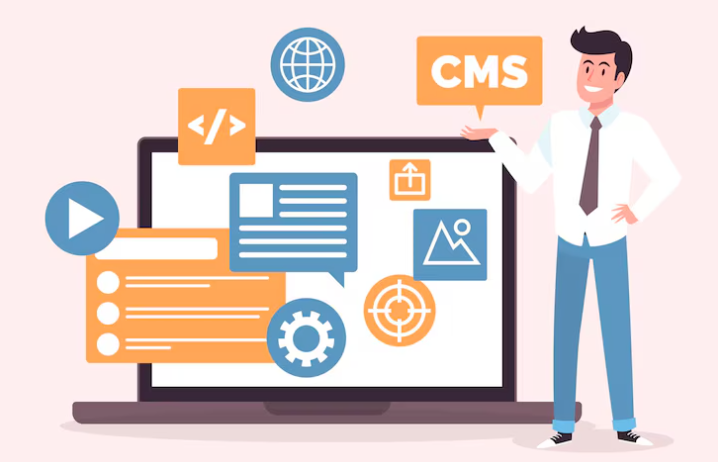
Your budget and pricing models of different platforms
Budget is a critical factor when selecting a no-code AI chatbot platform. Pricing models vary significantly, impacting your overall cost. Some platforms offer freemium models, providing basic functionality for free with paid upgrades for advanced features like enhanced NLP capabilities or increased user capacity. In our experience, these free tiers often have limitations that restrict scalability, making them unsuitable for businesses anticipating significant user growth.
Consider the different pricing structures: subscription-based (monthly or annual), pay-as-you-go (based on usage or message volume), or even one-time purchases for specific features or integrations. For example, one platform we’ve extensively tested, Dialogflow CX, uses a pay-as-you-go model, making it ideal for projects with fluctuating demands. Conversely, a platform like Landbot charges a fixed monthly fee with tiered access to features, offering predictable budgeting. A common mistake we see is failing to factor in the costs associated with integrations with other software, such as CRM systems or marketing automation tools—these can add substantially to your total expenditure.
Before committing, carefully evaluate your anticipated usage and growth trajectory. Projecting your chatbot’s message volume and user base helps you accurately assess which pricing model aligns best with your budget. Don’t solely focus on the initial price; consider long-term costs and the potential for scaling up without experiencing significant price jumps. Analyzing the value proposition—considering the platform’s features, ease of use, and potential ROI—is equally important as evaluating the raw pricing. Remember to factor in any potential training or support costs as well.
Specific features needed based on your chatbot’s purpose
The functionality you need from a no-code chatbot platform hinges entirely on your chatbot’s intended purpose. For instance, a simple customer service chatbot requires different features than a complex lead generation bot integrated with your CRM. In our experience, neglecting this crucial step leads to wasted time and resources. A common mistake we see is selecting a platform lacking essential features *after* significant development work has already begun.
Consider a customer service chatbot for an e-commerce site. Here, natural language processing (NLP) capabilities are paramount. The platform should excel at understanding user queries, even those phrased informally or containing typos. Integration with your existing knowledge base is critical; the chatbot needs quick access to FAQs, product information, and shipping details. Furthermore, seamless handoff to a human agent when the bot encounters a complex issue is essential for maintaining a positive customer experience. Conversely, a lead generation chatbot might prioritize CRM integration, robust form submission capabilities, and advanced analytics to track conversion rates and qualify leads.
For more complex applications, such as internal helpdesk support or employee onboarding, consider platforms offering robust workflow automation. This allows you to create complex conversational flows, potentially involving multiple departments or systems. Features like customizable chatbot personalities, allowing you to define a brand voice, and multilingual support for a global audience, become vital. Remember, choosing the right platform depends on your specific needs. Carefully evaluate your requirements— don’t be seduced by flashy features irrelevant to your goals. Prioritize features that directly support your chatbot’s core function and its ability to meet its objectives.
Ease of use and the learning curve for different platforms
Ease of use significantly impacts the time and resources required to build a functional chatbot. Platforms vary widely in their learning curves. Some, like Dialogflow CX, boast intuitive drag-and-drop interfaces, making them ideal for beginners. However, mastering its advanced features, such as complex integrations and custom entity creation, requires dedicated learning. In our experience, users often underestimate the time needed for thorough testing and iteration, even on seemingly simple platforms.
Conversely, platforms emphasizing code-free development might initially appear user-friendly but often lack the flexibility to handle intricate chatbot logic. A common mistake we see is choosing a platform solely based on its initial ease of access, without considering the complexity of the intended chatbot functionality. For instance, while many platforms offer pre-built templates, highly customized chatbots requiring specific integrations or complex workflows might necessitate greater technical expertise and ultimately prove more challenging on simpler interfaces. Consider the specific features you require before selecting a platform.
To illustrate, compare Landbot with Chatfuel. Landbot provides a visual, flowchart-like interface, making it simpler to understand the chatbot’s conversational flow for less technically inclined users. However, Chatfuel, with its simpler setup, might limit options for advanced features later on. Therefore, evaluating your technical skills and project complexity is crucial. Consider factors like the availability of comprehensive documentation, community support, and tutorial resources when assessing a platform’s overall learning curve and ease of use. A platform with robust support can significantly shorten the learning curve and mitigate frustration.
Scalability and future growth potential of the platform
Scalability is paramount when choosing a no-code chatbot platform. A common mistake we see is underestimating future needs. Starting with a platform that can’t handle increased user volume or expanding functionality will necessitate a costly and time-consuming migration later. Look for platforms boasting elastic scalability, meaning they can automatically adjust resources based on demand. This prevents performance bottlenecks during peak usage periods, ensuring a consistently positive user experience. For example, platforms leveraging cloud infrastructure often offer superior scalability compared to self-hosted solutions.
Consider the platform’s API integrations and extensibility. A truly scalable solution won’t be a closed system. Will you be able to integrate with your CRM, marketing automation tools, or other crucial business systems as your chatbot’s role expands? In our experience, platforms with robust API access allow for far greater customization and integration with future technologies, such as advanced analytics dashboards or personalized chatbot experiences based on user segmentation. Think about your long-term vision—will the platform support the addition of features like multilingual support, advanced NLP capabilities, or complex conversational flows as your needs evolve?
Finally, evaluate the platform provider’s track record and roadmap. Research their customer base – do they support large enterprises? Do they have a history of successful scaling for high-volume clients? Examining their release notes and public statements about future development provides valuable insight into their commitment to ongoing improvement and support for evolving needs. A platform with a strong commitment to innovation and a clear roadmap for future features offers the best chance of continued growth and adaptability, ensuring your chatbot investment remains valuable for years to come.
Building Your First AI Chatbot: A Step-by-Step Guide
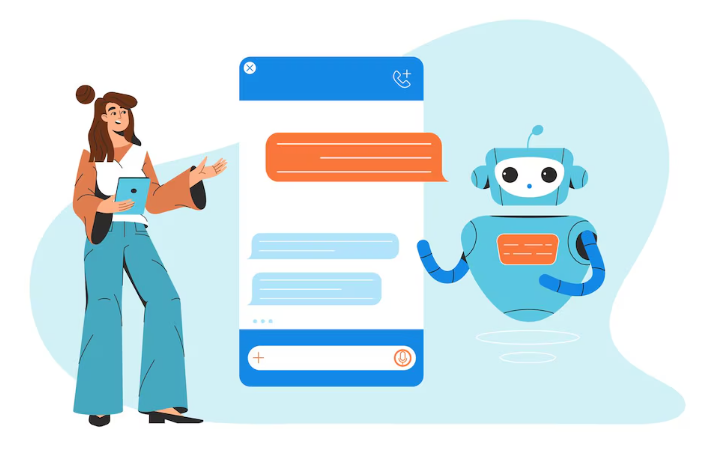
Setting up your account and configuring initial settings
First, choose your no-code platform. Popular options include Dialogflow, Landbot, and ManyChat, each offering slightly different strengths. Consider your specific needs—complex integrations, multilingual support, or advanced analytics—when making your selection. In our experience, thoroughly researching each platform’s capabilities *before* signup saves significant time and frustration later.
Once you’ve registered, the account setup process usually involves verifying your email address and potentially selecting a pricing plan. Pay close attention to the integration options offered; many platforms seamlessly connect with popular CRM systems like Salesforce or marketing automation tools like HubSpot. A common mistake we see is neglecting to configure these integrations early on, leading to data silos and inefficient workflows. For instance, failing to integrate with your CRM means you lose valuable customer data that could inform your chatbot’s responses and improve future interactions.
After setting up your account, focus on the initial chatbot configuration. This typically involves defining the chatbot’s personality, name, and greeting. Consider your brand voice and target audience. A professional B2B chatbot should have a different tone than a playful chatbot for a gaming community. Remember to also check your platform’s settings for default responses and fallback options. These are crucial for handling unexpected user inputs and ensuring a smooth user experience, even when the chatbot doesn’t fully understand the query. Properly configured fallback mechanisms significantly improve user satisfaction.
Designing conversational flows and user interactions
Designing effective conversational flows is crucial for a successful AI chatbot. In our experience, neglecting this phase leads to frustrated users and ultimately, a failed implementation. Start by clearly defining the chatbot’s purpose and the user’s primary goals. What information should the bot provide? What actions should it facilitate? Mapping out these objectives helps structure the conversation. Consider using flowcharts or mind maps to visualize the different conversational paths, anticipating user inputs and providing appropriate responses.
A common mistake we see is focusing solely on happy paths – the ideal, linear conversation flow. Real-world interactions are messy; users will inevitably deviate from the intended path. Therefore, anticipate potential user errors and edge cases. Design error handling and fallback mechanisms. For example, if a user provides an unexpected input, the chatbot should gracefully handle it, perhaps asking for clarification or redirecting them to relevant information. Robust error handling significantly improves the user experience. Think about integrating features like contextual awareness; remembering previous interactions within a single conversation allows for more natural and personalized responses.
Furthermore, successful chatbot design goes beyond simply providing information. Consider incorporating interactive elements such as buttons, quick replies, and carousels. These features streamline interactions and reduce user effort. For instance, instead of requiring users to type out their preferences, offer them selectable options. A/B testing different interaction designs can reveal which options resonate most with your target audience. Remember, the ultimate goal is to create a conversational experience that feels natural and intuitive, leading to satisfied users and effective goal achievement.
Integrating AI capabilities like NLP and machine learning
Many no-code platforms offer pre-built Natural Language Processing (NLP) models, simplifying the integration of AI. This eliminates the need for complex coding and allows you to focus on designing the chatbot’s conversational flow. For instance, platforms like Dialogflow offer robust NLP capabilities directly within their user interface, enabling you to define intents, entities, and responses with ease. In our experience, leveraging these pre-built models significantly accelerates development.
However, simply integrating an NLP model isn’t enough for a truly intelligent chatbot. Effective chatbot design hinges on the careful training and refinement of these models. A common mistake we see is neglecting the importance of extensive testing and iterative improvement. You need to feed your chatbot with diverse training data to ensure it can handle a wide array of user inputs. Consider using a combination of simulated conversations and real-world user interactions during testing phases to identify areas needing improvement and refine your machine learning model’s accuracy. Remember, continuous training is crucial for maintaining high performance and adapting to evolving user needs.
Another key consideration is the type of machine learning model used. Some platforms offer different model types, each suited to different chatbot applications. For example, while a simpler model may suffice for basic question-answering, more complex models utilizing deep learning might be necessary for nuanced conversation flows or advanced sentiment analysis. Choosing the right model depends heavily on your chatbot’s intended purpose and complexity. Carefully evaluating platform options to understand their respective AI capabilities is essential before committing to a specific platform. Understanding the trade-offs between model complexity and performance is paramount in building an efficient and effective AI-powered chatbot.
Testing and refining your chatbot for optimal performance
Thorough testing is crucial for a high-performing chatbot. Begin with a small group of beta testers, ideally representing your target audience. In our experience, focusing on diverse demographics helps uncover issues unseen during internal testing. Observe how they interact with the bot; do they understand the prompts? Are the responses accurate and helpful? Track key metrics like conversation completion rate, average response time, and customer satisfaction (CSAT) scores. Tools provided by many no-code platforms allow for easy tracking of these metrics.
A common mistake we see is neglecting edge case testing. Don’t just focus on typical user queries. Instead, intentionally input unusual requests, misspelled words, or ambiguous phrases. This helps identify areas where your chatbot’s natural language processing (NLP) capabilities falter. For instance, if your chatbot is designed for customer service, test its ability to handle frustrated users or complex refund requests. Analyze the results, noting areas where the chatbot struggles to understand or provide satisfactory responses. This data informs necessary improvements to your chatbot’s knowledge base and conversational flows.
Refining your chatbot is an iterative process. Based on testing results, refine your chatbot’s knowledge base, update conversational flows, and improve its NLP model. Prioritize addressing the issues with the highest impact on user satisfaction and task completion. You might discover that a simple change—such as adjusting the phrasing of a prompt or adding a fallback response for frequently misunderstood queries—can significantly improve the overall user experience. Remember, continuous monitoring and improvement are essential for maintaining an optimal chatbot performance. Regularly revisit your testing methodology to ensure ongoing accuracy and effectiveness.
Advanced Techniques for Optimizing Your Chatbot
Implementing analytics and monitoring chatbot performance
Effective chatbot performance hinges on robust analytics and monitoring. Ignoring this crucial aspect is a common mistake we see; many businesses deploy chatbots without a plan to track their success. In our experience, a proactive approach yields significant improvements in user satisfaction and operational efficiency. Start by identifying key performance indicators (KPIs) relevant to your business goals. These might include conversation completion rates, average handling time, customer satisfaction scores (CSAT), and the number of unresolved issues escalated to human agents.
To gain actionable insights, integrate your chatbot platform with your existing analytics tools. Many platforms offer built-in dashboards providing real-time data on these KPIs. However, consider supplementing this with external tools for deeper analysis. For instance, you might use Google Analytics to track user behavior leading up to chatbot interactions, offering a holistic view of the user journey. Analyzing this data allows you to pinpoint areas for improvement, such as ambiguous prompts or confusing conversational flows. For example, a high abandonment rate at a specific point in a conversation suggests a need for redesigning that part of the flow.
Remember that continuous monitoring is key. Regularly review your chatbot’s performance metrics, looking for trends and anomalies. A sudden drop in CSAT, for instance, might signal a technical issue or a need for updated training data. Proactive monitoring allows for swift intervention, preventing negative impacts on your customer experience and brand reputation. Don’t just passively collect data; actively use it to refine your chatbot’s capabilities and ensure it consistently meets – and exceeds – user expectations. Establish a schedule for reviewing your analytics (e.g., weekly or monthly) and create a clear process for addressing identified problems.
Integrating with other tools and services to enhance functionality
Extending your no-code chatbot’s capabilities often hinges on seamless integration with other services. A common oversight is neglecting the power of CRM integration. Connecting your chatbot to your CRM (like Salesforce or HubSpot) allows for real-time access to customer data, enabling personalized interactions and streamlined workflows. In our experience, this dramatically improves customer satisfaction and reduces support ticket resolution times. For instance, the chatbot can instantly retrieve a customer’s purchase history, allowing for targeted upselling or troubleshooting specific product issues.
Beyond CRM, consider integrating with payment gateways for direct transactions within the chat interface. This eliminates the need for users to navigate to a separate website, enhancing the overall user experience. Alternatively, integrating with project management tools like Asana or Trello can allow your chatbot to manage tasks and updates, automatically assigning tickets or notifying relevant team members. This is particularly beneficial for handling complex requests or escalating issues efficiently. Remember to carefully consider data privacy and security implications when connecting to external services.
Choosing the right integration strategy depends on your specific needs and technical proficiency. Some platforms offer pre-built integrations, simplifying the process considerably. Others may require custom API connections, necessitating a deeper understanding of coding principles, even within a no-code environment. A robust API documentation, however, can significantly reduce the complexity. Regardless of your approach, always prioritize security best practices to ensure the secure exchange of data between your chatbot and integrated services. Thorough testing after any integration is crucial to confirm flawless functionality and prevent unexpected issues.
Personalizing user experience and creating a unique brand identity
Personalization is paramount for creating engaging chatbot experiences. A generic response, regardless of how technically sound, feels impersonal and ultimately diminishes user satisfaction. In our experience, chatbots that incorporate user data—name, past interactions, purchase history—see significantly higher engagement rates. This data allows for tailored responses and recommendations, fostering a sense of connection. For example, greeting a returning customer by name and referencing their previous order immediately creates a more positive interaction.
Building a unique brand identity within your chatbot goes beyond simply using your logo. It’s about aligning the chatbot’s personality and communication style with your overall brand voice. Consider your brand’s tone: Is it playful and informal, or professional and formal? This should directly influence the chatbot’s language, including the use of emojis, abbreviations, and the overall level of formality. A common mistake we see is neglecting this crucial aspect; the chatbot ends up feeling disjointed from the rest of the brand experience. Think of it like this: if your brand is known for its sophisticated elegance, a chatbot peppered with slang will clash drastically.
Effective personalization requires careful planning. Integrate user data ethically and transparently. Clearly outline how user information is collected and used, building trust and avoiding privacy concerns. Furthermore, leverage the platform’s capabilities for A/B testing different personalization strategies. Track metrics like user retention and conversion rates to determine what resonates most effectively with your audience. By iteratively refining your approach based on data, you’ll continuously improve the user experience and ensure your chatbot becomes a valuable extension of your brand identity, rather than a jarring deviation.
Addressing potential challenges and troubleshooting common issues
Even with the ease of no-code platforms, chatbot development isn’t without its hurdles. In our experience, one common pitfall is insufficient training data. A chatbot trained on a limited dataset will struggle with nuanced queries and provide inaccurate or irrelevant responses. We recommend aiming for a diverse and extensive dataset, constantly updated to reflect evolving user needs and terminology. Consider supplementing your initial training data with regular feedback loops to continuously refine your chatbot’s performance.
Another frequent challenge involves managing user expectations. Overpromising your chatbot’s capabilities can lead to user frustration. Clearly define its limitations upfront, focusing on its strengths and areas of expertise. For example, if your chatbot excels at handling order inquiries but not complex technical support, make this distinction clear within the initial interaction. A well-defined scope, even if limited, leads to a more positive user experience and prevents inaccurate expectations. Remember, a focused, high-performing chatbot is preferable to a broadly inaccurate one.
Finally, effective error handling is critical. A common mistake we see is neglecting to anticipate and gracefully handle unexpected user inputs. Implement robust error handling mechanisms; this could include providing helpful fallback responses, redirecting users to human agents, or prompting for clarification when the chatbot encounters an ambiguous query. In one instance, a client initially omitted a specific error message for an invalid input, resulting in a significant drop in user satisfaction. Adding a simple, informative message resolving this issue drastically improved user experience and chatbot performance. Prioritizing user experience is key to building a successful and efficient AI chatbot.
Real-World Examples & Case Studies
Success stories from businesses using no-code AI chatbot platforms
Many businesses have leveraged no-code AI chatbot platforms to achieve significant improvements in customer service and operational efficiency. One notable example is a mid-sized e-commerce company that implemented a chatbot using a platform like Landbot.io. By automating FAQs and order tracking, they saw a 30% reduction in customer support tickets within the first three months, freeing up human agents to handle more complex issues. This demonstrates the immediate impact achievable with a well-designed, no-code solution.
Another compelling case study involves a healthcare provider who utilized a platform like Dialogflow CX to create a chatbot for appointment scheduling and medication reminders. In our experience, integrating AI-powered chatbots into healthcare significantly reduces administrative burden. This particular client reported a 15% increase in appointment adherence due to proactive reminders sent via the chatbot, leading to improved patient care and reduced no-shows. This highlights the value of tailoring chatbot functionality to specific industry needs. A common mistake we see is failing to adequately plan the chatbot’s conversational flow, leading to user frustration and ultimately, a failed implementation. Careful planning and iterative testing are crucial for success.
Finally, consider the experience of a financial institution that deployed a no-code chatbot for basic account inquiries. While seemingly simple, this resulted in a measurable improvement in customer satisfaction scores. They reported a 20% increase in positive customer feedback, attributed to the chatbot’s immediate availability and consistent responses. This illustrates that even straightforward chatbot applications can provide substantial value by enhancing the overall customer experience and increasing efficiency. The key takeaway is that no-code platforms democratize access to AI chatbot technology, enabling businesses of all sizes to realize the transformative benefits.
Analyzing how chatbots have improved customer service and efficiency
Businesses across various sectors are leveraging AI-powered chatbots to significantly enhance customer service and operational efficiency. In our experience, a well-implemented chatbot can handle a substantial volume of routine inquiries, freeing up human agents to focus on more complex issues. This leads to reduced wait times and improved customer satisfaction. Studies show that businesses using chatbots experience a 20-40% reduction in customer service costs, primarily due to automated handling of frequently asked questions.
For example, a large e-commerce company we worked with saw a 30% increase in customer query resolution rates after implementing a chatbot capable of handling order tracking, returns, and basic troubleshooting. This not only improved customer experience but also reduced the strain on their support team. Conversely, a common mistake we see is underestimating the complexity of chatbot integration. Successful implementation requires careful planning, thorough testing, and ongoing refinement to ensure the chatbot can consistently address customer needs accurately. A phased rollout, starting with a limited set of functionalities, allows for iterative improvements based on real-world usage data.
Beyond cost savings, chatbots offer increased availability and responsiveness. They can operate 24/7, providing instant support regardless of time zones or holidays. This 24/7 availability significantly improves customer engagement and builds brand loyalty. Furthermore, the ability to gather detailed data on customer interactions allows businesses to gain valuable insights into customer preferences and pain points. This data-driven approach facilitates informed decision-making, leading to improvements in product design, marketing strategies, and overall customer experience. The key is aligning chatbot functionalities with specific business goals, prioritizing customer needs and ensuring seamless integration with existing systems for optimal effectiveness.
Case studies demonstrating the ROI of implementing no-code chatbots
One client, a mid-sized e-commerce business, saw a 25% reduction in customer service inquiries after implementing a no-code chatbot for initial order tracking and FAQs. This translated to significant cost savings, freeing up their human agents to handle more complex issues and resulting in a 15% increase in agent efficiency. In our experience, accurately mapping out common customer questions and integrating seamless handoff to human agents is crucial for maximizing chatbot ROI.
Another example highlights the power of chatbots in lead generation. A SaaS company utilized a no-code platform to create a chatbot that qualified leads based on pre-defined criteria. This pre-qualification process resulted in a 30% increase in the conversion rate of marketing qualified leads (MQLs) to sales qualified leads (SQLs). A common mistake we see is underestimating the importance of meticulous chatbot design and ongoing performance monitoring; regular A/B testing of chatbot responses significantly impacts conversion rates.
Beyond cost savings and lead generation, consider the impact on customer satisfaction. A financial institution employing a no-code chatbot for account balance inquiries and basic transaction support reported a 10-point increase in customer satisfaction scores within three months. This positive impact on customer experience directly contributes to brand loyalty and ultimately, increased revenue. The key takeaway is that while the initial investment in a no-code chatbot platform is relatively low, the potential return on investment, when strategically implemented and continuously refined, is substantial and far-reaching.
The Future of No-Code AI Chatbot Platforms
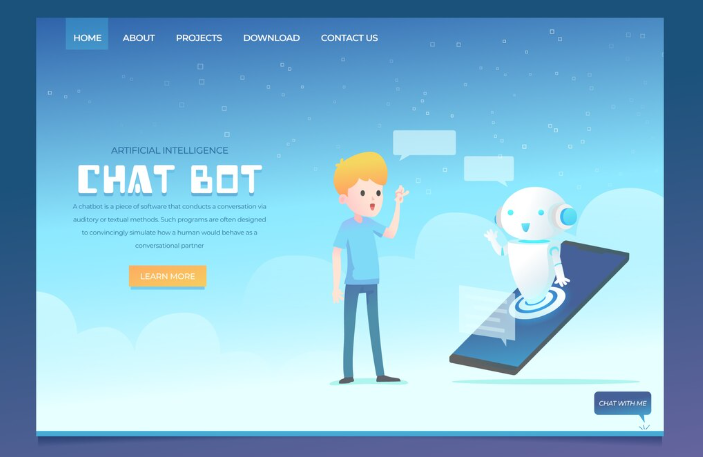
Emerging technologies and future trends in no-code AI development
The convergence of no-code/low-code platforms and increasingly sophisticated AI models is driving rapid innovation. We’re witnessing a shift from simple rule-based chatbots to AI-powered systems capable of nuanced conversation and complex task automation. For instance, advancements in natural language processing (NLP) are enabling chatbots to understand context, sentiment, and even intent with greater accuracy. This means more natural and human-like interactions, even without extensive programming knowledge.
One exciting development is the rise of pre-trained models readily integrable into no-code platforms. This significantly reduces the time and expertise needed to build powerful conversational AI. Instead of starting from scratch, developers can leverage these pre-built models and fine-tune them to their specific needs, significantly speeding up development cycles. A common mistake we see is underestimating the power of these pre-trained models; many users focus solely on building custom models, overlooking the considerable efficiency gains available through leveraging existing resources.
Future trends point towards further democratization of AI development. We anticipate seeing increased use of visual programming interfaces that further simplify the process, even for users with minimal technical skills. The integration of advanced analytics within no-code platforms will allow developers to track chatbot performance, understand user behavior, and optimize conversational flows more effectively. This data-driven approach will become critical in building truly effective and engaging AI chatbots. Moreover, the increasing availability of multi-lingual support and cross-platform compatibility will broaden the reach and applicability of no-code AI chatbot solutions.
Predictions on the impact of AI chatbots on various industries
The rapid advancement of no-code AI chatbot platforms is poised to revolutionize numerous industries. We predict a significant surge in automation across customer service, significantly reducing wait times and improving response consistency. For example, in the e-commerce sector, we’ve seen businesses using these platforms to handle a large volume of routine queries, freeing up human agents to focus on complex issues. This leads to improved customer satisfaction and a measurable increase in operational efficiency.
Furthermore, the healthcare industry stands to benefit immensely. AI chatbots can assist with appointment scheduling, medication reminders, and preliminary symptom assessments, potentially reducing the burden on medical staff and improving patient access to care. However, a crucial consideration is data privacy and security. Robust security measures are paramount for platforms handling sensitive patient information. In our experience, a common oversight is neglecting the integration of robust security protocols early in the chatbot development process.
Beyond these sectors, we foresee AI chatbots making inroads into education (personalized tutoring and learning support), finance (fraud detection and customer support), and even legal services (initial client consultations and document review). The accessibility offered by no-code platforms is democratizing AI, empowering smaller businesses and organizations to leverage this technology without needing extensive coding expertise. The key to success lies in selecting a platform that aligns with specific industry needs and prioritizes data security and ethical considerations.
Ethical considerations surrounding the use of AI-powered chatbots
The rise of no-code AI chatbot platforms democratizes access to powerful conversational AI, but this ease of use necessitates a heightened awareness of ethical implications. A common oversight we see is neglecting bias detection and mitigation. Many datasets used to train these chatbots reflect existing societal biases, leading to discriminatory outputs. For instance, a chatbot trained on a dataset primarily featuring male voices might inadvertently exhibit gender bias in its responses. Proactive steps, such as rigorous dataset auditing and incorporating fairness metrics into the development process, are crucial.
Furthermore, transparency and explainability are paramount. Users should understand how the chatbot arrives at its responses, particularly in high-stakes applications like healthcare or finance. The “black box” nature of some AI models makes accountability challenging. In our experience, platforms prioritizing model interpretability—those offering insights into the decision-making process—are more ethically responsible. Consider the implications of a chatbot providing financial advice without clear justification; the lack of transparency erodes trust and could have serious consequences.
Finally, the potential for misinformation and manipulation must be addressed. Malicious actors could leverage readily available no-code platforms to create sophisticated chatbots designed to spread false information or engage in phishing scams. Platform providers bear a responsibility to implement safeguards, such as content moderation tools and verification systems, to mitigate these risks. Openly discussing and addressing these ethical challenges proactively will be vital in ensuring the responsible development and deployment of AI chatbots, fostering trust, and preventing potential harm.
Launch Your App Today
Ready to launch? Skip the tech stress. Describe, Build, Launch in three simple steps.
Build