
For decades, software development was a gated community, requiring deep pockets and years of coding knowledge. Today, the landscape has shifted. Unlocking AI power has become the secret weapon for modern entrepreneurs, effectively demolishing technical barriers that once stalled innovation. We are witnessing a digital revolution where the best free AI app builders for 2025 allow anyone to transform a simple prompt into a high-performance application. This democratization enables budget-conscious founders to innovate rapidly, launching scalable MVPs without the high costs or delays of traditional manual coding.
What are AI App Builders and How Do They Work?
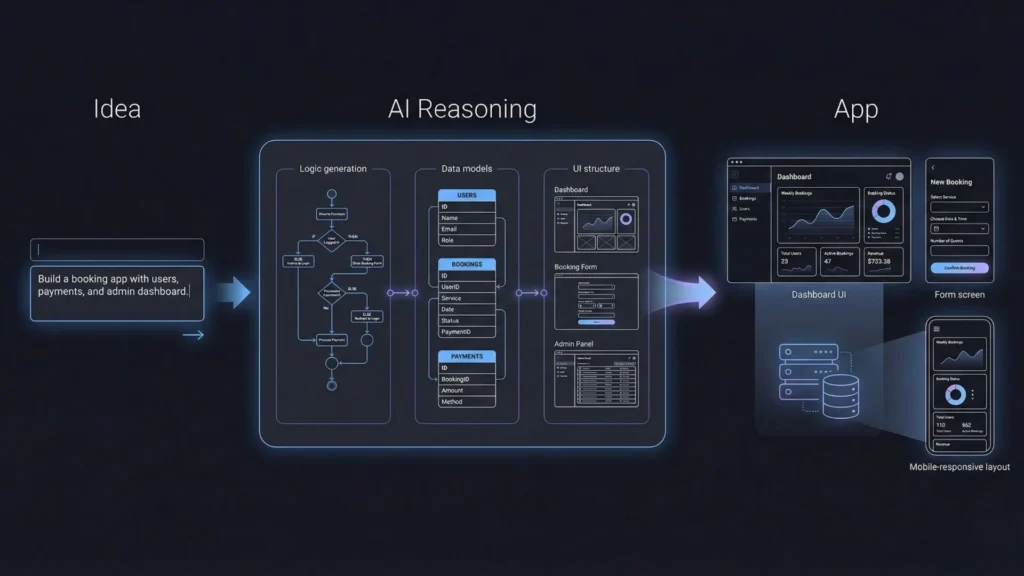
At its core, an AI app builder is a sophisticated platform that uses generative AI models (like Large Language Models, or LLMs) to interpret natural language commands and translate them into functional application logic, user interfaces (UI), and data structures.
Launch Your App Today
Ready to launch? Skip the tech stress. Describe, Build, Launch in three simple steps.
BuildThis goes far beyond traditional “no-code” platforms. In the past, no-code required users to manually connect visual blocks, set up intricate workflows, and manage database schemas. Modern AI app builders layer true intelligence on top of the interface, enabling the system to take an abstract idea and turn it into a concrete architecture.
The Role of AI in App Generation
- Idea-to-Logic Generation: You describe the app’s function in plain English. The AI immediately generates data models (tables and fields) and logic flows (backend rules).
- Automated UI/UX Design: Instead of dragging every button, the AI generates a complete, professional-looking, and mobile-responsive interface based on design best practices.
- Refinement through “Vibe Coding”: If the first draft isn’t perfect, you simply refine the prompt. The AI understands context and “vibes,” executing changes without manual development time. Many founders are now building AI agents with vibe coding to create more intuitive user experiences.
Why Choose a Free AI App Builder in 2025?
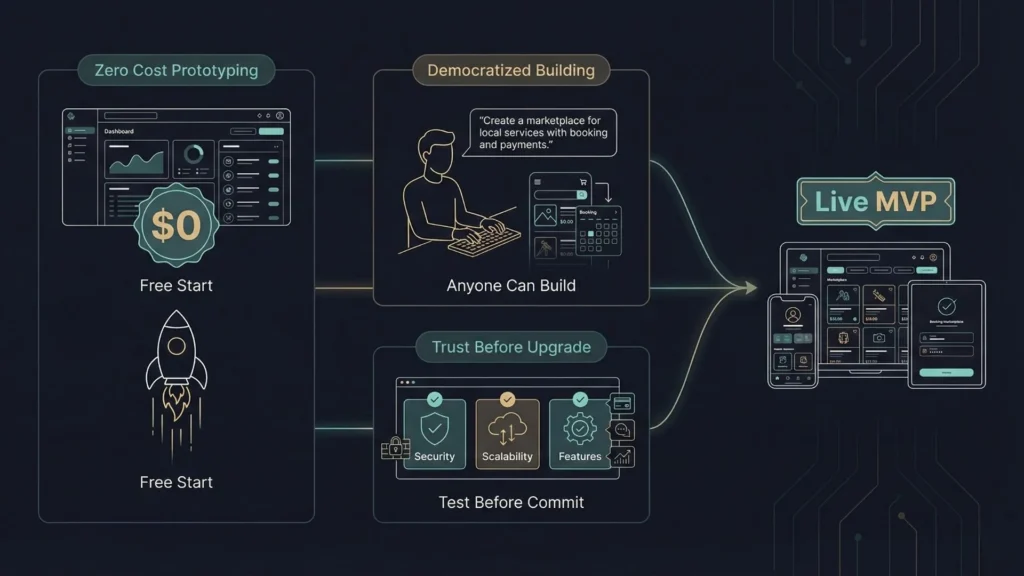
Choosing a free AI app builder is a strategic decision for individuals and small operations seeking to validate ideas quickly.
1. Zero Cost for Rapid Prototyping
The most immediate benefit is cost savings. A free tier allows you to build a fully functioning prototype and launch an internal pilot program without spending a dollar. This allows startups to reserve their precious early-stage budget for marketing and user acquisition.
2. Democratization of Development
These tools break the barrier between technical and non-technical founders. Whether you are a domain expert or a creative, you can build a mobile app without coding to solve specific industry problems. You can use your expertise to prompt the AI directly, ensuring the final product reflects your operational reality.
3. Trust and Transparency (EEAT)
Free plans help build trust. By using a free tier, you can test a platform’s limits regarding scalability, customization, and security before committing financially. This transparency ensures that when you do upgrade to a paid tier, you are doing so with full confidence in the tool’s capability.
Top Free AI App Builders: 2025 Comparison
The market is highly competitive. Here are the leading platforms you should consider in 2025:
| Builder | Best For | Core AI Feature | Free Plan Highlights |
|---|---|---|---|
| Imagine.bo | Founders & Scalable MVPs | SDE-Level Reasoning & Architecture | Full No-Code Builder, Growth Tools, & World-Class Security. |
| Glide | Internal Tools | Spreadsheet-to-App AI agents | 1 App, 10 users, up to 25k rows. |
| Jotform Apps | Form-Based Apps | AI logic for data collection | Free Starter Plan with submission limits. |
| Create.xyz | Quick Prototyping | Single-prompt UI generation | Limited free AI generations/messages. |
| Softr | Portals & Dashboards | AI setup for user permissions | Connects to Airtable/Google Sheets. |
Featured Spotlight: Imagine.bo – The AI No-Code App Builder for Professional Results
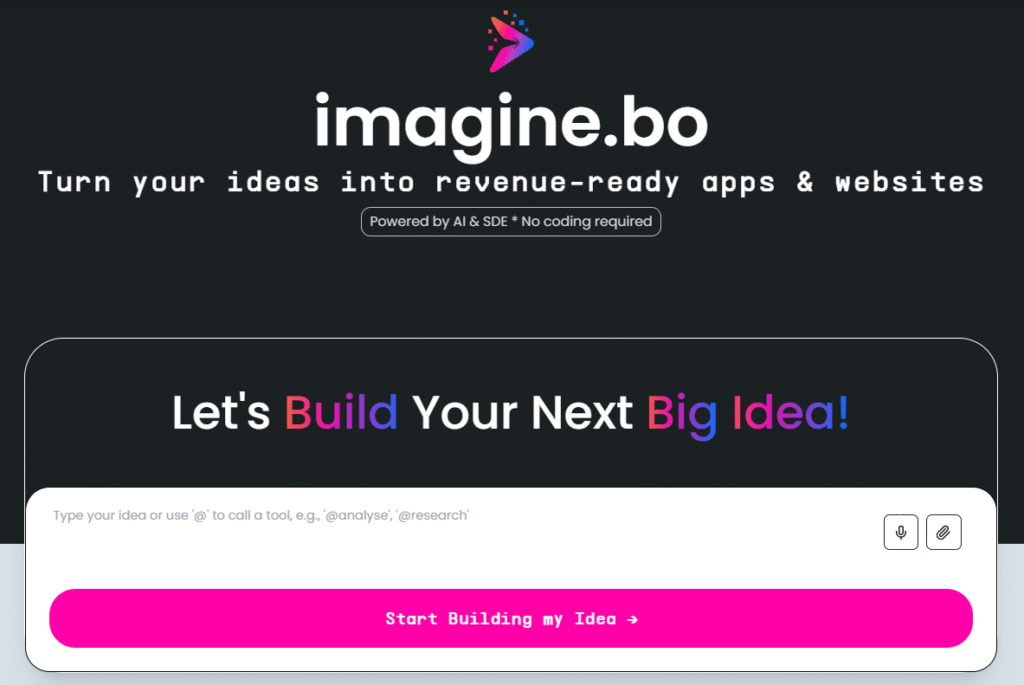
While many tools focus on simple prototypes, Imagine.bo is quickly becoming the platform of choice for founders who need more than just a “mockup.” It is designed to transform concepts into revenue-ready apps and websites.
Why Imagine.bo is Different
Imagine.bo doesn’t just “generate code”; it applies SDE-level engineering standards (Software Development Engineer) to ensure that what you build is clean, scalable, and secure. Why choose Imagine.bo? Because it bridges the gap between a quick prototype and an enterprise-grade product.
Key Features & Services:
- AI Reasoning Engine: It doesn’t just follow instructions; it thinks through your business logic, user needs, and product intent to suggest the best architecture.
- Plain-English Interaction: You don’t need to know technical jargon. Use our AI prompts guide to learn how to explain your vision effectively.
- Enterprise-Grade Foundation: Every app is built to be GDPR and SOC2-ready, capable of supporting up to 1,000 transactions per second.
- Human + AI Collaboration: Unique to the industry, Imagine.bo offers a hybrid model where you can assign tasks to professional developers for advanced custom logic, ensuring you never hit a “no-code wall.”
- Built-in Growth Tools: From SEO optimization to mobile responsiveness and built-in analytics, the platform is designed for business outcomes.
The 5-Step Workflow: Building with Imagine.bo
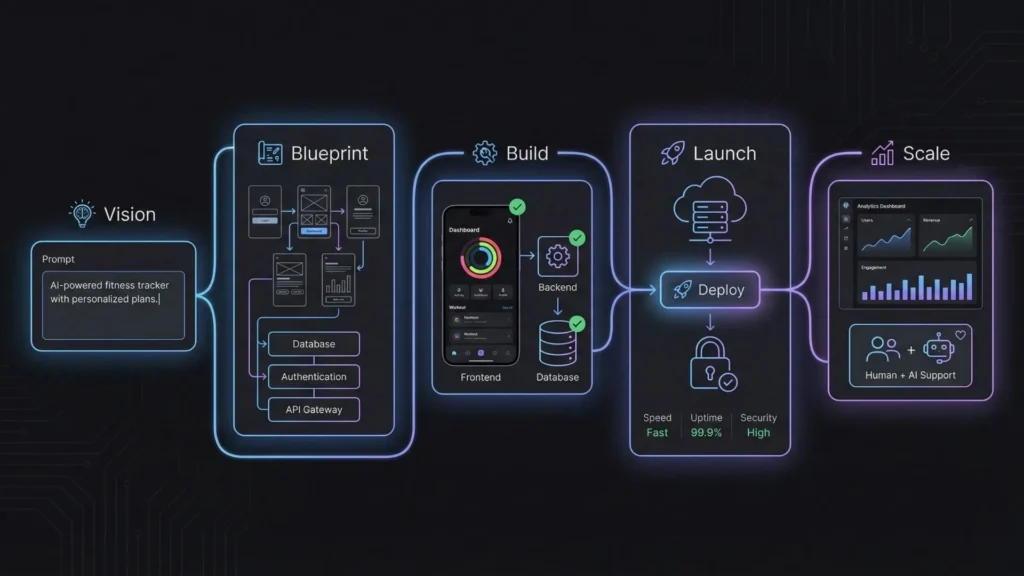
Building a professional-grade app has been streamlined into a simple, five-step journey that moves you from vision to launch.
- Step 01: Define Your Vision – You describe your product idea, the problem you are solving, and your target audience.
- Step 02: AI-Powered Blueprinting – The AI applies deep reasoning to map out user flows and recommend the appropriate tech stack.
- Step 03: Seamless Development – The system generates the frontend, backend, and databases with automated QA checks.
- Step 04: One-Click Launch – Hosting, performance tuning, and secure environment setup are handled automatically, allowing you to launch your app without developers.
- Step 05: Continuous Support – Imagine.bo provides ongoing support for debugging and scaling as your user base grows.
How to Maximize AI Power in App Creation
Simply using an AI builder isn’t enough; you must know how to guide it.
1. Master “Vibe Coding” Prompts
In 2025, the best creators don’t just list features; they describe the experience.
- Good Prompt: “Create a minimalist, fast-loading task manager. The UI should feel calm and professional, using a white and soft-gray palette. The focus should be on friction-less entry for busy executives.”
2. Validate and Debug Logic
Never assume the AI is infallible. Always trace the generated workflows. If the AI creates a flow for “Subscription Cancellation,” test it manually. Creative debugging is essential to ensure your app remains reliable and professional.
3. Integrate Smart AI Agents
Don’t just add static components. Use the builder’s AI capabilities to create agents that automate tasks. For example, in a customer service app, prompt the builder to create an AI widget that summarizes past support tickets.
Common Mistakes to Avoid
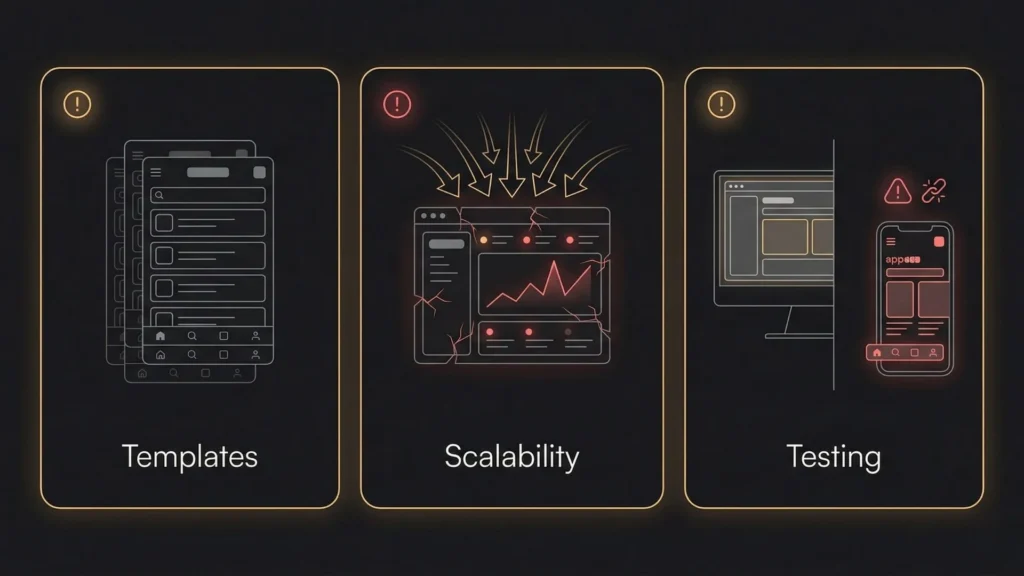
The speed of AI building can tempt you to cut corners. Avoid these three pitfalls:
- Over-Reliance on Default Templates: Customizing the UI is key to credibility.
- Ignoring Scalability: Ensure your platform can handle growth without crashing.
- Skipping Cross-Device Testing: A “mobile-responsive” tag doesn’t guarantee a perfect experience on every screen.
The Future of AI App Building: What’s Next?
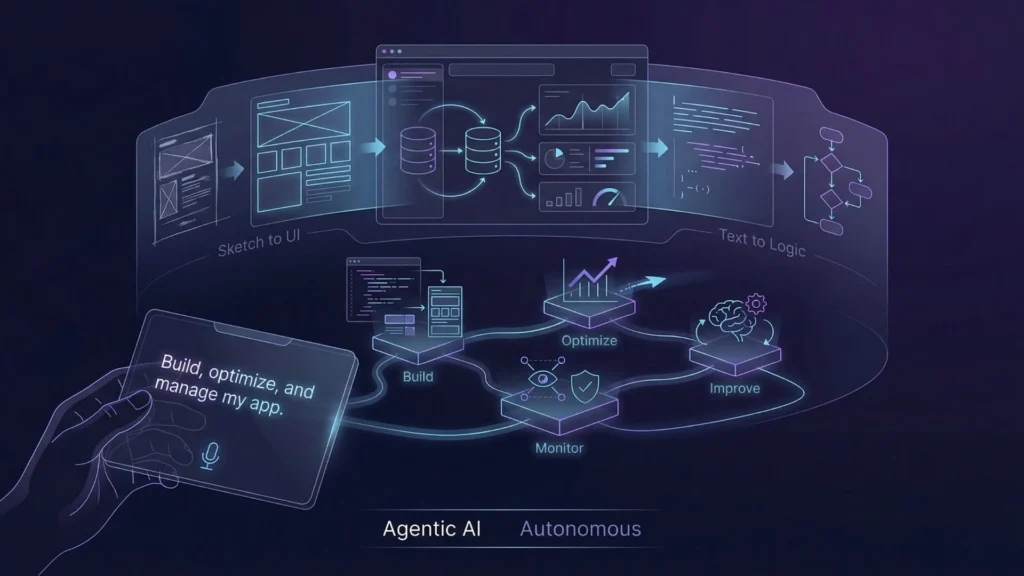
The landscape of 2025 is shifting toward Agentic AI. These are systems that don’t just build code but proactively manage it—suggesting database optimizations and self-correcting bugs. Tools like Cursor and Bolt.new are already showing how AI can assist in more complex coding environments.
Furthermore, Multimodal AI is maturing. Soon, you will be able to sketch an app screen on a napkin, take a photo, and tell Imagine.bo to build it instantly.
Conclusion: Start Building Today
The barrier to entry in software development has never been lower. The best free AI app builders empower you to bypass coding complexity, offering the twin advantages of zero cost and incredible speed.
If you are ready to take the first step, check out our guide on building your first AI app. While many tools exist, Imagine.bo is the clear leader for founders who want SDE-level quality and professional scaling.
Stop waiting for the perfect budget or the perfect developer. Your vision deserves to be live. Visit Imagine.bo today and turn your big idea into a scalable, revenue-ready application.
The power to create is now yours.
Launch Your App Today
Ready to launch? Skip the tech stress. Describe, Build, Launch in three simple steps.
Build




