

Imagine typing a few simple words and watching a stunning, high-definition masterpiece appear on your screen in seconds. That’s the magic of modern AI image generators. They haven’t just changed digital content creation they’ve completely rewritten the rules.
Whether you’re a seasoned designer, a fast-moving marketer, or a creative hobbyist, finding the right AI tool is the secret to supercharging your workflow and elevating your content.
Launch Your App Today
Ready to launch? Skip the tech stress. Describe, Build, Launch in three simple steps.
BuildIn this ultimate 2026 guide, we’re cutting through the hype. We’ll break down the top 10 AI image generators of 2026 side by side comparing their hidden features, pricing, output quality, and ideal use cases so you know exactly which platform deserves a spot in your toolkit.
What Are AI Image Generators?
AI image generators are tools powered by advanced machine learning algorithms that create original images from text descriptions (prompts). These tools use neural networks trained on millions of images to understand visual concepts and generate unique artwork, photographs, illustrations, and designs that never existed before. They’re part of the growing ecosystem of generative AI tools that are transforming creative workflows across industries.
The technology has improved dramatically since 2022, with modern AI image generators now capable of producing photorealistic images that are virtually indistinguishable from reality.
Quick Comparison Table
| Tool | Best For | Starting Price | Key Strength | Learning Curve |
|---|---|---|---|---|
| Midjourney | Artistic, cinematic images | $10/month | Photorealistic quality | Medium |
| DALL-E 3 | Text rendering & context | $20/month (ChatGPT Plus) | Contextual understanding | Easy |
| Ideogram AI | Typography & design | Free tier available | Text-in-image accuracy | Easy |
| Leonardo AI | Customization & control | Free tier available | Style variety | Medium |
| Stable Diffusion | Open-source flexibility | Free (self-hosted) | Unlimited customization | Hard |
| Adobe Firefly | Commercial safety | $4.99/month | Licensed training data | Easy |
| Reve Image | Prompt adherence | Varies | Complex prompt handling | Medium |
| Google Imagen 4 | Realistic portraits | Free (via Gemini) | Improved accuracy | Easy |
| Freepik AI | Marketing materials | Free tier available | Stock library integration | Easy |
| Canva AI | Integrated design workflow | Free tier available | Template integration | Easy |
Midjourney: The Industry Leader for Artistic Excellence

Overview
Midjourney has established itself as the gold standard for AI-generated imagery, particularly for creating artistic, cinematic, and photorealistic visuals. Originally accessible only through Discord, Midjourney now offers a dedicated web platform that makes it more user-friendly.
Key Features
- Exceptional Image Quality: Produces highly detailed, photorealistic images with artistic flair
- Advanced Customization: Parameter commands allow precise control over style, composition, and character consistency
- Community Gallery: Browse millions of community-created images for inspiration
- Video Generation (V1): New 2026 feature creating clips up to 21 seconds long
- Version 7: Latest update with faster Draft Mode and improved realism
Pricing (2026)
- Basic Plan: $10/month (or $8/month annually) – ~200 images/month
- Standard Plan: $30/month (or $24/month annually) – ~1,000 images/month with unlimited Relax Mode
- Pro Plan: $60/month (or $48/month annually) – ~2,000 images/month with Stealth Mode
- Mega Plan: $120/month (or $96/month annually) – ~4,000 images/month
Pros
- Best-in-class image quality
- Strong prompt adherence
- Active community for learning and inspiration
- Commercial usage rights included
Cons
- No free trial currently available
- Steeper learning curve for Discord-based workflow (web version available)
- Public visibility on lower-tier plans
- No customer support on basic plans
Midjourney – Best for Creative Professionals and Artists
Midjourney is best suited for users who want visually rich, artistic, and high-quality images. It works especially well for designers, digital artists, illustrators, and content creators who need unique and creative visuals. Midjourney is widely used for concept art, branding visuals, social media graphics, and cinematic-style images. The tool understands detailed prompts and delivers stylized results that look professional and creative. Since it operates through Discord, beginners may find it slightly hard to use at first. However, for users who prioritize creativity and visual quality, Midjourney is an excellent option.
Adobe Firefly: Commercial-Safe AI Generation
Stable Diffusion – Best for Advanced Users and Full Creative Control
Stable Diffusion is best suited for advanced users who want complete control over AI image generation. It is ideal for developers, AI enthusiasts, and designers who are comfortable with technical settings. Stable Diffusion can be run locally and supports custom models, plugins, and fine-tuning, which allows highly personalized results. Unlike many cloud-based tools, it offers flexibility without strict limitations. However, beginners may find it complex to set up and use. If a user wants freedom, customization, and deep control over image creation, Stable Diffusion is an excellent option.
Overview
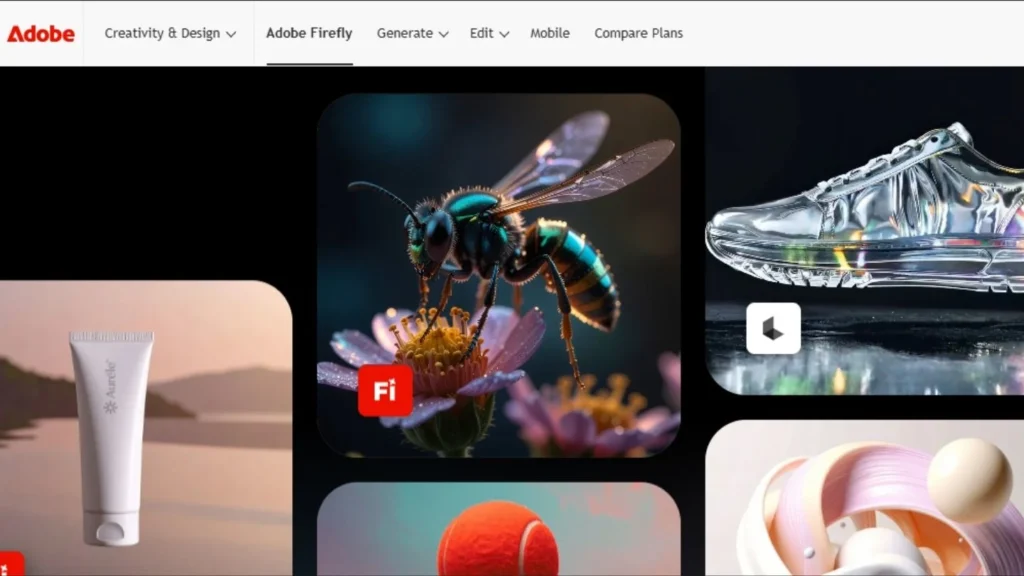
Adobe Firefly integrates seamlessly with Adobe’s creative suite and stands out for being trained exclusively on licensed Adobe Stock images and public domain content, making it safe for commercial use.
Key Features
- Commercially Safe: Trained on licensed content
- Adobe Integration: Works with Photoshop, Illustrator, and more
- Realistic Human Faces: Avoids uncanny valley effect
- Multiple Content Types: Text effects, generative fill, and more
- Extensive Customization: Aspect ratios, art styles, content types
Pricing
- Free tier with limited generations
- Premium starts at $4.99/month
- Included in Adobe Creative Cloud subscriptions
Pros
- Legal safety for commercial work
- Seamless Adobe ecosystem integration
- High-quality realistic outputs
- Desktop and web versions
Cons
- Less artistic than Midjourney
- Limited free tier
- Requires Adobe account
- Fewer stylistic options
Adobe Firefly – Best for Adobe Users and Commercial Design Work
Adobe Firefly is best for users who already work with Adobe tools like Photoshop and Illustrator. It is ideal for designers, marketers, and businesses that need AI images for commercial use. Adobe Firefly focuses on safe, licensed content, which makes it a reliable option for professional projects. The tool is easy to use and integrates smoothly into existing Adobe workflows, saving time during design tasks. While it may feel less artistic compared to some other AI generators, it is perfect for clean, professional, and brand-safe visuals.
DALL-E 3: Superior Text Rendering and Context Understanding
Overview
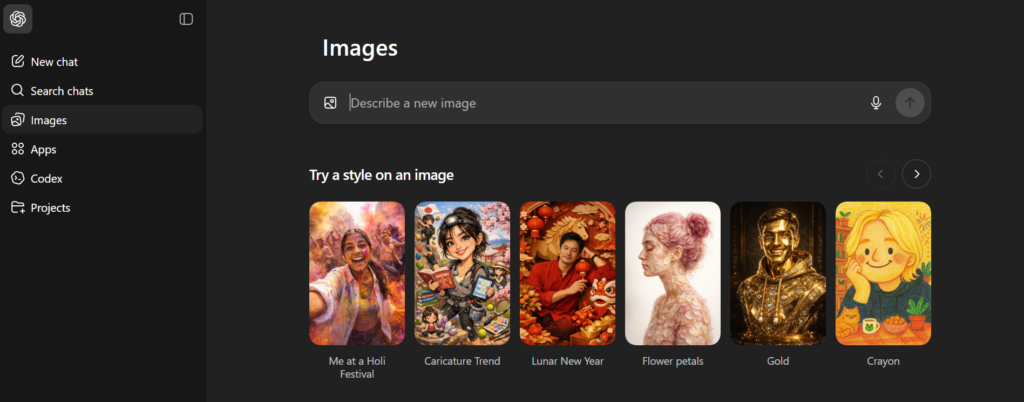
Developed by OpenAI, DALL-E 3 is integrated into ChatGPT and stands out for its exceptional ability to render text within images and understand complex contextual relationships.
Key Features
- Contextual Intelligence: Understands relationships between elements for realistic compositions
- Excellent Text Rendering: Best-in-class at generating readable text within images
- ChatGPT Integration: Create images through conversational prompts
- High Prompt Adherence: Accurately follows detailed descriptions
Pricing
- Requires ChatGPT Plus subscription at $20/month
- Includes full ChatGPT access plus DALL-E 3 image generation
Pros
- Superior text-in-image capabilities
- Intuitive conversational interface
- No complex commands to learn
- Immediate access through ChatGPT
Cons
- Requires ChatGPT Plus subscription
- Limited customization compared to Midjourney
- Cannot be used standalone
- Fewer artistic style options
DALL·E 3 – Best for Beginners and Everyday Users
OpenAI’s DALL·E 3 is best for users who want simple, accurate, and easy image generation without any technical complexity. It is ideal for beginners, marketers, bloggers, students, and small business owners who need quick visuals for content, presentations, or social media. DALL·E 3 understands natural language very well, so users do not need to write complex prompts to get good results. It also handles text inside images better than most AI tools. If someone wants fast, reliable images with minimal effort, DALL·E 3 is a great choice.
Ideogram AI: Text and Typography Specialist
Overview
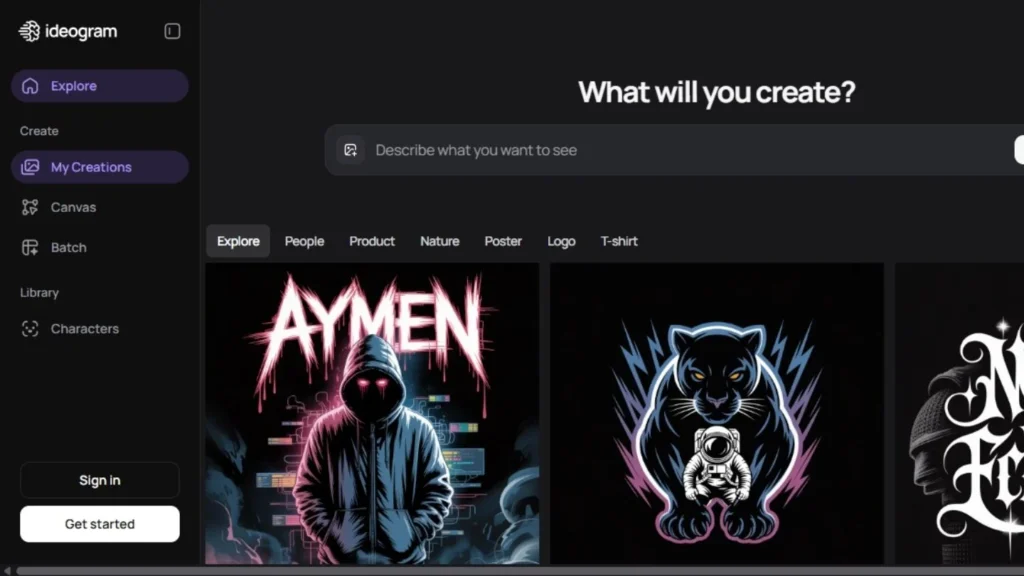
Ideogram AI has quickly gained popularity for its exceptional ability to generate accurate text and typography within images, making it ideal for graphic design work.
Key Features
- Superior Typography: Best text accuracy among AI generators
- No Sign-Up Required: Start creating immediately
- Community Showcase: Browse examples for prompt inspiration
- Multiple Styles: Various artistic approaches available
Pricing
- Free tier with limited generations
- Paid plans for higher volume usage
Pros
- Exceptional text rendering
- User-friendly interface
- Free access available
- Fast iteration
Cons
- Generation times can be slower (up to 2 minutes)
- Limited advanced features compared to Midjourney
- Fewer artistic styles available
Ideogram AI – Best for Text-Based Images and Typography
Ideogram AI is best for users who want AI images with clear, readable text. It is especially useful for marketers, social media managers, designers, and creators who make posters, logos, thumbnails, or quote images. Unlike many AI image generators, Ideogram handles text inside images very well, with fewer spelling mistakes and better placement. The tool is easy to use and does not require complex prompts, making it beginner-friendly. If your main goal is to create visuals that combine images and text cleanly, Ideogram AI is a strong option.
Leonardo AI (Canva Dream Lab): Versatility and Control
Overview
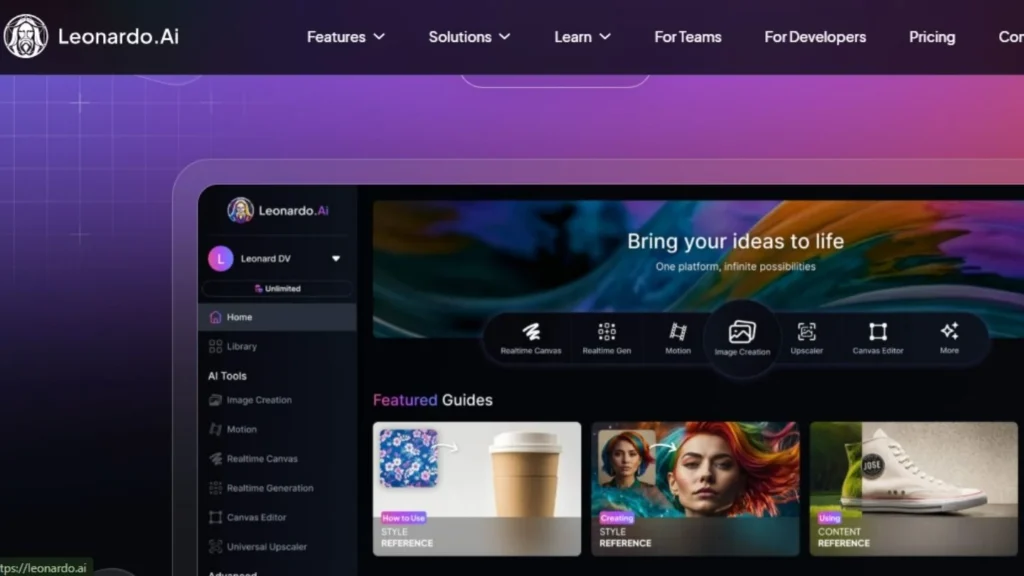
Acquired by Canva in July 2024, Leonardo AI powers Canva’s Dream Lab and offers an impressive balance of simplicity and depth with multiple specialized models.
Key Features
- Multiple Models: Phoenix, PhotoReal, Lightning XL, and Lucid Origin
- Fine-Tuned Styles: Sketch, sculpture, cinematic, food photography, and more
- Reference Images: Upload images to maintain style consistency
- Transparent Backgrounds: Built-in background removal
- Sketch-to-Image: Draw concepts and have AI render them
Pricing
- Free tier available
- Premium plans for advanced features and higher volume
Pros
- Clean, beginner-friendly interface
- Powerful customization for advanced users
- Integration with Canva ecosystem
- Multiple specialized models
Cons
- Can be overwhelming with many options
- Learning curve for advanced features
- Some features require premium plan
Leonardo AI – Best for Designers, Game Artists, and Custom Styles
Leonardo AI is best for users who want more control over image style and quality. It is especially popular among designers, game artists, and creative professionals who work on characters, assets, and concept art. Leonardo AI allows users to fine-tune outputs, use custom models, and maintain a consistent visual style across images. While it offers advanced features, the interface is still user-friendly for intermediate users. If someone wants detailed, professional-looking images with flexibility and customization, Leonardo AI is a great choice.
Stable Diffusion: Open-Source Powerhouse
Overview
Stable Diffusion is the leading open-source AI image generator, offering unlimited customization and control for technical users willing to self-host or use third-party platforms.
Key Features
- Open-Source Freedom: Complete control over the model
- Excellent Prompt Adherence: Highly accurate interpretation of complex prompts
- Custom Models: Install community-created models for specific styles
- Local Installation: Run on your own hardware for privacy
- No Usage Limits: Generate unlimited images
Pricing
- Free (self-hosted)
- Third-party services offer hosted options with various pricing
Pros
- Completely free if self-hosted
- Unlimited customization potential
- No content restrictions (within legal bounds)
- Strong community support
Cons
- Technical setup required
- Requires powerful hardware for optimal performance
- Steep learning curve
- Output quality varies with settings
Reve Image: Best Prompt Adherence

Overview
Reve Image emerged in March 2026 and immediately topped industry leaderboards for prompt adherence, making it exceptional for complex, detailed image requests.
Key Features
- Outstanding Prompt Adherence: Handles long, complex prompts accurately
- Detail Management: Maintains accuracy with multiple objects and specific attributes
- High Quality Output: Competitive with leading models
- Rapid Development: Continuously improving
Pricing
- Varies by platform
- Generally competitive with other premium tools
Pros
- Best-in-class prompt following
- Handles complex multi-element scenes
- High detail accuracy
- Growing rapidly in capability
Cons
- Newer platform with less community
- Limited documentation
- Fewer artistic presets
- Availability may vary by region
Reve Image – Best for Simple, Fast, and Clean Visuals
Reve Image is best for users who want quick and straightforward AI image generation without advanced settings. It is suitable for beginners, bloggers, small business owners, and social media users who need clean visuals in less time. The tool focuses on ease of use, making it simple to generate images from basic text prompts. You do not need technical knowledge or prompt engineering skills to get usable results. While it may not offer deep customization or artistic styles, it works well for everyday content needs and fast image creation.
Google Imagen 4: Realistic and Safer Generation
Overview
Powered by Google’s Imagen 4 model and accessible through Gemini, this tool offers improved realism, better text rendering, and enhanced safety features after a 2024 overhaul.
Key Features
- Improved Accuracy: Better at generating diverse, accurate depictions
- Text Rendering: Sharp, clear text in images
- Multiple Styles: From photorealistic to oil painting textures
- Image Editing: Modify AI-generated or uploaded images with natural language
- Safety Guardrails: Stronger protections against problematic outputs
Pricing
- Free access via Gemini
- Premium features through Google One subscriptions
Pros
- Free access through Gemini
- Google ecosystem integration
- Improved safety and accuracy
- Natural language editing
Cons
- Previous version had accuracy issues
- Still rebuilding trust after 2024 suspension
- Limited compared to specialized tools
- Dependent on Gemini platform
Google Imagen 4 – Best for High-Quality, Realistic Image Generation
Google Imagen 4 is best for users who want clean, realistic, and high-detail images generated from simple text prompts. It is well suited for marketers, content creators, educators, and businesses that need professional-looking visuals without heavy artistic styling. Google Imagen focuses on accuracy, image clarity, and natural results, making it useful for blog images, presentations, ads, and general content use. The tool understands prompts well and produces balanced, polished outputs. While it may offer fewer creative controls compared to advanced tools, it is a strong option for users who value quality, reliability, and ease of use.
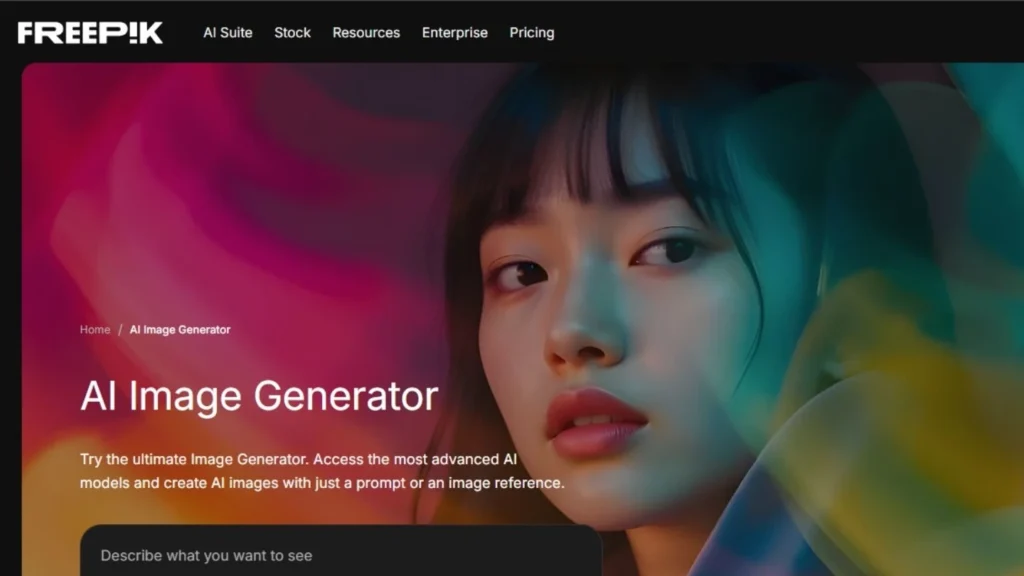
Freepik AI Image Generator: Marketing-Focused Creation
Overview
Freepik AI leverages its massive library of stock photos to create images with diverse visual styles, making it particularly useful for marketing and content creation.
Key Features
- Vast Library Integration: Blends elements from extensive stock photo collection
- Diverse Styles: Wide selection of artistic approaches
- Intuitive Interface: Beginner-friendly design
- Marketing Templates: Pre-designed options for common use cases
- Quick Generation: Fast turnaround times
Pricing
- Free tier available
- Paid plans for higher volume and premium features
Pros
- Large style variety
- Easy to use
- Good for marketing materials
- Free option available
Cons
- Less distinctive than specialized tools
- May feel template-based
- Limited advanced customization
- Outputs can be generic
Freepik AI Image Generator – Best for Marketers and Ready-to-Use Visuals
Freepik AI Image Generator is best for users who need quick, practical images for marketing and design work. It is ideal for marketers, social media managers, bloggers, and small businesses who want visuals that are ready to use with minimal editing. Since it is part of the Freepik ecosystem, users can easily combine AI images with templates, icons, and graphics. The tool is easy to use and does not require advanced prompt skills. If someone wants fast results that fit common design needs, Freepik AI Image Generator is a solid choice.
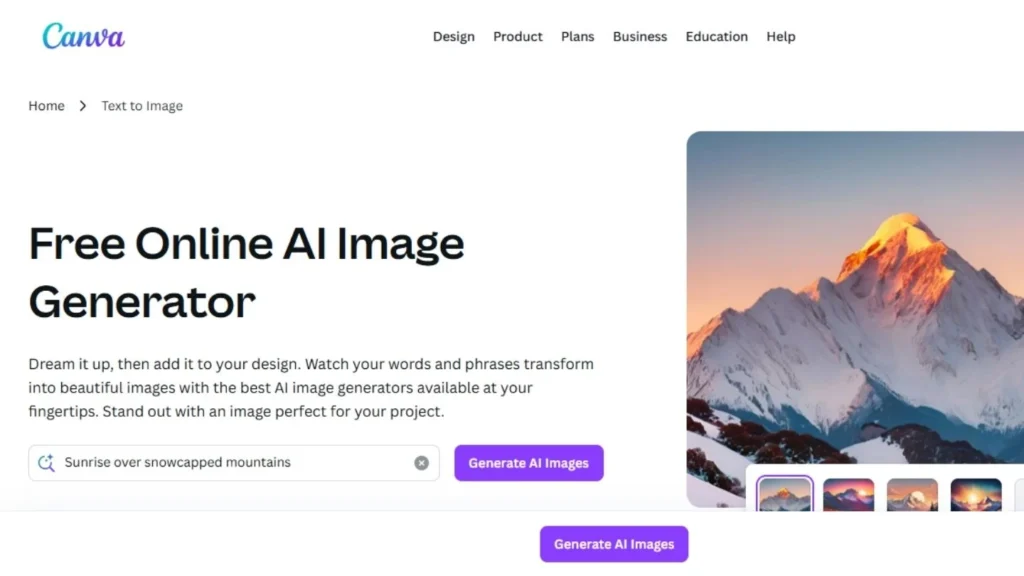
Canva AI Image Generator: Integrated Design Workflow
Overview
Canva’s built-in AI image generator integrates seamlessly with its popular design platform, allowing users to generate and design in one unified workflow.
Key Features
- Template Integration: Use AI images directly in Canva designs
- Multiple Styles: Realistic photography to artistic illustrations
- Design Workflow: Edit and enhance within Canva
- Ease of Use: Simple interface for all skill levels
- Brand Kit Integration: Maintain brand consistency
Pricing
- Free plan includes 50 AI generation credits
- Canva Pro: $12.99/month with increased credits
- Canva Teams: $14.99/month per user
Pros
- Seamless design workflow integration
- No learning curve for Canva users
- Direct use in presentations, social posts, etc.
- Huge template library
Cons
- Limited free credits
- Less powerful than standalone tools
- Tied to Canva ecosystem
- Not ideal for standalone art creation
Canva AI Image Generator – Best for Non-Designers and Quick Visual Content
Canva AI Image Generator is best for users who want simple, fast, and practical visuals without any design experience. It is ideal for beginners, marketers, social media managers, students, and small business owners who create content regularly. The biggest advantage is its direct integration with Canva’s design tools, templates, and layouts. Users can generate an image and instantly use it in posts, presentations, ads, or thumbnails. The tool is very easy to use and does not require detailed prompts. If speed, ease, and ready-to-publish designs matter more than artistic depth, Canva AI Image Generator is a great choice.
How to Choose the Right AI Image Generator
Consider These Factors:
1. Your Primary Use Case
- Professional artwork: Midjourney
- Infographics with text: DALL-E 3 or Ideogram
- Commercial safety: Adobe Firefly
- Complete control: Stable Diffusion
- Marketing materials: Freepik or Canva AI
2. Budget Constraints
- Free options: Stable Diffusion (self-hosted), Ideogram, Canva AI (limited), Google Imagen
- Best value: Midjourney Basic ($10/month) for quality-to-price ratio
- Premium: Midjourney Pro for professional work
3. Technical Expertise
- Beginners: DALL-E 3, Canva AI, Google Imagen
- Intermediate: Midjourney, Leonardo AI, Ideogram
- Advanced: Stable Diffusion, Reve Image
4. Output Volume
- Occasional use: Free tiers or DALL-E 3
- Regular use: Midjourney Standard, Leonardo AI
- High volume: Midjourney Pro/Mega, Stable Diffusion
5. Specific Features
- Text in images: DALL-E 3, Ideogram
- Artistic quality: Midjourney
- Customization: Leonardo AI, Stable Diffusion
- Speed: Varies by service and settings
Tips for Getting Better Results
Regardless of which AI image generator you choose, follow these best practices:
- Be Specific: Detailed prompts yield better results than vague descriptions
- Include Style References: Mention artistic styles, lighting, perspective, and mood
- Iterate and Refine: Use variations and modifications to perfect your vision
- Study Examples: Learn from community galleries and successful prompts
- Understand Limitations: Each tool has strengths and weaknesses
- Experiment with Parameters: Adjust settings like aspect ratio, style weight, and quality
- Use Negative Prompts: Specify what you don’t want in the image
For more insights on leveraging AI tools effectively, explore our guide on AI tools for content creators and AI graphic design tools.
The Verdict: Which AI Image Generator Is Worth Your Time?
For Most Users: Midjourney offers the best balance of quality, features, and value. The $10/month Basic plan provides enough generations for casual use, while the Standard plan’s unlimited Relax Mode makes it ideal for regular creators.
For Text-Heavy Work: DALL-E 3 through ChatGPT Plus remains unmatched for creating images with readable text and complex contextual understanding.
For Budget-Conscious Users: Start with free options like Ideogram AI or Canva AI’s free tier, or invest time in learning Stable Diffusion for unlimited free generation.
For Professional Commercial Work: Adobe Firefly provides the legal safety and Adobe integration that professionals need.
For Maximum Control: Stable Diffusion offers unlimited customization for those with technical skills.
The AI image generation landscape continues to evolve rapidly, with new features and improvements arriving regularly. The best approach is often to experiment with free tiers or trials to find which tool aligns with your specific workflow and creative vision.
How You Can Build Your Own AI Image Generator Tool

Build Your Own AI Image Generator in Minutes
Ready to move beyond using tools and start building them? Creating a custom image generation app—like a specialized interior design bot or a branded social media generator—no longer requires a team of engineers. With platforms like Imagine.bo, you can bypass the “code-heavy” barrier that traditional development requires.
The 3-Step Blueprint
- Define Your Niche: Instead of a generic generator, focus on a specific use case. Use Imagine.bo to describe your vision: “A web app that turns sketches into photorealistic architectural renders.”
- Connect the Brain: Modern platforms integrate directly with powerful APIs like OpenAI’s DALL-E 3 or Stability AI. Your tool acts as the “bridge,” handling user prompts and delivering the final masterpiece.
- Deploy & Iterate: Once your UI is live, use real-time feedback to refine the output. Because Imagine.bo generates clean, SDE-level code, you can easily scale from a simple MVP to a production-grade SaaS.
Frequently Asked Questions
Can AI-generated images be used commercially?
This depends on the specific tool and subscription plan. Midjourney, Adobe Firefly, and others explicitly grant commercial rights to subscribers. Always review the terms of service for your chosen platform.
Do I need design skills to use AI image generators?
No. AI image generators are designed to be accessible to everyone. However, understanding composition, lighting, and artistic concepts will help you create better prompts and achieve superior results.
How long does it take to generate an image?
Generation times vary from a few seconds to several minutes depending on the tool, server load, image complexity, and quality settings. Most modern generators produce results in under 30 seconds.
Are AI image generators replacing human artists?
AI tools are best viewed as augmentation rather than replacement. They excel at rapid ideation and production but require human creativity for prompting, curation, and refinement. Many professional artists use AI as part of their creative workflow.
Can I edit AI-generated images?
Yes. Most AI image generators offer built-in editing features, and you can always export images to traditional editing software like Photoshop for further refinement.
Conclusion
The best AI image generator for you depends entirely on your specific needs, budget, technical expertise, and intended use case. Midjourney leads in overall quality and artistic output, DALL-E 3 excels at text and context, while Stable Diffusion offers unmatched flexibility for technical users.
Start by identifying your primary use case and trying the free tiers or trials of tools that align with your needs. As AI technology continues advancing at a remarkable pace, staying informed about new features and emerging platforms will help you make the most of these powerful creative tools.
The future of visual content creation is here, and it’s more accessible than ever. Whether you’re a professional designer, marketer, hobbyist, or business owner, there’s an AI image generator perfectly suited to bringing your creative vision to life. For those looking to integrate AI image generation into broader workflows, check out our guides on AI workflow automation and building AI-powered apps.
Launch Your App Today
Ready to launch? Skip the tech stress. Describe, Build, Launch in three simple steps.
Build




