

Every growing business eventually hits a specific, painful tipping point. You go from cherishing every piece of customer feedback to dreading the sheer volume of it.
In the early days, reading every support ticket, tweet, and survey response is manageable. It’s exciting. But as you scale, that stream turns into a firehose. Valuable insights get buried in noise, and your team spends more time tagging tickets than actually fixing the problems customers are screaming about.
Launch Your App Today
Ready to launch? Skip the tech stress. Describe, Build, Launch in three simple steps.
BuildThis is where AI customer feedback analysis changes the equation.
Until recently, automating this process required a team of data scientists and months of engineering time. That is no longer the case. The convergence of artificial intelligence and no‑code tools has democratized access to enterprise-grade text analysis.
This guide explores how founders and product teams can leverage these tools to turn messy, unstructured data into a competitive advantage without writing a single line of code.
Why Customer Feedback Analysis Is Broken at Scale
If you feel like you are drowning in data but starving for insights, you are not alone. The traditional methods of handling customer feedback were not designed for the modern digital ecosystem.
Volume and Complexity of Modern Feedback
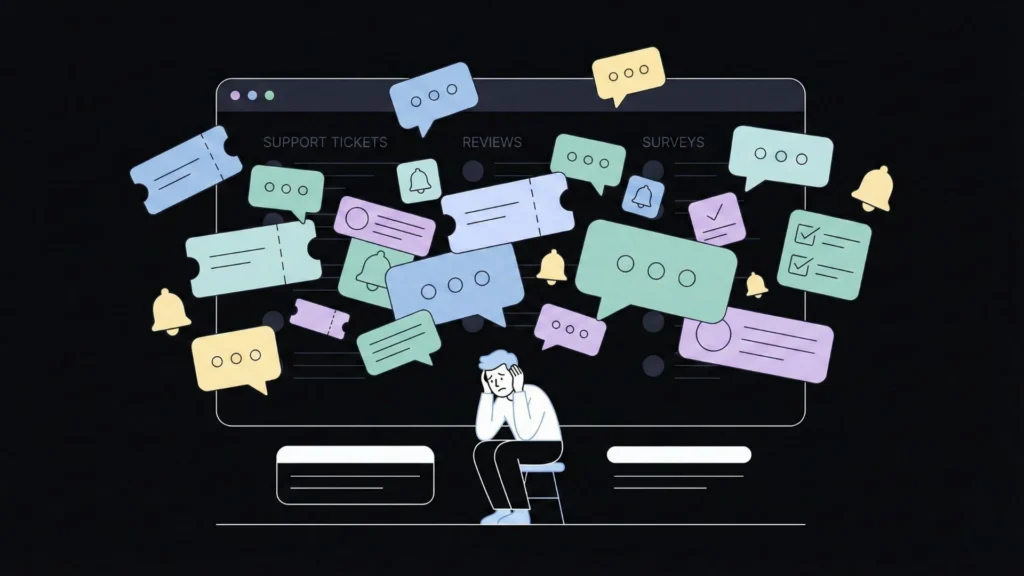
Customer voices are fragmented. You are not just dealing with email support tickets anymore. You have data coming in from:
- In‑app chat logs
- NPS and CSAT surveys
- App Store and G2 reviews
- Social media mentions
- Sales call transcripts
Aggregating this data is hard enough. Making sense of it is harder. When you have thousands of unique touchpoints per month, relying on a human to read and categorize them is a recipe for failure.
Limitations of Manual Analysis
The “spreadsheet method” is the default for many teams. You export a CSV, open Excel, and start manually tagging rows.
This approach is unscalable. As soon as you finish tagging a batch of feedback, it is already outdated. It is slow, morale‑killing work, and automating this process allows you to keep your smartest people focused on high‑leverage tasks like strategy and product development.
Bias, Delays, and Missed Insights
Humans are subjective. Two different support agents might tag the same complaint differently. One might call it a “UX bug,” while another calls it a “Feature Request.” This inconsistency corrupts your data.
Worse, manual analysis is prone to recency bias. We tend to focus on the loudest, most recent angry email rather than the subtle, statistically significant trend that has been building for months. By the time you manually identify a churn risk, that customer is often already gone.
How AI Changes the Way Businesses Understand Customers
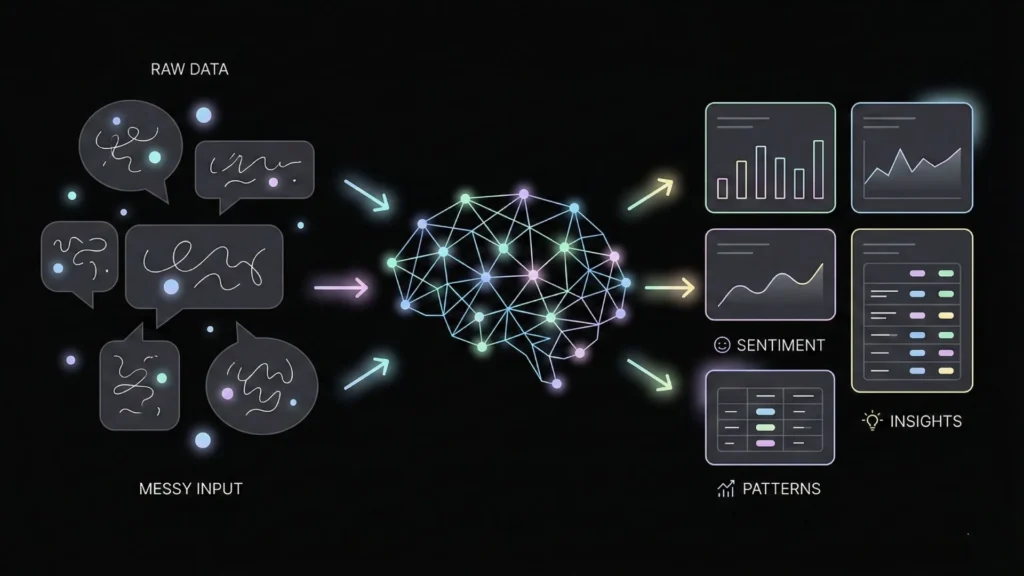
Artificial intelligence does not just speed up the old process; it fundamentally changes the nature of the work. AI customer feedback analysis moves you from reactive fire-fighting to proactive strategy.
From Manual Tagging to Intelligent Pattern Recognition
At its core, modern AI utilizes Natural Language Processing (NLP). This allows the software to “read” text much like a human does, but at infinite scale and zero fatigue.
- Sentiment Analysis: AI can instantly determine the emotional tone of a message (positive, negative, or neutral). It can detect sarcasm and frustration levels that simple keyword searches miss.
- Theme Extraction: Instead of you defining tags beforehand, AI customer feedback analysis can scan thousands of reviews and tell you what the main topics are. It might surface that 40% of negative reviews mention “login issues” specifically on mobile devices.
- Entity Recognition: It automatically pulls out specific product names, locations, or competitor mentions from the text.
Predictive Insights, Not Just Historical Reporting
Traditional analytics look backward. They tell you what happened last quarter. AI looks forward.
By analyzing patterns in feedback alongside usage data, AI-powered customer insights can predict behaviors. For example, it can flag a segment of users who are displaying early warning signs of churn based on the syntax of their support tickets long before they actually cancel. This gives your success team a window of opportunity to intervene.
The Rise of No‑Code AI for Feedback Analysis
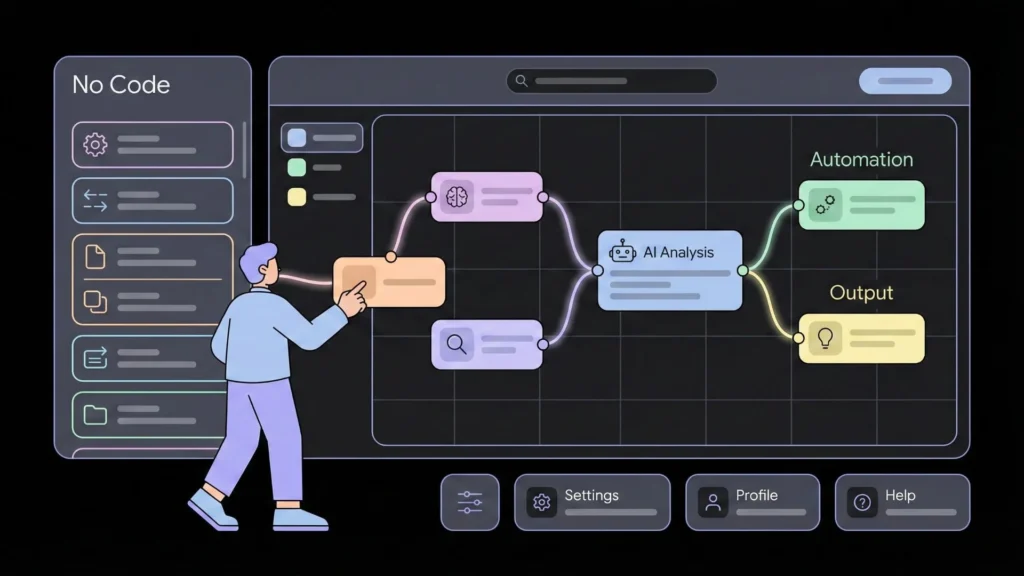
The technology described above used to be the exclusive domain of tech giants like Google or Amazon. The “no‑code” movement has broken down those walls.
Why No‑Code Matters for Non‑Technical Teams
No‑code platforms allow operators, product managers, and founders to build sophisticated workflows using visual interfaces.
- Speed: You can set up an analysis pipeline in an afternoon, not a quarter.
- Accessibility: The person who understands the customer best (the CX manager or Product Owner) can build the analysis logic, rather than handing it off to an engineer who might lack context.
- Cost Efficiency: You avoid the massive overhead of hiring specialized data engineers. If you are ready to stop planning and start doing, you can start building your own tool today without waiting for engineering resources.
What Modern No‑Code AI Platforms Can Actually Do
These aren’t just toy apps. Modern no‑code AI tools are robust platforms capable of:
- Integrations: Connecting directly to your helpdesk (Zendesk, Intercom), CRM (Salesforce, HubSpot), and data warehouses.
- Dashboards: For those focusing on internal reporting, visualizing data automatically is a game changer. You can see real-time charts showing “Bug Reports” spiking or “Pricing Complaints” dropping.
- Experimentation: You can tweak your analysis models on the fly. If you want to track a new competitor, you simply add them to the parameters, and the AI updates immediately.
Choosing the Right No‑Code AI Platform
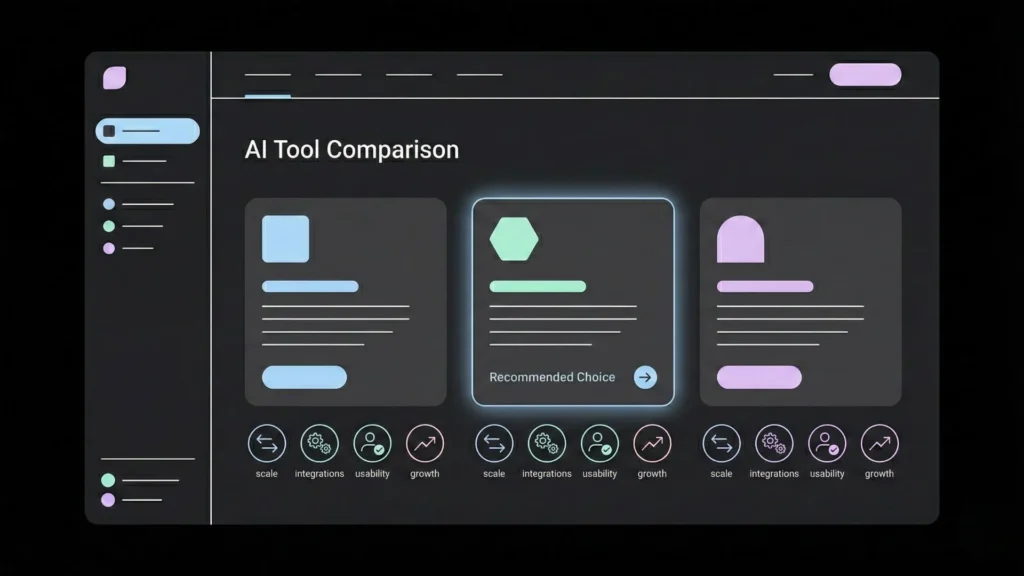
The market is flooded with AI feedback analysis tools. Selecting the right one depends less on feature checklists and more on your specific context.
Key Evaluation Criteria
Before you commit to a subscription, assess these four areas:
- Data Volume: Some tools are great for analyzing 500 surveys but choke on 50,000 support tickets. Ensure the platform can handle your current scale and your projected growth.
- Feedback Sources: Does it natively integrate with your tech stack? If you use a niche support tool, you need a platform that supports API connections or easy CSV uploads.
- Team Skill Level: Some “no‑code” tools still require a “low‑code” mindset (understanding logic flows). Others are purely drag-and-drop. Match the tool to your team’s comfort level.
- Integration Needs: Analysis is useless in a vacuum. Can the tool send data back to your other systems? For example, can it automatically tag a ticket in your helpdesk?
Common Mistakes to Avoid
- Over‑optimizing for price: The cheapest tool often lacks the nuance to distinguish between a “bug” and a “user error.” Bad data is worse than no data.
- Ignoring usability: If the dashboard is clunky, your team won’t use it.
- Skipping demos and trials: Always test the tool with your own data. Generic demo data never reveals the edge cases that are specific to your business.
Implementing No‑Code AI Feedback Analysis Step by Step
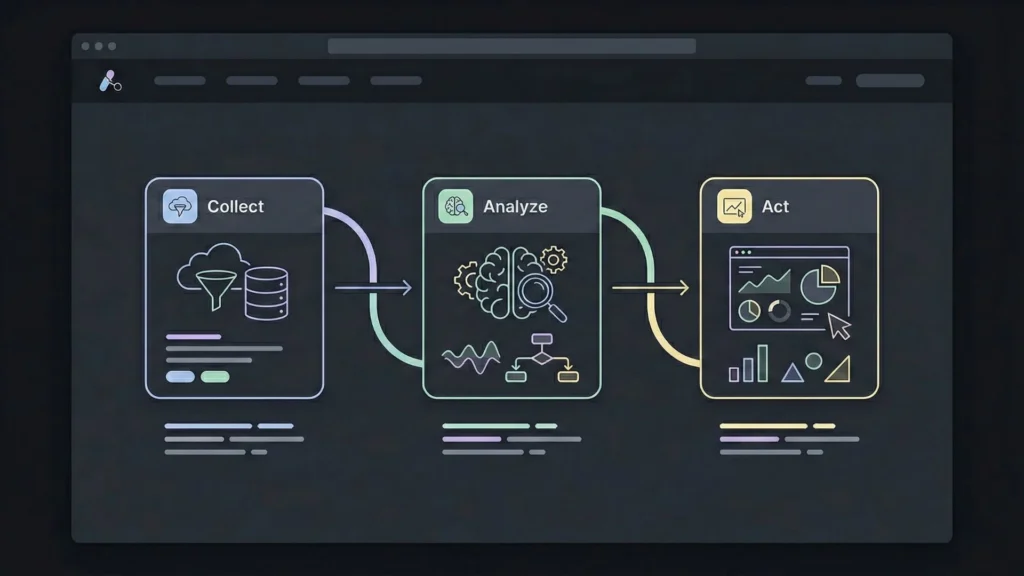
Ready to automate customer feedback analysis? Here is a practical roadmap to get started.
Data Preparation and Cleaning
AI is smart, but it is not magic. Garbage in, garbage out still applies.
- Remove duplicate entries (e.g., the same review posted on two platforms).
- Filter out internal noise, such as auto-replies or system notifications that might clutter the text data.
- Anonymize sensitive data (PII) if your industry requires strict compliance before feeding it into a third-party model.
Connecting Feedback Sources
Centralization is key. You want a holistic view of the customer.
- Connect your primary support channels first (e.g., Intercom or Zendesk).
- Add public sentiment sources next (App Store reviews, G2).
- Finally, import structured data like NPS survey responses. Most no‑code platforms for feedback will have one-click authentications for these major services.
Configuring Analysis Parameters and KPIs
Don’t just turn it on and hope for the best. Define what you are looking for.
- Define Categories: Tell the AI what matters to you. Are you tracking “Pricing,” “UX,” “Reliability,” or “Customer Service”?
- Set Thresholds: Decide what constitutes a “Critical” alert. Is it a negative sentiment score below 20%? Is it the keyword “cancel”?
- Establish Baselines: Run the analysis on historical data first to understand what “normal” looks like for your business.
Turning AI Insights into Real Business Action
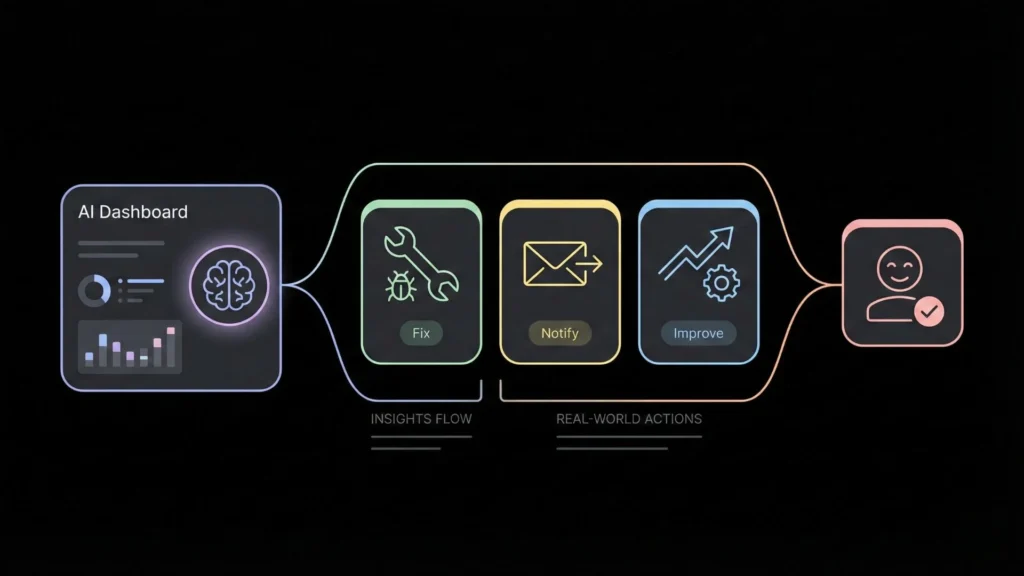
The goal is not a pretty dashboard. The goal is better decisions.
Identifying Trends and Root Causes
Use the AI to drill down. If your “Reliability” score drops, click into it. The AI should group similar complaints. You might find that 80% of the reliability complaints are coming from users on a specific browser version. That is a root cause you can fix immediately.
Using Sentiment Analysis the Right Way
Don’t obsess over the aggregate score. A 4.5/5 average hides the details. Focus on the change in sentiment. If a specific feature launch causes a 10% dip in sentiment among your “Power User” segment, that is a red alert, even if your overall average remains high.
Measuring Impact and Closing the Feedback Loop
This is the most critical step. When you fix a bug based on AI insights, reach out to the customers who complained about it.
- Export the list: Pull the list of users the AI tagged with “Login Bug.”
- Send a targeted campaign: “Hey, you told us login was slow. We fixed it.” This turns a negative experience into a loyalty-building moment.
Advanced Use Cases and Best Practices
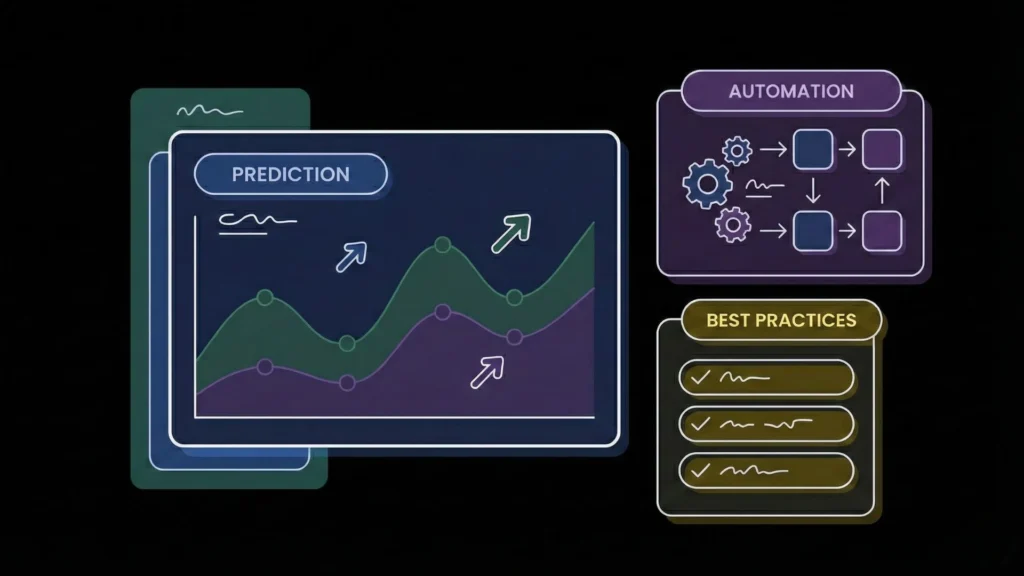
Once you have the basics running, you can push the system further.
Predictive Customer Analysis
Combine sentiment data with operational data. If a customer has a dropping sentiment score AND their login frequency decreases, use Predictive Customer Analysis to trigger an automated retention workflow or alert a Customer Success Manager to reach out personally.
AI‑Enhanced Feedback Collection
Don’t just analyze what comes in; use AI to improve how you ask for it. Dynamic survey tools can use AI to ask follow-up questions based on the user’s initial response, digging deeper into the “why” without human intervention.
Data Privacy and Ethical AI Considerations
When using AI customer feedback analysis, you are processing human thoughts and feelings.
- Be transparent about how you use data.
- Ensure your no‑code vendors are SOC2 and GDPR compliant.
- Regularly audit the AI for bias. Ensure it isn’t flagging feedback from non-native speakers as “negative” simply due to grammar differences.
Real‑World Examples of AI Feedback Analysis in ActionThe Mid‑Size SaaS Company
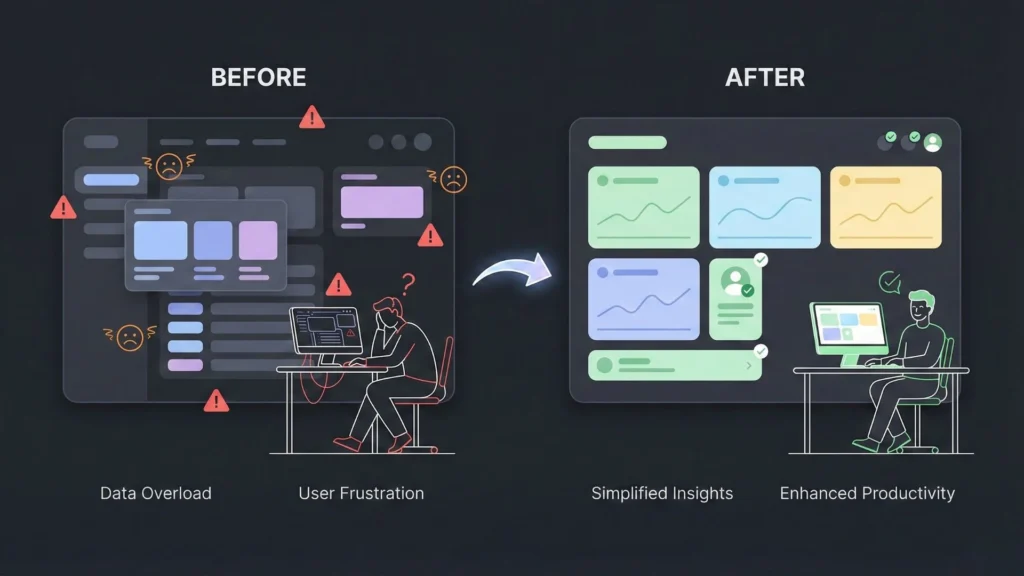
Scenario: A project management tool was seeing a slow increase in churn but couldn’t pinpoint why. Exit surveys were vague. Action: They implemented a no‑code AI analysis on six months of support tickets. Insight: The AI surfaced a cluster of tickets related to “exporting data.” It wasn’t that the feature was broken; it was that users couldn’t find it. Outcome: The team redesigned the UI to make the export button more visible. Support tickets regarding exports dropped by 70%, and churn stabilized.
The Small E-Commerce Brand
Scenario: A boutique coffee roaster launched a new blend and received mixed reviews. Action: They used a sentiment analysis tool to scan Instagram comments and email replies. Insight: The AI detected a pattern: customers loved the taste (Positive Sentiment) but hated the packaging, specifically that the resealable zipper kept breaking (Negative Sentiment regarding “Packaging”). Outcome: They switched bag suppliers immediately. They saved the product line by separating the product quality from the packaging defect.
Where No‑Code AI Feedback Analysis Is Headed
The technology is moving fast. Here is what is coming next.
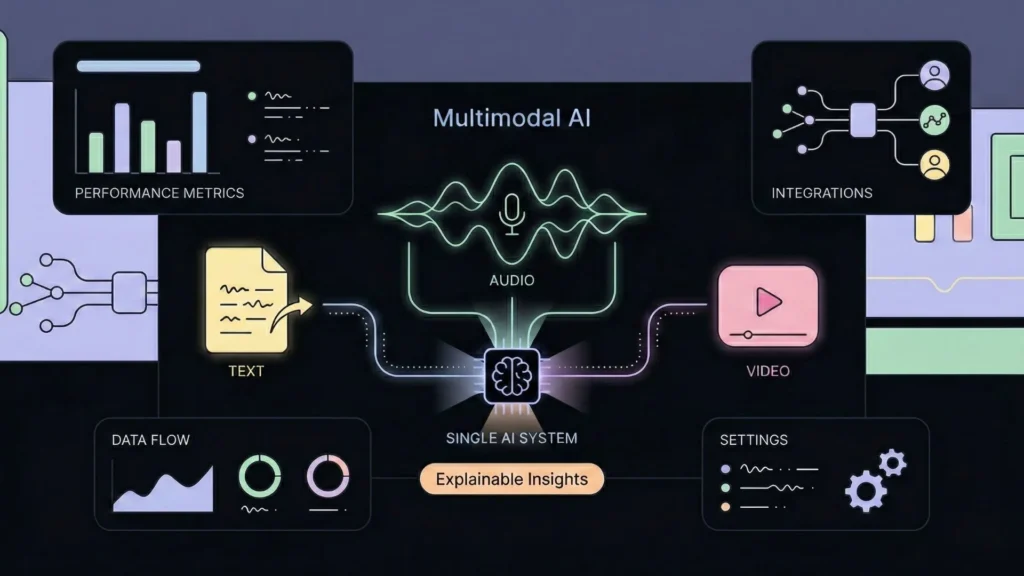
Multimodal AI
Future tools won’t just read text. They will analyze audio from sales calls and video from user testing sessions, combining voice tone, facial expression, and text into a single sentiment score.
Explainable AI
“Black box” AI is fading. The next generation of tools will provide citations for their insights, showing you exactly which data points led the AI to conclude that “User Satisfaction is dropping.”
Deeper Product and CRM Integrations
Feedback analysis will stop being a separate activity. It will live inside your CRM. When you pull up a customer profile, you won’t just see their contact info; you will see a real-time AI summary of their entire emotional history with your brand.
Building Smarter Feedback Systems Without Engineering Bottlenecks
While many off-the-shelf tools are excellent, sometimes your business needs a solution that doesn’t exist yet. You might need a specific dashboard that combines feedback data with your proprietary financial metrics, or a custom internal tool for your support team to triage tickets.
In the past, building a custom intelligence platform meant hiring a dev shop or distracting your core engineering team. Today, founders and product teams are bypassing that bottleneck by building their own systems.
This is where platforms like Imagine.bo come into play. Imagine.bo is an AI‑driven no‑code app and website builder that allows founders and teams to turn ideas into production‑ready products without writing code.
If you need to build a custom feedback loop, an internal sentiment dashboard, or a specialized customer intelligence system, you don’t have to force-fit a generic SaaS tool. You can simply turn your idea into reality by describing what you need in plain English, and the platform handles the heavy lifting.
What makes this approach distinct is the quality of the output. We aren’t talking about flimsy prototypes. Imagine.bo generates scalable, secure, SDE‑level architecture. You get end‑to‑end ownership of the frontend, backend, logic, and deployment.
Conclusion: The Era of “Guessing” is Over
The gap between collecting feedback and understanding it has never been smaller. AI has transformed customer feedback from a chaotic stream of noise into a structured, predictive asset that drives growth.
Whether you choose to integrate a specialized analysis tool or build a custom solution with a platform like Imagine.bo, the imperative remains the same: stop letting your customer data gather dust.
Your customers are already telling you exactly how to improve your product and win the market. You just need the right tools to listen.
Launch Your App Today
Ready to launch? Skip the tech stress. Describe, Build, Launch in three simple steps.
Build




