

In the fast-paced world of modern business, time is your most valuable currency. If you are a consultant, a salon owner, a fitness trainer, or a founder of a service-based startup, you know the chaos of manual scheduling. The endless back-and-forth emails, the missed phone calls, and the dreaded double-bookings can drain your energy and revenue.
Imagine a world where your clients book their own slots, payments are processed automatically, and reminders are sent without you lifting a finger. This isn’t a pipe dream reserved for tech giants with massive development budgets. Thanks to the no-code revolution, you can now create a fully functional, professional-grade mobile or web application without writing a single line of code.
Launch Your App Today
Ready to launch? Skip the tech stress. Describe, Build, Launch in three simple steps.
BuildThis guide is your roadmap. We will walk you through exactly how to build a booking or scheduling app in minutes, transforming your business operations from chaotic to streamlined. Whether you want to launch a new startup idea or simply organize your existing client base, this comprehensive resource covers everything from essential features to the best platforms in 2026.
Why You Need to Know How to Build a Booking or Scheduling App in Minutes
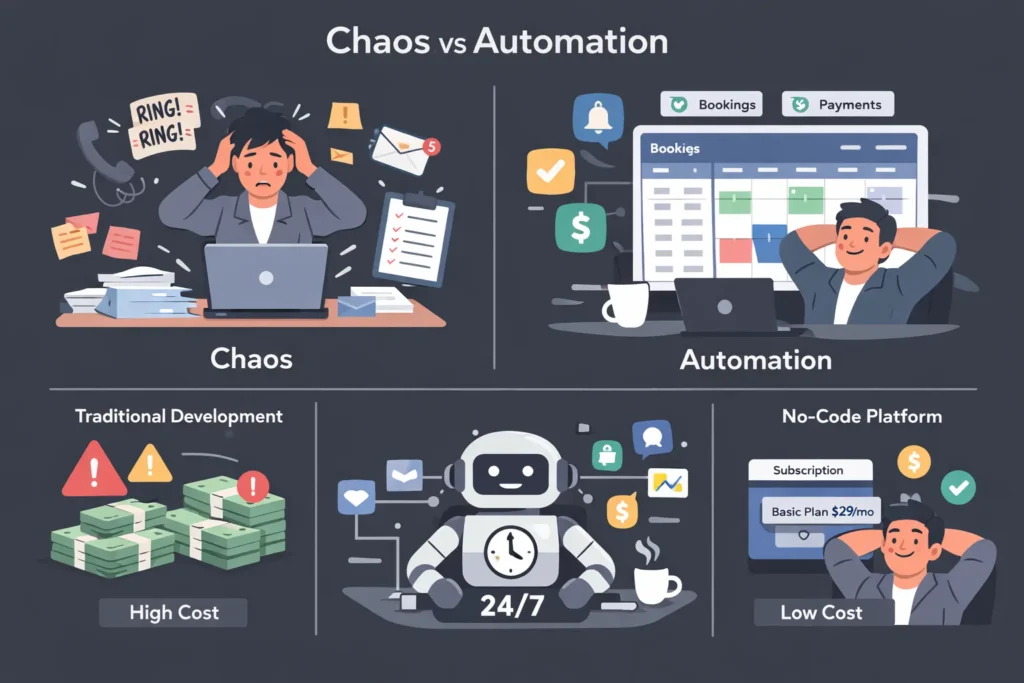
Understanding how to build a booking or scheduling app in minutes is more than just a technical skill—it is a strategic business advantage. In the past, developing a custom app required hiring a team of developers, spending tens of thousands of dollars, and waiting months for a Minimum Viable Product (MVP). Today, the barrier to entry has collapsed.
1. Speed to Market
The traditional development cycle is too slow for today’s market. By using no-code platforms, you can go from concept to live app in a single afternoon. This agility allows you to test your business idea, gather user feedback, and pivot immediately. When you learn how to build a booking or scheduling app in minutes, you are effectively buying yourself time—the one resource you can’t replenish.
2. Cost Efficiency
Custom software development can easily cost upwards of $20,000 to $50,000. For a small business or a bootstrapped founder, this is often prohibitive. No-code app builders operate on a subscription model, often costing less than $50 per month. This democratization of technology means the playing field is leveled; you can compete with larger competitors without their massive budgets.
3. Operational Automation
A booking app isn’t just a digital calendar; it’s an automated employee. It works 24/7, never calls in sick, and never forgets to send a reminder. By automating administrative tasks, you free yourself to focus on high-value activities like strategy, marketing, and delivering excellent service to your clients.
Key Features When Learning How to Build a Booking or Scheduling App in Minutes
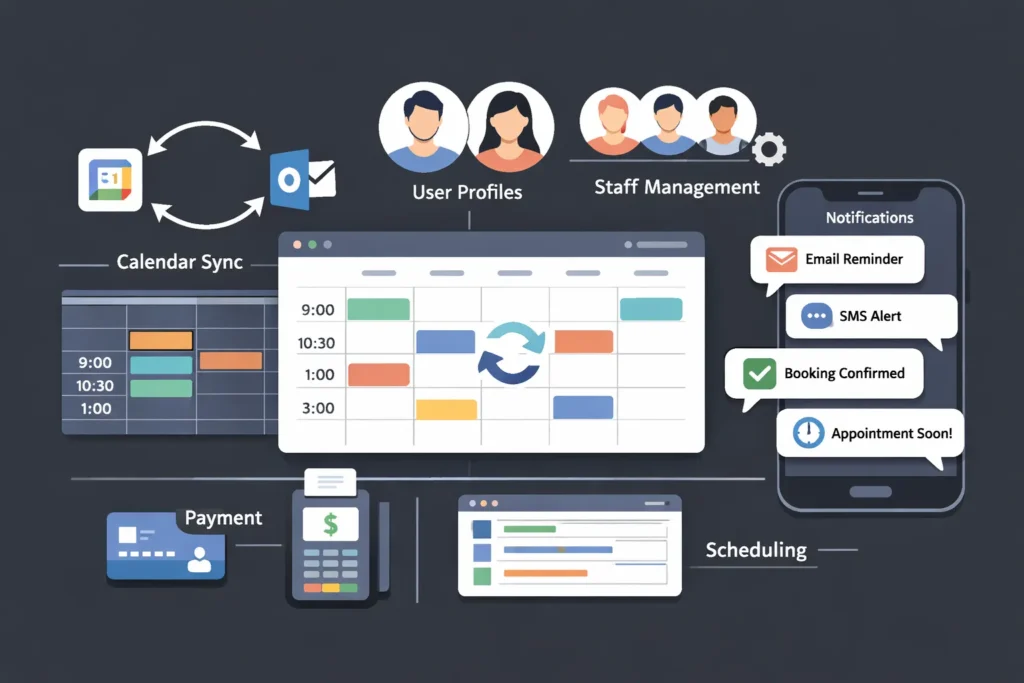
Before diving into the “how-to,” you must understand the “what.” Not all apps are created equal. When you set out to discover how to build a booking or scheduling app in minutes, you need to ensure your chosen solution includes specific, non-negotiable features that drive user experience and business efficiency.
Real-Time Availability & Calendar Sync
Your app must show real-time availability. Nothing frustrates a user more than booking a slot only to be told later it was already taken. Two-way synchronization with external calendars (like Google Calendar, Outlook, or iCloud) is critical. This prevents double-booking and ensures your personal schedule aligns with your business availability.
Automated Notifications and Reminders
No-shows are revenue killers. Your app should automatically send:
- Booking Confirmations: Instant peace of mind for the user.
- Reminders: SMS or email nudges 24 hours and 1 hour before the appointment.
- Follow-ups: Post-appointment requests for reviews or re-booking prompts.
Integrated Payment Gateways
To reduce friction and secure commitment, allow users to pay during the booking process. Look for integrations with major processors like Stripe, PayPal, or Square. This feature also enables you to enforce cancellation policies by requiring deposits or full prepayment.
User Profiles and History
A good app remembers its users. Clients should be able to log in, view their upcoming appointments, and see their history. For you, this data is gold. It helps you understand client retention rates and preferences, allowing for personalized marketing.
Multi-Staff and Multi-Location Support
If your business grows, your app must grow with it. You might start as a solo entrepreneur, but eventually, you may need to manage multiple staff members with different schedules, or even multiple physical locations. The best no-code builders allow for this scalability.
Step-by-Step Guide: How to Build a Booking or Scheduling App in Minutes
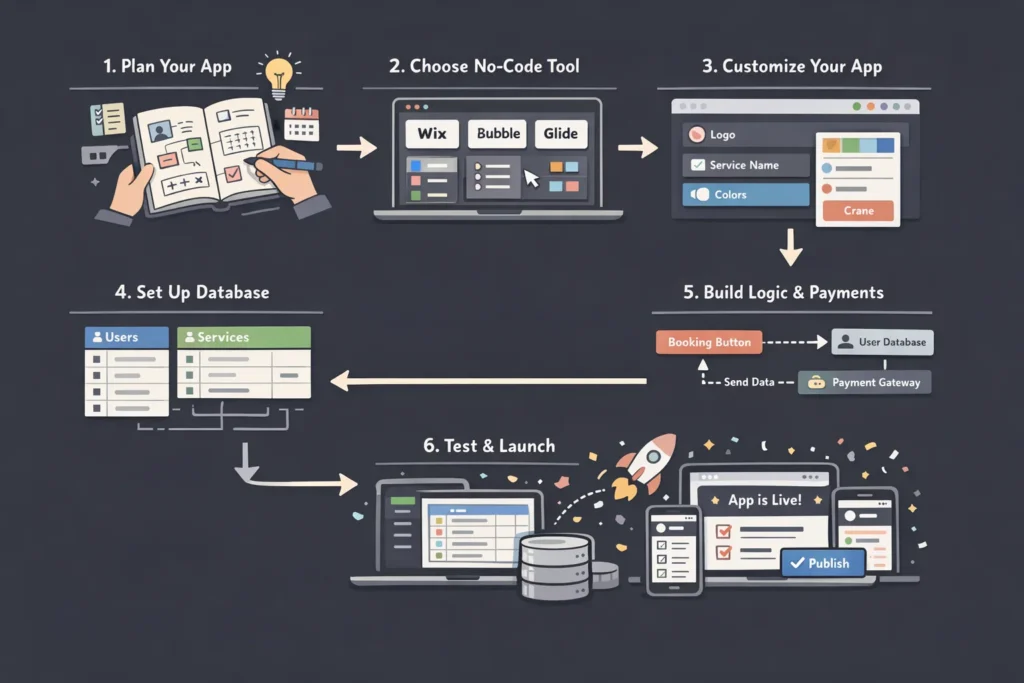
Now, let’s get to the core of this guide. We will break down the process into actionable steps. Follow this workflow to master how to build a booking or scheduling app in minutes using modern no-code tools.
Step 1: Define Your Requirements and Workflow
Don’t open an app builder yet. Grab a pen and paper. You need to map out exactly what you need.
- Who is the user? (Client, Staff, Admin)
- What is the core action? (Booking a 1-hour consultation, reserving a tennis court, scheduling a home repair?)
- What data do you need? (Name, email, phone, address, specific service type)
Example Workflow:
- User opens app -> Sees list of services.
- Selects “Haircut” -> Sees available staff.
- Selects “John” -> Sees John’s available time slots.
- Selects “2:00 PM” -> Enters details & pays deposit.
- Booking confirmed -> Calendar updated -> Email sent.
Step 2: Choose Your No-Code Platform
The market is flooded with tools. To build quickly, choose a platform that offers pre-built templates specifically for scheduling. (We will compare specific platforms in the next section).
- For Mobile Apps (iOS/Android): Look at Adalo or Glide.
- For Web Apps/Portals: Look at Imagine.bo or Bubble.
- For Simple Forms/Workflows: Look at Jotform Apps.
Step 3: Select a Template and Customize
Most platforms offer a “Booking” or “Appointment” template. Start there.
- Branding: Upload your logo, change the primary colors to match your brand identity, and update the font.
- Content: Rename the services in the template to match yours. If the template says “Yoga Class,” change it to “Consulting Call.”
Step 4: Configure Your Database
This sounds technical, but in no-code tools, it’s like editing a spreadsheet. You will typically need three “Collections” (tables):
- Users: Stores client info (Name, Email, Photo).
- Services: Stores what you offer (Service Name, Duration, Price, Image).
- Appointments: Links the User to the Service and a Time.
Pro Tip: Ensure your “Appointments” collection has a “Date/Time” field and a “Status” field (e.g., Confirmed, Cancelled, Completed).
Step 5: Set Up Logic and Payments
Now, connect the dots.
- Logic: Set a rule that says “When a user clicks ‘Book’, Create a new Appointment record.”
- Availability: Use the platform’s filtering options to “Only show time slots where there is NO existing appointment.”
- Payments: Connect your Stripe account. Most builders have a simple “Stripe Component” where you just log in to connect.
Step 6: Test and Launch
Before sharing it with the world, test it yourself.
- Create a dummy account.
- Book a service.
- Check if you received the confirmation email.
- Check if the slot is now blocked off for other users. Once verified, hit “Publish.” You now have a live URL or an app store file to share with clients.
Top Platforms for How to Build a Booking or Scheduling App in Minutes
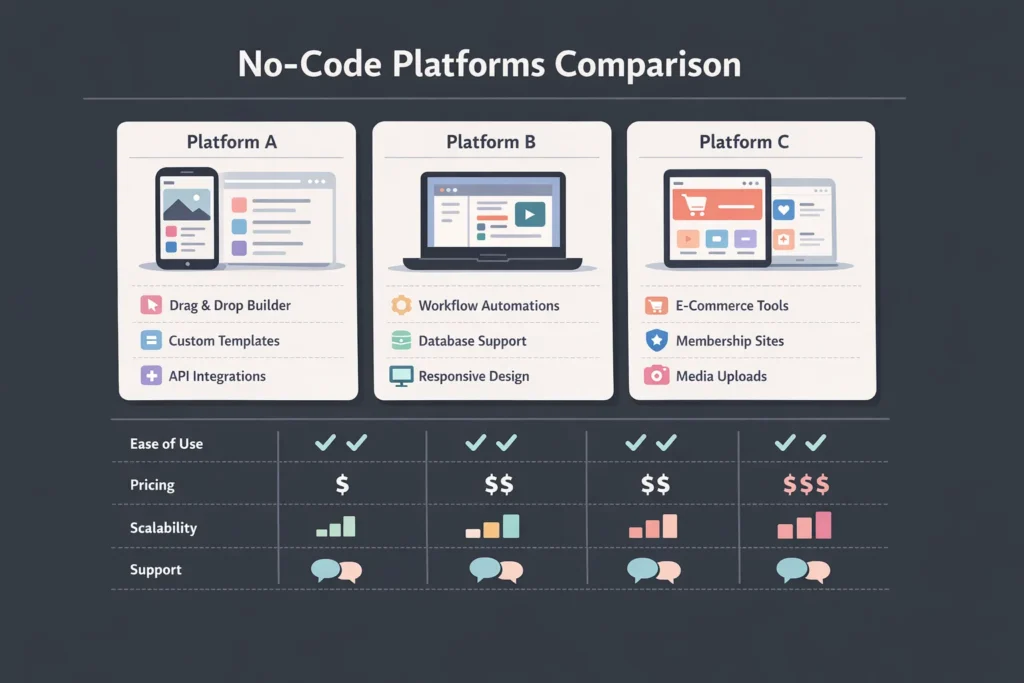
Choosing the right tool is half the battle. To effectively implement what you’ve learned about how to build a booking or scheduling app in minutes, you need a platform that balances ease of use with power. Here is a comparison of the top contenders for 2025.
1. Imagine.bo (Best for AI-Powered Speed)

If you want to build at the speed of thought, Imagine.bo is your ultimate solution. Unlike traditional drag-and-drop builders, Imagine.bo leverages advanced AI to build your entire application from a simple text prompt. You simply describe the booking app you need, and the AI generates the design, database, and logic instantly.
- Pros: Generates fully functional apps from text descriptions, incredibly fast setup, “Vibe Coding” for intuitive adjustments, and perfect for non-technical founders.
- Cons: Specialized for rapid deployment and modern web standards.
- Best For: Founders, startups, and anyone who wants to turn an idea into a working app in seconds without a learning curve.
2. Glide (Best for Beginners & Internal Tools)
Glide is arguably the fastest way to build using spreadsheets. It turns data from Google Sheets, Excel, or Airtable into an app.
- Pros: Extremely intuitive, beautiful design by default, great for simple scheduling logic.
- Cons: Less design flexibility (you stick to their grid system).
- Best For: Internal team scheduling, simple service bookings, resource booking (e.g., meeting rooms).
3. Adalo (Best for Native Mobile Design)
If you want an app that feels like it belongs on the Apple App Store, Adalo is a top choice. It offers a drag-and-drop canvas where you can place buttons and text anywhere.
- Pros: Complete design freedom, publishes directly to App Store/Play Store, powerful database relationships.
- Cons: Can be slower with very large databases.
- Best For: Customer-facing mobile apps for salons, gyms, or coaches.
4. Softr (Best for Web-Based Client Portals)
Softr builds powerful web apps on top of Airtable or Google Sheets. It is perfect if you want a desktop-friendly client portal.
- Pros: SEO-friendly, incredible integration with Airtable, very fast setup.
- Cons: Not a native mobile app (it’s a Progressive Web App).
- Best For: Consultants, agencies, and tutors who need a client dashboard.
Comparison Table
| Feature | Imagine.bo | Glide | Adalo | Softr |
|---|---|---|---|---|
| Primary Use | AI App Generation | Internal/Simple Apps | Native Mobile Apps | Web Portals |
| Learning Curve | Zero (Prompt–Based) | Very Low | Medium | Low |
| Database Source | AI-Managed / Internal | Sheets/Airtable/Excel | Internal Database | Airtable/Sheets |
| Design Freedom | AI-Optimized | Restricted (Grid) | High (Free Canvas) | Block-Based |
| Publishing | Web / PWA | PWA / Web | iOS, Android, Web | PWA / Web |
| Speed to Build | Minutes (Fastest) | Hours | Days | Hours |
Best Practices for How to Build a Booking or Scheduling App in Minutes
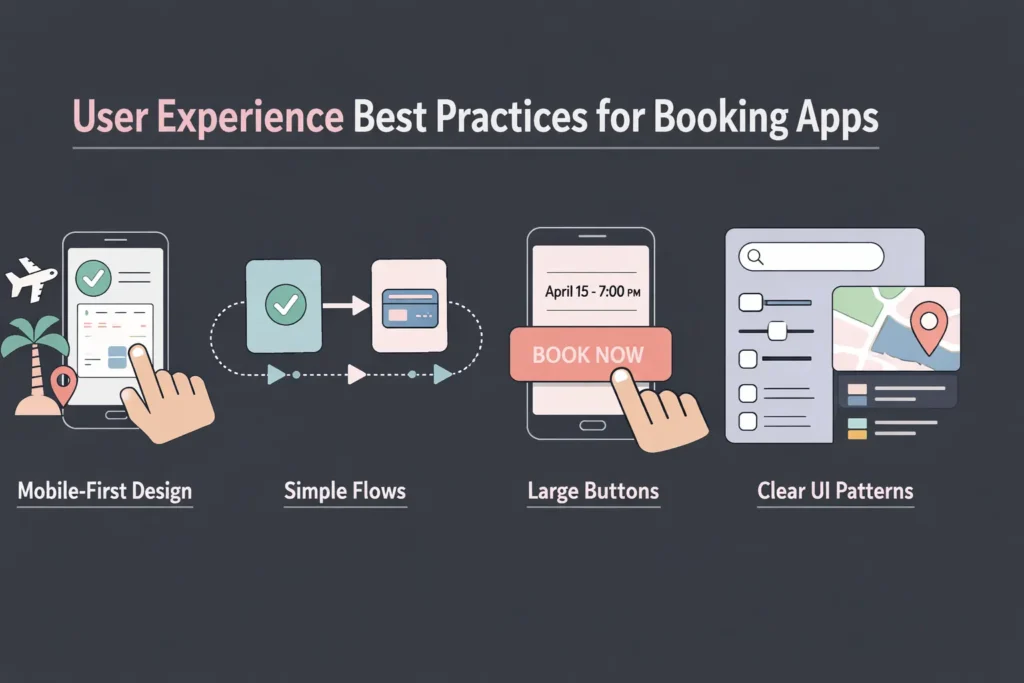
Knowing the steps is one thing; executing them well is another. As you apply your knowledge of how to build a booking or scheduling app in minutes, keep these user experience (UX) and design best practices in mind to ensure your app is actually used.
Keep the “Time to Value” Low
Do not force users to fill out a 20-field registration form before they can see your availability. Allow them to browse services and view available times first. Ask for registration or login only at the final booking step. This reduces “drop-off” significantly.
Mobile-First Design
Statistics show that over 70% of appointment bookings happen on a mobile device. Whether you are building a web app or a native app, design for the small screen first.
- Use large, tappable buttons (at least 44×44 pixels).
- Avoid hover states (which don’t exist on touch screens).
- Ensure text is legible without zooming.
Handle Time Zones Gracefully
If you offer virtual services (like online coaching), time zones are your enemy. Ensure your chosen platform can automatically detect the user’s local time zone and convert your availability accordingly. A user in London should see your 9 AM New York slot as 2 PM London time automatically.
Buffer Times are Essential
Do not let clients book back-to-back slots with zero margin. If an appointment runs over, your whole day is ruined. Configure “buffer times” in your app logic—e.g., automatically add a 15-minute “blocked” period after every booking to allow for notes, cleaning, or a coffee break.
Clear Cancellation Policies
Your app should clearly display cancellation terms before the user confirms. Better yet, automate the enforcement. If a user tries to cancel 1 hour before the slot, the app can either block the action or display a message about a cancellation fee. This transparency builds trust and protects your revenue.
Conclusion: Mastering How to Build a Booking or Scheduling App in Minutes

The ability to create software was once a superpower held by a select few. Today, that power is in your hands. You now know how to build a booking or scheduling app in minutes, bypassing the months of development and high costs that used to be the industry standard.
By following the steps outlined in this guide—defining your needs, selecting the right no-code platform like Imagine.bo and focusing on a seamless user experience—you can launch a professional booking system today. This isn’t just about technology; it’s about reclaiming your time. Every minute your app saves you on scheduling is a minute you can invest back into growing your business, serving your clients, or simply enjoying your life.
Don’t wait for the “perfect” time or a bigger budget. The tools are ready, and the barrier to entry is gone. Start building your booking app now and watch your business efficiency soar.
Launch Your App Today
Ready to launch? Skip the tech stress. Describe, Build, Launch in three simple steps.
Build




