
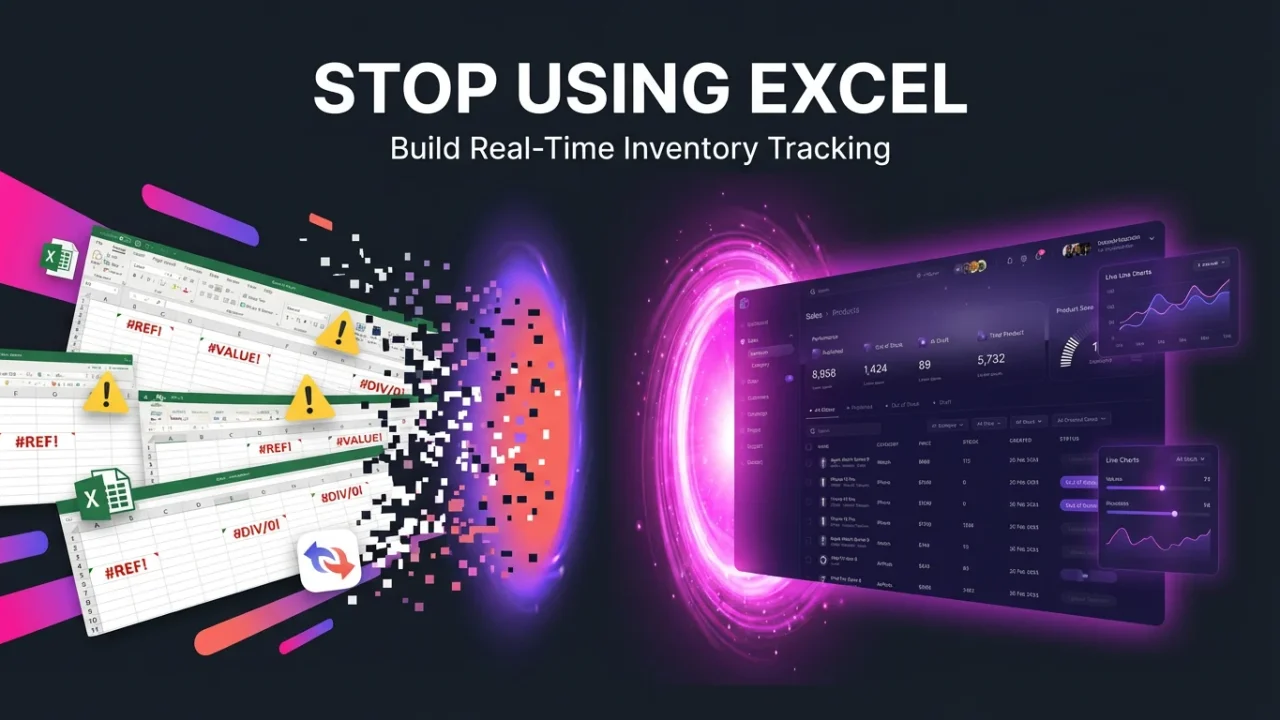
If you’re still managing inventory in Excel, you’re working with a tool built for accounting in 1985 — not for tracking real-time stock movements across warehouses, stores, and suppliers in 2025.
Every time someone updates a spreadsheet, you’re one misclick away from costly stock discrepancies. Every time you need current inventory levels, you’re stuck refreshing files, merging versions, and praying the data is accurate.
Launch Your App Today
Ready to launch? Skip the tech stress. Describe, Build, Launch in three simple steps.
BuildHere’s the truth: Modern businesses need real-time inventory tracking — and you can build a professional, scalable inventory tracker in about 10 minutes using AI-powered no-code tools like Imagine.bo.
No developers. No months of work. Just describe what you need, and let AI generate the database, workflows, and interface automatically.
Start building on Imagine.bo →
The Problem: Why Excel Fails for Real-Time Inventory Management
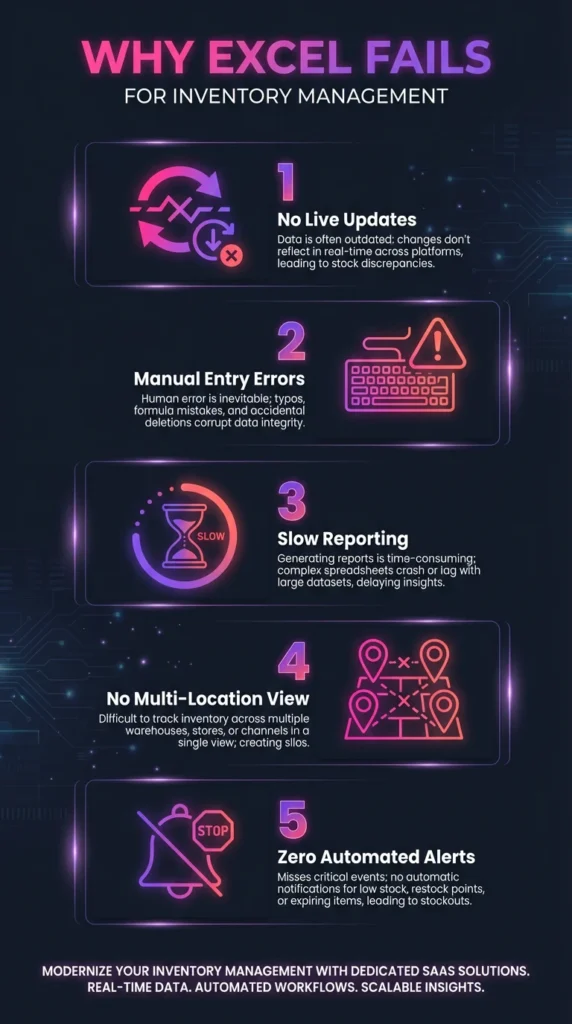
Excel wasn’t designed for inventory tracking. It was designed for static calculations and reporting. When you try to force it into real-time operational systems, here’s what breaks:
1. No Live Updates
Excel files are static documents. When someone updates stock levels in one file, that change doesn’t instantly sync across every device. You end up with multiple versions of the truth — and no way to know which one is correct.
2. Manual Data Entry = Human Error
Every manual entry is a chance for mistakes. A misplaced decimal, a duplicate row, or a forgotten update can cascade into major stock discrepancies, overstocking, or lost sales.
3. Slow, Painful Reporting
Need to know current stock levels across three warehouses? You’ll be copying, pasting, and reconciling data for hours. By the time you finish, the numbers are already outdated.
4. Zero Multi-Location Visibility
Managing inventory across multiple locations in Excel means maintaining separate spreadsheets and manually consolidating them. There’s no unified view, no centralized control.
5. No Automated Alerts or Triggers
Excel won’t notify you when stock runs low. It won’t auto-generate purchase orders. It won’t flag discrepancies between expected and actual inventory. You’re flying blind until you manually check.
Bottom line: Excel is a reporting tool pretending to be an operational system. For real-time inventory tracking, you need purpose-built software — and you need it fast.
What Is a Real-Time Inventory Tracker?
A real-time inventory tracker is a cloud-based system that monitors and updates stock levels instantly as transactions occur — whether that’s receiving shipments, fulfilling orders, transferring between locations, or adjusting for damaged goods.
What It Tracks:
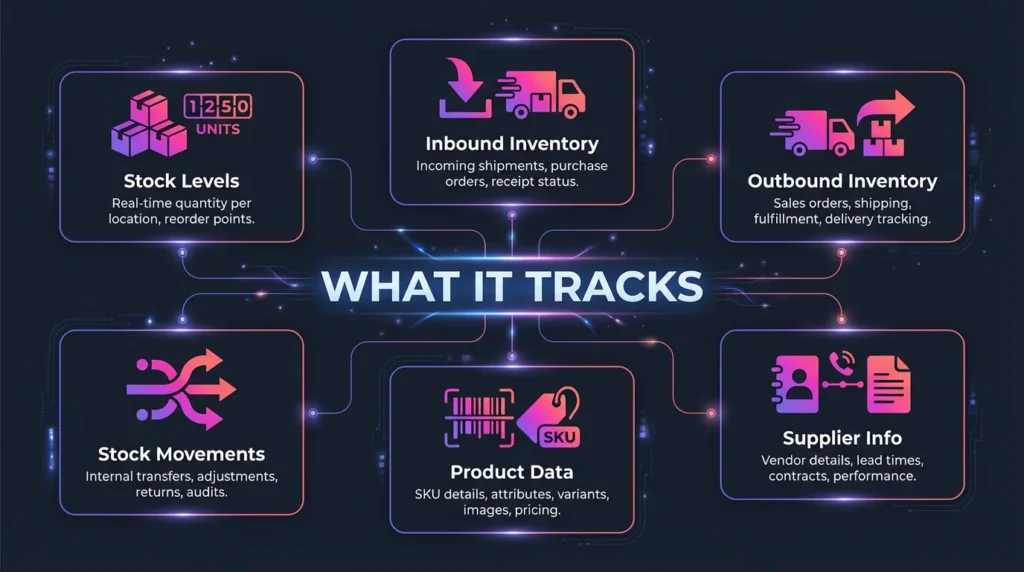
- Stock levels (current quantity, location, status)
- Inbound inventory (purchase orders, receiving logs)
- Outbound inventory (sales, shipments, returns)
- Stock movements (transfers, adjustments, audits)
- Product data (SKUs, barcodes, descriptions, costs)
- Supplier information (lead times, reorder points)
What “Real-Time” Actually Means:
Real-time inventory systems use centralized cloud databases that instantly sync changes across all users and locations. When a warehouse worker scans a barcode to receive stock, the dashboard updates immediately. When an e-commerce order ships, inventory decrements automatically. No lag. No manual updates. No version conflicts.
Why Businesses Need It:
Before investing heavily in inventory systems, smart founders often validate a retail business idea before scaling operations using real-world data from pilot locations and MVP tools.
- Prevent stockouts that cost sales
- Reduce overstock that ties up capital
- Improve forecasting with accurate historical data
- Enable multi-location operations without chaos
- Increase accountability with automated transaction logs
Typical Dashboards & KPIs:
Real-time inventory trackers provide live dashboards showing:
- Current stock by product and location
- Low-stock alerts and reorder recommendations
- Stock turnover rates and velocity
- Days of inventory remaining
- Value of inventory on hand
- Inbound shipments in transit
How a Real-Time Inventory Tracker Works
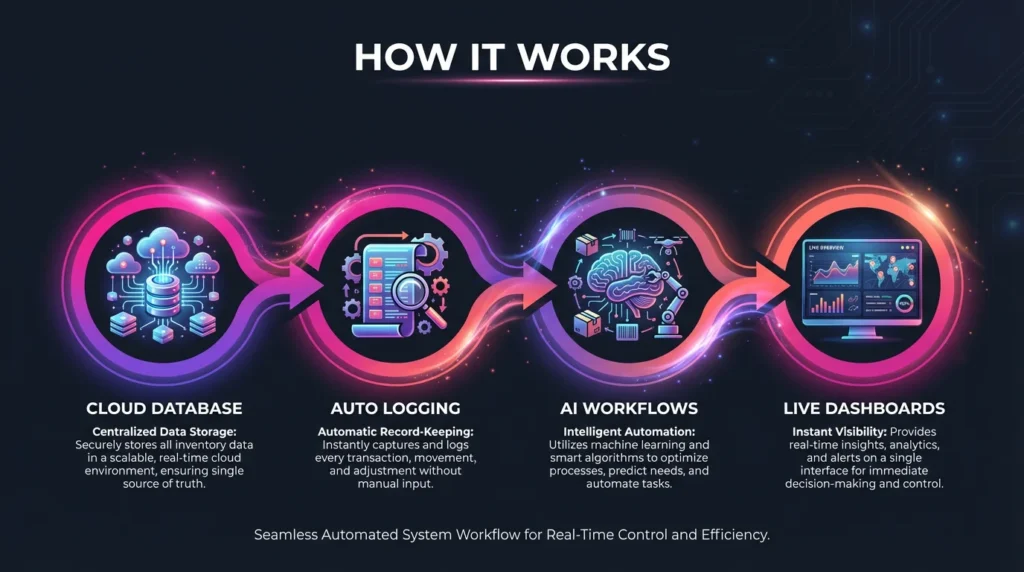
Modern inventory tracking systems operate on four core principles:
1. Centralized Cloud Database
All inventory data lives in a single, cloud-hosted database (not scattered across Excel files). Every transaction writes directly to this database, creating a single source of truth accessible from anywhere.
2. Automated Transaction Logging
Every stock movement triggers an automatic database update:
- Receiving inventory → adds to stock count
- Fulfilling orders → subtracts from stock count
- Transferring between locations → updates both location records
- Manual adjustments → logs who made the change and why
3. AI-Generated Workflows
Platforms like Imagine.bo use AI to automatically build the business logic:
- If stock drops below reorder point → trigger alert
- If item is damaged → move to “damaged goods” status
- If shipment is received → update expected vs. actual quantities
4. Live Dashboards & Alerts
Users access real-time data through web and mobile interfaces. The system sends notifications when attention is needed — low stock, discrepancies, incoming shipments, or overstock situations.
Excel vs. Real-Time Tracker: The Comparison
| Feature | Excel | Real-Time Tracker |
|---|---|---|
| Data Updates | Static, manual refresh | Live, automatic sync |
| Data Entry | Manual typing | Automated workflows + barcode scanning |
| Accuracy | Prone to human error | Built-in validation & audit trails |
| Multi-User Access | Version conflicts | Concurrent access, no conflicts |
| Alerts & Notifications | None | Low-stock alerts, reorder triggers |
| Multi-Location Support | Separate files | Unified dashboard |
| Mobile Access | Limited, clunky | Native mobile apps |
| Scalability | Breaks at scale | Handles thousands of SKUs easily |
Real-World Use Cases for Real-Time Inventory Tracking
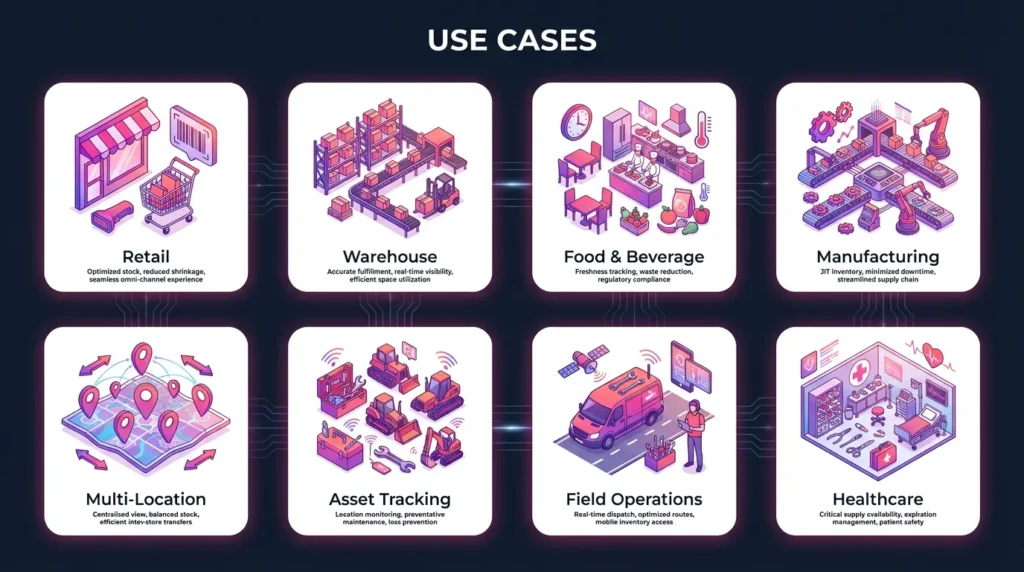
- Retail Stock Management: Track inventory across multiple store locations, sync with POS systems, and get instant visibility into what’s selling and what’s sitting on shelves. Automatically generate replenishment orders based on sales velocity. When paired with sales data and custom loyalty apps without SaaS fees, real-time inventory tracking helps retailers understand what loyal customers actually buy — and stock accordingly.
- Warehouse Operations: Manage receiving, putaway, picking, and shipping workflows. Track inventory by bin location, lot number, and expiration date. Optimize warehouse space utilization with real-time occupancy data.
- Food & Beverage / Perishables: Monitor products with expiration dates, implement FIFO (First In, First Out) rotation, and get alerts before items spoil. Track temperature-sensitive inventory across the cold chain.
- Manufacturing & Production: Track raw materials, work-in-progress inventory, and finished goods. Monitor bill of materials (BOM) components, trigger material orders when production schedules demand it, and prevent production delays.
- Multi-Location Businesses: Get unified visibility across warehouses, retail stores, distribution centers, and pop-up locations. Transfer stock between locations with proper documentation and tracking.
- Asset & Equipment Tracking: Monitor high-value assets, tools, and equipment across job sites or facilities. Track maintenance schedules, utilization rates, and current assignment/location.
- Field Operations & Mobile Teams: Enable field technicians or sales reps to check inventory, reserve parts, and submit usage reports from mobile devices — with instant sync back to headquarters. Combined with a no-code CRM for retail associates, inventory data empowers staff to recommend in-stock products, reserve items for VIP customers, and deliver personalized clienteling experiences.
- Healthcare & Medical Stock Management: Track medical supplies, pharmaceuticals, and equipment across clinics or hospitals. Maintain compliance with expiration tracking and lot number documentation.
Essential Features Your Real-Time Inventory Tracker Must Have
When building or evaluating an inventory tracking system, these features are non-negotiable. In fact, inventory tracking is a core pillar in any retail operations and store management checklist, alongside staff scheduling, merchandising, and daily store reporting.
- Real-Time Dashboard: A live overview showing current stock levels, recent transactions, alerts, and KPIs. Should be customizable by role (warehouse manager sees different data than purchasing manager).
- Automatic Stock Adjustments: Transactions automatically update inventory counts. No manual entry required for most workflows.
- Barcode & QR Code Support: Scan products for receiving, picking, shipping, and cycle counts. Dramatically reduces errors and speeds up operations.
- Alerts & Low-Stock Notifications: Configurable alerts when inventory drops below reorder points, when discrepancies are detected, or when shipments arrive.
- Supplier & Purchase Order Tracking: Manage suppliers, track expected shipments, compare received quantities against PO quantities, and maintain supplier performance metrics.
- User Permissions & Roles: Control who can view, edit, or delete inventory data. Create role-based access for warehouse staff, managers, and accountants.
- Mobile Access: Native mobile apps or responsive web interfaces that work on phones and tablets. Essential for warehouse workers and field teams.
- Integrations: Connect with existing tools:
- E-commerce platforms (Shopify, WooCommerce, Amazon)
- Accounting software (QuickBooks, Xero)
- Google Sheets or Excel (for import/export)
- Shipping carriers (for automatic tracking updates)
- Audit Trails & History: Complete transaction history showing who made changes, when, and why. Critical for accountability and compliance.
- Reporting & Analytics: Pre-built reports for inventory valuation, turnover rates, stock aging, and variance analysis. Export capabilities for deeper analysis.
Why Build Your Inventory Tracker on Imagine.bo

Traditional options for getting a real-time inventory tracker are painful:
- Hire developers: Expensive, slow, and requires ongoing maintenance
- Buy off-the-shelf software: Rigid, overpriced, and full of features you don’t need
- Use basic no-code tools: Limited functionality, doesn’t scale, lacks real-time capabilities
Imagine.bo takes a different approach: It’s an AI-powered no-code platform that automatically generates production-ready apps based on simple descriptions.
What Makes Imagine.bo Different:
- AI Generates the Entire App Architecture: Describe your inventory tracker in plain English, and Imagine.bo’s AI automatically creates:
- Database schema (Products, Stock, Warehouses, Transactions, Suppliers)
- CRUD workflows (Create/Read/Update/Delete operations)
- Business logic (stock adjustments, alerts, validation rules)
- User interface (dashboard, forms, reports)
- Built on Scalable Cloud Infrastructure: Your app runs on enterprise-grade infrastructure (AWS/GCP/Vercel) that automatically scales. Start with 10 SKUs or 10,000 — the system handles it. Apps built on Imagine.bo can process up to 1,000 transactions per second.
- Describe → Build → Launch Workflow: The entire process takes three steps:
- Describe what you need in natural language
- Build as the AI generates your app (with your customization)
- Launch to web and mobile with one click
- Human Developer Fallback: When you need advanced customization beyond what the AI can do automatically, you can assign a human developer from Imagine.bo’s team. The AI handles 80% of the work; humans handle the complex 20%.
- Faster Than Spreadsheets, Smarter Than Templates: Pre-built templates give you a starting point, but Imagine.bo’s AI adapts to your specific requirements. You’re not forcing your process into someone else’s template — you’re getting a custom app that works exactly how you need it.
The 10-Minute Build Tutorial: Create Your Real-Time Inventory Tracker
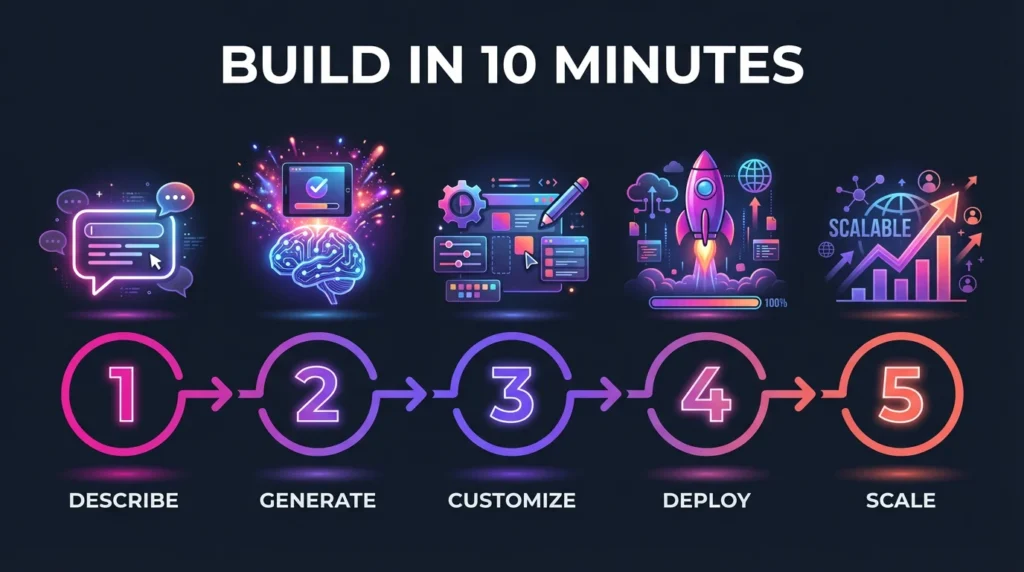
Here’s how to go from zero to a working inventory tracker in about 10 minutes using Imagine.bo.
Step 1: Describe Your Inventory App in Plain English
Log into Imagine.bo and start a new project. In the prompt box, describe what you need:
Example prompt:
Build a real-time inventory tracker for a retail business with 3 warehouse locations.
I need:
- Product catalog with SKU, name, description, cost, and sale price
- Real-time stock levels by location
- Stock-in and stock-out transaction logging
- Barcode scanning for receiving and picking
- Low-stock alerts when quantity drops below 10 units
- Dashboard showing current inventory value and low-stock items
- Mobile access for warehouse staff
- User roles: Admin, Warehouse Manager, and Staff
Be specific about your business needs. The more detail you provide, the better the AI understands your requirements.
Step 2: Let Imagine.bo Generate the App Architecture
Click “Generate App” and watch as the AI builds:
Database tables:
- Products (SKU, name, category, cost, price, reorder_point)
- Locations (warehouse_name, address, contact)
- Stock (product_id, location_id, quantity, last_updated)
- Transactions (transaction_type, product_id, quantity, user, timestamp)
- Users (name, email, role, location_assigned)
Transaction logic:
- Stock-in workflow: Receive shipment → Update stock quantity → Log transaction
- Stock-out workflow: Pick items → Decrement stock → Log transaction
- Alert workflow: Check stock levels → Trigger notification if below reorder point
UI screens:
- Dashboard with inventory summary and alerts
- Product management screens
- Stock adjustment forms
- Transaction history view
- Reports and analytics page
This happens automatically in 2-3 minutes.
Step 3: Customize the App
Now use Imagine.bo’s visual editor to refine the app:
- Modify fields:
- Add “expiration_date” field for perishable products
- Add “supplier_id” to track vendors
- Add “bin_location” for warehouse organization
- Configure alerts:
- Set custom reorder points per product
- Add email notifications to purchasing manager
- Create escalation rules for critical stockouts
- Add multi-location features:
- Create stock transfer workflows between warehouses
- Add location-specific reporting
- Enable location-based user permissions
- Set up permissions:
- Admins: Full access
- Warehouse Managers: Can adjust stock and view reports
- Staff: Can only log transactions assigned to their location
Customization takes 3-5 minutes using drag-and-drop tools.
Step 4: Launch to Web & Mobile
Click “Deploy” and Imagine.bo:
- Provisions your cloud infrastructure
- Generates web URLs for browser access
- Creates mobile-responsive interfaces
- Sets up secure user authentication
- Configures backup and monitoring
Your app is live in under 1 minute.
Users can access the inventory tracker via:
- Web browser (any device)
- Progressive Web App (install on phone home screen)
- Direct mobile URL
Step 5 (Optional): Assign a Developer for Advanced Features
Need something complex like integration with your existing ERP system, advanced barcode hardware setup, or custom reporting algorithms? Click “Request Developer” inside Imagine.bo. A human developer will review your requirements and implement advanced features the AI can’t handle automatically. You only pay for what you need.
Total time from start to working app: 10 minutes.
Example Workflows: See It in Action
Stock-In Workflow (Receiving Inventory)
- Warehouse staff scans barcode on incoming shipment
- System looks up product in database
- User enters quantity received and location
- System updates Stock table, adds quantity to existing count
- Transaction logged with timestamp, user, and details
- Dashboard refreshes showing new stock level
Low-Stock Alert Workflow
- System checks stock levels every hour (automated)
- Compares current quantity against reorder point
- If quantity < reorder point, triggers alert
- Sends notification to purchasing manager via email/SMS
- Creates suggested purchase order with recommended quantity
- Logs alert in system for tracking
Stock Transfer Workflow
- Manager initiates transfer from Warehouse A to Warehouse B
- System decrements stock from Location A
- System increments stock at Location B
- Transaction logged showing transfer details
- Transfer document generated for driver
- Both locations updated in real-time
Barcode Scan Workflow (Picking for Order)
- Picker scans item barcode
- System verifies item matches order
- User confirms quantity picked
- System decrements stock
- Transaction logged as “picked for order https://www.google.com/search?q=%23X”
- Order status updated to “ready to ship”
Templates: Get Started Even Faster
Don’t want to start from scratch? Choose from pre-built templates:
- Basic Inventory Tracker: Simple product catalog with stock levels, basic in/out transactions, and low-stock alerts. Perfect for small businesses just getting started.
- Warehouse Inventory System: Multi-location support, bin location tracking, receiving workflows, pick/pack/ship processes, and cycle count management. Built for warehouse operations.
- Retail POS Inventory Sync: Integrates with point-of-sale systems, tracks inventory across retail locations, manages product transfers between stores, and provides sales-inventory reporting.
- Manufacturing BOM Tracker: Tracks raw materials, components, and finished goods. Includes bill of materials management, production scheduling, and material requirement planning.
- Asset & Equipment Tracker: Monitors high-value assets, tracks check-in/check-out, manages maintenance schedules, and provides utilization reporting.
Each template is fully customizable using the same AI-powered editor. Start with a template and describe the changes you need.
ROI & Business Benefits: Why Real-Time Tracking Matters
Switching from Excel to a real-time inventory tracker delivers measurable business value:
- Save Time: Eliminate hours spent manually updating spreadsheets, reconciling versions, and generating reports. Automated workflows handle routine tasks, freeing your team for strategic work.
- Typical time savings: 10-20 hours per week for inventory managers
- Reduce Losses: Prevent stockouts that lose sales and overstock that ties up capital. Accurate, real-time data means better purchasing decisions.
- Typical cost savings: 15-30% reduction in excess inventory, 40-60% reduction in stockout incidents
- Increase Accuracy: Automated transaction logging and barcode scanning eliminate manual entry errors. Audit trails create accountability.
- Typical accuracy improvement: 95%+ inventory accuracy (vs. 70-80% with manual systems)
- Improve Forecasting: Historical transaction data enables better demand forecasting, seasonal planning, and trend analysis. Make data-driven decisions instead of guessing.
- Scalability & Automation: As your business grows, your inventory system grows with you. Add locations, users, and SKUs without rebuilding your system or hiring more staff to manage spreadsheets.
- Real example: A retail chain using Imagine.bo scaled from 2 locations to 15 locations without changing their inventory system — just added new location records.
Conclusion: It’s Time to Leave Excel Behind
Excel is a brilliant tool for financial modeling and data analysis. But for real-time inventory tracking? It’s the wrong tool for the job.
You don’t need to be a developer to build modern, scalable inventory software. You don’t need to spend months in development or tens of thousands on consultants.
With AI-powered platforms like Imagine.bo, you can describe what you need in plain English and have a working, production-ready inventory tracker in about 10 minutes.
Your inventory tracker will have:
- Real-time stock updates across all locations
- Automated workflows that eliminate manual entry
- Mobile access for your warehouse team
- Alerts and notifications when action is needed
- Scalable infrastructure that grows with your business
Stop fighting with spreadsheets. Start building real software.
Click here to build your real-time inventory tracker today → Free to start. No credit card required. Deploy in minutes.
Frequently Asked Questions
Do I need technical skills to use Imagine.bo?
No. You describe what you need in everyday language, and the AI handles the technical implementation.
How much does it cost?
Imagine.bo offers a free tier for getting started. Paid plans scale based on users and features, starting at affordable monthly rates for small businesses.
Can I integrate with my existing systems?
Yes. Imagine.bo supports integrations with popular e-commerce platforms, accounting software, and can connect via API to custom systems.
What if I need help or custom features?
You can assign a human developer through Imagine.bo for advanced customization, integrations, or complex business logic.
How secure is my inventory data?
Imagine.bo uses enterprise-grade cloud infrastructure with encryption, regular backups, and role-based access controls.
Start building your real-time inventory tracker now →
Related Articles
- Reclaim Your Time: How One Small Retailer Automated Inventory and Saved 10 Hours a Week
- Beyond Spreadsheets: Build a Custom Supply Chain Tracker in an Afternoon
- Unlock Financial Freedom: Your Guide to AI-Powered No-Code Budgeting & Stock Analysis Tools
- Revolutionize Your Business: Build Your Own AI-Powered Store App
- Unlock E-commerce Success: Your Guide to the Best AI Automation Tools
Launch Your App Today
Ready to launch? Skip the tech stress. Describe, Build, Launch in three simple steps.
Build




