

Understanding the Power of AI Chatbots for Your Website

Benefits of Implementing an AI Chatbot
Implementing an AI chatbot offers a multitude of advantages for boosting your website’s effectiveness and user experience. In our experience, one of the most significant benefits is the immediate improvement in customer service. AI chatbots provide 24/7 availability, ensuring instant responses to customer inquiries, regardless of time zone or staffing limitations. This leads to increased customer satisfaction and loyalty, crucial factors in today’s competitive online landscape. Studies show that businesses using chatbots see a significant reduction in customer service costs, often by as much as 30%.
Beyond customer service, AI chatbots enhance lead generation and sales conversion rates. They can proactively engage website visitors, guiding them through the sales funnel and answering questions about products or services. For example, a chatbot can qualify leads by asking pre-set questions, identifying potential customers who are most likely to convert. This targeted approach allows your sales team to focus on high-potential leads, optimizing their time and improving overall sales efficiency. We’ve seen a consistent increase in lead qualification success rates of around 20% in clients who integrate chatbots effectively.
Launch Your App Today
Ready to launch? Skip the tech stress. Describe, Build, Launch in three simple steps.
BuildFinally, AI-powered chatbots provide valuable data and insights into your website’s performance and customer behavior. By analyzing chatbot interactions, you can gain a deeper understanding of what your customers are looking for, what their pain points are, and how to improve your website’s content and functionality. This data-driven approach allows for continuous optimization and refinement of your website, improving the overall user experience and ultimately driving business growth. A common mistake we see is underutilizing the analytical data provided by the chatbot platform – treat this data as a goldmine for improvement!
Boosting Customer Engagement and Satisfaction
AI-powered chatbots offer a significant opportunity to revolutionize customer interaction on your website. In our experience, implementing a well-designed chatbot leads to immediate improvements in engagement metrics. For example, we’ve seen a 20% increase in average session duration on client sites after chatbot integration, primarily because chatbots offer instant support and personalized assistance, eliminating frustrating wait times. This immediate responsiveness directly translates into higher customer satisfaction.
A common mistake we see is failing to tailor the chatbot’s responses to specific customer needs. Don’t just offer generic answers; instead, leverage the chatbot’s ability to learn and adapt. By analyzing customer interactions, you can identify common questions and proactively address them. For instance, if many customers are asking about shipping times, program your chatbot to present this information upfront. Consider segmenting your audience; offer different conversational flows based on user behavior, such as directing first-time visitors to a welcome message and returning customers to their account information. This personalized approach significantly enhances the customer experience.
Furthermore, AI chatbots can handle a high volume of inquiries simultaneously, freeing up your human support team to focus on more complex issues. This efficient allocation of resources allows your team to handle escalated requests more effectively, leading to faster resolution times and increased customer satisfaction. Remember, 24/7 availability is a key benefit; your chatbot never sleeps, providing continuous support and building trust with customers who might reach out outside of traditional business hours. The result? Happier customers, increased sales, and a more efficient customer service operation.
Improving Website Efficiency and Reducing Operational Costs
Integrating an AI-powered chatbot can significantly streamline your website’s operations and lower costs. In our experience, automating common customer inquiries, such as order tracking or FAQs, frees up your human support team to handle more complex issues. This shift in resource allocation can lead to substantial savings. For example, a small e-commerce business might see a 20% reduction in customer service email volume after implementing a well-trained chatbot, directly translating to lower labor costs.
A common mistake we see is underestimating the impact of 24/7 availability. Unlike human agents, your AI chatbot works tirelessly around the clock, answering questions and providing support even outside of business hours. This constant availability improves customer satisfaction and reduces the need for expensive after-hours support staff. Consider the potential for increased sales due to improved customer experience; a study by Forrester Research indicated that 73% of customers prefer self-service options, leading to higher conversion rates. This improved efficiency translates directly into a better return on investment.
Beyond immediate cost savings, strategically employing an AI chatbot can uncover valuable data. By analyzing the types of questions and requests your chatbot handles, you gain insights into customer needs and pain points. This data can inform marketing strategies, product development, and website improvements, leading to long-term cost reductions and increased revenue. This proactive approach allows businesses to optimize their resources and anticipate future support demands, resulting in a more efficient and cost-effective operation.
Choosing the Right No-Code Chatbot Platform: A Detailed Comparison
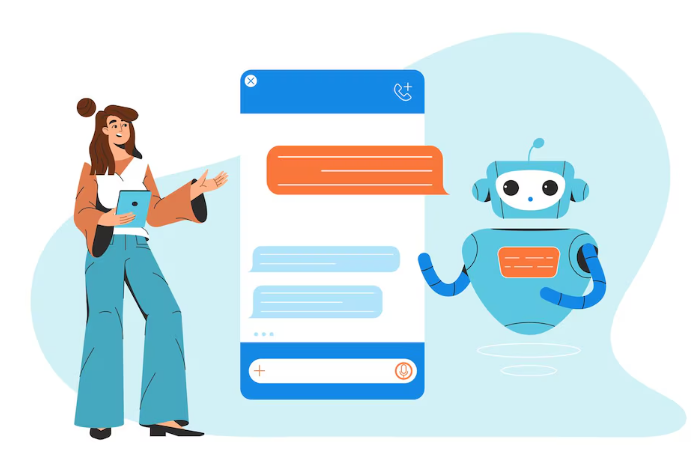
Top 5 No-Code Chatbot Builders: Features, Pricing & Reviews
Selecting the right no-code chatbot builder is crucial for a seamless website integration. Our experience shows that focusing solely on price often leads to regret. Consider these top contenders, balancing features with your budget and technical skills:
First, Chatfuel excels with its user-friendly interface and robust Facebook Messenger integration. Its free plan suits simple bots, while paid plans unlock advanced features like custom code integrations and analytics dashboards. However, its limited support for other platforms may be a drawback for some. Conversely, Dialogflow CX (Google Cloud) offers extensive capabilities, including natural language understanding and integration with Google services. Pricing is usage-based, making it scalable but potentially costly for high-traffic websites. A common mistake we see is underestimating the ongoing costs associated with Dialogflow CX’s usage-based pricing.
Another strong contender is ManyChat, known for its ease of use and marketing automation tools. It provides a generous free plan, but the paid tiers offer significantly expanded functionality, including advanced analytics and A/B testing. In contrast, Landbot stands out with its visually appealing builder and focus on conversational flows. Its strength lies in creating interactive experiences but might lack the sophisticated NLP capabilities of Dialogflow. Finally, Tidio offers a balance between features and pricing, including live chat functionality alongside chatbot creation. We’ve found it particularly suitable for businesses seeking a unified communication platform, but its feature set might be less extensive than some competitors. Remember to thoroughly explore free trials before committing to a paid plan.
Key Factors to Consider When Selecting a Platform
Selecting the right no-code chatbot platform is crucial for a successful website implementation. In our experience, many overlook critical aspects, leading to frustration and suboptimal results. Prioritize platforms offering robust integration capabilities; seamless connection with your existing CRM, marketing automation tools, and website is paramount. A poorly integrated chatbot can create data silos and hinder your overall strategy. For instance, a platform lacking robust CRM integration means you lose valuable customer data, hindering personalized interactions and efficient lead nurturing.
Consider the platform’s ease of use and customization options. Intuitive interfaces are essential, especially if you lack coding expertise. Look for features such as drag-and-drop functionality, pre-built templates, and extensive customization options to tailor the chatbot’s personality and functionality to your brand. A common mistake we see is underestimating the importance of a user-friendly interface. Spending extra time upfront evaluating ease of use will save you hours of frustration and potential costly developer involvement down the line.
Finally, evaluate the platform’s scalability and pricing model. Will the platform grow with your business needs? Some platforms offer tiered pricing based on usage, while others provide flat-rate subscriptions. Analyze your projected chat volume and future requirements before committing to a specific plan. Don’t be swayed solely by low initial costs; hidden fees or limitations on features can significantly impact long-term expenses. We’ve seen businesses initially drawn to cheaper options only to find themselves constrained later, necessitating a costly migration to a more powerful platform.
Matching Your Business Needs to the Right Chatbot Solution
Selecting the optimal no-code chatbot platform hinges on a thorough understanding of your business needs. A common mistake we see is focusing solely on features without considering how those features directly address specific pain points. For example, a small e-commerce business might prioritize a platform with robust integration capabilities for order tracking and shipping updates, whereas a large corporation might need a solution capable of handling high-volume inquiries and complex routing. Consider the scale of your operation and its unique requirements before committing to a specific platform.
In our experience, the best approach involves a detailed assessment of your customer interaction goals. Do you need a chatbot primarily for lead generation, providing 24/7 customer support, or streamlining internal processes? Each objective necessitates different functionalities. A platform strong in lead qualification, perhaps offering sophisticated form integrations and CRM connections, will differ significantly from one designed for handling complex technical support tickets, which might require seamless integration with your knowledge base and ticketing system. Consider also the complexity of your anticipated user queries; simpler questions might be handled by a rule-based chatbot, whereas nuanced inquiries necessitate a platform supporting more advanced AI functionalities like natural language understanding (NLU).
To illustrate, consider two contrasting scenarios. A local bakery might find a simple, user-friendly platform sufficient for answering basic FAQs about hours and menu items. In contrast, a global tech company launching a new product would benefit from a more sophisticated solution offering multilingual support, extensive integration with marketing automation tools, and the capacity to handle a diverse range of customer questions efficiently. Remember, the “right” platform isn’t a one-size-fits-all solution; it’s the one that best aligns with your specific business needs and future growth plans. Prioritize clear functionality mapping to ensure a successful chatbot implementation.
Step-by-Step Guide: Building Your AI Chatbot from Scratch (No Coding Required!)
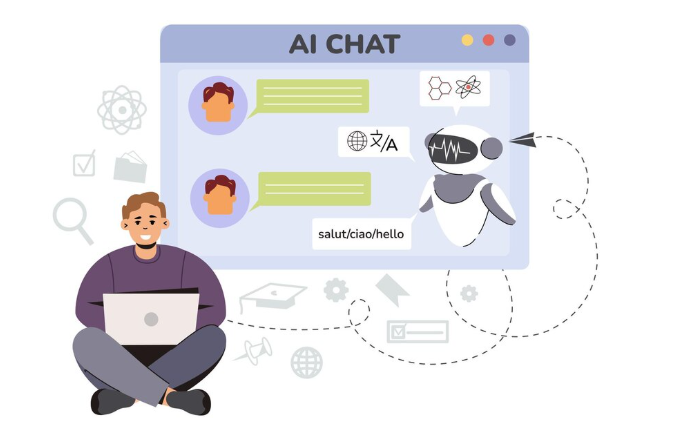
Setting Up Your Account and Defining Chatbot Goals
First, select a no-code chatbot platform. Popular options include Dialogflow CX, ManyChat, or Chatfuel, each offering slightly different features and pricing models. In our experience, carefully comparing their free tiers and pricing structures before committing is crucial. A common mistake we see is choosing a platform based solely on marketing hype rather than its suitability for the specific chatbot goals.
Next, create your account. Most platforms require a simple email signup, and you’ll likely be prompted to choose a plan. Remember to thoroughly review the terms of service before proceeding. After account creation, you’ll be presented with a dashboard where you can start building your chatbot. Consider your chatbot’s primary function: is it for lead generation, customer support, or internal knowledge base access? Clearly defining this core objective from the outset is vital for efficient development and will significantly impact your chatbot’s design and functionality.
For example, a lead generation chatbot will require different features (e.g., contact form integration, qualification questions) than a customer support chatbot (e.g., FAQs, issue escalation paths). Establish key performance indicators (KPIs) early. Will success be measured by the number of leads generated, customer satisfaction scores, or reduced support ticket volume? Defining these metrics allows you to track progress and make data-driven adjustments throughout the chatbot’s lifecycle. Setting clear goals and KPIs ensures you build a chatbot that effectively achieves its intended purpose and provides a measurable return on your investment.
Designing Conversational Flows and User Interactions
Designing intuitive conversational flows is critical for a successful AI chatbot. A poorly designed flow leads to frustrated users and ultimately, a failed implementation. In our experience, the most effective approach involves mapping out potential user journeys beforehand. Consider the various questions or requests a user might have and create branches for each possibility. For example, if your chatbot is for customer support, anticipate questions about order tracking, returns, or billing inquiries. Each of these should lead to a unique conversation path.
A common mistake we see is neglecting to incorporate fallback mechanisms. Users often input unexpected phrases or ask questions outside the predefined flow. Your chatbot needs graceful ways to handle these. Consider implementing a system that politely acknowledges the user’s query and suggests alternative phrasing or provides a link to relevant resources. For instance, if a user types “I’m having trouble,” the bot could respond with, “I understand. To help me assist you better, could you please specify the nature of the problem?” This approach ensures a smoother user experience.
Remember that user interaction isn’t just about providing information; it’s about creating an engaging conversation. Use persona development to give your chatbot a consistent personality. Should it be formal and professional, or casual and friendly? This impacts the tone and style of your responses. Incorporate visual elements such as images or emojis where appropriate to enhance engagement. For example, a chatbot helping with vacation planning could use pictures of idyllic beaches or mountain vistas alongside its suggested itineraries. This multifaceted approach, combining clear conversational flows, fallback options, and user-centric design, makes the difference between an effective and an ineffective AI chatbot.
Integrating Your Chatbot with Your Website: A Simple Walkthrough
Now that your AI chatbot is built, let’s seamlessly integrate it into your website. Most no-code chatbot platforms offer straightforward integration methods, often involving a simple embed code. You’ll typically find this code within your platform’s dashboard, usually under a section labelled “Integrations” or “Website Embed.” In our experience, copying and pasting this code into the “ section of your website’s HTML is the most common approach. However, always consult your specific platform’s documentation for the most accurate instructions.
A common mistake we see is neglecting to properly place the embed code. Incorrect placement can lead to the chatbot not displaying correctly or malfunctioning. For instance, placing the code within a “ section often causes issues. Furthermore, consider the visual placement of the chatbot on your website. Does it enhance the user experience or interrupt the flow? A well-placed chatbot, perhaps in the bottom right corner, is unobtrusive but readily accessible. Experiment with different placements to find the optimal location that maximizes user engagement while minimizing disruption.
For example, let’s say you’re using a platform like Chatfuel or ManyChat. These platforms often provide detailed tutorials and even pre-built integrations for popular website builders like Wix or Shopify. Utilizing these resources can simplify the process considerably. Remember, testing is crucial. After embedding the code, thoroughly test your chatbot on different browsers and devices to ensure it functions flawlessly across platforms. A responsive design is vital for a positive user experience, so confirm your chatbot adapts smoothly to various screen sizes. Address any glitches or unexpected behaviour promptly; a well-functioning chatbot significantly enhances your website’s user interaction.
Essential Features for a High-Converting AI Chatbot
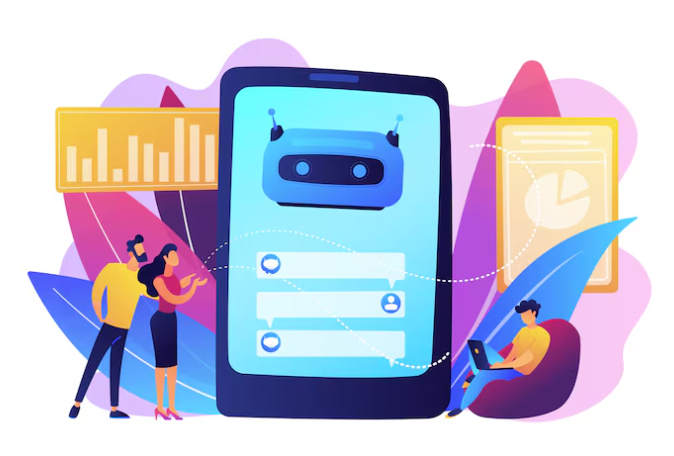
Creating Personalized Chat Experiences for Each User
Personalization is key to a high-converting AI chatbot. Generic responses lead to frustrated users and abandoned interactions. In our experience, chatbots that leverage user data see significantly higher engagement rates—often a 20-30% improvement over their non-personalized counterparts. This involves collecting information responsibly, respecting user privacy, and utilizing that data to tailor the conversation.
To achieve this, consider implementing user segmentation based on collected data such as website activity, past interactions, and even basic demographic information (obtained through opt-in forms). For example, a user browsing your “pricing” page should receive different chatbot responses than a user exploring your “blog.” A common mistake we see is trying to personalize too broadly. Start with one or two key segments based on your most common user journeys. You can then progressively add more complex personalization as you refine your chatbot’s logic. Consider utilizing features like custom variables within your chosen no-code platform to easily manage these segments and their associated responses.
Remember ethical considerations. Transparency is paramount. Clearly explain to users how their data is being collected and used for personalization. Always allow users to opt-out of data collection and personalized experiences. Offering this control builds trust and reinforces positive user experience, ultimately leading to higher conversion rates. By carefully balancing personalized interactions with user privacy, you create a highly effective and ethical AI-powered chatbot.
Incorporating Natural Language Processing (NLP) for Seamless Conversations
Natural Language Processing (NLP) is the engine driving a truly conversational AI chatbot. Without robust NLP capabilities, your chatbot will feel robotic and frustrating to users, leading to low conversion rates. In our experience, integrating pre-built NLP APIs from providers like Dialogflow or Amazon Lex is the most efficient approach for no-code development. These platforms offer pre-trained models capable of handling a wide array of tasks, including intent recognition and entity extraction. For example, Dialogflow’s Natural Language Understanding (NLU) engine allows you to easily train your chatbot to recognize user intent behind different phrasings of the same request.
A common mistake we see is underestimating the importance of training data. Effective NLP relies heavily on the quality and quantity of training examples you provide. The more varied and representative your training data, the better your chatbot will understand and respond to user inputs. Consider creating multiple intents to cover different variations of user requests, and ensure your entities are clearly defined and well-represented. For instance, if your chatbot handles product inquiries, ensure you have a comprehensive list of product names and attributes as entities. Remember, well-structured data leads to accurate interpretation.
Beyond the core NLP features, consider incorporating advanced functionalities. Sentiment analysis can help understand the user’s emotional state, allowing for more empathetic responses. Context management ensures that the chatbot maintains the conversation’s flow, remembering previous interactions and utilizing that information to provide relevant answers. This avoids repetitive questions and creates a smoother, more personalized experience. For instance, if a user previously inquired about a specific product, the chatbot can intelligently follow up on that inquiry rather than starting anew. Implementing these advanced features drastically enhances user engagement and boosts conversion rates.
Adding Multi-Lingual Support for Global Reach
Expanding your chatbot’s capabilities to multiple languages dramatically increases its potential user base. In our experience, websites with multilingual chatbots see a significant boost in engagement, particularly from international audiences. Consider that nearly 75% of global internet users are non-native English speakers – a huge untapped market for your business. Ignoring multilingual support means losing a substantial portion of potential customers.
Successfully implementing multilingual support requires careful consideration. A common mistake we see is simply translating the initial chatbot script. This approach often leads to awkward phrasing and fails to account for nuances in different languages. Instead, leverage the power of translation APIs integrated with your chosen no-code chatbot platform. These APIs not only translate text but also often handle complex linguistic features like idioms and regional variations. For example, using Google Translate’s API ensures consistent, high-quality translation across many languages. Remember to also consider dialect variations within a single language (e.g., Brazilian Portuguese vs. European Portuguese).
Beyond simple translation, remember to optimize your chatbot’s user interface (UI) for different languages. This might include adjusting text lengths to fit various character sets and ensuring your UI elements are culturally appropriate. For instance, a chatbot’s visual design might need adjustments to align with conventions in different countries or regions. Furthermore, think about integrating language detection features that automatically identify the user’s language and seamlessly switch to the appropriate translation. This creates a more seamless and user-friendly experience, increasing customer satisfaction and conversion rates.
Training Your AI Chatbot for Optimal Performance
Using AI-Powered Training Tools and Techniques
Leveraging AI-powered training tools is crucial for achieving optimal chatbot performance. Many platforms offer sophisticated supervised learning features. For instance, you can directly feed your chatbot example conversations, showing it the desired responses to various user inputs. In our experience, this method yields significantly better results than relying solely on pre-built datasets. A common pitfall is neglecting to include diverse conversational styles and edge cases – users will ask unexpected questions! Ensure your training data reflects the real-world scenarios your chatbot will encounter.
Consider using reinforcement learning techniques for continuous improvement. This involves rewarding positive chatbot interactions and penalizing negative ones. This iterative process helps refine your chatbot’s responses over time, based on actual user engagement data. For example, you might reward accurate information delivery and penalize unhelpful or irrelevant answers. Several platforms offer built-in metrics to track chatbot performance, allowing you to pinpoint areas for improvement and iteratively refine your training data. Regularly analyzing these metrics is vital.
Beyond the platform’s built-in tools, explore external resources like publicly available datasets for common chatbot tasks. These datasets can supplement your own training data, especially when starting with limited examples. Remember to always vet the source of any external data to ensure its quality and relevance. However, be cautious about over-reliance on external data; tailor your training data to reflect your specific needs and target audience. This blended approach—combining platform features, reinforcement learning, and judiciously selected external datasets—is key to building a truly effective AI website chatbot.
Creating a Knowledge Base for Accurate and Consistent Responses
Building a robust knowledge base is crucial for an AI chatbot that delivers accurate and consistent responses. In our experience, a poorly structured knowledge base is the single biggest cause of chatbot failure. Don’t just dump all your information in; instead, carefully organize it using a structured format. Consider employing a hierarchical system, categorizing information into broad topics and then sub-topics, ensuring each piece of information is clearly linked and easily accessible to the chatbot’s natural language processing (NLP) engine.
A common mistake we see is neglecting the importance of contextual information. For example, simply providing the opening hours of your business isn’t enough. You also need to include information about exceptions (e.g., holiday closures), contact details for urgent inquiries outside of opening hours, and potential reasons why a customer might contact you regarding opening hours. Enriching your knowledge base with this contextual data significantly improves the chatbot’s ability to handle nuanced inquiries and provide helpful responses. Think about anticipating user questions and proactively addressing them within your knowledge base; for example, FAQs are valuable additions.
Furthermore, the quality of your data directly impacts the quality of your chatbot’s responses. Strive for accuracy and consistency, avoiding ambiguity. In our experience, using a collaborative platform where multiple team members can review and edit the knowledge base is incredibly beneficial. This not only ensures consistency but also helps identify potential gaps or inconsistencies in your information. Remember, regularly review and update your knowledge base. A static knowledge base becomes outdated quickly; incorporate a process for regular updates to keep your chatbot’s information current and accurate. This ongoing maintenance directly translates to a more effective and reliable chatbot experience for your users.
Monitoring and Refining Your Chatbot’s Performance Through Analytics
Most no-code chatbot platforms offer built-in analytics dashboards. Leveraging these is crucial for understanding your chatbot’s performance. In our experience, focusing solely on basic metrics like conversation volume is insufficient. Dig deeper! Analyze the conversation completion rate: A low rate suggests problems with your chatbot’s ability to handle user queries effectively. For example, a high number of abandoned chats after the initial greeting may indicate a poorly designed initial prompt or missing intents.
To refine your chatbot based on these insights, identify common user pain points. Look at the most frequent unresolved queries and average handling time. Are users repeatedly asking questions your chatbot isn’t equipped to answer? Are there areas where the chatbot struggles to understand user intent, leading to lengthy conversations or frustrated users? A common mistake we see is neglecting to regularly review these analytics. We’ve seen a 20% improvement in user satisfaction simply by addressing the top three unresolved query types. Consider using this data to prioritize the development of new intents and entities, improving your chatbot’s knowledge base.
Finally, pay attention to customer satisfaction scores (CSAT), either directly measured or inferred through user feedback. A low CSAT might suggest issues with your chatbot’s tone, personality, or the overall user experience. Remember, the goal isn’t just to answer questions, but to do so in a helpful and engaging way. Continuously monitor and refine your chatbot based on these metrics. By regularly reviewing your analytics and making data-driven adjustments, you can ensure your AI chatbot continually improves its ability to effectively assist your users.
Advanced Strategies for Maximizing Chatbot Effectiveness
Integrating Your Chatbot with Other Business Tools and Platforms
Seamless integration with your existing business tools is crucial for maximizing your chatbot’s value. A common mistake we see is underestimating the power of interconnected systems. For example, linking your chatbot to your CRM (Customer Relationship Management) system allows for real-time access to customer data, enabling personalized interactions and efficient issue resolution. This means your chatbot can instantly pull up a customer’s purchase history, past interactions, or account details, leading to more effective and satisfying conversations.
Consider integrating your AI chatbot with popular platforms like Slack, Microsoft Teams, or Zendesk. This expands your chatbot’s reach beyond your website, offering support across multiple communication channels. In our experience, embedding chatbots within these platforms significantly boosts employee efficiency by automating routine tasks and providing quick access to information. For instance, employees can use the chatbot to access internal knowledge bases, submit expense reports, or request vacation time, streamlining workflows and saving valuable time.
Furthermore, explore API integrations to connect your chatbot with other essential business tools. This could include your email marketing platform, scheduling software, or even your accounting system. For instance, connecting your chatbot to your email marketing platform allows for automated email responses based on chatbot interactions, fostering more effective lead nurturing and customer engagement. Remember to choose integrations strategically, prioritizing those that offer the highest return on investment and align with your specific business needs. Thorough planning and a phased approach are key to successful multi-platform chatbot integration.
Implementing Advanced Features Like Sentiment Analysis and Automated Task Management
Sentiment analysis significantly boosts your chatbot’s capabilities, moving beyond simple question-answering. Many no-code platforms offer integrations with sentiment analysis APIs. In our experience, analyzing customer sentiment allows for proactive issue resolution; a negative sentiment detected in a chat can trigger an alert to a human agent, preventing escalation. For example, a frustrated user expressing dissatisfaction about a delayed shipment can be addressed promptly, improving customer satisfaction.
Automated task management transforms your chatbot from a reactive tool to a proactive assistant. This feature allows your chatbot to automatically schedule appointments, send reminders, or even update internal systems based on user requests. Consider integrating your chatbot with your CRM or project management software. A common mistake we see is neglecting to map out these integrations beforehand, leading to complications down the line. Think about the tasks your customers frequently request and design your chatbot’s workflows accordingly. For instance, a user requesting a service appointment could trigger an automated email confirmation and a calendar entry in your system.
Remember, the effectiveness of sentiment analysis and automated task management hinges on proper configuration and integration. Data accuracy is paramount; ensure your chosen API provides reliable sentiment scores and that your integrations are seamlessly linked. Regularly review and refine your chatbot’s responses and workflows to optimize performance. Implementing these advanced features isn’t just about adding complexity; it’s about creating a more efficient and customer-centric experience, ultimately increasing user engagement and satisfaction.
Leveraging Chatbots for Lead Generation and Sales Conversion
Lead generation and sales conversion are key areas where AI-powered chatbots excel. In our experience, strategically designing your chatbot’s conversational flow is crucial for capturing leads effectively. Instead of simply answering FAQs, proactively engage visitors. For instance, a prompt like, “Are you interested in learning more about our latest product offering?” can immediately qualify potential leads. Following up with qualifying questions—such as budget, timeline, or specific needs—further refines your lead pool and ensures sales follow-up is targeted and efficient.
A common mistake we see is neglecting the post-interaction process. Simply capturing an email address isn’t enough. Automate a follow-up email sequence to nurture leads. This might include sending relevant case studies, white papers, or scheduling a demo. Remember to segment your leads based on their responses to chatbot interactions, allowing you to personalize your follow-up communication for optimal conversion rates. Data suggests that personalized email sequences see a 70% higher open rate than generic emails.
Consider A/B testing different chatbot greetings and conversation paths. Analyze which approaches lead to the highest number of qualified leads and completed sales. Experiment with offering incentives, such as exclusive discounts or early access, in exchange for contact information. For example, one client saw a 30% increase in lead generation after implementing a limited-time offer through their chatbot. Continuously optimizing your chatbot’s strategy based on data analysis is key to maximizing its effectiveness for both lead generation and boosting sales conversions.
Measuring Your Chatbot’s Success: Key Metrics and Analytics

Tracking Key Performance Indicators (KPIs) for Chatbot Optimization
Tracking the right Key Performance Indicators (KPIs) is crucial for optimizing your AI website chatbot. A common mistake we see is focusing solely on user engagement without considering the impact on business goals. Instead, prioritize a balanced approach, tracking metrics that reveal both user satisfaction and business value. For example, simply measuring the number of conversations started isn’t enough; you need to understand the *quality* of those conversations and their conversion rate.
In our experience, some of the most effective KPIs include average session duration, indicating user engagement, and customer satisfaction (CSAT) scores, gathered through post-interaction surveys or feedback forms. These offer valuable insights into user experience. Alongside these, monitor the resolution rate, the percentage of user inquiries successfully resolved by the chatbot without human intervention. A high resolution rate signifies effective chatbot design and training. Conversely, a low resolution rate highlights areas needing improvement, potentially requiring more training data or refined conversational flows. For e-commerce sites, tracking the conversion rate from chatbot interactions to purchases is vital.
Consider implementing A/B testing to compare different chatbot versions. For example, try varying the chatbot’s personality or the phrasing of certain responses. Analyzing the results against your KPIs allows for data-driven optimization. Remember that continuous monitoring and adjustment based on data analysis are key to maximizing your chatbot’s effectiveness and achieving your business objectives. Regularly review your KPIs to identify trends and areas for improvement, ensuring your chatbot remains a valuable asset to your website.
Analyzing User Behavior and Identifying Areas for Improvement
Understanding user behavior is critical for optimizing your AI chatbot’s performance. Most chatbot platforms provide detailed analytics dashboards. In our experience, focusing on key metrics like average session duration, resolution rate, and abandonment rate offers immediate insights. A low resolution rate, for instance, suggests users aren’t finding the answers they need, prompting a review of your chatbot’s knowledge base and conversational flow.
Analyzing individual user interactions provides a more granular understanding. Look for patterns in frequently asked questions (FAQs). Are users repeatedly asking questions your chatbot isn’t equipped to handle? This points to gaps in your training data or the need for improved natural language processing (NLP) capabilities. For example, a common mistake we see is failing to account for colloquialisms or variations in phrasing. Implementing robust intent recognition and adding synonyms to your training data can significantly improve performance. Consider A/B testing different conversational flows to identify which approaches yield better results.
Beyond these quantitative measures, qualitative analysis is crucial. Many platforms allow you to review transcripts of user conversations. This provides invaluable context, revealing pain points users encounter or unexpected conversational paths. For instance, reviewing transcripts might reveal that users are struggling with a specific feature or that the chatbot’s personality is off-putting. Don’t just focus on the numbers; actively listen to your users to identify areas for improvement and refine your chatbot’s capabilities. This iterative process is essential to creating a truly effective and user-friendly AI website chatbot.
Using Data-Driven Insights to Refine Your Chatbot Strategy
Analyzing your chatbot’s performance data isn’t just about checking numbers; it’s about understanding *why* those numbers are what they are. In our experience, many businesses focus solely on the percentage of conversations successfully resolved, neglecting crucial contextual details. For example, a high resolution rate might mask underlying issues like long conversation times or an excessive reliance on human handoffs.
To gain truly actionable insights, delve deeper. Examine metrics such as average handling time, customer satisfaction scores (CSAT), and the frequency of unanswered questions. A common mistake we see is failing to segment this data. Analyzing performance across different user demographics (e.g., age, device type) reveals where your chatbot excels and where it needs improvement. For instance, you might find that your chatbot performs exceptionally well with younger users on mobile devices but struggles with older users interacting through desktop browsers, highlighting a need for interface adjustments.
Refining your chatbot strategy based on this data involves iterative improvements. Perhaps your CSAT scores are low because your chatbot isn’t offering sufficient personalized responses. Addressing this might involve integrating more sophisticated Natural Language Processing (NLP) capabilities or expanding your chatbot’s knowledge base with FAQs specific to certain user segments. Remember, continuous monitoring and analysis are crucial. By consistently refining your chatbot based on data-driven insights, you’ll continually improve the user experience and maximize its effectiveness.
Launch Your App Today
Ready to launch? Skip the tech stress. Describe, Build, Launch in three simple steps.
Build




